
The Foundation of Automotive 3D: Topology and Precision Modeling

The world of automotive design has undergone a profound transformation, moving beyond traditional blueprints and clay models into the dynamic realm of 3D digital artistry. From concept visualization to the creation of custom 3D printed car parts, high-quality 3D car models are the bedrock of innovation across countless industries. Whether you’re a game developer crafting immersive open worlds, an automotive engineer prototyping new components, or an artist pushing the boundaries of photorealistic rendering, understanding the intricate technicalities of 3D car models is paramount.
This comprehensive guide delves deep into the essential workflows, advanced techniques, and industry best practices for creating, optimizing, and utilizing 3D car models. We’ll explore everything from the meticulous art of topology and UV mapping to the intricacies of PBR material creation, rendering photorealistic scenes, and optimizing assets for real-time applications like game engines and AR/VR. We’ll also specifically address the unique challenges and opportunities presented by 3D printing custom automotive components and models. By the end of this journey, you’ll possess a robust understanding of how to leverage the full potential of 3D car models in your professional projects.
The Foundation of Automotive 3D: Topology and Precision Modeling
At the heart of any exceptional 3D car model lies impeccable topology. This refers to the arrangement of vertices, edges, and faces that form the surface of your model. For automotive designs, where subtle curves, sharp creases, and reflective surfaces are critical, clean and efficient topology is not just a preference—it’s a necessity. Poor topology leads to shading artifacts, difficult deformations, and limitations in UV mapping and animation. The goal is always to achieve a quad-dominant mesh with evenly distributed polygons that follow the natural contours and design lines of the vehicle.
When modeling a car, especially for high-fidelity applications like automotive rendering or complex simulations, every edge loop has a purpose. These loops define the flow of the surface, allowing for precise control over curvature and the placement of details. Think of the crisp lines around headlights, the subtle bulges of wheel arches, or the aerodynamic curves of a spoiler—all are meticulously guided by well-placed edge loops. Achieving this requires a combination of experience, a keen eye for form, and a methodical approach to polygon placement, ensuring that the model holds up perfectly under various lighting conditions and subdivision levels.
Clean Topology for Flawless Surfaces
The golden rule for automotive topology is maintaining an all-quad workflow wherever possible. Triangles should be minimized and ideally only used in flat, non-deforming areas if absolutely necessary, as they can cause pinching and undesirable shading. Key considerations include ensuring even polygon distribution to prevent stretching or compression, which can lead to texture distortion and jagged outlines. Edge loops should run parallel to major contours, such as door seams, window frames, and body panel edges. These loops act as “control lines” that define the shape and allow for easy manipulation, crucial for intricate details like panel gaps or vent designs. Pole management (vertices with more or less than four edges connected) is also vital; high-valence poles should be placed in areas of low curvature to minimize visual impact.
- Edge Loop Flow: Ensure edge loops follow the natural curvature and creases of the car body.
- Quad Dominance: Strive for a mesh composed primarily of quads for better subdivision and deformation.
- Even Distribution: Maintain consistent polygon density across the surface to avoid stretching.
- Detail Control: Use additional edge loops to define sharp creases and panel gaps without adding unnecessary geometry to flat areas.
Essential Modeling Workflows (Polygonal, NURBS, Subdivision)
Different modeling techniques offer distinct advantages for automotive design. Polygonal modeling, often used in software like 3ds Max, Blender, and Maya, is the most common for game assets and rendering. It offers direct control over every vertex and face, making it ideal for creating intricate details and optimizing polygon counts. NURBS (Non-uniform rational B-spline) modeling, prevalent in CAD software like Rhino or Alias, excels at creating perfectly smooth, mathematically precise surfaces. These models are resolution-independent and often used for manufacturing, but converting them to polygons for real-time or rendering can be challenging due to high polygon counts and topology issues. Finally, Subdivision Surface modeling combines the best of both worlds, starting with a low-poly cage and smoothing it into a high-resolution mesh. This allows for iterative design and efficient detail addition, making it a favorite for production-quality 3D car models that need to scale from low to high detail.
Bringing Surfaces to Life: UV Mapping and PBR Materials
Once your car model’s geometry is perfected, the next critical step is preparing it for texturing through UV mapping and then applying realistic materials. UV mapping is the process of flattening the 3D surface of your model into a 2D space, much like unfolding a cardboard box. This 2D layout, known as a UV map, dictates how textures are applied to the model. Without proper UVs, textures will appear stretched, distorted, or misaligned, ruining the realism of even the most detailed model. For complex automotive 3D designs, strategic seam placement and efficient space utilization on the UV map are crucial to avoid visible seams and maximize texture resolution.
Beyond UVs, Physically Based Rendering (PBR) materials are the industry standard for achieving photorealistic results. PBR shaders simulate how light interacts with real-world surfaces based on physical properties, resulting in materials that react correctly to any lighting environment. This means defining not just the color, but also how reflective a surface is (metallicness), how rough or smooth it is (roughness/glossiness), and how light scatters within it (subsurface scattering for translucent materials). Mastering PBR workflows allows artists to create everything from pristine showroom finishes to weathered, battle-scarred vehicle exteriors with unparalleled fidelity, making the car models truly come alive.
Strategic UV Layout for Automotive Complexity
Effective UV mapping for car models involves careful planning. The goal is to minimize distortion, avoid overlapping UVs, and place seams in inconspicuous areas, such as along natural panel lines, hidden edges, or under trim pieces. For large, continuous surfaces like car body panels, it’s often beneficial to use multiple UV islands (separated pieces of the flattened mesh) to break down complex shapes and allow for more efficient unwrapping. Tools in software like Blender, 3ds Max, and Maya provide sophisticated unwrapping algorithms, often employing methods like LSCM (Least Squares Conformal Map) or ABF (Angle Based Flattening) to achieve minimal distortion. Checker maps are invaluable during this process to visually inspect for stretching or compression in the UV layout. For extremely high-resolution assets, UDIMs (UV Dimension tiles) allow artists to use multiple texture maps across a single material, preventing resolution limitations on large models.
- Minimize Seams: Hide UV seams along natural breaks or occluded areas.
- No Overlapping: Ensure UV islands do not overlap unless intentional for tiling textures or mirroring.
- Uniform Texel Density: Maintain consistent texture resolution across the model for visual consistency.
- Utilize Space: Maximize the use of the 0-1 UV space to get the most out of your texture resolution, or use UDIMs for extreme detail.
Crafting Realistic PBR Shaders
PBR materials rely on a set of standardized maps to define surface properties. The most common maps include:
- Albedo (Base Color): The pure color of the surface, stripped of any lighting information.
- Metallic: Defines whether a surface is metallic (0 for dielectric, 1 for metallic).
- Roughness/Glossiness: Controls the microscopic surface irregularities, impacting how light reflects (rougher surfaces scatter light, appearing duller; smoother surfaces reflect sharply).
- Normal Map: Adds fine surface detail without increasing polygon count, faking bumps and grooves.
- Ambient Occlusion (AO): Simulates soft shadows where surfaces are close together, enhancing perceived depth.
Creating these maps involves a combination of procedural generation, hand-painting, and projection from high-detail models (baking). Software like Substance Painter and Quixel Mixer are industry staples for texturing, allowing artists to layer materials, add wear and tear, and generate PBR maps with incredible precision. For automotive finishes, understanding the interplay between metallic, roughness, and clear coat layers is essential to replicate car paint, chrome, glass, and rubber with photorealistic accuracy. High-resolution textures (e.g., 2K or 4K per material) are often necessary for close-up shots and high-fidelity rendering.
The Art of Illumination: Rendering for Photorealism
Once a 3D car model is meticulously crafted and textured, the ultimate test of its realism comes in the rendering stage. Rendering is the process of generating a 2D image from a 3D scene, simulating how light interacts with materials, objects, and the environment. For automotive visualization, photorealism is almost always the goal. This means accurately replicating real-world lighting conditions, camera optics, and atmospheric effects. The choice of render engine, coupled with skillful lighting and environment setup, profoundly impacts the final image. Programs like 3ds Max with Corona or V-Ray, Blender with Cycles, Maya with Arnold, and dedicated real-time engines each offer unique strengths and workflows to bring your 3D car models to life.
Achieving a stunning automotive render is not merely about pressing a button; it’s a blend of technical expertise and artistic vision. It involves understanding global illumination, physically accurate cameras, and the nuances of various light types to highlight the car’s form, materials, and design features. Furthermore, the post-processing stage is where an already good render can be transformed into a truly spectacular piece of artwork, enhancing mood, color, and overall polish. This iterative process of lighting, rendering, and refining is what separates good visualizations from truly exceptional ones, making the 3D model an immersive experience.
Lighting Setups for Automotive Glory
Effective lighting is paramount for showcasing a car model. High Dynamic Range Images (HDRIs) are a staple, providing realistic environmental lighting and reflections from real-world scenes. Paired with direct light sources (e.g., area lights, spotlights, or dome lights in V-Ray/Corona) to emphasize specific contours or add studio-like highlights, HDRIs create a convincing sense of place. Key lighting techniques include:
- Studio Setup: Softbox-style area lights for even illumination, often with rim lights to define edges.
- Environmental Setup: HDRIs for realistic sky and background reflections, sometimes augmented with virtual suns.
- Accent Lighting: Small spotlights or emissive meshes to highlight specific features like headlights, taillights, or interior details.
Consider the ‘light wrapping’ effect on curved surfaces, using large, soft light sources to reveal the model’s form. Pay attention to reflection quality; metallic car paint requires sharp, clean reflections, while matte surfaces demand more diffused highlights. Experiment with different light temperatures and colors to evoke specific moods, from the cool tones of a winter morning to the warm glow of a sunset.
Render Engine Deep Dive (Corona, V-Ray, Cycles, Arnold)
Each major render engine has its unique characteristics:
- Corona Renderer (3ds Max, Cinema 4D): Known for its ease of use, physically accurate light behavior, and powerful interactive rendering. It excels at fast, unbiased rendering, making it a favorite for architectural and automotive rendering professionals who need high quality with less setup time.
- V-Ray (3ds Max, Maya, SketchUp, Rhino, etc.): A long-standing industry standard, V-Ray is incredibly versatile and powerful, offering both biased and unbiased rendering. It provides granular control over every aspect of lighting and materials, making it suitable for complex production pipelines.
- Cycles (Blender): Blender’s integrated path tracer, Cycles, offers excellent physically based rendering. It supports CPU and GPU rendering (CUDA, OptiX, Metal) and is constantly improving, providing high-quality results for users within the Blender ecosystem.
- Arnold (Maya, 3ds Max, Houdini): A robust, unbiased Monte Carlo path tracer primarily used in feature film and animation, known for its ability to handle extremely complex scenes and produce highly realistic results with superb quality of light and materials.
Understanding each engine’s strengths allows artists to choose the best tool for their specific project needs, often dictating how materials are set up and how lighting is approached for optimal performance and realism. Render elements (passes like diffuse, reflection, refractions, Z-depth, normals) are crucial for advanced post-production.
Post-Processing for Polish
The rendering process doesn’t end with the final image. Post-processing in software like Photoshop, Affinity Photo, or GIMP is where a good render can become truly captivating. This stage involves adjustments like color correction, levels and curves, contrast enhancements, and adding atmospheric effects such as glare, lens flares, and subtle depth of field. Vignetting can draw attention to the subject, while chromatic aberration can add a touch of photographic realism. Compositing multiple render passes (e.g., separating reflection and diffuse layers) provides immense control, allowing precise adjustments without re-rendering the entire scene. The goal is to refine the image, correct minor imperfections, and inject artistic flair to achieve a polished, professional look that meets the highest standards of visualization.
Optimizing for Interactivity: Game Engines and Real-time Applications
While photorealistic rendering aims for static perfection, game engines and real-time applications demand dynamic performance. The challenge lies in making a 3D car model look stunning while maintaining a smooth frame rate in an interactive environment. This often means reducing polygon counts, optimizing textures, and streamlining material setups without sacrificing visual fidelity. Whether you’re developing a AAA racing game in Unreal Engine, an AR experience with a virtual car in Unity, or a VR showroom, intelligent optimization strategies are crucial. Performance in real-time environments is measured by frames per second (FPS) and is directly influenced by draw calls, polygon count, and texture memory usage.
A well-optimized 3D car model for game development is a balance between visual quality and performance efficiency. This involves creating multiple versions of the model for different distances from the camera (Levels of Detail), carefully managing texture atlases, and leveraging engine-specific features for material instancing and culling. The goal is to provide a seamless, high-quality experience for the end-user, regardless of their hardware capabilities. Platforms like 88cars3d.com specialize in providing game assets that are already optimized, saving developers significant time and effort in this critical phase.
LODs and Draw Call Reduction
Levels of Detail (LODs) are essential for optimizing performance. An LOD system creates several versions of a mesh, each with progressively lower polygon counts. The engine then automatically switches between these versions based on the camera’s distance from the object. For a high-fidelity car model, you might have LOD0 (full detail, ~50,000-150,000 triangles for a hero car), LOD1 (~20,000-50,000 triangles for mid-distance), LOD2 (~5,000-15,000 triangles for far distance), and even LOD3 (a few hundred triangles for extreme distance or shadows). These are often created through manual optimization, decimation tools, or automated LOD generation. The aim is to significantly reduce the number of polygons rendered when the model is far away, minimizing the GPU workload. Each LOD should maintain the silhouette and essential features of the car, with textures often baked down from the higher-poly versions to retain detail.
Draw calls are instructions from the CPU to the GPU to render a batch of triangles. Every unique material, object, or light source adds to the draw call count, which can quickly bottleneck performance. Minimizing draw calls involves:
- Batching: Combining multiple static meshes into a single mesh or using dynamic batching where possible.
- Material Atlasing: Combining multiple smaller textures into one larger texture atlas, reducing the number of materials used.
- Material Instancing: Creating variations of a base material without creating entirely new materials, allowing the engine to reuse shader code.
A highly detailed car with many separate parts and unique materials can quickly accumulate hundreds of draw calls. Smart optimization reduces this to a manageable number, often under 50-100 for an entire car, ensuring smooth performance.
Texture Atlasing and Material Instancing
Texture atlasing is a crucial technique for game engine optimization. Instead of having separate texture maps for each car component (e.g., doors, hood, wheels, interior), all these textures are combined into one or a few large texture sheets. The UVs of the model are then remapped to point to the correct areas on these atlases. This reduces the number of texture lookups and material swaps, significantly lowering draw calls. For example, a car might have a body atlas, an interior atlas, and a wheel atlas, each containing all necessary albedo, normal, and roughness maps for their respective parts. This strategy is particularly effective for large environments and complex objects like cars.
Material instancing builds upon this by allowing artists to create multiple variations of a single base material. Instead of creating a unique material for metallic paint, matte paint, and clear coat, you create one “car paint master material” and then create instances of it. These instances inherit the base material’s properties but allow parameters (like color, metallic value, roughness) to be adjusted without incurring the overhead of a new draw call. This is incredibly efficient for variations (e.g., different car colors, subtle wear and tear) and is widely used in engines like Unreal Engine and Unity to keep projects lightweight and performant while maintaining visual diversity.
AR/VR Considerations for Automotive Models
AR/VR optimization techniques for automotive models push the boundaries even further, demanding extreme efficiency. The need for a stable high frame rate (e.g., 90 FPS or higher) to prevent motion sickness means polygon counts and draw calls must be even lower than typical desktop games. For a VR car model, target polygon counts might be under 100,000 triangles for the entire vehicle, and even less for AR on mobile devices (e.g., 50,000 triangles). Key strategies include:
- Baked Lighting: Instead of dynamic real-time lighting, which is costly, lighting information is often “baked” into texture maps (lightmaps) during pre-computation. This provides realistic lighting at a fraction of the performance cost.
- Aggressive LODs: More aggressive LODs with larger polygon reductions between levels.
- Occlusion Culling: Hiding objects that are not visible to the camera (e.g., interior parts when the doors are closed).
- Shader Optimization: Using simpler, more performant shaders with fewer instructions.
- Mobile-Specific Formats: Utilizing glTF/GLB or USDZ for WebAR and iOS AR, which are optimized for lightweight delivery and rendering on mobile devices.
These considerations are vital for delivering compelling, immersive automotive experiences that run smoothly on target hardware, from high-end VR headsets to everyday smartphones.
The Physical Dimension: 3D Printing Custom Car Parts and Models
The journey of a 3D car model doesn’t always end on a screen. With the advent of additive manufacturing, or 3D printing, digital models can transcend the virtual realm and become physical objects. This capability has revolutionized automotive design and manufacturing, enabling rapid prototyping of custom car parts, scale models, and even functional components. Engineers can quickly iterate on designs for aerodynamic elements, interior components, or unique accessories, dramatically shortening development cycles. Enthusiasts can print custom grilles, emblems, or interior trim pieces for their real-world vehicles, or create highly detailed collectible models.
However, preparing a 3D model for printing requires a different set of considerations than preparing it for rendering or game engines. Mesh integrity, wall thickness, and print orientation become paramount to ensure the physical object is strong, accurate, and successful. Understanding the nuances of different 3D printing technologies (FDM, SLA, SLS) and their material properties is also crucial for achieving the desired outcome. When sourcing models from marketplaces such as 88cars3d.com, it’s important to check if models are already prepared for 3D printing or if they require additional work.
Preparing Models for 3D Printing (Mesh Integrity and Wall Thickness)
For a 3D model to be printable, it must be “watertight” or “manifold.” This means the mesh must form a completely enclosed volume with no holes, inverted normals, or self-intersecting geometry. 3D printers cannot print surfaces that don’t have a clearly defined inside and outside. Software tools like Meshmixer, Netfabb, or even Blender’s 3D Print Toolbox offer functions to inspect and repair meshes, automatically closing holes, fixing non-manifold edges, and removing internal geometry.
Wall thickness is another critical factor. Every part of your model must be thick enough to withstand the printing process and function physically. The minimum wall thickness varies depending on the printing technology, material, and desired strength. For FDM (Fused Deposition Modeling), a minimum thickness of 0.8mm to 1.5mm is common, while for SLA (Stereolithography) or SLS (Selective Laser Sintering), it can be as low as 0.5mm. Too thin, and parts will break during printing or post-processing; too thick, and it wastes material and increases print time. Hollow parts with drain holes are often used for larger prints to save material and weight.
- Watertight Mesh: Ensure no holes, gaps, or non-manifold geometry.
- Adequate Wall Thickness: Respect minimum material thickness requirements for your chosen printer and material (e.g., 0.8mm-1.5mm for FDM, 0.5mm for SLA).
- No Self-Intersections: Geometry should not pass through itself.
- Correct Normals: All face normals should consistently point outwards.
File Formats and Slicer Software
The most common file format for 3D printing is STL (Stereolithography). It’s a simple format that represents the surface of a 3D model as a collection of triangles. While widely supported, STL lacks color and material information. OBJ and AMF (Additive Manufacturing File Format) are also gaining traction, with AMF offering advantages like color, material, and even lattice structure information. For complex custom 3D car parts, these formats can be more versatile.
After exporting the prepared model, it’s imported into a slicer software (e.g., Cura, PrusaSlicer, Simplify3D). The slicer converts the 3D model into a series of thin layers, generating G-code—the instructions that tell the 3D printer exactly where to move the print head, how much material to extrude, and at what temperature. Slicer settings are crucial and include:
- Layer Height: Dictates print resolution and detail (e.g., 0.1mm for fine detail, 0.2mm for faster prints).
- Infill Density: The internal structure of the print, influencing strength and material usage (e.g., 10-20% for models, 80-100% for strong parts).
- Print Speed: Affects print time and quality.
- Support Structures: Automatically generated structures to prevent overhangs from collapsing.
- Rafts/Brima/Skirts: Base layers to improve bed adhesion.
Optimizing these settings is key to successful and high-quality 3D prints, especially for intricate automotive shapes.
Material Selection and Post-Processing for 3D Prints
The choice of 3D printing material is critical and depends on the application.
- PLA (Polylactic Acid): Easy to print, biodegradable, good for display models and prototypes.
- ABS (Acrylonitrile Butadiene Styrene): Stronger, more temperature-resistant, good for functional parts, but prone to warping.
- PETG (Polyethylene Terephthalate Glycol): A good balance of strength, flexibility, and ease of printing.
- Resin (SLA/DLP): Offers incredibly high detail and smooth surfaces, ideal for intricate scale models, jewelry, or highly aesthetic prototypes.
- Nylon (SLS/FDM): Exceptionally strong, flexible, and durable, often used for functional custom 3D car parts.
After printing, most parts require post-processing. This can include removing support structures, sanding, filling, priming, painting, and sometimes curing (for resin prints). Achieving a professional, smooth finish on a 3D printed car model or part often involves extensive sanding and automotive-grade paints, replicating the high-gloss look of real vehicles. This meticulous attention to detail in both digital preparation and physical finishing is what truly elevates 3D printed automotive models.
Beyond the Render: File Formats, Compatibility, and Workflow Integration
The versatility of 3D car models is largely determined by their compatibility across different software and platforms. This hinges on understanding various file formats, each designed for specific purposes and carrying different types of data. From standard interchange formats to specialized real-time or AR/VR formats, knowing which format to use and when is crucial for efficient workflow and successful project delivery. A model’s journey often involves multiple software packages—modeling in Maya, texturing in Substance Painter, rendering in 3ds Max, and finally deploying to Unity or Unreal Engine, or even sending to a 3D printer. Seamless data transfer between these stages is key.
Furthermore, integrating 3D car models into existing production pipelines requires an understanding of how assets are managed, versioned, and shared within a team. This includes considerations for asset libraries, naming conventions, and establishing consistent workflows to ensure that everyone is working with the latest, optimized, and compatible versions of the models. By mastering file formats and workflow integration, artists and developers can unlock the full potential of their automotive 3D designs, maximizing their utility across diverse applications.
Navigating the File Format Landscape (FBX, OBJ, GLB, USDZ, STL)
Understanding the strengths and weaknesses of different 3D file formats is paramount:
- FBX (Filmbox): Developed by Autodesk, FBX is an industry-standard interchange format. It supports not only geometry and UVs but also materials, textures, cameras, lights, and animation. This makes it ideal for transferring complex animated assets between DCC (Digital Content Creation) software like 3ds Max, Maya, and Blender, and game engines like Unity and Unreal. It’s often the go-to for game assets due to its comprehensive data support.
- OBJ (Wavefront Object): A widely supported, simpler format that primarily stores geometry (vertices, faces, UVs) and basic material references (via an accompanying .MTL file). It’s excellent for static meshes without animation or advanced material setups and is highly compatible across almost all 3D software.
- GLB/glTF (Graphics Language Transmission Format): An open-standard, royalty-free format designed for efficient transmission and loading of 3D scenes and models in real-time applications and web browsers. GLB is the binary version of glTF, bundling all assets (geometry, textures, animations) into a single file. It’s becoming the standard for WebGL, AR/VR, and lightweight 3D delivery.
- USDZ (Universal Scene Description Zip): Developed by Apple and Pixar, USDZ is specifically designed for AR applications on iOS devices and is built upon Pixar’s USD framework. It’s a container format that includes geometry, materials, and animations, optimized for mobile performance and ease of use in AR experiences.
- STL (Stereolithography): As discussed earlier, STL is the most common format for 3D printing, representing only the surface geometry as a mesh of triangles. It does not carry color, texture, or material information.
Choosing the correct format depends heavily on the intended use case, whether it’s for high-fidelity rendering, real-time interactive experiences, or physical manufacturing.
Ensuring Cross-Software Compatibility
Achieving smooth cross-software compatibility for 3D car models requires attention to several details beyond just file formats:
- Units: Ensure consistent unit scales (e.g., meters, centimeters) across all software to prevent scale discrepancies upon import.
- Coordinate Systems: Be aware that different software may use different coordinate systems (e.g., Z-up vs. Y-up). Most export/import tools offer options to convert these automatically.
- Material Conversion: PBR materials created in one renderer (e.g., Corona) often need to be re-setup or converted for another (e.g., Unreal Engine’s PBR system), as material nodes and shaders are rarely directly transferable. Exporting textures (Albedo, Normal, Roughness, Metallic, etc.) and reconstructing the shader in the target software is the most robust approach.
- Mesh Integrity: Ensure clean, non-overlapping UVs and good topology, as issues here can propagate and cause problems in other software or engines.
- Embedded vs. External Files: Understand whether a format embeds textures (like GLB) or links to external texture files (like OBJ with .MTL or FBX). Keep linked files organized.
Following these best practices minimizes troubleshooting and allows for a more efficient transfer of high-quality 3D models between different stages of a production pipeline.
Integrating Custom Models into Production Pipelines
Integrating custom 3D car models into a professional pipeline involves more than just exporting files. It requires standardization and clear communication.
- Naming Conventions: Establish strict naming conventions for models, textures, materials, and folders (e.g., Car_ModelName_Body_LP_01, T_Car_ModelName_Albedo_4K). This ensures consistency and easy asset identification for large teams.
- Version Control: Utilize version control systems (e.g., Perforce, Git LFS) to manage iterative changes to models and textures. This prevents accidental overwrites, allows rollbacks, and tracks asset history.
- Asset Libraries: Maintain a centralized asset library where all approved 3D car models and associated textures are stored, tagged, and easily searchable. Platforms like 88cars3d.com serve as excellent external asset libraries for sourcing high-quality, pre-made models.
- Documentation: Provide clear documentation for each model, including polygon counts, texture resolutions, material setup instructions, and any specific optimization notes for game engines or AR/VR.
- Scalability: Design models with scalability in mind, from the initial modeling stage to final integration. This means planning for different LODs, texture variations, and potential modifications down the line.
By adhering to these principles, teams can efficiently collaborate, maintain asset quality, and seamlessly integrate custom automotive 3D designs into any production environment, from concept to final product.
The journey through the creation, optimization, and application of 3D car models reveals a multifaceted discipline that marries artistic vision with rigorous technical execution. From the foundational principles of clean topology and efficient UV mapping to the advanced techniques of PBR material creation and photorealistic rendering, every step contributes to bringing these digital vehicles to life. Whether your goal is to push the boundaries of real-time interactivity in game engines and AR/VR, or to bridge the gap between the digital and physical realms through 3D printing custom car parts, the demand for high-quality, meticulously crafted 3D assets is ever-increasing.
The tools and techniques covered here represent the industry’s best practices, offering a roadmap for anyone looking to excel in automotive 3D design and visualization. By embracing optimized workflows, understanding file format nuances, and continuously refining your technical skills, you can ensure your 3D car models are not only visually stunning but also highly functional across diverse applications. As the digital landscape evolves, so too will the possibilities for automotive 3D. Keep learning, keep creating, and remember that platforms like 88cars3d.com are an invaluable resource for sourcing professionally made, high-quality 3D car models to kickstart or enhance your next project, empowering you to drive innovation in this exciting field.
Featured 3D Car Models

Renault Twizy ZE 3D Model
Texture: Yes
Material: Yes
Download the Renault Twizy ZE 3D Model featuring clean geometry, realistic detailing, and a fully modeled interior. Includes .blend, .fbx, .obj, .glb, .stl, .ply, .unreal, and .max formats for rendering, simulation, and game development.
Price: $4.99

Porsche 911 GT3 3D Model
Texture: Yes
Material: Yes
Download the Porsche 911 GT3 3D Model featuring clean geometry, realistic detailing, and a fully modeled interior. Includes .blend, .fbx, .obj, .glb, .stl, .ply, .unreal, and .max formats for rendering, simulation, and game development.
Price: $4.99

Porsche 911 997 GT3 RS 4.0 2011 3D Model
Texture: Yes
Material: Yes
Download the Porsche 911 997 GT3 RS 4.0 2011 3D Model featuring clean geometry, realistic detailing, and a fully modeled interior. Includes .blend, .fbx, .obj, .glb, .stl, .ply, .unreal, and .max formats for rendering, simulation, and game development.
Price: $4.99
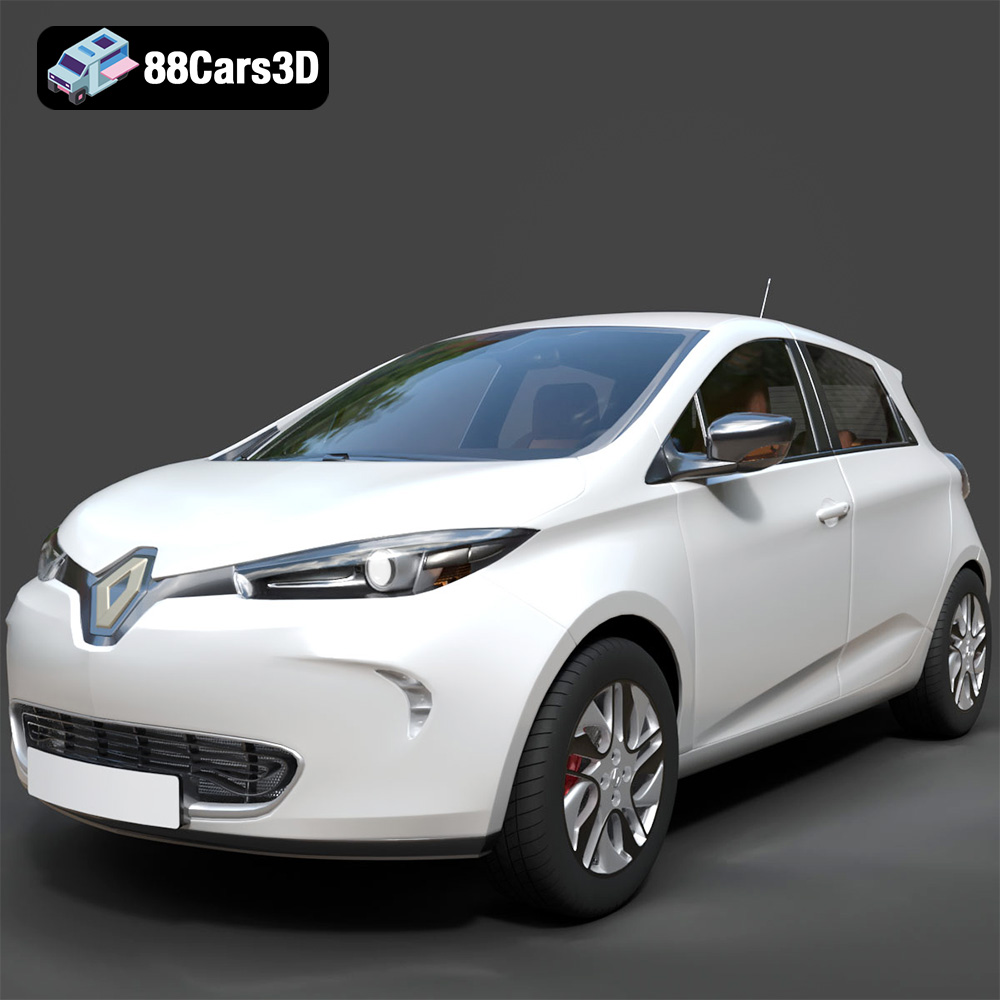
Renault Zoe 3D Model
Texture: Yes
Material: Yes
Download the Renault Zoe 3D Model featuring clean geometry, realistic detailing, and a fully modeled interior. Includes .blend, .fbx, .obj, .glb, .stl, .ply, .unreal, and .max formats for rendering, simulation, and game development.
Price: $4.99
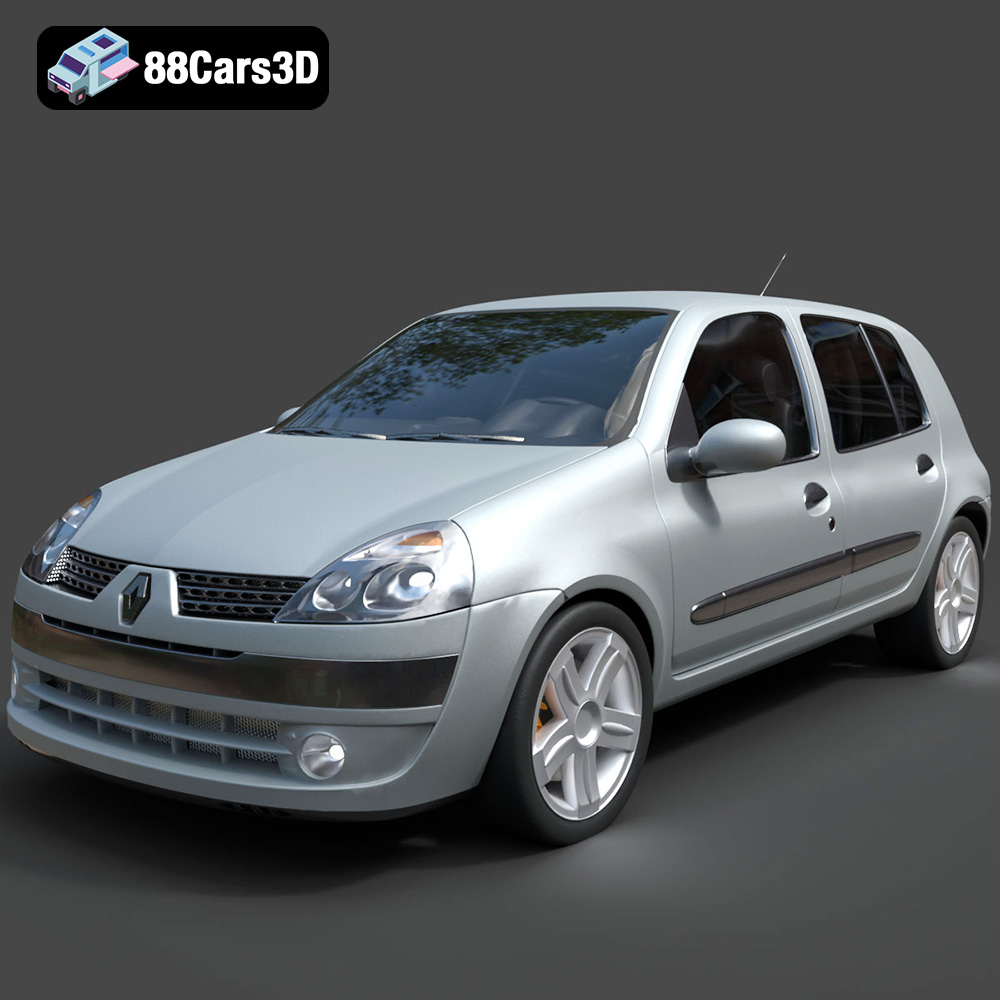
Renault Clio 2025 3D Model
Texture: Yes
Material: Yes
Download the Renault Clio 2025 3D Model featuring clean geometry, realistic detailing, and a fully modeled interior. Includes .blend, .fbx, .obj, .glb, .stl, .ply, .unreal, and .max formats for rendering, simulation, and game development.
Price: $4.99
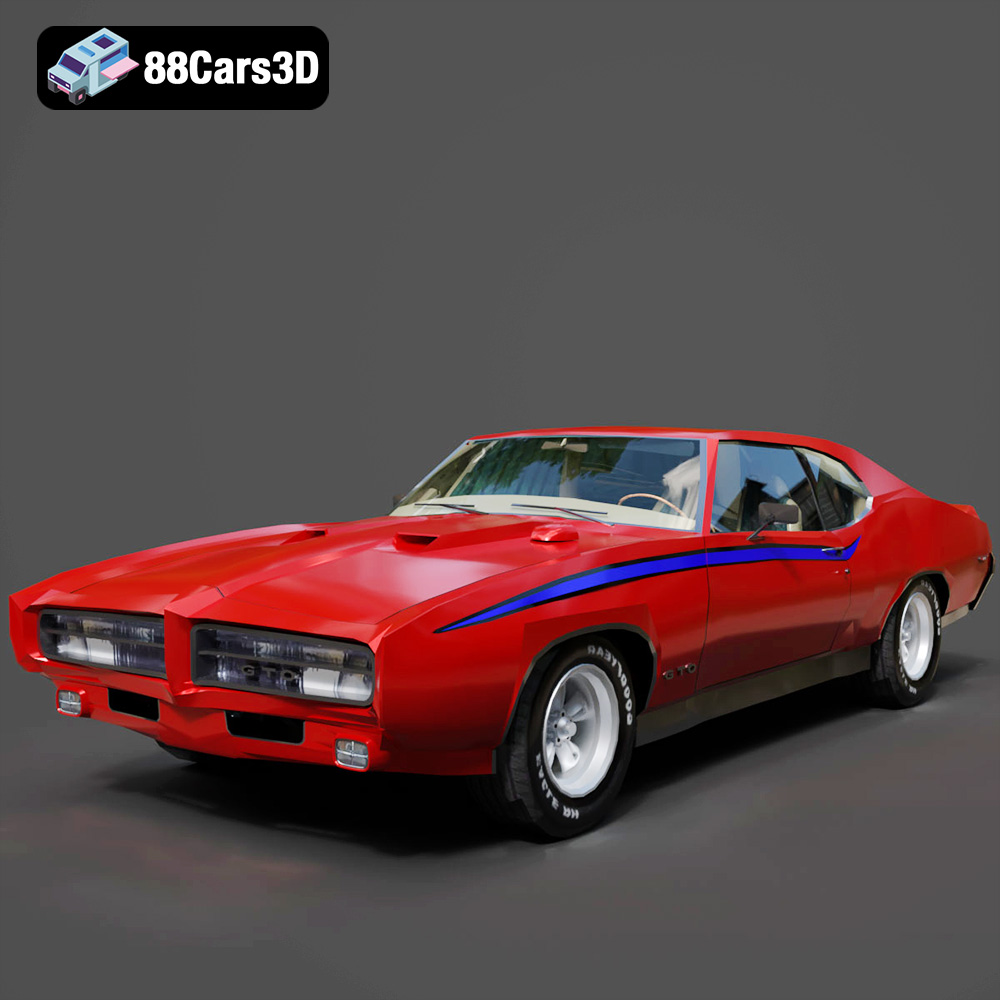
Pontiac GTO The Judge 1969 3D Model
Texture: Yes
Material: Yes
Download the Pontiac GTO The Judge 1969 3D Model featuring clean geometry, realistic detailing, and a fully modeled interior. Includes .blend, .fbx, .obj, .glb, .stl, .ply, .unreal, and .max formats for rendering, simulation, and game development.
Price: $4.99
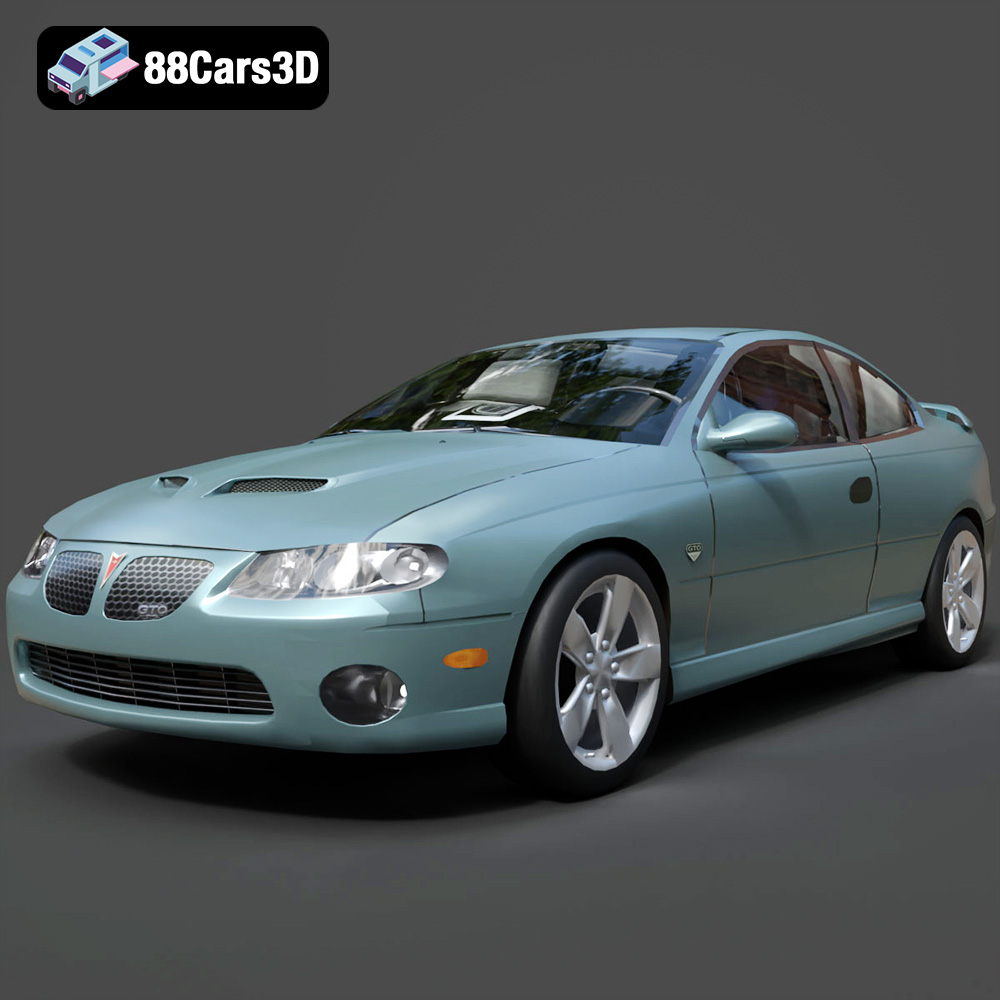
Pontiac GTO 2000 3D Model
Texture: Yes
Material: Yes
Download the Pontiac GTO 2000 3D Model featuring clean geometry, realistic detailing, and a fully modeled interior. Includes .blend, .fbx, .obj, .glb, .stl, .ply, .unreal, and .max formats for rendering, simulation, and game development.
Price: $4.99
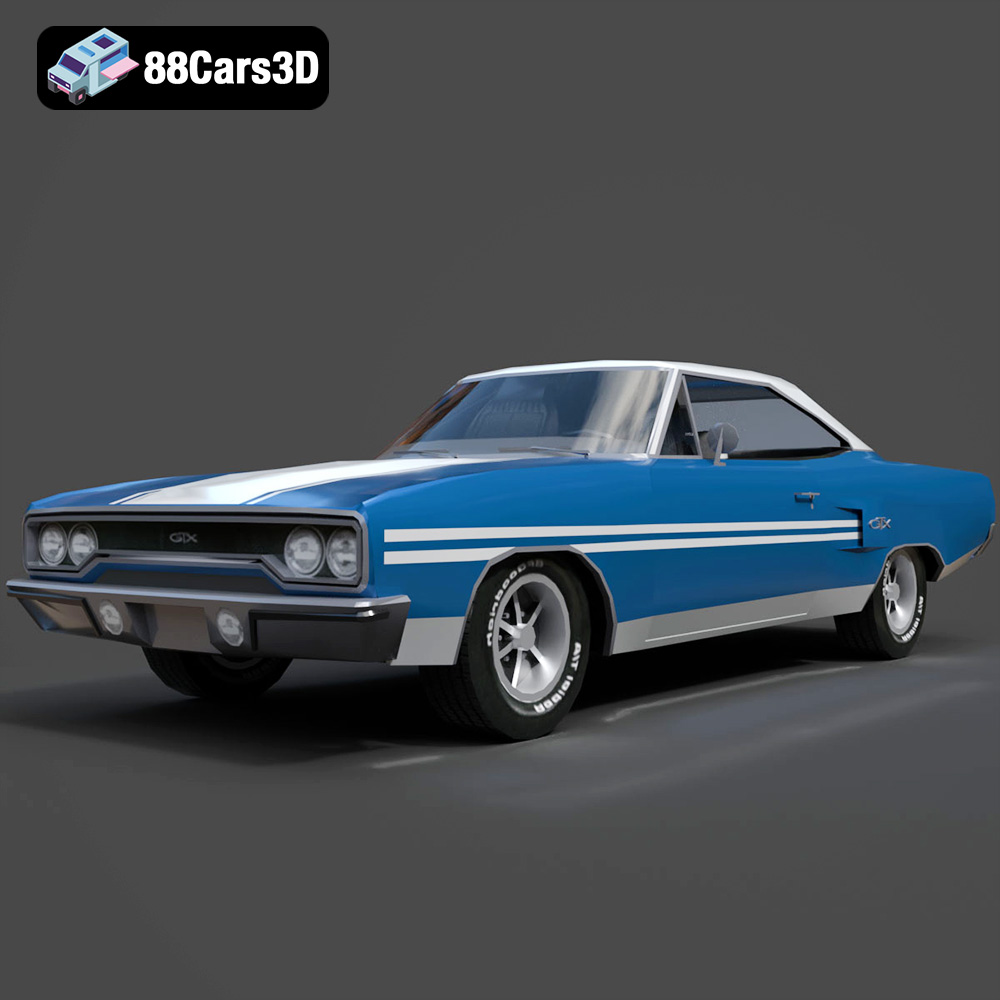
Plymouth GTX 1970 3D Model
Texture: Yes
Material: Yes
Download the Plymouth GTX 1970 3D Model featuring clean geometry, realistic detailing, and a fully modeled interior. Includes .blend, .fbx, .obj, .glb, .stl, .ply, .unreal, and .max formats for rendering, simulation, and game development.
Price: $10
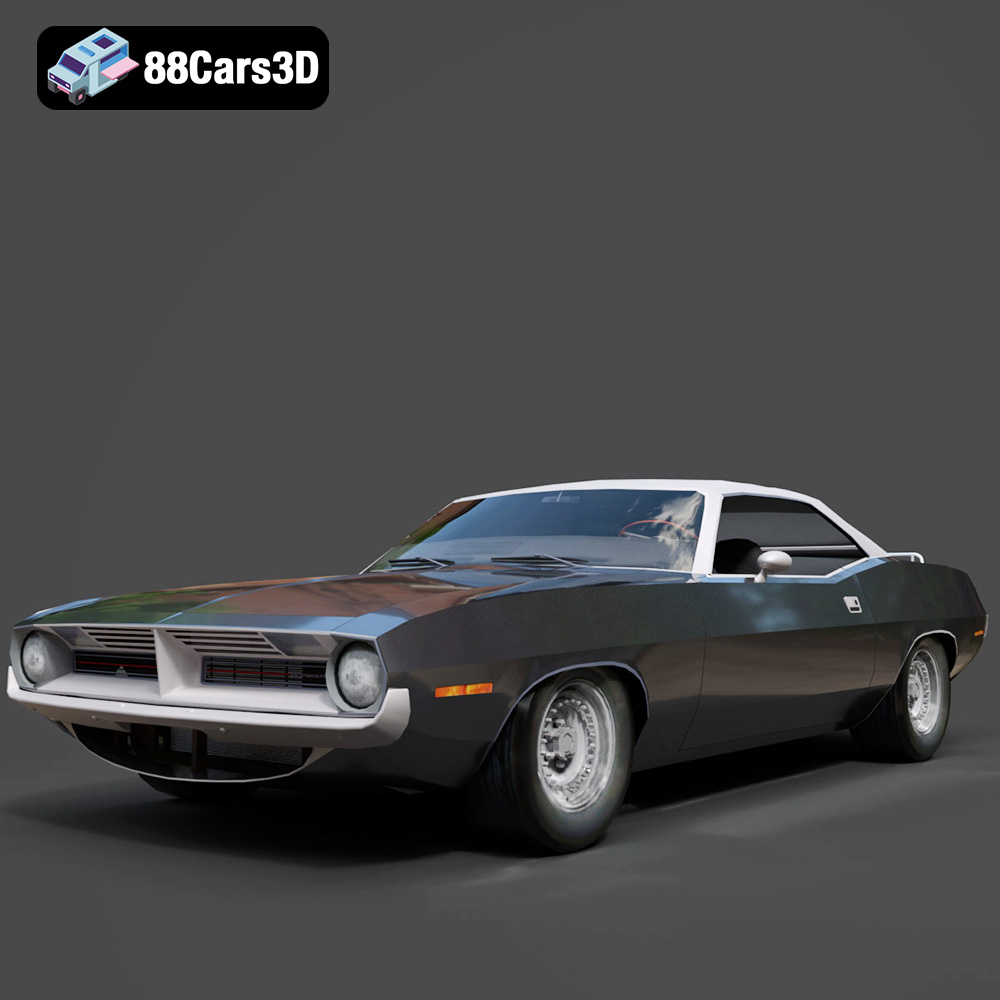
Plymouth Cuda Cabrio 1970 3D Model
Texture: Yes
Material: Yes
Download the Plymouth Cuda Cabrio 1970 3D Model featuring clean geometry, realistic detailing, and a fully modeled interior. Includes .blend, .fbx, .obj, .glb, .stl, .ply, .unreal, and .max formats for rendering, simulation, and game development.
Price: $4.99
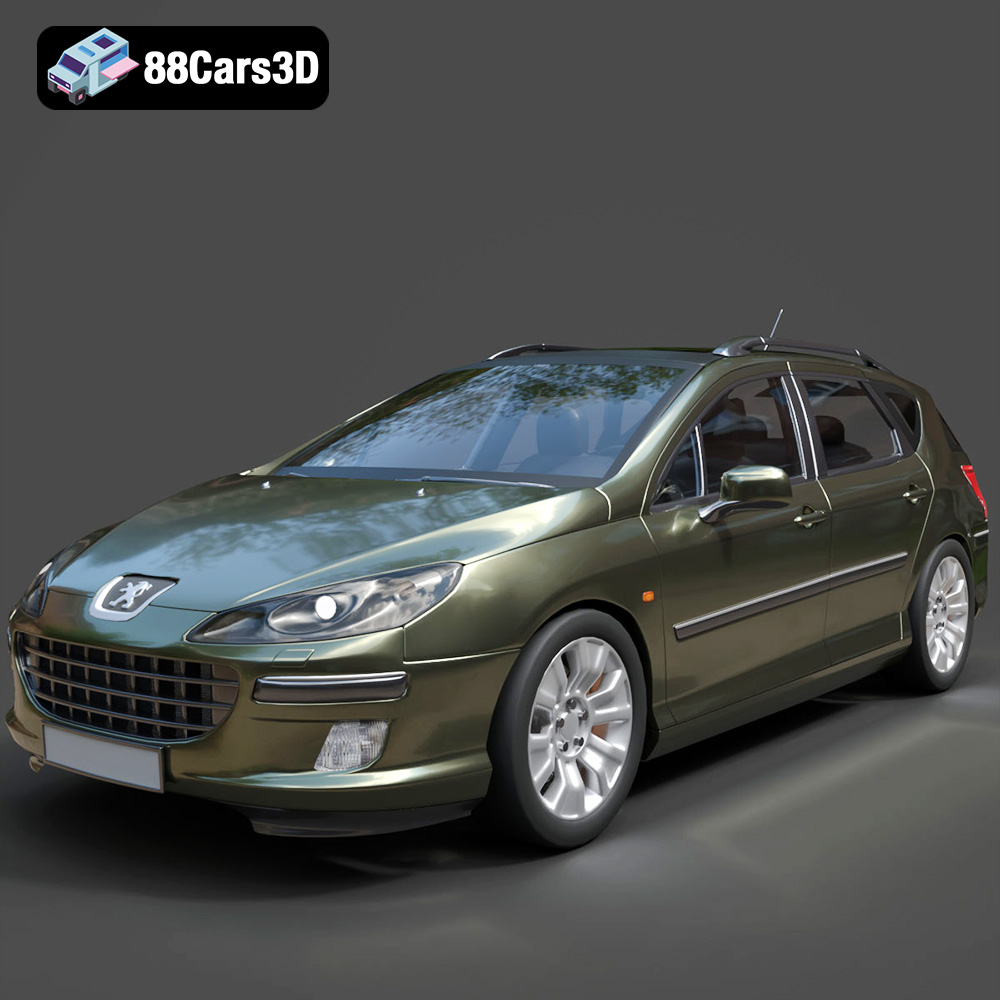
Peugeot 407 SW 3D Model
Texture: Yes
Material: Yes
Download the Peugeot 407 SW 3D Model featuring clean geometry, realistic detailing, and a fully modeled interior. Includes .blend, .fbx, .obj, .glb, .stl, .ply, .unreal, and .max formats for rendering, simulation, and game development.
Price: $4.99
