In the dynamic world of 3D visualization, the demand for exceptionally high-quality 3D car models is constant and ever-growing. From photorealistic cinematic renders to immersive real-time game experiences and advanced AR/VR applications, the digital automotive industry relies on meticulously crafted assets. The journey from a raw concept to a polished, performant 3D car model is a complex one, requiring a deep understanding of various technical disciplines: from intricate modeling and precise UV mapping to sophisticated PBR material creation, optimized rendering workflows, and efficient game engine integration. Mastery in these areas not only defines the visual fidelity of the final output but also dictates its versatility across different platforms and applications.
This comprehensive guide delves into the essential technical intricacies behind creating and utilizing professional-grade 3D car models. We’ll explore the critical aspects of topology, advanced texturing, PBR shader networks, rendering optimization, and cross-platform compatibility, including specific considerations for 3D printing and AR/VR. Whether you’re a seasoned 3D artist, an aspiring game developer, an automotive designer, or a visualization professional, understanding these advanced techniques will empower you to elevate your projects. By the end of this article, you will have a robust framework for approaching complex automotive 3D asset pipelines, equipping you with the knowledge to either craft your own masterpieces or effectively leverage high-quality models available on platforms like 88cars3d.com.
The Foundation: Flawless Topology and Edge Flow for Automotive Models
The bedrock of any high-quality 3D car model is its topology. Clean, efficient, and deliberate polygonal structure is paramount, especially for automotive subjects with their characteristic smooth curves, sharp creases, and intricate details. Proper topology ensures that the model deforms predictably during animation, subdivides smoothly without artifacts, and maintains a consistent surface quality even under extreme lighting conditions. For automotive models, this translates to maintaining the car’s iconic lines and reflections without unsightly pinching or wobbling. A typical high-resolution model designed for offline rendering might range from 200,000 to 1,000,000 polygons, depending on the level of interior detail, while a game-ready model would require much lower counts, often under 100,000 polygons for the main body.
Quad-Based Geometry and Edge Flow Perfection
The industry standard dictates working predominantly with quad-based geometry (four-sided polygons). Quads are essential for smooth subdivision surfaces and predictable deformation. Maintaining excellent edge flow is critical; edges should follow the natural contours and design lines of the car, defining creases, panel gaps, and intricate details like headlights and grilles. This “flow” dictates how light reflects off the surface, how the mesh subdivides, and how textures will be applied without stretching. Avoiding N-gons (polygons with more than four sides) and minimizing triangles (three-sided polygons) in deformation-critical areas is a best practice. When triangles are unavoidable, they should be placed in flat, non-deforming regions to prevent rendering issues or pinching during subdivision.
Subdivision Surface Modeling and Control Edges
Most photorealistic 3D car models are built using subdivision surface modeling techniques in software like 3ds Max, Blender, or Maya. This workflow involves modeling a low-polygon “cage” that, when subdivided, produces a smooth, high-resolution mesh. The quality of the final subdivided mesh is heavily dependent on the control edges surrounding creases and sharp corners. Adding support loops or control edges close to these features allows for crisp, well-defined lines without adding unnecessary polygons to the rest of the surface. This technique provides the flexibility to adjust the level of detail dynamically, making the asset versatile for various applications, from extreme close-up renders to distant background elements.
Bringing Surfaces to Life: Advanced UV Mapping and Texturing Strategies
Once the topology of your 3D car model is perfect, the next crucial step is UV mapping. This process involves unfolding the 3D surfaces of your model into a 2D space, creating a texture coordinate system that tells your rendering engine or game engine where to apply textures. Flawless UVs are non-negotiable for achieving realistic materials, ensuring textures are displayed without stretching, distortion, or unsightly seams. For complex objects like cars, which have numerous distinct material zones and intricate shapes, a well-planned UV strategy is paramount. It affects everything from the visual quality of your final render to the performance of your model in real-time environments.
Strategic UV Unwrapping for Complex Automotive Surfaces
Effective UV unwrapping for automotive models requires a strategic approach. The main body panels, for instance, often demand large, continuous UV islands to minimize visible seams and maximize texel density for high-resolution paint textures. Interior components, engine parts, and undercarriage elements might require more compartmentalized unwraps. For high-end cinematic renders or detailed visualization projects, UDIM workflows (Unique Digital IDentifier Maps) are frequently employed. UDIMs allow artists to spread UVs across multiple texture tiles, enabling exceptionally high texture resolutions (e.g., 8K or 16K per tile) for different parts of the car without exceeding a single texture’s memory limit. Software like Mari, Substance Painter, and even Blender’s UV editor support UDIMs, offering unparalleled control over texture detail.
Managing UV Space, Texel Density, and Seam Placement
Optimizing UV space means efficiently packing UV islands to maximize the texture resolution utilized. Tools like UV-Packer or built-in packing algorithms in 3ds Max, Blender, or Maya help achieve this. Texel density—the number of pixels per unit of surface area—should be as consistent as possible across the model, particularly for areas that will be viewed closely. This prevents some parts of the car from appearing blurry while others are sharp. Crucially, seam placement is an art form itself. Seams should be hidden in inconspicuous areas, such as along panel lines, under trim, or in occluded crevices, to avoid breaking the illusion of a continuous surface. For game assets, minimizing the number of UV islands and using a single UV map where possible helps reduce draw calls, improving performance.
The Art of Realism: PBR Materials and Shader Networks
Achieving photorealistic automotive rendering hinges on the quality of your PBR materials (Physically Based Rendering). PBR is a rendering paradigm that aims to simulate the physical properties of light and surfaces more accurately than traditional methods. This results in materials that look consistently realistic under various lighting conditions, making them ideal for high-fidelity visualization, games, and AR/VR. Understanding how light interacts with different surfaces – whether metallic car paint, reflective chrome, transparent glass, or matte rubber – is key to crafting compelling materials. A well-constructed PBR material will respond naturally to the environment, reflecting, refracting, and absorbing light in a physically plausible manner, thereby elevating the realism of your 3D car models.
Building Realistic Shader Networks for Automotive Surfaces
Creating convincing automotive materials involves constructing complex shader networks using various texture maps. For instance, car paint isn’t just a simple color; it’s a layered material. A typical car paint shader in Corona Renderer, V-Ray, Cycles, or Arnold would include:
- Base Coat: Defined by an Albedo/Base Color map, with Metallic and Roughness maps to control its metallic or non-metallic appearance and glossiness.
- Clear Coat: A separate layer simulating the transparent protective layer of paint, often with its own Roughness and Normal maps for fine scratches or orange peel effect.
- Metallic Flakes: Procedural noise or texture maps can simulate metallic flakes embedded in the paint, reacting to light with subtle sparkle.
Glass requires careful attention to transmission, refraction, and absorption, often with dedicated tint and roughness controls. Chrome and other metallic parts rely heavily on high Metallic values and low Roughness, with subtle variations from Normal and Ambient Occlusion maps to break up perfect reflections. Rubber and plastics require specific Roughness, Normal, and sometimes Subsurface Scattering maps to capture their nuanced appearance. High-quality models from marketplaces like 88cars3d.com often come with pre-built, optimized PBR materials, saving artists significant setup time.
Texture Resolutions, Formats, and Advanced Material Techniques
The choice of texture resolutions is critical. For high-end offline renders, 4K (4096×4096) or even 8K textures are common for major components like body panels, ensuring crisp detail. For game engines or AR/VR, resolutions are typically optimized to 2K or 1K, with careful atlasing to save memory. Texture formats also play a role: PNG for lossless quality, JPG for smaller file sizes (though with compression artifacts), TGA for alpha channels, and EXR for high dynamic range data (e.g., displacement maps). Advanced material techniques include using procedural textures to add micro-details, blend materials for wear and tear, and implementing parallax occlusion mapping or displacement mapping for intricate details without excessive geometry. Proper use of normal maps, derived from high-poly models, adds significant surface detail while keeping polygon counts manageable.
Photorealistic Rendering Workflows: From Studio to Cinematic Shots
Bringing your intricately modeled and textured 3D car models to life requires a robust photorealistic rendering workflow. This stage is where all your efforts in modeling, UV mapping, and material creation culminate in stunning visuals. The goal is to simulate real-world photography, capturing the interplay of light, reflections, and atmospheric effects to create images indistinguishable from actual photographs. This involves careful consideration of the rendering engine, scene setup, lighting, camera properties, and output settings. Mastering these elements allows artists to produce captivating imagery for marketing, design reviews, or film and game cinematics, showcasing the vehicle in its best possible light.
Engine-Specific Workflows: Corona, V-Ray, Cycles, and Arnold
Different rendering engines offer unique strengths and workflows.
- Corona Renderer (3ds Max, Cinema 4D): Known for its ease of use, physically accurate lighting, and powerful interactive rendering. It’s excellent for rapid iteration and achieving natural-looking results with minimal setup, making it a favorite for architectural and automotive visualization.
- V-Ray (3ds Max, Maya, SketchUp, Rhino): A production-proven workhorse, V-Ray offers extensive features for complex scenes, advanced global illumination (GI), and robust material capabilities. It’s highly customizable and widely used across industries for high-fidelity output.
- Cycles (Blender): Blender’s integrated, physically based path tracer. Cycles is powerful, open-source, and constantly improving, offering excellent results for both CPU and GPU rendering. Its node-based material system provides immense flexibility.
- Arnold (Maya, 3ds Max, Cinema 4D, Houdini): A high-performance, unbiased Monte Carlo path tracer. Arnold is favored in film and VFX for its ability to handle complex geometries and produce extremely realistic lighting, especially for intricate materials like car paint and glass.
Each engine requires an understanding of its specific sampling, global illumination (GI) methods, and material definitions to optimize render times and quality. High-quality automotive rendering often involves specialized car paint shaders and nuanced glass shaders tailored to the engine.
Global Illumination, Lighting Techniques, and Environment Setup
Global Illumination (GI) is fundamental to photorealism, simulating how light bounces off surfaces and illuminates other objects indirectly. Most modern renderers use techniques like Brute Force, Irradiance Map, or Light Cache. For lighting, HDRI (High Dynamic Range Image) environments are indispensable for automotive rendering. An HDRI provides both background imagery and realistic, geographically accurate lighting, perfectly simulating studio setups or outdoor scenes. Supplementing HDRIs with strategic area lights allows for precise control over reflections and highlights on the car body, enhancing its form. Light linking (where specific lights affect only certain objects) can be used to isolate reflections or fill shadows. Environment setup also includes crafting realistic backplates or 3D environments that complement the car’s design and intended use, ensuring seamless integration and believable context for the 3D car models.
Game-Ready Optimization: Delivering Performance Without Compromise
For 3D car models destined for real-time applications like video games, interactive configurators, or virtual training simulations, game engine optimization is paramount. The challenge lies in striking a perfect balance between visual fidelity and real-time performance. A highly detailed model that looks stunning in an offline render will likely cripple a game engine if not properly optimized. This involves systematically reducing polygon counts, streamlining materials, and optimizing textures to ensure smooth frame rates without sacrificing the visual appeal that defines a high-quality asset. The goal is to make the car look as good as possible within strict performance budgets, crucial for delivering immersive user experiences.
Levels of Detail (LODs) and Polygon Budgeting
One of the most effective optimization techniques is implementing Levels of Detail (LODs). LODs are progressively lower-polygon versions of the same model that are swapped in and out based on the camera’s distance from the object. For a typical game-ready car, you might have:
- LOD0 (Close-up): 80,000 – 150,000 triangles. Full detail, visible interior.
- LOD1 (Medium distance): 20,000 – 40,000 triangles. Simplified interior, reduced panel details.
- LOD2 (Far distance): 5,000 – 10,000 triangles. Basic shape, no interior.
- LOD3 (Very far/shadow caster): 500 – 2,000 triangles. Minimal geometry, used for shadows or extreme distance.
Polygon budgeting involves setting specific triangle limits for each component of the car (body, wheels, interior, engine) to meet the overall target for the platform. This proactive approach ensures that the model fits within the engine’s performance envelopes, whether it’s for mobile, console, or PC gaming. Decimation tools in software like Maya, Blender, or ZBrush are used to create these lower LODs while trying to preserve visual integrity.
Texture Atlasing, Material Reduction, and Draw Call Optimization
Beyond geometry, texture atlasing is crucial. This involves combining multiple smaller textures (e.g., textures for headlights, taillights, emblems) into a single, larger texture map. By doing so, the game engine can render all these elements with a single draw call, significantly reducing rendering overhead. Minimizing the number of distinct materials on a model also helps; aim for as few as possible (e.g., one material for the body, one for glass, one for wheels). Each material typically equates to a draw call, so fewer materials mean better performance. Additionally, ensure that your model’s meshes are appropriately combined or split to optimize engine processing. For example, combining all the car’s body panels into a single mesh might be beneficial for certain engines, while keeping wheels separate allows for independent rotation. Bake complex lighting and ambient occlusion into vertex colors or texture maps to offload real-time calculations.
Beyond Static Images: AR/VR, 3D Printing, and Cross-Platform Compatibility
The utility of 3D car models extends far beyond traditional rendering. With the advent of immersive technologies like Augmented Reality (AR) and Virtual Reality (VR), and the growing accessibility of 3D printing, versatile models are more valuable than ever. However, each of these applications introduces its own unique set of technical requirements and optimization challenges. A model suitable for an offline render might be too heavy for a mobile AR experience or lack the structural integrity for 3D printing. Understanding these specific needs is key to creating truly adaptable assets that can seamlessly transition between different mediums and platforms, opening up new avenues for visualization and interaction.
AR/VR Optimization: Real-Time Performance and Immersion
AR/VR optimization demands extremely strict polygon and draw call budgets to maintain high frame rates (typically 60-90 FPS per eye for comfortable experiences). For mobile AR (e.g., ARKit, ARCore), a complete car model should ideally remain under 50,000 triangles. This often requires aggressive decimation, baking detail into normal maps, and using very few, highly atlased textures. Materials must be simplified, favoring unlit or very basic PBR shaders. For high-fidelity VR on powerful platforms, poly counts can be higher, but efficiency remains paramount. Models must also be correctly scaled to real-world dimensions (1 unit = 1 meter/centimeter) for accurate placement in AR environments. Crucially, the final asset needs to be exported in suitable formats like GLB (for web and Android AR) or USDZ (for Apple AR), which package geometry, materials, and textures into a single, optimized file.
3D Printing Preparation and Ensuring Mesh Integrity
Preparing a 3D car model for 3D printing involves a completely different set of considerations. The primary concern is mesh integrity: the model must be watertight (no open edges or holes) and manifold (every edge must be shared by exactly two faces). Common issues include non-manifold geometry, intersecting faces, inverted normals, and thin walls. Software like Blender (using its 3D Print Toolbox add-on), Meshmixer, or Netfabb are invaluable for analyzing and repairing meshes. Key steps include:
- Ensuring uniform wall thickness across the entire model to prevent fragile areas.
- Converting all elements into a single, combined mesh (often using boolean operations).
- Checking for internal geometry that could cause printing errors.
- Exporting in a robust file format like STL or OBJ, which are widely supported by slicing software.
The final print resolution will depend on the printer type and scale, so preparing a clean, error-free mesh is the most critical factor for a successful physical output.
File Format Compatibility and Conversion Workflows
The choice of file format is crucial for ensuring compatibility across different software and platforms.
- FBX: The industry standard for transferring 3D data between DCC (Digital Content Creation) applications like Maya, 3ds Max, Blender, and game engines like Unity and Unreal. It supports meshes, materials, textures, animations, and hierarchical data.
- OBJ: A universal, widely supported format for geometry data. It’s excellent for meshes and basic material assignments but lacks support for animations or complex scene data.
- GLB (Binary glTF): An increasingly popular, open-standard format ideal for web 3D, AR/VR, and real-time applications. It packages geometry, PBR materials, textures, and animations into a single, efficient file.
- USDZ: Developed by Apple and Pixar, USDZ is an optimized file format specifically for AR applications on Apple devices. It’s based on Pixar’s Universal Scene Description (USD) format.
Effective conversion workflows involve careful consideration of material conversions (e.g., V-Ray materials to PBR metallic-roughness for glTF), proper scaling, and ensuring all necessary assets (textures, animations) are embedded or referenced correctly. When sourcing high-quality models from marketplaces such as 88cars3d.com, artists can expect various optimized file formats to be available, streamlining their workflow.
Mastering the Final Touches: Lighting, Environment, and Post-Processing
Even the most perfectly modeled and textured 3D car models can fall flat without expert attention to the final stages: lighting, environment setup, and post-processing. These elements transform a technically sound render into a visually compelling masterpiece. Lighting defines mood, highlights form, and draws the viewer’s eye. The environment provides context and realistic reflections, while post-processing enhances the overall photographic quality, bringing out details and adding cinematic flair. This stage is where artists infuse their creative vision, taking the raw render to a professional, publication-ready image.
Environment Setup and Camera Angles for Impact
The environment setup for automotive rendering can range from a sterile studio backdrop to a bustling city street or a serene natural landscape. The choice directly influences the car’s reflections and the overall mood. For studio shots, seamless backdrops and strategic light placements are crucial to highlight the car’s contours. For outdoor scenes, a high-quality HDRI is essential for realistic ambient lighting and reflections, often paired with a photographic backplate. Camera angles and composition are equally vital. Employing cinematic principles such as the rule of thirds, leading lines, and thoughtful foreground/background elements can dramatically improve visual impact. Experimenting with different focal lengths (e.g., 85mm for a flattering telephoto look, 24mm for dynamic wide shots) and camera heights can create diverse perspectives, emphasizing specific design aspects of the 3D car models.
Post-Processing and Compositing for Cinematic Results
Post-processing and compositing are the final layers of refinement that elevate a render to a professional standard. This stage involves taking the raw render passes (e.g., beauty, reflection, refraction, Z-depth, ambient occlusion, alpha masks) and manipulating them in image editing software like Photoshop or compositing software like Nuke or After Effects. Key techniques include:
- Color Grading: Adjusting hue, saturation, and luminance to establish mood and consistency.
- Contrast Adjustment: Enhancing the dynamic range for punchier visuals.
- Adding Lens Effects: Simulating real-world camera artifacts like chromatic aberration, lens flare, bloom, and depth of field (if not rendered directly).
- Motion Blur: Adding realism to animated sequences or speeding vehicles.
- Noise Reduction & Sharpening: Cleaning up render artifacts and enhancing detail.
- Dodge & Burn: Subtly brightening or darkening areas to guide the viewer’s eye.
By meticulously applying these techniques, artists can achieve a level of polish and cinematic realism that is often difficult to accomplish purely within the 3D rendering software, ensuring the final image is truly captivating.
Conclusion: Mastering the Art and Science of 3D Automotive Assets
The journey through creating and utilizing professional-grade 3D car models is a testament to the intricate blend of artistic vision and technical prowess required in the modern visualization landscape. From the foundational precision of flawless topology and meticulous UV mapping to the nuanced realism of PBR materials and sophisticated shader networks, every stage demands attention to detail. We’ve explored how dedicated automotive rendering workflows in engines like Corona, V-Ray, Cycles, and Arnold bring these models to life, and how stringent game optimization strategies, including LODs and texture atlasing, ensure real-time performance without compromise. Furthermore, we’ve highlighted the critical considerations for adapting models for AR/VR and 3D printing, emphasizing the importance of file format compatibility and mesh integrity.
Ultimately, the quality of your 3D car models is a direct reflection of your understanding and application of these advanced techniques. High-quality assets are not merely visually appealing; they are versatile, performant, and ready for deployment across a multitude of platforms and applications, from captivating marketing visuals to immersive interactive experiences. For artists and developers seeking to jumpstart their projects with assets built to these exacting standards, platforms like 88cars3d.com offer a curated selection of professional 3D car models, meticulously crafted and optimized for various uses. By prioritizing technical excellence and continuously refining your skills, you empower yourself to create compelling digital automotive experiences that truly stand out in a competitive industry.
Featured 3D Car Models

Texture: Yes
Material: Yes
Download the Mercedes-Benz CL6540-005 3D Model featuring clean geometry, realistic detailing, and a fully modeled interior. Includes .blend, .fbx, .obj, .glb, .stl, .ply, .unreal, and .max formats for rendering, simulation, and game development.
Price: $4.99
View Product

Texture: Yes
Material: Yes
Download the Mercedes E-Class w124 Coupe 3D Model featuring clean geometry, realistic detailing, and a fully modeled interior. Includes .blend, .fbx, .obj, .glb, .stl, .ply, .unreal, and .max formats for rendering, simulation, and game development.
Price: $4.99
View Product

Texture: Yes
Material: Yes
Download the Mercedes-Benz E-Klasse 63 AMG 3D Model featuring clean geometry, realistic detailing, and a fully modeled interior. Includes .blend, .fbx, .obj, .glb, .stl, .ply, .unreal, and .max formats for rendering, simulation, and game development.
Price: $4.99
View Product

Texture: Yes
Material: Yes
Download the Mini Cabrio 2025 3D Model featuring clean geometry, realistic detailing, and a fully modeled interior. Includes .blend, .fbx, .obj, .glb, .stl, .ply, .unreal, and .max formats for rendering, simulation, and game development.
Price: $4.99
View Product

Texture: Yes
Material: Yes
Download the Nissan 350Z 3D Model featuring clean geometry, realistic detailing, and a fully modeled interior. Includes .blend, .fbx, .obj, .glb, .stl, .ply, .unreal, and .max formats for rendering, simulation, and game development.
Price: $4.99
View Product

Texture: Yes
Material: Yes
Download the Mercedes-Benz E-Klasse Coupe 3D Model featuring clean geometry, realistic detailing, and a fully modeled interior. Includes .blend, .fbx, .obj, .glb, .stl, .ply, .unreal, and .max formats for rendering, simulation, and game development.
Price: $4.99
View Product

Texture: Yes
Material: Yes
Download the Benza MERS-007 3D Model featuring clean geometry, realistic detailing, and a fully modeled interior. Includes .blend, .fbx, .obj, .glb, .stl, .ply, .unreal, and .max formats for rendering, simulation, and game development.
Price: $4.99
View Product
Texture: Yes
Material: Yes
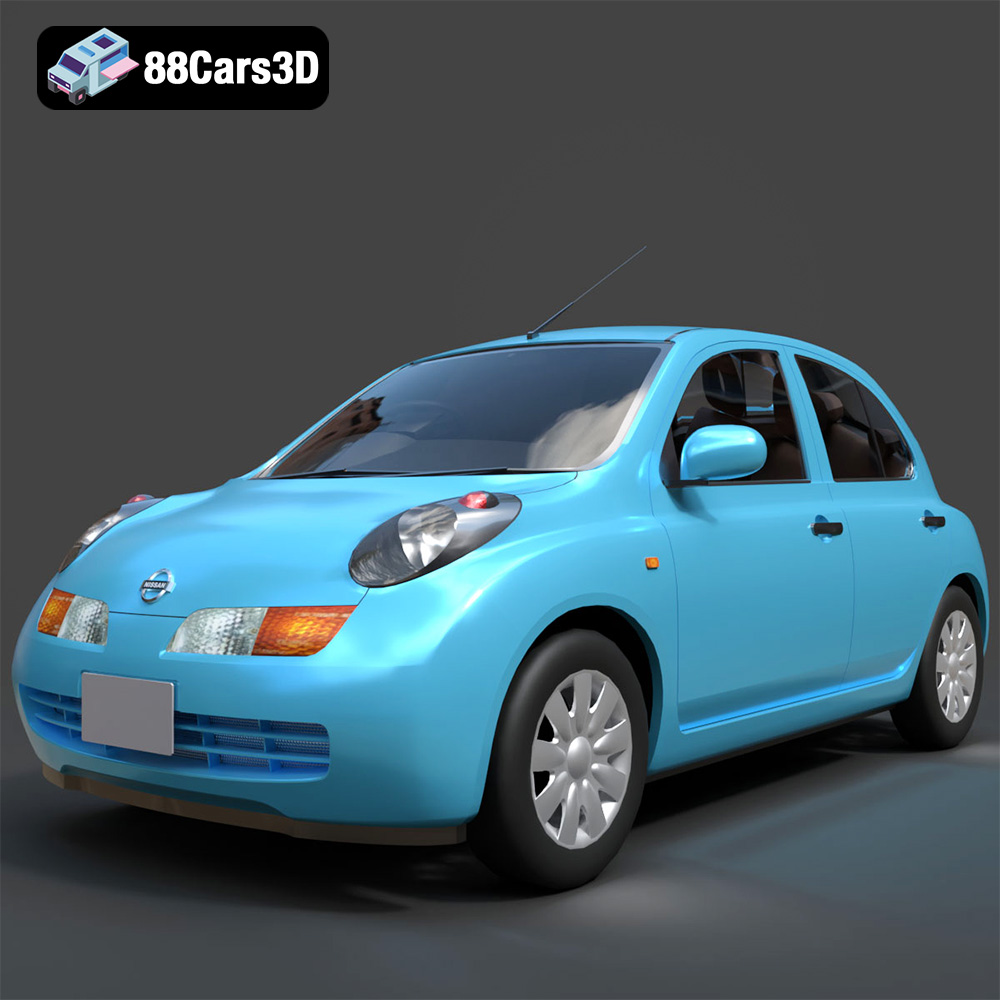
Download the Nissan March 2025 3D Model featuring clean geometry, realistic detailing, and a fully modeled interior. Includes .blend, .fbx, .obj, .glb, .stl, .ply, .unreal, and .max formats for rendering, simulation, and game development.
Price: $4.99
View Product

Texture: Yes
Material: Yes
Download the Mitsubishi Galant 2009 3D Model featuring clean geometry, realistic detailing, and a fully modeled interior. Includes .blend, .fbx, .obj, .glb, .stl, .ply, .unreal, and .max formats for rendering, simulation, and game development.
Price: $4.99
View Product

Texture: Yes
Material: Yes
Download the Nissan Primera Wagon 3D Model featuring clean geometry, realistic detailing, and a fully modeled interior. Includes .blend, .fbx, .obj, .glb, .stl, .ply, .unreal, and .max formats for rendering, simulation, and game development.
Price: $4.99
View Product


