Get 50% OFF All Premium 3D & STL Models!

In the realm of real-time rendering and interactive experiences, the demand for truly massive, open worlds continues to grow. From sprawling cityscapes for autonomous vehicle simulations to breathtaking natural environments for showcasing the latest vehicle designs, creators constantly push the boundaries of scale and detail. Traditionally, managing these gargantuan digital landscapes in game engines presented significant challenges related to performance, memory, and collaborative development. Enter Unreal Engine’s revolutionary World Partition System – a game-changer designed to conquer these very hurdles and unlock unprecedented possibilities for building truly expansive and dynamic environments.
For professionals in automotive visualization, game development, and architectural walkthroughs, World Partition isn’t just a feature; it’s a paradigm shift. It allows you to construct worlds of virtually limitless size without the crippling performance overheads associated with loading an entire map into memory. Imagine seamlessly driving a photorealistic 3D car model – perhaps one sourced from a high-quality marketplace like 88cars3d.com – through an intricately detailed city that stretches for miles, experiencing every nuance without a single hitch. This blog post will deep dive into the technical intricacies of World Partition, exploring its core mechanics, setup, optimization strategies, and how it empowers teams to create the next generation of immersive, large-scale automotive and interactive experiences in Unreal Engine.
Before Unreal Engine 5 and the introduction of World Partition, developers building large-scale environments relied primarily on the World Composition system. While World Composition offered a significant improvement over single monolithic maps, it still presented inherent limitations, especially as world sizes and team complexities grew. It managed levels as separate files, streaming them based on proximity, but the overall workflow could be cumbersome for multi-user editing, and loading/unloading chunks still involved a notable performance cost.
World Partition was engineered from the ground up to address these challenges, offering a far more scalable and efficient solution. Its fundamental design philosophy revolves around intelligent data management and streamlined workflows. Instead of loading an entire level or even large sub-levels, World Partition treats your vast world as a single, persistent level that is spatially divided into a grid of cells. Only the cells actively visible or relevant to the player’s immediate vicinity are loaded into memory and rendered. This ‘load-on-demand’ approach dramatically reduces memory footprint and CPU overhead, making truly colossal worlds feasible.
Beyond raw performance, World Partition also revolutionizes team collaboration. It introduces a concept called One File Per Actor (OFPA), which means every actor in your world (be it a prop, a light, or a character) is saved as its own individual asset file. This granular approach minimizes merge conflicts when multiple artists and designers are working simultaneously on different parts of the same vast environment, a common pain point with older systems. For teams building intricate automotive environments – perhaps a detailed city with numerous streetlights, traffic signs, and interactive elements – OFPA ensures smooth parallel development, allowing artists to populate areas with assets, including stunning 3D car models, without stepping on each other’s toes. This shift enables faster iteration and reduces development friction, ultimately leading to more polished and expansive experiences.
Embarking on a large-scale project with Unreal Engine 5 requires careful initial setup, especially when leveraging the power of World Partition. Fortunately, integrating World Partition into your workflow is straightforward, whether you’re starting a new project or migrating an existing one. Understanding the core settings and best practices from the outset will save significant time and effort down the line, ensuring your sprawling environments are both performant and manageable.
When creating a new project in Unreal Engine 5, World Partition is typically enabled by default for new open-world templates. If you’re starting with a blank template or an older project type, you can easily enable it. Simply navigate to File > New Level and choose the “Open World” template, or open an existing level, go to Window > World Partition, and select “Convert Level” if it’s not already enabled. Once active, your world will be conceptually divided into a grid. You can adjust the default grid cell size and loading ranges via the World Settings panel. A smaller cell size offers finer-grained streaming but can potentially lead to more frequent loading/unloading events, while a larger cell size might load more than immediately necessary but reduces the frequency of streaming operations. A balanced approach, often starting with the default settings and refining through testing, is crucial. For vast automotive testing grounds or sprawling urban visualizations, finding the sweet spot for cell dimensions ensures optimal streaming performance and visual continuity as the camera, or a detailed vehicle model from 88cars3d.com, traverses the landscape.
For those with existing large environments built with World Composition, migrating to World Partition is a supported, albeit careful, process. Unreal Engine provides a dedicated tool for this. From the World Partition window, you can select ‘Convert Level’ to initiate the migration. The engine will convert your existing sub-levels into a single persistent level, with all actors being saved as individual files (OFPA). During migration, it’s vital to back up your project and thoroughly test the converted level afterward. Pay close attention to any Blueprint references that might have relied on specific sub-level loading behaviors, as these may need adjustments. Post-migration, you’ll gain the benefits of OFPA and the grid-based streaming, significantly enhancing collaboration and runtime performance for your previously complex setups. This is particularly beneficial for projects that initially started small but grew organically, now demanding the robust scalability World Partition offers.
At the heart of World Partition’s efficiency and collaborative power lie two fundamental concepts: One File Per Actor (OFPA) and Data Layers. These mechanisms redefine how game worlds are stored, managed, and interactively built, offering unprecedented control and flexibility for developers and artists alike. Mastering these concepts is key to harnessing the full potential of large-scale environment creation in Unreal Engine.
OFPA is arguably the most significant architectural change introduced with World Partition. Instead of a single `.umap` file containing hundreds or thousands of actors for a given section of your world, OFPA dictates that every single actor placed in a World Partition-enabled level is saved as its own individual `.uasset` file. This includes static meshes, lights, particle systems, Blueprint actors, and even specific instances of your 3D car models from a marketplace like 88cars3d.com. This granular saving mechanism offers profound advantages, especially for large teams. When multiple team members work on different areas of a map simultaneously, their changes are confined to specific actor files, drastically reducing the likelihood of frustrating merge conflicts in source control systems like Perforce or Git. Previously, a single change in a sub-level could trigger a merge conflict affecting an entire team. With OFPA, conflicts are localized to individual actors, making resolution far simpler and faster. This enables smoother, more parallel development cycles, allowing artists to rapidly populate environments with assets, knowing their changes are isolated and easily integrated.
While OFPA streamlines asset management and collaboration, Data Layers provide a powerful system for organizing and controlling the runtime visibility and loading of groups of actors. Think of Data Layers as a sophisticated tag or categorization system for your world’s content. You can create custom Data Layers (e.g., “City_DayProps”, “Forest_Foliage”, “Traffic_AI”, “Dynamic_WeatherEffects”) and assign actors to them. During runtime, you can then selectively load or unload these layers based on game logic, player choices, time of day, or performance requirements. This offers incredible flexibility. For automotive visualization, Data Layers can be used to:
This dynamic control is handled through Blueprint scripting, using nodes like Set Data Layer Runtime State to change the loading state of a specific Data Layer. For example, you could trigger a Data Layer to load all “Night_Lights” actors when the game time shifts to evening, or unload “Crowd_NPCs” when the player enters a secluded test track area. This level of control optimizes memory usage and ensures that only relevant content is active, making your large-scale automotive environments incredibly versatile and performant, all while leveraging the flexibility of World Partition’s streaming mechanics.
Creating vast, detailed environments is only half the battle; ensuring they run smoothly in real-time is the other, equally critical, challenge. World Partition, by its very nature, is designed for performance, but understanding and configuring its streaming mechanisms and integrating Hierarchical Level of Detail (HLODs) are crucial steps for achieving optimal frame rates and a seamless user experience. These techniques are paramount whether you’re showcasing high-fidelity 3D car models in a virtual showroom or simulating complex autonomous driving scenarios.
World Partition’s core performance benefit comes from its intelligent streaming. It only loads and keeps in memory the necessary cells of your world based on the player’s location and camera view. You have significant control over this behavior. The World Partition Grid Settings in the World Settings panel allow you to define parameters such as “Loading Range” and “Cell Size.” The loading range dictates how far from the player the engine should stream in cells. A larger range means more content is loaded, potentially impacting memory and CPU, but reduces pop-in. A smaller range saves resources but might cause visible streaming artifacts if not carefully managed. “Cell Size” determines the granularity of your world’s subdivisions. For environments with varying densities of detail, you might consider adjusting these parameters. Additionally, World Partition Streaming Sources (which can be derived from Player Pawns or other dynamic actors) define the origin points for streaming. You can add multiple streaming sources if, for instance, you have multiple players or AI agents that need to have their surrounding areas loaded. For automotive applications, your vehicle’s location will typically be the primary streaming source, ensuring the immediate environment around your high-fidelity car model is always loaded and rendered with pristine detail. It’s also possible to use World Partition Streaming Volumes to manually define areas that should always be loaded or force specific streaming behaviors, offering even finer control over complex scenes.
Even with efficient streaming, the sheer geometric complexity of a large world can overwhelm rendering resources. This is where Hierarchical Level of Detail (HLOD) systems become indispensable, especially in a World Partition context. HLODs automatically generate simplified mesh representations of groups of distant actors, significantly reducing draw calls and polygon counts. Instead of rendering hundreds of individual trees in the distance, an HLOD system might combine them into a single, much simpler mesh. In World Partition, HLODs are tied directly to the grid system, ensuring that as you move further from an area, increasingly simplified HLOD clusters are loaded, before eventually being entirely culled.
To configure HLODs, you’ll use the HLOD Outliner and HLOD Layers. You can define different HLOD generation methods (e.g., merge actors, proxy meshes, billboard textures) and assign them to specific HLOD Layers. Unreal Engine documentation (available at dev.epicgames.com/community/unreal-engine/learning) provides extensive guides on setting up and optimizing HLODs. For vast automotive environments, generating effective HLODs for distant city blocks, sprawling forests, or complex terrain features is critical. This ensures that while the immediate vicinity of your 88cars3d.com vehicle is rendered with full detail, the distant horizon remains visually rich without burdening the rendering pipeline, maintaining smooth frame rates even in the most expansive simulations.
One of the most significant advantages of World Partition lies in its inherent design for collaborative development. Large-scale projects, whether games or intricate automotive visualization scenarios, typically involve teams of artists, designers, and engineers working simultaneously on different aspects of a shared environment. World Partition, particularly through its One File Per Actor (OFPA) paradigm, dramatically streamlines these workflows, minimizing common bottlenecks and accelerating iteration cycles. This translates to more efficient production and happier teams.
As discussed, OFPA saves every actor as a distinct `.uasset` file. This fundamental change is a game-changer for version control. In traditional Unreal Engine projects, modifying an actor within a sub-level would often mean checking out and modifying the entire `.umap` file. If multiple team members were working in the same sub-level, even on unrelated assets, merge conflicts were almost inevitable and often time-consuming to resolve. With OFPA, if an environment artist places a new street lamp, only that single street lamp’s `.uasset` file is affected. If another artist simultaneously adjusts the landscape texture in a different part of the world, their changes are confined to the landscape actor’s file. This isolation drastically reduces the frequency and complexity of merge conflicts. Teams can work in parallel with greater confidence, knowing their changes are less likely to disrupt others’ progress. For projects involving numerous props, detailed environmental assets, and multiple instances of high-quality 3D car models from 88cars3d.com, this efficiency boost is invaluable, allowing creative energy to focus on artistry rather than technical merging.
While OFPA significantly eases source control management, adopting best practices is still essential. It is highly recommended to use a robust version control system like Perforce or Git (with Git LFS for large files). When working with World Partition:
By adhering to these practices, teams can fully leverage World Partition’s collaborative strengths, enabling seamless integration of countless contributions into a single, massive, and cohesive world, ready to showcase the most intricate environments and vehicle designs.
The power of World Partition extends far beyond traditional game development, proving invaluable for a diverse range of industries demanding large-scale, high-fidelity real-time environments. For automotive visualization, virtual production, and simulation, World Partition unlocks capabilities that were previously complex, if not impossible, to achieve efficiently. Its ability to manage immense detail across vast distances makes it an indispensable tool for crafting cutting-edge interactive experiences.
In automotive visualization, the context in which a vehicle is presented is almost as important as the vehicle model itself. World Partition empowers artists and designers to create truly immersive backdrops for showcasing car models. Imagine a highly detailed urban environment, stretching for tens of kilometers, where every building, traffic light, and road marking is meticulously placed. World Partition allows you to build such a city with an unprecedented level of fidelity, as only the relevant sections are streamed in at any given time. This is perfect for:
The ability to handle dense geometric detail and numerous assets within these large environments, combined with features like Nanite (for mesh density) and Lumen (for global illumination), means that automotive visualizations can achieve near-photorealism on an epic scale, all while maintaining real-time performance.
While the benefits for automotive applications are clear, World Partition’s utility spans across many other industries:
The system’s scalability, coupled with Unreal Engine’s advanced rendering features, positions World Partition as a pivotal technology for any project aiming to deliver truly immersive, large-scale interactive experiences in the years to come. Understanding and leveraging its capabilities is no longer optional but essential for pushing the boundaries of real-time creation.
Unreal Engine’s World Partition System stands as a monumental leap forward in the creation and management of large-scale virtual environments. It effectively addresses the historical challenges of memory management, performance optimization, and collaborative development that plagued previous generations of open-world technology. By embracing its core principles – grid-based streaming, One File Per Actor (OFPA), and the strategic use of Data Layers – developers and artists can now build worlds of unprecedented size and detail, limited only by their imagination.
For the demanding field of automotive visualization, World Partition is nothing short of transformative. It empowers professionals to showcase exquisite 3D car models, like those available on 88cars3d.com, within stunningly realistic and expansive environments, be they bustling cityscapes for autonomous vehicle simulations or serene landscapes for cinematic presentations. The ability to dynamically control elements through Data Layers, coupled with efficient streaming and HLOD generation, ensures that these massive worlds run smoothly in real-time, delivering a truly immersive and high-fidelity experience.
As the demand for immersive, interactive content continues to accelerate across industries, mastering World Partition is no longer just an advantage – it’s a necessity. We encourage you to delve into Unreal Engine’s documentation (dev.epicgames.com/community/unreal-engine/learning), experiment with its settings, and begin building your own expansive digital realities. The future of large-scale real-time experiences is here, and World Partition is leading the way. Start exploring its potential today and unlock new dimensions for your projects.

Texture: Yes
Material: Yes
Download the Pontiac Firebird 1998 3D Model featuring clean geometry, realistic detailing, and a fully modeled interior. Includes .blend, .fbx, .obj, .glb, .stl, .ply, .unreal, and .max formats for rendering, simulation, and game development.
Price: $10

Texture: Yes
Material: Yes
Download the Opel Astra 2008 3D Model featuring clean geometry, realistic detailing, and a fully modeled interior. Includes .blend, .fbx, .obj, .glb, .stl, .ply, .unreal, and .max formats for rendering, simulation, and game development.
Price: $10

Texture: Yes
Material: Yes
Download the Mercedes Benz Joaquin-007 3D Model featuring clean geometry, realistic detailing, and a fully modeled interior. Includes .blend, .fbx, .obj, .glb, .stl, .ply, .unreal, and .max formats for rendering, simulation, and game development.
Price: $19.99
Texture: Yes
Material: Yes
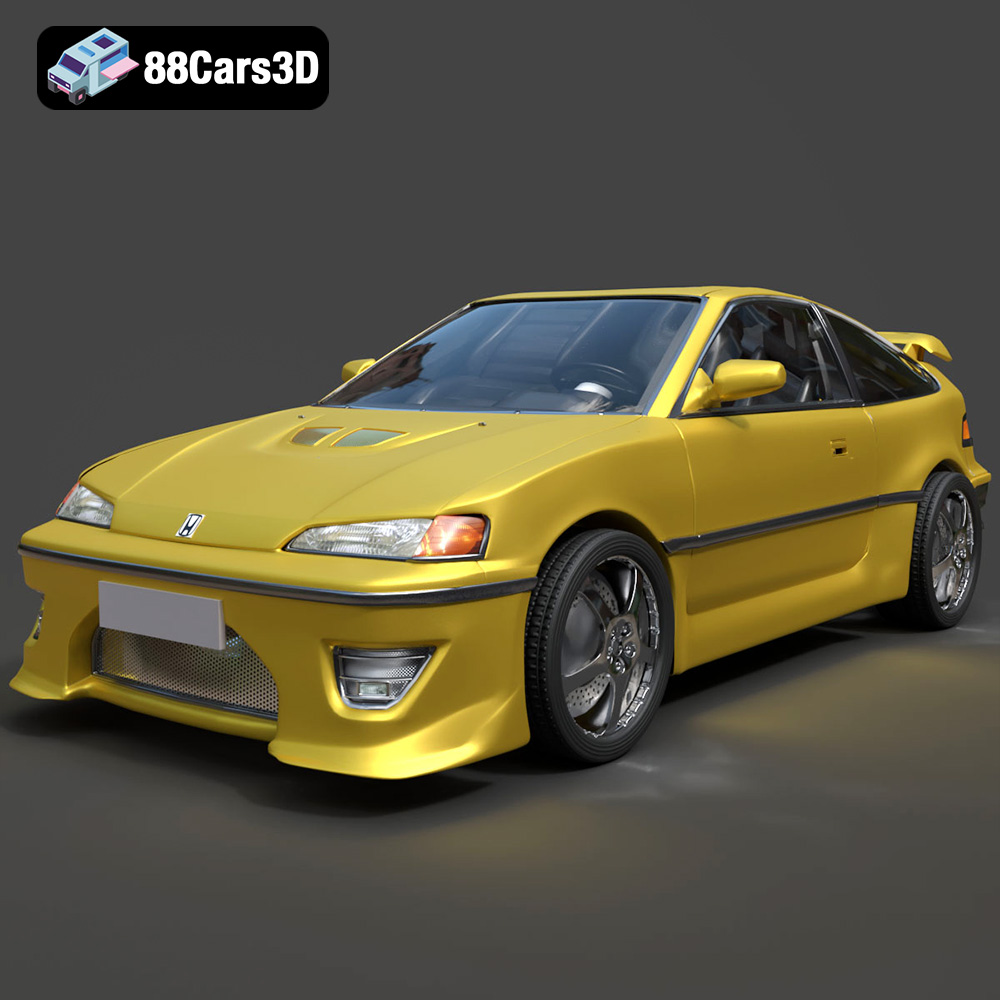
Download the Honda CRX 1980 3D Model featuring clean geometry, realistic detailing, and a fully modeled interior. Includes .blend, .fbx, .obj, .glb, .stl, .ply, .unreal, and .max formats for rendering, simulation, and game development.
Price: $11.99

Texture: Yes
Material: Yes
Download the Chevrolet Camaro 69 Pro-007 3D Model featuring classic muscle car design and custom performance aesthetics. Includes .blend, .fbx, .obj, .glb, .stl, .ply, .unreal, and .max formats for rendering, simulation, and game development.
Price: $20.79

Texture: Yes
Material: Yes
Download the Honda Fit 2008 3D Model featuring a compact, versatile design with detailed exterior and interior components. Includes .blend, .fbx, .obj, .glb, .stl, .ply, .unreal, and .max formats for rendering, simulation, and game development.
Price: $10.79

Texture: Yes
Material: Yes
Download the Bentley Continental GT-002 3D Model featuring a luxurious grand touring design and high-quality details. Includes .blend, .fbx, .obj, .glb, .stl, .ply, .unreal, and .max formats for rendering, simulation, and game development.
Price: $20.79

Texture: Yes
Material: Yes
Download the Audi R8 2006 3D Model featuring a sleek sports car design with detailed exterior and interior. Includes .blend, .fbx, .obj, .glb, .stl, .ply, .unreal, and .max formats for rendering, simulation, and game development.
Price: $20.79

Texture: Yes
Material: Yes
Download the Audi Q7 3D Model featuring a detailed exterior and a refined interior. Includes .blend, .fbx, .obj, .glb, .stl, .ply, .unreal, and .max formats for rendering, simulation, and game development.
Price: $20.79

Texture: Yes
Material: Yes
Download the Aston Martin Police US 911 -005 3D Model featuring a high-fidelity exterior with police livery, detailed interior, and accurate proportions. Includes .blend, .fbx, .obj, .glb, .stl, .ply, .unreal, and .max formats for rendering, simulation, and game development.
Price: $10.79

