Get 50% OFF All Premium 3D & STL Models!

In the vibrant world of real-time rendering and interactive experiences, bringing static 3D models to life is paramount. While meticulously crafted vehicle models, like those found on 88cars3d.com, provide the visual foundation for stunning automotive visualizations, it’s the dynamic presence of animated characters that often elevates a scene from beautiful to truly immersive. This is where Unreal Engine’s Control Rig steps in as an indispensable tool, offering artists and developers a powerful, procedural, and non-destructive way to animate characters with unprecedented flexibility and control.
Control Rig revolutionizes the character animation pipeline within Unreal Engine, moving beyond traditional keyframe animation to empower creators with intuitive Inverse Kinematics (IK), Forward Kinematics (FK), and a robust node-based environment. Whether you’re animating a driver seamlessly interacting with the cockpit of a high-fidelity car model, creating realistic pedestrian traffic around a virtual showroom, or developing complex cinematics for an automotive advertisement, mastering Control Rig is a game-changer. This comprehensive guide will delve deep into setting up, utilizing, and optimizing Control Rig for character animation, specifically focusing on how it enhances automotive projects and game development, helping you breathe life into every detail and interaction within your Unreal Engine scenes.
Unreal Engine’s Control Rig is a robust procedural rigging and animation system that allows artists to build custom rigs directly within the engine. Unlike traditional rigging software where rigs are often static and external, Control Rig lives entirely within Unreal Engine, enabling a highly iterative and interactive workflow. It offers a non-destructive approach, meaning you can adjust parameters and logic without permanently altering your core skeletal mesh animations. This system is built upon a node-based graph editor, similar to Blueprint, where you connect various nodes to define the behavior and controls of your character rig.
The core benefit of Control Rig lies in its ability to handle complex IK and FK setups with ease, making it ideal for everything from subtle character nuances to intricate performance capture retargeting. Imagine animating a character climbing into one of 88cars3d.com‘s detailed vehicle interiors: Control Rig allows you to constrain hands to the steering wheel and feet to pedals precisely, even as the vehicle’s position changes. This level of control is crucial for achieving high-fidelity animations essential for automotive visualization, where realism is paramount. It bridges the gap between static poses and dynamic, believable performances.
Diving into the Control Rig Editor, you’ll encounter three primary panels: the Rig Hierarchy, the Node Graph, and the Details Panel. The Rig Hierarchy displays your skeletal mesh’s bone structure and any custom controls you add. Here, you’ll create RigidBody Controls (often referred to simply as Controls) that animators will manipulate. These controls can represent a bone’s position, rotation, or scale, or even a blend of multiple properties. The Node Graph is where the magic happens; you drag and drop nodes (e.g., Get/Set Transform, IK Solvers, Constraints) and connect them to define how your controls influence your character’s skeleton. The Details Panel provides properties for selected nodes or controls, allowing fine-tuning of parameters like IK blend alpha, solver iterations, or bone lengths. Understanding how these panels interact is key to building an effective rig. For more in-depth exploration of the UI, refer to the official Unreal Engine documentation on Control Rig fundamentals.
The interplay between Inverse Kinematics (IK) and Forward Kinematics (FK) is central to Control Rig. Forward Kinematics involves animating each joint in a hierarchical chain individually, from parent to child. It’s intuitive for actions like waving an arm from the shoulder. Inverse Kinematics, on the other hand, allows you to define an end effector (e.g., a hand or foot) and the system automatically calculates the necessary rotations for the joints in the chain to reach that target. This is invaluable for grounding characters, making them interact with objects (like a car door handle), or positioning limbs precisely. Control Rig excels at seamlessly blending between IK and FK, giving animators the best of both worlds. For instance, you might use IK for a character’s hand to grip a steering wheel, while using FK for the arm to make a natural driving motion, with smooth transitions between the two modes.
Before you can unleash the power of Control Rig, your character model needs to be properly set up within Unreal Engine. This process typically begins with importing a skeletal mesh, ensuring its skeleton is well-defined and optimized for animation. A clean, well-structured skeleton with appropriate joint orientations is crucial for Control Rig to function effectively. Without a solid foundation, even the most elaborate Control Rig graph can yield unpredictable or broken animations. Best practices include consistent naming conventions (e.g., ‘B_L_Arm’, ‘B_R_Leg’), correct joint axes (often Z-forward, X-twist), and a manageable bone count for real-time performance. For character models that might be interacting with detailed environments or vehicles from sources like 88cars3d.com, ensuring a consistent scale is also vital to avoid proportion issues.
Once your skeletal mesh is imported and verified, creating a new Control Rig asset is the next step. This asset serves as the blueprint for your character’s animation controls. You’ll right-click in the Content Browser, navigate to Animation, and select Control Rig. Upon opening the Control Rig Editor, you’ll initially see an empty graph. The first task is to add your skeletal mesh to the viewport and then begin populating the Rig Hierarchy with controls that correspond to your character’s joints. This initial setup is foundational and directly impacts the ease and effectiveness of your animation workflow, making careful planning at this stage highly beneficial.
For most bipedal characters, the immediate priority is setting up basic IK for the legs and arms. This involves creating a control for the foot or hand, and then adding an IK Solver node to the graph. Common solvers include the Four Bone IK (for legs) and Two Bone IK (for arms). You’ll link these solvers to your foot/hand control and the relevant bones in the hierarchy (e.g., thigh, calf, foot for a leg). Additionally, Pole Vector controls are essential for IK to prevent “knee popping” or undesirable rotations; these are typically positioned to define the direction of the elbow or knee. A basic IK setup for a character’s limb might look like: a control for the hand, an IK target control for its desired position, a pole vector control for elbow direction, and a Two Bone IK node to calculate the in-between joint rotations. These fundamental controls are the bread and butter of interactive character posing.
The power of Control Rig is fully realized when integrated into an Animation Blueprint. An Animation Blueprint defines the animation logic for your skeletal mesh, handling state machines, blend spaces, and other animation assets. To use your Control Rig in an AnimBP, you’ll drag and drop the Control Rig asset into the AnimGraph and connect its input pose to your existing animation output. This node has a special Control Rig Preview setting that allows you to see the rig controls directly in the AnimBP viewport, making it incredibly intuitive to pose and animate. You can then use the Control Rig node to layer procedural animation on top of existing animation sequences, correct foot placements, or perform dynamic adjustments. For instance, an idle animation can be running, but Control Rig can precisely place a character’s hand on a car’s roof while they lean, adding a layer of realism that traditional animation alone might struggle to achieve efficiently.
Integrating animated characters seamlessly into high-fidelity vehicle models from marketplaces like 88cars3d.com is where Control Rig truly shines for automotive visualization. Static vehicle renders, no matter how beautiful, often lack the dynamic engagement that a well-animated driver or passenger provides. Control Rig allows you to meticulously pose characters within the confined and detailed spaces of a car interior, ensuring hands grip the steering wheel naturally, feet rest on pedals, and overall body posture aligns with the vehicle’s design. This precision is critical for automotive configurators, virtual showrooms, and cinematic sequences where the interaction between human and machine needs to be utterly convincing.
The workflow typically involves positioning your character’s skeletal mesh within the car model, then using Control Rig to snap and constrain the character’s limbs to specific points. You might use IK for the hands to follow the steering wheel’s rotation or to firmly plant feet on the accelerator and brake pedals. For characters exiting or entering a vehicle, Control Rig can facilitate complex movement paths and precise hand placements on door handles, adding a layer of realism that greatly enhances the visual narrative. This level of detail is paramount when showcasing the ergonomic design and interior luxury of a vehicle, turning a technical demonstration into an engaging user experience.
For sophisticated vehicle interactions, Constraints and Space Switching are invaluable in Control Rig. Constraints allow you to bind controls to other objects or bones. For example, a character’s head control could be constrained to look at a specific point of interest (e.g., a car’s infotainment screen) or even a moving camera. A hand control can be constrained to a steering wheel, automatically moving with the wheel’s rotation. Space Switching takes this a step further, allowing a control to switch its parent space dynamically. Imagine a character’s hand: it might initially be parented to the car’s interior, but once they open the door, it could switch to being parented to the door itself, allowing for a seamless interaction. This dynamic parenting capability is incredibly powerful for complex sequences like character ingress and egress from vehicles, maintaining stable and believable limb positions throughout the entire animation.
A truly immersive experience demands that characters react realistically to the vehicle’s movement. Control Rig can be integrated with Unreal Engine’s Chaos Vehicle Physics or custom Blueprint-driven vehicle systems. You can use Blueprint to drive Control Rig parameters dynamically. For instance, as the car accelerates, a Blueprint script could apply a subtle “lean back” effect to the character’s spine control via Control Rig, or a head bob based on suspension compression. If the steering wheel is controlled by a Blueprint, its rotation value can be fed into Control Rig to animate the driver’s hands in real-time. This synergistic approach allows for procedural animations that respond directly to the vehicle’s dynamics, creating a highly interactive and believable simulation of driving. This is particularly valuable for realistic driving simulators or interactive automotive marketing campaigns.
One of Control Rig’s most powerful aspects is its capability for procedural animation. Instead of painstakingly keyframing every single movement, you can design logic within the Control Rig graph to generate animations dynamically. This is particularly useful for subtle, naturalistic movements like idle breathing, secondary motion (e.g., clothing physics, hair bounce), or reactive animations where a character needs to interact with an unpredictable environment. For example, a character walking on uneven terrain can have their foot IK dynamically adjust to the ground plane using ray casts, ensuring their feet never float or intersect the geometry. This drastically reduces the manual animation workload and enhances the realism, making it a cornerstone for game development and virtual production.
However, with great power comes the need for careful optimization. While Control Rig is designed for real-time performance, complex rigs with many nodes or heavy calculations can impact frame rates, especially in dense scenes featuring high-polygon car models and detailed environments. Understanding how to build efficient Control Rigs and manage their evaluation cost is critical for maintaining smooth real-time rendering. This involves mindful node usage, leveraging cached poses, and minimizing unnecessary calculations, ensuring that your dynamic characters perform optimally alongside other demanding assets like Nanite meshes or Lumen-lit scenes.
The Event Graph within Control Rig functions similarly to Blueprint’s Event Graph, allowing you to define custom execution flows and logic. This is excellent for creating reusable animation modules. For instance, you could create a “Walk Cycle Adjuster” Control Rig that takes an existing walk animation and dynamically adjusts foot placement based on ground height, or an “Idle Breathing” module that applies a subtle, looping chest movement. These modules can then be integrated into your main character’s Animation Blueprint. For looping animations, you can use time-based nodes or even simple sine waves to drive properties like blend weights or positional offsets, creating naturalistic oscillations for things like head bobs, hand fidgeting, or subtle shifts in weight, all without manual keyframing. This modularity not only saves time but also promotes consistency across multiple characters.
Optimizing Control Rig for performance involves several key strategies. Firstly, be mindful of node complexity. While powerful, nodes like full IK solvers are more computationally intensive than simple transform nodes. Use them judiciously. Secondly, understand evaluation cost: every node and every bone operation contributes to the overall cost. For high-performance scenarios, only include necessary controls and logic. Consider using cached poses within your Anim Blueprint or Control Rig to prevent re-calculating identical bone transforms multiple times. Profile your Control Rigs using Unreal Engine’s Profiler tools to identify bottlenecks. Additionally, remember that Control Rig primarily operates on the CPU, so a balance with GPU-intensive features like Nanite and Lumen is essential. For complex characters, consider splitting functionality into multiple, smaller Control Rigs applied sequentially in the Anim Blueprint, which can sometimes aid in managing performance and debugging. When combining with high-quality models from 88cars3d.com, ensuring optimal character performance helps maintain overall scene fidelity.
Control Rig has become an indispensable tool in virtual production and cinematic workflows, especially when it comes to bringing characters into highly realistic environments. For automotive commercials or film sequences rendered in Unreal Engine, the ability to rapidly iterate on character animation, perform live retargeting, and integrate seamlessly with other cinematic tools is crucial. Control Rig allows for on-set adjustments to character poses and movements, enabling directors and animators to make creative decisions in real-time. This level of flexibility drastically reduces post-production time and costs, making it a preferred solution for high-stakes projects where quality and efficiency are paramount. When characters are interacting with stunningly rendered vehicles, perhaps from 88cars3d.com, the precision offered by Control Rig ensures every interaction looks perfectly choreographed.
Its integration with Unreal Engine’s Sequencer — a powerful multi-track editor for creating cinematic sequences — further solidifies its role. Animators can keyframe Control Rig controls directly within Sequencer, blend between different animation sources, and layer complex movements, all within the same real-time environment. Furthermore, Control Rig’s compatibility with Live Link for performance capture means that actors’ movements can be streamed directly onto virtual characters, with Control Rig handling real-time retargeting and on-the-fly adjustments. This enables incredibly agile workflows for virtual studios, where immediate feedback and rapid iteration are key to capturing the director’s vision for scenes involving characters and high-fidelity automotive assets.
One of Control Rig’s most transformative features for virtual production is its ability to facilitate advanced animation retargeting. Often, motion capture (mocap) data needs to be applied to characters with different skeletal proportions or structures than the original performer. Instead of relying solely on generic retargeting solutions, Control Rig allows you to build a Retargeter Rig. This specialized Control Rig maps the source skeleton (e.g., the mocap data) to the target skeleton (your character model), allowing for custom logic to correct for bone length differences, joint orientations, and scale discrepancies. You can add IK setups or constraints within this retargeter to ensure critical areas like hands and feet maintain contact with surfaces, or to adjust for prop interaction. This provides animators with granular control over how mocap data translates to their unique character, resulting in far more natural and believable performances without resorting to extensive manual cleanup.
In virtual production, the virtual camera acts as the director’s lens within the digital world. Control Rig empowers characters to interact realistically with elements visible through this camera, enhancing immersive storytelling. Imagine a virtual car launch event where a presenter character walks around a new vehicle model. Using Control Rig, their eye gaze can be directed towards the virtual camera, or their hand can point to specific features on the car, all in real-time. This dynamic interaction can be driven by a performer using Live Link, or pre-animated and fine-tuned in Sequencer. The ability to precisely control character movement and interaction relative to camera framing, lighting (enhanced by Lumen), and scene elements (like high-fidelity car models from 88cars3d.com) ensures that every shot is perfectly composed and every character action serves the narrative, making virtual production a highly efficient and visually stunning process.
Beyond basic IK/FK setups, Control Rig offers a suite of advanced features that empower artists to build incredibly sophisticated and flexible character rigs. Features like Space Switching allow controls to dynamically change their parentage, enabling seamless transitions for complex interactions, such as a character’s hand moving from holding a cup (world space) to placing it on a car’s dashboard (car local space). Constraints can bind controls to other objects, bones, or even world transforms, making it easy to drive character movements based on environmental elements or vehicle animations. Furthermore, the ability to create Custom Rig Controls – tailored shapes and widgets that animators interact with – greatly enhances the user experience and streamlines the animation workflow, making rigs intuitive and user-friendly, even for complex characters. These advanced capabilities are crucial for pushing the boundaries of real-time character animation in demanding fields like automotive visualization and AAA game development.
The future of Control Rig is continuously expanding, with Epic Games regularly introducing new nodes and functionalities. Its procedural nature means that it’s not limited to character animation; artists are exploring its potential for non-character rigging, such as creating dynamic mechanical rigs for complex machinery, procedural cable simulations, or even entire environment deformation systems. The true power lies in its node-based flexibility, allowing for creative solutions to a myriad of animation challenges. As Unreal Engine continues to evolve, Control Rig is poised to remain at the forefront of real-time animation, enabling increasingly complex, dynamic, and believable interactions within virtual worlds, from high-stakes game cinematic sequences to interactive product visualizations featuring vehicles from 88cars3d.com.
Building a robust Control Rig is an iterative process, and effective debugging is paramount. Unreal Engine provides several tools to help. Within the Control Rig Editor, you can use the Draw Debug nodes (e.g., Draw Debug Line, Draw Debug Sphere) to visualize vectors, points, and relationships directly in the viewport, which is incredibly useful for understanding IK solver behavior or constraint targets. The Print String node can output values to the Output Log, allowing you to track variables and ensure nodes are computing as expected. Furthermore, the Blueprint Debugger can be used to step through the Control Rig’s execution graph within an Animation Blueprint, pinpointing exactly where issues might arise. Developing a methodical approach to testing controls, isolating problematic nodes, and using these debugging tools will significantly accelerate your rigging workflow and help maintain the integrity of your character animations.
While this guide has focused on character animation, it’s worth noting Control Rig’s versatility extends to mechanical and even abstract rigging. Artists have begun using Control Rig to create procedural rigs for vehicle parts like complex suspension systems, opening/closing car doors with specific arcs and constraints, or even robotic arms interacting with environments. Its node-based nature allows for driving parameters based on physical inputs or other animation data, making it a compelling alternative to traditional physics assets for certain types of mechanical animation. For instance, you could build a Control Rig that takes a vehicle’s speed as input and procedurally drives dynamic aerodynamic flaps or transforms a vehicle into an alternate mode. This showcases Control Rig’s potential to enhance not just character interactions but also the dynamic qualities of the vehicles themselves, further enriching scenes built with assets from 88cars3d.com.
Mastering Unreal Engine’s Control Rig is an investment that pays immense dividends for anyone looking to elevate their real-time projects with dynamic, expressive character animation. From setting up foundational IK and FK systems to implementing advanced procedural behaviors and optimizing for performance, Control Rig empowers artists and developers with unparalleled control over their digital performers. For automotive visualization, game development, and virtual production, it’s the bridge that connects static high-fidelity car models, like those available on 88cars3d.com, with the vibrant, interactive life of animated characters.
By leveraging Control Rig, you can create hyper-realistic drivers interacting with vehicle interiors, engaging characters populating your virtual showrooms, or stunning cinematic sequences that captivate audiences. Its non-destructive nature, coupled with its deep integration into Unreal Engine’s animation pipeline, ensures a flexible and efficient workflow that saves time and allows for boundless creative exploration. Whether you’re fine-tuning a subtle hand gesture or retargeting complex motion capture data, Control Rig provides the tools to achieve professional-grade results. Embrace the power of Control Rig, and transform your Unreal Engine projects into truly immersive and unforgettable experiences where every character interaction is as polished and believable as the environments they inhabit.

Texture: Yes
Material: Yes
Download the Pontiac Firebird 1998 3D Model featuring clean geometry, realistic detailing, and a fully modeled interior. Includes .blend, .fbx, .obj, .glb, .stl, .ply, .unreal, and .max formats for rendering, simulation, and game development.
Price: $10

Texture: Yes
Material: Yes
Download the Opel Astra 2008 3D Model featuring clean geometry, realistic detailing, and a fully modeled interior. Includes .blend, .fbx, .obj, .glb, .stl, .ply, .unreal, and .max formats for rendering, simulation, and game development.
Price: $10

Texture: Yes
Material: Yes
Download the Mercedes Benz Joaquin-007 3D Model featuring clean geometry, realistic detailing, and a fully modeled interior. Includes .blend, .fbx, .obj, .glb, .stl, .ply, .unreal, and .max formats for rendering, simulation, and game development.
Price: $19.99
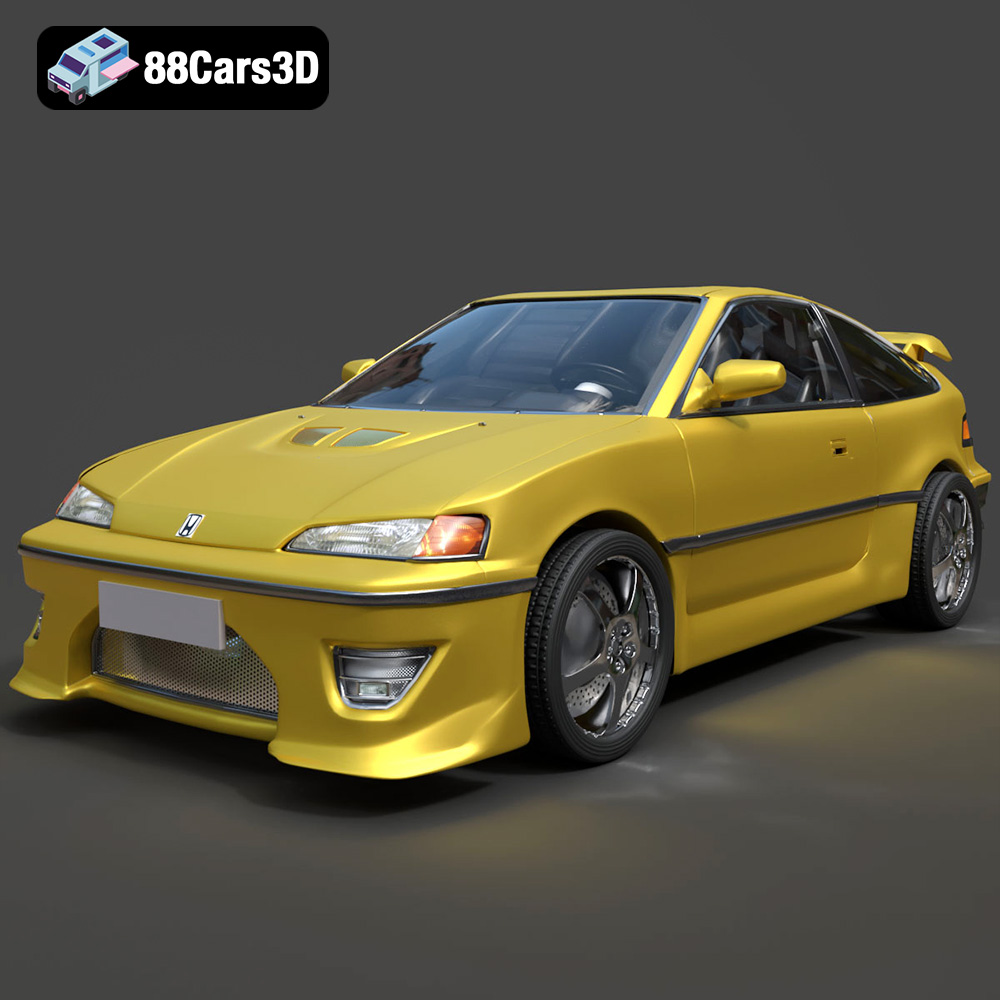
Texture: Yes
Material: Yes
Download the Honda CRX 1980 3D Model featuring clean geometry, realistic detailing, and a fully modeled interior. Includes .blend, .fbx, .obj, .glb, .stl, .ply, .unreal, and .max formats for rendering, simulation, and game development.
Price: $11.99
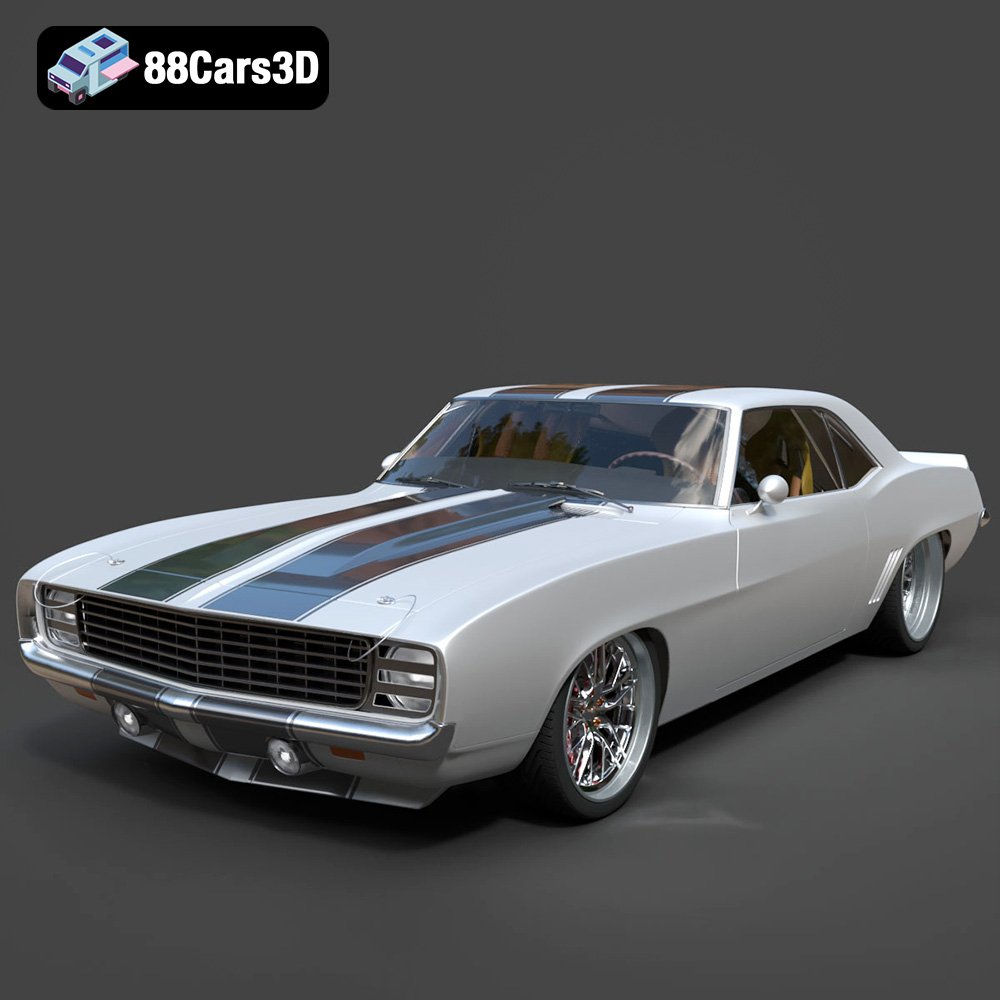
Texture: Yes
Material: Yes
Download the Chevrolet Camaro 69 Pro-007 3D Model featuring classic muscle car design and custom performance aesthetics. Includes .blend, .fbx, .obj, .glb, .stl, .ply, .unreal, and .max formats for rendering, simulation, and game development.
Price: $20.79

Texture: Yes
Material: Yes
Download the Honda Fit 2008 3D Model featuring a compact, versatile design with detailed exterior and interior components. Includes .blend, .fbx, .obj, .glb, .stl, .ply, .unreal, and .max formats for rendering, simulation, and game development.
Price: $10.79

Texture: Yes
Material: Yes
Download the Bentley Continental GT-002 3D Model featuring a luxurious grand touring design and high-quality details. Includes .blend, .fbx, .obj, .glb, .stl, .ply, .unreal, and .max formats for rendering, simulation, and game development.
Price: $20.79

Texture: Yes
Material: Yes
Download the Audi R8 2006 3D Model featuring a sleek sports car design with detailed exterior and interior. Includes .blend, .fbx, .obj, .glb, .stl, .ply, .unreal, and .max formats for rendering, simulation, and game development.
Price: $20.79

Texture: Yes
Material: Yes
Download the Audi Q7 3D Model featuring a detailed exterior and a refined interior. Includes .blend, .fbx, .obj, .glb, .stl, .ply, .unreal, and .max formats for rendering, simulation, and game development.
Price: $20.79

Texture: Yes
Material: Yes
Download the Aston Martin Police US 911 -005 3D Model featuring a high-fidelity exterior with police livery, detailed interior, and accurate proportions. Includes .blend, .fbx, .obj, .glb, .stl, .ply, .unreal, and .max formats for rendering, simulation, and game development.
Price: $10.79

