

Substrate Material System in Unreal Engine: Ushering in a New Era for Automotive Visualization
The quest for photorealism in real-time rendering has always pushed the boundaries of technology. For automotive visualization professionals, game developers, and 3D artists, replicating the intricate beauty of a car’s surface – from the multi-layered depth of its paint to the subtle reflectivity of brushed metal and the granular texture of carbon fiber – has been a persistent challenge. Traditional material systems, while powerful, often required complex workarounds and artistic compromises to achieve truly convincing results.
Enter Substrate, Unreal Engine’s groundbreaking new material framework, designed to fundamentally revolutionize how we define and render surfaces. This isn’t just an incremental update; it’s a paradigm shift towards physically accurate, layered materials that promise an unprecedented level of visual fidelity and artistic freedom. For anyone working with high-quality 3D car models, especially those sourced from platforms like 88cars3d.com, understanding and leveraging Substrate is no longer an option but a necessity for staying at the forefront of real-time automotive visualization. In this comprehensive guide, we’ll delve into the core concepts of Substrate, explore its architecture, walk through practical applications for crafting stunning car materials, and discuss its profound impact on performance and the future of interactive automotive experiences. Get ready to unlock the next generation of shading for your Unreal Engine projects.
The Evolution of Shading: Why Substrate Matters for Automotive Rendering
For years, Unreal Engine’s traditional shading model, based largely on the Disney Principled BSDF (Bidirectional Scattering Distribution Function), served as a robust foundation for physically based rendering (PBR). It allowed artists to define materials using parameters like Base Color, Metallic, Roughness, Specular, and Normal maps, yielding impressive results across a wide range of surfaces. However, automotive materials often present unique complexities that stretched the limits of this system. Surfaces like automotive paint, with its clear coat, metallic flakes, and underlying base color, are inherently multi-layered. Replicating this accurately often involved intricate shader hacks, custom lighting setups, or blending multiple materials with varying degrees of success, frequently at the cost of performance or visual integrity.
The limitations became particularly apparent when striving for true “material identity” – the ability to differentiate between two objects with identical PBR values but different underlying material structures, such as a plastic surface vs. a car paint clear coat. Substrate addresses these challenges head-on by moving away from a single, monolithic shading model to a composable, layered architecture. This shift allows artists to explicitly define the physical layers of a material, such as a transparent clear coat over a metallic base, or a worn paint layer revealing primer underneath. This flexibility is paramount for automotive rendering, where subtle variations in material properties can make or break the realism of a vehicle. By providing direct control over how light interacts with each layer, Substrate empowers artists to create visually authentic car bodies, interiors, and components that were previously unattainable without offline rendering techniques.
Limitations of the Traditional Material System for Automotive
The traditional PBR workflow, while excellent for many applications, presented notable hurdles when attempting to perfectly replicate the nuances of automotive finishes. One significant limitation was the difficulty in accurately representing clear coats. In reality, a car’s clear coat is a distinct, transparent layer that sits above the base paint, protecting it and providing a glossy finish. It has its own refractive index, roughness, and thickness. The traditional system often simulated this by manipulating the base material’s roughness and specular values, which could approximate the look but lacked physical accuracy, especially at glancing angles or under specific lighting conditions.
Another challenge involved complex multi-layered materials like carbon fiber, layered leathers, or even aged paint where multiple distinct surfaces contribute to the final appearance. Blending these materials effectively and efficiently in the traditional system often led to increased instruction count, requiring custom nodes, or resorting to intricate material functions that were difficult to manage and optimize. Furthermore, materials with advanced optical properties, such as pearlescent paints, anisotropic brushed metals, or iridescent effects (think of certain brake caliper finishes), were either extremely difficult or impossible to achieve with true physical accuracy. This necessitated compromises that often reduced the overall fidelity, making it harder for 88cars3d.com’s high-quality models to truly shine without significant post-processing or specialized rendering techniques.
The Promise of Physically Accurate Surfaces with Substrate
Substrate completely redefines material creation by offering a physically-driven layering system. Instead of merely faking a clear coat, you can now literally define a `Substrate.ClearCoat` layer on top of a `Substrate.Metal` or `Substrate.Diffuse` base. Each layer has its own set of parameters – refractive index, roughness, absorption – allowing for unprecedented control over light interaction. This is crucial for automotive visualization where surfaces are meticulously engineered for specific optical properties.
With Substrate, the visual complexity of materials is derived from their physical composition, leading to more predictable and realistic rendering across diverse lighting environments. For example, recreating a car’s metallic flake paint becomes a process of layering: a diffuse base, topped with a metallic layer for the flakes, and finally a clear coat. Each layer scatters and reflects light according to its properties, resulting in a depth and realism that was previously challenging to achieve in real-time. This level of physical accuracy not only enhances the visual quality but also streamlines the artistic workflow, as artists can focus on defining the physical attributes of a material rather than wrestling with shader hacks. This makes it easier to create and iterate on bespoke materials for 88cars3d.com’s highly detailed car models, ensuring they look their best in any Unreal Engine project.
Deciphering Substrate’s Architecture: Foundations of Next-Gen Materials
At its heart, Substrate is a composable material framework. Instead of a single shading model, it offers a suite of modular building blocks, called “Strands,” which represent different types of light interaction (e.g., diffuse, metallic, clear coat, thin film). These Strands can be combined and layered together to construct highly complex and physically accurate materials. The system operates on a principle of “bottom-up” construction, where you define the core properties of your material at the base layer and then add subsequent layers on top, each modifying how light passes through or reflects off the surface. This modularity means that an artist isn’t limited by a predefined set of material types but can craft unique combinations to match almost any real-world surface.
The core of a Substrate material graph begins with a “Substrate.Slab” node, which acts as the foundation, defining basic properties like diffuse color, roughness, and normal. From this base, you can then branch out and add more sophisticated layers. For instance, to create a car paint, you might start with a metallic slab, then add a flake layer, and finally top it with a clear coat. Each layer contributes to the final appearance by absorbing, scattering, and reflecting light in a physically plausible manner. This approach stands in stark contrast to the traditional material editor, where complex materials often involved intricate blending of multiple material functions or manual calculation of light interactions. Substrate simplifies this by providing explicit nodes for common physical layers, allowing artists to intuitively build materials that accurately represent real-world phenomena. This structured approach not only enhances visual quality but also promotes better organization and understanding of complex material logic, making iteration faster and more reliable.
Layers, Strands, and Interfaces: The New Material Graph
The Substrate material graph might initially look different from the traditional one, but its underlying logic is powerful and intuitive once understood. The primary building blocks are **Strands**, which represent specific physically-based shading elements. Examples include `Substrate.Diffuse`, `Substrate.Metal`, `Substrate.ClearCoat`, `Substrate.ThinFilm`, `Substrate.Volumetric`, and `Substrate.Fabric`. Each Strand encapsulates the mathematical model for how light interacts with that particular surface type.
These Strands are then connected and layered using **Interfaces**. The most common interface is `Substrate.Add` or `Substrate.Merge`, which allows you to combine multiple Strands or layers. Crucially, the order of layering matters, just as it does in the real world. A clear coat applied *over* a metallic paint will behave differently than if it were somehow underneath. The Substrate editor provides a visual representation of this layering, allowing artists to easily understand and manipulate the material stack. For example, to create a sophisticated car paint material, you might stack a `Substrate.Diffuse` layer (for the base color), an `Substrate.Metal` layer (for metallic particles), a `Substrate.Flakes` layer (for specific flake patterns), and finally a `Substrate.ClearCoat` layer on top, defining the overall gloss and protection. This structured approach encourages physically accurate material creation, avoiding the guesswork often associated with approximating complex surfaces.
Key Concepts: Top/Base Layer, Slab, and BSDFs
Understanding a few key terms is essential for navigating the Substrate system. The **Substrate.Slab** node serves as the entry point for most custom Substrate materials. It’s akin to the traditional material’s main output but provides a more extensible foundation. The Slab allows you to define a base layer, which can then be augmented with additional Strands.
The concept of **Top/Base Layer** is fundamental. When you layer materials, the “top” layer affects how light interacts with the “base” layer beneath it. For example, a `Substrate.ClearCoat` is typically a top layer that transmits and reflects light, while the material underneath it (e.g., metallic paint) is the base layer whose properties are revealed through the clear coat. Substrate’s architecture allows for explicit control over this interaction.
Finally, while traditional PBR often relied on a single unified BSDF, Substrate works with multiple, composable **BSDFs** (Bidirectional Scattering Distribution Functions). Each Strand (e.g., Diffuse, Metal, Clear Coat) represents a different type of BSDF, or a combination thereof, allowing for a much richer and more accurate representation of how light scatters and reflects off diverse surfaces. This granular control over the light interaction model is what enables Substrate to achieve such high fidelity, making it ideal for rendering the precise light behavior required for automotive visualization. For detailed examples and node documentation, always refer to the official Unreal Engine documentation at https://dev.epicgames.com/community/unreal-engine/learning.
Crafting Realistic Automotive Materials with Substrate
One of Substrate’s most compelling advantages for automotive visualization lies in its ability to accurately and efficiently create complex, multi-layered materials. Car paint, for instance, is notoriously difficult to reproduce realistically. It typically consists of a primer, a base color coat, sometimes a metallic or pearl effect layer, and a protective clear coat – each with its own optical properties. With the traditional material system, achieving this often involved intricate blending, custom shaders, and significant performance overhead. Substrate, however, provides dedicated nodes and a logical layering system that directly mirrors the physical composition of these materials, simplifying the workflow while boosting accuracy.
Consider the challenge of rendering a high-gloss metallic car paint with a subtle flake effect. In Substrate, you would start with a base `Substrate.Slab` that defines the overall diffuse color and initial roughness. You would then add a `Substrate.Metal` layer to introduce the metallic properties, defining its specific metallic tint and roughness. Crucially, you can then layer a `Substrate.Flakes` node on top, controlling parameters like flake density, size, and orientation, allowing for highly customizable and physically accurate metallic shimmer. Finally, a `Substrate.ClearCoat` layer would be applied, giving it a distinct refractive index, clear coat roughness, and even absorption color to simulate the depth and protection of a real-world clear coat. This modular approach not only makes material creation more intuitive but also ensures that the resulting shaders are optimized and consistent, delivering unparalleled realism for the detailed 3D car models available on platforms like 88cars3d.com.
Multi-Layered Car Paint: Base Coat, Clear Coat, and Flakes
Creating a convincing car paint in Substrate is a multi-step process that beautifully reflects its real-world construction. You begin by configuring a `Substrate.Slab` node as your base layer. For a metallic paint, this might be a `Substrate.Metal` or `Substrate.Diffuse` coupled with metallic properties, providing the core color and reflectivity. This is your “base coat.”
Next, to introduce metallic or pearl flakes, you would add a `Substrate.Flakes` node. This node allows you to define the appearance of microscopic particles embedded within the paint. Key parameters here include `FlakeColor`, `FlakeDensity`, `FlakeRoughness`, and a `FlakeNormal` map, which can be procedural or texture-based, to control the individual flake orientations. This layer accurately simulates the specular reflections off the tiny flakes, adding depth and sparkle.
Finally, for the quintessential automotive clear coat, you would layer a `Substrate.ClearCoat` node over your combined base and flake layers. This node has its own `Roughness`, `IOR` (Index of Refraction), `AbsorptionColor`, and `Thickness` parameters. The IOR dictates how much light bends when entering the clear coat, while roughness controls the level of gloss. Absorption color and thickness allow for subtle tinting and depth effects. The result is a physically accurate, multi-layered car paint that reacts to light in a highly realistic manner, capturing the subtle interplay of reflections and refractions that define high-quality vehicle finishes.
Advanced PBR Surfaces: Leathers, Rubbers, and Metals
Beyond car paint, Substrate excels at recreating a wide array of advanced PBR surfaces critical for automotive interiors and components. For leathers, the challenge lies in capturing the subtle subsurface scattering, varied roughness, and natural imperfections. With Substrate, you can combine a `Substrate.Diffuse` layer for the base color and scattering, potentially with a `Substrate.Fabric` layer for fine fiber detail if applicable, and control roughness with high-resolution texture maps. You might even introduce a thin-film interference layer for certain treated leathers.
Rubber materials, such as tires and trim, often require a combination of rough diffuse properties and specific normal map details. A `Substrate.Diffuse` layer with carefully authored roughness maps, coupled with a robust normal map, can achieve this. For very deep blacks, you might even consider slight volumetric absorption if needed, though often not necessary for typical tire rubber.
Metals, particularly brushed or anisotropic metals, truly benefit from Substrate’s granular control. Traditional PBR struggled with highly anisotropic reflections. Substrate’s composable nature allows for more precise control over the BSDFs, potentially through custom nodes or specific combinations that better simulate anisotropic light scattering. For instance, a base `Substrate.Metal` layer combined with a custom normal map that encodes anisotropic tangents can produce extremely convincing brushed aluminum or stainless steel finishes. This level of detail ensures that every component of a car, from the dashboard stitching to the wheel alloys, achieves maximum realism when integrated into your Unreal Engine project.
Performance and Optimization for Substrate Materials
While Substrate offers unparalleled visual fidelity, its power comes with the potential for increased complexity. Each additional layer and intricate physical calculation contributes to the overall shader instruction count and memory footprint. Therefore, effective performance optimization is not just a best practice; it’s a necessity, especially when working on real-time applications like games, interactive configurators, or AR/VR experiences for automotive visualization. The goal is to strike a delicate balance between achieving stunning realism and maintaining fluid frame rates across target hardware.
One of the primary considerations is the number of layers in your Substrate material. While it’s tempting to add multiple clear coats, flakes, and thin films, each layer adds to the computational cost. It’s crucial to evaluate whether every layer contributes significantly to the final visual outcome, or if a simpler composition can achieve a similar effect with less overhead. Utilizing the material editor’s statistics panel, accessible via `Window > Developer Tools > Material Stats`, is invaluable for monitoring instruction counts and texture memory usage. This tool provides real-time feedback on the shader complexity, allowing artists and developers to make informed decisions about material construction. Furthermore, leveraging Unreal Engine’s built-in optimization tools, such as the Shader Complexity View Mode (`Alt+8`), helps identify areas where material complexity might be excessively high. Efficient texture usage, proper LODs (Levels of Detail) for material properties, and intelligent use of material instances are all critical components of a robust Substrate optimization strategy.
Balancing Visual Fidelity with Real-time Performance
Achieving photorealistic visuals with Substrate without sacrificing real-time performance requires a strategic approach. The key principle is to use only the layers and complexity that are truly necessary for the visual impact. For instance, if a car is only seen from a distance, a highly detailed multi-layered paint with specific flake properties might be overkill; a simpler metallic clear coat material could suffice and save valuable shader instructions.
Another crucial aspect is efficient texture utilization. High-resolution textures, while visually appealing, can quickly consume GPU memory. Ensure that texture resolutions are appropriate for the object’s size and importance in the scene. Use texture atlases where possible to reduce draw calls and optimize memory access. Furthermore, leverage Unreal Engine’s texture streaming system to load textures dynamically based on camera distance and visibility, preventing unnecessary memory allocation for unseen assets. When sourcing automotive assets from marketplaces such as 88cars3d.com, check if the models include optimized texture sets and LODs, which can significantly streamline your optimization efforts. By carefully managing texture assets and material complexity, you can maximize visual fidelity while maintaining smooth real-time performance, even in demanding automotive scenes.
Substrate Material Complexity and Shader Cost Analysis
Understanding and analyzing the shader cost of Substrate materials is paramount for optimization. Unlike traditional materials where a single instruction count broadly represented complexity, Substrate’s layered nature means that cost can vary significantly depending on the types and number of Strands used. The Unreal Engine Material Editor provides detailed **Material Stats** that break down the instruction count for different shader stages (vertex, pixel) and highlight potential bottlenecks.
When debugging performance, use the **Shader Complexity View Mode** in the Unreal Engine viewport. This mode visually represents the instruction count of materials on screen, with hotter colors indicating higher complexity. Identifying red or pink areas on your car models will point to materials that are particularly expensive. Common causes of high complexity in Substrate can include:
* Too many layered Strands (e.g., stacking multiple clear coats or intricate thin films).
* Expensive procedural textures or complex mathematical operations within the material graph.
* High-resolution normal maps or other texture lookups used unnecessarily close to the camera.
To reduce shader cost, consider simplifying layers where the visual impact is minimal. For instance, can a two-layer material achieve a similar effect to a three-layer one? Can a complex custom expression be replaced with a more optimized Substrate node? Regularly profile your project using tools like the **GPU Profiler** (`Ctrl+Shift+,`) to understand where render time is being spent. By meticulously analyzing and optimizing your Substrate materials, you ensure that your stunning automotive visualizations run efficiently on a wide range of hardware, delivering a polished user experience.
Integrating Substrate with Unreal Engine’s Ecosystem
Substrate is not an isolated feature; it’s deeply integrated into the Unreal Engine ecosystem, designed to work seamlessly with existing and emerging technologies. This synergy is particularly impactful for automotive visualization, where the combination of photorealistic materials, dynamic global illumination, high-detail geometry, and interactive elements creates immersive experiences. Substrate materials benefit directly from Unreal Engine’s advanced rendering features, ensuring that your meticulously crafted car surfaces are displayed in the most visually compelling way possible.
Imagine a highly detailed 3D car model, perhaps sourced from 88cars3d.com, with Substrate-powered paint and interior materials, interacting with Lumen’s real-time global illumination and reflections. The light bounces naturally off the multi-layered paint, casting realistic reflections and highlights that update instantly as the car moves or the environment changes. Combine this with Nanite’s virtualized geometry, allowing for millions of polygons in your car model without performance degradation, and you have an unparalleled level of detail and realism. Furthermore, Substrate materials can be dynamically controlled via Blueprint visual scripting, opening up possibilities for interactive car configurators where users can change paint colors, material finishes, and apply custom decals in real-time. This holistic integration means that Substrate elevates not just the look of individual materials, but the entire visual fidelity and interactivity of your Unreal Engine automotive projects.
Synergies with Lumen, Nanite, and Virtual Production
The integration of Substrate with Unreal Engine’s rendering features is truly transformative for automotive visualization. **Lumen**, Unreal Engine’s fully dynamic global illumination and reflection system, works exquisitely with Substrate materials. The physically accurate nature of Substrate materials means that light emitted from Lumen sources, or reflected from Lumen-calculated surfaces, interacts with your car’s paint, glass, and interior fabrics in a physically plausible manner. This results in incredibly realistic indirect lighting, soft shadows, and convincing reflections that update in real-time, crucial for showcasing the intricate designs of automotive models.
**Nanite**, the virtualized micropolygon geometry system, complements Substrate by allowing artists to use highly detailed mesh data without traditional LOD constraints. This means that an 88cars3d.com car model can feature millions of polygons for incredibly smooth curves and intricate details, and its Substrate materials will render flawlessly on this high-fidelity geometry. The combination of Nanite’s geometric fidelity and Substrate’s material accuracy creates an almost indistinguishable experience from reality.
For **Virtual Production** workflows, particularly with LED walls, Substrate’s physical accuracy is invaluable. When a real car or talent is composited in front of an LED wall displaying a virtual environment, the consistency of lighting and material response between the real and virtual elements is critical. Substrate materials, responding accurately to the virtual lighting, help to seamlessly blend the physical and digital worlds, creating highly convincing visual effects for cinematic car shoots or broadcast advertisements.
Dynamic Material Instances and Blueprint Interactions
Substrate materials, like traditional materials, fully support **Material Instances** and their dynamic counterparts. This is a game-changer for interactive automotive applications like car configurators. By creating a parent Substrate material (e.g., a generic multi-layered car paint), you can then create multiple Material Instances from it. Each instance can expose parameters like base color, clear coat roughness, flake density, or even custom textures.
Using **Blueprint visual scripting**, you can then create interactive UI elements that allow users to change these parameters in real-time. For example, a slider in a Blueprint widget could control the `ClearCoatRoughness` of the car paint, allowing users to switch between a high-gloss finish and a satin matte. Buttons could switch the `BaseColor` parameter to different hues or apply different `FlakeNormal` textures. This dynamic control extends to almost any exposed parameter within your Substrate material graph.
This capability is essential for creating compelling sales tools, interactive demos, or even fully customizable vehicles within a game. Developers can quickly prototype different material variations, and users can personalize their virtual vehicles, making for a much richer and more engaging experience. The combination of Substrate’s robust material definition and Blueprint’s interactive capabilities provides an incredibly powerful toolset for anyone developing cutting-edge automotive visualization projects in Unreal Engine.
Advanced Techniques and Future Possibilities in Automotive Visualization
As Unreal Engine continues to evolve with Substrate at its core, the horizon for automotive visualization expands dramatically. Beyond standard PBR representations, Substrate opens the door to simulating even more complex and niche material behaviors crucial for high-end design and rendering. This includes phenomena like true anisotropy for brushed metals, volumetric absorption for tinted glass or translucent plastics, and iridescent or pearlescent effects that define exotic car paints. The modular nature of Substrate means that as new physical shading models emerge, they can be integrated as new Strands, continually pushing the boundaries of realism.
The future of interactive automotive experiences will heavily rely on these advanced material capabilities. Imagine walking around a car in AR, and the custom pearlescent paint shimmers and changes hue based on your viewing angle, just as it would in real life. Or, in a VR configurator, being able to inspect the intricate woven pattern of carbon fiber with perfectly simulated anisotropic reflections. Substrate provides the foundational technology for these experiences, allowing for a level of visual fidelity that enhances immersion and accuracy across all platforms. This continuous innovation ensures that professionals using Unreal Engine, especially with high-quality assets from sources like 88cars3d.com, will remain at the forefront of real-time rendering.
Beyond Standard PBR: Anisotropy and Iridescence
Substrate goes beyond the limitations of standard PBR to enable truly advanced material properties. **Anisotropy**, where reflections appear stretched or compressed depending on the viewing angle and surface orientation (think brushed metals or certain plastics), was previously challenging to implement with physical accuracy. Substrate’s ability to define custom BSDFs and combine specific Strands means that complex anisotropic light scattering can be modeled more precisely, resulting in stunningly realistic brushed aluminum dashboards or metallic trim. Artists can input tangent and bitangent vectors or use specific texture maps to control the directionality of the anisotropic reflections, yielding superior fidelity compared to traditional approximation methods.
**Iridescence** and **pearlescence**, where colors appear to shift and change based on the viewing angle (common in some exotic car paints, brake caliper finishes, or certain plastics), are another area where Substrate shines. These effects are often caused by thin-film interference, where light waves reflecting off different layers of a very thin film interfere with each other, enhancing or canceling out certain wavelengths. Substrate includes dedicated `Substrate.ThinFilm` nodes that allow artists to define the film’s thickness and refractive index, directly simulating these mesmerizing optical phenomena. This level of physical accuracy for such subtle yet impactful visual effects is a significant leap forward, providing artists with the tools to create automotive materials that are truly indistinguishable from their real-world counterparts.
The Future of Interactive Car Experiences
The capabilities unlocked by Substrate are paving the way for a new generation of interactive car experiences. For **automotive configurators**, Substrate empowers unprecedented visual fidelity, allowing customers to explore paint options, interior trims, and wheel finishes with photorealistic accuracy. The dynamic nature of Substrate materials, controllable via Blueprint, means that material changes are instant and visually convincing, enhancing the customer’s decision-making process. This extends beyond simple color swaps to changing the weave of a carbon fiber panel, the sheen of a leather seat, or the texture of a dashboard material, all rendered in real-time.
In the realm of **AR/VR**, Substrate’s physically accurate materials significantly enhance immersion. Imagine inspecting a car in AR, seeing the subtle depth of its clear coat and the metallic flakes glimmering under virtual sunlight, just as if the car were physically present. For virtual reality training simulations or showroom experiences, the ability to replicate every material detail, from the textured grip of a steering wheel to the reflection in a chrome emblem, creates a profound sense of presence and realism. As Unreal Engine continues to push boundaries with features like MetaHumans and sophisticated environmental rendering, Substrate ensures that the star of the show – the car itself – is rendered with absolute perfection, ready for any future application in games, marketing, or design visualization.
Conclusion
The introduction of Substrate marks a pivotal moment for real-time rendering, particularly within the demanding field of automotive visualization. By moving beyond the limitations of traditional material systems, Substrate empowers artists and developers to create physically accurate, multi-layered materials with unprecedented control and fidelity. From the intricate depth of metallic car paint with its shimmering flakes and glossy clear coat, to the nuanced textures of leather interiors and the anisotropic sheen of brushed metals, Substrate provides the foundational tools to replicate virtually any surface with stunning realism.
We’ve explored its core architectural concepts, delved into practical techniques for crafting complex automotive materials, and discussed crucial optimization strategies to balance visual quality with real-time performance. Crucially, Substrate’s seamless integration with Unreal Engine’s powerful ecosystem – including Lumen for global illumination, Nanite for geometric detail, and Blueprint for interactive experiences – ensures that these next-generation materials shine within a comprehensive and highly performant rendering pipeline. The future of automotive visualization promises even greater immersion and authenticity, and Substrate is unequivocally at the forefront of this evolution.
As you embark on leveraging Substrate in your own projects, remember the importance of high-quality base assets. Platforms like 88cars3d.com offer meticulously crafted 3D car models, featuring clean topology, realistic UVs, and optimized meshes, providing the perfect foundation upon which to build your Substrate material masterpieces. Experiment with the layered system, analyze your shader costs, and push the boundaries of what’s possible. The journey into next-gen shading with Substrate is an exciting one, opening up new creative avenues and delivering unparalleled realism to your Unreal Engine automotive projects.
Featured 3D Car Models
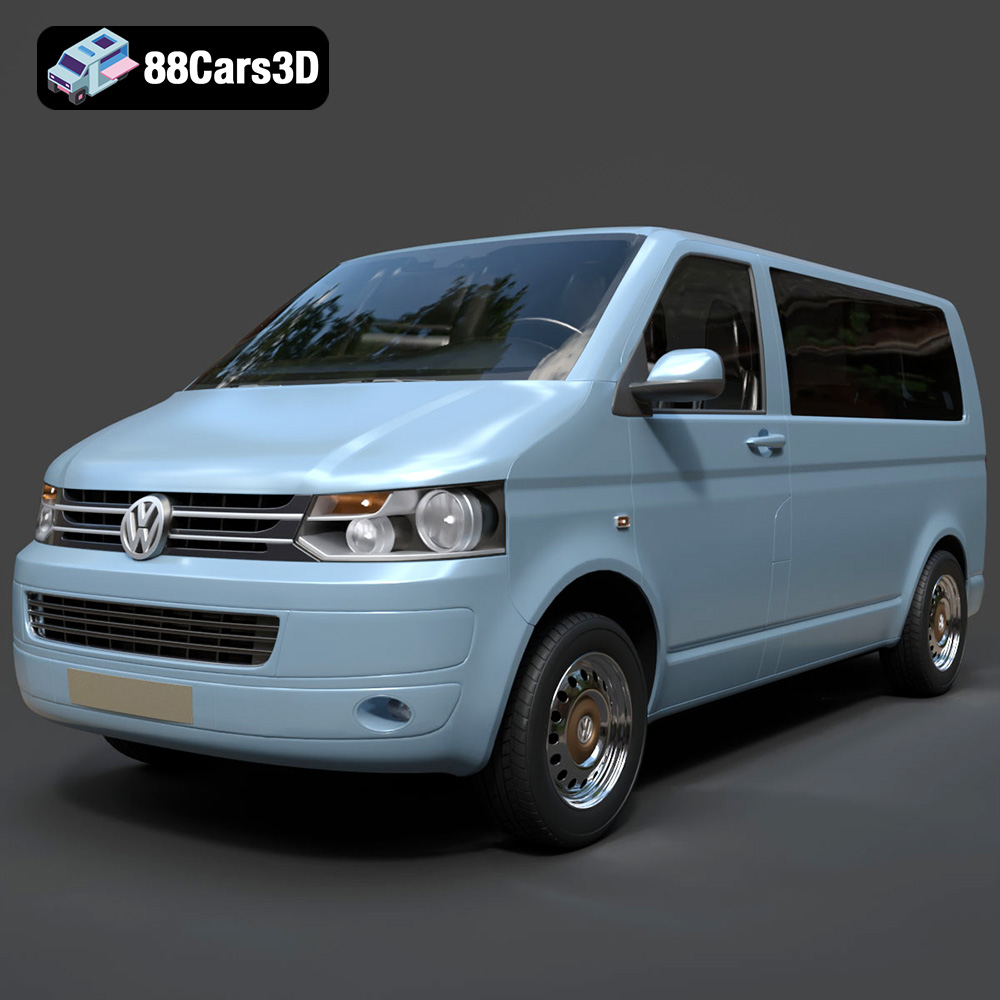
Volkswagen Transporter T5 FL 2010 3D Model
Texture: Yes
Material: Yes
Download the Volkswagen Transporter T5 FL 2010 3D Model featuring clean geometry, realistic detailing, and a fully modeled interior. Includes .blend, .fbx, .obj, .glb, .stl, .ply, .unreal, and .max formats for rendering, simulation, and game development.
Price: $22.99
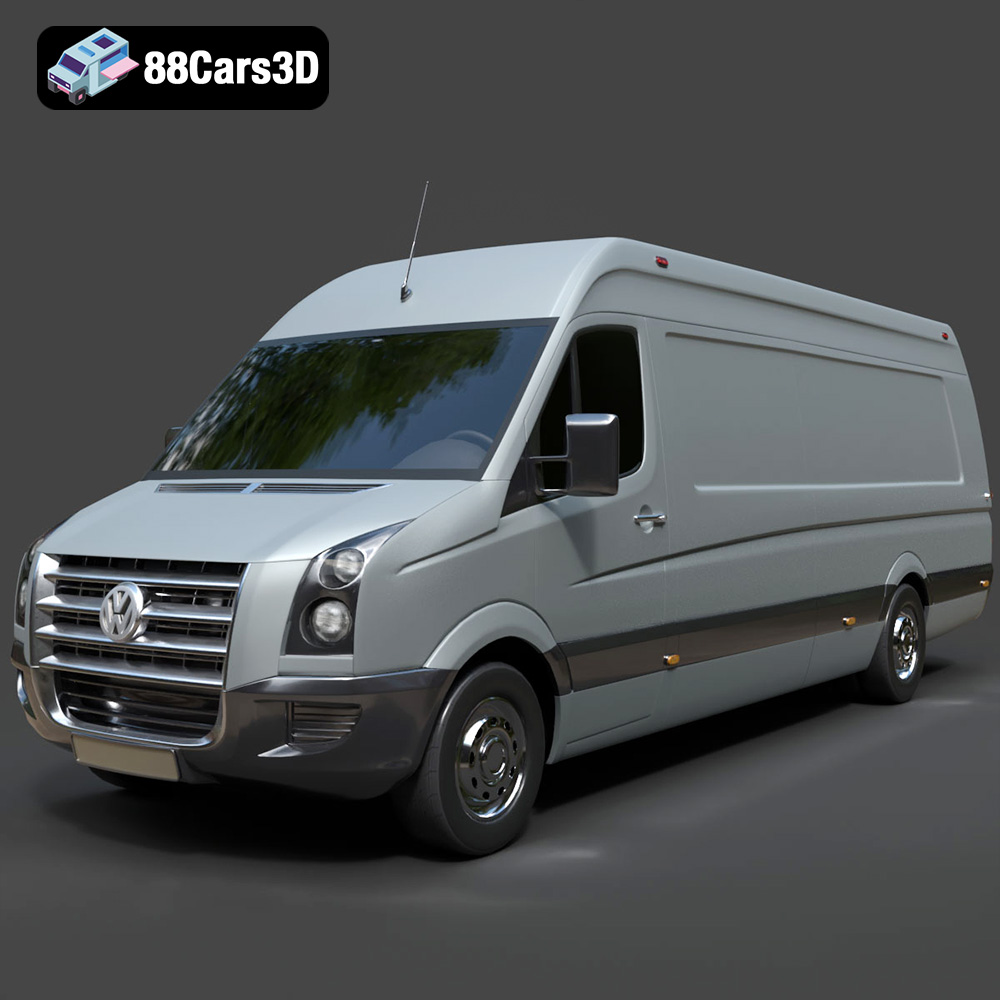
Volkswagen Crafter 2020 3D Model
Texture: Yes
Material: Yes
Download the Volkswagen Crafter 2020 3D Model featuring clean geometry, realistic detailing, and a fully modeled interior. Includes .blend, .fbx, .obj, .glb, .stl, .ply, .unreal, and .max formats for rendering, simulation, and game development.
Price: $22.99
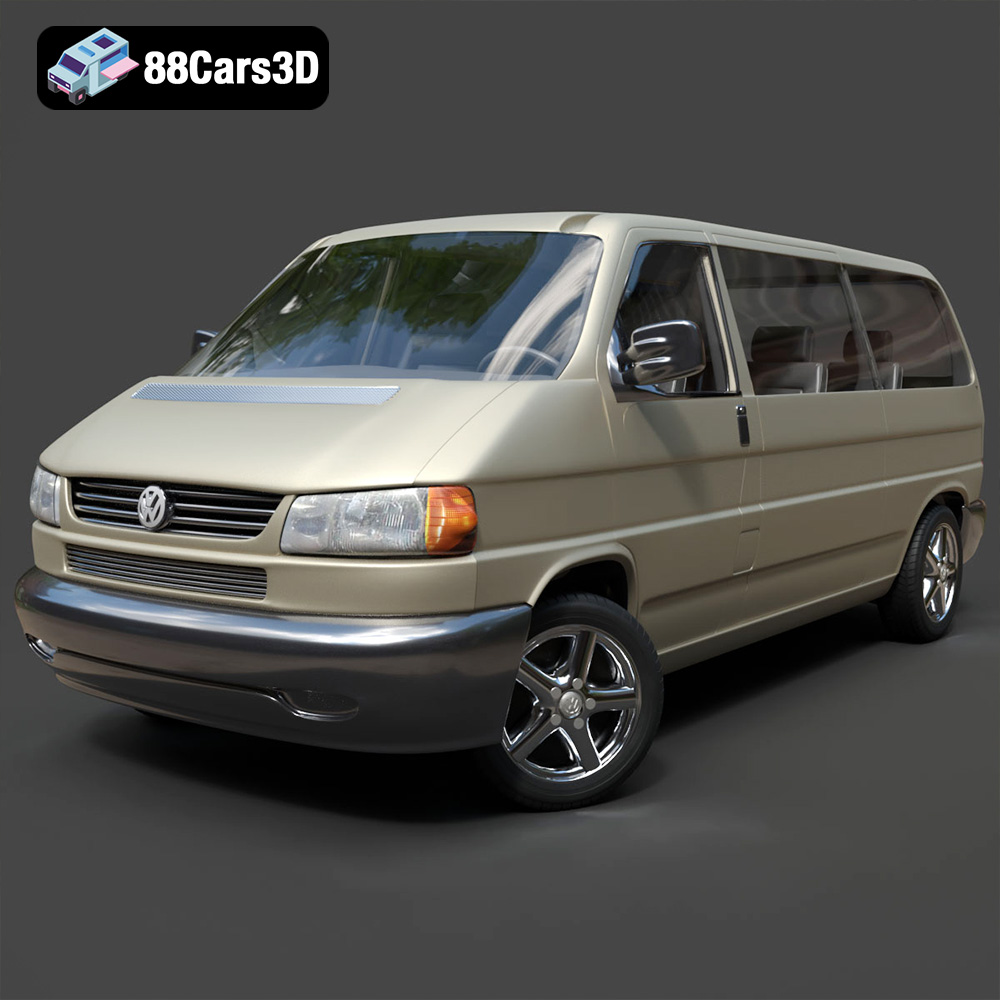
Volkswagen Caravelle 2020 3D Model
Texture: Yes
Material: Yes
Download the Volkswagen Caravelle 3D Model featuring a detailed exterior, functional interior, and optimized topology. Includes .blend, .fbx, .obj, .glb, .stl, .ply, .unreal, and .max formats for rendering, simulation, and game development.
Price: $23.99
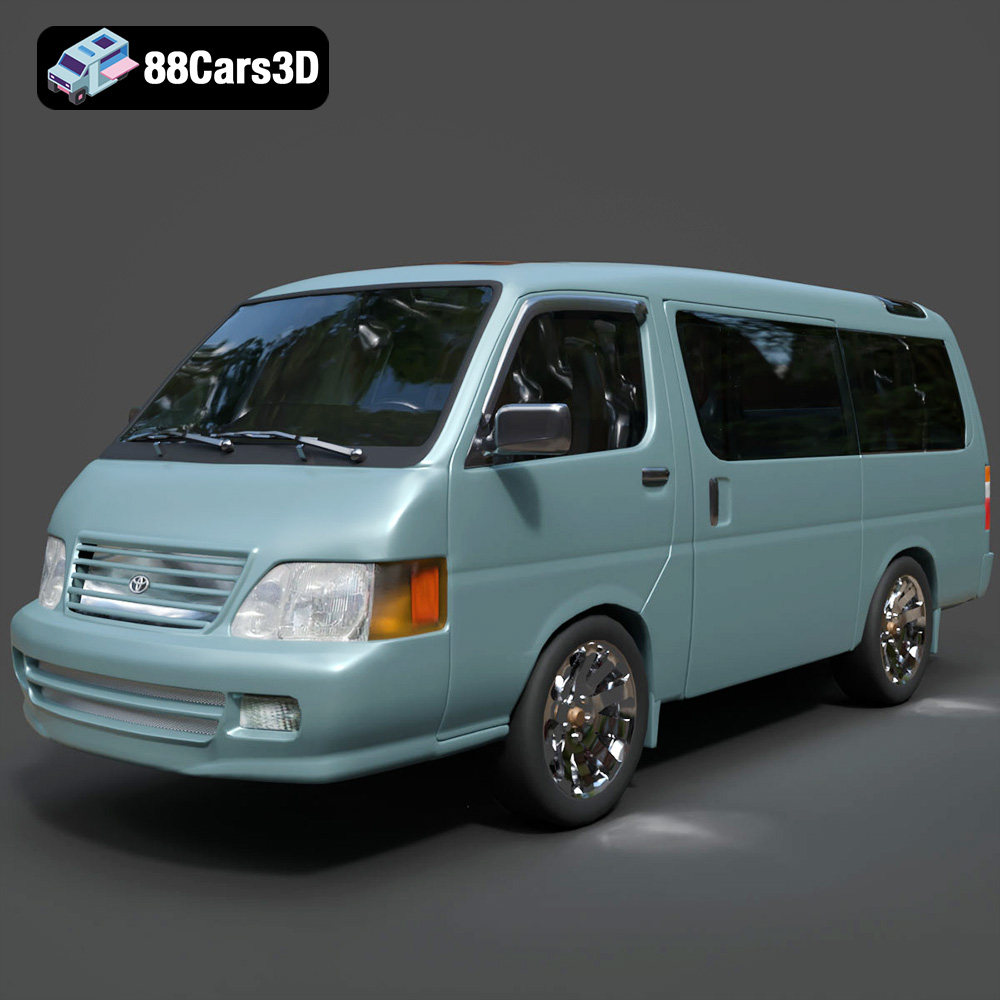
Toyota Hiace 3D Model
Texture: Yes
Material: Yes
Download the Toyota Hiace 3D Model featuring versatile design and detailed exterior. Includes .blend, .fbx, .obj, .glb, .stl, .ply, .unreal, and .max formats for rendering, simulation, and game development.
Price: $21.99
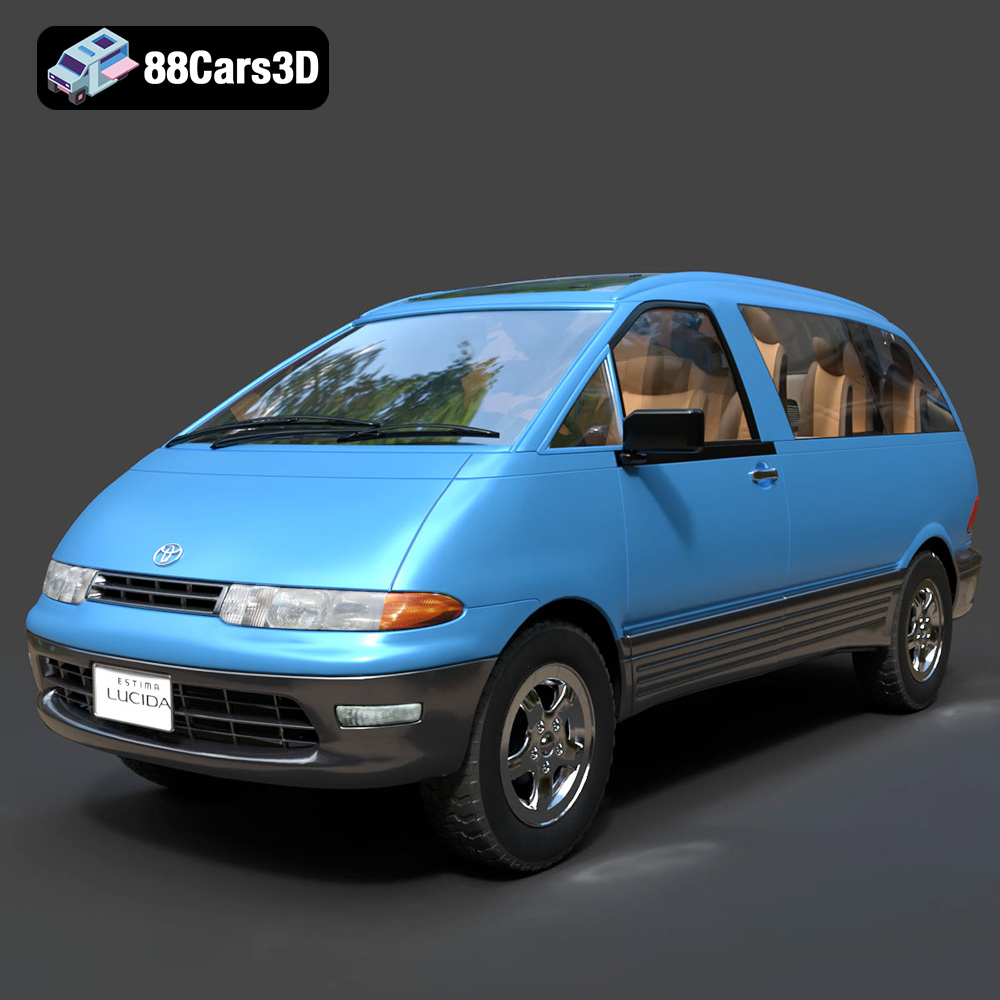
Toyota Estima Lucida 3D Model
Texture: Yes
Material: Yes
Download the Toyota Estima Lucida 3D Model featuring its iconic compact MPV design, versatile interior, and accurate exterior details. Includes .blend, .fbx, .obj, .glb, .stl, .ply, .unreal, and .max formats for rendering, simulation, and game development.
Price: $24.99

Toyota Alphard 3D Model
Texture: Yes
Material: Yes
Download the Toyota Alphard 3D Model featuring a detailed luxury minivan design with an accurate exterior and interior. Includes .blend, .fbx, .obj, .glb, .stl, .ply, .unreal, and .max formats for rendering, simulation, and game development.
Price: $21.99
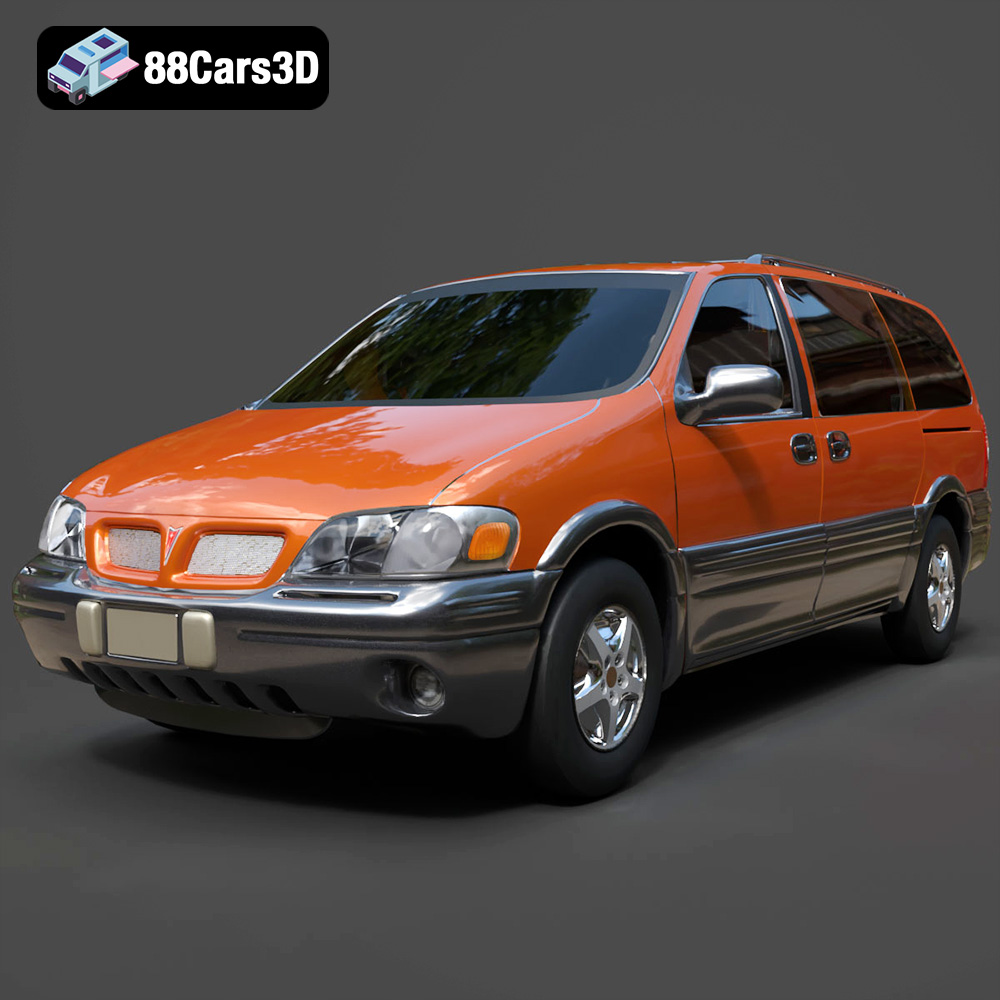
Pontiac Montana 1998 3D Model
Texture: Yes
Material: Yes
Download the Pontiac Montana 1998 3D Model featuring a detailed exterior, functional interior, and optimized mesh. Includes .blend, .fbx, .obj, .glb, .stl, .ply, .unreal, and .max formats for rendering, simulation, and game development.
Price: $21.99
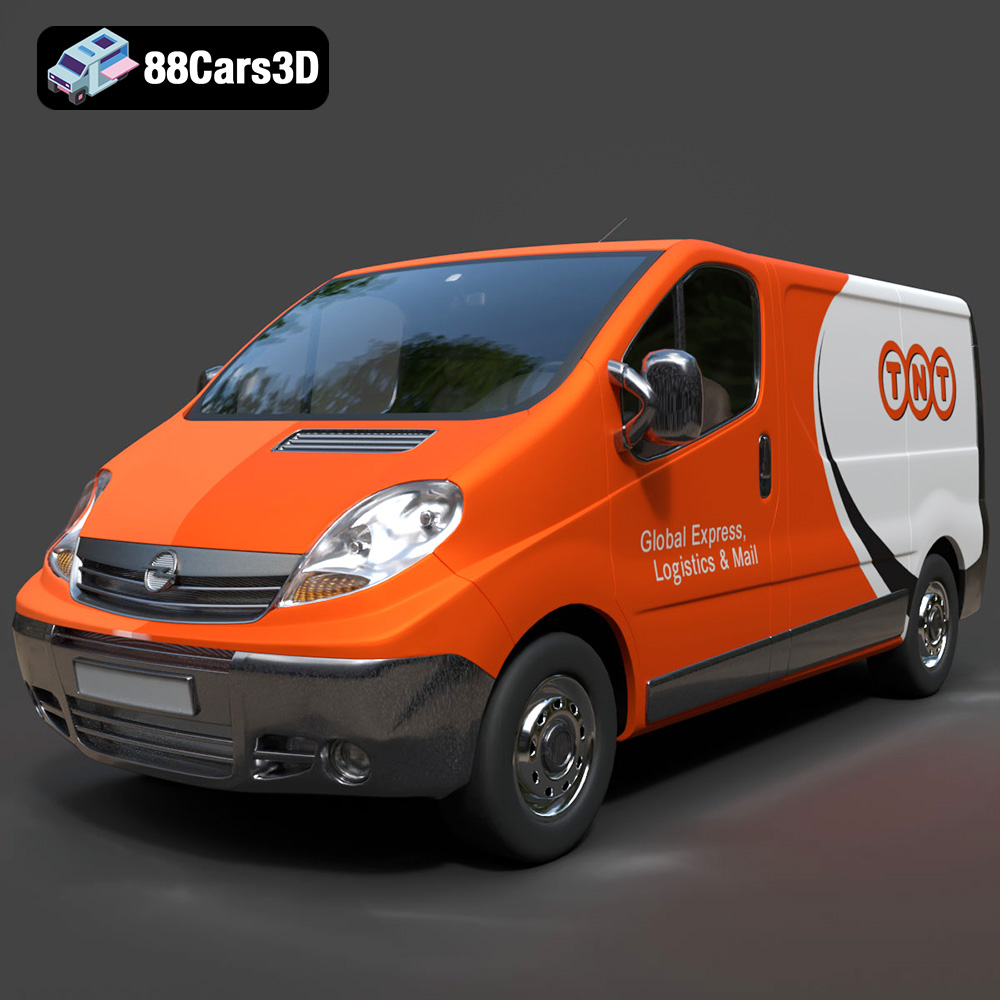
Opel Vivaro 3D Model
Texture: Yes
Material: Yes
Download the Opel Vivaro 3D Model featuring a versatile commercial van design with balanced detailing. Includes .blend, .fbx, .obj, .glb, .stl, .ply, .unreal, and .max formats for rendering, simulation, and game development.
Price: $21.99
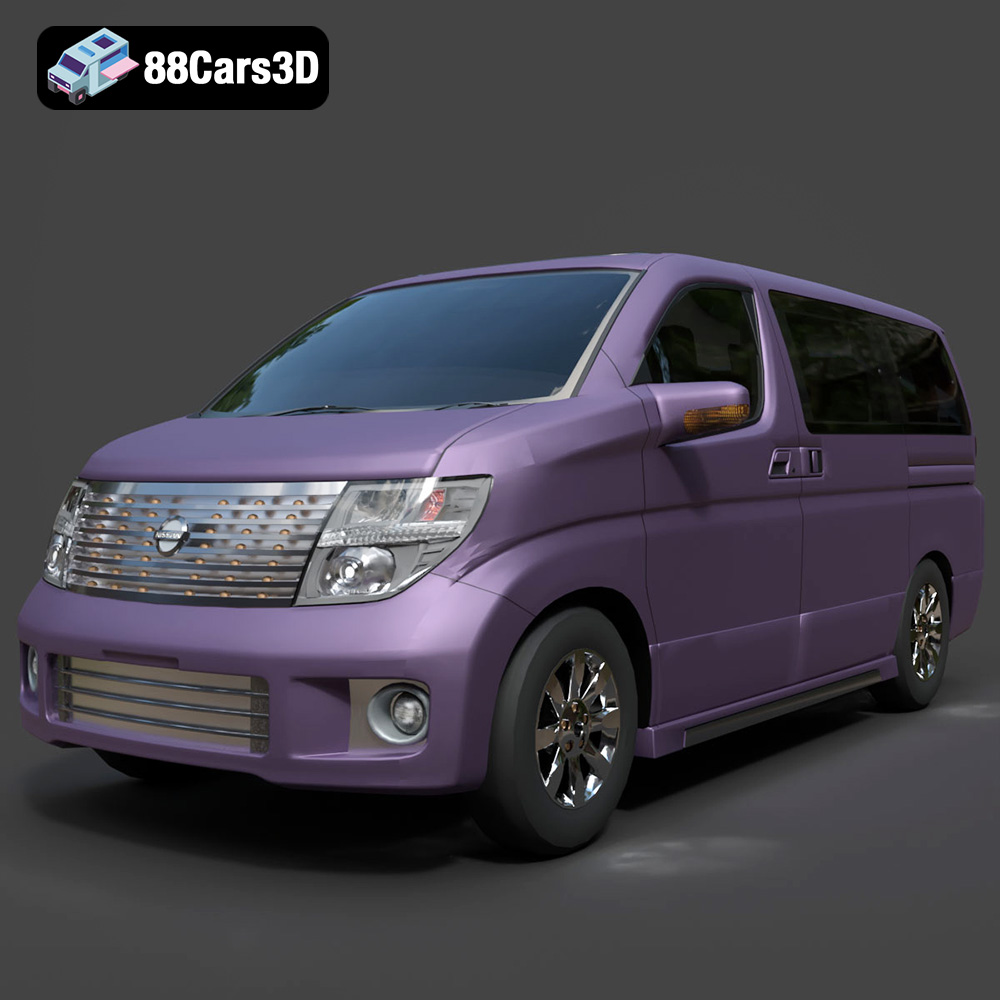
Nissan Elgrand 3D Model
Texture: Yes
Material: Yes
Download the Nissan Elgrand 3D Model featuring a versatile minivan design. Includes .blend, .fbx, .obj, .glb, .stl, .ply, .unreal, and .max formats for rendering, simulation, and game development.
Price: $21.99
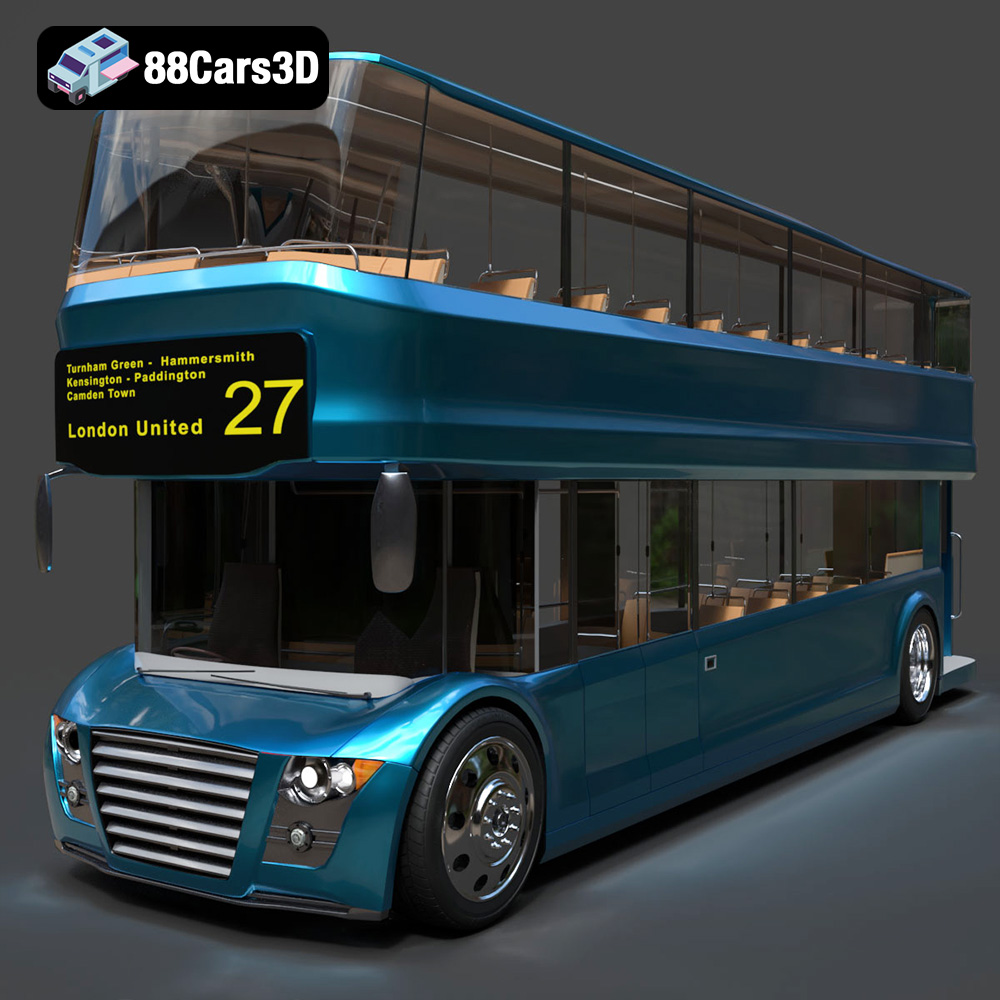
New Bus For London 3D Model
Texture: Yes
Material: Yes
Download the New Bus For London 3D Model featuring a detailed exterior and interior, optimized for rendering and animation. Includes .blend, .fbx, .obj, .glb, .stl, .ply, .unreal, and .max formats for rendering, simulation, and game development.
Price: $21.99
