

Unleashing Automotive Realism: Mastering Unreal Engine’s Substrate Material System with 88cars3d.com Models
The pursuit of hyper-realism in automotive visualization has always pushed the boundaries of real-time rendering. From showcasing sleek concept cars to crafting immersive driving experiences, 3D artists and developers consistently strive for visual fidelity that blurs the line between the digital and the physical. Traditional Physically Based Rendering (PBR) workflows have served us well, providing a foundational understanding of how light interacts with surfaces. However, for the intricate, multi-layered materials inherent to the automotive world – think iridescent car paint with a clearcoat, brushed metals under a protective lacquer, or complex multi-paneled glass – traditional PBR often encounters limitations, requiring increasingly elaborate and sometimes physically inaccurate workarounds.
Enter Unreal Engine’s Substrate Material System. This groundbreaking framework represents a paradigm shift in how we define and render materials, offering unprecedented flexibility, realism, and efficiency. Designed from the ground up to handle the most complex material constructions, Substrate empowers artists to create shaders that truly reflect the nuanced properties of real-world surfaces. For professionals leveraging high-quality 3D car models from marketplaces like 88cars3d.com, Substrate unlocks a new dimension of visual excellence, ensuring that every curve, reflection, and material interaction is rendered with breathtaking accuracy. In this comprehensive guide, we’ll dive deep into Substrate’s architecture, explore its benefits for automotive visualization, integrate it with premium 88cars3d.com assets, discuss optimization strategies, and uncover how this next-gen shading system is shaping the future of real-time rendering.
The Evolution of Shading: From Traditional PBR to Substrate
For years, Physically Based Rendering (PBR) has been the industry standard for achieving realistic materials in real-time engines. PBR revolutionized material authoring by providing a set of principles that ensure materials react plausibly to light, regardless of the lighting environment. The core idea is to define material properties – such as color (Albedo/Base Color), shininess (Roughness/Glossiness), and reflectivity (Metallic/Specular) – based on real-world measurements. This approach significantly improved consistency and simplified the process of creating believable surfaces. However, as rendering technology advanced and expectations for visual fidelity grew, the limitations of traditional PBR became increasingly apparent, especially in specialized fields like automotive visualization.
Understanding the Limitations of Traditional PBR
While excellent for opaque, homogeneous materials, traditional PBR often struggles with complex, heterogeneous surfaces. Its models typically assume a single, uniform surface interaction. Consider a high-gloss car paint: it’s not just a single layer. It’s often a base coat (perhaps metallic or pearl), a clearcoat for protection and depth, and sometimes additional layers for special effects. Representing this multi-layered interaction accurately within a single PBR shader often involves compromises or complex, non-physical hacks. For instance, simulating a clearcoat might involve faking extra reflections or manipulating roughness values, leading to visuals that look “good enough” but lack true physical accuracy. Other challenging materials include frosted glass with internal reflections, intricate fabrics with varying fiber directions, or even subtle volumetric effects, all of which demand a more sophisticated approach than a single PBR layer can provide. This inherent monolithic structure of traditional PBR, while efficient for many common scenarios, becomes a bottleneck when striving for the pinnacle of realism in complex automotive materials.
Introducing Substrate: A Layered Approach to Material Definition
Unreal Engine’s Substrate Material System fundamentally redefines material authoring by moving away from a single, fixed PBR model to a flexible, layered architecture. Instead of trying to cram all material properties into one shader, Substrate allows artists to stack multiple material layers, each with its own physically accurate properties, on top of one another. Imagine building a material like a sandwich: you can have a base layer (e.g., metal), then add a primer layer, followed by a base color paint layer, and finally a clearcoat layer. Each of these layers contributes to the final appearance based on physically correct light transport simulations. This modularity means that light interacts correctly with each layer, leading to incredibly accurate reflections, refractions, and absorption effects that were previously impossible or prohibitively expensive in real-time. Substrate provides a powerful framework to combine various shading models – diffuse, specular, transmissive, volumetric, and even custom components – in a coherent and physically plausible manner, offering unprecedented artistic control and visual fidelity.
Diving Deep into Substrate’s Architecture for Automotive Materials
Substrate’s power lies in its modular and extensible architecture, allowing for the construction of highly complex and physically accurate materials. Unlike traditional material graphs where a single output node defines the entire surface, Substrate materials are built by combining various “nodes” that represent different material layers or light interactions. This layering system is crucial for materials like those found in automotive design, which often involve multiple coatings, finishes, and optical properties. Understanding these core building blocks is key to unlocking Substrate’s potential for next-gen automotive visualization.
Base Layers, Front-Facing Transmissions, and Post-Process Materials
The foundational component in Substrate is the `SubstrateBSDF` node, which acts as the core building block for defining a material’s Bidirectional Scattering Distribution Function (BSDF). This node replaces the traditional PBR material outputs and allows you to define properties like base color, roughness, metallic, and specular in a more granular way. For complex layered materials, you then use `SubstrateLayer` nodes. These nodes allow you to stack different BSDFs, blending them based on physically accurate principles. For instance, a clearcoat effect is created by applying a `SubstrateLayer` with clearcoat properties (such as thickness, Index of Refraction (IOR), and roughness) on top of your base paint layer.
Beyond opaque layers, Substrate also introduces `SubstrateFrontFacingTransmission` and `SubstrateVolumetric` for handling transparent and volumetric effects with unparalleled accuracy. `SubstrateFrontFacingTransmission` is particularly vital for automotive glass, enabling realistic light refraction and absorption without the artifacts often seen with older transparency methods. It correctly simulates light entering and exiting a surface, considering properties like tint, roughness, and thickness. The flexibility extends further with `SubstratePostProcess` nodes, allowing for global material effects or manipulations that occur after the primary surface shading, offering another layer of control for specialized visual effects. These specialized nodes empower artists to replicate almost any real-world material interaction with physical correctness.
Building Complex Automotive Shaders with Substrate
The real magic of Substrate for automotive applications becomes apparent when combining these nodes to construct sophisticated shaders. Let’s consider a common automotive material: metallic car paint with a clearcoat.
1. **Base Metal Layer:** Start with a `SubstrateBSDF` node configured for a metallic surface. Define its base color, metallic value (typically 1), and roughness for the metallic flakes. You might also feed a normal map for subtle surface imperfections or brushed effects.
2. **Paint Color Layer:** Above this, you’d add a `SubstrateLayer` node. This layer would represent the colored paint itself. Its inputs would define the paint’s color and its own roughness. You could blend this layer with the metallic base using a mask if desired, or simply layer it directly.
3. **Clearcoat Layer:** On top of the paint, another `SubstrateLayer` node would be added for the clearcoat. This layer would be configured with a very low roughness value, a specific IOR (around 1.5 for clearcoat), and potentially a thickness value to simulate depth. This clearcoat layer automatically handles reflections and refractions over the underlying paint and metal, creating that distinct automotive shine.
For intricate glass materials, like a car windshield with a slight tint and anti-reflective coating, you would use `SubstrateFrontFacingTransmission`. You could chain multiple `SubstrateLayer` nodes on top of this for anti-reflective properties or subtle surface effects. Similarly, carbon fiber composites can be created by layering an anisotropic `SubstrateBSDF` (for the fiber weave) under a clear resin `SubstrateLayer`. This modularity ensures that the resulting material is not only visually stunning but also physically accurate, reacting to Lumen’s global illumination and path tracing with correct light transport. For detailed guidance on specific Substrate node setups and workflows, refer to the official Unreal Engine documentation at https://dev.epicgames.com/community/unreal-engine/learning.
Integrating 88cars3d.com Models and Substrate Workflows
The true potential of Unreal Engine’s Substrate Material System is realized when combined with high-quality 3D assets. For automotive visualization, this means leveraging meticulously crafted car models designed for realism and performance. Platforms like 88cars3d.com specialize in providing such assets, ensuring that artists have a strong foundation upon which to build their cutting-edge material definitions. Integrating these premium models with Substrate workflows is a straightforward process that maximizes visual fidelity and streamlines development.
Preparing High-Quality 3D Car Models for Substrate
The quality of your base 3D model is paramount when working with advanced shading systems like Substrate. High-quality 3D car models from sources such as 88cars3d.com typically arrive with clean topology, efficient polygon counts (often optimized for real-time engines), accurate UV mapping, and clearly defined material IDs. These attributes are crucial for a smooth Substance workflow:
- Clean Topology: Ensures that light calculations and normal map projections are accurate, preventing shading artifacts. Smooth, well-distributed polygons allow for precise surface definition without excessive tessellation.
- Accurate UV Mapping: Essential for applying textures (Base Color, Normal, Roughness, Metallic, etc.) precisely. Substrate layers rely on UVs to correctly map their individual texture inputs. Without proper UVs, materials will appear distorted or incorrect.
- Material IDs/Elements: High-quality models typically have different parts (e.g., body, glass, tires, interior trim) assigned to separate material slots. This allows you to easily assign unique Substrate materials to each component of the car without needing to re-model or manually select polygons.
Once you’ve acquired your optimized 3D car models, importing them into Unreal Engine is typically done via FBX or USD (Universal Scene Description) formats. USD is particularly powerful for automotive pipelines, as it can encapsulate not just geometry but also material assignments and scene hierarchy, providing a robust interchange format. Ensure correct import settings for scale and pivot, matching your project’s coordinate system, to avoid any initial setup headaches. The intrinsic quality of assets from 88cars3d.com ensures that these foundational elements are robust, allowing artists to focus their efforts on material authoring rather than model cleanup.
Converting and Crafting Substrate Materials
Once your high-quality car model is in Unreal Engine, the next step is to create and assign Substrate materials. This process involves a transition from traditional PBR material definitions to Substrate’s layered approach. Here’s a simplified step-by-step example for creating a sophisticated car paint material:
- Create a New Material: Right-click in the Content Browser and select “Material.” Name it appropriately (e.g., `M_CarPaint_Substrate`).
- Enable Substrate: Open the new material. In the Details panel, under the “Material” category, change the “Shading Model” to “Substrate.” The material graph will immediately change, presenting a new output node specifically for Substrate.
- Define the Base Layer (Paint): Start by adding a `SubstrateBSDF` node. Connect your Base Color texture (or a solid color) to its “Base Color” input. Connect your Roughness texture to its “Roughness” input, and your Metallic texture (or a constant if it’s metallic paint) to its “Metallic” input. Connect this `SubstrateBSDF` node’s output to the main Substrate material output. This gives you a basic PBR-like paint material.
- Add a Clearcoat Layer: To achieve that iconic automotive clearcoat, add a `SubstrateLayer` node. Set its “Material Type” to “Clear Coat.” Connect its “Roughness” input to a very low value (e.g., 0.05) and its “IOR” (Index of Refraction) to a physically accurate value (e.g., 1.5). Crucially, connect the output of this `SubstrateLayer` node *on top of* your existing `SubstrateBSDF` node by dragging the output pin of the clearcoat layer onto the Substrate output, and then dragging the previous paint layer into the clearcoat layer’s “Base” input. This stacks the clearcoat on top of the paint, ensuring physically accurate reflections and refractions.
- Refine with Flakes (Optional but Recommended): For metallic or pearl paints, you might add another `SubstrateLayer` node specifically for metallic flakes, positioned between the base paint and the clearcoat. This layer could have a high metallic value and use a normal map or procedural noise to simulate the reflective flakes.
This layered construction ensures that light interacts correctly with each component, producing highly realistic results. Assign this new Substrate material to the car body mesh in your 88cars3d.com model, and witness the difference in real-time. Remember to consult the official Unreal Engine documentation for the latest best practices and node specifications for Substrate.
Performance, Optimization, and Real-Time Rendering with Substrate
While Substrate offers unparalleled visual fidelity, its complex material definitions naturally raise questions about performance in real-time rendering environments. The beauty of Unreal Engine’s approach is that Substrate is designed with efficiency in mind, leveraging advanced compilation techniques to manage shader complexity. However, like any powerful tool, it requires judicious use and strategic optimization to maintain high frame rates, especially for demanding applications like automotive visualization.
Understanding Substrate’s Performance Characteristics
At its core, Substrate material compilation is highly optimized. When you create a complex layered material, Unreal Engine’s shader compiler processes this stack into an efficient, unified shader program. This isn’t simply running multiple shaders sequentially; it’s a smart compilation that attempts to minimize redundant calculations and streamline the rendering pipeline. The cost of a Substrate material is primarily driven by the number of active layers and the complexity of the functions within each layer. A material with two simple layers (e.g., base paint + clearcoat) will be significantly cheaper than one with five layers each incorporating complex procedural textures, intricate masks, and numerous texture samples.
The trade-off is clear: more complexity generally means a higher computational cost. However, Substrate’s architecture often leads to *more efficient* rendering of complex materials compared to trying to achieve similar effects with hacks and workarounds in traditional PBR. This is because Substrate’s light transport model is inherently more physically sound, leading to fewer artifacts that might require additional rendering passes or expensive post-processing in older systems. Artists must, therefore, be mindful of material density and channel usage. Avoid creating unnecessary layers or overly complex networks if a simpler approach yields a comparable visual result. Performance profiling tools within Unreal Engine (like the GPU Visualizer) are indispensable for identifying bottlenecks caused by complex Substrate materials and fine-tuning their efficiency.
Leveraging Nanite, Lumen, and LODs for Automotive Visualization
To fully capitalize on Substrate’s capabilities in high-fidelity automotive visualization, it’s essential to integrate it with Unreal Engine’s other cutting-edge features: Nanite, Lumen, and a robust Level of Detail (LOD) strategy.
* Nanite Virtualized Geometry: High-quality 3D car models, especially those from 88cars3d.com, often feature incredibly detailed geometry with millions of polygons. Traditionally, this would necessitate extensive LOD creation and performance concerns. Nanite, Unreal Engine’s virtualized micropolygon geometry system, fundamentally changes this. It allows you to import and render cinematic-quality assets with virtually no polygon budget limitations. For Substrate materials, this means you can apply intricate shaders to models with extreme geometric detail, letting the material define micro-surface properties without worrying about the underlying mesh complexity impacting performance. Nanite efficiently streams and renders only the necessary detail, ensuring that your Substrate materials look crisp and accurate even on high-poly surfaces.
* Lumen Global Illumination: Lumen, Unreal Engine’s fully dynamic global illumination and reflections system, is a perfect complement to Substrate. Substrate materials are designed to react physically accurately to light, and Lumen provides that physically accurate lighting environment. The multi-layered reflections from a Substrate car paint material, for instance, will interact correctly with Lumen’s indirect lighting, contributing to a truly immersive scene. The interaction between diffuse and specular components, accurately calculated by Lumen and defined by Substrate, creates a level of realism in automotive showrooms and environments that was previously confined to offline renderers.
* Level of Detail (LOD) Management: Even with Nanite handling core geometry, a well-managed LOD strategy remains vital for overall scene performance, especially for elements like interiors, wheels, or distant vehicles that might not be Nanite-enabled or where a simpler shader might suffice. While Substrate is designed to be efficient, applying complex, multi-layered materials to every single bolt on a car, regardless of distance, can still impact performance. For distant LODs, consider using simpler Substrate materials or even traditional PBR materials that are less computationally intensive. This hierarchical approach, combining Nanite for foreground detail with smart LODs and optimized Substrate materials for background elements, ensures a balanced and performant real-time experience for automotive projects.
Advanced Automotive Visualization with Substrate
The power of Unreal Engine’s Substrate Material System extends far beyond replicating basic material properties. For automotive visualization, it unlocks new possibilities for interactive experiences, virtual production, and high-fidelity XR applications, allowing creators to push the boundaries of realism and user engagement. Leveraging Substrate, artists can build dynamic configurators, integrate vehicles seamlessly into virtual sets, and optimize materials for diverse real-time platforms.
Creating Interactive Car Configurator Materials
Interactive car configurators are a cornerstone of modern automotive marketing and design review. They allow customers or designers to customize a vehicle’s color, trim, wheels, and interior options in real-time. Substrate’s modularity makes it exceptionally well-suited for this application, particularly when combined with Unreal Engine’s Blueprint visual scripting system. Instead of maintaining dozens of unique, pre-rendered material variations, Substrate allows for dynamic changes to material properties or even the swapping of entire material layers.
For instance, changing a car’s paint color can be as simple as updating a parameter in the Substrate graph via Blueprint. You can expose a “Base Paint Color” vector parameter, allowing users to select any hue. More impressively, Substrate enables switching between different material *types*. Imagine toggling between a glossy metallic clearcoat and a matte finish. This can be achieved by having two distinct `SubstrateLayer` nodes for the clearcoat (one glossy, one matte) and using Blueprint to dynamically blend between or entirely switch the active layer. This level of flexibility dramatically reduces asset management overhead and enables a wider range of customization options without compromising on physical accuracy. You can even use Blueprint to drive masks that selectively enable or disable layers, allowing for features like racing stripes or dual-tone finishes to be configured interactively. This makes interactive demonstrations incredibly responsive and visually rich.
Substrate in Virtual Production and AR/VR
Substrate’s high fidelity is transformative for virtual production (VP) and extended reality (XR) applications, particularly within the automotive sector.
* Virtual Production and LED Walls: In virtual production workflows using large LED volumes, vehicles are often brought into a virtual environment in real-time. For these physical vehicles to blend seamlessly with the digital backdrop, their real-time reflections and material properties must be flawless. Substrate ensures that the digital vehicle (or the digital components of a physical vehicle) reacts correctly to the virtual lighting provided by the LED wall. The accurate reflections, refractions, and diffuse responses rendered by Substrate materials are critical for maintaining visual continuity and believability on screen. This allows filmmakers to achieve final pixel quality in-camera, reducing post-production time and increasing creative flexibility. The ability to simulate precise car paint reflections and complex glass interactions with the virtual world is a game-changer for automotive commercials and films produced with VP techniques.
* AR/VR Optimization: For Augmented Reality (AR) and Virtual Reality (VR) automotive experiences, performance and fidelity are often in tension. While Substrate materials deliver exceptional realism, the demanding real-time requirements of AR/VR (especially on mobile platforms or high refresh rate headsets) necessitate careful optimization. For VR, consider using `Substrate` materials for hero assets and simplifying materials for less critical elements or utilizing LODs. On mobile AR, the computational cost of complex Substrate layers might still be prohibitive. In such cases, artists may need to bake certain lighting information or simplify material graphs to hit target frame rates, potentially falling back to more traditional PBR for the most demanding mobile AR scenarios while still leveraging Substrate for high-end tethered VR. The Universal Scene Description (USD) format, increasingly supported by Unreal Engine, plays a crucial role here. USD can carry Substrate-like material definitions (with USD Preview Surface or eventually full MaterialX integration) allowing for consistent material representation across different tools and optimized variants for various platforms, including USDZ for AR. This interoperability ensures that the investments in creating high-fidelity Substrate materials can be efficiently deployed across a broad spectrum of automotive applications.
Future-Proofing Your Automotive Projects with Substrate
Adopting Unreal Engine’s Substrate Material System is not just about achieving current levels of realism; it’s an investment in future-proofing your automotive visualization projects. As real-time rendering continues its rapid evolution, Substrate’s flexible and extensible architecture positions it as a foundational technology capable of adapting to new rendering techniques and material demands. It empowers artists and developers to explore material possibilities that were once unthinkable in real-time, pushing the boundaries of what’s visually achievable.
Beyond Basic Paint: Unlocking Niche Materials
The true depth of Substrate is revealed when tackling materials that go beyond conventional car paint, enabling the recreation of highly specialized and visually challenging surfaces found in high-end automotive design.
- Anisotropic Carbon Fiber: Many exotic cars feature carbon fiber composites where the weave pattern and resin finish create complex anisotropic reflections. With Substrate, you can combine an anisotropic BSDF layer for the fibers with a clearcoat layer for the resin, accurately simulating how light stretches and reflects along the weave direction.
- Multi-Refractive Headlights & Taillights: Modern automotive lighting units often involve intricate lens designs, internal reflectors, and multiple layers of clear and tinted plastics. Substrate’s `FrontFacingTransmission` and layered BSDFs allow for physically correct light refraction through multiple surfaces, internal reflections, and the accurate simulation of prismatic effects within complex geometries, leading to incredibly realistic headlight and taillight assets.
- Advanced Tire Rubber: Tires are not simply matte black. They have subtle micro-roughness, bloom, and even anisotropic properties depending on wear and manufacturing. Substrate allows for the layering of base rubber, subtle roughness variations, and even microscopic fuzz for new tires, creating a much more convincing and dynamic appearance.
- Holographic & Iridescent Effects: Achieving “rainbow” or color-shifting effects found in specialized paints or security features is straightforward with Substrate. By strategically layering BSDFs and manipulating parameters like IOR and absorption based on viewing angle or light source, these complex light interference phenomena can be physically simulated rather than faked.
This granular control over light interaction at every layer ensures that even the most niche and demanding automotive materials can be accurately represented, providing designers and marketers with unparalleled visual fidelity for their concepts and products.
Community, Learning, and Continued Development
The Substrate Material System, while powerful, is also an evolving part of Unreal Engine’s rendering pipeline. It represents a significant leap forward, and like all cutting-edge technologies, its full potential is continually being explored and expanded by the Unreal Engine development team and the vibrant community of artists and programmers. To truly future-proof your projects, it’s essential to stay engaged with the latest developments.
- Stay Updated: Regularly check Unreal Engine release notes and official documentation for updates to Substrate. New nodes, optimizations, and workflows are frequently introduced, enhancing its capabilities and efficiency. The Unreal Engine learning platform at https://dev.epicgames.com/community/unreal-engine/learning is an invaluable resource for this.
- Engage with the Community: The Unreal Engine forums, Discord servers, and online communities are excellent places to share insights, ask questions, and learn from other professionals who are pushing the boundaries with Substrate. Collaborative learning and problem-solving are key to mastering such advanced systems.
- Experiment and Innovate: The most effective way to understand Substrate’s capabilities is through hands-on experimentation. Try recreating complex real-world materials, pushing the limits of layering, and integrating it with other Unreal Engine features like Niagara for visual effects or Sequencer for cinematic material transitions.
By actively engaging with the system and the community, you ensure that your skills remain at the forefront of real-time rendering, enabling you to leverage Substrate for increasingly sophisticated and realistic automotive visualization experiences well into the future.
Conclusion
The Substrate Material System in Unreal Engine marks a pivotal moment in the quest for real-time photorealism, particularly for the intricate demands of automotive visualization. By moving beyond the limitations of traditional PBR, Substrate introduces a flexible, physically accurate, and highly expressive layered approach to material definition. We’ve explored how this revolutionary system empowers artists to craft multi-layered car paints, complex glass, and exotic finishes with unprecedented fidelity, ensuring that every interaction of light and surface is rendered with breathtaking accuracy.
Integrating high-quality 3D car models from trusted sources like 88cars3d.com with Substrate workflows unlocks their full visual potential. By understanding Substrate’s architecture, leveraging tools like Nanite and Lumen, and adopting smart optimization strategies, developers can create real-time experiences that rival offline renders. From interactive car configurators and cutting-edge virtual production environments to high-fidelity AR/VR applications, Substrate is redefining what’s possible. It’s a system designed not just for today’s rendering challenges but for the evolving demands of tomorrow’s immersive content. Embrace Substrate, and elevate your automotive projects to an entirely new level of visual excellence. Start experimenting today and unlock the next generation of real-time rendering.
Featured 3D Car Models

Porsche Cayenne 3D Model
Meta Description:
Texture: Yes
Material: Yes
Download the Porsche Cayenne 3D Model featuring realistic exterior styling and detailed interior design. Includes .blend, .fbx, .obj, .glb, .stl, .ply, .unreal, and .max formats for rendering, simulation, AR VR, and game development.
Price: $19.9
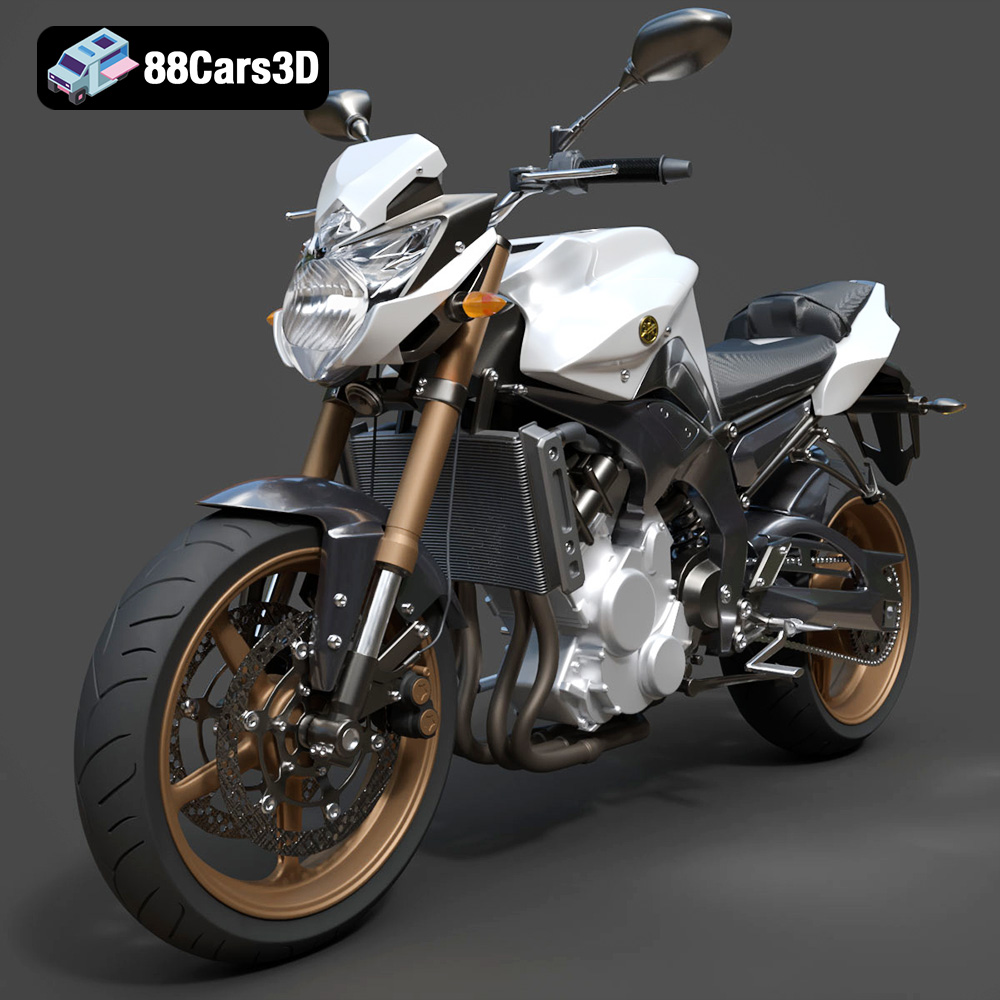
Yamaha FZ8 2011 3D Model
Texture: Yes
Material: Yes
Download the Yamaha FZ8 2011 3D Model featuring clean geometry, realistic detailing, and a fully modeled interior. Includes .blend, .fbx, .obj, .glb, .stl, .ply, .unreal, and .max formats for rendering, simulation, and game development.
Price: $19.99
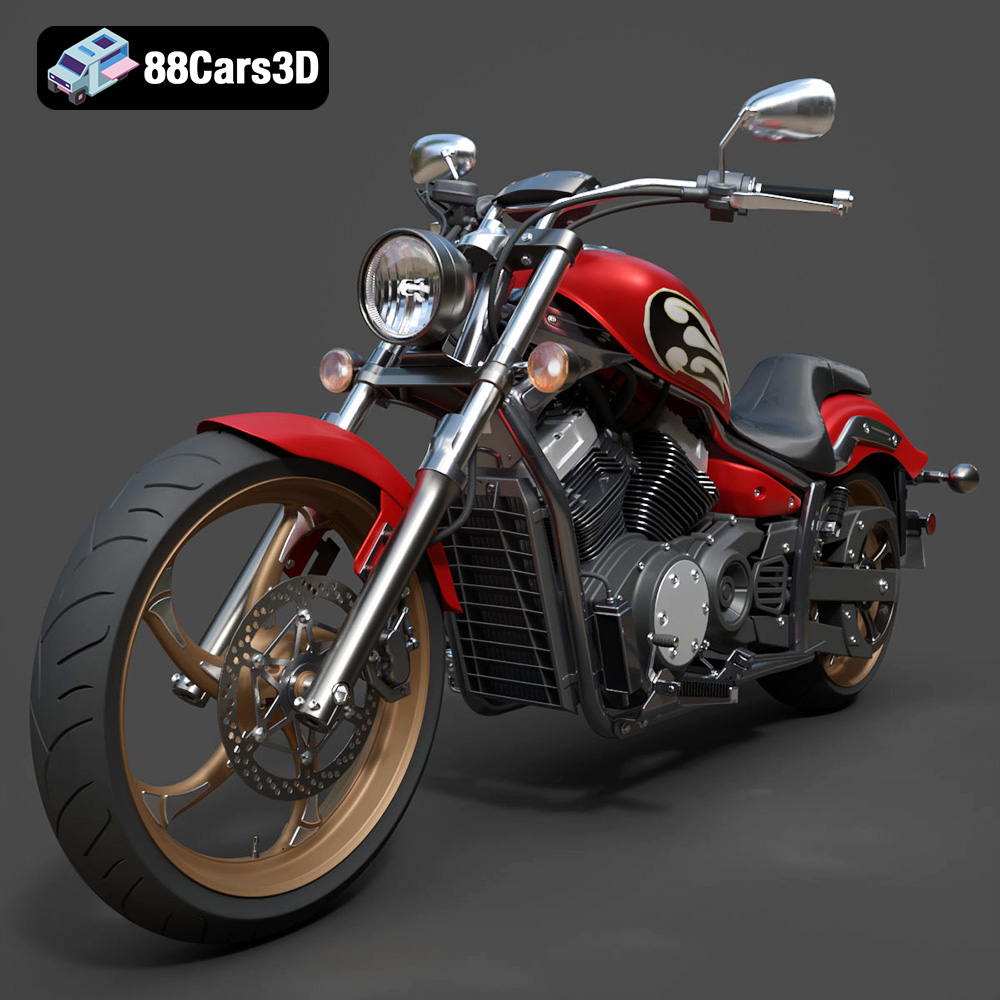
Yamaha Stryker 2012 3D Model
Texture: Yes
Material: Yes
Download the Yamaha Stryker 2012 3D Model featuring clean geometry, realistic detailing, and a fully modeled interior. Includes .blend, .fbx, .obj, .glb, .stl, .ply, .unreal, and .max formats for rendering, simulation, and game development.
Price: $19.99
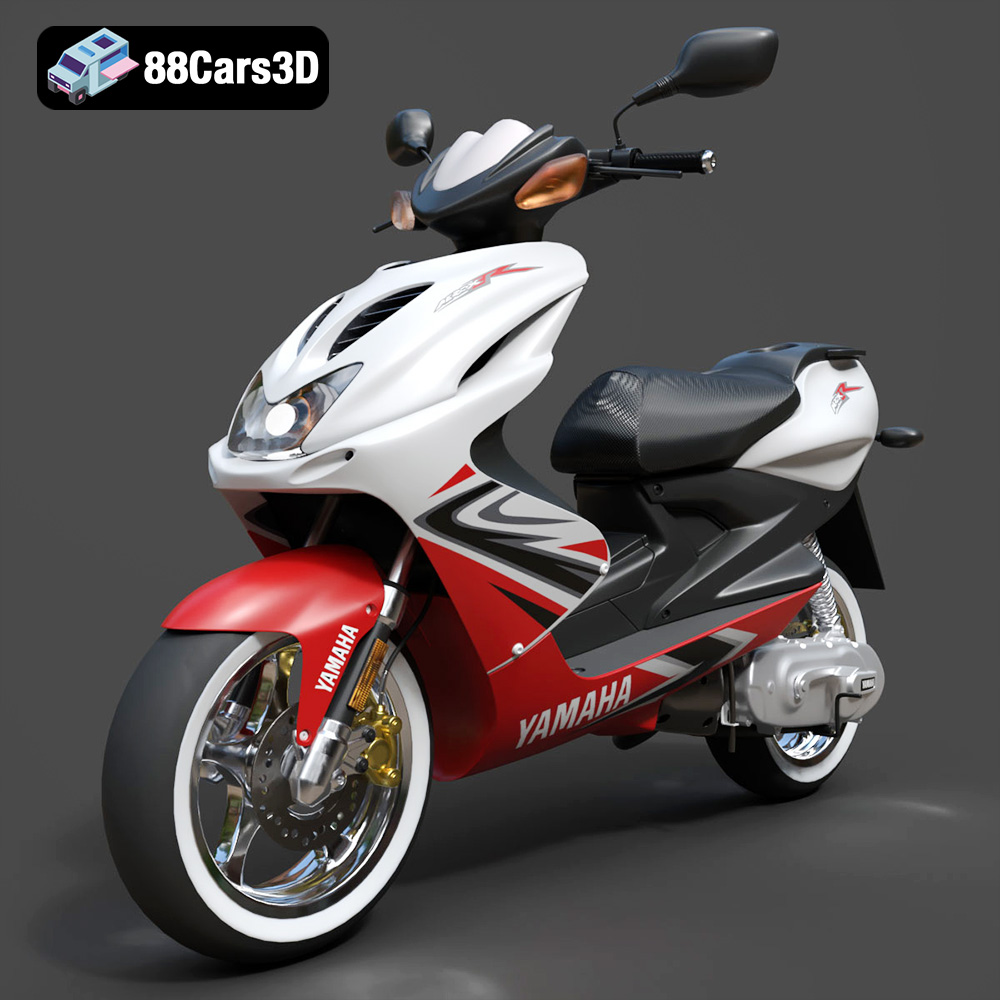
Yamaha Aerox R-002 2024 3D Model
Texture: Yes
Material: Yes
Download the Yamaha Aerox R-002 2024 3D Model featuring clean geometry, realistic detailing, and a fully modeled interior. Includes .blend, .fbx, .obj, .glb, .stl, .ply, .unreal, and .max formats for rendering, simulation, and game development.
Price: $19.99
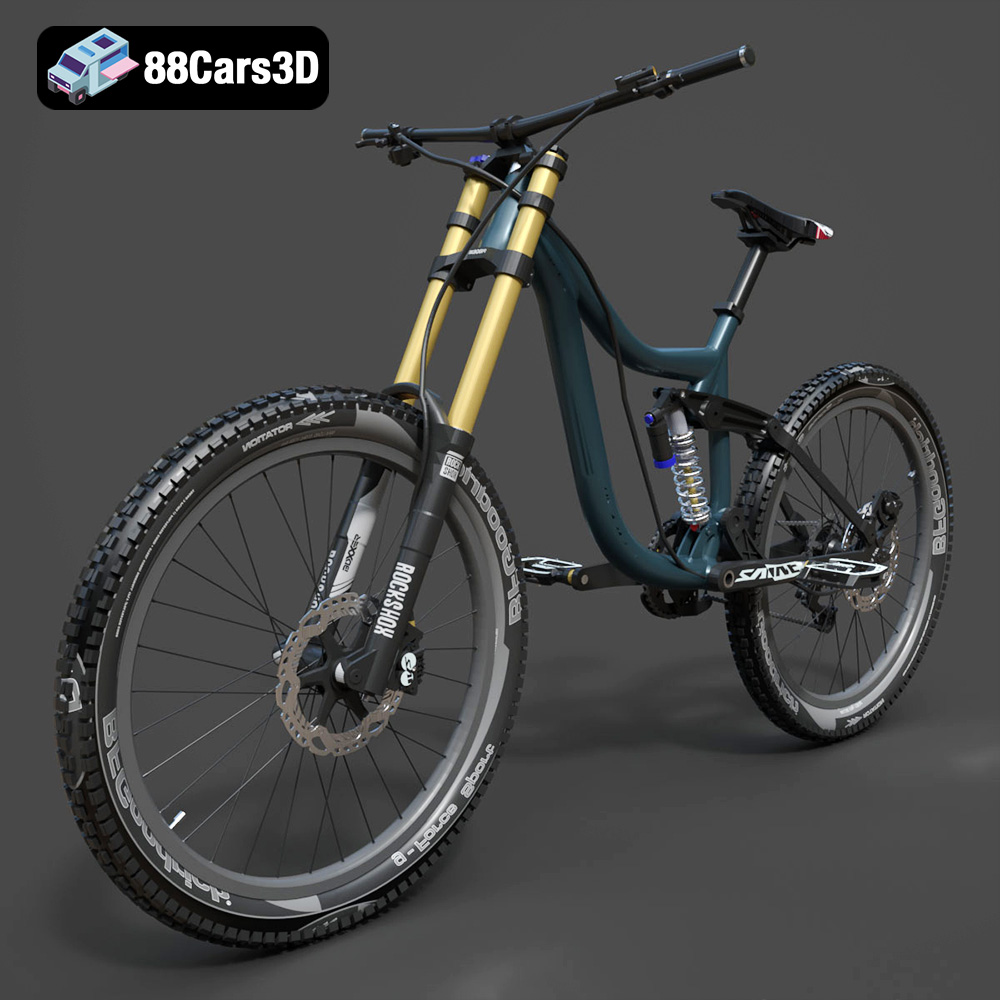
Mototsikly Downhill Bike-002 3D Model
Texture: Yes
Material: Yes
Download the Mototsikly Downhill Bike-002 3D Model featuring clean geometry, realistic detailing, and precise mechanical components. Includes .blend, .fbx, .obj, .glb, .stl, .ply, .unreal, and .max formats for rendering, simulation, and game development.
Price: $19.99
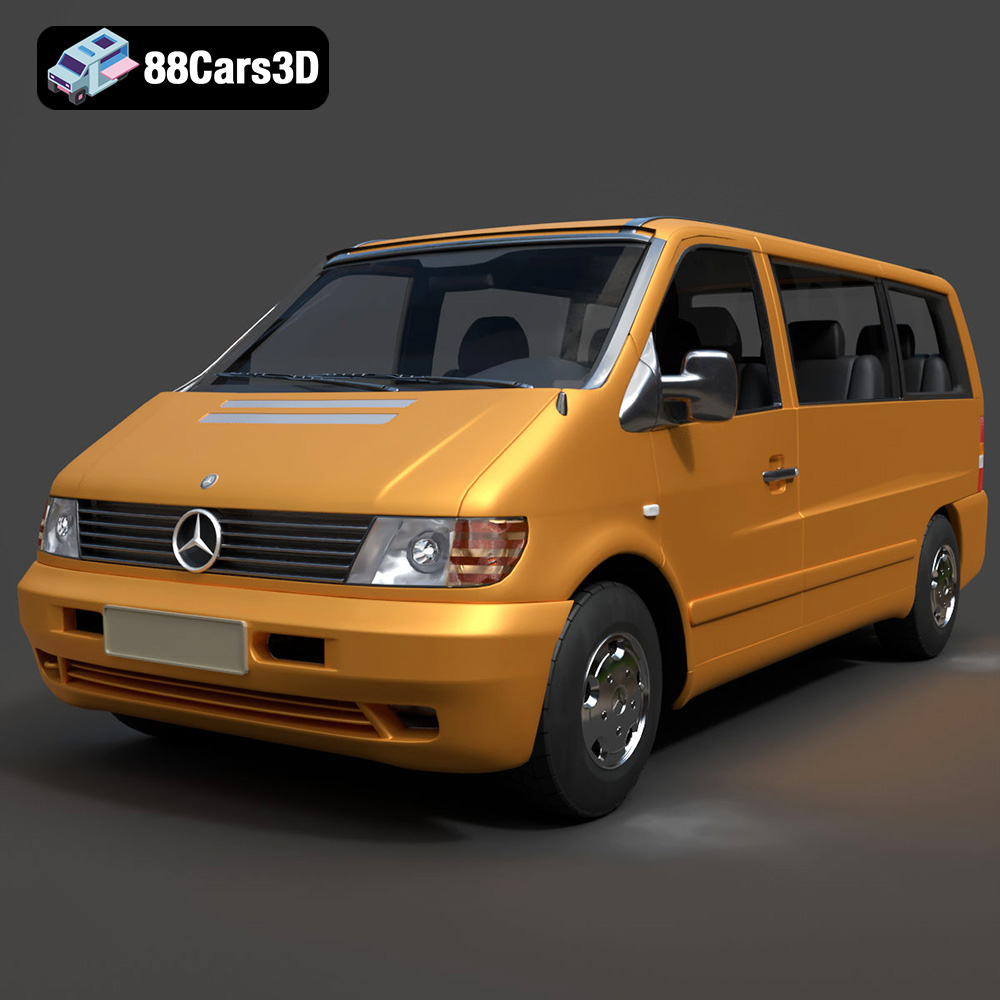
Mercedes-Benz Vito Passenger Van 3D Model
Texture: Yes
Material: Yes
Download the Mercedes-Benz Vito Passenger Van 3D Model featuring clean geometry, realistic detailing, and a fully modeled interior. Includes .blend, .fbx, .obj, .glb, .stl, .ply, .unreal, and .max formats for rendering, simulation, and game development.
Price: $19.99
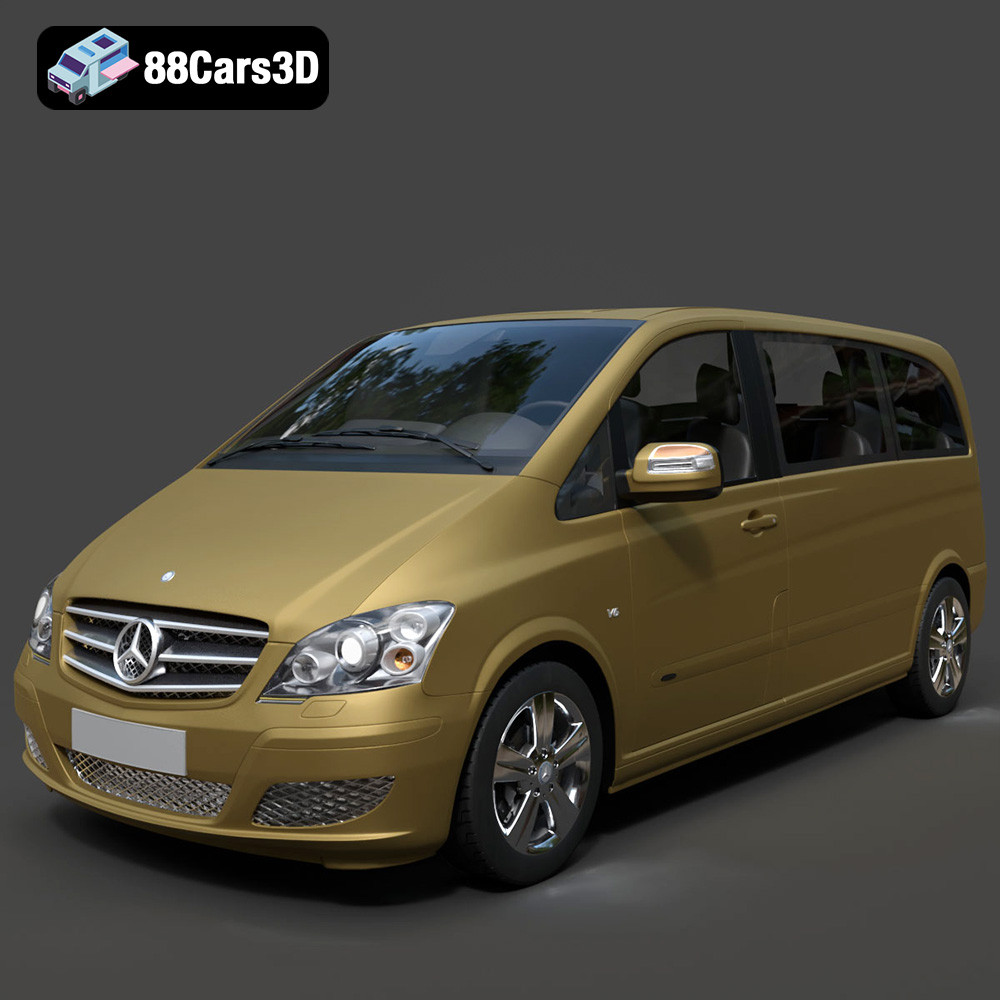
Mercedes-Benz Viano 2010 3D Model
Texture: Yes
Material: Yes
Download the Mercedes-Benz Viano 2010 3D Model featuring clean geometry, realistic detailing, and a fully modeled interior. Includes .blend, .fbx, .obj, .glb, .stl, .ply, .unreal, and .max formats for rendering, simulation, and game development.
Price: $19.99

Emt Avtobus 007 3D Model
Texture: Yes
Material: Yes
Download the Emt Avtobus 007 3D Model featuring clean geometry, realistic detailing, and a fully modeled interior. Includes .blend, .fbx, .obj, .glb, .stl, .ply, .unreal, and .max formats for rendering, simulation, and game development.
Price: $19.99
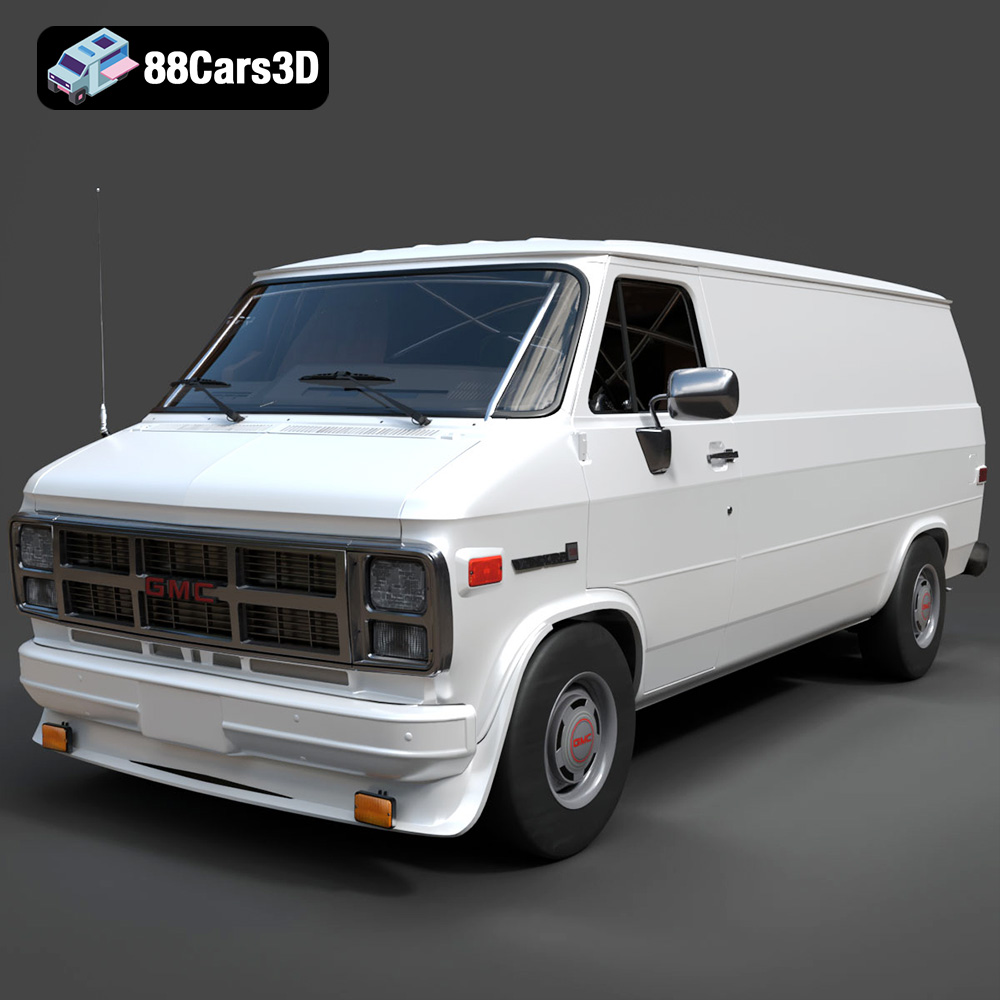
GMC Vandura G-1500 1983 3D Model
Texture: Yes
Material: Yes
Download the GMC Vandura G-1500 1983 3D Model featuring clean geometry, realistic detailing, and a fully modeled interior. Includes .blend, .fbx, .obj, .glb, .stl, .ply, .unreal, and .max formats for rendering, simulation, and game development.
Price: $19.99
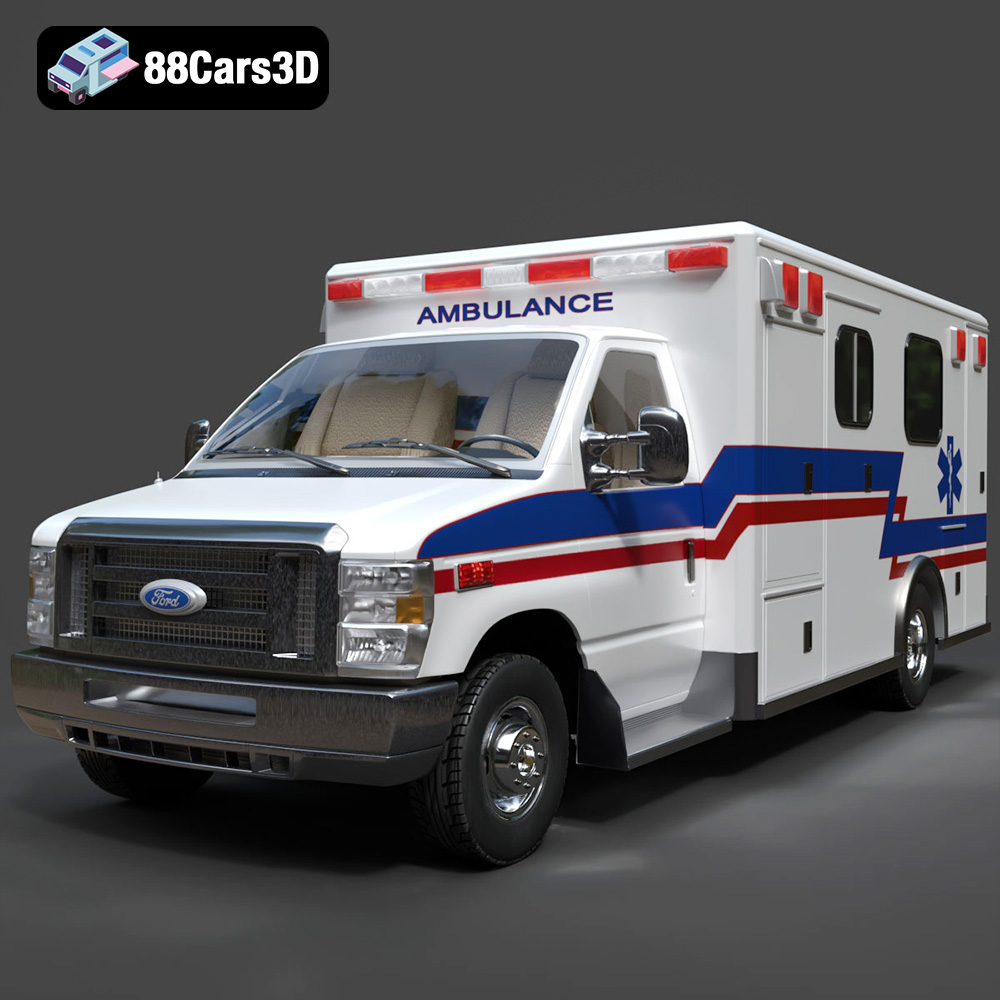
Ford E-450 Ambulance 3D Model
Texture: Yes
Material: Yes
Download the Ford E-450 Ambulance 3D Model featuring clean geometry, realistic detailing, and a fully modeled interior. Includes .blend, .fbx, .obj, .glb, .stl, .ply, .unreal, and .max formats for rendering, simulation, and game development.
Price: $19.99
