

Mastering Digital Realism: A Deep Dive into High-Quality 3D Models for Every Project
In the expansive and ever-evolving landscape of digital content creation, the demand for realistic, high-fidelity 3D models continues to surge across diverse industries. From breathtaking cinematic sequences and immersive game environments to precision architectural visualizations and cutting-edge AR/VR experiences, the quality of a 3D asset directly impacts the final output’s visual integrity and overall impact. Achieving true digital realism requires not only artistic skill but also a profound understanding of technical specifications, software workflows, and file format nuances.
At the heart of many dynamic scenes lies the need for compelling vehicle assets that ground the digital world in reality. While 88cars3d.com is renowned for its exceptional 3D car models and automotive rendering solutions, the principles of quality extend across all transportation categories. Today, we’re spotlighting an equally versatile and essential asset: a meticulously crafted Bicycle 3D Model. This model exemplifies the standards of excellence required for modern digital projects, offering clean geometry, accurate scale, and robust file format support to empower artists and developers in their creative endeavors. Whether you’re animating a bustling city street, populating an open-world game, or crafting a detailed product visualization, understanding the intricacies behind such a model is crucial.
Understanding 3D Model File Formats
Navigating the world of 3D content often begins with selecting the correct file format. The choice dictates compatibility, data integrity, and workflow efficiency across different software and applications. A high-quality asset, like the Bicycle 3D Model available at 88cars3d.com, offers a comprehensive suite of formats, each optimized for specific use cases. Understanding their individual strengths is paramount for a streamlined production pipeline.
.blend – Fully Editable Blender Scene with Materials
The .blend format is Blender’s native file type, containing everything within a Blender project: mesh data, materials, textures, lighting setups, cameras, animations, and even modifiers. For Blender users, this is the most flexible format, offering full editability. It’s ideal for artists who want to delve deep into the model’s construction, modify its topology, tweak materials, or integrate it into a complex Blender-native scene. The included materials are typically set up for Blender’s Cycles or Eevee render engines, ensuring out-of-the-box visual consistency.
.fbx – Ideal for Unreal, Unity, and Real-Time Pipelines
Autodesk’s .fbx (Filmbox) format is an industry standard for interoperability, especially in game development. It efficiently transfers 3D models, animation data, cameras, and even basic materials between different software applications like 3ds Max, Maya, Unity, and Unreal Engine. Its binary nature makes it relatively lightweight and fast to import. For real-time applications, .fbx is often the go-to choice due to its robust support for mesh hierarchies, skinning, and animation, ensuring that character rigs and object animations translate smoothly into game engines.
.obj – Universal Format for Cross-Software Compatibility
The .obj (Wavefront Object) format is one of the oldest and most widely supported 3D file formats. It’s a universal standard, compatible with almost every 3D software application. An .obj file primarily stores geometric data (vertices, normals, texture coordinates, and faces) and usually comes with an accompanying .mtl (material) file for basic material definitions. While it doesn’t support animation or rigging as robustly as .fbx, its simplicity and widespread acceptance make it excellent for static model exchange and archival purposes. It’s a reliable fallback for cross-software compatibility.
.glb – Optimized for AR, VR, and Browser-Based Display
.glb (GL Transmission Format Binary) is the binary version of the glTF format, specifically designed for efficient transmission and loading of 3D scenes and models by engines and applications. It’s quickly becoming the standard for 3D web content, AR, and VR due to its compact size and comprehensive data encapsulation, including mesh data, materials (PBR), animations, and scene graph information in a single file. This “all-in-one” characteristic makes it incredibly convenient for deploying interactive 3D content directly in browsers or mobile AR apps without complex setups.
.stl – Suitable for 3D Printing Output
The .stl (Stereolithography) format is the cornerstone of 3D printing. It represents 3D surfaces as a collection of unconnected triangular facets, without color, texture, or other CAD attributes. While simple, this format is universally accepted by 3D printers and slicing software. When preparing a model like the Bicycle 3D Model for physical production, ensuring it’s a “manifold” mesh (watertight, without holes or intersecting geometry) is crucial for a successful print, a characteristic often found in professionally prepared .stl files.
.ply – Precision Mesh Format for CAD or Analysis
The .ply (Polygon File Format or Stanford Triangle Format) is another versatile format for storing 3D data, particularly known for its ability to store scanner data and point clouds. It can handle more complex properties than .obj, including color per vertex, normal vectors, and even transparency. While not as common for general asset exchange as .fbx or .obj, it’s highly valued in scientific, engineering, and CAD applications where precise mesh information and additional vertex data are important for analysis or reconstruction.
.unreal – Engine-Ready Asset for Real-Time Environments
The .unreal format, or more accurately, an Unreal Engine project setup that includes the asset, provides an almost plug-and-play experience for developers. This isn’t a single file like .fbx, but rather a pre-configured asset within an Unreal project structure. It means the Bicycle 3D Model comes with optimized materials, textures linked, collision meshes potentially set up, and perhaps even basic Blueprints for interaction, ready to be migrated directly into an existing Unreal project. This dramatically reduces setup time and ensures optimal performance within the engine.
.max – Editable 3ds Max Project for Animation and Rendering
The .max format is Autodesk 3ds Max’s native scene file. Similar to .blend, it contains the entire scene hierarchy, geometry, materials, lighting, animation, and rigging information specific to 3ds Max. For artists working within the 3ds Max ecosystem, this format offers maximum flexibility for rendering with engines like V-Ray or Corona, further animation development, or integration into existing 3ds Max scenes. The Bicycle 3D Model provided in .max format ensures that all its detailed features and material definitions are perfectly preserved for professional rendering pipelines.
The Anatomy of a High-Quality 3D Model: Beyond the Surface
A truly professional 3D model, such as the Bicycle 3D Model from 88cars3d.com, is far more than just a visually appealing shape. Its underlying structure and technical preparation are what unlock its versatility and ensure its performance across different platforms and applications. Understanding these core elements is key to appreciating the value of a meticulously crafted asset.
Clean Geometry and Optimized Topology
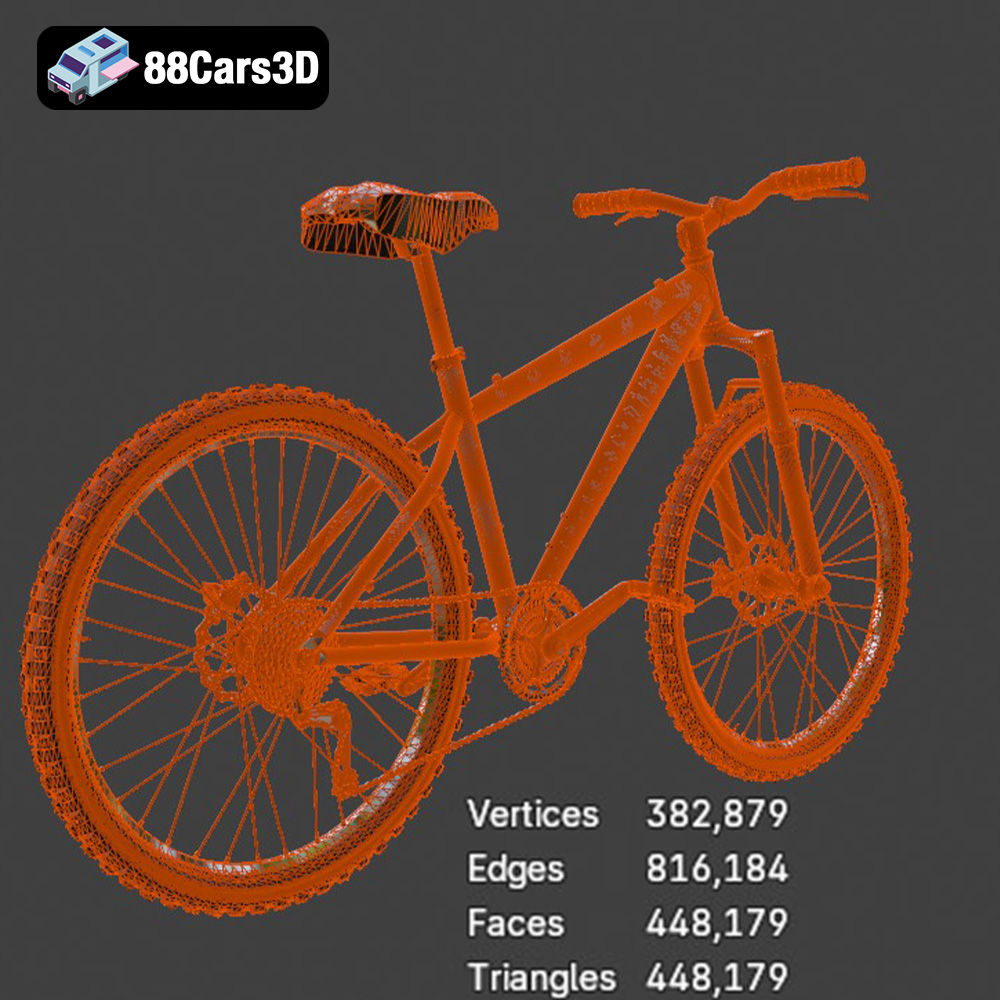
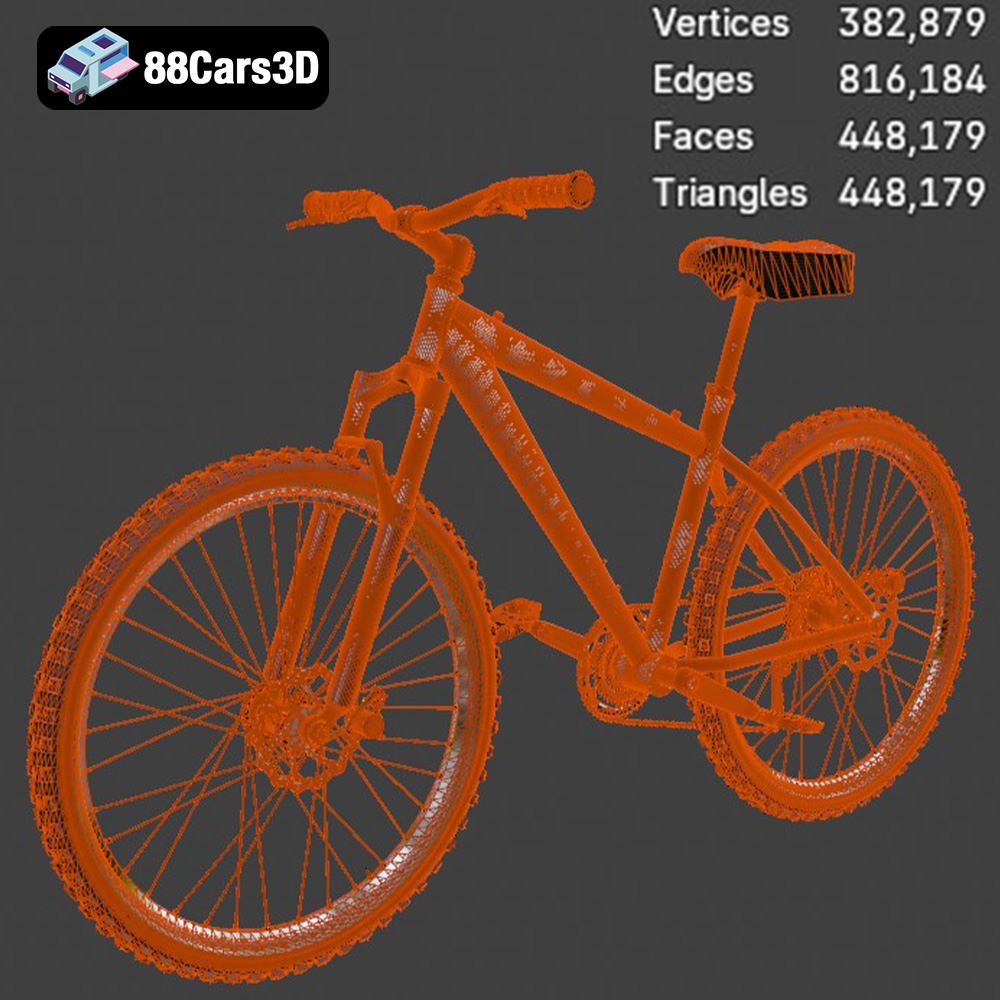
The foundation of any robust 3D model is its geometry. The Bicycle 3D Model boasts clean, quad-dominant topology. This means the mesh is primarily composed of four-sided polygons (quads), which are ideal for predictable deformation during animation and for smooth subdivision surfacing. Poor topology, often characterized by excessive triangles or N-gons (polygons with more than four sides), can lead to pinching, artifacting, and difficulty in rigging. Optimized mesh quality ensures efficient rendering, whether in a high-fidelity cinematic or a performance-sensitive game environment, striking a crucial balance between detail and polygon count.
Accurate Real-World Scale and Organized Hierarchy
Integration into existing scenes is seamless when a model adheres to accurate real-world scale. This prevents time-consuming adjustments and ensures that the model looks proportional within any environment, be it an architectural visualization or an urban game map. Furthermore, a well-organized hierarchy with proper pivot points is critical. For the Bicycle 3D Model, this means components like wheels are separate objects, with their pivot points precisely centered for realistic rotation. Handlebars, pedals, and other moving parts are similarly structured, allowing for straightforward rigging and animation without complex adjustments.
High-Quality Materials and UV Mapping
Visual fidelity largely depends on the materials applied to the model. This bicycle model includes high-quality materials simulating metal, rubber, and plastic finishes. These are typically set up using Physically Based Rendering (PBR) workflows, which mimic how light interacts with real-world surfaces, resulting in photorealistic renders. Essential to PBR is proper UV mapping – the process of unwrapping the 3D mesh into a 2D space, allowing textures to be accurately painted or applied. Clean, non-overlapping UVs ensure textures display correctly without stretching or distortion, providing a solid foundation for customization and advanced texturing.
Seamless Integration: Workflows in 3ds Max, Blender, and Unreal Engine
The true power of a versatile 3D model lies in its ability to be effortlessly integrated into various professional workflows. The Bicycle 3D Model’s comprehensive file format support ensures it’s production-ready for leading 3D software and game engines, empowering artists and developers to focus on creativity rather than compatibility issues.
3ds Max for Advanced Rendering and Animation
For users of Autodesk 3ds Max, the included .max file provides a fully editable project. This is invaluable for high-end rendering and complex animations. Artists can import the scene, immediately access the model with its materials and hierarchy intact, and begin rendering with industry-standard engines like V-Ray or Corona Renderer. The separated components and correctly set pivot points mean the bicycle can be easily rigged for dynamic animations – a rider cycling through a city street, performing stunts, or simply having its wheels spin for a static scene. Material properties can be further tweaked to match specific lighting conditions or artistic styles, from a showroom-glossy finish to a weathered, street-worn appearance.
Blender for Open-Source Creativity and Production
The .blend file ensures that Blender artists can directly open and utilize the Bicycle 3D Model within their preferred open-source environment. With Blender’s powerful Cycles and Eevee renderers, artists can quickly achieve stunning visualizations. The model’s clean topology makes it highly adaptable for further modifications using Blender’s extensive sculpting and modeling tools. For animation, Blender’s robust rigging capabilities can be applied to the pre-organized hierarchy, bringing the bicycle to life with detailed motion paths and kinematic chains. This makes it an excellent asset for independent creators, studios leveraging open-source pipelines, or educational projects.
Unreal Engine for Real-Time Immersion and Game Development
Game developers and real-time visualization specialists benefit immensely from the .fbx and dedicated .unreal formats. Importing the .fbx into Unreal Engine (or Unity) is a straightforward process, bringing in the mesh and basic material assignments. The true advantage comes with the .unreal project setup, which likely includes optimized materials, correct texture assignments, and potentially even LOD (Level of Detail) settings or basic collision meshes pre-configured for the engine. This drastically cuts down on the integration time, allowing developers to immediately place the Bicycle 3D Model into game levels, set up lighting, and create interactive elements, whether it’s a static prop in an open-world environment or a drivable vehicle in a simulation. The clean geometry ensures high performance without sacrificing visual quality, a crucial factor for smooth gameplay and immersive AR/VR experiences.
Beyond Visualization: Real-World Applications and Case Studies
The versatility of a well-constructed 3D asset like the Bicycle 3D Model extends far beyond simple rendering, finding critical applications in various industries. These models are not just pretty pictures; they are functional tools that drive innovation and efficiency.
Game Development: Populating Worlds and Enhancing Gameplay
In game development, high-quality assets are paramount. The Bicycle 3D Model can serve multiple roles: as a static prop to enhance environmental realism in an open-world game, as a dynamic vehicle for player interaction, or even as part of cinematic cutscenes. Its optimized mesh quality ensures it’s suitable for real-time engines, maintaining frame rates while delivering visual fidelity. Imagine a racing game where players can choose various bicycle models, or an urban exploration game where bicycles are seamlessly integrated into the bustling street life. The provided formats, especially .fbx and .unreal, are tailored for these exact scenarios, significantly reducing development time for studios.
AR/VR Experiences: Bringing Digital Objects to Life
Augmented Reality (AR) and Virtual Reality (VR) applications demand highly optimized yet detailed models for immersive experiences. The .glb format is specifically designed for this, ensuring efficient loading and rendering on various AR/VR platforms, including web-based viewers. A detailed bicycle model can be virtually placed in a real-world environment via AR, perhaps for showcasing new bicycle designs in a retail app, or integrated into a VR simulation for interactive training scenarios, such as learning bicycle repair or safety. Its accurate scale and realistic features contribute directly to the believability of these immersive environments.
3D Printing: From Digital Concept to Physical Prototype
The capability to convert the Bicycle 3D Model to .stl format opens doors to physical production. This is invaluable for prototyping new bicycle designs, creating miniature models for collectors, or producing custom components. Engineers and product designers can leverage the digital model to test various iterations, print scaled versions for tactile review, and even manufacture functional parts. The clean geometry of the base model ensures a solid foundation for successful 3D printing, minimizing errors and post-processing work.
Simulation & Training: Educational Platforms and Technical Modules
Accurate 3D models are indispensable in simulation and training. Whether it’s for an educational platform teaching the mechanics of a bicycle, a technical training module for maintenance staff, or a traffic safety simulation, the detailed representation of the Bicycle 3D Model provides a realistic and interactive learning tool. The detailed chain, sprockets, derailleur system, and visible brake calipers allow for close-up examination and understanding of complex mechanical features that might be difficult to convey otherwise.
Optimizing Your Workflow with Professional 3D Assets
In the fast-paced world of digital production, time is a precious commodity. Creating a high-quality 3D model from scratch, especially one with intricate details like a bicycle, can be a time-consuming and labor-intensive process, requiring specialized skills in modeling, UV unwrapping, texturing, and rigging. This is where professional-grade, pre-made assets like the Bicycle 3D Model from 88cars3d.com prove invaluable.
Saving Time and Resources
By acquiring a ready-to-use model, artists and developers bypass the entire modeling and texturing phase, which can often take days or even weeks for a complex asset. This allows them to allocate their time and resources to other critical aspects of their project, such as scene composition, lighting design, animation, or interactive logic. For smaller studios or freelance artists, this can mean the difference between meeting a deadline and missing out on a project. For larger enterprises, it translates into significant cost savings and increased project throughput.
Ensuring Quality and Consistency
Sourcing assets from reputable marketplaces like 88cars3d.com guarantees a certain level of quality. The Bicycle 3D Model, with its clean topology, accurate scale, and professional material setups, ensures that your project maintains a high visual standard. This consistency is particularly important for projects requiring multiple assets or for studios aiming for a cohesive aesthetic across their portfolio. You can trust that the model has been built to professional standards, tested for various applications, and is free from common modeling errors that can derail a project.
Bridging Skill Gaps
Not every artist is a master of every aspect of 3D production. A brilliant animator might struggle with hard-surface modeling, or a skilled texture artist might lack rigging expertise. Pre-made assets bridge these skill gaps, allowing individuals and teams to focus on their strengths while still delivering a complete, high-quality project. The Bicycle 3D Model, with its well-organized hierarchy and separated components, simplifies the rigging and animation process even for those who are not dedicated character TDs.
Customization and Creative Freedom
A professional 3D model doesn’t just slot into a scene; it becomes a foundation for creative expression. The Bicycle 3D Model is designed with customization in mind, offering artists and designers significant flexibility to tailor it to their specific project needs and artistic visions.
Material and Color Adjustments
The included high-quality materials provide an excellent starting point, but the ability to easily modify them is a huge advantage. Artists can quickly adjust frame colors, tire sidewall colors, and handlebar grips to match specific branding, evoke different moods, or integrate seamlessly into a diverse scene. Adjusting material properties, such as roughness, metallicness, or glossiness, allows for variations from a sleek, brand-new look to a worn, vintage aesthetic. Imagine a matte black frame for a stealthy urban bike or a vibrant metallic red for a sports model – all achievable with simple material tweaks.
Integrating Custom Branding and Graphics
The clean UV mapping and well-structured geometry of the Bicycle 3D Model make it straightforward to integrate custom branding, logos, or unique graphics onto the frame or other components. This is particularly useful for advertising campaigns, product visualizations, or creating unique assets for a specific game world. A texture artist can easily create a new decal map and apply it, instantly transforming the generic model into a bespoke design.
Adapting to Diverse Lighting Environments
The PBR materials of the bicycle model respond accurately to various lighting setups. This means artists can experiment with different lighting conditions – from bright, sunny outdoor scenes to moody, low-light interiors – and expect the materials to react realistically. This adaptability ensures the model looks great in any environment, whether it’s part of a photorealistic architectural render or a stylized game level, providing consistent visual quality regardless of the scene’s overall lighting strategy.
Conclusion
The world of 3D modeling is a fusion of art and technical prowess, where every polygon and texture map contributes to the illusion of reality. A high-quality 3D asset, exemplified by the Bicycle 3D Model available at 88cars3d.com, is a testament to meticulous craftsmanship and a deep understanding of industry needs. From its robust file format support, catering to every major software and engine, to its clean, optimized geometry designed for seamless integration and performance, this model embodies the professional standards that elevate digital projects.
Whether you’re pushing the boundaries of automotive rendering, creating immersive game environments, crafting detailed AR/VR experiences, or preparing models for 3D printing, investing in expertly prepared assets is a strategic decision. It not only saves invaluable time and resources but also ensures a consistent level of quality that sets your work apart. The Bicycle 3D Model offers exceptional versatility and detail, empowering artists and developers to bring their creative visions to life with confidence and efficiency. Explore this and a wide range of other high-fidelity 3D car models and vehicle assets at 88cars3d.com, your trusted source for professional digital content.
Featured 3D Model
Bicycle 3D Model
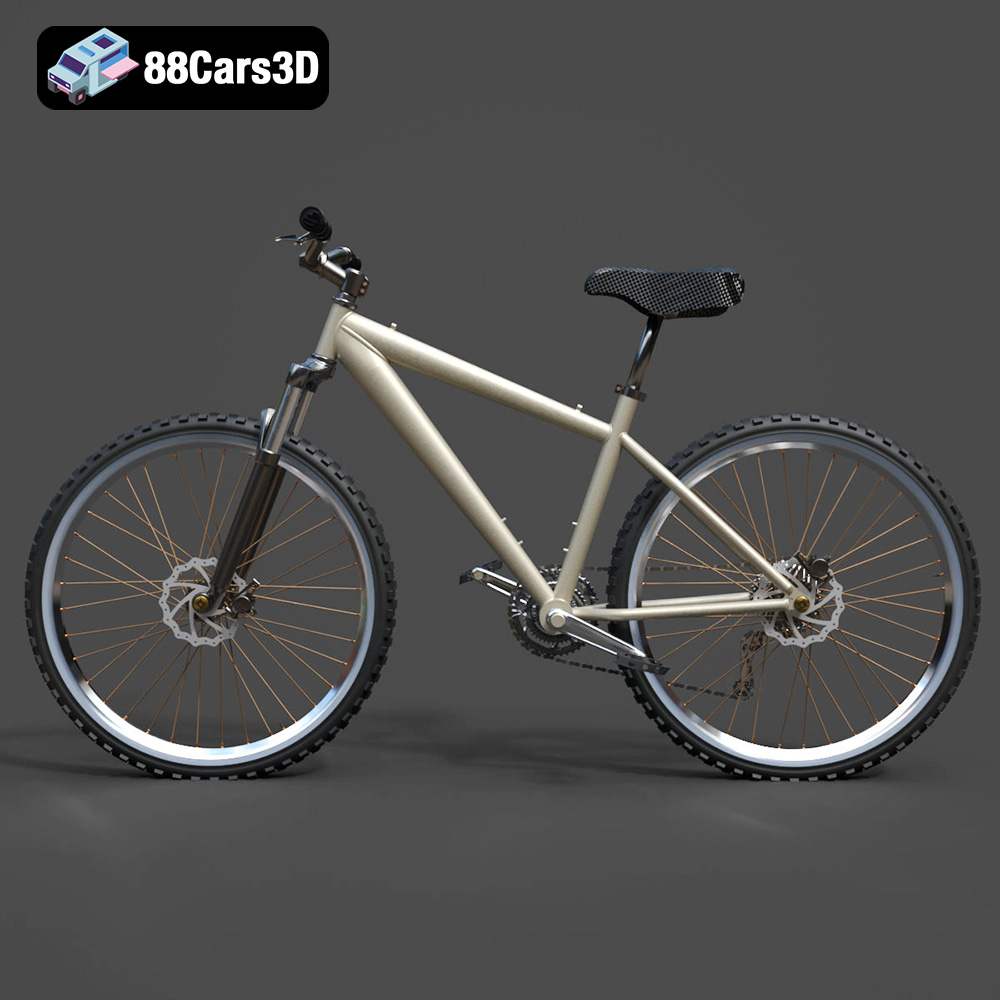
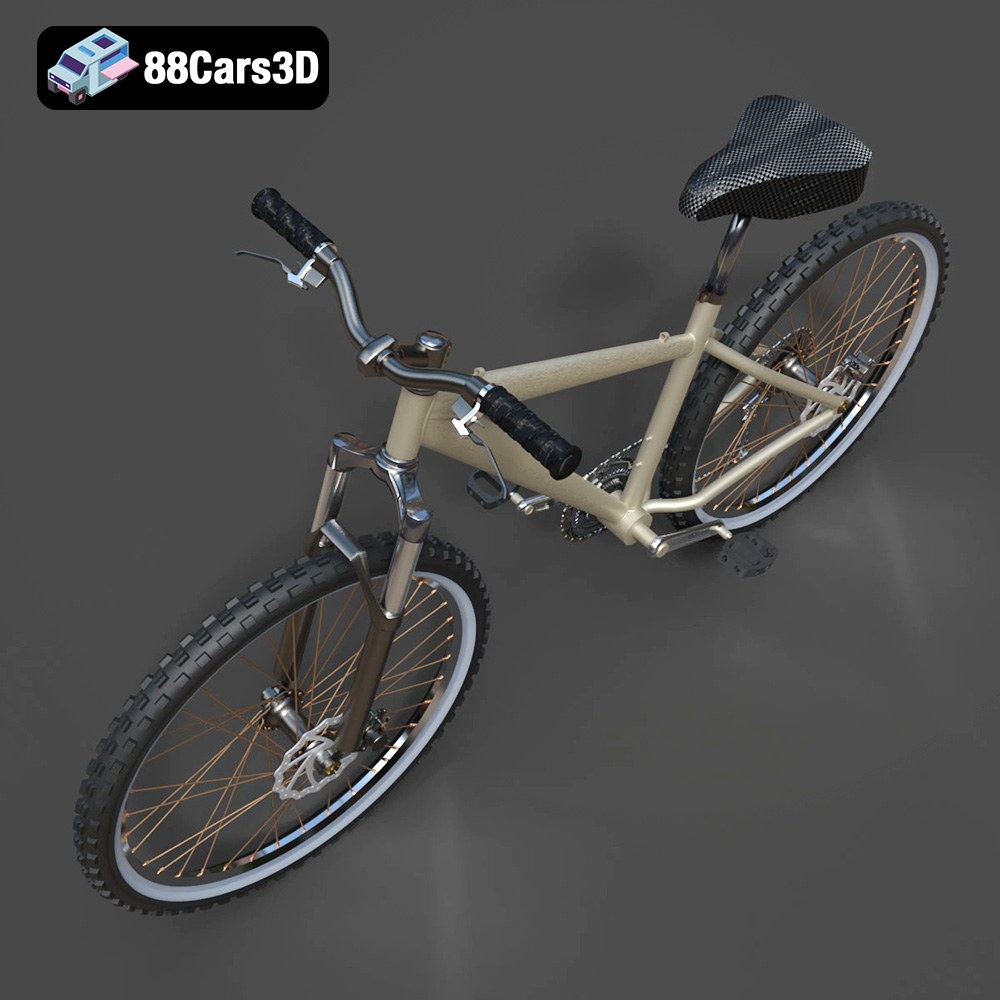
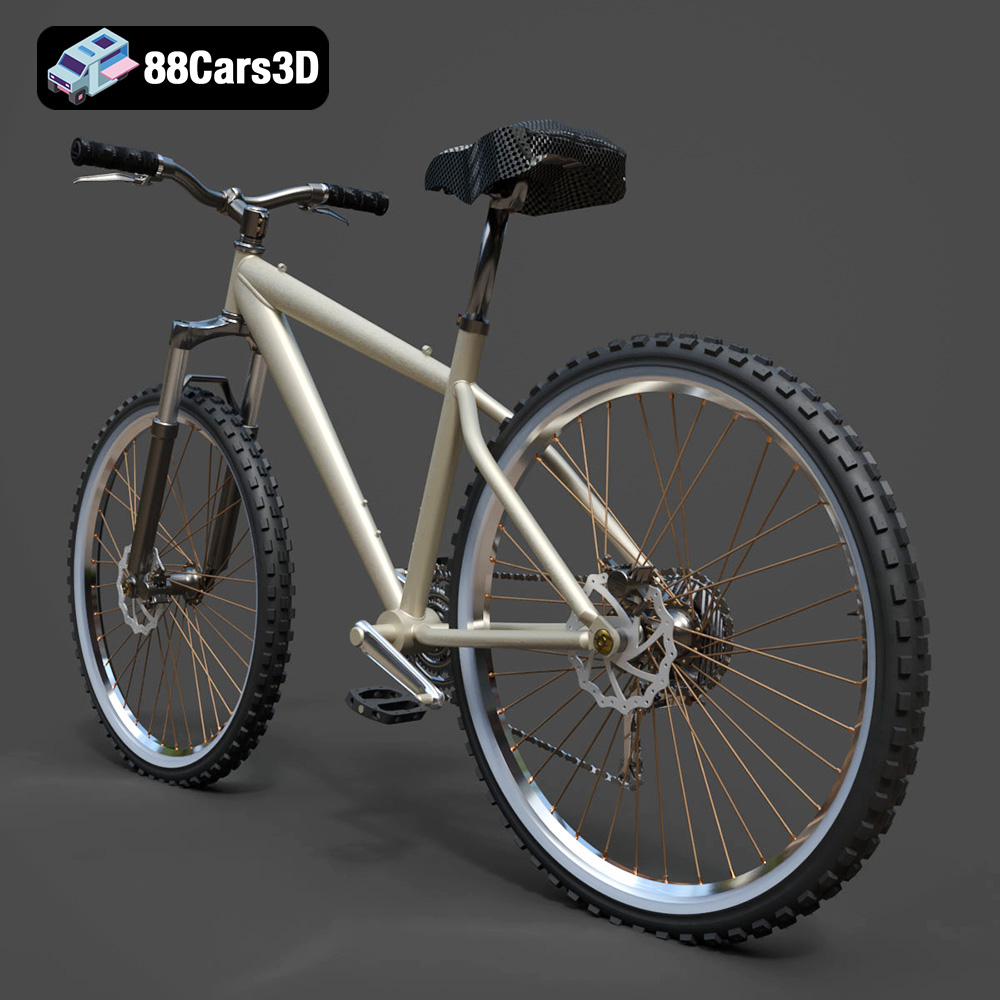
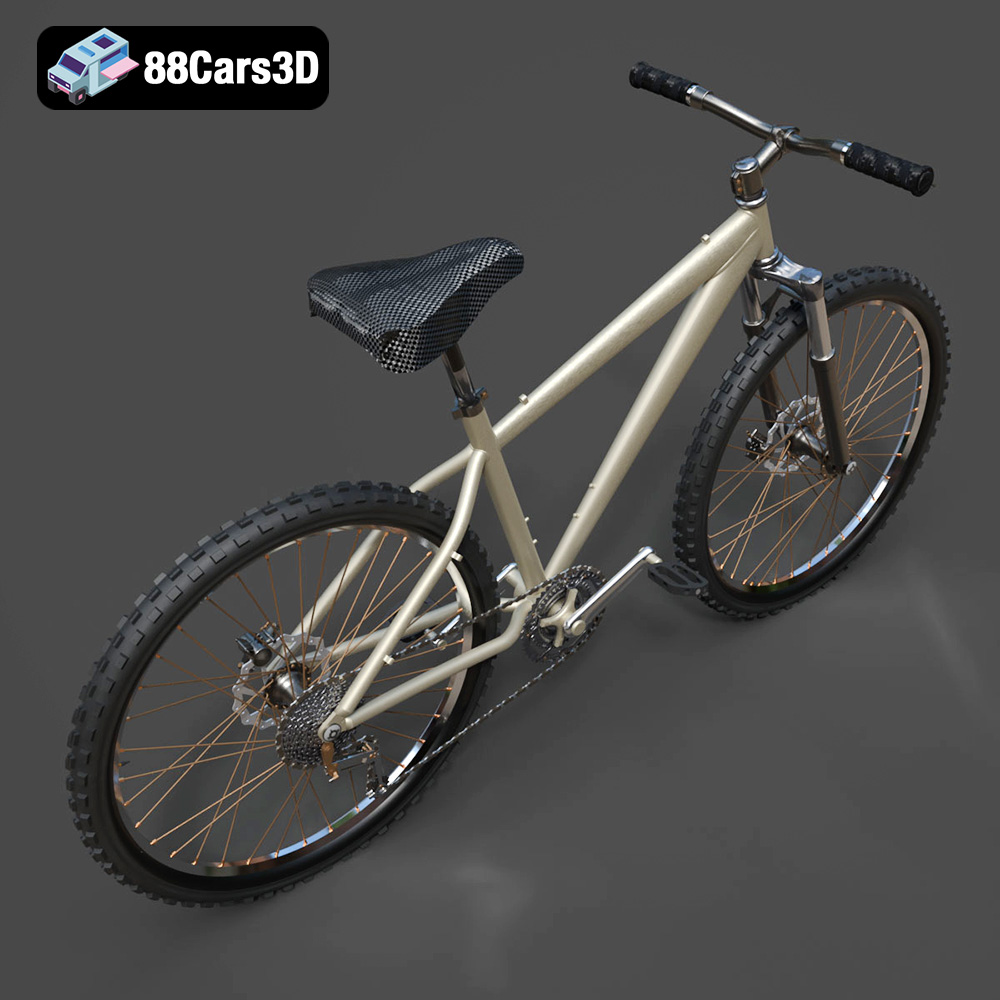
Presenting a meticulously crafted 3D model of a modern bicycle, designed for versatility and realism. This model captures the essential form and intricate details of a standard two-wheeler, making it perfect for a wide array of digital projects. Built with clean geometry and a balanced level of detail, it ensures optimal performance and visual fidelity. This asset is ideal for high-quality rendering, animations, detailed simulations, and seamless integration into game development environments.
Exterior Features:
- Authentic frame design with realistic tubing and connections
- Fully detailed wheels, spokes, tires, and hubs
- Functional handlebars, stem, and brake levers
- Pedals with defined tread patterns
- Realistic seat post and saddle
- Separated components for ease of animation (e.g., rotating wheels, steering handlebars)
- High-quality materials simulating metal, rubber, and plastic finishes
Interior / Mechanical Features:
- Detailed chain, sprockets, and derailleur system
- Visible brake calipers and cables
- Optimized mesh quality for efficient rendering and interaction
Technical Advantages:
- Clean, quad-dominant topology for smooth subdivisions and deformations
- Accurate real-world scale, ensuring seamless integration into existing scenes
- Well-organized hierarchy with proper pivot points for animation and rigging (e.g., wheels rotate on their axes)
Applications:
- Rendering & Visualization: Perfect for studio renders, architectural visualizations, and cinematic scenes needing realistic vehicle assets.
- Game Development: Optimized for use in racing games, open-world environments, and interactive simulations as a high-quality game asset.
- AR/VR: Enhances immersive experiences in augmented and virtual reality applications with a detailed and performant model.
- Simulation & Training: Suitable for educational platforms and technical training modules requiring accurate bicycle representations.
- 3D Printing: Can be easily converted to .stl format for physical model production and prototyping.
Customization Options:
- Easily modify frame colors, tire sidewall colors, and handlebar grips
- Adjust material properties for different finishes (e.g., matte, gloss, metallic)
- Integrate custom branding or graphics onto the frame
- Adapt lighting setups to achieve various visual moods and environments
This bicycle 3D model offers exceptional quality and flexibility, empowering artists and developers to create compelling visual content and interactive experiences. Its professional-grade construction ensures reliable performance across diverse digital platforms.
Included File Formats:
- .blend – Blender project with materials
- .fbx – Compatible with Unreal, Unity, and major 3D engines
- .obj – Universal format for nearly all 3D software
- .glb – Optimized for AR, VR, and web-based visualization
- .stl – Ready for 3D printing
- .ply – Mesh format for analysis and CAD workflows
- .unreal – Unreal Engine project setup
- .max – Editable 3ds Max scene for rendering and animation
Tags:
.bicycle,.bike,.transport,.rendering,.simulation,.gameasset,.arvr,.blend,.fbx,.obj,.glb,.stl,.ply,.unreal,.max
$19.99
Product Image Gallery

Related Tags
.arvr
.bicycle
.bike
.blend
.fbx
.gameasset
.glb
.max
.obj
.ply
.rendering
.simulation
.stl
.transport
.unreal
