Mastering Automotive Digital Assets: A Deep Dive into High-Quality 3D Car Models
In the dynamic world of digital content creation, the demand for realistic and versatile 3D models continues to accelerate. From breathtaking automotive rendering and cinematic visualizations to immersive game development and sophisticated AR/VR experiences, the quality of your 3D assets dictates the fidelity and impact of your final product. Professionals understand that starting with a meticulously crafted model is not just a luxury, but a fundamental necessity for efficient workflows and stunning results.
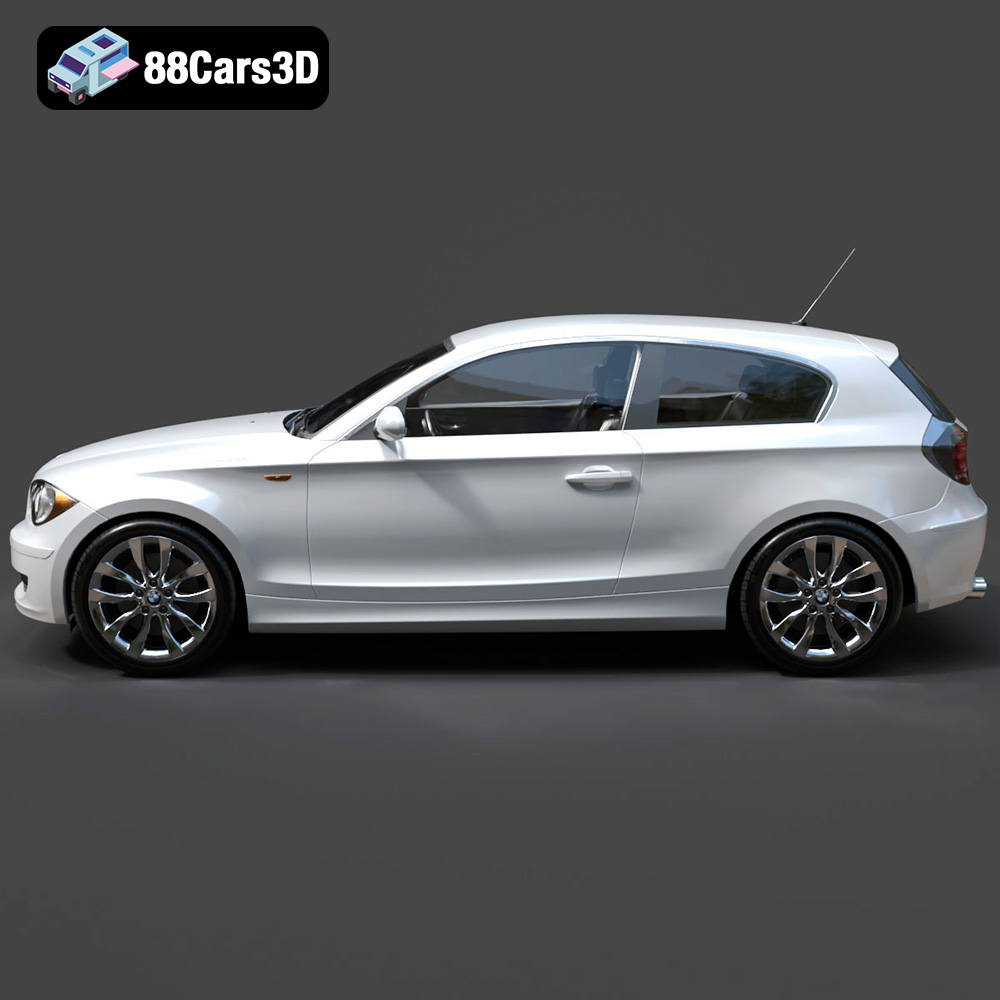
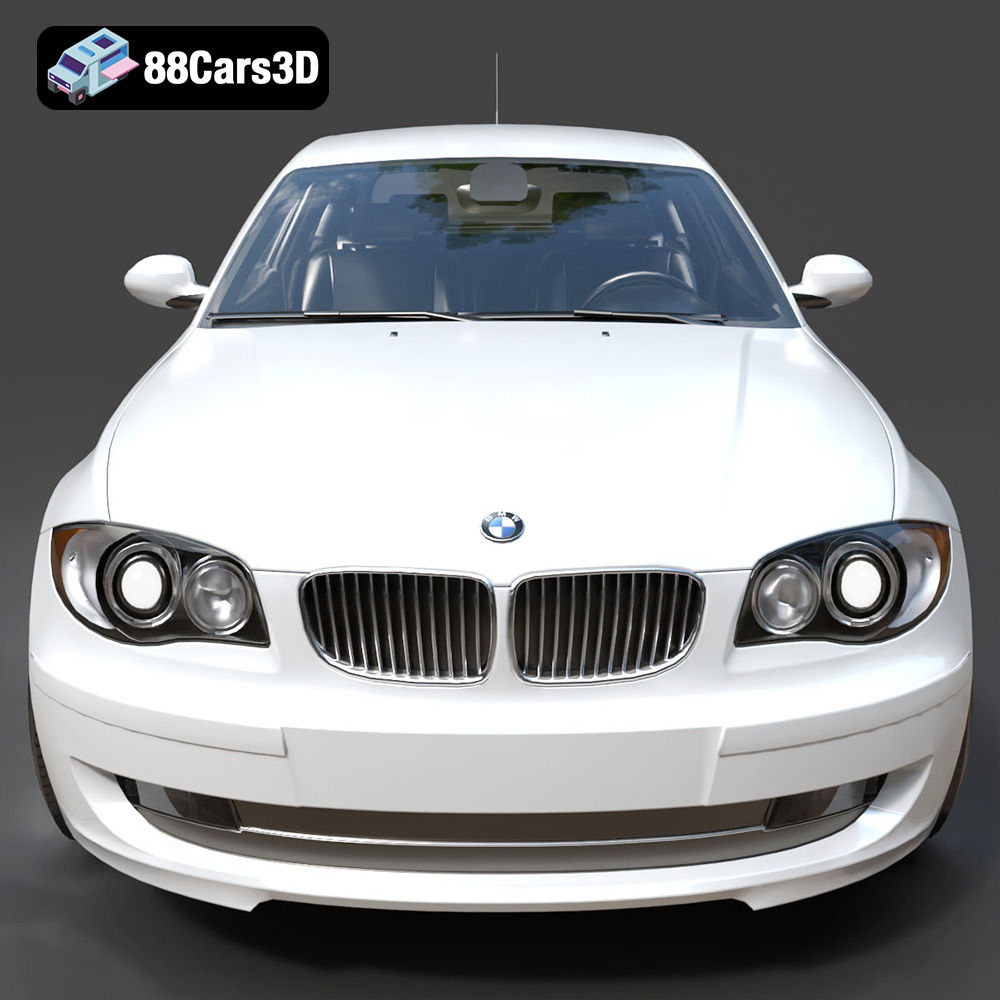
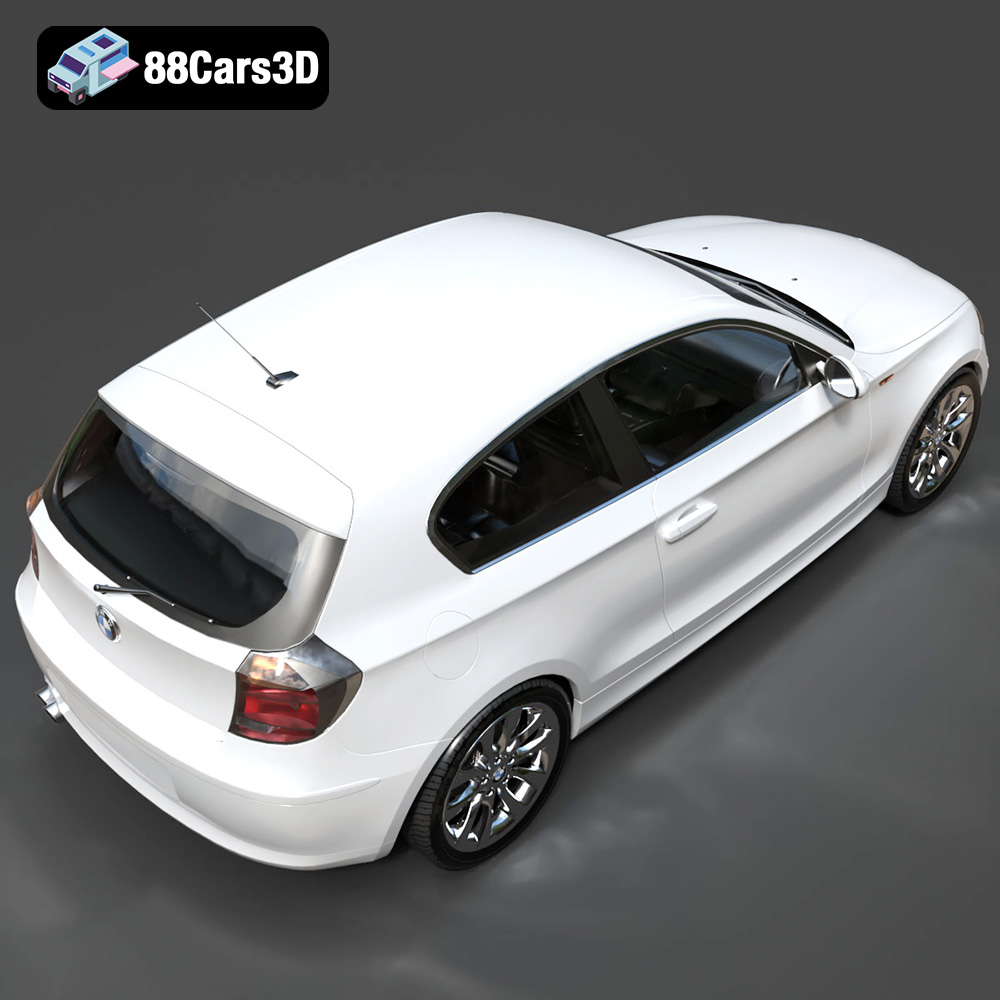
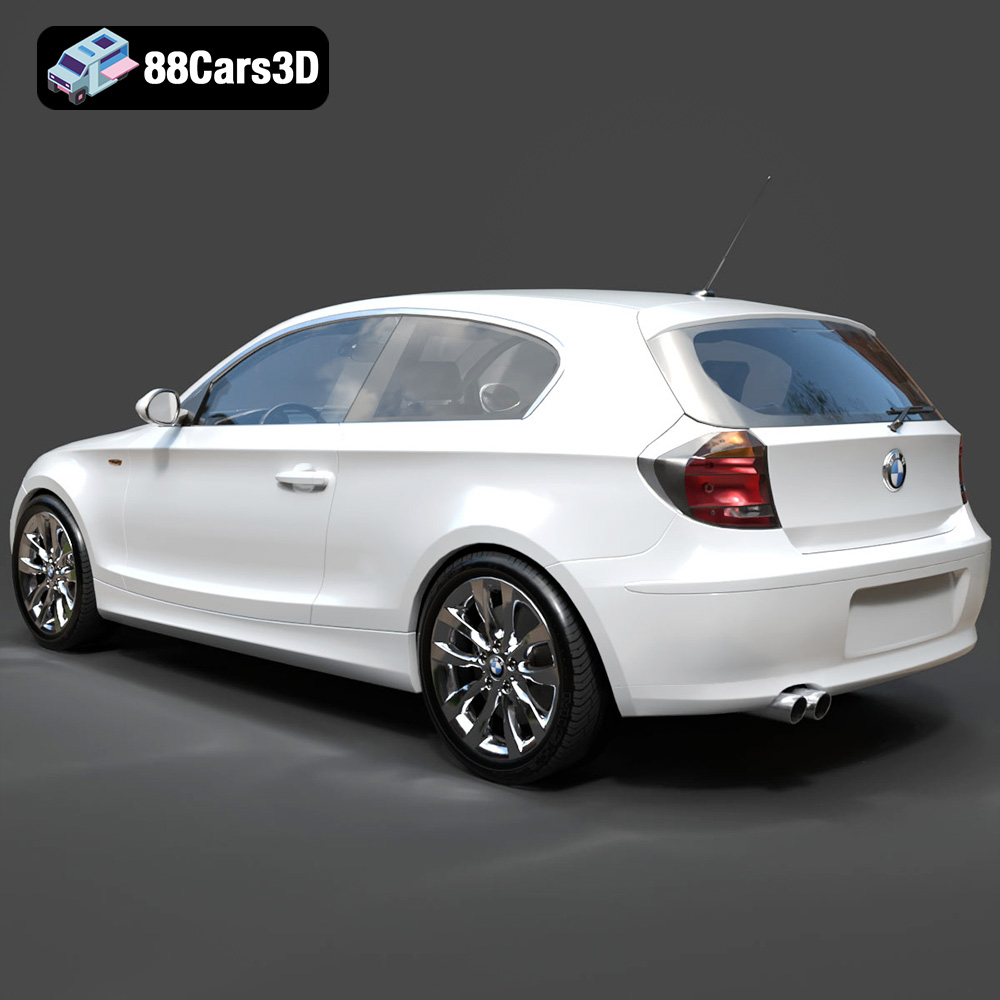
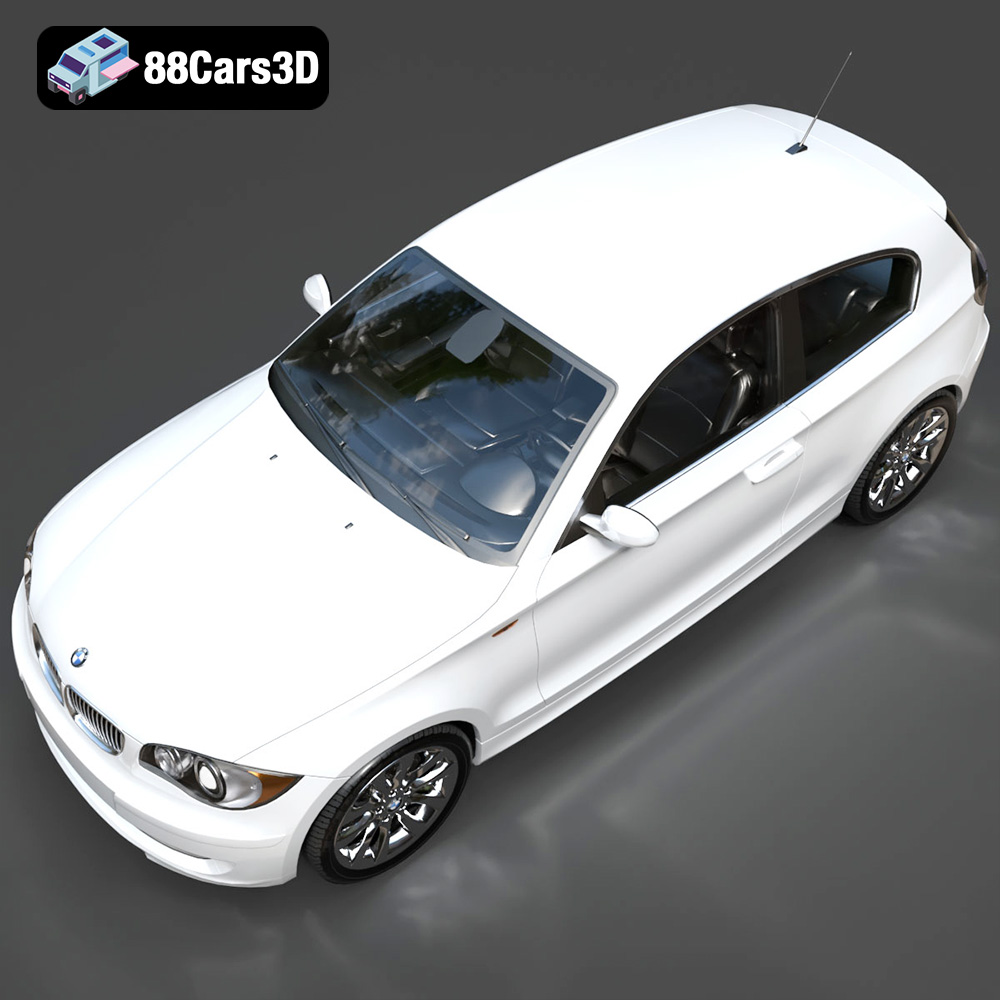
Today, we’re putting the spotlight on a prime example of such an asset: the BMW 1 Series 3-Door E81 3D Model. This highly detailed model, available on 88cars3d.com, encapsulates the essence of the iconic German hatchback, offering a clean, optimized, and incredibly versatile foundation for a myriad of projects. It’s more than just a visual representation; it’s a technical powerhouse designed to seamlessly integrate into various professional pipelines, saving countless hours of modeling and optimization.
Join us as we explore the intricate details that make professional 3D car models indispensable, delve into the technical considerations for successful integration, and demonstrate how assets like the BMW 1 Series E81 empower creators to push the boundaries of digital realism.
Understanding 3D Model File Formats
Navigating the ecosystem of 3D software and engines requires a solid understanding of file formats. Each format serves a specific purpose, optimized for particular workflows, software compatibility, or target platforms. The BMW 1 Series 3-Door E81 3D Model is generously offered in a comprehensive suite of formats, ensuring maximum flexibility for any project. Let’s break down these crucial file types:
.blend – Blender Project with Materials
The .blend file is Blender’s native format, acting as a complete scene package. When you download the BMW 1 Series E81 3D Model in this format, you’re not just getting the geometry; you’re getting a fully editable Blender scene. This includes all materials, textures, lighting setups, camera positions, and any modifiers or rigging applied to the model. For users deeply integrated into the Blender ecosystem, this offers unparalleled ease of use and immediate access to all components as intended by the artist. It’s ideal for those who wish to quickly render, animate, or further customize the model directly within Blender.
.fbx – Ideal for Unreal, Unity, and Real-Time Pipelines
The Filmbox (.fbx) format, developed by Autodesk, is one of the most widely adopted interchange formats in the 3D industry. It excels at transferring not just mesh data, but also animation, rigging, materials, and light information between different 3D applications and game engines. For projects involving Unreal Engine, Unity, or other real-time platforms, .fbx is the gold standard. Its robustness and widespread support make it an indispensable format for game assets and animated sequences, ensuring that the BMW E81 model’s hierarchy and separated components translate accurately.
.obj – Universal Format for Cross-Software Compatibility
The Wavefront OBJ (.obj) format is perhaps the most universal and enduring 3D file format. It’s a simple, text-based format that describes 3D geometry – vertices, faces, UV coordinates, and normals – along with references to external material files (.mtl). While it doesn’t typically carry animation, rigging, or complex material node setups, its strength lies in its near-universal compatibility. Almost every 3D application can import and export .obj files, making it an excellent choice for basic mesh transfer when cross-software compatibility is paramount, or when you intend to rebuild materials from scratch in your target application.
.glb – Optimized for AR, VR, and Browser-Based Display
The GL Transmission Format (.glb) is a relatively newer format gaining significant traction, especially in augmented reality (AR), virtual reality (VR), and web-based 3D applications. It’s a self-contained, binary version of glTF, embedding all textures, animations, and other assets directly into a single file. This optimization makes .glb files incredibly efficient for web delivery and real-time rendering on devices with limited processing power. For showcasing the BMW E81 in an online configurator, a mobile AR app, or a VR showroom, .glb is the perfect choice, offering fast loading times and a streamlined user experience.
.stl – Suitable for 3D Printing Output
Stereolithography (.stl) is the de facto standard format for 3D printing. It represents a 3D model as a series of connected triangles, describing only the surface geometry of an object without color, texture, or other CAD attributes. While the BMW 1 Series E81 model is primarily designed for digital rendering, its clean topology makes it convertible to .stl for physical production. Keep in mind that for optimal 3D printing results, additional preparation like ensuring watertight meshes, appropriate wall thickness, and scaling may be required, but the solid base mesh provided is an excellent starting point.
.ply – Precision Mesh Format for CAD or Analysis
The Polygon File Format (.ply) is often used for storing 3D data from 3D scanners, CAD applications, and scientific analysis tools. Like .obj, it describes a list of polygons, but it can also store additional properties such as color, transparency, surface normals, and even data quality measures. For engineers, product designers, or researchers who need to integrate the BMW E81 model into CAD workflows, simulation analysis, or precise measurement, the .ply format provides a robust and precise representation of the mesh.
.unreal – Engine-Ready Asset for Real-Time Environments
The inclusion of a dedicated .unreal file or project setup indicates an asset specifically prepped for Unreal Engine. This often means the model has already been imported, scaled correctly, had materials assigned, and potentially includes LODs (Levels of Detail), collision meshes, and even blueprints for interactive elements. This format vastly reduces the setup time for Unreal Engine users, allowing them to drop the BMW 1 Series E81 directly into their scene and begin working with it immediately, optimized for the engine’s rendering pipeline and performance requirements.
.max – Editable 3ds Max Project for Animation and Rendering
The .max file is the native scene format for Autodesk 3ds Max, one of the industry’s leading software packages for 3D modeling, animation, and rendering. Similar to the .blend file, a .max file for the BMW 1 Series E81 contains the full scene setup, including the high-fidelity geometry, V-Ray or Corona-ready materials, lighting, cameras, and any applied modifiers or animation rigs. For architectural visualization, high-end product rendering, or complex animation projects within 3ds Max, this format offers the most control and access to all creative elements.
Bringing the BMW E81 to Life: Professional Rendering Workflows
The true potential of a high-quality 3D model like the BMW 1 Series 3-Door E81 shines brightest in professional rendering workflows. Whether you’re aiming for photorealistic studio shots or integrating it into a dynamic street scene, the foundational quality of the model is paramount.
Crafting Photorealistic Materials and Lighting in 3ds Max/Blender
The BMW E81 model’s inclusion of .max and .blend files with pre-configured materials provides an incredible head start. In 3ds Max, artists can leverage render engines like V-Ray or Corona Renderer. The reflective paint finishes, chrome accents, and transparent headlamp/taillight materials come pre-set, allowing for immediate iteration. Artists can fine-tune these materials by adjusting Fresnel reflections, roughness maps, and clear coat layers to achieve specific looks – from showroom gloss to a subtly weathered finish. Similarly, Blender users can dive into Cycles or Eevee, utilizing its node-based material system to tweak PBR (Physically Based Rendering) values, add procedural wear, or even swap out tire textures for different tread patterns.
- Advanced Material Shading: Explore complex material setups for multi-layered car paint (base coat, flake coat, clear coat), tire rubber with displacement, and intricate glass shaders for realism.
- Global Illumination and HDRIs: Utilize High Dynamic Range Images (HDRIs) for realistic environment lighting, offering nuanced reflections and accurate indirect illumination that bring out the curves of the BMW E81.
- Studio Lighting Techniques: Implement classic studio setups (e.g., three-point lighting, softbox arrays) to highlight the car’s contours, ensuring professional-grade product shots.
Scene Integration and Environmental Storytelling
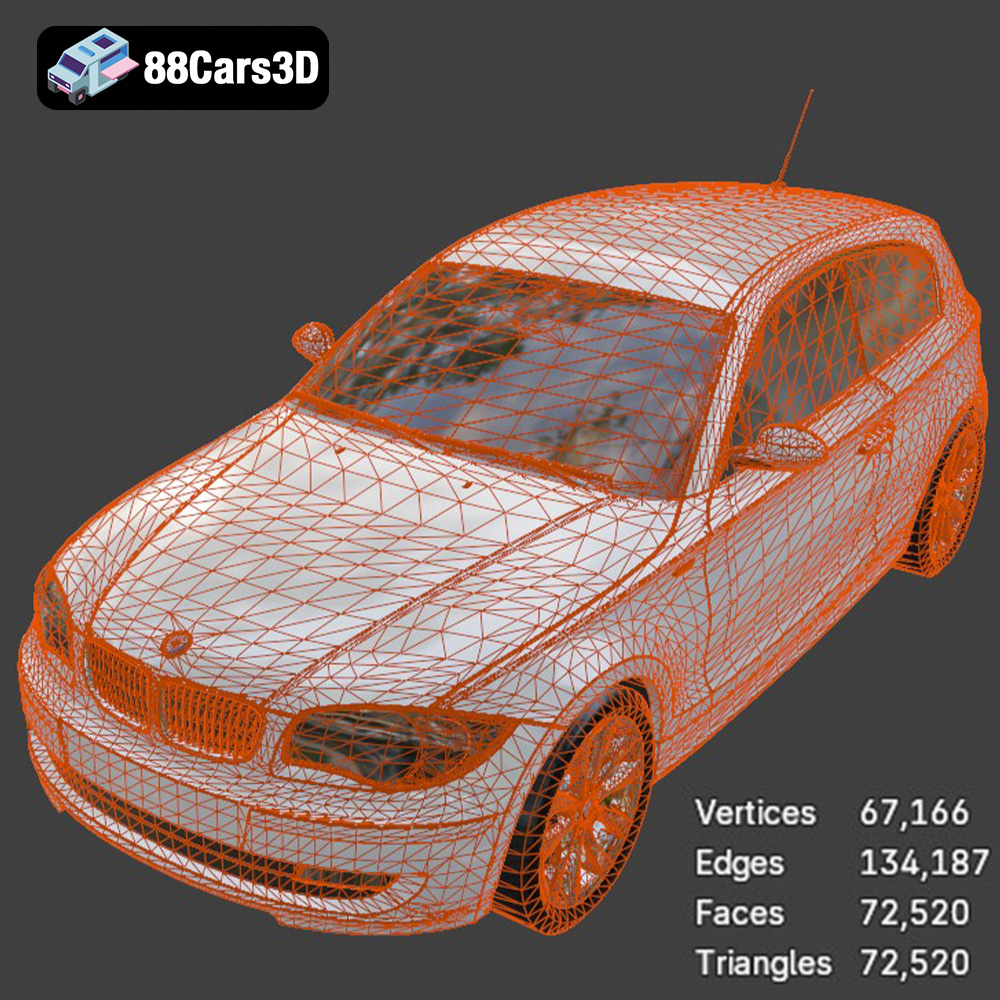
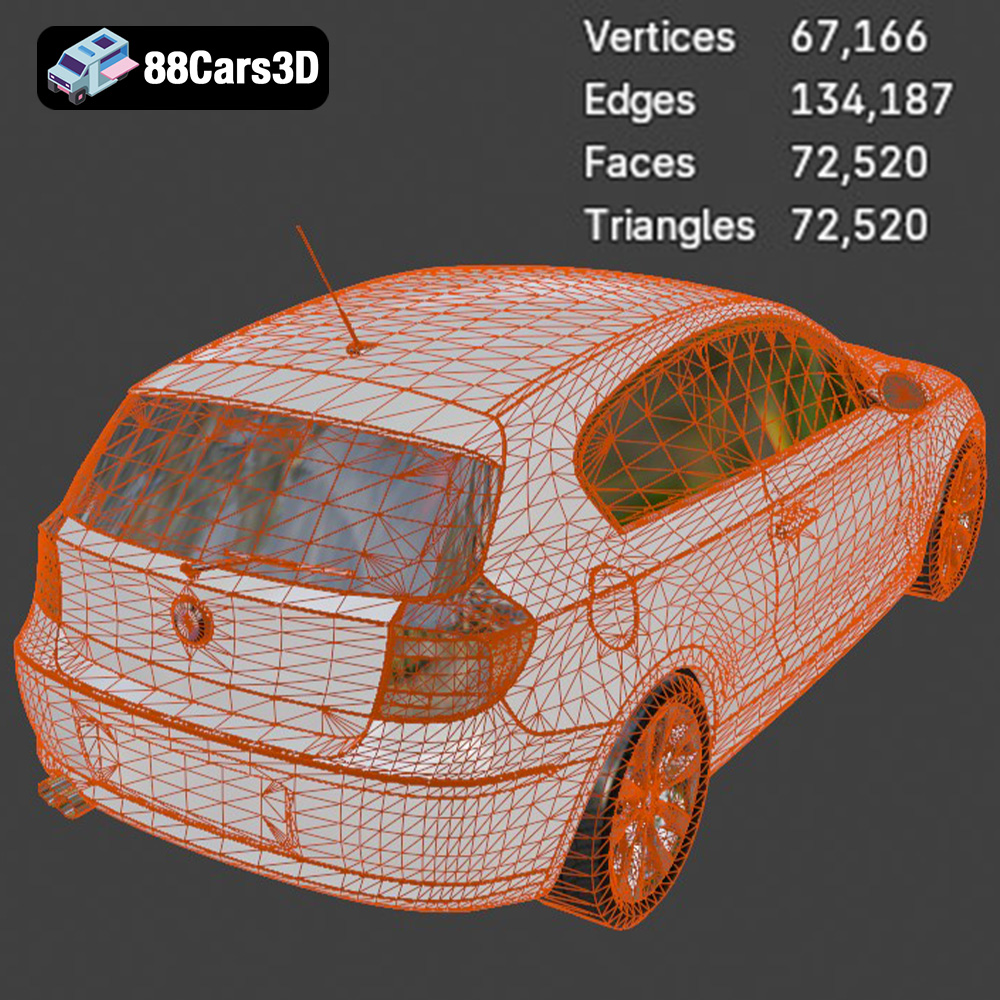
A car model rarely exists in a vacuum. Integrating the BMW E81 into a larger scene – be it an urban environment, a scenic landscape, or an architectural visualization – requires careful consideration of scale, lighting, and context. The model’s real-world scale ensures accurate placement, and its optimized mesh quality (often quad-dominant topology with a poly count suitable for high-fidelity renders, typically between 150,000 to 400,000 polygons for a base model before subdivision) handles subdivision gracefully for extreme close-ups without bloating scene poly counts excessively.
- Camera Matching and Perspective: Align the 3D scene camera with background photography for seamless integration, creating believable composites.
- Reflection and Shadow Catchers: Utilize planes with specific materials to catch reflections and shadows from the car, grounding it within the environment.
- Atmospheric Effects: Introduce volumetric fog, depth of field, and lens flares to enhance realism and cinematic quality, adding a narrative layer to your automotive renders.
Driving Innovation: Integrating the E81 into Game Engines
For game developers, the BMW 1 Series 3-Door E81 3D Model represents a powerful asset, meticulously prepared for the rigorous demands of real-time environments. Its availability in .fbx and a dedicated .unreal format streamlines the integration process into engines like Unreal and Unity.
Optimizing for Real-Time Performance in Unreal Engine and Unity
Game assets require significant optimization to maintain playable frame rates. The BMW E81 model’s “optimized mesh quality for performance without sacrificing detail” suggests it’s designed with this in mind. This typically involves efficient UV unwrapping (non-overlapping UVs for texture atlases, consistent texel density), PBR texture maps (Albedo, Normal, Roughness, Metallic, Ambient Occlusion), and a reasonable poly count for a primary vehicle asset (which may range from 80,000 to 150,000 triangles for a hero vehicle, with lower LODs for distance). The .unreal format likely means it’s already set up with proper materials and possibly basic collision meshes.
- Levels of Detail (LODs): Implement multiple LODs for the BMW E81 to dynamically switch out simpler meshes as the vehicle moves further from the camera, conserving performance.
- Collision Geometry: Create simplified collision meshes (often convex hulls or simplified primitives) for accurate physics interaction without the overhead of complex high-poly geometry.
- Material Instance Optimization: Utilize Unreal Engine’s Material Instances or Unity’s Shader Graphs to allow quick customization of paint colors, rim finishes, and other visual parameters without creating new, expensive materials.
Implementing Physics and Interactive Elements
Beyond visual fidelity, a game-ready car model needs functional physics and interactive components. The “separated components like doors, hood, and trunk for animation workflows” are invaluable here. These components can be hooked up to a physics-based vehicle system (e.g., Unreal Engine’s Chaos Vehicles or Unity’s Wheel Colliders) to simulate realistic driving dynamics and damage.
- Vehicle Blueprint/Prefab Setup: Integrate the BMW E81 mesh into a comprehensive vehicle blueprint (Unreal) or prefab (Unity) that includes suspension, wheel colliders, engine parameters, and control inputs.
- Animation Integration: Use the separated components to animate door openings, trunk lifts, or even basic suspension compression, enhancing realism in cutscenes or interactive garages.
- Interactive Customization: Leverage the model’s structure to allow players to change paint colors, wheel types, or apply decals in-game, enriching the user experience.
Beyond Visualization: AR/VR, Simulation, and 3D Printing
The versatility of the BMW 1 Series 3-Door E81 3D Model extends far beyond traditional rendering and game development. Its clean geometry and diverse file formats open doors to cutting-edge applications in augmented reality, virtual reality, realistic simulations, and even physical prototyping.
Immersive Experiences in AR/VR
AR/VR applications demand highly optimized assets that can render smoothly on mobile devices or VR headsets. The .glb format, specifically tailored for AR/VR and web-based visualization, is a game-changer here. Developers can deploy the BMW E81 model into mobile AR apps, allowing users to place a virtual car in their driveway, or into VR showrooms for an immersive browsing experience. The balanced level of detail ensures visual fidelity without excessive polygon counts that could hinder performance in these demanding environments.
- WebXR and Mobile AR: Deploy the
.glbversion of the BMW E81 directly into WebXR experiences or native mobile AR applications for interactive product showcases. - VR Showrooms: Create virtual dealership environments where customers can explore the BMW E81, customize options, and even “sit inside” the car in a VR headset.
- Performance Budgets: Maintain strict polygon and texture budgets suitable for real-time AR/VR rendering, potentially using optimized versions of the model with fewer details for mobile devices.
Driving Simulators and Training Modules
For professional simulations and training, accuracy and realism are paramount. The BMW E81’s “meticulously crafted” nature, “modeled to real-world scale,” and “basic undercarriage and visible suspension components” make it ideal for driving simulators, engineering analyses, and educational modules. The “organized hierarchy with properly set pivot points” further aids in precise animation for suspension articulation or door operation in a simulation environment.
- Physics-Based Simulation: Integrate the BMW E81 into advanced physics engines for realistic driving dynamics, crash simulations, or autonomous vehicle training.
- Interactive Training: Develop modules for mechanics or sales personnel, allowing them to interact with specific parts of the vehicle, demonstrating features or maintenance procedures.
- Accurate Data Visualization: Use the
.plyformat for analytical applications, such as aerodynamic simulations or structural stress analysis, where precise mesh data is required.
Prototyping with 3D Printing
While primarily a digital asset, the BMW E81 3D model’s clean geometry and solid construction allow for conversion to .stl for 3D printing. This capability opens avenues for physical prototyping, miniature model creation, or educational aids. Though additional preparation is usually needed (ensuring watertight meshes, appropriate wall thickness, removing internal geometry if necessary), starting with a high-quality base model drastically simplifies this process.
- Preparing for Print: Utilize software like Blender or Meshmixer to check for manifold errors, ensure uniform wall thickness, and optimize the mesh for the chosen printing technology.
- Scale and Detail Retention: Consider the limitations of your 3D printer when scaling the model. Smaller prints may lose fine details, while larger prints might require internal bracing.
- Material Selection: Choose appropriate 3D printing materials (e.g., PLA, ABS, resin) based on the desired strength, finish, and application of the physical BMW E81 model.
The Technical Edge: Why Quality Matters
Behind every stunning render or smooth real-time experience lies a foundation of technical excellence. The BMW 1 Series 3-Door E81 3D Model exemplifies this with its adherence to professional standards, making it a reliable and efficient asset for any project.
Clean Topology and UV Unwrapping for Flawless Results
The product description highlights “clean quad-dominant topology for smooth subdivision and deformation.” This is crucial. Quad-based meshes are ideal for sculpting, animation, and subdivision surfacing, preventing pinching artifacts and ensuring predictable deformation. A typical high-quality base mesh for a car like this might hover around 150,000 to 250,000 polygons, allowing for smooth curves while remaining manageable. Paired with professional UV unwrapping – ensuring non-overlapping UV islands, consistent texel density across surfaces, and minimal distortion – this topology guarantees that textures appear crisp and materials render flawlessly without stretching or seams.
- Subdivision Surface Modeling: Leverage the quad-dominant topology with subdivision modifiers (e.g., TurboSmooth in 3ds Max, Subdivision Surface in Blender) to achieve ultra-smooth, high-resolution surfaces for close-up renders without manually modeling every polygon.
- Efficient UV Layout: Discuss how a well-organized UV layout facilitates texture creation, material assignment, and reduces rendering overhead by allowing fewer, larger texture maps.
- Edge Flow for Animation: Explain how clean edge flow is essential for animating parts like doors and hood, ensuring natural deformation and preventing visual glitches during movement.
Real-World Scale and Organized Scene Hierarchy
“Modeled to real-world scale for accurate integration into projects” means the BMW E81 model will drop seamlessly into architectural visualizations, engineering simulations, or game worlds without requiring manual resizing, which can introduce errors. Furthermore, an “organized hierarchy with properly set pivot points for easy animation” is a godsend for animators and riggers. Components like wheels, doors, and the steering wheel are likely separate objects, parented logically, and have their pivot points correctly located (e.g., at the center of a wheel’s rotation, or at a door’s hinge point). This attention to detail dramatically accelerates rigging and animation workflows.
- Standardized Units: Emphasize the importance of working in standardized units (e.g., meters or centimeters) for consistent scale across different software and pipelines.
- Logical Parenting Structures: Detail how a well-structured hierarchy (e.g., Wheels parented to Axles, Axles to Chassis, Chassis to World) simplifies complex animations and physics setups.
- Optimized for Collaboration: Explain how organized scene data benefits teams, making it easier for multiple artists to work on the same asset or integrate it into larger projects.
Maximizing Your Investment: Customization and Future-Proofing
Investing in a premium 3D asset like the BMW 1 Series 3-Door E81 3D Model from 88cars3d.com is about more than just getting a finished product; it’s about acquiring a versatile tool that can be adapted and evolved to meet future project requirements.
Tailoring Aesthetics to Project Needs
The model’s “customization options” are a significant advantage. The ability to “easily modify paint finishes and apply custom graphics or liveries” transforms the base model into a unique asset for any brand, racing team, or fictional scenario. By adjusting material properties – metal, glass, rubber, plastics – artists can match the car’s appearance to specific environmental lighting or artistic direction. This flexibility means the BMW E81 isn’t just a static model; it’s a dynamic canvas.
- PBR Workflow for Material Customization: Detail how PBR (Physically Based Rendering) textures allow for realistic material adjustments by tweaking parameters like roughness, metallic, and normal maps.
- Decal Projection Techniques: Explore using projection mapping or texture masks to add custom decals, logos, or racing stripes without altering the underlying UVs.
- Procedural Material Generation: Discuss how procedural techniques in Blender or Substance Painter can generate variations in wear, dirt, or paint effects, adding depth and realism.
Future-Proofing Your Digital Automotive Library
A high-quality 3D asset is an investment in your digital future. With its clean topology, organized structure, and broad file format support, the BMW E81 model is inherently future-proof. As new rendering technologies emerge, new game engines are developed, or new AR/VR platforms gain traction, this model’s robust foundation will ensure it remains relevant and adaptable. It’s built on best practices, meaning it’s ready for whatever the digital landscape throws at it next, minimizing the need for costly re-modeling or extensive optimization down the line.
- Interoperability and Open Standards: Highlight how support for formats like
.fbx,.obj, and.glbensures long-term compatibility across evolving software ecosystems. - High-Resolution Base Mesh: Explain how a detailed base mesh can be easily adapted for higher fidelity needs (e.g., 8K textures, cinematic resolutions) or optimized for lighter applications (e.g., mobile games) through LOD generation.
- Asset Management and Version Control: Recommend best practices for managing digital assets, ensuring that this valuable model remains accessible and up-to-date within your project archives.
Conclusion
In the competitive realm of 3D content creation, the difference between good and great often comes down to the quality of your foundational assets. The BMW 1 Series 3-Door E81 3D Model stands as a testament to meticulous craftsmanship and technical foresight, providing professionals with an indispensable tool for their automotive rendering, game development, AR/VR, and simulation projects.
From its clean quad-dominant topology and real-world scale to its comprehensive suite of file formats (including .blend, .fbx, .obj, .glb, .stl, .ply, .unreal, and .max), every aspect of this model is designed for efficiency and versatility. It significantly reduces development time, allows for unparalleled customization, and guarantees a high-fidelity output, regardless of your chosen pipeline.
Elevate your digital projects with assets that truly deliver. Explore the exceptional quality and versatility of the BMW 1 Series 3-Door E81 3D Model and a wide array of other premium 3D car models available at 88cars3d.com. Investing in such quality is not just a purchase; it’s an investment in the success and realism of your creative endeavors.
Featured 3D Model
BMW 1 Series 3-Door E81 3D Model
Experience the precision and iconic design of the BMW 1 Series 3-Door E81 with this meticulously crafted 3D model. Representing the dynamic and compact nature of BMW’s popular hatchback, this model is built with clean geometry and a balanced level of detail, making it ideal for a wide range of professional applications. Whether for high-fidelity rendering, realistic animations, immersive simulations, or integrating into game development projects, this model provides a versatile and high-quality asset.
$14.79
Product Image Gallery