

Elevating Digital Automotive Artistry: The Power of Production-Ready 3D Car Models
In the vibrant and ever-evolving landscape of digital content creation, the demand for high-quality 3D assets is insatiable. From breathtaking cinematic sequences to immersive game worlds and detailed architectural visualizations, the fidelity of a model can make or break a project. Automotive visualization, in particular, stands at the forefront of this demand, requiring models that are not only visually stunning but also technically robust and versatile. A perfectly crafted 3D car model is more than just a digital sculpture; it’s a meticulously engineered asset, ready to be integrated into diverse professional workflows.
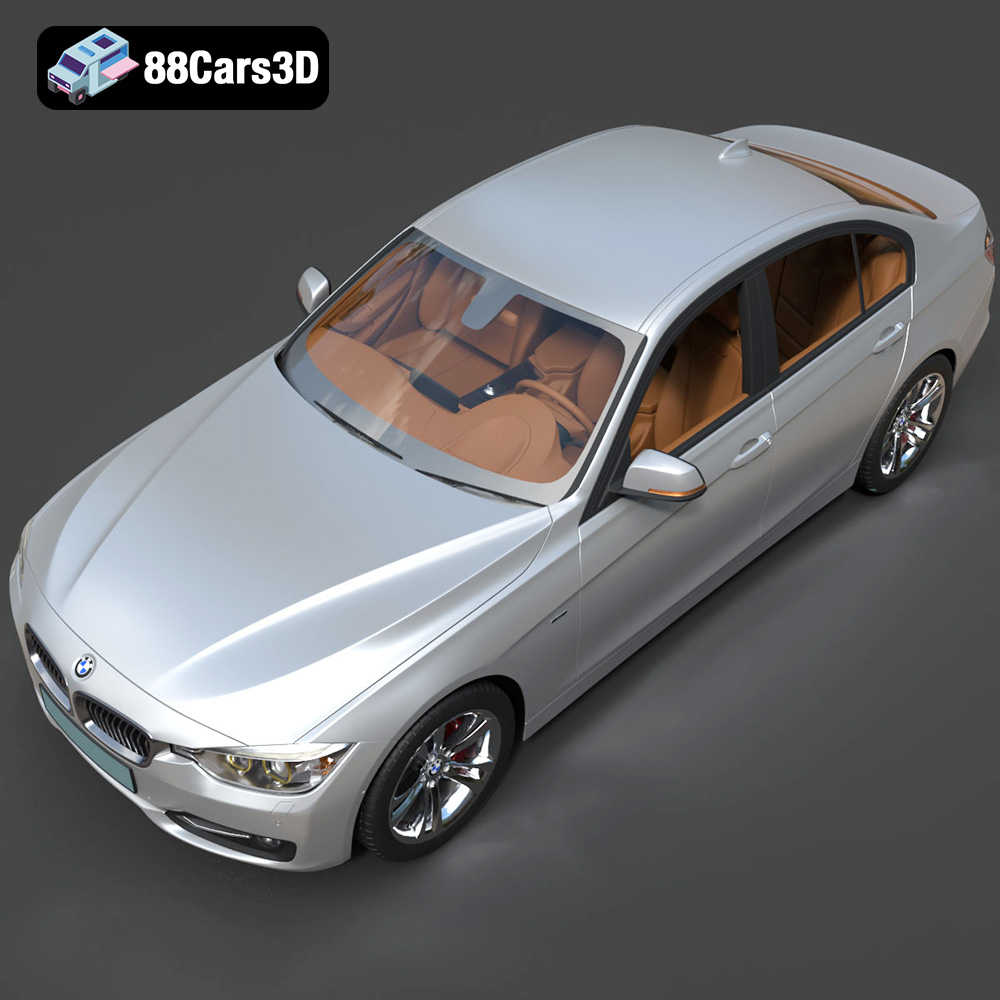
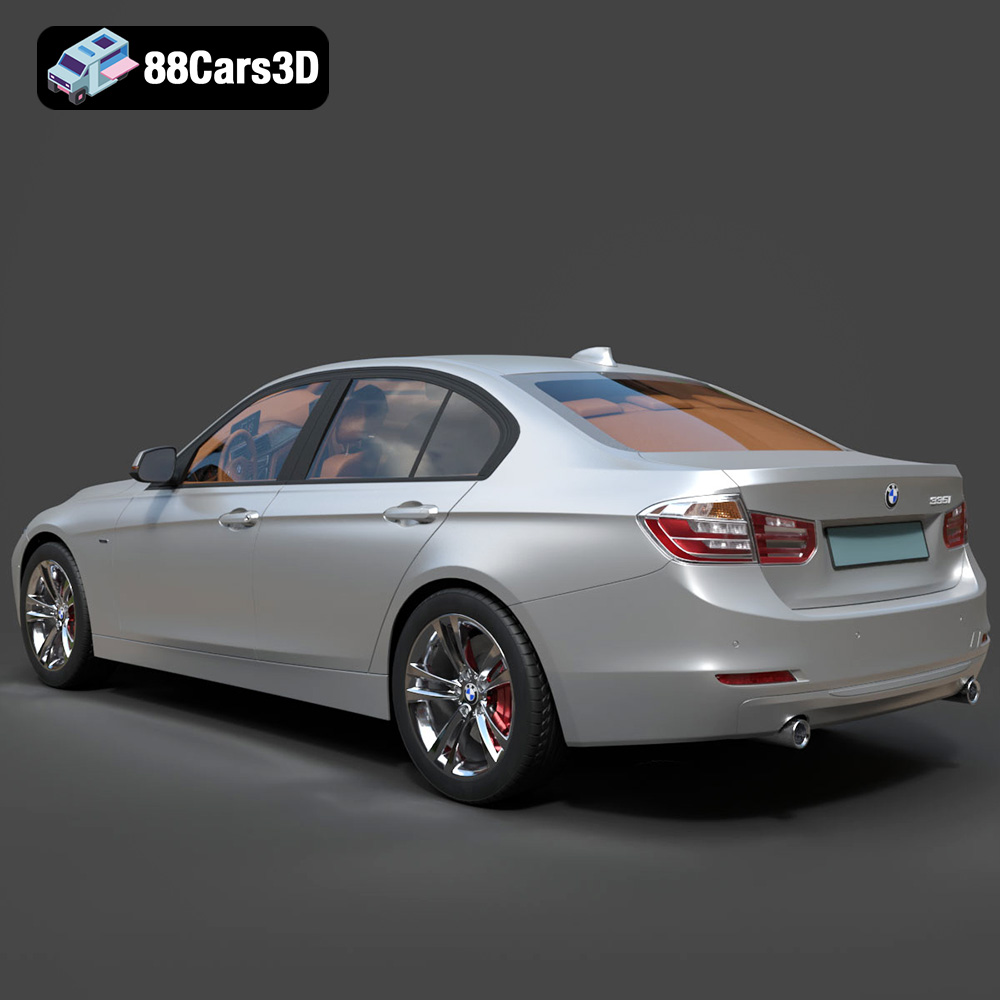
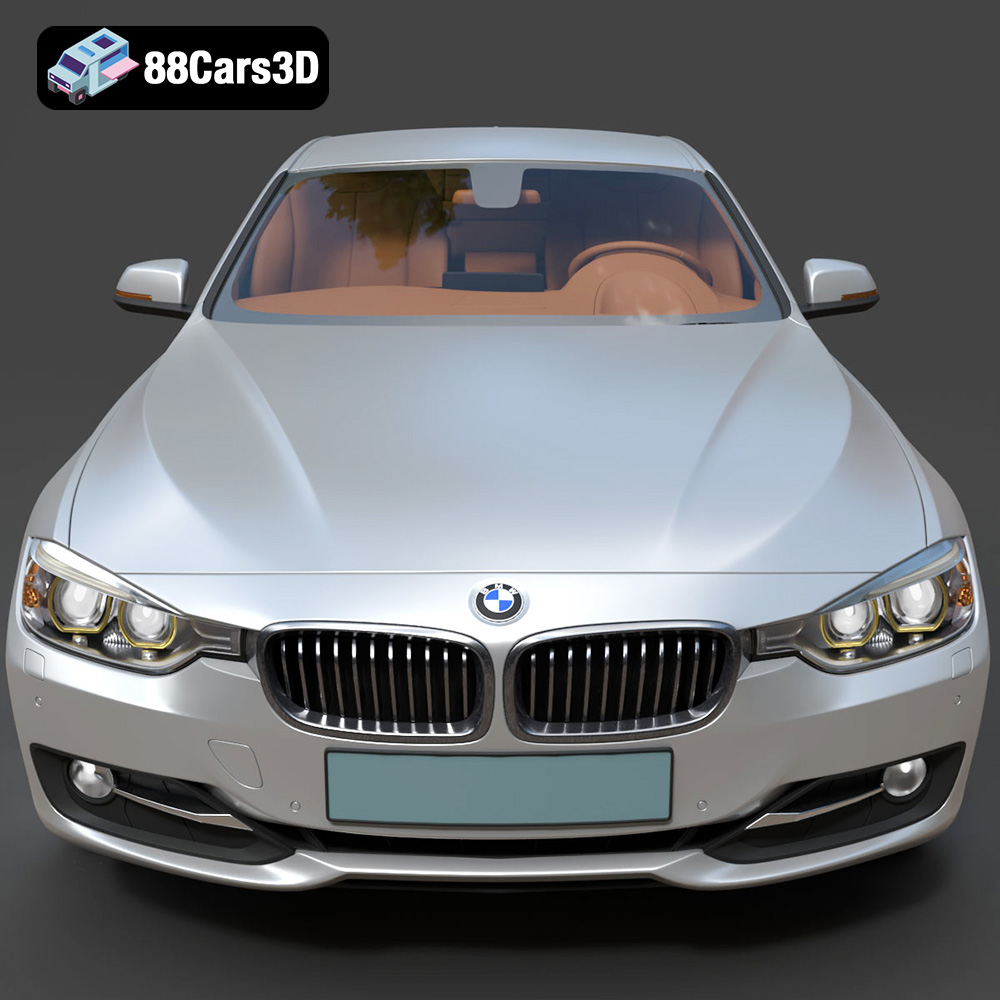
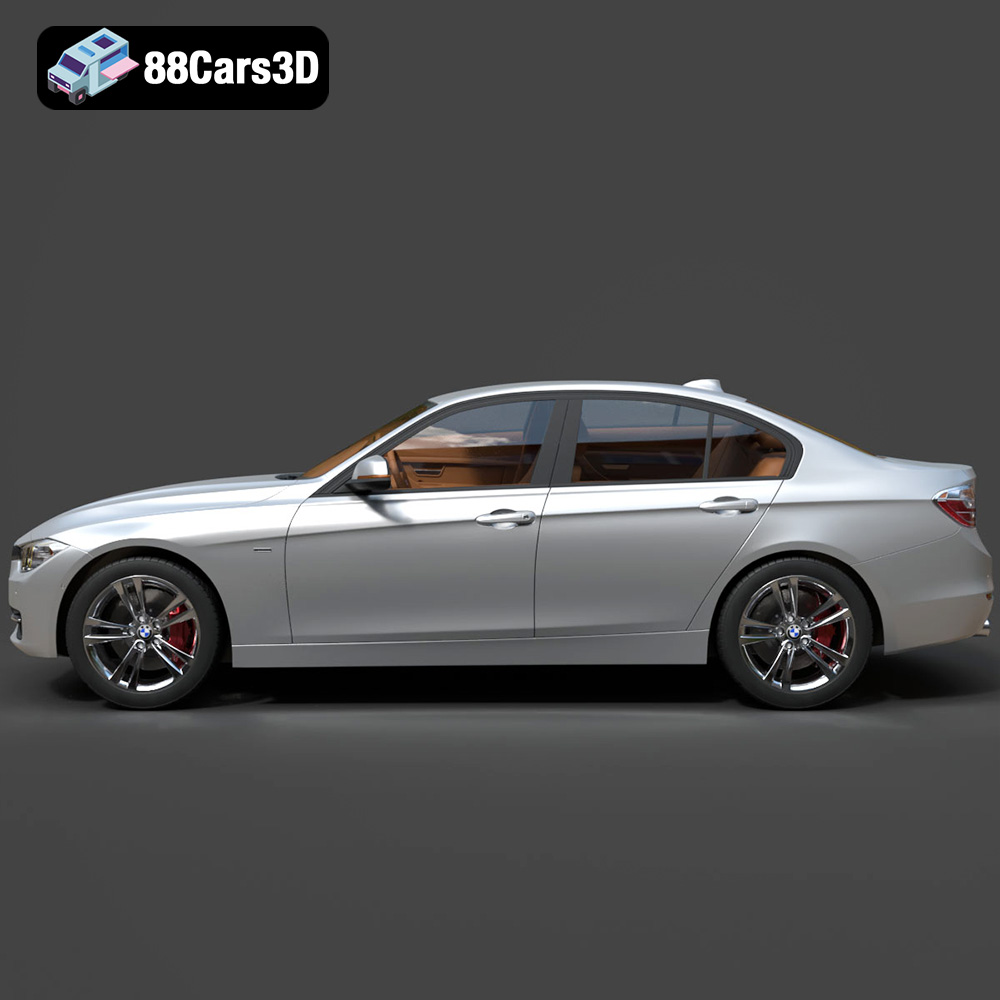
Consider the iconic presence of a BMW, known for its precision engineering and distinctive design. Recreating such a vehicle in three dimensions requires an exceptional eye for detail and a deep understanding of 3D modeling principles. It’s about capturing not just the shape, but the very essence and dynamic character of the car. This level of dedication is exemplified in assets like the BMW 3 F30 3D Model available on 88cars3d.com, a prime example of a production-ready asset that empowers artists and developers to achieve unparalleled realism and efficiency in their projects.
This comprehensive guide delves into the intricate world of professional 3D car models, exploring the technical considerations, essential file formats, diverse applications, and workflow integrations that define excellence in automotive rendering and game asset development. We’ll uncover why investing in high-fidelity 3D assets is crucial for achieving professional results and how models like the BMW 3 F30 can serve as cornerstones for your creative endeavors.
The Art and Engineering of Automotive 3D Models
Creating a compelling 3D car model is a fusion of artistic vision and engineering precision. It begins long before any polygons are laid down, with extensive research into the vehicle’s design language, dimensions, and unique characteristics. Every curve, every panel gap, and every functional component must be accurately translated into the digital realm to ensure authenticity.
Capturing Realism Through Meticulous Detailing
For a model to truly shine in automotive rendering, the level of detail must be exhaustive. This means going beyond the basic silhouette to encompass intricate elements like head and taillight assemblies, which often involve multiple transparent and reflective materials. Wheels and tires, critical for grounding a vehicle in its environment, require precise modeling of rims, brake calipers, and realistic tread patterns. Features such as chrome accents and trim elements, seemingly minor, contribute significantly to the perceived luxury and authenticity of a vehicle. The BMW 3 F30 3D Model, for instance, boasts accurately modeled body panels and detailed lights, ensuring that its distinct F30 design language is faithfully represented.
Under the Hood: Interior and Undercarriage Fidelity
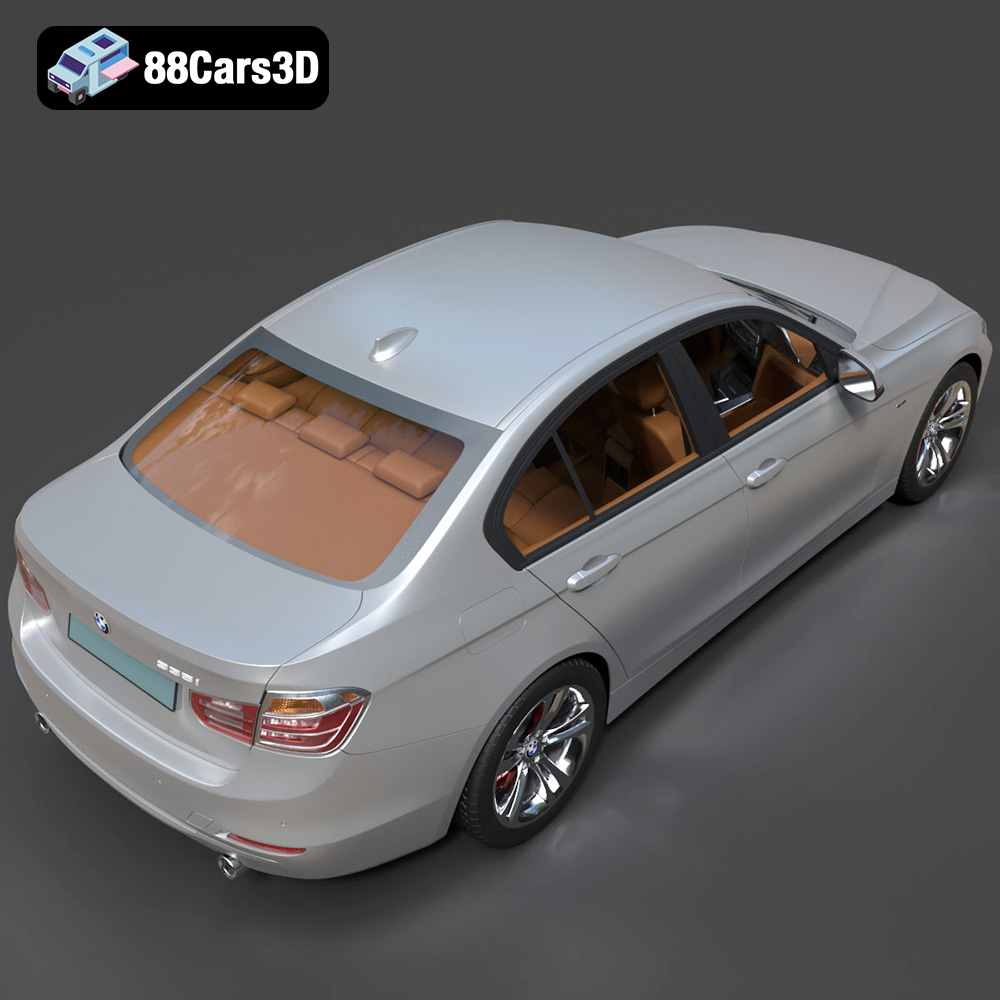
While often not the primary focus, the interior and basic undercarriage components play a vital role in elevating a 3D car model’s versatility. A comprehensive interior, including the dashboard, steering wheel, seats, and center console, makes the model suitable for shots that peek inside the cabin, or for virtual reality experiences where users might freely explore the vehicle. For game development or simulation, even basic undercarriage components add a layer of realism, especially in scenarios involving damage models or unique camera angles. The F30 model thoughtfully includes comprehensive interior detailing and basic undercarriage components, demonstrating its readiness for complex scenes.
Technical Foundations: Topology and Scale
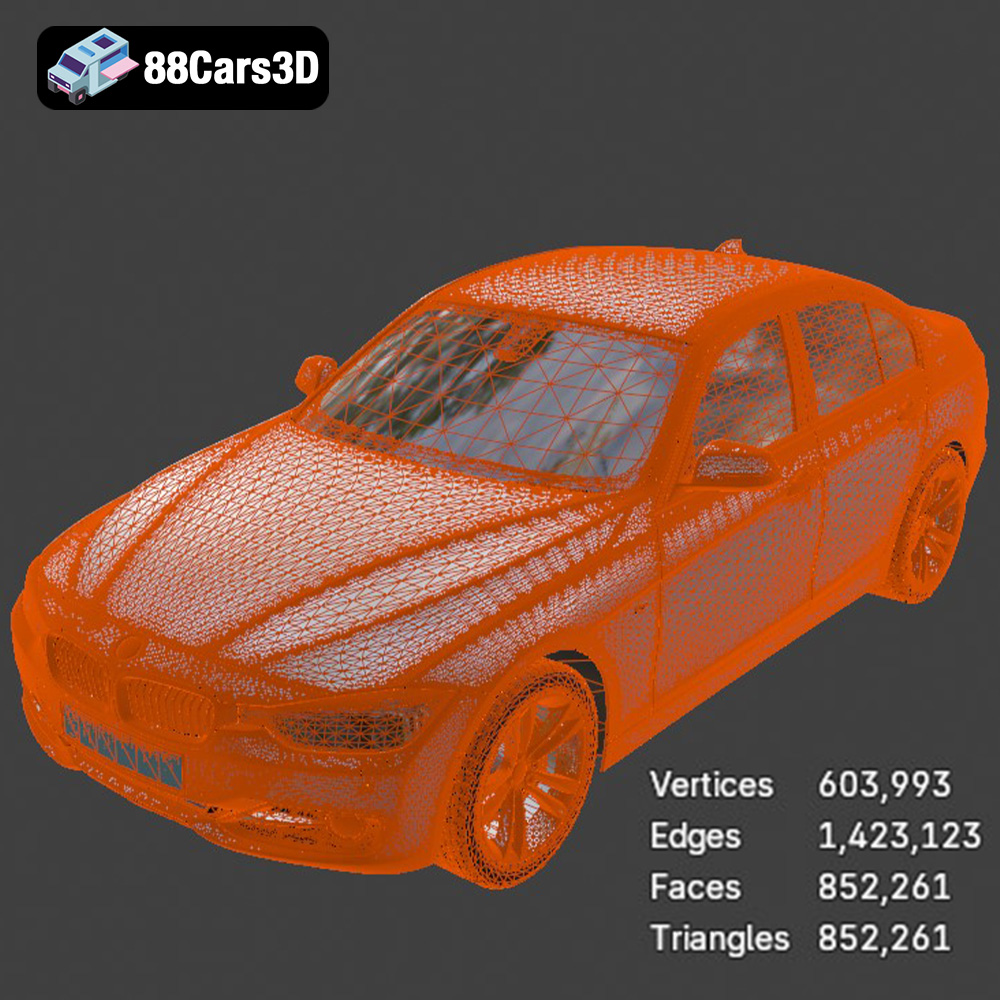
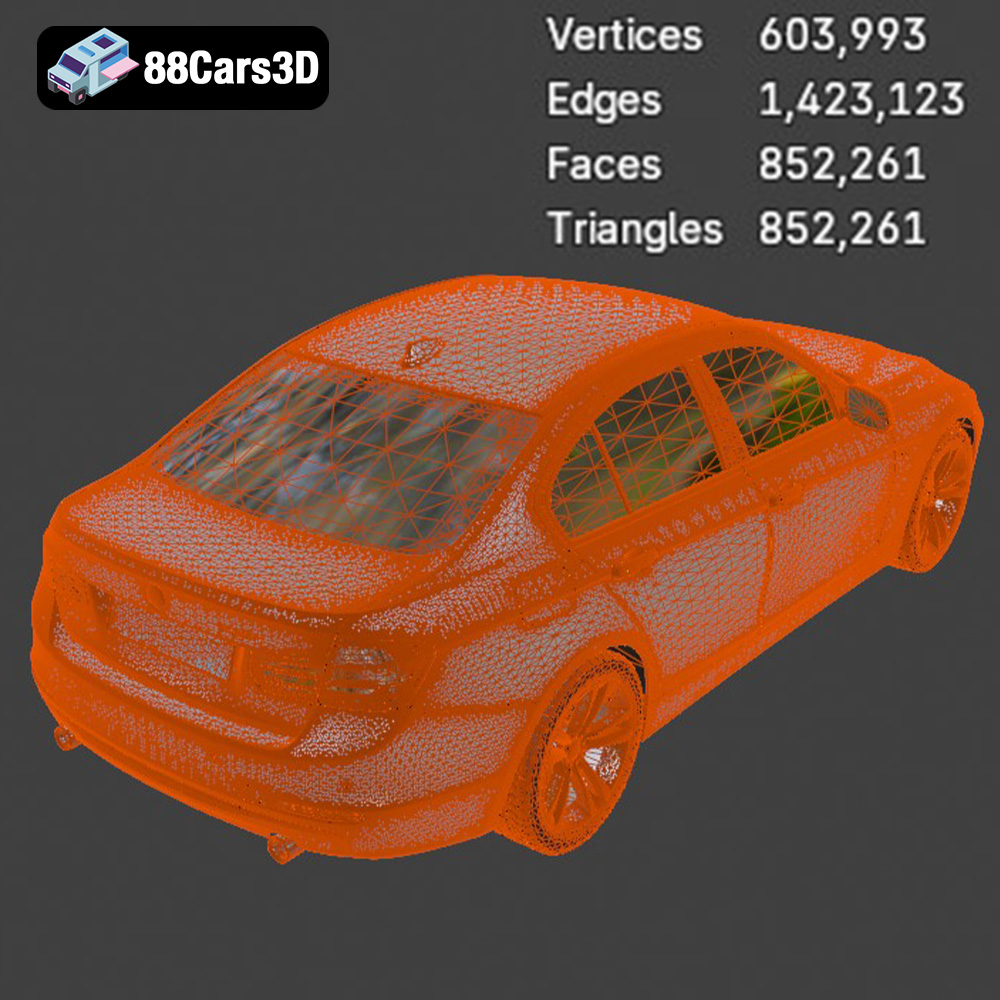
Beyond visual fidelity, the technical construction of a 3D model is paramount. Clean, quad-dominant topology is a gold standard, facilitating easy subdivision for higher detail, smooth deformations for animation, and efficient UV unwrapping. Models should also be built to real-world scale, which is crucial for accurate integration into any scene, whether it’s an architectural visualization or a physics-based simulation. An organized hierarchy with proper pivot points for movable parts (like doors, hoods, and wheels) streamlines the animation process, saving countless hours for animators. The BMW 3 F30 model stands out with its clean, quad-dominant topology, real-world scale, and a well-organized hierarchy, making it a robust foundation for any project.
Understanding 3D Model File Formats
The choice of file format for a 3D model is not merely a technicality; it dictates compatibility, workflow efficiency, and the ultimate usability of the asset across different software and platforms. Professionals dealing with 3D car models must understand the strengths and weaknesses of each common format.
.blend – The Blender Powerhouse
The .blend format is native to Blender, the powerful open-source 3D creation suite. When you acquire a .blend file, you’re getting a fully editable Blender scene, complete with materials, textures, lighting setups, and even animation data. This makes it ideal for users deeply embedded in the Blender ecosystem, offering maximum flexibility for customization, rigging, and rendering within Blender’s Cycles or Eevee render engines. It preserves all native Blender-specific features, modifiers, and node setups, allowing for direct manipulation and iteration without loss of information. For artists who want to delve deep into the model’s construction and adapt it extensively, a .blend file is indispensable.
.fbx – The Industry Standard for Interoperability
.fbx (Filmbox) is arguably the most widely used proprietary 3D file format for data exchange between various 3D software and game engines. Developed by Autodesk, it’s known for its ability to store a comprehensive range of data, including geometry, materials, textures (though often referenced externally), animation, skeletal data, and even camera and lighting information. Its robust support in game engines like Unreal Engine and Unity makes it the go-to format for real-time pipelines. For game assets, .fbx is critical for transferring rigged characters, animated props, and high-detail models like 3D car models into the game environment efficiently. Its versatility ensures that an asset can transition smoothly from a modeling package to a rendering engine or game engine with minimal conversion issues.
.obj – The Universal Exchange Format
The .obj (Wavefront OBJ) format is a simple, universal 3D data format that is supported by nearly every 3D application. It primarily stores geometric data (vertices, normals, texture coordinates, and faces) and can reference external .mtl (material) files for basic material properties. While it doesn’t support animation or complex material networks, its widespread compatibility makes it an excellent choice for basic mesh exchange when you need to ensure the model can be opened and worked with in almost any 3D software. It’s often used as a fallback or for models where only the geometry is critical, and materials will be re-created in the target application. When distributing 3D car models for general use, .obj is a safe bet for cross-software accessibility.
.glb – Optimized for AR, VR, and Web
.glb (GL Transmission Format Binary) is the binary version of glTF (GL Transmission Format), a royalty-free specification for the efficient transmission and loading of 3D scenes and models by applications. .glb packages all necessary data (geometry, materials, textures, animations) into a single, self-contained binary file, making it incredibly optimized for AR, VR, and web-based display. Its compact nature and efficiency make it perfect for quickly loading 3D models in browsers, mobile apps, or lightweight real-time viewers. For showcasing interactive 3D car models on websites or in augmented reality experiences, .glb is the clear winner due to its performance and ease of deployment.
.stl – The Standard for 3D Printing
.stl (STereoLithography) is the de facto standard file format for 3D printing. It represents a 3D model as a collection of unconnected triangular facets, defining only the surface geometry without any color, texture, or material information. While not suitable for rendering or animation, its simplicity and ubiquitous support across 3D printers and slicing software make it indispensable for physical model production and rapid prototyping. If your project involves bringing a digital 3D car model into the physical world, an .stl file is what you’ll need.
.ply – Precision Mesh for CAD or Analysis
The .ply (Polygon File Format or Stanford Triangle Format) is a versatile format for storing 3D data, particularly from 3D scanners. It can store not just geometry (vertices, faces) but also additional attributes like color, transparency, surface normals, and even confidence values for each data point. While not as universally supported as .obj, it’s often preferred in scientific, CAD, or analysis workflows where precise mesh data with additional per-vertex or per-face information is crucial. For highly accurate reproductions of objects, or for industrial design and engineering analysis of a 3D car model, .ply can be a powerful format.
.unreal – Engine-Ready for Unreal Workflows
The .unreal designation implies a model specifically prepared and potentially imported into an Unreal Engine project. This often means the asset has been properly scaled, material setups created using Unreal’s material editor, collision meshes generated, and possibly even Blueprints configured for interactive elements. While .fbx is the import format, providing an “unreal” package signifies a ready-to-use asset, minimizing the setup time for developers working in the Unreal ecosystem. For game developers and real-time visualization specialists, having an engine-ready asset like the BMW 3 F30 in this format can dramatically accelerate development.
.max – The 3ds Max Master File
Similar to .blend for Blender, .max is the native file format for Autodesk 3ds Max, a leading software for 3D modeling, animation, and rendering in professional visualization and design. A .max file contains the entire 3ds Max scene, including geometry, materials (with V-Ray, Corona, or other render engine setups), textures, lighting, cameras, and animation curves. This format offers full editability and access to all modifiers and features within 3ds Max. For studios primarily using 3ds Max for high-end automotive rendering or detailed animations, a .max file provides the highest level of control and flexibility for further refinement.
Understanding these formats ensures that you select the right 3D car model for your specific needs, maximizing efficiency and compatibility across your production pipeline. The BMW 3 F30 3D Model from 88cars3d.com offers a comprehensive suite of these formats, demonstrating its versatility and professional readiness.
Integrating High-Fidelity Car Models into Professional Workflows
The true power of a meticulously crafted 3D car model like the BMW 3 F30 lies in its seamless integration into diverse professional pipelines. From high-end cinematic rendering to interactive real-time experiences, a well-prepared asset accelerates production and enhances the final output.
Automotive Rendering and Visualization with 3ds Max and V-Ray/Corona
For studios specializing in automotive rendering, 3ds Max remains a dominant force, often paired with powerful render engines like V-Ray or Corona Renderer. The availability of the BMW F30 as a .max file is invaluable. Artists can open the scene directly, access the organized hierarchy, and leverage the pre-configured materials. From there, they can:
- Refine Materials: Adjust the car paint shader to achieve specific metallic flakes, clear coat depth, or pearl effects. Tweak glass refraction and reflection, or fine-tune rubber and plastic textures for ultimate realism.
- Set Up Lighting Environments: Implement HDRI (High Dynamic Range Image) lighting for realistic reflections and ambient illumination, or craft complex studio lighting setups to highlight the car’s contours.
- Camera and Composition: Position virtual cameras with realistic focal lengths to capture the vehicle’s dynamic lines, mimicking professional automotive photography.
- Animation: Utilize the properly pivoted doors, hood, and wheels for stunning animations – a smooth open-and-close sequence, or a dramatic wheel spin for a commercial.
This allows for the creation of breathtaking marketing materials, detailed architectural visualizations that feature vehicles, or cinematic sequences where the car is the star.
Blender for Indie and Studio Productions
Blender’s ascendancy in the 3D world means many artists and smaller studios rely on its robust capabilities. A .blend file, such as that accompanying the F30 model, provides a complete native scene. This enables Blender users to:
- Leverage Eevee/Cycles: Immediately render the model using Blender’s real-time Eevee engine for quick previews or the physically accurate Cycles renderer for high-quality final outputs.
- Node-Based Shaders: Dive into Blender’s powerful node-based shader editor to customize every aspect of the materials, from intricate paint layers to realistic tire wear.
- Geometry Nodes & Sculpting: Further modify or add details using Blender’s advanced modeling tools or even use geometry nodes for procedural variations, though for high-quality assets like those from 88cars3d.com, extensive re-modeling is rarely needed.
- Integrated Animation Tools: Utilize Blender’s comprehensive animation toolset to bring the car to life, exploiting the model’s clean topology for smooth deformations and its organized pivots for efficient rigging of movable parts.
This makes the F30 model an excellent starting point for indie game developers, animation studios, or individual artists working within the Blender ecosystem, ensuring a smooth transition into their existing workflows.
Unreal Engine for Real-Time Immersion
For real-time applications, Unreal Engine offers unparalleled visual fidelity and interactive capabilities. The inclusion of an .unreal file or a well-prepared .fbx is crucial for game development and interactive experiences. Developers can:
- Import & Optimize: Bring in the F30 model, which, with its optimized mesh quality, will perform efficiently within the engine.
- Material Conversion: Convert or recreate materials using Unreal’s powerful PBR (Physically Based Rendering) material system to achieve photorealistic results in real-time.
- Collision & Physics: Set up accurate collision meshes and integrate the vehicle with Unreal’s physics engine for realistic driving dynamics in games or simulations.
- Interactive Elements: Blueprint interactive elements like opening doors, turning lights on/off, or changing paint colors dynamically, creating engaging user experiences in AR/VR or configurators.
This allows for the creation of immersive driving simulators, detailed automotive showcases, or cutting-edge virtual reality experiences featuring high-quality automotive assets like the BMW 3 F30 3D model.
Optimizing 3D Car Models for Real-time Applications
While cinematic renders demand polygon counts in the millions, real-time applications like games, AR, and VR require a careful balance of visual fidelity and performance. Optimized 3D car models are specifically engineered to deliver stunning visuals without bogging down frame rates.
Game Development: Balancing Detail and Performance
For game development, the “game-ready” label is paramount. This means a 3D car model must have an optimized mesh quality, typically achieved through efficient polygon reduction while maintaining critical details. The BMW 3 F30 3D Model is designed with this in mind, ensuring it can be integrated into racing simulations, open-world environments, or interactive experiences without demanding excessive system resources. Key optimization techniques include:
- LODs (Levels of Detail): Creating multiple versions of the model with varying polygon counts, so simpler versions are rendered when the car is far from the camera, and detailed versions when it’s close.
- Efficient UV Mapping: Clean, non-overlapping UVs are essential for baking textures (normals, ambient occlusion, diffuse) and ensuring seamless material application.
- PBR Texturing: Utilizing Physically Based Rendering (PBR) texture sets (Albedo, Normal, Roughness, Metallic, Ambient Occlusion) to achieve realistic surface interactions under various lighting conditions in real-time engines.
- Batching & Draw Calls: Minimizing the number of separate objects to optimize rendering performance, though for a car, certain parts must remain separate for animation.
A well-optimized asset translates directly into smoother gameplay and a more enjoyable user experience.
AR/VR Experiences: Immersive and Responsive
Augmented Reality (AR) and Virtual Reality (VR) push the boundaries of immersion, but they also impose strict performance requirements due to the need for high, stable frame rates across two eyes. Optimized 3D car models are crucial for preventing motion sickness and delivering a fluid experience. The .glb format, included with the F30 model, is particularly suited for these applications due to its efficient packaging and loading. For AR/VR, considerations include:
- Polycount Budgets: Working within strict polygon budgets to maintain performance on mobile AR devices or VR headsets.
- Draw Call Reduction: Combining meshes and materials where possible to reduce the number of draw calls, which can be a significant bottleneck in VR.
- Efficient Shaders: Using simplified, optimized shaders that still achieve visual fidelity but without complex calculations that can impact performance.
- Scale and Ergonomics: Ensuring the model is at real-world scale for accurate perception in immersive environments, which the F30 model adheres to.
Using a pre-optimized 3D car model ensures that creators can focus on building compelling AR/VR experiences rather than wrestling with performance issues.
Beyond Visualization: Simulation, Training, and 3D Printing
The utility of a high-quality 3D car model extends far beyond simple rendering or game development. These assets are increasingly vital in specialized fields requiring accuracy, interactivity, and even physical output.
Driving Simulations and Training Modules
In the realm of simulation and training, precision and realism are paramount. The BMW 3 F30 3D Model, with its real-world scale, accurate geometry, and comprehensive detailing, is perfectly suited for sophisticated driving simulators. These simulations are used for:
- Driver Training: Allowing new drivers to practice in a virtual environment, reacting to various road conditions and traffic scenarios without risk.
- Automotive Design Review: Enabling engineers and designers to virtually “drive” and evaluate new vehicle designs, testing ergonomics and visibility before physical prototypes are built.
- Research and Development: Providing a platform for studying human interaction with vehicle interfaces or testing autonomous driving algorithms.
The ability to integrate such a model into physics engines and interactive environments makes it an indispensable tool for these high-stakes applications.
3D Printing and Rapid Prototyping
The digital world can seamlessly transition to the physical through 3D printing. A well-constructed 3D car model can be converted into an .stl file, preparing it for additive manufacturing processes. This opens up opportunities for:
- Scale Models: Producing physical scale models of vehicles for display, collection, or as part of a larger diorama.
- Rapid Prototyping: For automotive designers, printing a physical representation of a digital concept allows for tangible evaluation of form, proportion, and aesthetic details.
- Educational Tools: Creating physical models for educational purposes, helping students understand vehicle mechanics or design principles.
While the internal detail might be lost depending on the printer and scale, the exterior fidelity of a model like the F30 ensures an accurate physical representation.
The Value of Production-Ready Assets
In a fast-paced industry, time is money, and efficiency is king. The investment in production-ready 3D car models, especially those from reputable marketplaces like 88cars3d.com, offers significant returns by streamlining workflows and enhancing the quality of final products.
Cost-Effectiveness and Time Savings
Developing a high-fidelity 3D car model from scratch is a labor-intensive and expensive undertaking. It requires specialized skills in modeling, texturing, and optimization, often taking hundreds of hours for a single vehicle. By purchasing a professional-grade asset like the BMW 3 F30 3D Model, studios and individual artists can drastically reduce their production timelines and costs. The time saved can be redirected towards other critical aspects of a project, such as creative direction, animation, or interactive development.
Ensuring Professional Quality and Consistency
When you choose a professional asset, you’re not just buying a model; you’re acquiring the culmination of expert craftsmanship. Assets from 88cars3d.com are typically characterized by:
- Clean Topology: Essential for smooth deformations and easy modifications.
- Real-World Scale: Guarantees accurate integration and realistic interactions within any scene.
- Optimized Mesh: Ensures efficient rendering and real-time performance.
- Organized Hierarchy & Pivots: Facilitates animation and scene management.
- Comprehensive Detailing: Captures the nuances of the vehicle for maximum realism.
This consistency in quality ensures that your projects maintain a high standard, enhancing your reputation and the overall impact of your work.
Customization and Flexibility
Even though the BMW 3 F30 3D Model is production-ready, it offers extensive customization options. Artists can easily modify paint finishes, apply specific body graphics, or integrate unique decal designs to match specific brand identities or creative visions. Adjusting material properties for metals, glass, rubber, and plastics allows for tailored realism, while adapting lighting setups can showcase the model under various environmental conditions and moods. This flexibility means the core asset can be endlessly adapted to suit a myriad of project requirements without starting from square one.
Conclusion
The journey from concept to a fully realized 3D automotive masterpiece is a complex one, requiring both artistic flair and technical prowess. High-fidelity 3D car models are not just digital objects; they are foundational assets that power cinematic renders, fuel immersive game experiences, drive realistic simulations, and even bridge the gap to physical production through 3D printing.
Investing in production-ready assets, such as the BMW 3 F30 3D Model from 88cars3d.com, is a strategic decision for any professional. Its meticulously crafted exterior and interior, optimized mesh, real-world scale, and comprehensive suite of file formats (from .blend and .max for editing to .fbx and .unreal for engines, and .glb for AR/VR) ensure it is ready for virtually any demanding digital production pipeline. By providing a robust, versatile, and highly detailed foundation, such models free up artists and developers to focus on innovation and creativity, ultimately elevating the quality and impact of their projects. Embrace the power of expertly engineered 3D car models and drive your digital creations to new horizons.
Featured 3D Model
BMW 3 F30 3D Model
Presenting the high-fidelity BMW 3 F30 3D Model, a meticulously crafted digital rendition of the iconic luxury sports sedan. This model captures the distinctive lines, elegant proportions, and dynamic character of the F30 generation 3 Series. Engineered with clean, optimized geometry and balanced detailing, it is perfectly suited for professional rendering, cinematic animation, realistic simulation, and robust game development projects.
$10.79
Product Image Gallery

Related Tags
.3series
.arvr
.blend
.bmw
.car
.f30
.fbx
.gameasset
.glb
.max
.obj
.ply
.rendering
.sedan
.simulation
.stl
.unreal
.vehicle
