Get 20% OFF All Premium 3D & STL Models!

In the dynamic worlds of automotive design, game development, cinematic rendering, and architectural visualization, the demand for exceptionally detailed and technically sound 3D car models has never been higher. These digital assets are the bedrock upon which entire virtual environments are built, driving everything from photorealistic product showcases to immersive interactive experiences. A high-quality 3D vehicle isn’t just a prop; it’s a meticulously crafted piece of engineering, designed to perform flawlessly across diverse digital platforms and pipelines.
Today, we delve into the intricacies of professional 3D car modeling, exploring what truly defines excellence in this specialized field. We’ll examine the technical considerations, workflow integrations, and the boundless applications that a premium asset offers. As a prime example of such craftsmanship, we will frequently reference the BMW i3 Coupe 3D Model, a standout offering available on 88cars3d.com, which perfectly encapsulates the blend of artistic fidelity and technical robustness required in professional projects.
Creating a compelling 3D car model goes far beyond simply replicating its exterior shape. It involves a deep understanding of vehicle design principles, material science, and the specific technical requirements of various 3D software and real-time engines. Every curve, every panel gap, and every material surface must be considered with utmost precision to achieve a convincing digital twin.
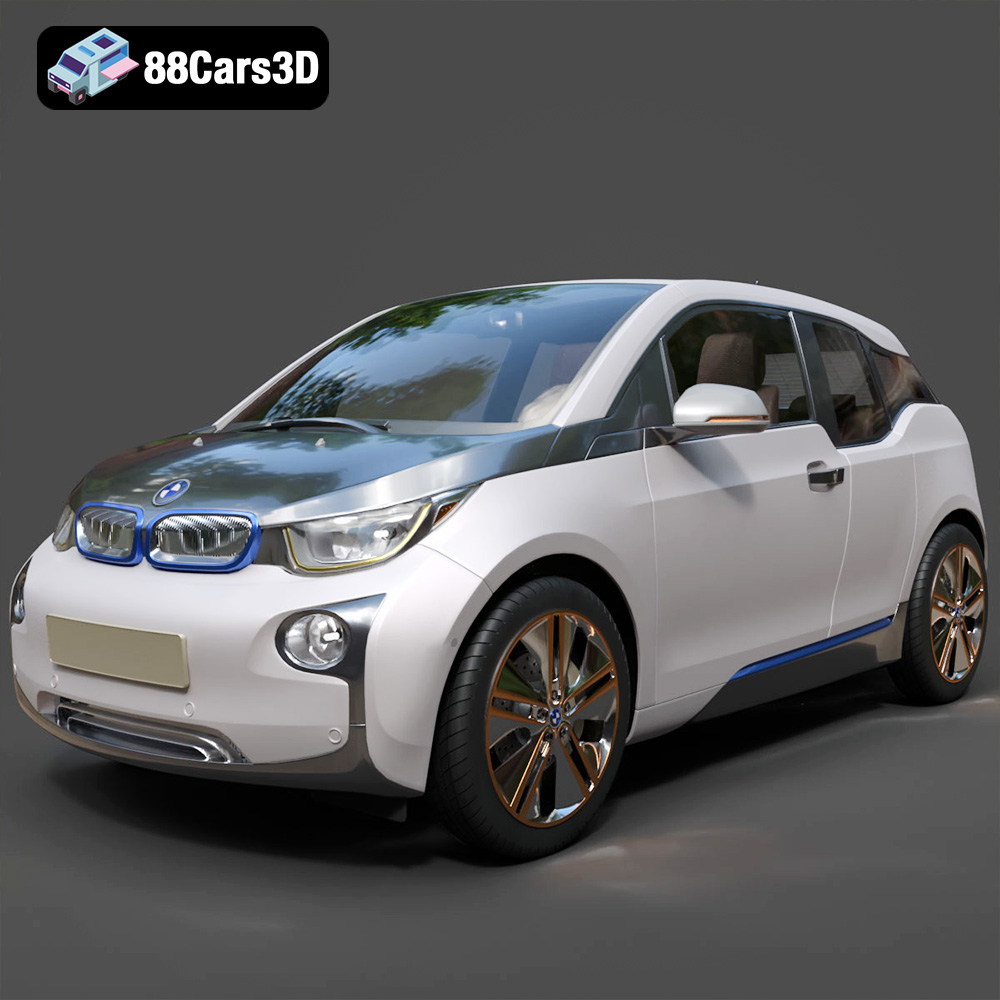
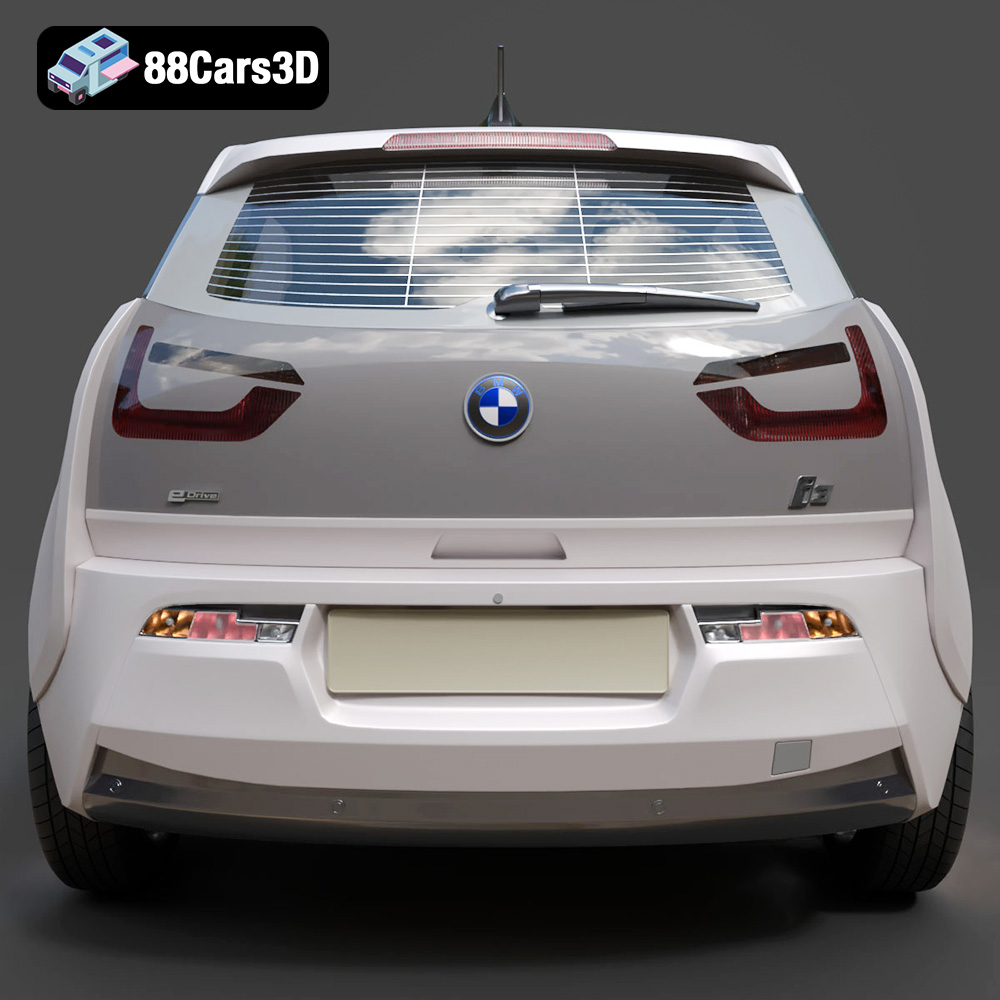
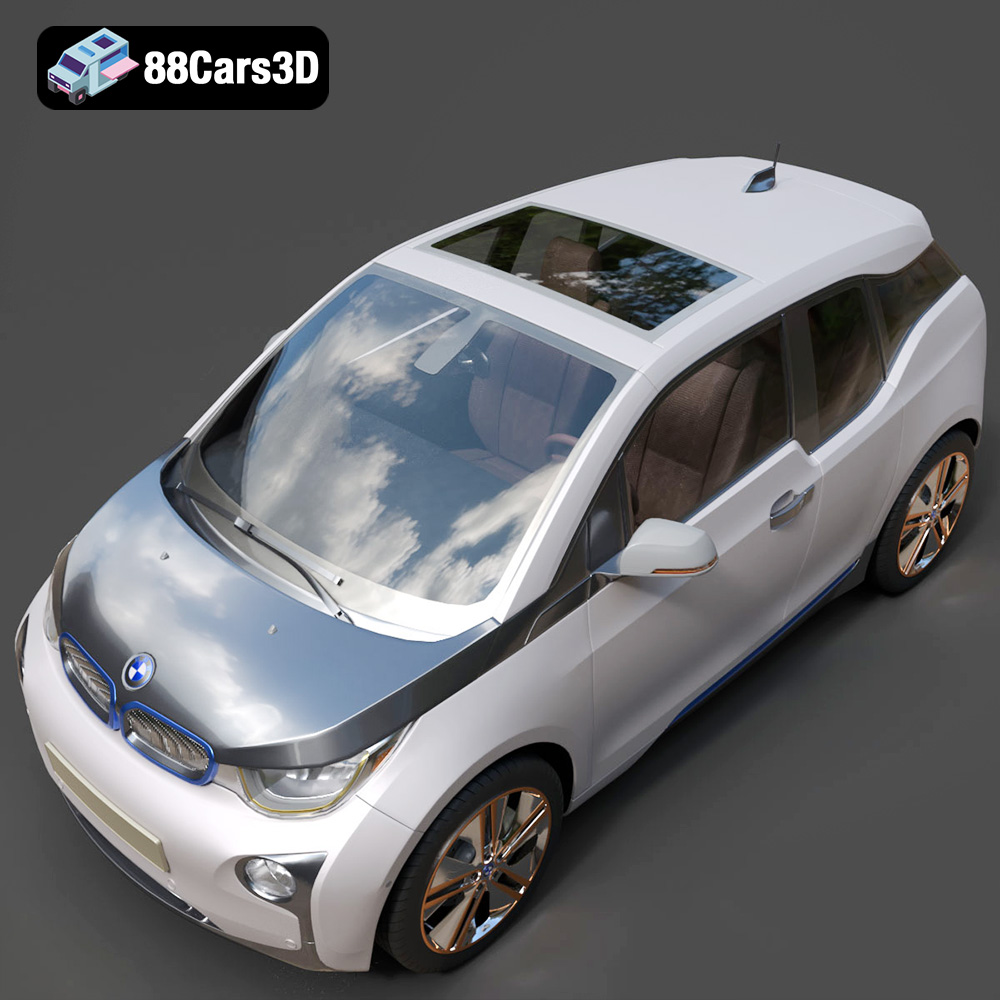
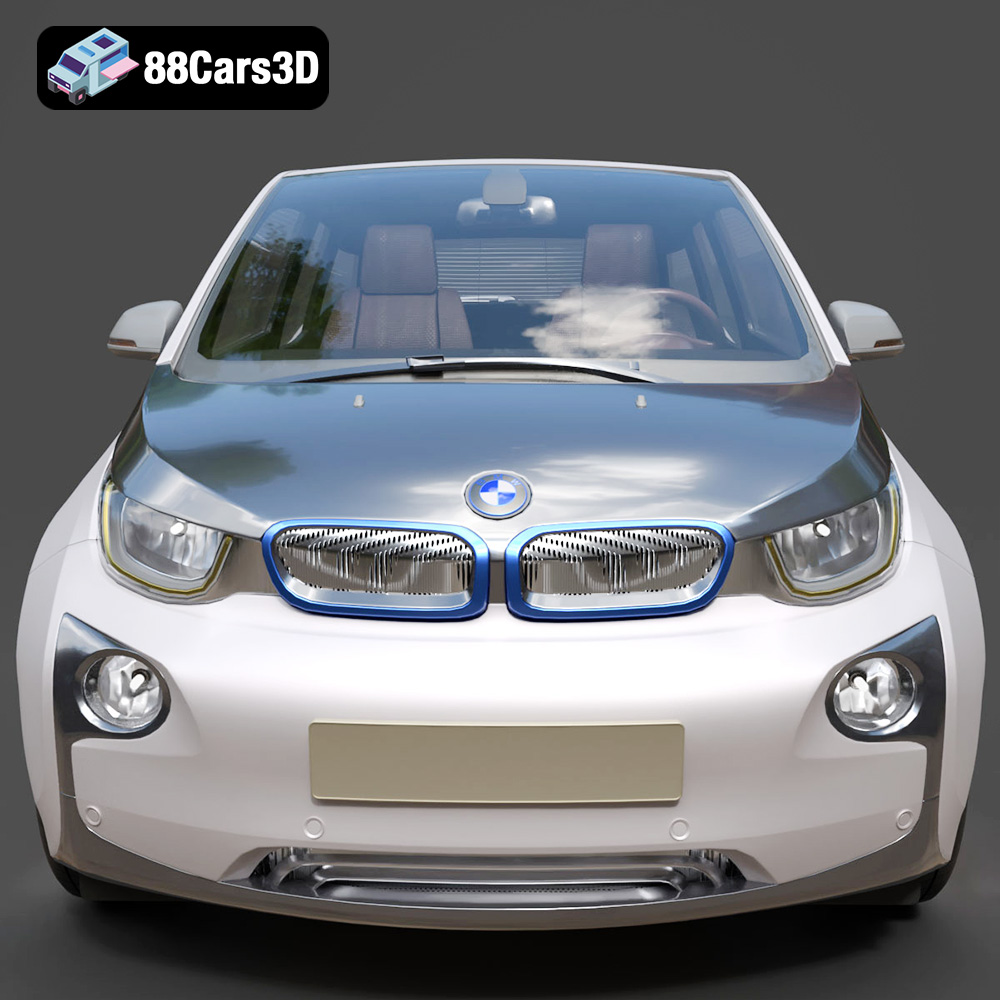
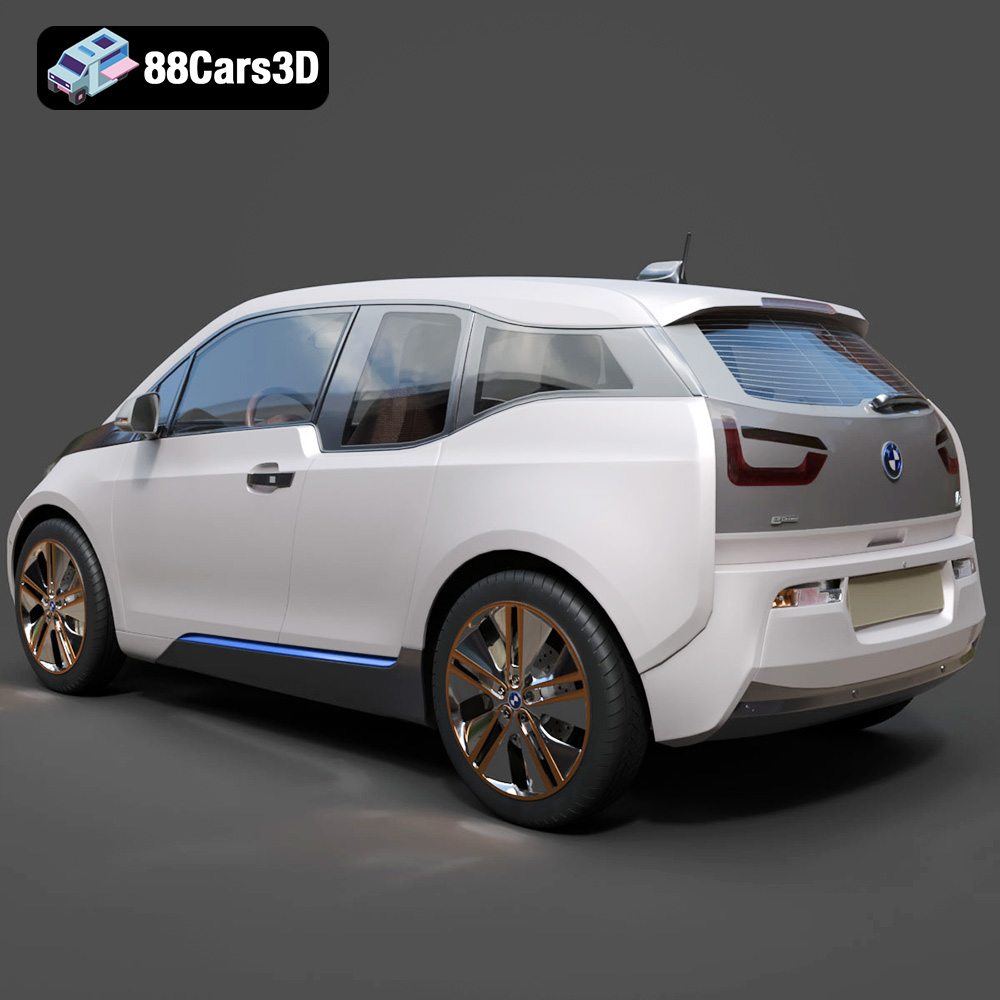
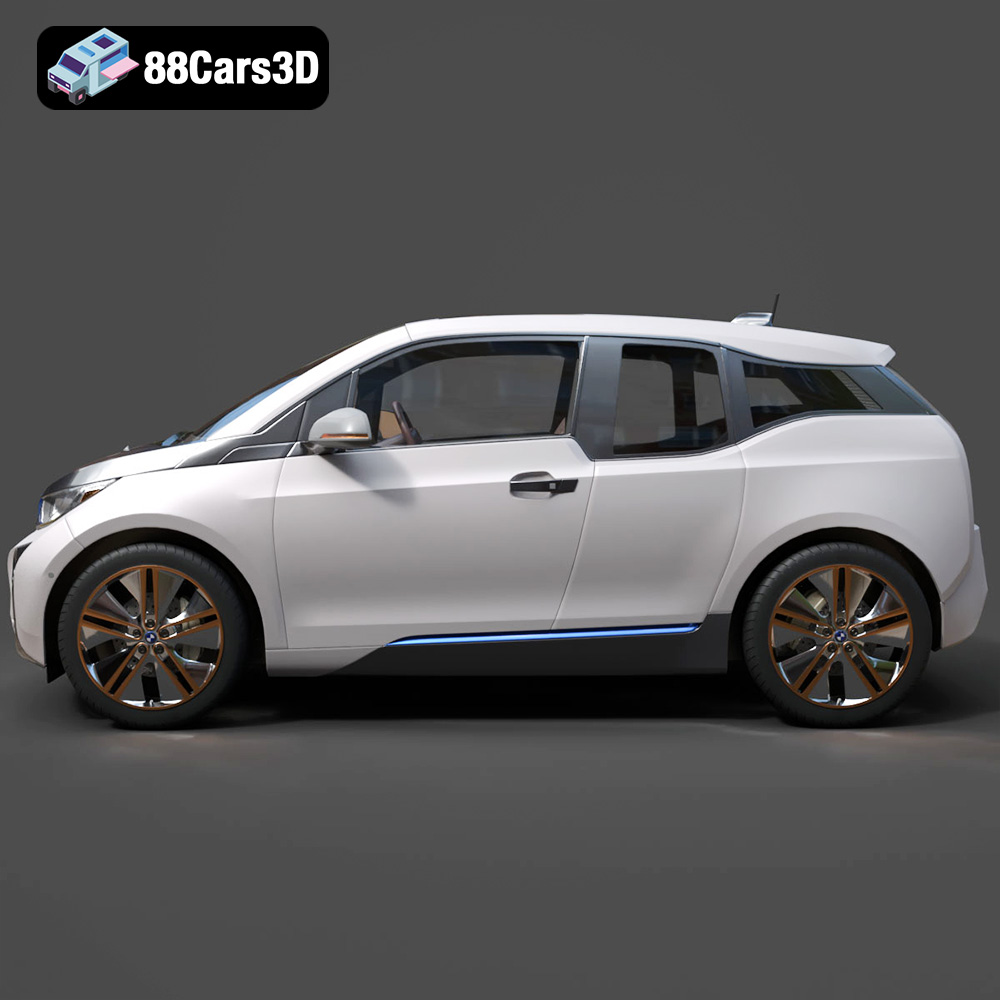
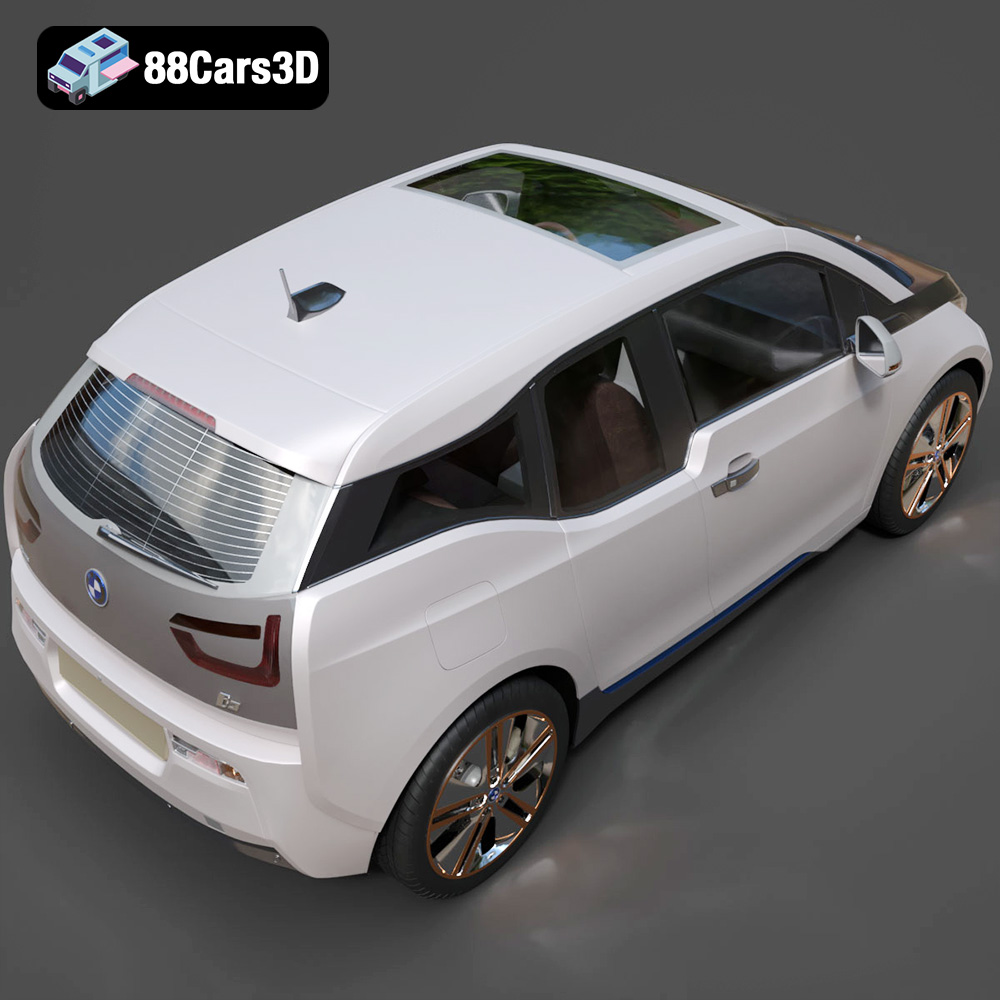
The BMW i3 Coupe 3D Model exemplifies the attention to detail crucial for realism. Its body panels are precisely modeled with smooth, aerodynamic curves that mirror the physical vehicle’s distinctive design language. This level of accuracy extends to intricate elements like LED headlights and taillights, where appropriate transparent materials are applied to simulate actual lighting optics. Aerodynamic wheels and tires are faithfully captured, ensuring that even close-up renders maintain visual integrity. Such meticulous modeling isn’t merely aesthetic; it’s foundational for accurate reflections, shadow casting, and overall scene believability in high-fidelity rendering applications.
Furthermore, professional models feature separated components such as doors, wheels, and the hood. This modularity is vital for animation sequences, allowing for realistic opening and closing actions, tire rotations, and suspension movements. This thoughtful organization is a hallmark of assets designed for professional production environments, streamlining the animation process significantly.
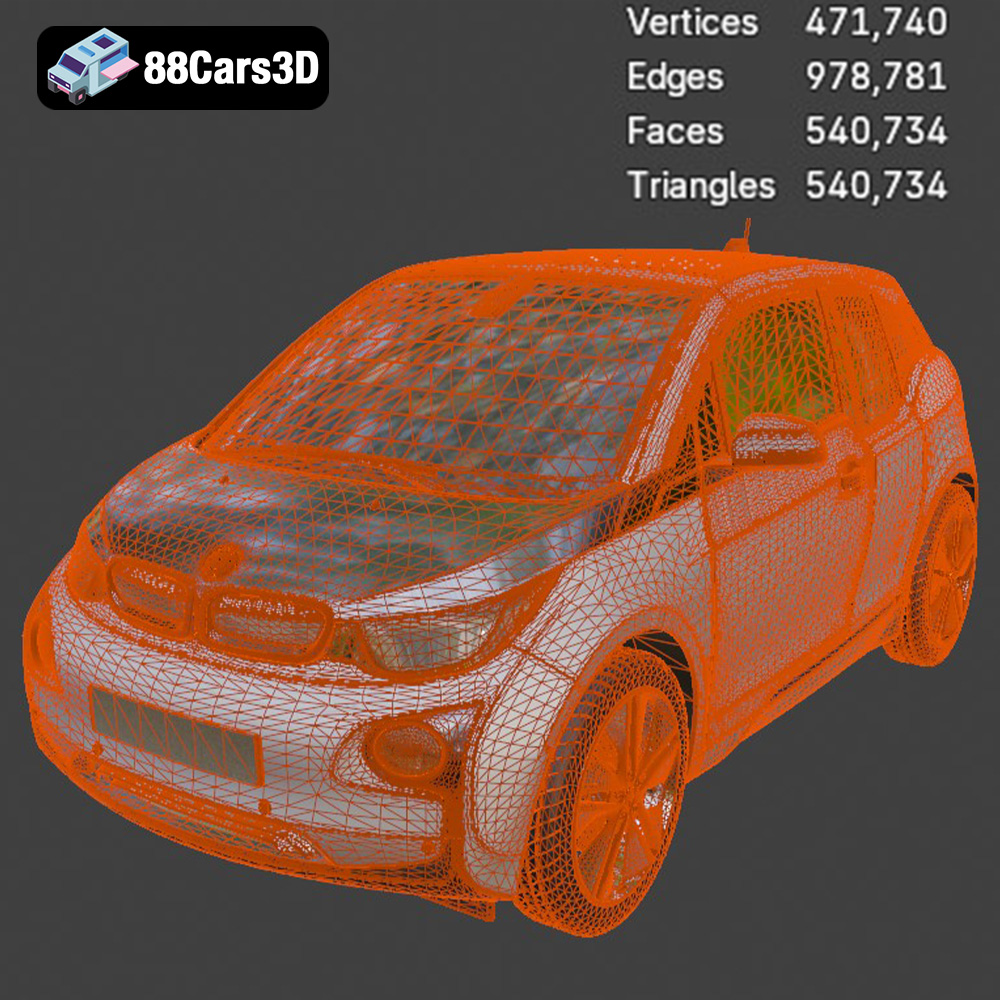
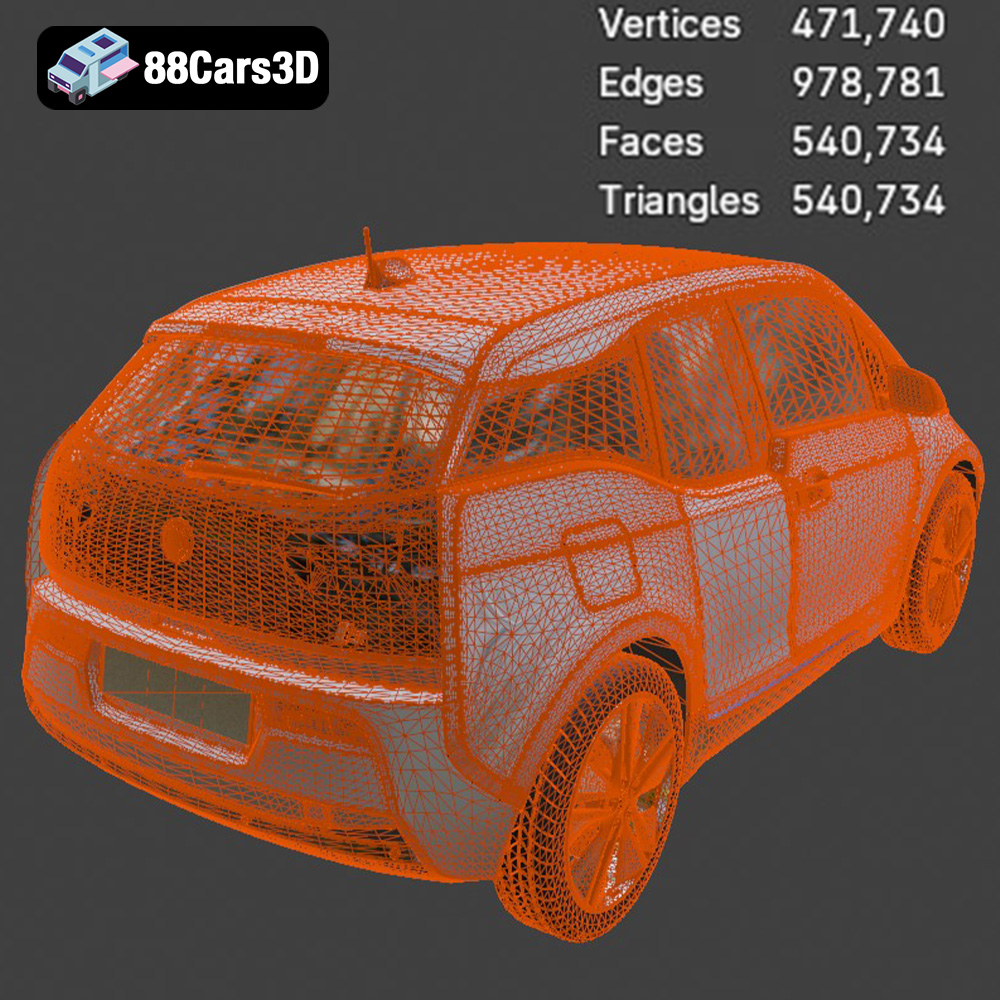
While detail is paramount, it must be balanced with optimization. A model that is too heavy in terms of polygon count can cripple performance in real-time applications like game engines or AR/VR experiences. Conversely, too little detail compromises visual quality. The BMW i3 Coupe 3D Model strikes this balance with “clean and optimized mesh quality throughout, minimizing poly count while maintaining visual fidelity.” This is achieved through techniques like quad-dominant topology, which ensures smooth subdivisions and facilitates easy modifications when necessary. Real-world scale modeling is another critical aspect, ensuring accurate integration into complex scenes and simulations without the need for manual scaling adjustments, which can introduce errors.
For projects requiring interactive elements, an organized hierarchy with properly set pivot points for all movable parts is indispensable. This technical advantage in the BMW i3 Coupe model ensures that animators can effortlessly manipulate components without wrestling with incorrect rotation centers, significantly speeding up workflow and increasing animation accuracy.
The choice of file format for a 3D model is often as critical as the model’s quality itself. Each format serves specific purposes, catering to different software environments, workflows, and end applications. Understanding these distinctions is fundamental for any professional working with 3D assets, ensuring compatibility, data integrity, and optimal performance. The BMW i3 Coupe 3D Model, available on 88cars3d.com, thoughtfully includes a comprehensive suite of formats, anticipating a wide array of professional needs.
This comprehensive array of formats ensures that the BMW i3 Coupe 3D Model can seamlessly integrate into nearly any professional pipeline, making it a truly versatile asset from 88cars3d.com.
The versatility of a high-quality 3D car model is best demonstrated by its seamless integration into various professional workflows. From generating marketing visuals to populating virtual worlds, the BMW i3 Coupe 3D Model is engineered to adapt.
For cinematic quality renders and product visualization, software like 3ds Max and Blender are industry mainstays. The BMW i3 Coupe 3D Model, with its .max and .blend formats, is immediately ready for these demanding environments. In 3ds Max, artists can leverage advanced rendering engines like V-Ray or Corona to produce photorealistic images. The model’s “realistic material definitions for paint finishes, glass, and accent elements” mean that these sophisticated renderers can accurately simulate how light interacts with surfaces, resulting in stunning visual fidelity. Setting up studio lighting, adding environmental reflections, and tweaking camera angles becomes a focused task on artistry, not on fixing a sub-par model. Similarly, Blender users can harness Cycles or Eevee, utilizing the clean topology for smooth subdivisions (e.g., applying a Subdivision Surface modifier) to achieve incredible detail without introducing artifacts, making it perfect for marketing imagery, configurators, or high-end animation sequences.
The “organized hierarchy with properly set pivot points for all movable parts” is particularly beneficial for animators. Imagine creating an advertisement where the i3 Coupe drives into frame, its doors subtly opening to reveal the “optimized interior details including a minimalist dashboard, contemporary seating, and essential controls.” This type of dynamic presentation is effortless when the underlying asset is well-structured and animation-ready.
Game development and interactive experiences demand stringent optimization. The .fbx and .unreal formats of the BMW i3 Coupe 3D Model are tailored for real-time engines like Unreal Engine and Unity. When importing an .fbx, developers typically create multiple Levels of Detail (LODs) to ensure performance across different viewing distances. The model’s “clean, quad-dominant topology” makes generating these LODs simpler and more effective. Within Unreal Engine, the .unreal project setup provides a head start, potentially including pre-configured materials (e.g., master materials for car paint that allow easy color changes), collision meshes, and even basic physics setups. This significantly reduces the time from import to playable asset. For an open-world game or an urban simulation, having a vehicle asset that respects poly count limits while maintaining visual quality is non-negotiable. The i3 Coupe model’s balance of detail and optimization ensures it can populate virtual streets without causing performance bottlenecks, offering a seamless experience for players or users.
The emerging fields of Augmented Reality (AR) and Virtual Reality (VR) require models that are both visually appealing and highly optimized for mobile or standalone headsets. The .glb format of the BMW i3 Coupe is specifically designed for this, offering a compact, efficient package for quick loading into AR/VR applications or web-based viewers. Its streamlined nature minimizes latency and ensures smooth performance in interactive, immersive environments. For developers building an AR experience that lets users virtually place the BMW i3 Coupe in their driveway, the .glb file is the ideal choice.
Beyond digital displays, the .stl format opens the door to physical creation. Architects, designers, or even hobbyists can convert the BMW i3 Coupe 3D Model into a tangible object using a 3D printer. While the .stl format strips away colors and textures, it precisely preserves the exterior geometry, making it perfect for rapid prototyping, scale models, or creating physical representations for presentations.
A truly professional 3D model isn’t just about static perfection; it’s about empowering creators to customize and adapt it to their unique visions. The BMW i3 Coupe 3D Model offers extensive flexibility, making it a powerful tool for a multitude of creative endeavors.
The product description highlights the ability to “easily modify paint finishes and apply custom graphics or liveries,” and “adjust material properties for various components, including metal, chrome, rubber, and plastics.” This level of customization is crucial for marketing campaigns, game development, or design visualization. Imagine an automotive configurator where a user can select from a spectrum of paint colors, apply different wheel finishes, or even add custom decals to the BMW i3 Coupe. The clean UV mapping (implied by “clean, quad-dominant topology” and professional quality) allows artists to create and apply custom liveries, racing stripes, or corporate branding with precision, without distortion or visible seams. This flexibility extends to interior elements as well, enabling variations in upholstery or trim colors to match specific design briefs or user preferences.
As mentioned, the model’s separated components and properly set pivot points are game-changers for animators. This isn’t just about opening doors; it means an animator can quickly set up complex camera moves, dynamic vehicle sequences, or even character interactions with the car. For a simulated environment, such as a driving simulator for driver training, the ability to animate steering, wheel rotation, and suspension travel with accuracy is paramount. The “real-world scale” also ensures that when integrated into larger scenes – perhaps an urban environment populated with architectural models – the BMW i3 Coupe will fit naturally without scale discrepancies, enhancing the overall realism and immersion.
Consider a high-end automotive advertisement. A studio could use the BMW i3 Coupe 3D Model to render a captivating commercial, showcasing the car’s sleek design and innovative features against various backdrops, from a futuristic city to a serene natural landscape. The ease of material adjustment allows for quick iterations on different paint schemes or lighting moods, speeding up client reviews.
In the gaming sector, the optimized nature of the model makes it perfect for a modern urban racing game or a sophisticated city-building simulator. Its detailed exterior and optimized interior allow for both distant and close-up views without performance compromise, enhancing the player’s experience. Developers can integrate the model, apply custom performance attributes, and even create destructible versions if the game requires.
For educational or technical training, the BMW i3 Coupe 3D Model could be incorporated into a VR experience demonstrating the car’s electric drivetrain or sustainable materials. Trainees could virtually “disassemble” the car, exploring its components in an interactive and engaging manner, a feat only possible with a meticulously modeled and organized asset.
Investing in high-quality 3D car models like the BMW i3 Coupe 3D Model from 88cars3d.com is not merely a purchase; it’s a strategic decision that yields significant returns in terms of efficiency, visual appeal, and overall project success.
The alternative to using a pre-made, professional-grade model is to build one from scratch. This process is incredibly time-consuming, requiring skilled 3D artists, extensive reference material, and iterative refinement. For a complex subject like a car, this can easily take weeks or even months of dedicated effort. By acquiring a ready-to-use asset like the BMW i3 Coupe 3D Model, designers, animators, and developers can bypass this initial development phase entirely. They can focus their valuable time and resources on the creative aspects of their project – lighting, animation, scene composition, game logic, or interactive elements – rather than on foundational asset creation. This speed to market or project completion can be a critical competitive advantage.
The “professional quality, meticulous detailing, and versatile file formats” of this BMW i3 Coupe 3D Model ensure that your projects will stand out. Low-quality assets often suffer from poor topology, inaccurate proportions, messy UVs, and unconvincing materials, leading to renders that look artificial or game assets that break immersion. A premium model provides the fidelity needed to achieve photorealistic results in rendering, smooth performance in real-time engines, and accurate representation in simulations. It ensures that every render, every animation, and every interactive experience delivers on its promise of visual excellence, reflecting positively on the entire project and its creators.
The world of 3D visualization is continually evolving, demanding assets that are not only beautiful but also technically robust and adaptable. The BMW i3 Coupe 3D Model stands as a testament to this principle, offering a meticulously crafted digital vehicle ready to elevate a diverse range of projects. From its precise exterior curves and optimized interior to its comprehensive suite of file formats – enabling seamless integration into 3ds Max, Blender, Unreal Engine, and specialized applications like AR/VR and 3D printing – this model embodies the pinnacle of professional 3D asset development.
Whether you are an automotive designer seeking a realistic visualization tool, a game developer in need of a high-performance vehicle asset, or an animator crafting compelling cinematic sequences, the technical advantages and creative flexibility offered by this model are invaluable. It streamlines workflows, accelerates production, and empowers creators to focus on their artistic vision, confident in the quality of their underlying assets. For those seeking to bring their digital automotive projects to life with unparalleled realism and efficiency, exploring the high-quality 3D car models available at 88cars3d.com, including this exceptional BMW i3 Coupe, is an essential step.
Presenting the highly detailed BMW i3 Coupe 3D Model, an accurate digital representation of BMW’s innovative electric city car. This model captures the distinctive modern aesthetic and compact design of the i3 Coupe, known for its sustainable urban mobility. Crafted with clean geometry and balanced detailing, it is engineered for optimal performance across a range of applications, making it ideal for high-quality rendering, realistic animation sequences, advanced simulation projects, and seamless integration into game development environments.
Exterior Features:
Interior / Mechanical Features:
Technical Advantages:
Applications:
Customization Options:
Elevate your projects with the BMW i3 Coupe 3D Model. Its professional quality, meticulous detailing, and versatile file formats make it an invaluable asset for designers, animators, game developers, and visualization specialists seeking an authentic and high-performance digital vehicle.
Included File Formats:
Tags:
.bmw,.i3coupe,.electriccar,.citycar,.coupe,.hatchback,.rendering,.simulation,.gameasset,.arvr,.blend,.fbx,.obj,.glb,.stl,.ply,.unreal,.max
$17.99