Get 20% OFF All Premium 3D & STL Models!

In the bustling world of digital creation, where photorealism meets interactive experiences, the demand for meticulously crafted 3D assets is ever-present. From architectural visualizations to immersive game environments, and from sophisticated training simulations to captivating automotive rendering projects, every detail contributes to the overall believability and impact. Among the diverse array of vehicles that populate our digital worlds, urban transport vehicles like mini-buses play a critical, often underestimated, role in grounding scenes in reality and providing dynamic interaction points.
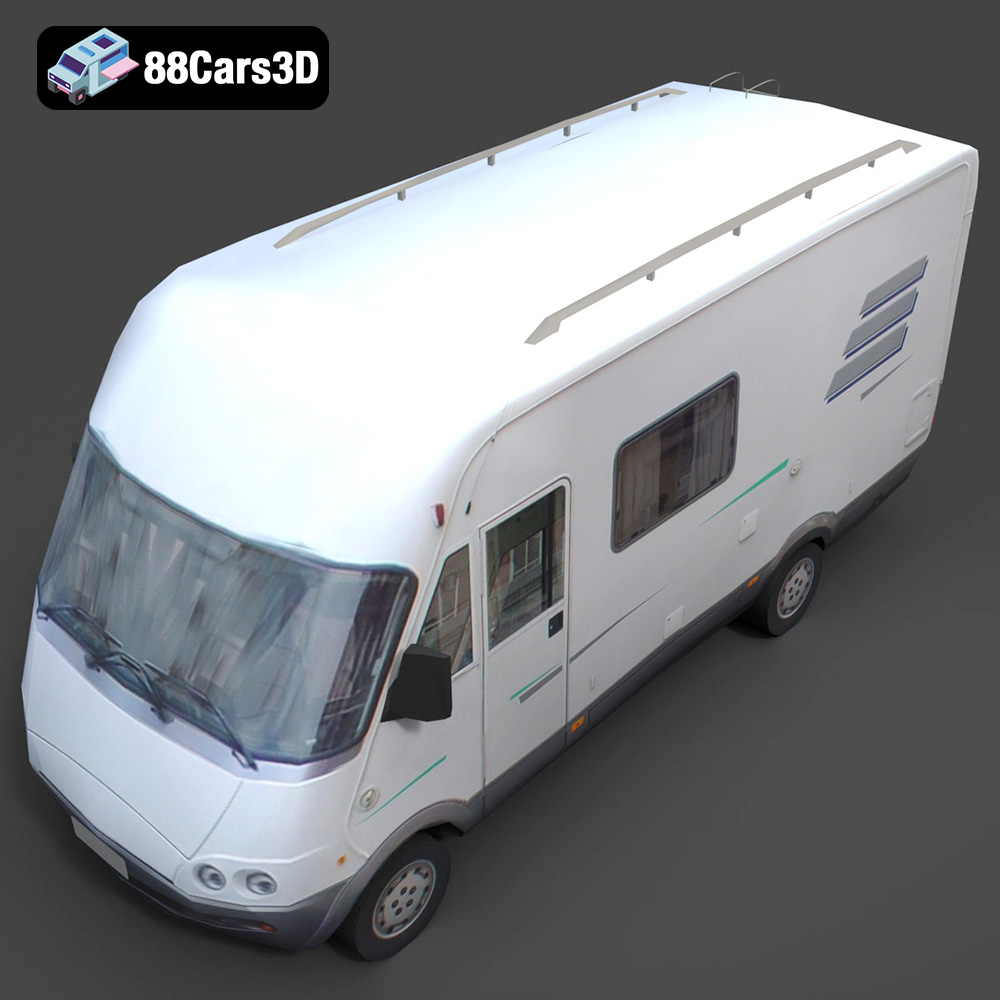
A high-quality 3D mini-bus model is more than just a prop; it’s a versatile building block for developers, artists, and designers seeking to inject authenticity and functional realism into their projects. It serves as a visual anchor in a crowded city street, a critical component in a logistical simulation, or a dynamic vehicle in an open-world game. This article delves into the technical intricacies and creative possibilities unlocked by such an asset, showcasing how a product like the Generic Mini-Bus 3D Model from 88cars3d.com stands as a prime example of professional-grade design, ready to elevate your digital endeavors across various platforms and applications.
The digital age has ushered in an era where fidelity is paramount. Whether it’s a cinematic sequence, a real-time game engine, or a virtual reality experience, the audience expects visual realism and seamless interaction. For vehicle assets, this means going beyond mere aesthetic appeal to encompass technical precision, optimal performance, and adaptability across diverse software ecosystems.
In fields like automotive design, urban planning, and architectural visualization, 3D vehicles serve as crucial elements that breathe life into static scenes. A well-modeled vehicle can instantly convey scale, context, and a sense of habitation. Imagine an architectural render of a new apartment complex; without vehicles populating the streets and parking lots, the scene can feel sterile and uninviting. Conversely, the inclusion of realistically proportioned and detailed 3D car models, such as our featured Generic Mini-Bus, immediately makes the environment feel more active and relatable. These assets bridge the gap between abstract blueprints and tangible, lived-in spaces, allowing stakeholders to visualize projects with unparalleled clarity.
Modern 3D assets must be robust and versatile enough to function across a spectrum of industries. A single 3D model might be rendered in a high-fidelity animation, then optimized for a low-poly mobile game, and subsequently prepared for 3D printing. This demands a foundational design that is clean, modular, and technically sound. For instance, a detailed vehicle asset like the Generic Mini-Bus 3D Model must feature not only a realistic exterior but also an optimized interior and properly separated components to facilitate rigging, animation, and dynamic interactions in various scenarios, from driver training simulations to intricate city-building games.
Navigating the complex landscape of 3D software and engines often begins with understanding file formats. Each format serves specific purposes, offering unique advantages for different stages of the 3D pipeline. The Generic Mini-Bus 3D Model, understanding this need for flexibility, comes packaged with a comprehensive array of formats to ensure maximum compatibility and utility across various professional workflows. Selecting the correct format is crucial for maintaining data integrity, optimizing performance, and ensuring seamless integration into your preferred creative environment.
The .blend format is the native file type for Blender, the renowned open-source 3D creation suite. It encapsulates an entire Blender scene, including meshes, materials, textures, lighting, cameras, animations, and even physics simulations. This format is ideal for users working primarily within Blender, offering full editability and access to all the original scene’s properties. For the Generic Mini-Bus 3D Model, the .blend file provides a fully set-up scene, allowing artists to immediately dive into customization, modify topology, adjust materials, or integrate the model into a larger Blender project with minimal effort. Its strength lies in its comprehensive nature, making it the perfect starting point for any Blender-centric workflow.
Developed by Autodesk, the .fbx format has become an industry-standard for exchanging 3D data between different software applications and game engines. It is highly versatile, supporting meshes, materials, textures, animations, skinning, and camera data. The .fbx format is particularly ideal for real-time pipelines, including Unreal Engine and Unity, due to its efficient handling of animation and hierarchical data. When you import the Mini-Bus as an .fbx, you can expect its separated doors, wheels, and other components to retain their pivot points and hierarchies, ready for rigging or direct animation within your chosen engine or DCC (Digital Content Creation) software. Its robust nature makes it the go-to choice for transferring animated models and complex scene data.
The .obj format is one of the oldest and most widely supported 3D file formats, renowned for its universal compatibility. It primarily stores geometric data (vertices, normals, UV coordinates) and can reference external material (.mtl) files for basic material definitions. While .obj does not support animation or complex scene data, its simplicity makes it incredibly stable for transferring static mesh data between virtually any 3D software. For the Generic Mini-Bus, the .obj version is perfect for scenarios where you need the core mesh geometry for re-texturing in a different renderer, or for compatibility with legacy software. It’s a reliable fallback when other formats encounter issues.
GLB, or GL Transmission Format Binary, is an increasingly popular format optimized for efficient transmission and loading of 3D scenes and models in web and AR/VR environments. It’s a binary container that bundles meshes, materials, textures, and animation into a single file, making it incredibly lightweight and easy to deploy. The .glb version of the Mini-Bus is specifically tailored for interactive web viewers, augmented reality experiences on mobile devices, or virtual reality applications where fast loading times and minimal overhead are crucial. Its “ready-to-use” nature streamlines the process of bringing the model to immersive platforms.
STL (Stereolithography) is the de facto standard file format for 3D printing and rapid prototyping. It describes only the surface geometry of a 3D object as a collection of unconnected triangular facets. While it contains no color or material information, its simplicity makes it universally compatible with 3D printers and slicing software. The .stl format for the Mini-Bus allows users to easily convert the digital model into a physical prototype or collectible. This is particularly useful for designers who need a tangible representation of their virtual transport fleet or for educators creating physical models for learning.
The Polygon File Format (.ply) is a robust and flexible format designed to store 3D data from 3D scanners, CAD applications, and other data acquisition devices. It can store various properties beyond just geometry, including color, transparency, surface normals, and texture coordinates. While less common for general-purpose 3D asset exchange, .ply is valuable for applications requiring precise mesh data for analysis, scientific visualization, or specialized CAD workflows. The inclusion of a .ply version of the Mini-Bus caters to engineers and researchers who might use the model for simulations or further geometrical analysis.
The .unreal format implies a dedicated Unreal Engine project setup, providing a native, engine-ready asset. This goes beyond a simple .fbx import, potentially including pre-configured materials, basic Blueprints, collision meshes, LODs (Levels of Detail), and optimized settings tailored for Unreal Engine’s rendering pipeline. This native integration significantly accelerates game development and real-time visualization workflows, as artists and developers can drop the Mini-Bus directly into their scene with minimal setup, knowing it’s already optimized for performance and visual quality within the engine.
The .max format is the native file type for Autodesk 3ds Max, a leading software for 3D modeling, animation, rendering, and compositing. Like .blend, it contains an entire scene with all its elements, making it ideal for professionals who rely on 3ds Max for high-end rendering and complex animation tasks. The .max file for the Generic Mini-Bus provides a fully editable scene, often with materials set up for popular renderers like V-Ray or Corona, allowing for advanced customization, detailed material adjustments, and sophisticated lighting setups essential for broadcast-quality automotive rendering.
A true professional-grade 3D asset is defined not just by its appearance, but by the meticulous engineering beneath the surface. The Generic Mini-Bus 3D Model from 88cars3d.com exemplifies this principle, offering a blend of aesthetic realism and technical efficiency crucial for modern digital pipelines.
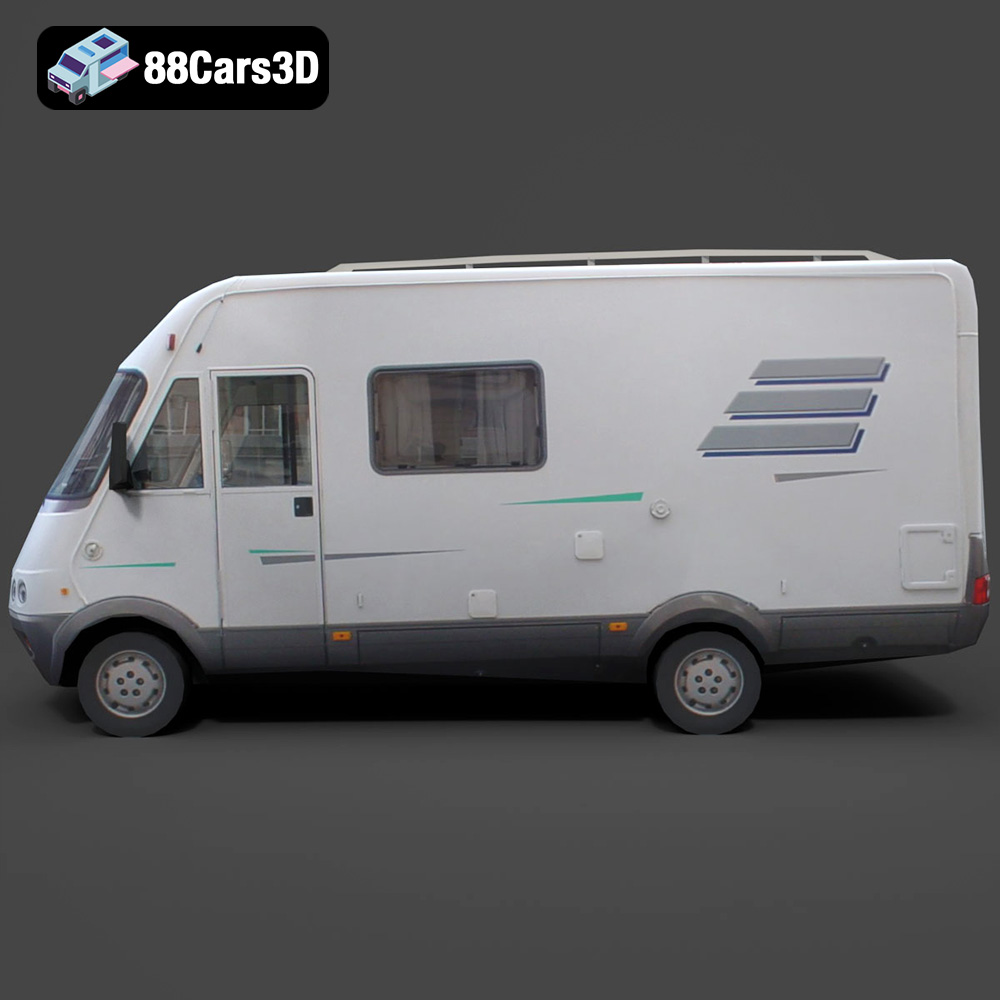
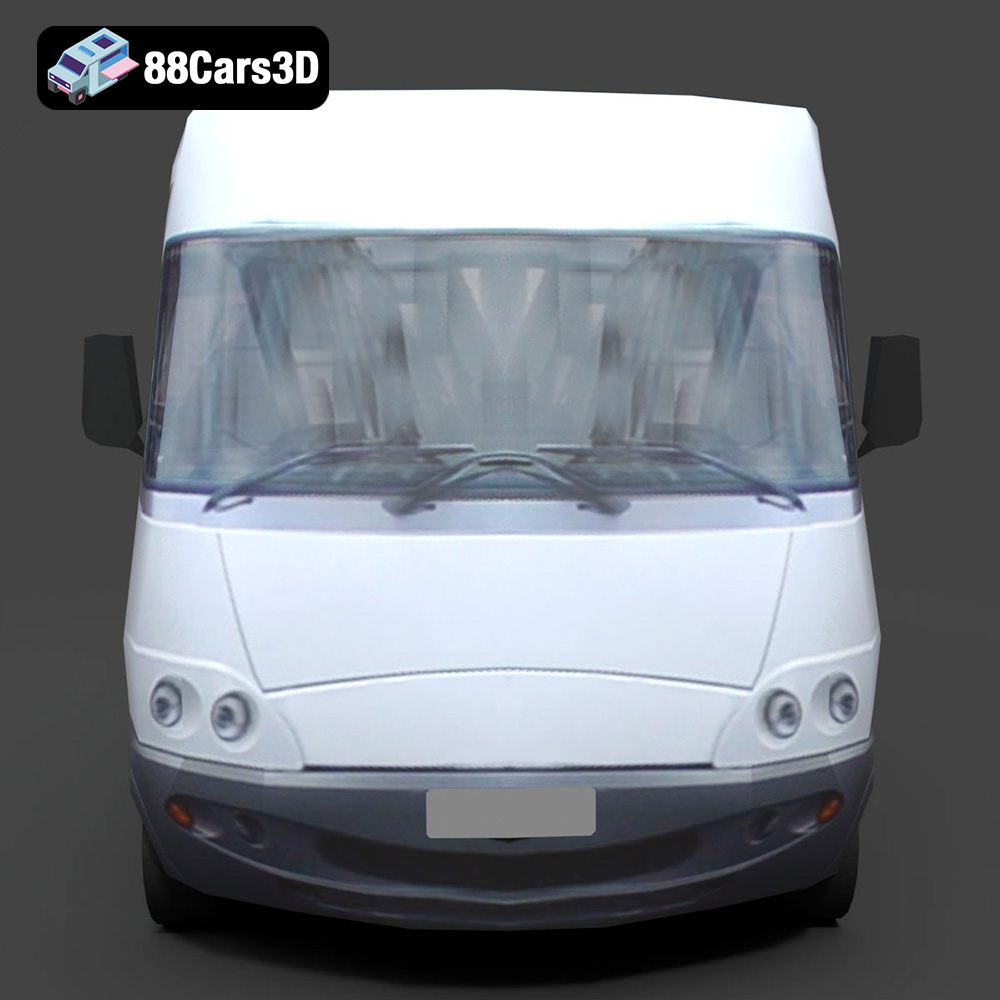
The exterior of the Mini-Bus is crafted with a keen eye for authenticity. The “authentic body panels and chassis design” ensure that the vehicle maintains accurate real-world proportions and visual weight, critical for realistic automotive rendering. Detailed headlights, taillights, and signal lights come with transparent materials, making them ready for sophisticated lighting setups and reflections that enhance realism. The realistic windows and windshield are not just placeholders; they are designed for tinting and accurate light transmission, crucial for day and night scenes. Crucially for animators, the “functional-looking passenger and driver doors” are separated with properly set pivots. This forethought enables straightforward rigging and animation, whether for opening/closing sequences in a game engine or for cinematic character interactions. Completing the exterior are robust wheels with detailed rims and tires, alongside roof-mounted AC units and accessible luggage rack elements, all contributing to the vehicle’s functional and visual completeness.
While often seen from the outside, an optimized interior significantly enhances the versatility of a vehicle model. The Mini-Bus features an “optimized interior layout,” including a driver cockpit and passenger seating rows. This isn’t just cosmetic; it provides sufficient detail for internal camera shots, reflections in windows, and even basic character placement in simulation environments. The detailed dashboard, steering wheel, and essential controls further elevate its use in training modules or interactive simulations. Though optimized for external views, the “engine bay area with basic mechanical components” and “underbody elements including suspension and exhaust system” provide enough detail for plausible close-ups or to hold up under scrutiny when viewed from certain angles, without excessively burdening polygon counts.
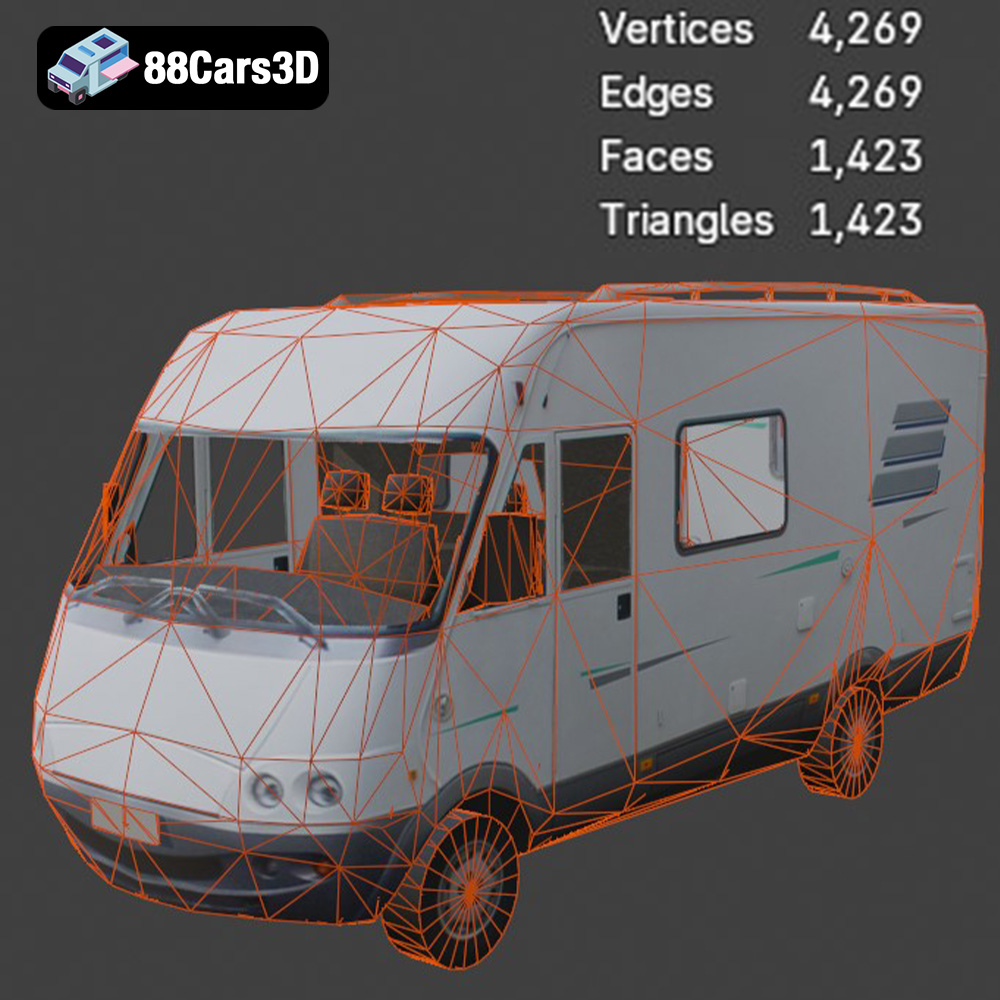
The true technical advantages of this Mini-Bus model lie in its foundational construction. “Clean, quad-dominant topology” is the hallmark of a professionally built asset. This ensures smooth subdivisions and deformations, preventing unsightly pinches or artifacts when the model is smoothed or animated. It also makes UV unwrapping and retopology easier if future modifications are needed. The “accurate real-world scale” is another critical feature, allowing for seamless integration into existing scenes, whether for architectural visualization or game levels, eliminating the guesswork and scaling issues that often plague poorly constructed models. Finally, “logically organized hierarchy with properly set pivots for easy rigging and animation” and “efficient UV mapping for straightforward texture application” are non-negotiable for professional workflows. These attributes mean less time spent on setup and more time on creative iteration, ensuring that the Generic Mini-Bus 3D Model is ready to be textured, animated, and deployed with maximum efficiency.
The value of a 3D model like the Generic Mini-Bus lies in its seamless integration into diverse professional pipelines. Its multi-format availability and robust technical foundation make it a versatile asset for a wide range of applications.
For high-fidelity automotive rendering and visualization, the .max and .blend files are invaluable. Artists can leverage the fully editable scenes within 3ds Max or Blender to achieve stunning results. In 3ds Max, with renderers like V-Ray or Corona, the clean quad-dominant topology of the Mini-Bus ensures perfect subdivision smoothing, crucial for photorealistic surfaces. Material properties for metals, glass, rubber, and plastics can be meticulously adjusted, utilizing PBR (Physically Based Rendering) workflows to react accurately to lighting environments. The efficient UV mapping simplifies applying custom liveries, decals, or weathering effects. Similarly, in Blender, artists can harness the power of Cycles or Eevee, adding intricate lighting setups, environmental effects, and dynamic camera movements to create cinematic sequences or detailed studio renders of the Mini-Bus, showcasing its design and features with compelling visual fidelity.
Game developers will find the Generic Mini-Bus 3D Model to be an exceptionally useful asset for creating immersive and believable game worlds. The .fbx and .unreal formats are specifically designed for game engine integration. Importing the .fbx into Unreal Engine or Unity allows developers to quickly set up the vehicle, complete with its separated parts for animation (doors, wheels). The “unreal” specific file may offer pre-optimized meshes, collision models, and material instances, significantly reducing setup time. Developers can implement robust physics, integrate the Mini-Bus into traffic systems, or use it as a player-controlled vehicle. The clean topology and efficient UVs ensure that performance remains optimal, even with multiple instances of the vehicle, while still maintaining visual quality. This makes it a reliable asset for open-world environments, racing games, or simulation titles where performance and realism are equally important.
The immersive nature of AR/VR and the precision required for simulation environments demand highly optimized yet detailed assets. The .glb format for the Mini-Bus is specifically tailored for this. Its lightweight, self-contained nature makes it ideal for rapid deployment in AR applications on mobile devices or interactive VR experiences. Developers can integrate the Mini-Bus into virtual city tours, interactive training modules for public transport drivers, or augmented reality apps for urban planning. The accurate real-world scale ensures proper contextualization within these environments. For simulations, the model’s detailed but optimized interior, separate doors, and organized hierarchy allow for realistic interactions and data integration, making it a powerful tool for driver training, logistical planning, or emergency response simulations where visual authenticity and functional accuracy are paramount.
The true power of a versatile 3D asset lies in its capacity for adaptation. The Generic Mini-Bus 3D Model offers extensive customization options, enabling artists and developers to tailor it precisely to their project’s needs, whether for digital display or physical fabrication.
One of the most immediate customization options is the ability to modify paint finishes, liveries, and graphics. Thanks to the efficient UV mapping, applying custom textures for branding, advertising, or specific fleet colors is a straightforward process. Artists can easily create unique designs for different transport companies, public services, or fictional brands, giving each Mini-Bus a distinct identity. Beyond graphics, adjusting material properties for metals, glass, rubber, and plastics allows for a wide range of visual effects. Imagine a brand-new, gleaming bus with polished chrome accents, or a weathered, older vehicle with faded paint and slightly tarnished metals. These subtle material tweaks, achievable within most 3D software and renderers, significantly contribute to the narrative and realism of a scene. Customizing lighting setups further expands creative possibilities, transforming the vehicle’s appearance from a brightly lit daytime transit vehicle to an ambiently lit night bus, complete with illuminated interiors and glowing headlights.
The versatility of the Generic Mini-Bus 3D Model extends beyond digital screens. Its suitability for 3D printing is a significant advantage, thanks to the inclusion of the .stl format. This allows users to easily convert the high-fidelity digital model into a tangible physical object. For product designers, it means creating scale models for presentations or prototyping. For hobbyists, it could be a detailed addition to a diorama or a collector’s piece. The clean geometry of the model ensures that the transition from digital mesh to physical print is as smooth as possible, minimizing common issues like non-manifold geometry. This capability opens up a realm of possibilities for educators, architects, and model makers who require physical representations of urban transport vehicles for various practical and artistic applications.
In the evolving landscape of 3D content creation, the demand for high-quality, versatile, and technically sound assets is undeniable. The Generic Mini-Bus 3D Model from 88cars3d.com stands as an exemplary product, embodying the professional standards required across industries from automotive rendering and game development to AR/VR and simulation. Its meticulously crafted exterior, optimized interior, and robust technical foundation—characterized by clean topology, accurate scale, and efficient UVs—ensure it integrates seamlessly into virtually any professional workflow.
The comprehensive range of included file formats—from .blend and .max for detailed authoring to .fbx and .unreal for real-time engines, and even .glb for web/AR/VR and .stl for 3D printing—underscores its adaptability and value. This Mini-Bus is not just a visual asset; it’s a strategic investment that saves valuable development time, elevates visual fidelity, and expands creative possibilities. Whether you are populating a bustling digital city, creating a realistic training simulation, or designing a captivating game world, this 3D car model provides the foundation for exceptional results. Explore this and other premium 3D car models to enhance your projects at 88cars3d.com.
Experience the versatility and efficiency of our professional 3D model of a Mini-Bus. Designed with urban transport and passenger services in mind, this model features a clean, optimized geometry suitable for a wide range of applications. With balanced detailing and a realistic representation, it’s perfect for high-quality rendering, intricate animations, detailed simulations, and robust game development.
$21.99