The Versatility of Professional 3D Car Models: A Deep Dive into the Generic Mini-Bus 3D Model
In the dynamic world of digital content creation, the demand for high-quality, versatile 3D assets is ever-present. From blockbuster game titles to photorealistic architectural visualizations and immersive AR/VR experiences, meticulously crafted 3D models form the bedrock of compelling digital environments. Automotive models, in particular, hold a special place, requiring a blend of artistic fidelity and technical precision to accurately represent complex vehicles.
Today, we’re taking a closer look at an exemplary asset that embodies this versatility: the Generic Mini-Bus 3D Model available on 88cars3d.com. This professional-grade 3D car model is more than just a static object; it’s a meticulously designed foundation ready to be integrated into a vast array of projects. With its balanced detailing, optimized geometry, and comprehensive file format support, it serves as a powerful tool for artists, developers, and designers across industries, proving that a well-executed 3D asset can truly drive innovation.
The Core of Professional 3D Assets: Understanding 3D Model File Formats
One of the most critical aspects of selecting a professional 3D model, such as the Generic Mini-Bus 3D Model, is understanding its supported file formats. Each format caters to specific software, workflows, and application needs, dictating how easily and effectively an asset can be utilized. 88cars3d.com ensures maximum compatibility by providing a wide range of formats for their 3D car models, making integration seamless.
.blend – The Blender Powerhouse
The .blend file format is native to Blender, an incredibly popular open-source 3D creation suite. When you acquire a .blend file, you’re getting a complete, fully editable Blender scene. This means access to all the original modeling data, modifiers, materials (often set up with Cycles or Eevee render engines), lighting, and even animation rigs if present. For the Generic Mini-Bus, the .blend format offers artists the most flexibility for deep customization, allowing them to tweak geometry, re-texture with Blender’s node-based material system, or integrate it directly into existing Blender projects without any loss of data fidelity or complex import/export processes.
.max – The 3ds Max Industry Standard
The .max format is the native file for Autodesk 3ds Max, a long-standing industry leader in architectural visualization, animation, and game development. A .max file provides an editable 3ds Max project, preserving scene hierarchy, materials (often V-Ray or Corona Renderer setups for high-quality automotive rendering), lighting, and any animation data. For professionals working within the 3ds Max ecosystem, the .max version of the Generic Mini-Bus ensures seamless workflow integration, allowing direct manipulation, advanced rendering setup, and character animation if the model were rigged within Max.
.fbx – The Universal Interchange Format
.fbx (Filmbox) is arguably the most widely used interchange format in 3D production, especially crucial for game development and animation pipelines. Developed by Autodesk, it efficiently stores 3D models, textures, animations, and camera data. The .fbx format for the Generic Mini-Bus 3D Model is ideal for integration into game engines like Unreal Engine and Unity, or for transferring assets between different 3D software packages (e.g., from 3ds Max to Maya or Blender). Its robust support for skeletal animation and PBR materials makes it a cornerstone for creating dynamic and interactive experiences.
.obj – The Cross-Software Workhorse
The .obj (Wavefront OBJ) format is a classic and highly compatible option for basic 3D model geometry and UV data. It’s a universal format supported by virtually every 3D software application. While it doesn’t typically store animation, rigging, or advanced material properties (it usually references external .mtl files for basic material assignments), its simplicity makes it excellent for clean mesh transfer. For the Generic Mini-Bus, the .obj version ensures that the model’s core geometry and efficient UV mapping are preserved, making it a reliable choice when compatibility across disparate software is paramount, or for situations where you want to apply your own material setups from scratch.
.unreal – Engine-Ready for Real-Time Environments
The inclusion of a dedicated .unreal file (often referring to a pre-packaged Unreal Engine project or asset import settings) signifies an asset specifically optimized for Unreal Engine. This means the Generic Mini-Bus 3D Model comes pre-configured for Unreal’s material system, potentially with LODs (Levels of Detail) already set up, and correct scale and pivot points for immediate use in real-time environments. This format drastically reduces setup time for game developers and real-time visualization artists, allowing them to drop the model directly into their scenes with minimal adjustments.
.glb – Optimized for AR, VR, and Web
.glb (GL Transmission Format Binary) is the binary version of glTF, a modern, royalty-free specification for 3D scenes and models. It’s highly optimized for efficient transmission and loading in web applications, augmented reality (AR), and virtual reality (VR) experiences. A single .glb file can contain geometry, materials (with PBR properties), textures, and animations. The .glb version of the Generic Mini-Bus is perfect for integrating the model into interactive web viewers, AR apps on mobile devices, or lightweight VR presentations, ensuring quick loading times and visual fidelity.
.stl – Precision for 3D Printing
The .stl (Stereolithography) format is the standard for 3D printing. It represents a 3D model as a collection of triangulated surfaces, defining the external geometry of an object without color, texture, or other CAD attributes. For the Generic Mini-Bus 3D Model, the .stl version means it’s ready to be sliced and printed, allowing for the creation of physical scale models, prototypes, or custom parts. The clean, quad-dominant topology of the original model translates well to a manifold .stl, ensuring a reliable print output.
.ply – Mesh Format for Analysis and CAD
The .ply (Polygon File Format) is another mesh format primarily used for storing 3D data from 3D scanners, CAD applications, and scientific analysis. It can store not only XYZ coordinates but also color, transparency, normals, texture coordinates, and other data for each vertex or face. While less common for general asset distribution than .fbx or .obj, its inclusion for the Generic Mini-Bus indicates its suitability for precision-focused applications, such as detailed measurements, reverse engineering, or integration into specialized simulation software that benefits from richer mesh data.
Crafting Realism: The Generic Mini-Bus 3D Model in Automotive Rendering
High-quality automotive rendering demands incredible attention to detail, material accuracy, and skillful lighting. The Generic Mini-Bus 3D Model from 88cars3d.com is purpose-built to excel in these demanding environments, making it an invaluable asset for architectural visualization, product showcases, and cinematic sequences. Its design principles are rooted in achieving visual realism.
High-Fidelity Details and Material Systems
The exterior of the Mini-Bus boasts authentic body panels and chassis design, crucial for realistic light bounces and reflections. Features like detailed headlights, taillights, and signal lights come with transparent materials already set up, allowing for immediate integration of light sources to simulate operational vehicle lights. Realistic windows and a windshield are ready for tinting or custom reflective properties, reacting convincingly to the surrounding environment. The robust wheels, complete with detailed rims and tires, provide that essential ground contact realism. Even subtle elements like the roof-mounted AC unit and luggage rack components contribute to the overall authenticity, preventing the model from looking generic or unfinished.
The interior, while optimized, still provides a believable environment with a detailed dashboard, steering wheel, and essential controls, alongside an optimized passenger seating layout. This allows for interior shots or believable reflections through the windows, enriching the narrative potential of any render. The technical advantage of “efficient UV mapping” is paramount here, ensuring that texture application for realistic paint finishes, decals, and material variations (metal, glass, rubber, plastics) is straightforward and visually convincing, utilizing Physically Based Rendering (PBR) workflows to their fullest.
Lighting and Environment Integration
For stunning studio renders, the Mini-Bus can be placed in a controlled lighting environment, utilizing HDRIs (High Dynamic Range Images) for realistic reflections and global illumination, complemented by area lights to highlight specific features or add cinematic drama. For architectural visualizations, integrating the Mini-Bus into a street scene immediately adds a layer of realism and scale, making a new building project feel more alive and contextual. The accurate real-world scale of the model ensures seamless integration without disproportionate scaling issues. Moreover, the model is perfectly suited for cinematic sequences, whether as a background vehicle in a chase scene or the central focus of a public service announcement, with its separated doors and organized hierarchy enabling complex animation setups for ingress/egress or vehicle interaction.
Driving Digital Worlds: Integrating the Mini-Bus into Game Development
The rigorous demands of game development require assets that are not only visually appealing but also highly optimized for real-time performance. The Generic Mini-Bus 3D Model is engineered as a robust game asset, ready to populate virtual cities, serve as player vehicles, or enhance simulation titles within engines like Unreal and Unity.
Optimization for Real-Time Performance
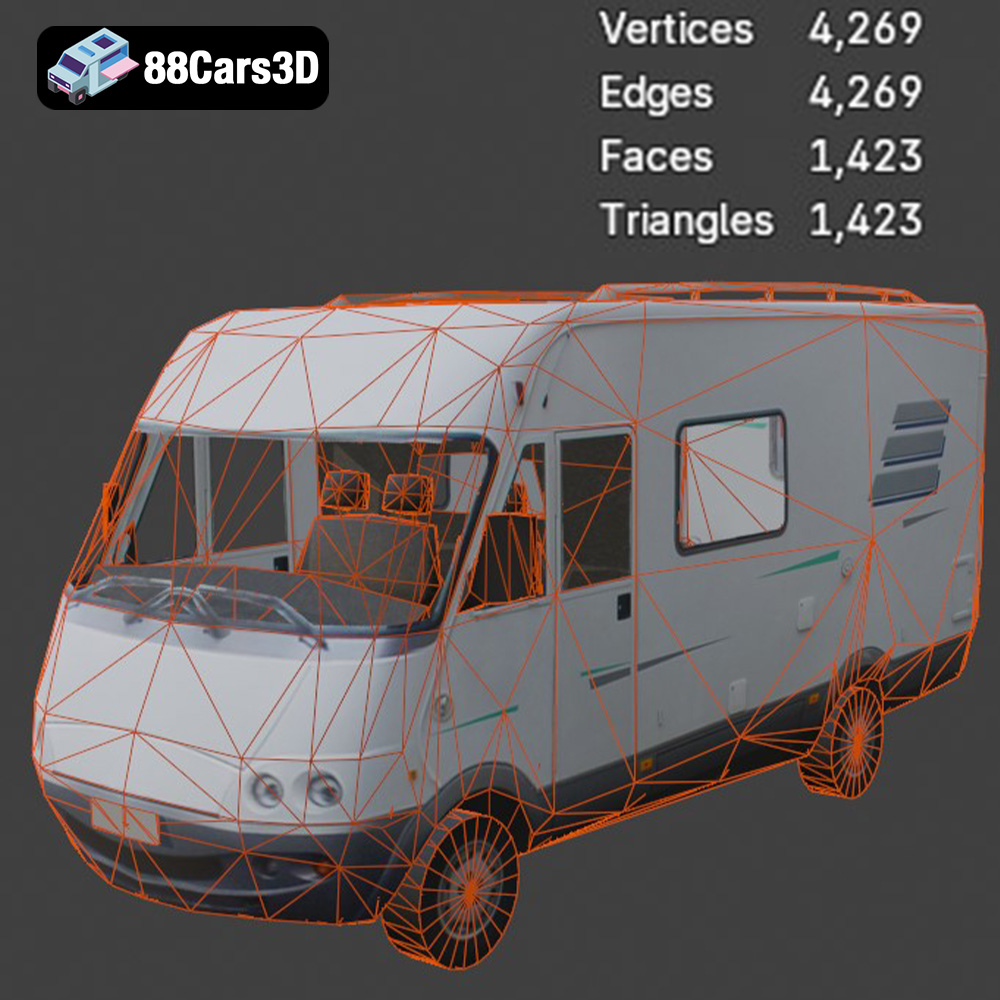
The product description highlights “clean, optimized geometry” and “quad-dominant topology,” which are foundational for game-ready assets. Quad topology is crucial for generating smooth subdivisions and deformations, vital for distant LODs (Levels of Detail) and ensuring consistent shading across different engine render paths. While specific poly counts aren’t provided, an “optimized” model for game development implies a careful balance between visual fidelity and polygon budget, often falling within acceptable ranges for modern engines. Efficient UV mapping allows for the use of texture atlases, minimizing draw calls and improving rendering performance, a critical factor for maintaining high frame rates in open-world environments or detailed simulations.
The exterior features like separated headlights and taillights can be easily toggled for different states, while the robust wheels with detailed rims and tires are essential for accurate physics simulation and visual appeal during gameplay. The interior, though optimized, provides enough detail to be convincing when seen through windows or during a brief internal camera shot, without incurring excessive polygon overhead that would hinder performance.
Rigging, Animation, and Interaction
A key technical advantage of this 3D car model is its “logically organized hierarchy with properly set pivots for easy rigging and animation.” This means that components like the wheels, doors (both passenger and driver), and even the steering wheel are likely separate objects with their pivot points correctly placed for rotation. This drastically speeds up the rigging process in game engines, allowing developers to quickly set up vehicle physics, wheel rotation, steering, and opening/closing door animations. For example, in Unreal Engine, this translates directly to easier blueprint creation for vehicle controls and interactive elements. The ability to animate doors makes the mini-bus suitable for AI traffic, mission objectives, or even interactive cutscenes where characters enter or exit the vehicle. The basic mechanical components in the engine bay and underbody elements also allow for more detailed damage models or close-up views if required for specific game mechanics.
Beyond Visualization: AR/VR, Simulation, and 3D Printing Applications
The utility of the Generic Mini-Bus 3D Model extends far beyond traditional rendering and game development, proving its value in cutting-edge fields like augmented and virtual reality, precision simulations, and even physical production through 3D printing.
Immersive Experiences with AR/VR
For AR/VR applications, performance optimization and efficient asset loading are paramount. The inclusion of the .glb format is a clear indication of its readiness for these immersive platforms. .glb files are highly efficient and contain all necessary data (geometry, PBR materials, textures) in a single file, making them ideal for quick loading in mobile AR experiences or VR environments. Imagine an interactive augmented reality brochure where a potential client can view the Mini-Bus in their driveway, or a virtual reality training simulation where users can explore the vehicle’s interior. The model’s “optimized geometry” and “accurate real-world scale” ensure that it looks and feels natural within these immersive digital spaces, providing a convincing sense of presence.
Precision and Purpose in Simulation and Training
Simulations and training modules demand accuracy and reliable behavior. The Generic Mini-Bus 3D Model, with its “accurate real-world scale” and “robust wheels with detailed rims and tires,” is perfectly suited for transport simulations, driver training, and logistical planning. In a driver training simulator, the detailed dashboard and steering wheel contribute to a believable cockpit experience, while the overall vehicle model reacts realistically to physics engines. For logistical planning, populating a digital city with accurately scaled vehicles like this Mini-Bus helps visualize traffic flow, urban transport routes, and passenger services, providing invaluable data for urban planners and logistics companies. The inclusion of the .ply format further supports its use in more technical simulation or analysis workflows that might leverage specialized CAD or mesh processing software.
Bringing Digital to Physical with 3D Printing
The bridge between digital and physical realms is often crossed via 3D printing. The Generic Mini-Bus 3D Model is described as being “easily convert[ible] to .stl for high-fidelity physical models,” which is a testament to its clean topology. A well-modeled asset with “quad-dominant topology” translates into a clean, manifold mesh when converted to .stl, preventing common 3D printing issues like non-watertight geometry or intersecting faces. This makes it ideal for creating scale models for presentations, prototyping custom accessories for the bus, or even producing educational models. From a digital blueprint, a tangible representation of the Mini-Bus can emerge, serving various practical and artistic purposes.
Streamlining Professional Workflows with 88cars3d.com Assets
In any production pipeline, efficiency and quality are critical. Relying on pre-built, professional 3D car models like the Generic Mini-Bus 3D Model from 88cars3d.com offers significant advantages, enabling creative professionals to focus on their artistic vision rather than getting bogged down in repetitive modeling tasks.
The Advantage of Pre-Built, Production-Ready Models
Developing a complex vehicle model from scratch, ensuring clean topology, accurate scale, efficient UVs, and multiple file format compatibility, is an incredibly time-consuming and costly endeavor. By utilizing production-ready assets like the Mini-Bus, studios and individual artists save countless hours of modeling, texturing, and optimization. This allows them to allocate resources more effectively, accelerating project timelines and reducing overhead. The “clean, optimized geometry” and “logically organized hierarchy with properly set pivots” are features that directly translate into time saved during integration, rigging, and animation setup, providing an immediate return on investment for any project requiring high-quality 3D car models.
Furthermore, sourcing assets from a reputable marketplace like 88cars3d.com ensures a consistent level of quality and adherence to professional standards. This reliability is crucial for projects with tight deadlines and high expectations, guaranteeing that the asset will perform as expected across different software and use cases.
Customization and Adaptability
While the Generic Mini-Bus 3D Model is production-ready, it’s also designed for extensive customization. The description highlights the ease with which users can “modify paint finishes, liveries, and graphics to match specific brands or scenarios.” This flexibility is vital, as a generic model can be quickly transformed into a brand-specific shuttle, a public transport vehicle for a specific city, or a unique prop for a fictional universe. Adjusting “material properties for metals, glass, rubber, and plastics” allows artists to fine-tune the visual appearance, matching specific render styles or achieving photorealistic results with precise material definitions.
The ability to “customize lighting setups to create different atmospheric renders, from day scenes to night driving,” further underscores the model’s adaptability. Whether the project calls for a bright, sunny urban scene or a moody, rain-slicked night render, the Mini-Bus model responds beautifully to different lighting conditions, making it a truly versatile base for any automotive rendering challenge. This level of adaptability ensures that the initial investment in a quality 3D model continues to pay dividends across a multitude of projects and creative iterations.
Conclusion
The digital realm thrives on detail and versatility, and the Generic Mini-Bus 3D Model exemplifies how a well-crafted asset can meet these demands across an astonishing array of applications. From its robust file format support, enabling seamless integration into everything from Blender to Unreal Engine, to its meticulously optimized geometry for game development and photorealistic materials for automotive rendering, this model stands as a testament to professional 3D asset creation.
Whether you’re developing the next big game, visualizing an urban planning project, creating an immersive AR experience, or even producing physical models through 3D printing, the Mini-Bus offers unparalleled quality and adaptability. It’s a strategic investment for any professional seeking to elevate their projects with high-quality 3D car models, saving time and delivering exceptional visual fidelity. Explore this versatile asset and many more premium 3D models at 88cars3d.com, and unlock new possibilities for your digital creations.
Featured 3D Model
Generic Mini-Bus 3D Model
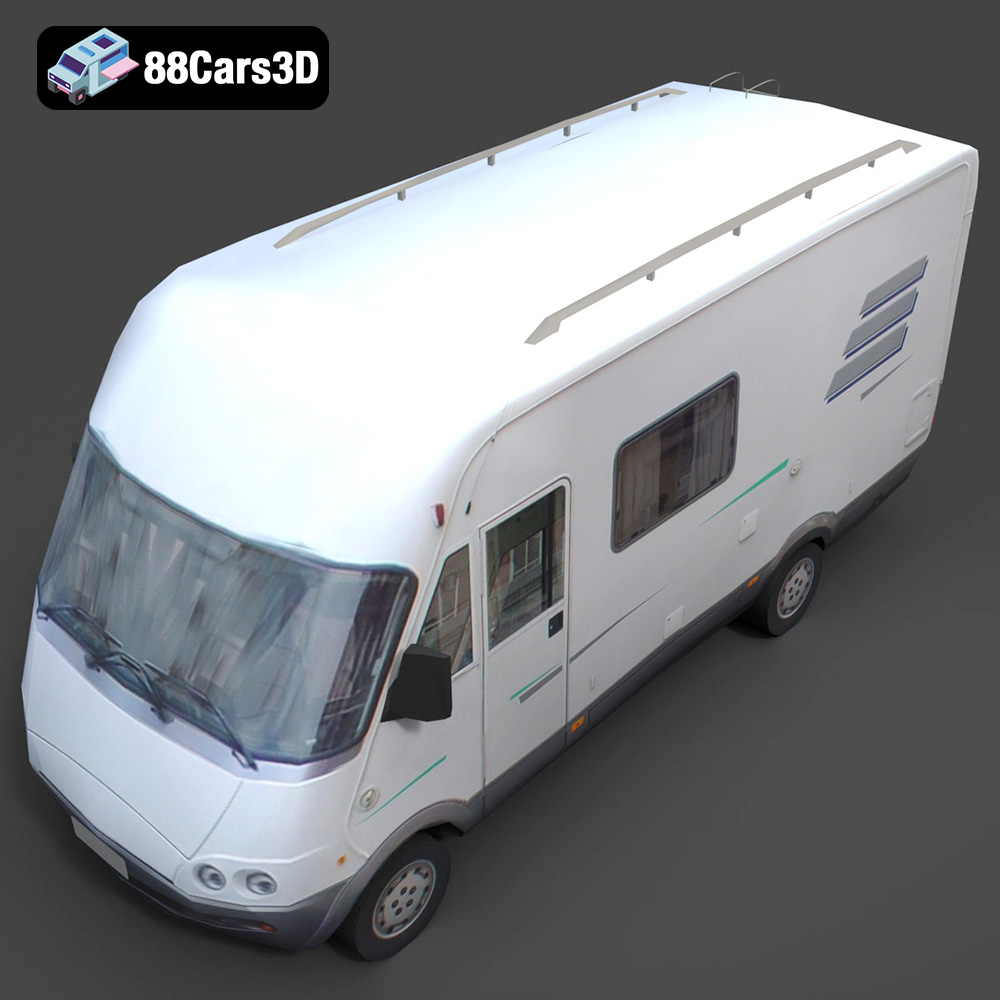
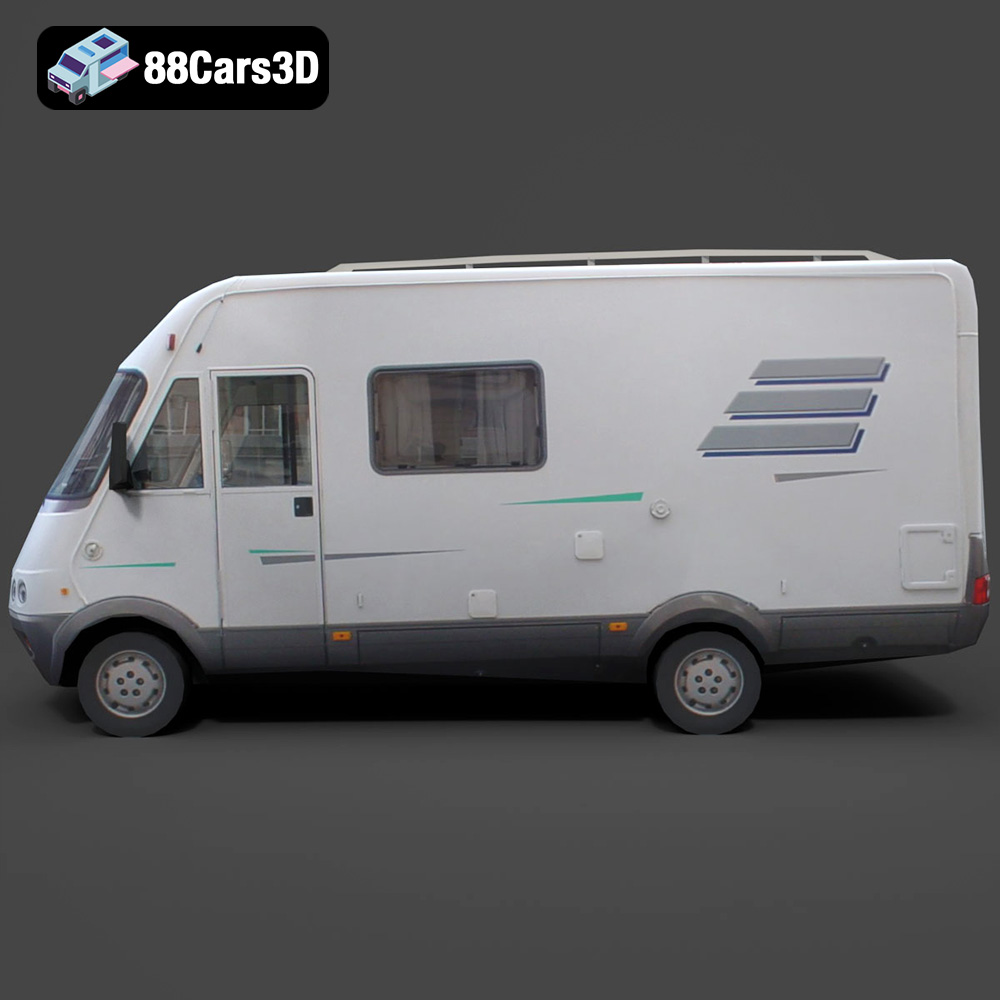
Experience the versatility and efficiency of our professional 3D model of a Mini-Bus. Designed with urban transport and passenger services in mind, this model features a clean, optimized geometry suitable for a wide range of applications. With balanced detailing and a realistic representation, it’s perfect for high-quality rendering, intricate animations, detailed simulations, and robust game development.
Exterior Features:
- Authentic body panels and chassis design
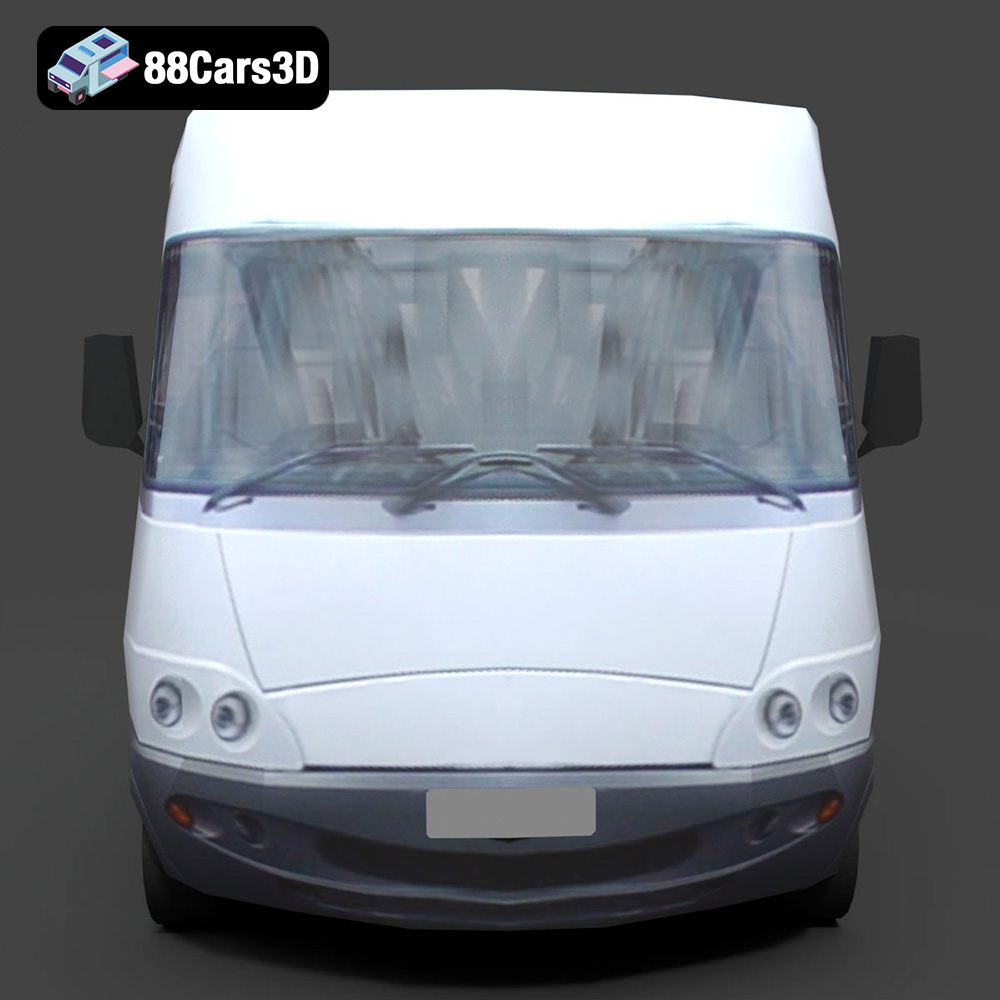
- Detailed headlights, taillights, and signal lights with transparent materials
- Realistic windows and windshield, ready for tinting
- Functional-looking passenger and driver doors, separated for animation workflows
- Robust wheels with detailed rims and tires
- Roof-mounted AC unit and accessible luggage rack elements
Interior / Mechanical Features:
- Optimized interior layout featuring driver cockpit and passenger seating rows
- Detailed dashboard, steering wheel, and essential controls
- Engine bay area with basic mechanical components (optimized for external views)
- Underbody elements including suspension and exhaust system (where visible)
Technical Advantages:
- Clean, quad-dominant topology ensuring smooth subdivisions and deformations
- Accurate real-world scale for seamless integration into existing scenes
- Logically organized hierarchy with properly set pivots for easy rigging and animation
- Efficient UV mapping for straightforward texture application
Applications:
- Rendering & Visualization: Create stunning studio renders, cinematic sequences, and architectural visualizations.
- Game Development: Integrate as a reliable vehicle asset for racing games, open-world environments, or simulation titles.
- AR/VR: Develop immersive augmented and virtual reality experiences with optimized performance.
- Simulation & Training: Ideal for transport simulations, driver training modules, and logistical planning.
- 3D Printing: Easily convert to .stl for high-fidelity physical models.
Customization Options:
- Easily modify paint finishes, liveries, and graphics to match specific brands or scenarios.
- Adjust material properties for metals, glass, rubber, and plastics to achieve desired visual effects.
- Customize lighting setups to create different atmospheric renders, from day scenes to night driving.
This Mini-Bus 3D model offers unparalleled professional quality and versatility, making it an essential asset for any digital project requiring a detailed and functional urban transport vehicle.
Included File Formats:
- .blend – Blender project with materials
- .fbx – Compatible with Unreal, Unity, and major 3D engines
- .obj – Universal format for nearly all 3D software
- .glb – Optimized for AR, VR, and web-based visualization
- .stl – Ready for 3D printing
- .ply – Mesh format for analysis and CAD workflows
- .unreal – Unreal Engine project setup
- .max – Editable 3ds Max scene for rendering and animation
Tags:
.minibus.bus.van.commercialvehicle.rendering.simulation.gameasset.arvr.blend.fbx.obj.glb.stl.ply.unreal.max
$21.99
Product Image Gallery