Elevating Your Projects with Premium 3D Car Models: A Deep Dive into the Nissan Elgrand
In the dynamic worlds of automotive design, game development, cinematic visualization, and immersive AR/VR experiences, the demand for high-fidelity 3D assets is perpetually on the rise. Professionals across these industries understand that the quality of their 3D models directly impacts the realism, performance, and overall impact of their projects. Creating a vehicle from scratch, complete with accurate proportions, intricate details, and optimized geometry, is a monumental task that requires significant time, skill, and resources. This is precisely where pre-built, production-ready 3D car models become indispensable tools.
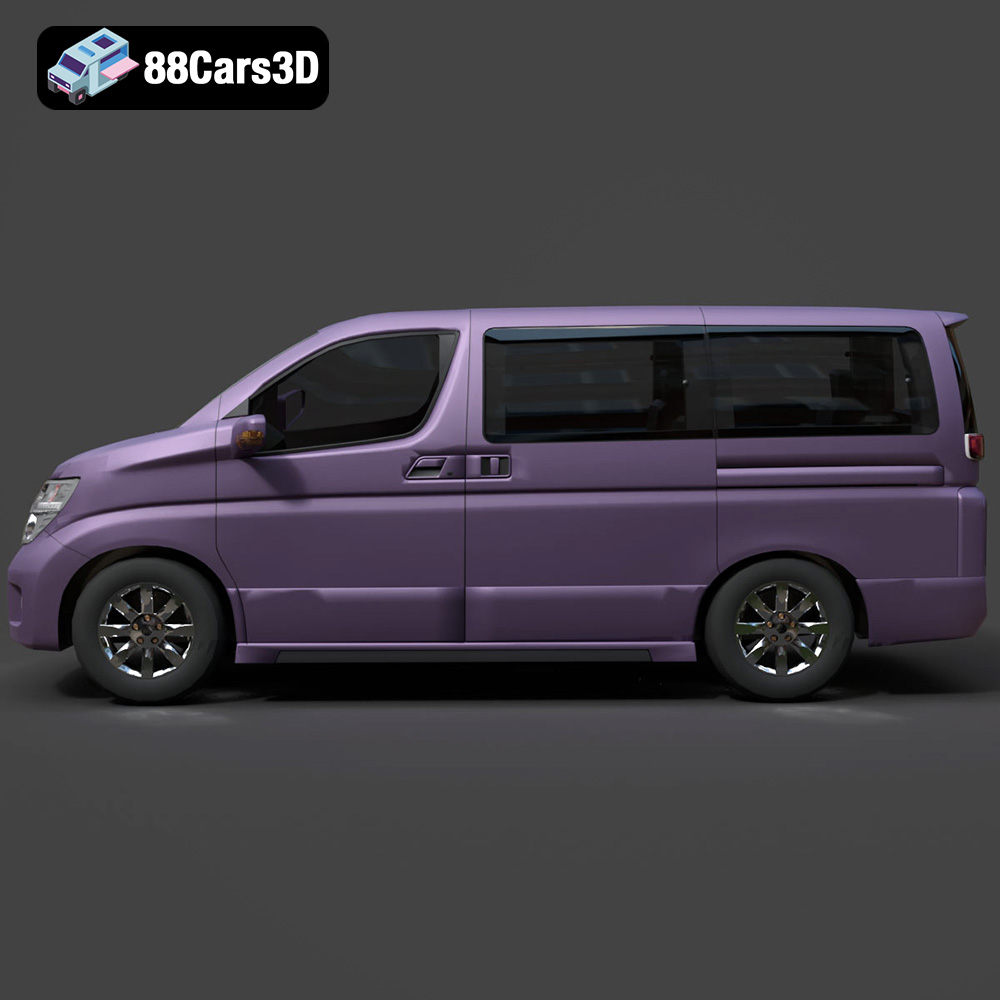
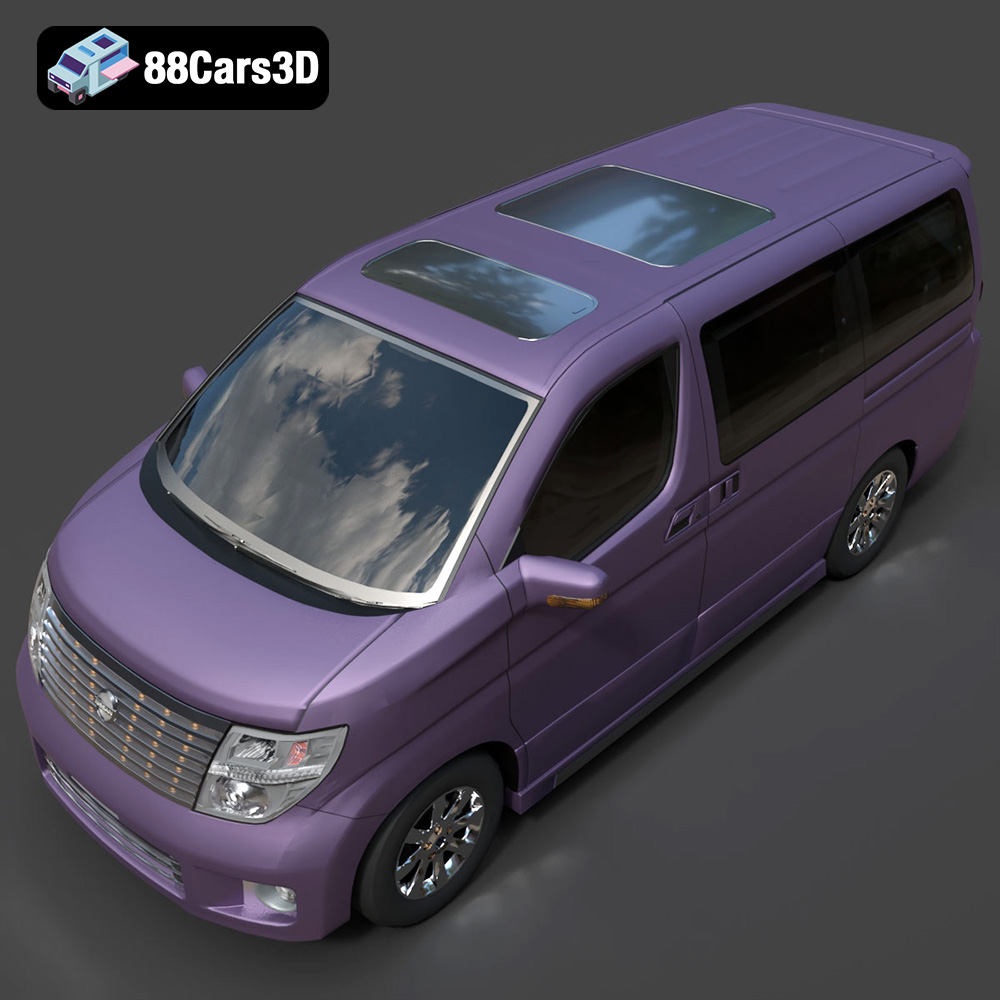
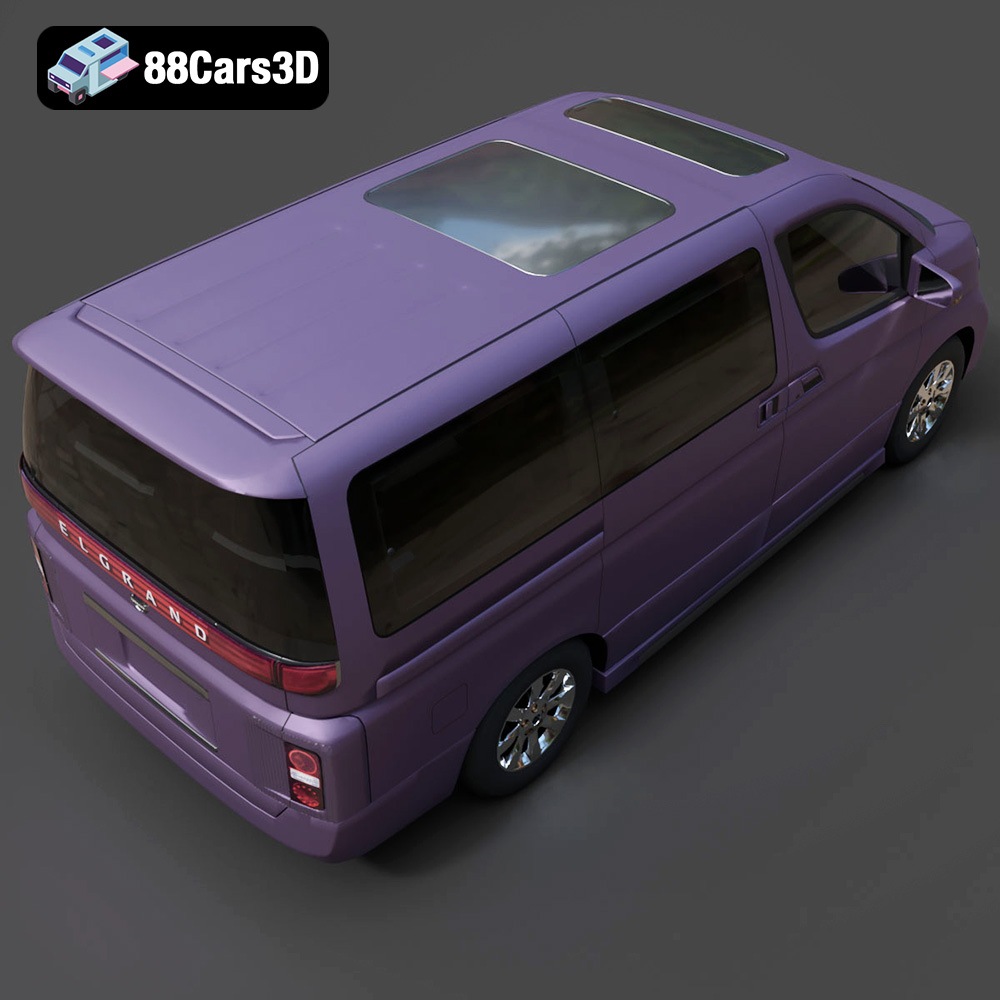
A prime example of such a valuable asset is the Nissan Elgrand 3D Model, a meticulously crafted digital representation of Nissan’s premium full-size minivan. This model doesn’t just look the part; it’s engineered for performance and versatility, designed to integrate seamlessly into a wide array of professional workflows. Whether you’re an automotive designer seeking a realistic vehicle for a virtual showroom, a game developer needing a robust asset for an open-world environment, or an architect envisioning urban scenes, the Elgrand model offers a compelling solution. Its blend of clean geometry, balanced detailing, and extensive file format compatibility positions it as an essential component for achieving stunning visual results and efficient development cycles.
Understanding 3D Model File Formats: The Backbone of Digital Assets
Choosing the right 3D model file format is as crucial as selecting the model itself. Each format is designed with specific use cases, software compatibility, and technical advantages in mind. Understanding these nuances ensures a smooth workflow, prevents data loss, and optimizes your assets for their intended application. The Nissan Elgrand 3D Model, available on 88cars3d.com, exemplifies this versatility by offering a comprehensive suite of industry-standard formats, empowering users with unparalleled flexibility.
.blend – The Native Blender Powerhouse
The .blend format is Blender’s native file type, offering a complete, editable scene package. When you acquire the Nissan Elgrand in .blend format, you’re not just getting the mesh; you’re receiving the entire Blender project. This includes all materials, textures, lighting setups, cameras, and even animation data if present. For artists and developers working primarily within Blender, this is the most advantageous format as it preserves every aspect of the original creation, allowing for immediate modification, rendering, or export to other formats with maximum fidelity. It’s ideal for deep customization, exploring the model’s construction, or integrating it into complex Blender-native scenes.
.fbx – The Industry’s Interoperability Standard
Autodesk’s .fbx (Filmbox) format is arguably the most widely adopted interchange format in the 3D industry. It excels at transferring data between different 3D software applications and game engines like Unreal Engine and Unity. The .fbx format supports geometry, materials, textures, animations, and skeletal data. For the Nissan Elgrand, the .fbx version is optimized for robust game development pipelines and real-time rendering, ensuring that the model’s clean topology and material assignments translate accurately, ready for LOD (Level of Detail) implementation and collision mesh generation. It’s the go-to format for collaborative projects involving multiple software packages.
.obj – The Universal Mesh Format
The .obj (Wavefront Object) format is a universal standard for storing 3D geometry data. While it’s a simpler format compared to .fbx, typically supporting only mesh data, UV coordinates, and material references (often accompanied by an .mtl file), its broad compatibility makes it invaluable. Almost every 3D software can import and export .obj files. The Nissan Elgrand 3D Model in .obj format serves as a reliable fallback or a primary choice when maximum cross-software compatibility is required, making it perfect for sharing with collaborators using diverse software or for archival purposes.
.glb – Optimized for AR, VR, and Web
.glb (GL Transmission Format Binary) is the binary version of glTF, a royalty-free specification for the efficient transmission and loading of 3D scenes and models by applications. It’s specifically designed for modern web-based 3D applications, augmented reality (AR), and virtual reality (VR) experiences. A .glb file contains all necessary data—geometry, textures, animations, and materials—in a single, self-contained file, reducing load times and simplifying distribution. For showcasing the Nissan Elgrand in a browser, an AR app, or a VR environment, the .glb format offers optimal performance and ease of integration.
.stl – The Standard for 3D Printing
The .stl (Stereolithography) format is the de facto standard for 3D printing. It represents 3D models as a series of connected triangles, defining only the surface geometry without color or texture information. When converting the Nissan Elgrand to .stl, the focus shifts to ensuring manifold geometry—meaning a watertight mesh suitable for fabrication. This format allows hobbyists and professionals alike to bring the digital Nissan Elgrand into the physical world, creating scale models for prototypes, displays, or educational purposes. The clean topology of the original model makes this conversion process straightforward and reliable.
.ply – Precision Mesh for CAD and Analysis
The .ply (Polygon File Format or Stanford Triangle Format) is another format for storing 3D data, particularly useful for scanned data, CAD applications, and scientific visualization. It supports a wider range of properties than .obj, including color, transparency, surface normals, and even confidence values. While less common for typical asset exchange, the .ply version of the Nissan Elgrand can be instrumental in workflows requiring high precision mesh analysis, point cloud data processing, or integration into CAD environments for engineering or reverse engineering purposes.
.unreal – Engine-Ready Asset for Real-Time Environments
The inclusion of an .unreal file (often a .uasset or an Unreal Engine project setup) means the Nissan Elgrand 3D Model is provided in a format specifically tailored for direct integration into Unreal Engine. This often implies pre-configured materials, basic lighting, and potentially even LODs or collision setups, saving significant setup time for developers. For projects focused on high-fidelity real-time rendering, architectural visualization, or cinematic sequences within Unreal Engine, this dedicated format is a massive time-saver, ensuring optimal performance and visual quality within the engine’s ecosystem.
.max – The Versatility of 3ds Max
Finally, the .max format is the native file type for Autodesk 3ds Max, a leading software for 3D modeling, animation, and rendering. Like .blend, the .max file contains the complete scene data, including editable geometry, complex material networks (e.g., V-Ray, Corona), lighting rigs, cameras, and animation data. For professionals deeply embedded in 3ds Max workflows for high-end automotive rendering, architectural visualization, or detailed animations, the .max version of the Nissan Elgrand 3D Model provides full access to all design elements, allowing for extensive customization and leveraging of 3ds Max’s powerful rendering capabilities.
The availability of such a diverse array of file formats for the Nissan Elgrand 3D Model underscores its professional-grade quality and the commitment to versatility offered by marketplaces like 88cars3d.com. This extensive format support ensures that regardless of your software preference or project requirements, you have an immediate and optimized solution at your fingertips.
Mastering Automotive Rendering with the Nissan Elgrand 3D Model
Automotive rendering is an art form, blending technical precision with aesthetic vision to create photorealistic images and animations. The quality of your base 3D car models is paramount, and the Nissan Elgrand 3D Model provides an exceptional foundation for stunning visual output. Its clean geometry and meticulously crafted details allow artists to push the boundaries of realism in studio renders, architectural visualizations, and cinematic scenes.
Achieving Photorealism: Materials and Textures
The secret to convincing automotive renders lies in the intricate interplay of materials and textures. The Nissan Elgrand 3D Model comes equipped with carefully optimized mesh quality and, depending on the format, pre-configured materials that accurately reflect various surfaces. This includes everything from the smooth, reflective paint finishes to the nuanced textures of the interior upholstery and the subtle sheen of chrome accents. Artists can easily adjust paint finishes, material reflectivity, and add custom graphics or liveries. For instance, in a 3ds Max workflow, you can assign advanced V-Ray or Corona materials, leveraging PBR (Physically Based Rendering) texture sets for the tires, glass, and plastic components to achieve precise light interaction. The clean quad-dominant topology of the model ensures that UV mapping is efficient and free from distortions, allowing for high-resolution texture application without issues.
Advanced Lighting Techniques for Studio Shots
Lighting is the sculptor of form in 3D rendering. With a high-quality asset like the Nissan Elgrand, you can employ sophisticated lighting setups to highlight its elegant design. For studio renders, a classic three-point lighting system (key, fill, back) is a great starting point, but integrating HDR (High Dynamic Range) image-based lighting (IBL) can immediately introduce realistic environmental reflections and subtle global illumination. Consider using targeted area lights to emphasize specific curves or interior details. The transparent materials for headlights and taillights on the Elgrand model are crucial here, allowing for realistic light emission effects. By adapting lighting setups, you can achieve various atmospheric effects, from a sleek, high-contrast promotional shot to a soft, inviting scene for architectural integration. The model’s real-world scale accuracy also ensures that light falloff and environmental interaction behave precisely as they would in reality.
Integrating the Nissan Elgrand into Game Development Workflows
For game developers, 3D car models are not just about visual fidelity; they’re about performance, optimization, and seamless engine integration. The Nissan Elgrand 3D Model is designed with these considerations in mind, making it an excellent asset for racing games, open-world environments, and driving simulations. Its technical advantages are directly applicable to creating robust and efficient game assets.
Optimizing Performance for Real-time Environments
Game engines demand highly optimized assets to maintain smooth frame rates. The Nissan Elgrand’s optimized mesh quality is a significant advantage, built with a balance of detail and polygon efficiency. For high-performance games, developers can implement Level of Detail (LOD) systems, where lower-polygon versions of the model are used at greater distances from the camera. The clean quad-dominant topology of the Elgrand makes creating these LODs far simpler and more accurate than models with messy or triangulated meshes. Furthermore, separate components for doors, hood, and trunk facilitate animation workflows for in-game mechanics, like opening and closing vehicle parts, without needing complex rigging from scratch.
Engine-Specific Setup: Unreal and Unity
The inclusion of .fbx and dedicated .unreal formats makes the Nissan Elgrand 3D Model highly compatible with leading game engines like Unreal Engine and Unity. For Unreal Engine, the .unreal file or well-prepared .fbx can be imported with materials, textures, and even basic collision meshes already defined, significantly accelerating the asset integration process. Developers can then fine-tune materials within Unreal’s powerful node-based shader editor, set up physics assets, and configure vehicle blueprints for realistic driving behavior. Similarly, in Unity, the .fbx file imports seamlessly, allowing for quick setup of car controllers, custom shaders, and integration into existing game worlds. The organized hierarchy with proper pivot points ensures that animations and transformations within the game engine are predictable and easy to manage.
Beyond Visualization: AR/VR and Simulation Applications
The utility of high-quality 3D car models extends far beyond traditional rendering. Fields like Augmented Reality (AR), Virtual Reality (VR), and advanced simulation rely heavily on detailed, performant 3D assets. The Nissan Elgrand 3D Model, with its diverse format offerings, is perfectly suited to enhance immersive experiences and provide precision for training and analysis.
Immersive Experiences in AR/VR
For AR and VR applications, the .glb format is a game-changer. Its optimized, single-file structure ensures fast loading and smooth performance on mobile devices and VR headsets, which often have stricter performance budgets. Imagine placing the Nissan Elgrand in a real-world environment via an AR app, allowing potential customers to explore its interior and exterior as if it were truly present. In a VR showroom, users could walk around the Elgrand, open its doors, and even sit inside, experiencing its spacious appeal and detailed upholstery firsthand. The model’s real-world scale accuracy is critical here, ensuring a believable sense of presence and immersion. This interactive engagement elevates product visualization and customer experience significantly.
Precision for Simulation and Training
The need for realistic vehicles in simulation and training modules is undeniable. Automotive training, traffic simulations, and educational content all benefit from accurately scaled and detailed models. The Nissan Elgrand 3D Model’s faithfulness in reproducing the dashboard, steering wheel, and central console, alongside its visible interior components, makes it ideal for driver training simulators. Trainees can familiarize themselves with the vehicle’s layout and controls in a safe, virtual environment. Furthermore, the .stl format allows for easy conversion for 3D printing, enabling the creation of physical scale models for hands-on educational purposes or detailed prototypes. The .ply format, with its precision mesh, could even be used in more analytical simulations or CAD workflows where exact surface data is crucial.
The Technical Edge: Why the Nissan Elgrand 3D Model Stands Out
What truly elevates a 3D asset from good to indispensable are its underlying technical merits. The Nissan Elgrand 3D Model boasts a series of technical advantages that ensure its versatility, stability, and ease of use for professionals across various disciplines. These are the details that often go unnoticed but profoundly impact workflow efficiency and final output quality.
The Power of Clean Topology and UV Mapping
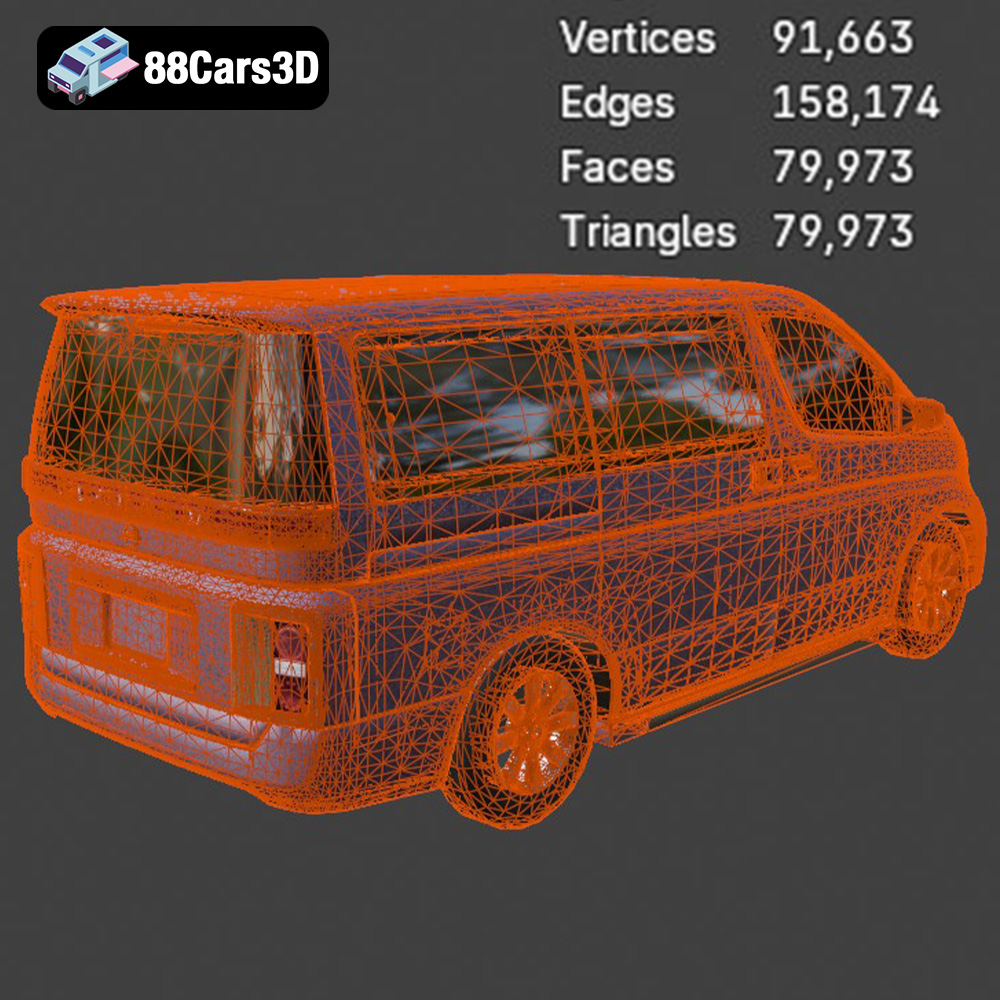
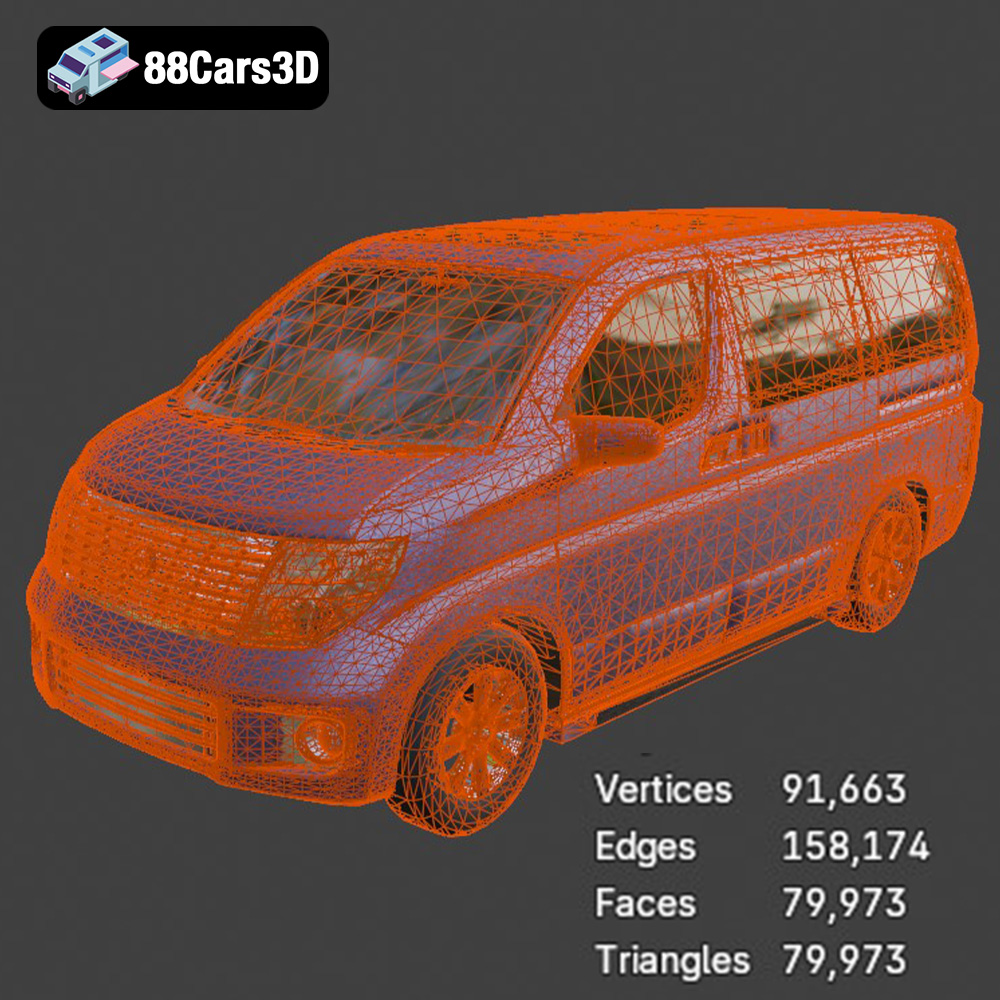
The product description highlights “clean quad-dominant topology, suitable for subdivision and efficient editing.” This is a cornerstone of professional 3D modeling. Quad-dominant topology means the mesh is primarily made up of four-sided polygons, which deform predictably, are easy to edit, and subdivide smoothly. This is crucial for high-quality rendering, allowing for cinematic close-ups without jagged edges. Furthermore, clean topology makes UV mapping (the process of unwrapping the 3D model’s surface onto a 2D plane for texturing) far more straightforward and accurate, preventing distortions in textures and materials. The Elgrand model’s adherence to this principle means artists can apply high-resolution textures with confidence, knowing they will appear clean and precise.
Streamlined Workflow with Organized Hierarchy
Another significant technical advantage is an “organized hierarchy with proper pivot points for easy manipulation and animation.” Imagine trying to animate a car’s doors, wheels, or suspension without correctly placed pivot points—it would be a frustrating and time-consuming endeavor. The Elgrand model’s thoughtful setup ensures that each component (doors, hood, trunk, wheels) is a separate, logically grouped element with its pivot point accurately located at the hinge or rotation axis. This streamlines animation workflows, makes scene assembly much faster, and reduces the learning curve for new users. This level of organization is indicative of a model built by experienced professionals, prioritizing user-friendliness and project efficiency.
Customization and Versatility for Any Project
While the inherent quality of a 3D car model is crucial, its adaptability to unique project requirements is equally important. The Nissan Elgrand 3D Model is designed with customization in mind, offering professionals the flexibility to tailor its appearance and integrate it seamlessly into diverse scenes and narratives.
Personalizing Visual Aesthetics
No two projects are identical, and the ability to customize the visual aesthetics of a 3D model is a powerful asset. With the Nissan Elgrand, users can easily adjust paint finishes, material reflectivity, and add custom graphics or liveries. Want a vibrant metallic blue for a promotional video? Or a matte black finish for a stealthy game asset? The model’s well-structured materials allow for straightforward modifications. You can modify material properties for metal, chrome, glass, and rubber components to achieve the exact look and feel required, whether it’s a showroom shine, a weathered urban vehicle, or a futuristic concept. This deep level of control ensures the Elgrand can perfectly match your creative vision.
Adapting the Model for Diverse Scenes
The versatility of the Nissan Elgrand 3D Model also extends to its integration into various environments. Its real-world scale accuracy ensures seamless placement in architectural visualizations, urban street scenes, or vast open-world game maps. By adapting lighting setups, you can achieve diverse atmospheric effects – from the crisp sunlight of a suburban driveway to the dramatic reflections of a city at night. The model’s optimized mesh performs efficiently across different platforms and rendering engines, guaranteeing that its detailed design remains visually stunning without compromising performance. Whether it’s a static background prop or the central focus of an interactive experience, the Elgrand stands ready to be adapted and integrated.
Conclusion
The world of 3D content creation is constantly evolving, demanding assets that are not only visually impressive but also technically sound and highly versatile. The Nissan Elgrand 3D Model embodies these qualities, offering a meticulously crafted digital representation of a premium vehicle designed to meet the rigorous demands of professional workflows. From high-end automotive rendering and detailed game development to immersive AR/VR experiences and precise simulations, this model provides a robust and adaptable foundation.
Its comprehensive technical advantages, including clean quad-dominant topology, real-world scale, organized hierarchy, and optimized mesh, ensure that it performs efficiently and integrates seamlessly across various platforms and software. The extensive range of included file formats—from .blend and .max for comprehensive editing to .fbx and .unreal for game engines, and specialized formats like .glb for AR/VR and .stl for 3D printing—underscores its unparalleled flexibility. This commitment to quality and compatibility makes the Nissan Elgrand 3D Model an invaluable addition to any professional’s toolkit, significantly reducing development time and enhancing the final output.
For those seeking to elevate their projects with premium 3D car models, the Nissan Elgrand offers a perfect blend of aesthetic appeal and technical excellence. Explore this model and a wide array of other high-quality automotive rendering and game assets by visiting 88cars3d.com. Investing in assets of this caliber ensures that your creative vision is realized with the utmost precision and impact.
Featured 3D Model
Nissan Elgrand 3D Model
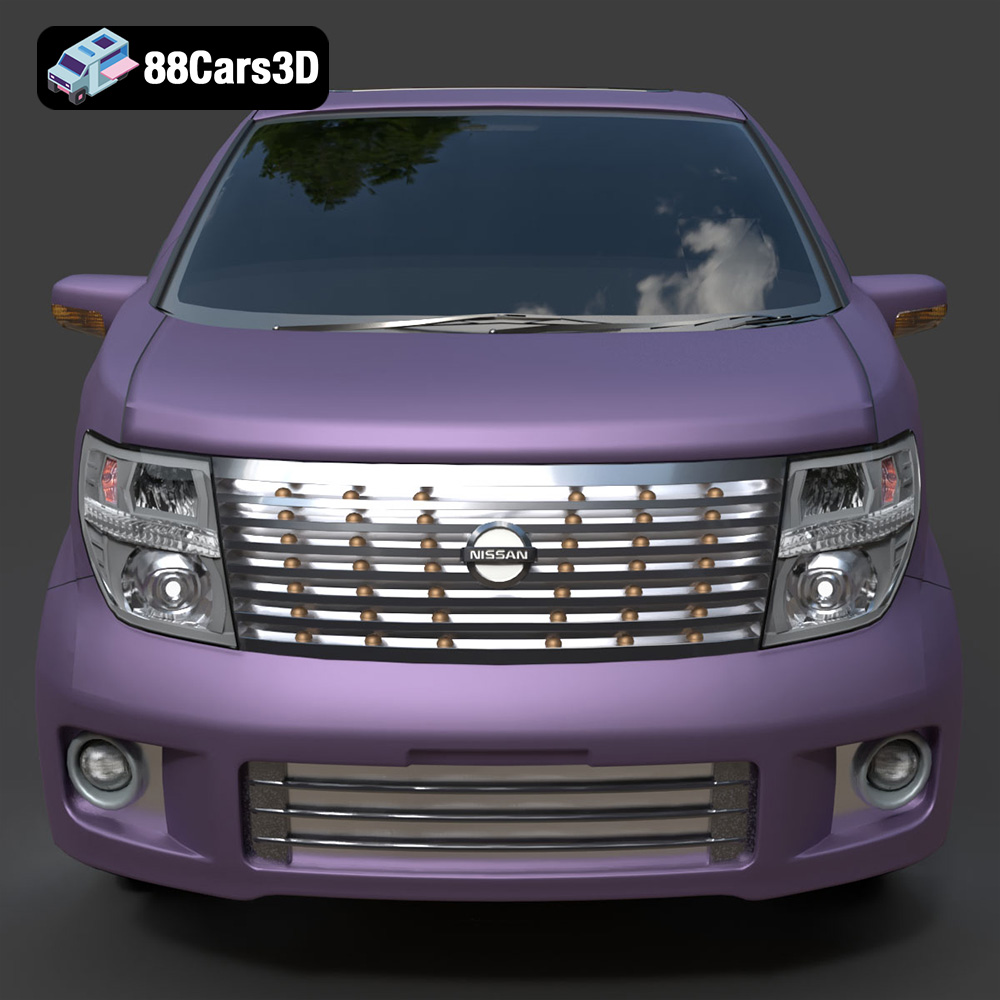
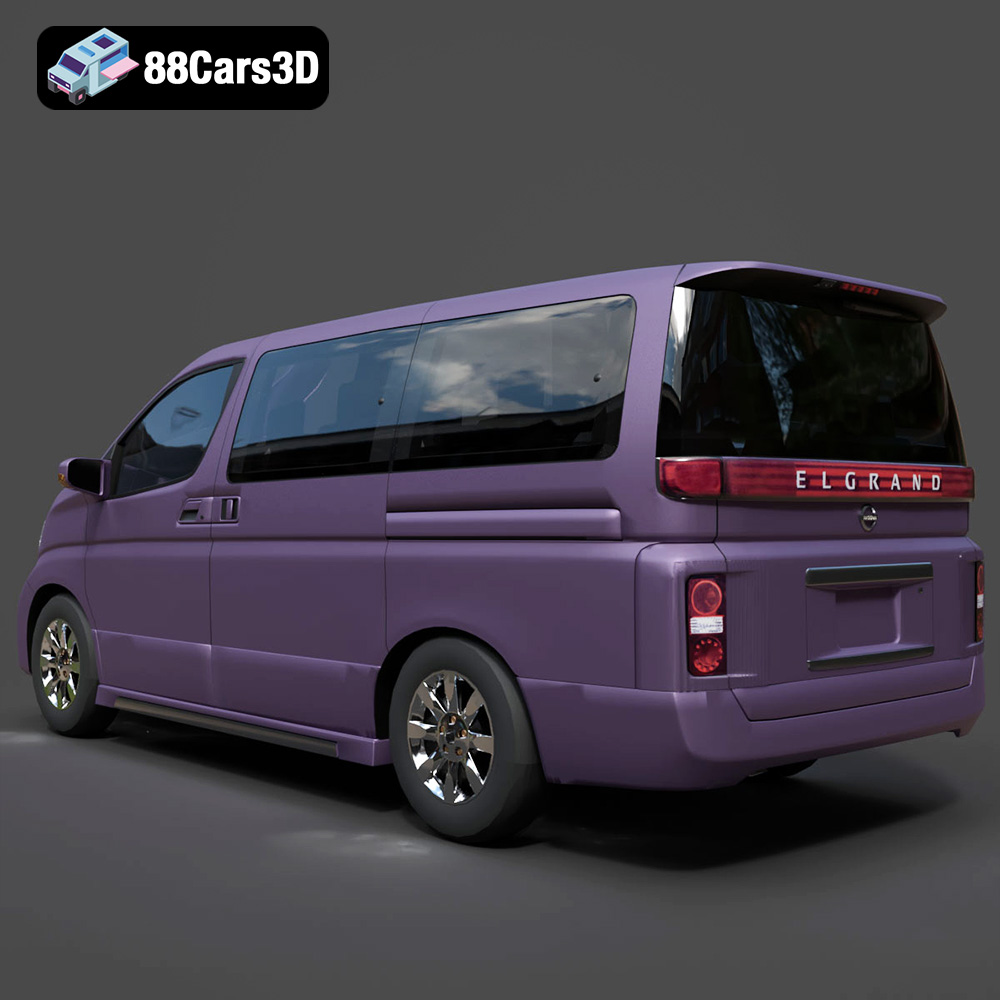
Discover the Nissan Elgrand 3D Model, a meticulously crafted digital representation of the premium full-size minivan. This model captures the distinctive styling and spacious appeal of the Elgrand, known for its elegant design and comfortable interior. Built with clean geometry and balanced detailing, it ensures optimal performance across various applications. Ideal for high-quality rendering, realistic animations, detailed simulations, and robust game development projects.
Exterior Features:
- Accurate body panels reflecting the Nissan Elgrand’s iconic silhouette.
- Detailed headlights and taillights with transparent materials for realistic lighting effects.
- Precisely modeled wheels and tires with tread patterns.
- Separate components for doors, hood, and trunk, facilitating animation workflows.
- Chrome accents and window trims for enhanced realism.
Interior / Mechanical Features:
- Faithfully reproduced dashboard, steering wheel, and central console.
- Comfortable seating arrangements with detailed upholstery.
- Visible interior components like door panels and floor mats.
- Optimized mesh quality ensures efficient rendering without compromising detail.
Technical Advantages:
- Clean quad-dominant topology, suitable for subdivision and efficient editing.
- Real-world scale accuracy ensures seamless integration into existing scenes.
- Organized hierarchy with proper pivot points for easy manipulation and animation.
- Optimized mesh for performance across different platforms.
Applications:
- Rendering & Visualization: Perfect for studio renders, architectural visualizations, and cinematic scenes.
- Game Development: An excellent asset for racing games, open-world environments, and driving simulations.
- AR/VR: Enhance immersive experiences with a high-fidelity virtual vehicle.
- Simulation & Training: Utilize for automotive training modules, traffic simulations, and educational content.
- 3D Printing: Easily convertible to .stl format for creating physical scale models.
Customization Options:
- Easily adjust paint finishes, material reflectivity, and add custom graphics or liveries.
- Modify material properties for metal, chrome, glass, and rubber components.
- Adapt lighting setups to achieve various atmospheric effects for different scenes.
The Nissan Elgrand 3D Model offers unparalleled quality and versatility for professionals seeking a realistic and highly adaptable digital asset. Its detailed design and robust technical foundation make it an essential addition to any 3D project library.
Included File Formats:
- .blend – Blender project with materials
- .fbx – Compatible with Unreal, Unity, and major 3D engines
- .obj – Universal format for nearly all 3D software
- .glb – Optimized for AR, VR, and web-based visualization
- .stl – Ready for 3D printing
- .ply – Mesh format for analysis and CAD workflows
- .unreal – Unreal Engine project setup
- .max – Editable 3ds Max scene for rendering and animation
Tags:
.nissan, .elgrand, .minivan, .van, .familycar, .passengervehicle, .rendering, .simulation, .gameasset, .arvr, .blend, .fbx, .obj, .glb, .stl, .ply, .unreal, .max
$21.99
Product Image Gallery