In the vibrant and ever-evolving landscape of 3D design and digital content creation, the demand for high-quality, production-ready assets is ceaseless. Whether you’re an automotive designer crafting a new concept, a game developer populating an open-world environment, or an architect integrating realistic vehicles into a visualization, the fidelity and versatility of your 3D car models can make or break a project. Exceptional models not only save valuable development time but also elevate the visual realism and immersion of your work.
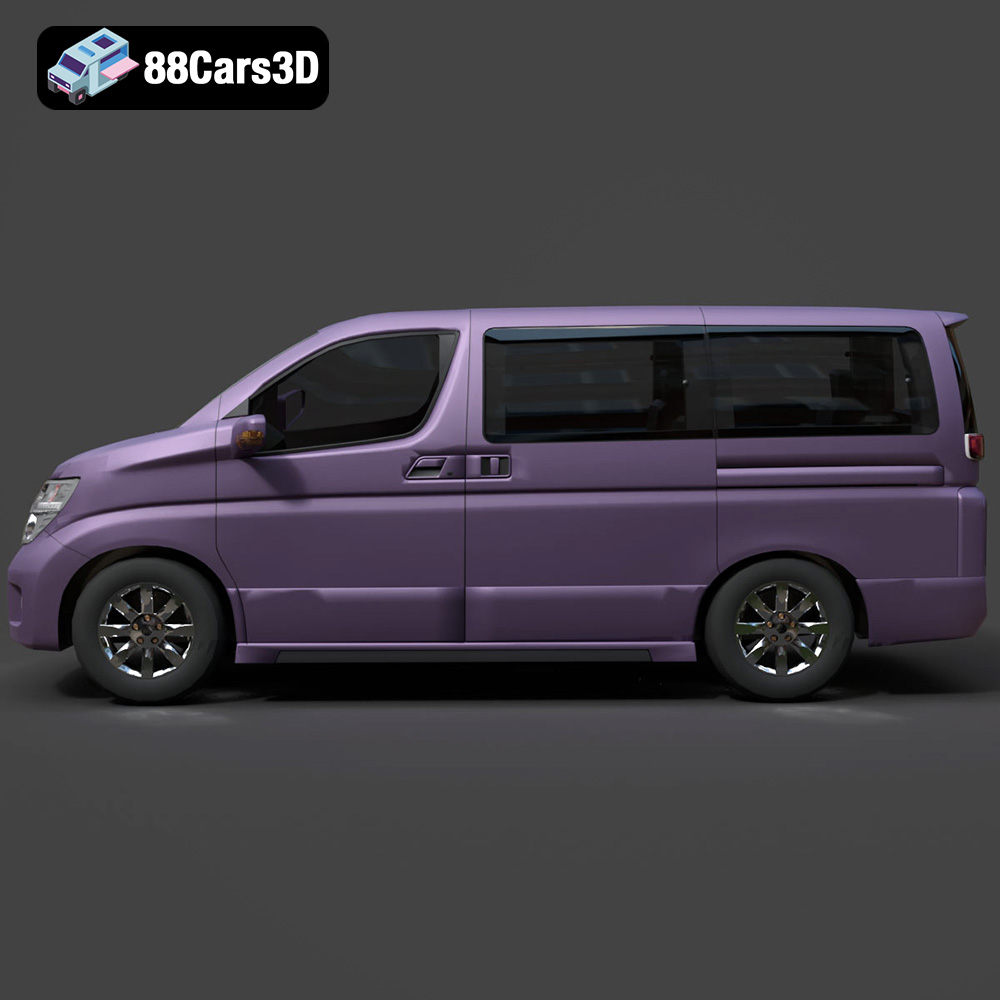
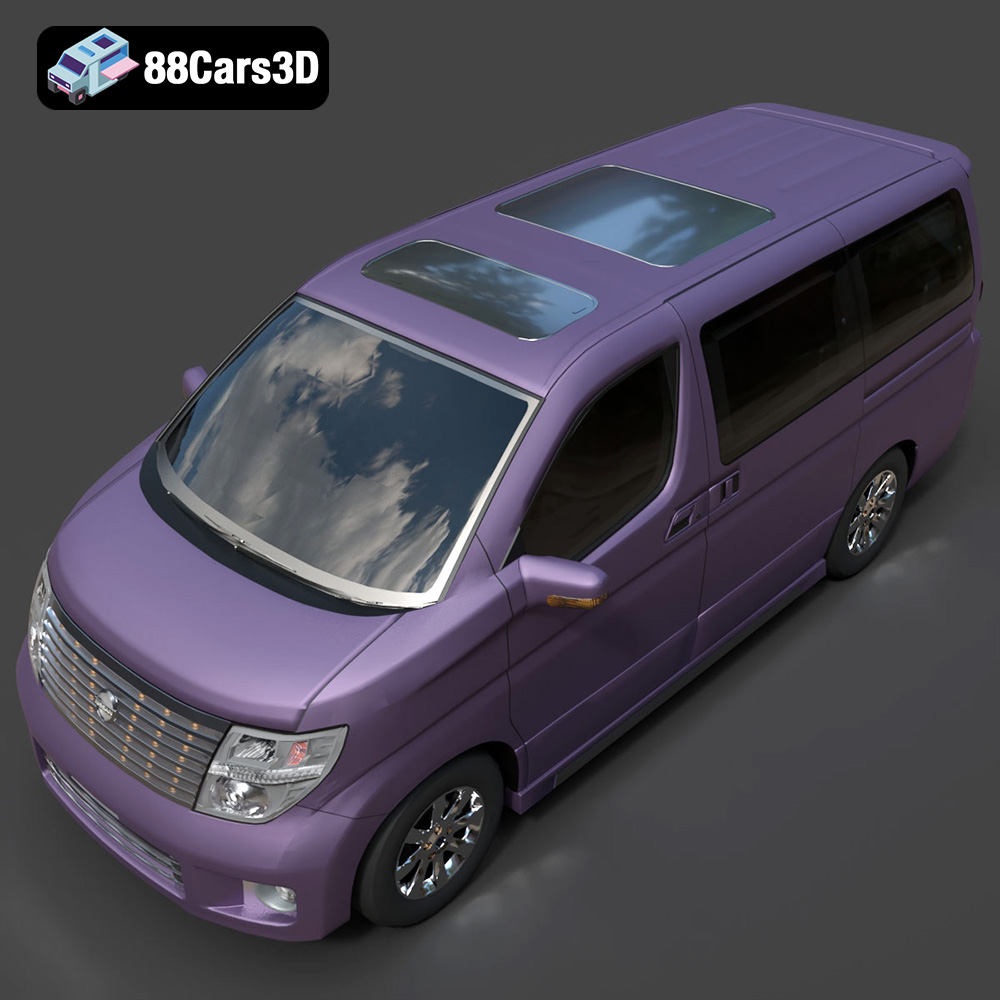
Today, we delve into the world of premium 3D vehicle assets, highlighting the crucial aspects that define a truly professional model. We’ll explore technical specifications, workflow integrations, and diverse applications, using a prime example from the market: the Nissan Elgrand 3D Model. This meticulously crafted digital representation of the premium full-size minivan stands as a testament to the level of detail and optimization available to professionals seeking top-tier 3D car models for their projects, whether for automotive rendering, game assets, or cutting-edge simulations.
Understanding 3D Model File Formats
The choice of file format for a 3D model is far more than a mere technicality; it’s a strategic decision that dictates compatibility, functionality, and the overall efficiency of your workflow. Different formats are optimized for various stages of the 3D pipeline, from initial modeling and animation to real-time rendering and 3D printing. Understanding their nuances is crucial for any professional working with 3D car models. The Nissan Elgrand 3D Model, for instance, comes equipped with a comprehensive suite of formats, ensuring seamless integration into virtually any professional environment.
.blend – Fully Editable Blender Scene with Materials
The .blend format is native to Blender, one of the most powerful and popular open-source 3D creation suites. When you acquire a model in .blend format, you’re not just getting the mesh; you’re gaining access to the entire scene setup. This includes all materials, textures, lighting, camera configurations, and even potential animation data. For the Nissan Elgrand 3D Model, the .blend file provides a fully editable environment, allowing artists to dive in, inspect the clean quad-dominant topology, adjust materials, or modify any aspect of the model directly within Blender. It’s ideal for users who primarily work in Blender and require maximum flexibility for customization and further development.
.fbx – Ideal for Unreal, Unity, and Real-Time Pipelines
As a widely adopted proprietary format by Autodesk, .fbx (Filmbox) is the industry standard for interoperability, particularly within real-time game engines like Unreal Engine and Unity. It excels at transferring not only mesh data but also animations, skinning, blend shapes, cameras, and lights between different 3D software applications. The .fbx version of the Nissan Elgrand 3D Model is optimized for these environments, offering an efficient way to import high-quality automotive assets directly into your game development pipeline without significant data loss. Its robustness makes it a go-to for complex scene transfers and integrating game assets.
.obj – Universal Format for Cross-Software Compatibility
The .obj (Wavefront Object) format is one of the oldest and most universal 3D file formats. It’s renowned for its simplicity and wide compatibility, making it virtually readable by almost all 3D modeling and rendering software. An .obj file primarily stores geometric data—vertices, normals, texture coordinates, and faces—and usually references external .mtl (material) files for color and texture information. While it doesn’t support animation or rigging, its widespread support makes the .obj version of the Nissan Elgrand 3D Model an excellent choice for basic mesh transfer or as a fallback option when working across diverse software ecosystems, ensuring foundational accessibility.
.glb – Optimized for AR, VR, and Browser-Based Display
.glb (GL Transmission Format Binary) is a modern, compact, and efficient format designed for the web, especially for augmented reality (AR), virtual reality (VR), and browser-based 3D applications. It encapsulates all necessary 3D scene data—geometry, materials, textures, animations, and skeletal structures—into a single binary file. This makes .glb files incredibly easy to share and load quickly in web browsers or AR/VR viewers. The Nissan Elgrand 3D Model in .glb format is perfectly suited for integrating into immersive web experiences, product configurators, or virtual showrooms, delivering high-fidelity visuals with optimized performance.
.stl – Suitable for 3D Printing Output
.stl (Stereolithography) is the de facto standard file format for 3D printing. It represents a 3D model as a series of connected triangles (a triangulated surface), without any color or texture information. For the Nissan Elgrand 3D Model, the .stl version provides a watertight mesh that is ready to be sent to a 3D printer. This allows enthusiasts, designers, or educators to create physical scale models of the vehicle, whether for prototyping, display, or educational purposes. Precision and manifold geometry are key for successful .stl exports.
.ply – Precision Mesh Format for CAD or Analysis
The .ply (Polygon File Format or Stanford Triangle Format) is primarily used for storing 3D data from 3D scanners, CAD applications, or scientific data analysis. It can store a wider range of properties than .obj, including color, transparency, surface normals, and even data confidence values per vertex or face. While not as common for general content creation, the .ply format for the Nissan Elgrand 3D Model could be invaluable for highly specific engineering, reverse engineering, or analytical workflows where precise mesh data is paramount, especially when integrating with CAD systems or for detailed simulations.
.unreal – Engine-Ready Asset for Real-Time Environments
The inclusion of a dedicated .unreal project setup signifies an unparalleled level of readiness for Unreal Engine users. This isn’t just an .fbx import; it’s a pre-configured asset within an Unreal project, potentially including materials, LODs (Levels of Detail), collision meshes, and even basic blueprints for interaction. For the Nissan Elgrand 3D Model, this means game developers can drop the asset directly into their Unreal projects with minimal setup, ensuring optimal performance and visual fidelity out of the box, significantly accelerating development cycles and ensuring consistency in asset integration.
.max – Editable 3ds Max Project for Animation and Rendering
Finally, the .max format is the native file type for Autodesk 3ds Max, a leading software in architectural visualization, automotive design, and animation. A .max file provides the complete 3ds Max scene, including geometry, materials, lighting, cameras, animations, and modifiers. For professionals utilizing 3ds Max, the .max version of the Nissan Elgrand 3D Model offers the highest degree of flexibility for further manipulation, advanced automotive rendering with renderers like V-Ray or Corona, and sophisticated animation sequences. It provides direct access to the model’s organized hierarchy and pivot points, which are crucial for detailed animation workflows.
This extensive range of formats demonstrates a commitment to flexibility and professional utility, a hallmark of high-quality 3D car models available on platforms like 88cars3d.com.
The Art and Science of High-Fidelity Automotive Rendering
Automotive rendering is a specialized field within 3D visualization, demanding a blend of artistic vision and technical precision. The goal is to create images so realistic they are indistinguishable from photographs. This isn’t just about beautiful visuals; it’s about conveying design intent, showcasing product features, and driving marketing initiatives. The Nissan Elgrand 3D Model is engineered specifically to excel in this demanding arena.
Achieving Photorealism with PBR Materials
At the heart of modern automotive rendering is Physically Based Rendering (PBR). PBR materials simulate how light interacts with surfaces in the real world, producing highly accurate reflections, refractions, and diffuse properties. The Nissan Elgrand 3D Model comes with carefully calibrated materials for its various components—paint finishes, chrome accents, glass, rubber, and upholstery. These materials allow artists to effortlessly achieve studio-quality renders or integrate the vehicle into realistic architectural visualizations. The detailed headlights and taillights, for example, feature transparent materials that interact correctly with light sources, creating authentic refractions and highlights crucial for a convincing render.
Lighting and Environment Integration
Beyond material quality, effective lighting is paramount. A high-quality 3D model like the Nissan Elgrand needs to respond accurately to various lighting conditions, from a bright outdoor HDRi environment to a controlled studio setup with area lights. Its clean quad-dominant topology and real-world scale ensure that shadows fall correctly, reflections behave predictably, and the overall form of the vehicle is accentuated. Artists can easily adjust lighting setups to achieve diverse atmospheric effects, whether aiming for a dramatic cinematic scene or a bright, showroom-style presentation. This flexibility is invaluable for agencies and marketing teams needing varied visual content.
Customization for Unique Visual Storytelling
One of the significant advantages of working with premium 3D car models is the inherent customization potential. The Nissan Elgrand 3D Model allows artists to easily adjust paint finishes, material reflectivity, and even add custom graphics or liveries. Imagine showcasing the Elgrand in a fleet of company vehicles, or adapting its aesthetic for a concept project. Modifying material properties for metal, chrome, glass, and rubber components offers granular control, enabling unique visual narratives. This level of adaptability ensures that the model can serve a vast array of rendering projects, from advertisements to conceptual visualizations, always delivering pristine results.
Integrating 3D Car Models into Game Development
Game development presents a unique set of challenges for 3D assets, balancing visual fidelity with performance optimization. Game assets, especially vehicles, must be robust, efficient, and ready for real-time interaction. The Nissan Elgrand 3D Model is designed with these considerations at its core, making it an excellent asset for racing games, open-world environments, and driving simulations.
Optimized Mesh for Real-Time Performance
Performance in game engines hinges on an optimized mesh. While high-fidelity rendering often allows for very dense geometry, game assets require a careful balance. The Nissan Elgrand 3D Model boasts optimized mesh quality that ensures efficient rendering without compromising on detail. This typically involves efficient poly counts and the use of techniques like Levels of Detail (LODs), where simpler versions of the model are automatically swapped in at greater distances from the camera. The clean geometry prevents rendering artifacts and ensures smooth framerates, critical for an immersive gaming experience.
Animation and Interactivity
In a game, vehicles are not static objects; they interact with the environment and the player. The Nissan Elgrand 3D Model features separate components for doors, hood, and trunk, facilitating complex animation workflows. This allows developers to create realistic opening and closing animations, damage states, or even custom cinematics within the game engine. The organized hierarchy with proper pivot points for these components means developers don’t have to spend precious time correcting rotations or hierarchies, allowing for immediate implementation of interactivity and dynamic elements.
Engine-Ready Formats: .fbx and .unreal
The inclusion of .fbx and a dedicated .unreal project setup for the Nissan Elgrand 3D Model is a massive advantage for game developers. The .fbx format ensures compatibility with Unity, Unreal Engine, and other major game development platforms. For Unreal Engine users, the .unreal file goes a step further, providing a project setup that likely includes pre-configured materials, textures, and possibly even collision meshes and basic blueprints. This means the model is virtually plug-and-play, drastically reducing the integration time and allowing developers to focus on gameplay mechanics rather than asset preparation.
Beyond Visualization: AR/VR, Simulation, and 3D Printing
The utility of high-quality 3D car models extends far beyond traditional rendering and game development. They are foundational assets for cutting-edge technologies like Augmented Reality (AR), Virtual Reality (VR), sophisticated simulations, and even physical production through 3D printing.
Enhancing Immersive AR/VR Experiences
AR and VR environments demand highly optimized yet detailed models to maintain immersion and performance. The Nissan Elgrand 3D Model, particularly in its .glb format, is ideal for these applications. The .glb format is designed for efficient delivery and rendering in AR/VR viewers and web browsers, making it perfect for virtual showrooms, interactive product showcases, or immersive training modules. Imagine prospective buyers exploring the Elgrand’s interior in a virtual reality experience, or placing a scaled-up model in their driveway via AR—the model’s accuracy and optimized mesh ensure a seamless and realistic immersion.
Utilizing for Simulation & Training
For simulation and training, accuracy is paramount. Whether for automotive training modules, traffic simulations, or educational content, the real-world scale accuracy and detailed components of the Nissan Elgrand 3D Model provide a reliable foundation. The faithful reproduction of the dashboard, steering wheel, and central console, combined with accurate exterior features, allows for a highly realistic simulation environment. This is crucial for driver training programs, vehicle dynamics research, or even city planning simulations where vehicle movement and interaction need to be as close to reality as possible.
From Digital to Physical: 3D Printing
The ability to convert a digital asset into a physical object opens up a realm of possibilities. The Nissan Elgrand 3D Model is easily convertible to .stl format, making it suitable for 3D printing. This means designers can create physical scale models for prototyping, client presentations, or collectible merchandise. The clean geometry of the digital model ensures a watertight mesh, which is a fundamental requirement for successful 3D prints, bridging the gap between the virtual and tangible worlds with precision.
Technical Deep Dive: Why Quality Matters for 3D Assets
The true value of a professional 3D car model lies in its underlying technical quality. Beyond surface aesthetics, aspects like topology, scale, hierarchy, and optimization dictate how flexible, stable, and efficient the model will be across various production pipelines. The Nissan Elgrand 3D Model exemplifies these critical technical advantages, a standard upheld by quality marketplaces like 88cars3d.com.
Clean Quad-Dominant Topology for Versatility
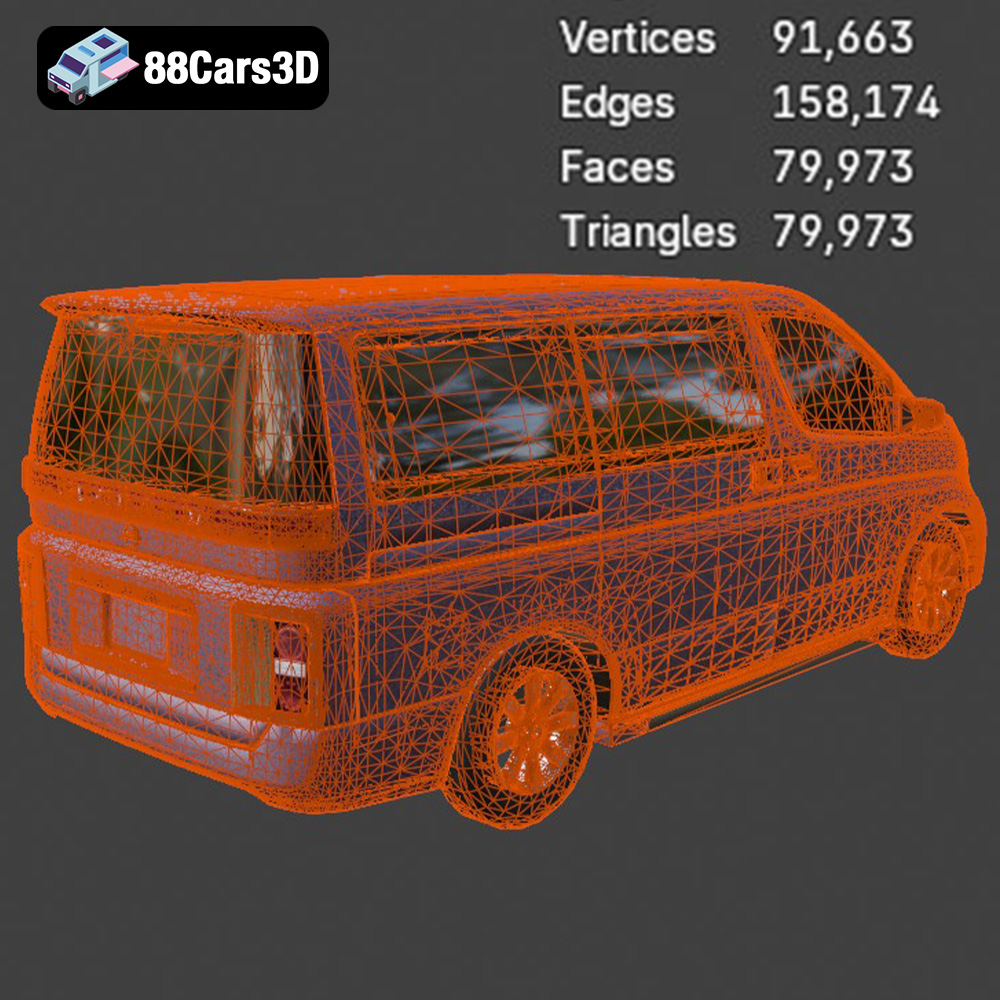
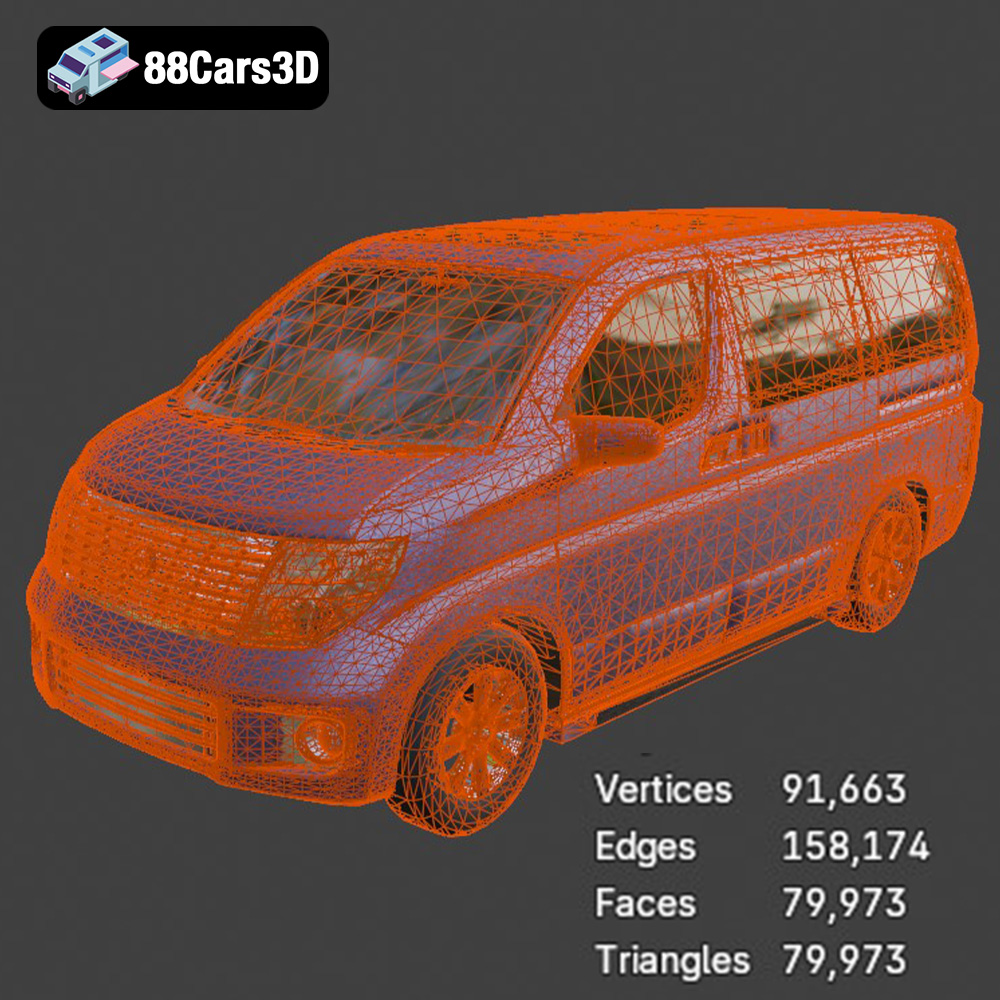
A “clean quad-dominant topology” is a gold standard in 3D modeling. This means the model is built primarily with four-sided polygons (quads) rather than triangles or N-gons (polygons with more than four sides). Quads provide several benefits: they deform predictably during animation, are easier to subdivide smoothly for high-resolution renders, and are generally simpler for artists to edit and manipulate. The Nissan Elgrand’s clean topology ensures that it is ready for subdivision, allowing for incredibly smooth surfaces when needed for cinematic close-ups, while remaining efficient for real-time applications where a lower poly count is preferred.
Real-World Scale Accuracy
Real-world scale accuracy is often overlooked but is absolutely vital for seamless integration. A model built to real-world dimensions will interact correctly with physics engines, light simulations, and other assets within a scene. When you import the Nissan Elgrand 3D Model into an architectural visualization, for instance, you can be confident it will fit proportionally into a garage or driveway without manual scaling adjustments. This saves significant time and prevents inconsistencies, ensuring a cohesive and believable final product.
Organized Hierarchy with Proper Pivot Points
A well-organized hierarchy and correctly placed pivot points are essential for any animated or interactive 3D asset. The Nissan Elgrand 3D Model features an organized hierarchy where components like doors, wheels, hood, and trunk are separate objects, correctly parented, and have their pivot points located at their natural rotation axis (e.g., hinges for doors, center for wheels). This allows for effortless manipulation and animation. Imagine easily animating the doors opening or the wheels rotating without having to manually adjust pivot points – this is a huge time-saver in production.
Optimized Mesh for Performance Across Platforms
“Optimized mesh” refers to a model that balances visual detail with polygon efficiency. It means unnecessary vertices and edges have been removed, and the mesh has been structured to render efficiently. This optimization is crucial for performance across different platforms, from high-end rendering workstations to mobile AR devices. For the Nissan Elgrand 3D Model, this optimization ensures that whether you’re performing a complex automotive rendering in 3ds Max or integrating it as a game asset in Unity, it will perform smoothly without bogging down your system or engine.
Mastering Your Workflow: Tips and Tricks with Professional 3D Assets
Acquiring a high-quality 3D car model like the Nissan Elgrand is just the first step. Maximizing its potential requires an understanding of workflow best practices within your chosen 3D software. Here, we’ll outline how to leverage this professional asset in common industry applications.
Workflow in 3ds Max for Automotive Rendering
For users of Autodesk 3ds Max, the included .max file of the Nissan Elgrand 3D Model provides a perfect starting point.
- Import and Scene Setup: Simply open the .max file. The model will already be at real-world scale and have an organized hierarchy.
- Material Refinement: While materials are included, you might want to adapt them to your specific renderer (V-Ray, Corona, Arnold). Utilize 3ds Max’s material editor to fine-tune reflections, paint color, and add specific details like dirt maps or imperfections for added realism. The chrome accents and glass materials are designed for easy tweaking.
- Lighting and Environment: Set up your preferred lighting. For automotive rendering, an HDRi (High Dynamic Range Image) environment often works best for realistic reflections and ambient lighting. Complement this with targeted area lights to emphasize design lines or create dramatic shadows.
- Animation: Leverage the properly placed pivot points on doors, hood, and trunk. Use 3ds Max’s animation tools to create simple opening sequences or more complex driving animations. The separate wheel components make rolling animations straightforward.
- Rendering: Configure your chosen renderer for high-quality output, focusing on anti-aliasing, global illumination, and depth of field for cinematic results.
Seamless Integration with Blender
Blender users will find the .blend file of the Nissan Elgrand 3D Model exceptionally user-friendly.
- Open and Explore: Open the .blend file directly. The model will load with all its materials, textures, and potentially a basic lighting setup. Take time to explore the clean quad-dominant topology and object hierarchy in the Outliner.
- Cycles/Eevee Rendering: Choose your preferred render engine—Cycles for photorealistic ray-tracing or Eevee for real-time rendering. The included materials are generally compatible, but you might want to adjust shader nodes for specific artistic effects or to integrate with your custom material library.
- Customization: Utilize Blender’s powerful modeling tools to further customize the model. Easily add custom decals, modify body panels, or even create variations using subdivision modifiers thanks to the clean mesh.
- Animation with Constraints: Blender’s animation capabilities, combined with the Elgrand’s organized mesh, make it easy to rig and animate. Use drivers or constraints for complex wheel rotations linked to vehicle movement, or simple keyframe animation for opening doors.
- Export for Other Platforms: If you need to export for a game engine or AR/VR, Blender offers robust .fbx and .glb export options, ensuring your modifications carry over effectively.
Unreal Engine for Game Development and Real-Time Visualization
For Unreal Engine professionals, the dedicated .unreal project setup (or .fbx import) of the Nissan Elgrand 3D Model offers a highly efficient workflow.
- Project Integration: If using the .unreal file, simply open the project and migrate the asset into your main project. If importing .fbx, ensure you have proper import settings for normals, UVs, and materials.
- Material Setup and PBR: Unreal Engine’s powerful material editor allows for advanced PBR material creation. The Elgrand’s detailed textures and optimized mesh are perfect for creating realistic car paint, chrome, and glass shaders that react accurately to Unreal’s lighting system.
- LODs and Collision: Implement Levels of Detail (LODs) to maintain performance at varying distances. The clean mesh of the Elgrand model makes generating efficient LODs straightforward. Create simple collision meshes to ensure accurate physical interactions within the game environment.
- Blueprint Interaction: Use Unreal Engine Blueprints to add interactivity. For example, create a Blueprint class for the Elgrand, allowing players to open doors, turn on lights, or even drive the vehicle. The separate components and pivot points are perfectly set up for this.
- Lighting and Post-Processing: Leverage Unreal’s sophisticated lighting system, including ray-traced reflections and global illumination, to make the Nissan Elgrand look stunning in your scenes. Add post-processing effects like bloom, depth of field, and color grading to achieve cinematic quality.
By understanding these workflows, professionals can unlock the full potential of high-quality 3D car models, streamlining their projects and achieving superior results, whether for automotive rendering, interactive game assets, or advanced simulations. The Nissan Elgrand 3D Model truly represents a versatile and robust asset for any digital endeavor.
Conclusion
The journey through the intricate world of 3D car models reveals a landscape where technical precision meets artistic expression. We’ve explored how crucial features like clean quad-dominant topology, real-world scale accuracy, and an organized hierarchy elevate a simple mesh into a production-ready asset. The importance of understanding diverse file formats, from the universal .obj to the game-engine-optimized .fbx and the web-friendly .glb, cannot be overstated in today’s multi-platform design environment.
The Nissan Elgrand 3D Model stands as a prime example of a meticulously crafted asset, designed for unparalleled quality and versatility. Its detailed exterior and interior features, coupled with its robust technical advantages, make it an indispensable tool for a wide array of applications: from breathtaking automotive rendering and dynamic game development to immersive AR/VR experiences, precise simulations, and even practical 3D printing projects. Professionals seeking to enhance their projects with realistic and highly adaptable digital vehicles will find the Nissan Elgrand 3D Model to be an essential addition to their asset library.
For designers, developers, and artists who demand excellence and efficiency, sourcing high-quality 3D car models from reputable marketplaces like 88cars3d.com is a strategic decision. These platforms provide access to assets that meet industry standards, ensuring seamless integration into complex workflows and empowering creators to achieve their most ambitious visions without compromise.
Featured 3D Model
Nissan Elgrand 3D Model
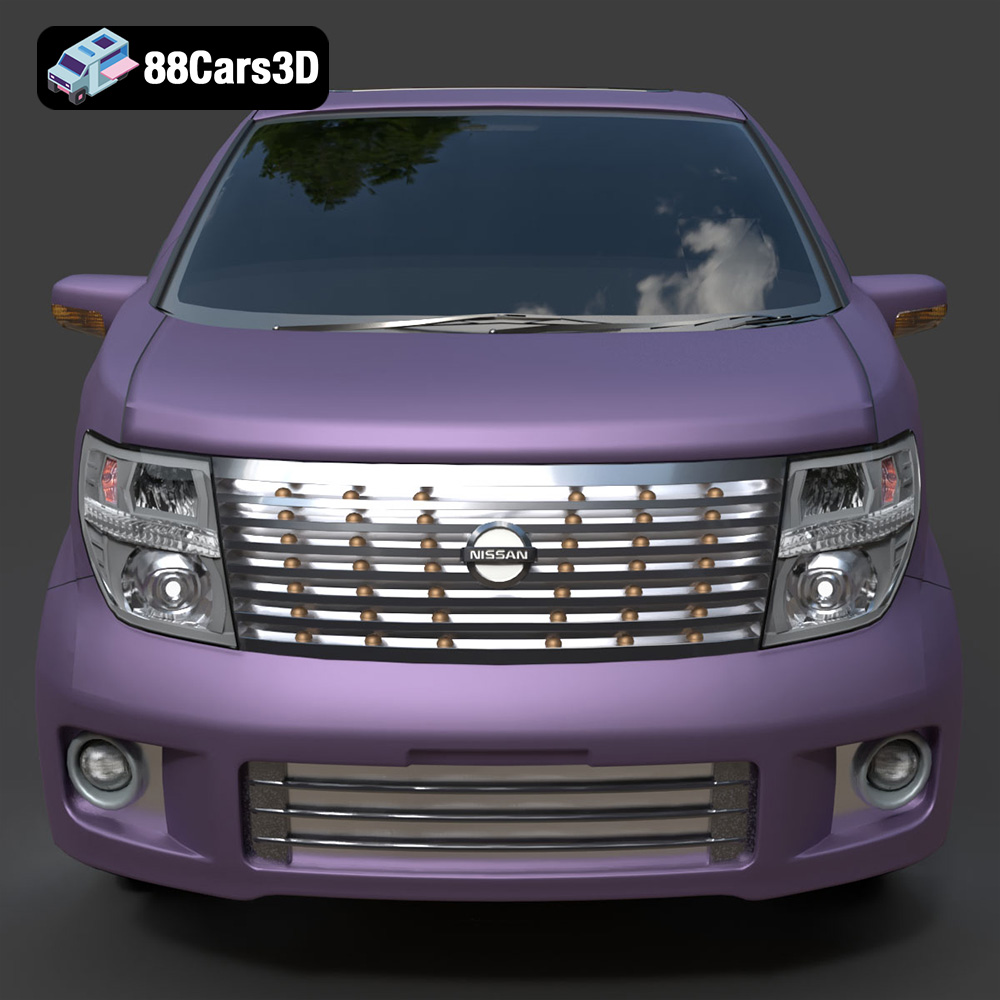
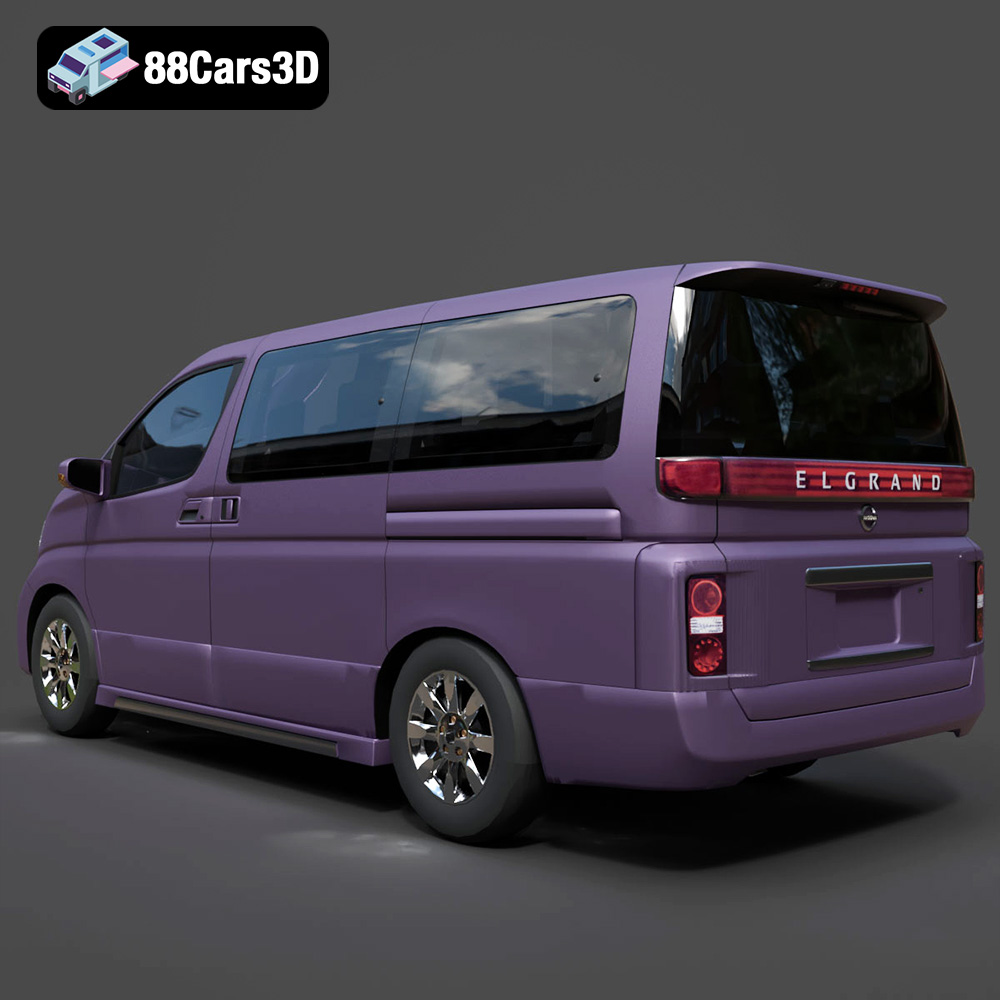
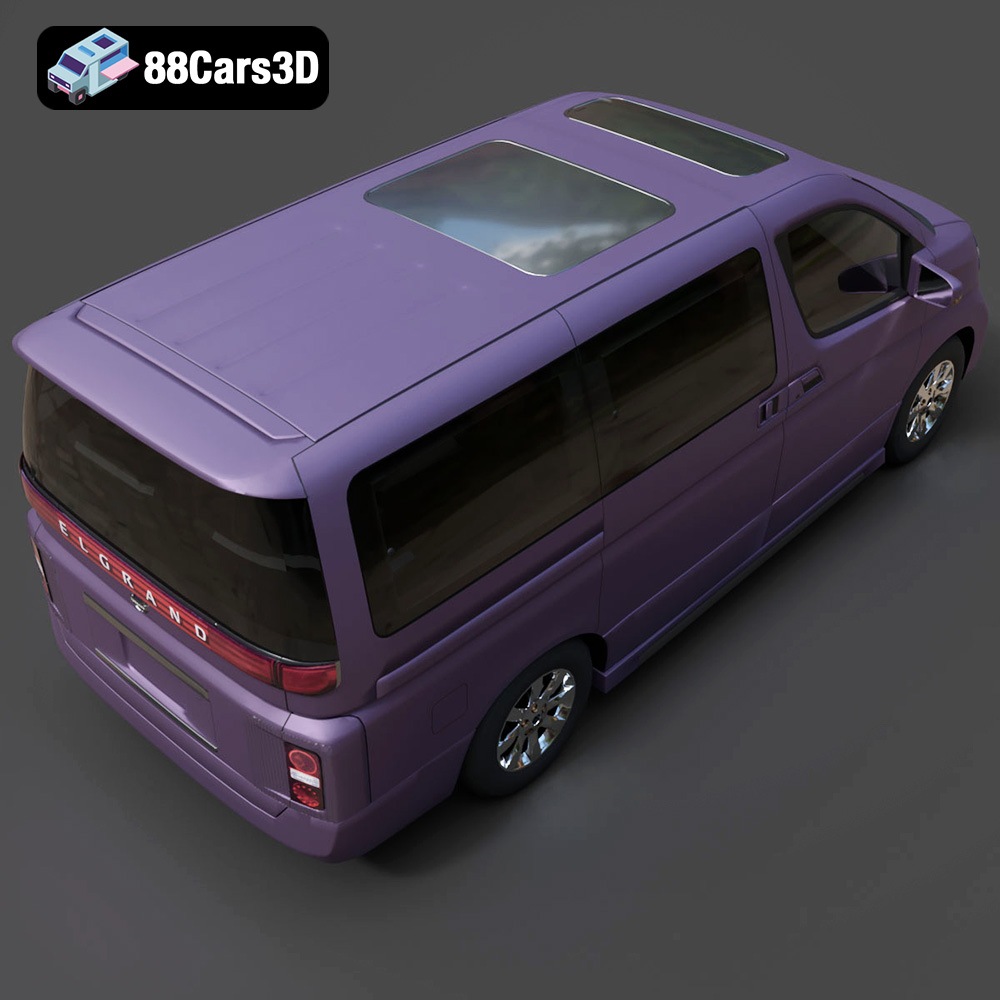
Discover the Nissan Elgrand 3D Model, a meticulously crafted digital representation of the premium full-size minivan. This model captures the distinctive styling and spacious appeal of the Elgrand, known for its elegant design and comfortable interior. Built with clean geometry and balanced detailing, it ensures optimal performance across various applications. Ideal for high-quality rendering, realistic animations, detailed simulations, and robust game development projects.
Exterior Features:
- Accurate body panels reflecting the Nissan Elgrand’s iconic silhouette.
- Detailed headlights and taillights with transparent materials for realistic lighting effects.
- Precisely modeled wheels and tires with tread patterns.
- Separate components for doors, hood, and trunk, facilitating animation workflows.
- Chrome accents and window trims for enhanced realism.
Interior / Mechanical Features:
- Faithfully reproduced dashboard, steering wheel, and central console.
- Comfortable seating arrangements with detailed upholstery.
- Visible interior components like door panels and floor mats.
- Optimized mesh quality ensures efficient rendering without compromising detail.
Technical Advantages:
- Clean quad-dominant topology, suitable for subdivision and efficient editing.
- Real-world scale accuracy ensures seamless integration into existing scenes.
- Organized hierarchy with proper pivot points for easy manipulation and animation.
- Optimized mesh for performance across different platforms.
Applications:
- Rendering & Visualization: Perfect for studio renders, architectural visualizations, and cinematic scenes.
- Game Development: An excellent asset for racing games, open-world environments, and driving simulations.
- AR/VR: Enhance immersive experiences with a high-fidelity virtual vehicle.
- Simulation & Training: Utilize for automotive training modules, traffic simulations, and educational content.
- 3D Printing: Easily convertible to .stl format for creating physical scale models.
Customization Options:
- Easily adjust paint finishes, material reflectivity, and add custom graphics or liveries.
- Modify material properties for metal, chrome, glass, and rubber components.
- Adapt lighting setups to achieve various atmospheric effects for different scenes.
The Nissan Elgrand 3D Model offers unparalleled quality and versatility for professionals seeking a realistic and highly adaptable digital asset. Its detailed design and robust technical foundation make it an essential addition to any 3D project library.
Included File Formats:
- .blend – Blender project with materials
- .fbx – Compatible with Unreal, Unity, and major 3D engines
- .obj – Universal format for nearly all 3D software
- .glb – Optimized for AR, VR, and web-based visualization
- .stl – Ready for 3D printing
- .ply – Mesh format for analysis and CAD workflows
- .unreal – Unreal Engine project setup
- .max – Editable 3ds Max scene for rendering and animation
$21.99
Product Image Gallery