

Elevating Digital Automotive Design: Precision, Performance, and Professional 3D Models
In the fast-evolving world of digital visualization, the demand for hyper-realistic and technically accurate 3D models has never been higher. From blockbuster game titles and immersive virtual reality experiences to high-fidelity product configurators and cinematic advertising, the quality of 3D assets directly impacts the final output. Automotive design, in particular, stands at the forefront of this revolution, requiring an unparalleled level of detail and precision to accurately represent complex machinery.
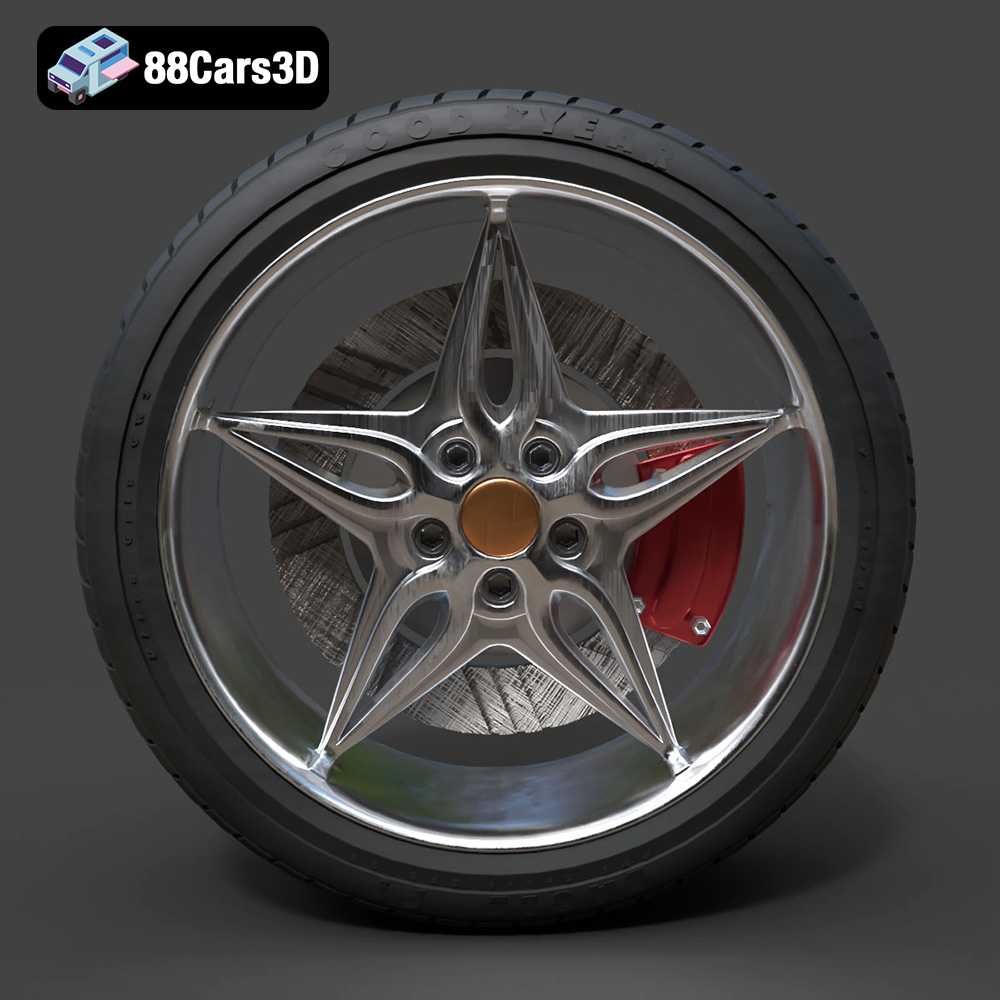
Achieving this level of realism is a laborious process, demanding significant expertise in modeling, texturing, and optimization. Every curve, every material interaction, and every mechanical component must be painstakingly crafted to meet professional standards. This is especially true for intricate parts like wheels, which are often the focal point of an automotive design, encapsulating both aesthetic appeal and engineering prowess. The Wheel-001 Component 3D Model exemplifies this dedication to precision, offering a meticulously crafted asset designed to seamlessly integrate into any professional workflow. It represents not just a wheel, but a commitment to excellence, providing a foundational element that can elevate any digital automotive project.
Understanding 3D Model File Formats
The choice of a 3D model file format is a critical decision that dictates compatibility, performance, and the scope of a project. When acquiring professional-grade assets like the Wheel-001 Component 3D Model, understanding the strengths and weaknesses of each included format is paramount. The Wheel-001 model from 88cars3d.com offers a comprehensive suite of formats, ensuring maximum flexibility across various software and applications.
.blend – The Blender Ecosystem
The .blend file format is the native format for Blender, a powerful open-source 3D creation suite. A .blend file typically contains everything within a Blender scene: the 3D model geometry, materials, textures, lighting setups, cameras, animations, and even physics simulations. This makes it an incredibly versatile format for users deeply integrated into the Blender ecosystem. For the Wheel-001 model, the .blend file provides a fully editable scene, allowing artists to directly manipulate the mesh, adjust PBR materials, re-rig, or animate the component within their familiar environment without any loss of data. Its self-contained nature ensures that all aspects of the model are preserved as intended by the creator, offering a perfect starting point for customization and iterative design.
.fbx – The Industry Standard for Interoperability
FBX (Filmbox) is a proprietary file format owned by Autodesk and is widely considered the industry standard for exchanging 3D data between different software applications. Its strength lies in its ability to store not just geometry, but also complex scene data like animation, cameras, lights, and skeletal deformations. The .fbx format is particularly popular in game development, making it an ideal choice for importing assets into game engines like Unreal Engine and Unity. For the Wheel-001 model, the included .fbx file ensures that the model, its PBR material assignments, and UVs are readily transferable and “game-engine ready,” streamlining the asset pipeline for real-time applications where performance and consistent visual fidelity are crucial.
.obj – Universal Compatibility
OBJ (Object) is one of the oldest and most universally supported 3D file formats. It is a simple, text-based format that primarily stores geometric data such as vertices, normals, UV coordinates, and faces, along with references to external material (.mtl) files. While it doesn’t support advanced features like animation or rigging, its widespread compatibility makes it a safe bet for cross-software integration. The .obj version of the Wheel-001 Component 3D Model guarantees that the core geometry and UV layout can be imported into virtually any 3D software package, serving as a reliable backbone for diverse projects, from static renders to initial mesh cleanup.
.glb – Pushing Boundaries in Web and AR/VR
GLB (GL Transmission Format Binary) is the binary version of glTF (GL Transmission Format), a modern, open-standard, royalty-free specification for 3D scenes and models. Designed specifically for efficient transmission and loading of 3D assets by applications, .glb files bundle geometry, textures, and animation into a single compact file. This makes it exceptionally well-suited for web-based 3D applications, augmented reality (AR), and virtual reality (VR) experiences where quick loading times and broad platform support are critical. The .glb format for the Wheel-001 model is optimized for these immersive and interactive environments, ensuring that the wheel renders quickly and correctly in real-time AR/VR viewers or web browsers without extensive setup.
.stl – The Language of 3D Printing
STL (STereoLithography) is a standard file format used for 3D printing and CAD software. It represents a 3D model as a collection of unconnected triangular facets, defining only the surface geometry of an object. While it lacks color, texture, or material information, its simplicity and ubiquitous support make it the go-to format for additive manufacturing. If a project requires physically prototyping the Wheel-001 component, the .stl file is the direct path to generating a precise, watertight mesh suitable for 3D printers, allowing for tangible assessment of the design.
.ply – Precision for Engineering and Scanning
PLY (Polygon File Format or Stanford Triangle Format) is another format used to store 3D data, particularly from 3D scanners. It can store a wider range of properties than STL, including color, transparency, and sometimes even material properties per vertex or face. It’s often used for precision modeling, engineering analysis, and scientific visualization where detailed mesh information beyond basic geometry is required. The .ply variant of the Wheel-001 Component 3D Model provides a robust option for those needing detailed polygon data for analysis or integration into specialized engineering visualization software.
.unreal – Native Integration for Game Development
The .unreal format (often a custom packaged asset within an Unreal project or a direct import of an optimized FBX that Unreal can handle natively) implies a pre-configured asset specifically tailored for Unreal Engine. This means the Wheel-001 model has been optimized, had its materials set up using Unreal’s physically based shading system, and is ready to be dropped directly into an Unreal project with minimal fuss. This significantly accelerates development for games, architectural visualization, and virtual production, offering an “out-of-the-box” solution for stunning real-time renders within the engine.
.max – Powering 3ds Max Workflows
The .max file is the native project file format for Autodesk 3ds Max, a leading software for 3D modeling, animation, rendering, and compositing. Similar to .blend, a .max file retains all scene information, including complex modifiers, render setups, lights, and animation data. Providing the Wheel-001 model in this format allows 3ds Max users to leverage their existing skill sets and pipelines, making it easy to integrate the component into high-end cinematic renders or complex animations, fully utilizing 3ds Max’s powerful rendering engines like V-Ray or Corona Renderer.
This diverse range of formats ensures that the Wheel-001 Component 3D Model is not just a single asset but a versatile toolkit, ready to meet the demands of any professional 3D project across various disciplines.
The Anatomy of a High-Quality Automotive 3D Model
Creating a truly professional 3D car model, especially for a detailed component like a wheel, goes far beyond simply replicating its shape. It involves a deep understanding of mesh construction, material properties, and texture mapping. The Wheel-001 Component 3D Model embodies these principles, ensuring it meets the rigorous demands of various digital applications.
Mesh Topology and Polygon Efficiency
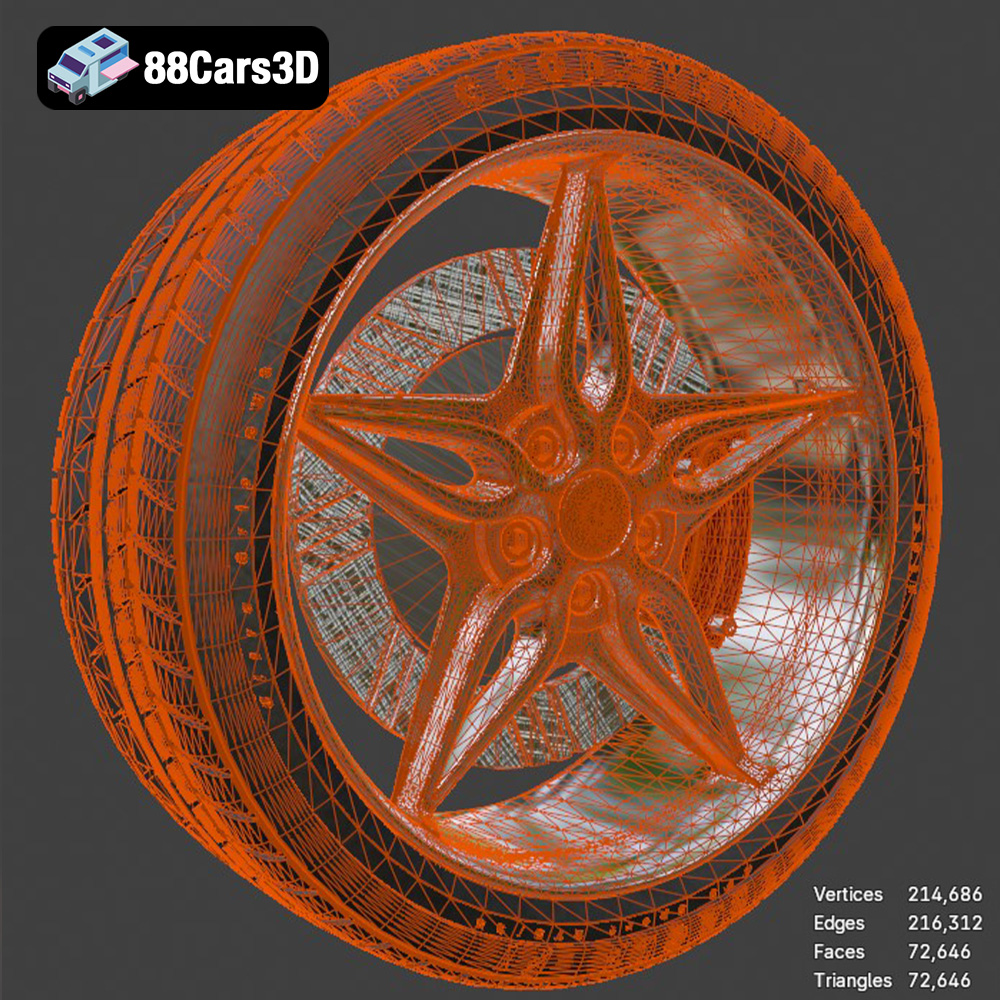
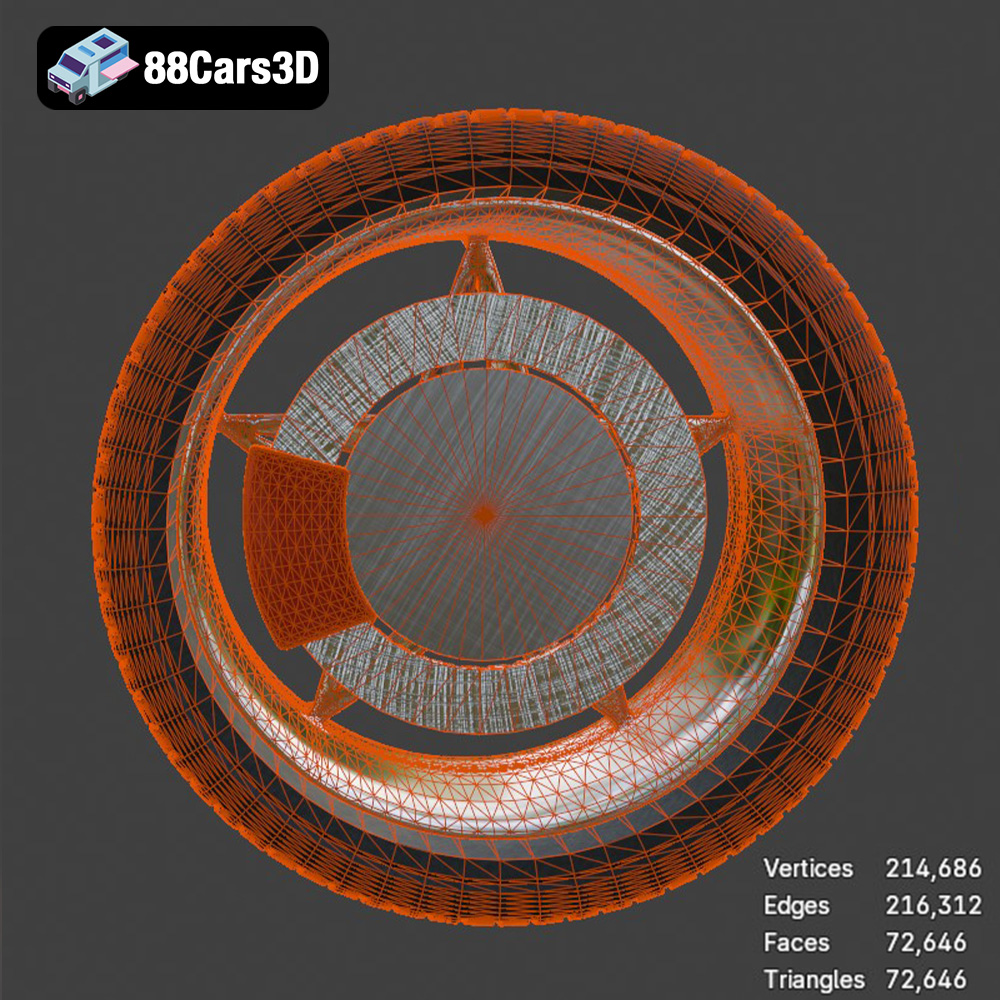
Clean mesh topology is the cornerstone of any high-quality 3D model. For automotive components, this means carefully constructed quads (four-sided polygons) that flow smoothly across the surface, facilitating subdivision without artifacting. The Wheel-001 model boasts optimized geometry, crucial for both high-speed rendering and real-time environments. In real-time applications like games or AR/VR, lower polygon counts are desirable for performance, but without sacrificing visual fidelity. For cinematic renders, a higher poly count or the ability to smoothly subdivide the mesh is key to capturing every subtle curve and reflection. An expertly modeled component, like the Wheel-001, strikes this balance by providing an efficient mesh that looks great at various detail levels, preventing issues like “pinching” or undesirable shading artifacts that can plague poorly constructed models.
Physically Based Rendering (PBR) Materials
Modern rendering relies heavily on Physically Based Rendering (PBR), a methodology that accurately simulates how light interacts with surfaces in the real world. PBR materials are essential for achieving photorealistic results, as they ensure that an object looks consistent and correct under different lighting conditions. The Wheel-001 Component 3D Model is configured with PBR workflow materials, meaning it includes maps for properties such as albedo (base color), roughness (micro-surface detail affecting reflection clarity), metallic (how metallic a surface is), and normal maps (simulating surface detail without increasing poly count). This meticulous setup guarantees stunning visual results whether the wheel is showcased in a dimly lit garage scene or under bright studio lights, reflecting the inherent properties of polished metal, matte rubber, or painted finishes with convincing realism.
UV Mapping and Texture Resolution
Effective UV mapping is the art of flattening a 3D mesh into a 2D space, allowing textures to be applied without stretching or distortion. For intricate objects like a wheel, precise UV unwrapping is crucial for applying detailed textures that wrap seamlessly around spokes, the rim, and tire sidewalls. The Wheel-001 model features clean UVs, ensuring that any high-resolution textures, whether custom-made or procedural, will project perfectly onto its surface. Coupled with appropriate texture resolution, clean UVs facilitate the application of subtle wear, brake dust, or manufacturing marks, adding an extra layer of realism and believability to the component. This attention to detail in UVs and material setup streamlines the texturing process, saving valuable production time and ensuring visual integrity.
Integrating the Wheel-001 into Professional Workflows
The versatility of the Wheel-001 Component 3D Model makes it an invaluable asset across various professional 3D pipelines. Its multi-format availability ensures that artists and developers can integrate it seamlessly into their preferred software environments.
Workflow in 3ds Max for Cinematic Renders
For users working in Autodesk 3ds Max, the included .max file is a direct entry point to high-fidelity rendering. A typical workflow would involve opening the .max file, which already contains the optimized geometry and PBR material setup. Artists can then integrate the wheel into a complete car model or a larger scene. Using renderers like V-Ray or Corona Renderer, they can establish a sophisticated lighting environment, perhaps a studio setup with softboxes or an outdoor HDR (High Dynamic Range) image. The PBR materials of the Wheel-001 model will react accurately to this lighting, showcasing realistic reflections on the rim and proper shading on the tire. Animators can easily rig the wheel for rotations or steering, ensuring it moves authentically within a cinematic sequence, ready for high-resolution output for commercials or product showcases.
Blender for Automotive Design and Animation
Blender artists will find the .blend file of the Wheel-001 Component 3D Model equally intuitive. The native Blender file allows for immediate inspection and modification of the mesh, materials, and even the scene setup. Designers might use Blender’s powerful modeling tools to customize the wheel further, perhaps adding specific brand logos or modifying spoke designs, knowing that the underlying topology is robust. For animation, Blender’s non-linear animation editor and powerful physics engine can be leveraged to create realistic tire deformations, suspension dynamics, or dynamic camera movements around the wheel. The Cycles or Eevee render engines can then produce stunning visuals, from quick real-time previews to final photorealistic renders suitable for design reviews or interactive presentations.
Unreal Engine for Real-Time Visualization and Games
In the realm of real-time applications, the .fbx and .unreal files of the Wheel-001 model are tailored for game development and interactive visualization within Unreal Engine. The process begins with importing the optimized asset, which carries its PBR textures and UVs directly into Unreal’s content browser. Artists can then drag and drop the wheel into their level, apply or refine the pre-configured PBR materials using Unreal’s robust material editor, and set up dynamic lighting. For game developers, the wheel can be integrated into a vehicle blueprint, complete with physics constraints and animation for spinning and steering. For architectural visualization or product configurators, the asset’s optimized geometry and PBR materials ensure smooth performance and stunning visual fidelity, allowing users to interact with the model in real-time, inspect details, and even change material finishes instantly.
Real-World Applications and Case Studies
The practical utility of a high-quality 3D asset like the Wheel-001 Component extends across numerous industries, providing tangible benefits in visualization, simulation, and interactive experiences.
Automotive Configurator Development
One of the most impactful applications for such a model is in the creation of online automotive configurators. Car manufacturers and dealerships use these tools to allow potential buyers to customize vehicles in real-time, selecting different wheel designs, paint colors, and interior options. A premium asset like the Wheel-001 ensures that the visual fidelity of the wheel matches the quality of the rest of the car, providing a convincing and engaging user experience. In a case study, a luxury car brand could utilize this model to demonstrate various wheel options on a new vehicle launch, allowing customers to zoom in and appreciate the intricate design and material reflections, which directly influences purchasing decisions.
VR Training Simulations and Interactive Experiences
The Wheel-001 Component 3D Model is ideal for immersive AR/VR applications. In a VR training simulation for mechanics, for instance, a highly accurate 3D wheel allows trainees to practice tire changes, brake inspections, or suspension repairs in a safe, virtual environment. The detailed geometry and PBR materials provide the necessary visual cues for realistic interaction and component recognition. Similarly, an interactive AR application could project the Wheel-001 onto a real-world car, allowing users to visualize how a new rim would look before making a purchase, offering a compelling blend of digital and physical realities.
High-Resolution Product Marketing and Advertising
For marketing agencies and automotive advertising campaigns, high-resolution renders are paramount. The Wheel-001 model, with its clean geometry and PBR-ready materials, can be used to generate photorealistic images and animations for print ads, TV commercials, and online campaigns. Imagine a visually striking advertisement that highlights the wheel’s design, showcasing its intricate details and the interplay of light on its metallic surfaces. This level of detail elevates brand perception and effectively communicates the quality and design excellence of the featured automotive product. The efficiency of having such a ready-to-use, professional-grade asset saves significant time and resources compared to modeling from scratch, allowing marketing teams to focus on creative direction rather than technical production.
Saving Time and Ensuring Quality with Pre-made Assets
In the fast-paced world of 3D production, time is often the most valuable commodity. Creating complex, high-quality 3D assets from scratch, especially intricate mechanical components like car wheels, demands hundreds of hours of expert labor in modeling, unwrapping, texturing, and material setup. This is where premium pre-made assets, such as the Wheel-001 Component 3D Model available at 88cars3d.com, prove invaluable.
The Cost-Benefit of Premium Components
The decision to purchase a pre-made 3D model like the Wheel-001 component is a strategic investment. The cost of acquiring such an asset is significantly lower than the labor hours required to model it internally to the same professional standard. For individual artists, small studios, or large production houses, this translates into substantial cost savings. Furthermore, it allows teams to reallocate their time and resources to more complex or bespoke elements of a project, enhancing overall efficiency without compromising on quality. The Wheel-001 Component 3D Model is an immediate, production-ready solution that bypasses the lengthy initial stages of asset creation, enabling faster project turnaround times.
Consistent Quality Across Projects
One of the challenges in large-scale 3D projects is maintaining a consistent level of quality across all assets. By sourcing professional-grade components from reputable marketplaces like 88cars3d.com, studios can ensure that essential elements meet a uniformly high standard. The Wheel-001 model, engineered for precision with optimized geometry and PBR materials, guarantees visual consistency whether it’s used in a game, a cinematic render, or an AR/VR experience. This reliability is critical for maintaining artistic integrity and technical performance, reducing the need for extensive post-production corrections or re-work. Investing in such meticulously crafted assets ensures that every detail, down to a single wheel, contributes positively to the overall excellence of the final product.
Conclusion
The journey from conceptual design to a photorealistic digital representation is paved with technical challenges and artistic demands. High-quality 3D assets are the bedrock of compelling visuals, and in the automotive sector, precision and performance are non-negotiable. The Wheel-001 Component 3D Model stands as a testament to this commitment, offering a meticulously crafted, technically robust solution for a wide array of professional applications.
With its optimized geometry, PBR-ready materials, and comprehensive suite of file formats (including .blend, .fbx, .obj, .glb, .stl, .ply, .unreal, and .max), this model empowers artists and developers to achieve stunning results across cinematic rendering, real-time game development, immersive AR/VR experiences, and detailed engineering visualizations. It’s more than just a 3D wheel; it’s a time-saving, quality-assuring investment that integrates effortlessly into established workflows in 3ds Max, Blender, Unreal Engine, and beyond. By leveraging such premium assets, available at 88cars3d.com, professionals can focus their creative energy on bringing their visions to life, confident that their foundational components meet the highest industry standards. Elevate your next automotive project with assets built for excellence.
Featured 3D Model
Wheel-001 Component 3D Model
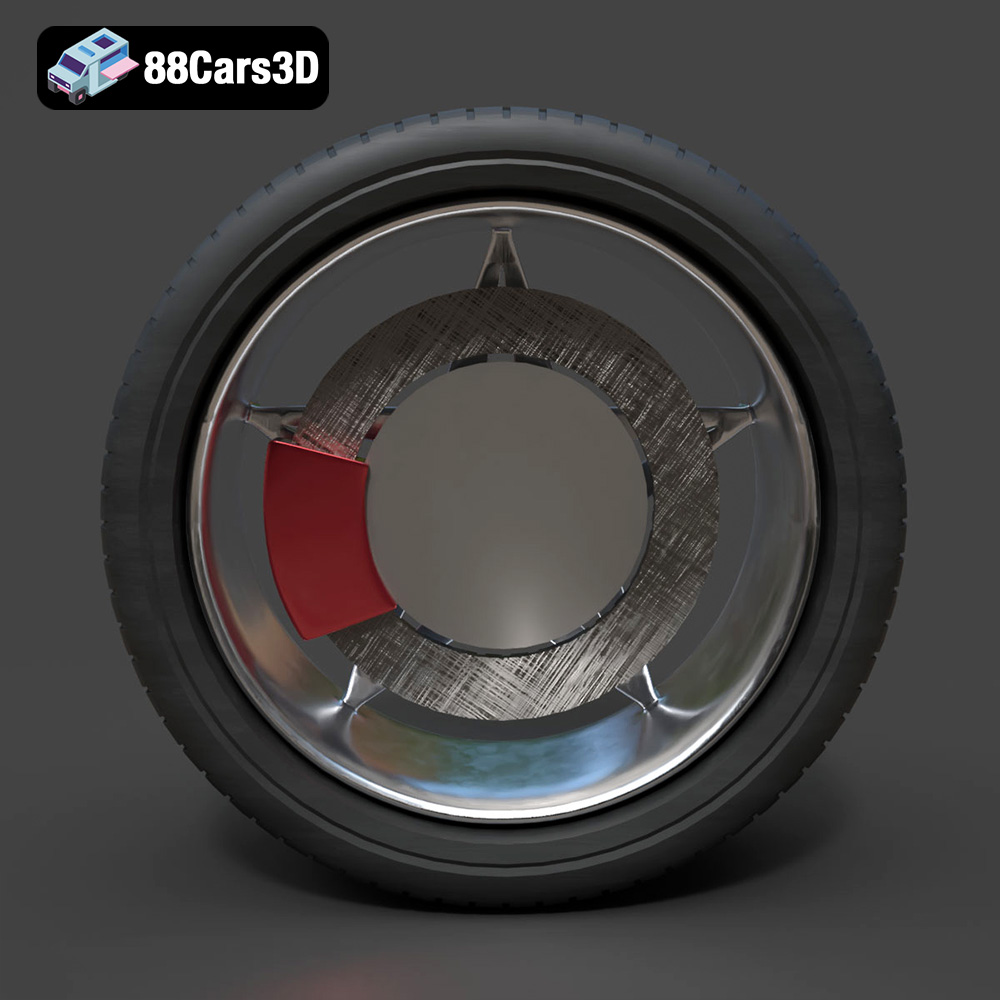
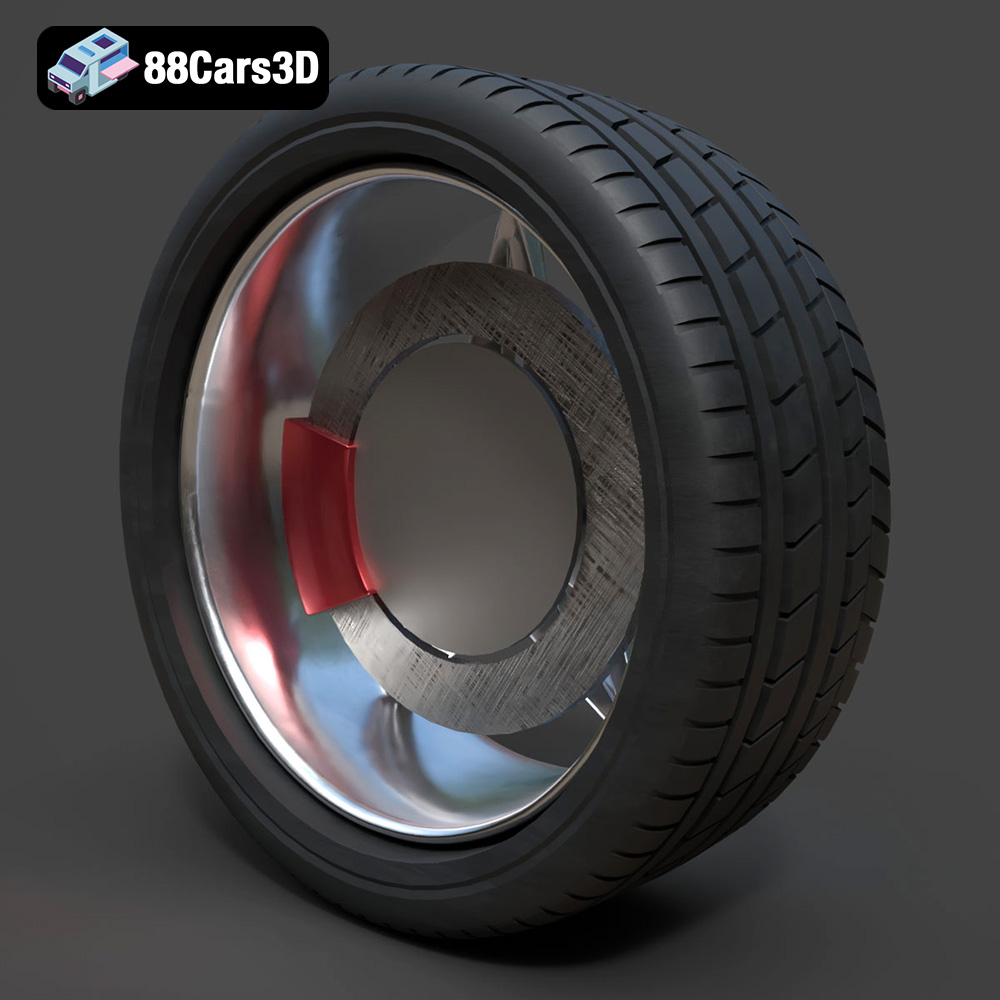
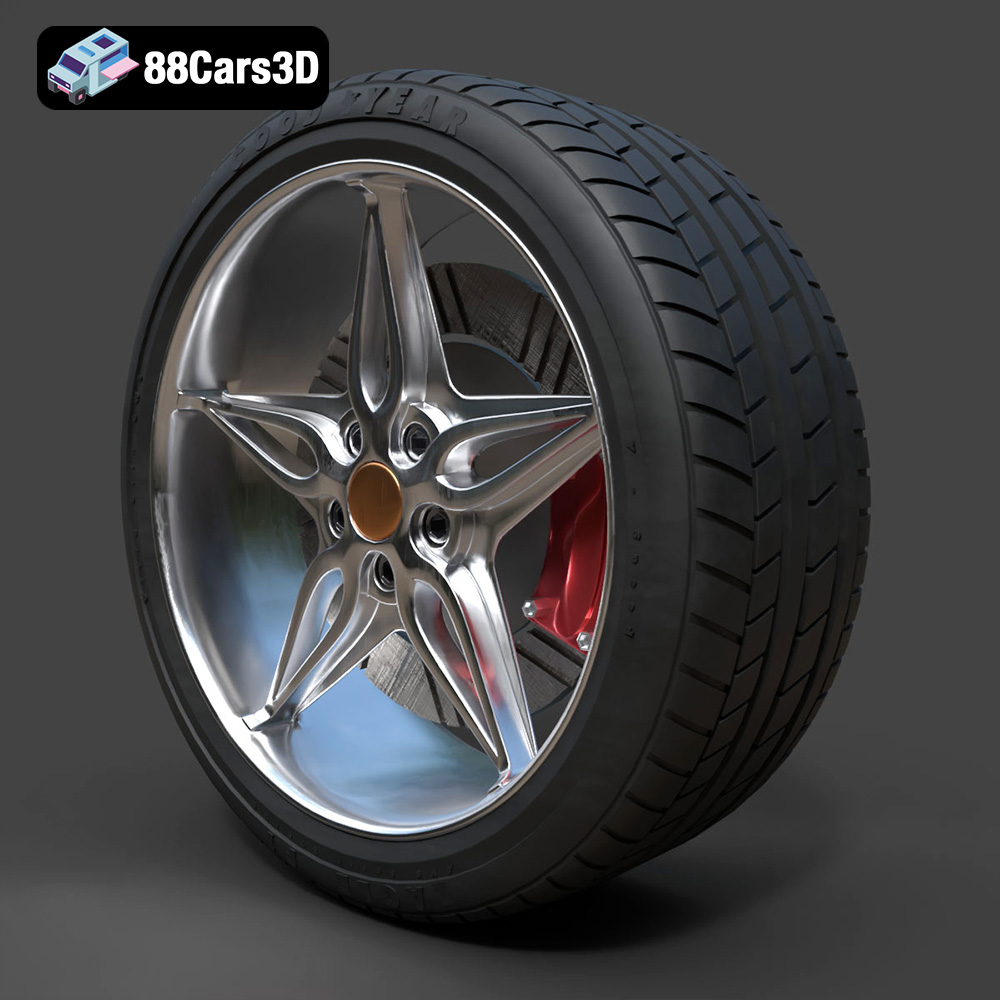
Presenting the Wheel-001 Component 3D Model, engineered for precision and seamless integration into professional projects. This model is meticulously crafted to replicate the component’s structure with accurate proportions and technical specifications, making it an essential asset for automotive visualization and digital simulation.
This product features clean, optimized geometry suitable for high-speed rendering and real-time environments. All materials are configured for physical accuracy (PBR workflow), ensuring stunning visual results across different lighting conditions and software platforms. This professional-grade asset saves valuable production time while delivering technical reliability.
Ideal for a wide range of applications including high-resolution cinematic rendering, immersive AR/VR experiences, real-time game development, and engineering visualization projects.
Included File Formats
- .blend – Editable Blender file with materials and lighting setup
- .fbx – Game-engine ready format for Unreal Engine and Unity
- .obj – Standard 3D model format compatible with all major software
- .glb – Optimized for AR/VR and web-based visualization
- .stl – Suitable for 3D printing and prototyping
- .ply – Detailed polygon mesh for analysis and visualization
- .unreal – Pre-configured for Unreal Engine use
- .max – Editable 3ds Max file for rendering and animation
Tags:
.wheel001, .wheel, .rim, .vehiclepart, .automotivecomponent, .accessory, .car3dmodel, .rendering, .simulation, .gameasset, .arvr, .blend, .fbx, .obj, .glb, .stl, .ply, .unreal, .max
Tags:
.wheel001, .wheel, .rim, .vehiclepart, .automotivecomponent, .accessory, .car3dmodel, .rendering, .simulation, .gameasset, .arvr, .blend, .fbx, .obj, .glb, .stl, .ply, .unreal, .maxMercedes Benz CLS 500 3D Model
$10.99
Product Image Gallery

Related Tags
.accessory
.arvr
.automotivecomponent
.blend
.car3dmodel
.fbx
.gameasset
.glb
.max
.obj
.ply
.rendering
.rim
.simulation
.stl
.unreal
.vehiclepart
.wheel
.wheel001
