The Definitive Guide to Utilizing High-Fidelity 3D Car Models in Professional Visualization Pipelines
The convergence of photorealistic rendering and real-time interactive experiences has placed unprecedented demands on the quality and technical fidelity of digital assets. For sectors ranging from film production and architectural visualization (ArchViz) to advanced game development, the accuracy of automotive models is paramount. A substandard 3D car model can compromise an otherwise perfect scene, leading to artifacts, incorrect reflections, and rendering bottlenecks.
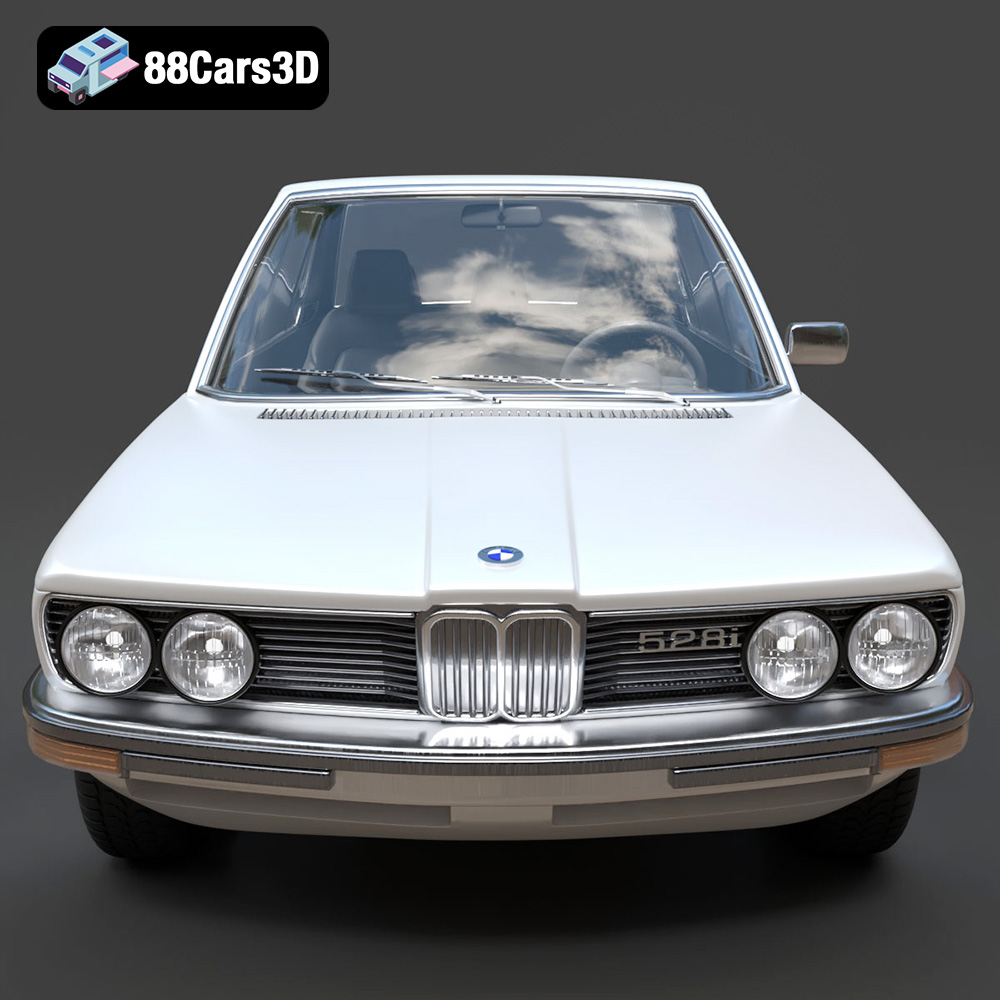
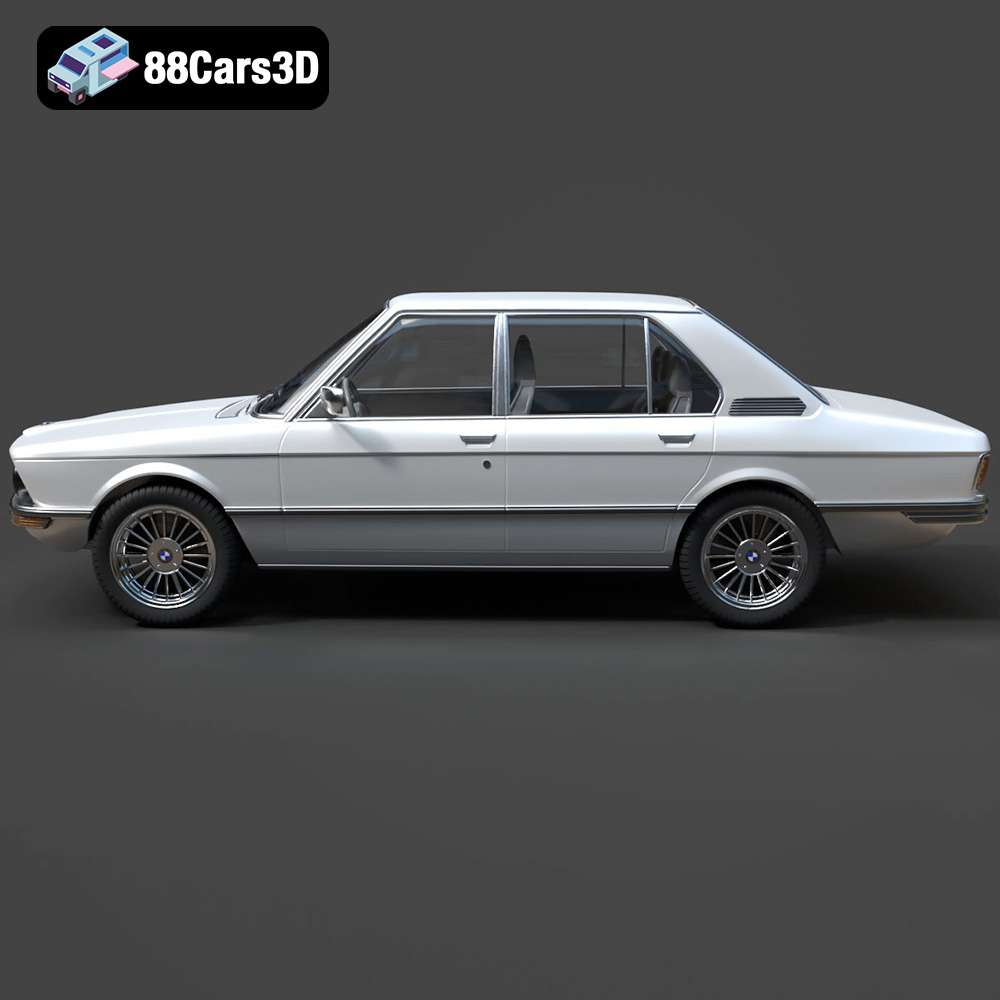
Achieving true digital realism requires models built with professional intent: clean topology, optimized geometry, and meticulously configured materials. This technical deep dive explores the requirements for utilizing professional-grade 3D car models in diverse industry pipelines, using a classic example—the BMW 5 Series E12 528i 3D Model—as a case study for versatility and technical precision. Assets like this, available on marketplaces dedicated to quality like 88cars3d.com, are built not just for beauty, but for seamless integration into complex production environments.
The Technical Necessity of Automotive Accuracy
In visualization, particularly in automotive rendering and ArchViz, the vehicle is often the focal point that grounds the scene in reality. The E12 528i model, representing the first generation of the BMW 5 Series, demands historical and structural accuracy. Achieving this level of precision means geometry must accurately reflect real-world manufacturing tolerances, panel gaps, and subtle curvature nuances that define the vehicle’s classic silhouette. This fidelity is essential whether the final output is a static marketing render or a dynamic, physically simulated environment.
Understanding 3D Model File Formats
One of the most critical aspects of professional 3D asset procurement is understanding the vast ecosystem of file formats. A professional 3D car model must be versatile, offering formats optimized for specific stages of the pipeline—from initial editing to final deployment in real-time engines or 3D printing. The BMW 5 Series E12 528i 3D Model is packaged with a comprehensive array of formats, each serving a distinct technical purpose. Choosing the right format prevents unnecessary conversion headaches and preserves data integrity.
.blend – Fully Editable Blender Scene with Materials
The native Blender file (.blend) is arguably the most valuable for artists entrenched in the Blender ecosystem. It includes the complete scene setup: lighting, camera configurations, and procedural node-based materials designed for Cycles or Eevee. This format is ideal when the user needs to make significant geometric modifications, change the environment setup, or leverage Blender’s powerful simulation tools directly. It retains full editability and non-destructive modifiers.
.max – Editable 3ds Max Project for Animation and Rendering
The .max file is essential for professionals relying on Autodesk 3ds Max, typically paired with high-end ray tracing renderers like V-Ray or Corona. This format preserves specific object hierarchies, layer structures, and sophisticated material definitions native to the Max environment. It is the go-to format for complex cinematic animations, architectural integration, and projects demanding specialized scripting and plugin compatibility within the 3ds Max framework.
.fbx – Ideal for Unreal, Unity, and Real-Time Pipelines
The Filmbox (.fbx) format is the industry standard for asset exchange, particularly when transferring models, materials, skeletal data, and animation curves between different DCC (Digital Content Creation) applications and game engines. For dynamic projects, the .fbx is critical as it reliably packages the mesh with PBR (Physically Based Rendering) compatible material slots, making it the preferred choice for importing clean, triangulated geometry into Unreal Engine or Unity.
.obj – Universal Format for Cross-Software Compatibility
The Wavefront Object (.obj) format offers maximum compatibility. While it does not store advanced features like rigging or light data, it reliably transfers geometry, UV mapping coordinates, and basic material information (via an accompanying .mtl file). If a workflow requires moving the 3D car model between highly specialized or niche software packages, the .obj format serves as the foundational, universal bridge.
.unreal – Engine-Ready Asset for Real-Time Environments
This specialized format indicates an asset specifically pre-configured for Unreal Engine. It often means the model has already been imported, optimized, and saved with appropriate LOD (Level of Detail) groups, collision meshes (UCX), and material instances already set up within the engine’s asset structure. This significantly accelerates the integration process, saving hours of configuration time typically required for optimizing game assets.
.glb – Optimized for AR, VR, and Browser-Based Display
The Graphics Library Transmission Format (.glb) is a compact, binary version of the glTF format, optimized specifically for rapid deployment in WebGL viewers, AR, and VR applications. It packages the geometry, PBR textures, and shading information into a single, efficient file, ensuring fast loading times and minimal memory footprint—crucial for mobile or browser-based experiences.
.stl – Suitable for 3D Printing Output
The Stereolithography (.stl) format is mandatory for physical production. Unlike formats designed for visualization, .stl represents the geometry purely as a surface made up of triangular facets. When preparing the E12 model for 3D printing, the .stl file must be verified as “manifold”—meaning the mesh is closed, watertight, and has no intersecting or flipped normals, ensuring successful slicing and printing.
.ply – Precision Mesh Format for CAD or Analysis
The Polygon File Format (.ply) is often used in scientific or engineering contexts, particularly for data derived from 3D scanning or CAD applications. It can store complex data beyond simple vertices and faces, including color per vertex, normal information, and reliability measures. This format is valuable when the 3D car model needs to be integrated into reverse engineering workflows or finite element analysis (FEA) simulations.
Topology and Optimization: Bridging the Gap Between Rendering and Real-Time
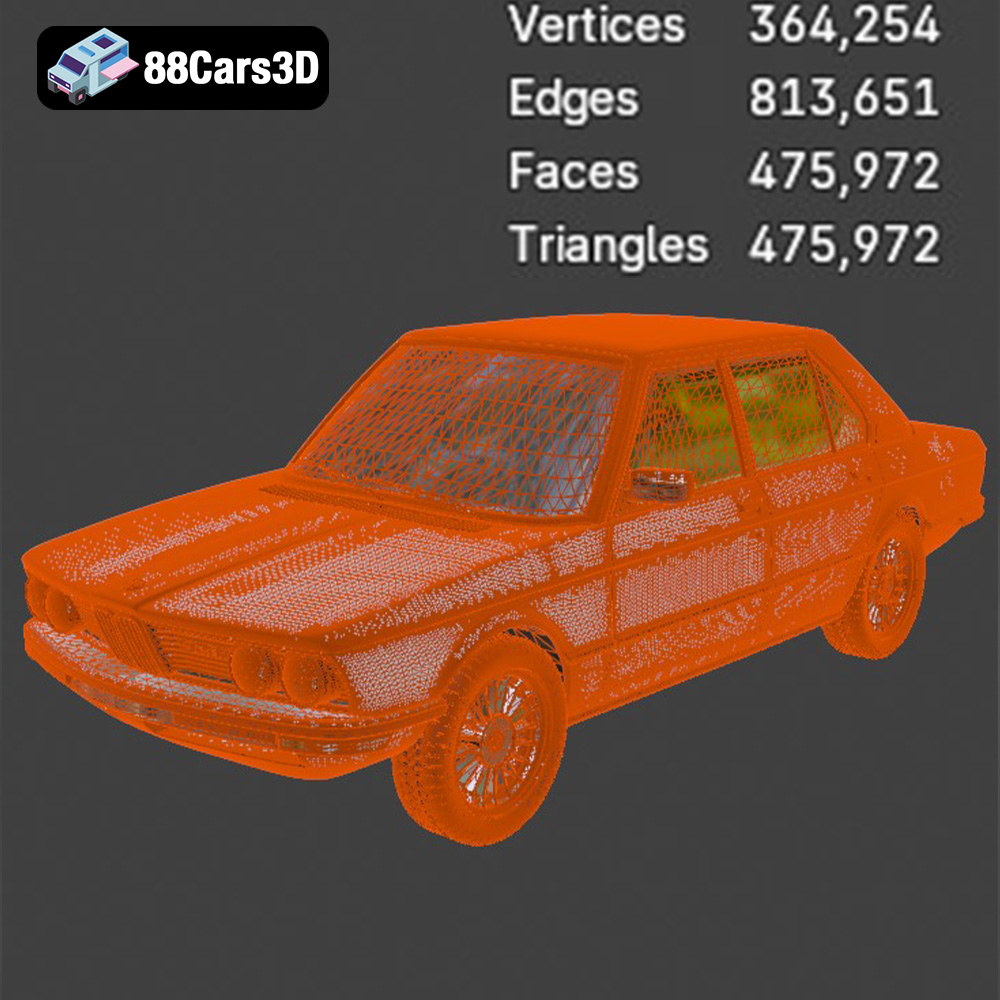
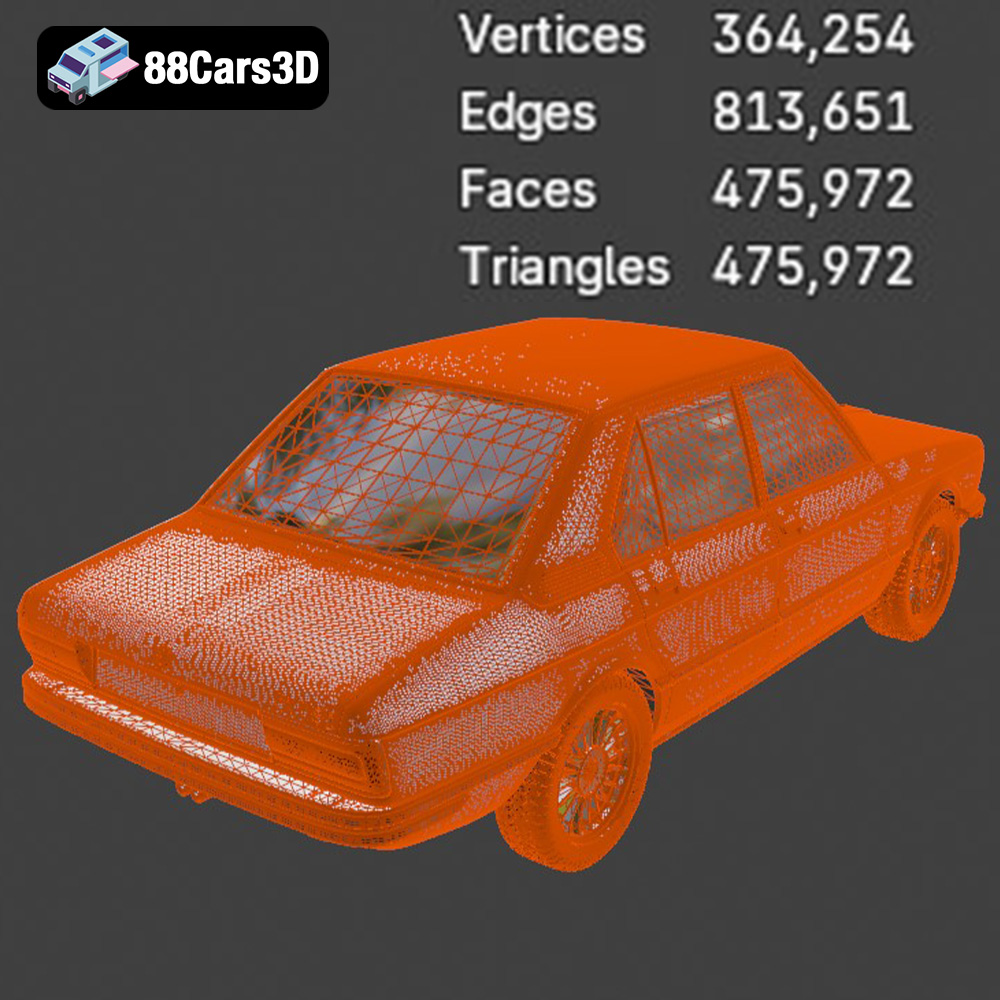
The difference between a high-quality model and a low-quality one often lies beneath the surface in the structure of the mesh. Professional 3D car models, such as the E12 528i available at 88cars3d.com, are built upon clean, quad-based topology. This meticulous structuring is non-negotiable for demanding production workflows.
The Importance of Clean Quad Topology
For high-end automotive rendering, surfaces must appear perfectly smooth and continuous, especially on reflective materials like chrome and car paint. Quad topology (meshes composed primarily of four-sided polygons) is essential because it allows for smooth subdivision (using tools like Turbosmooth in 3ds Max or Subdivision Surface in Blender) without introducing pinching, creasing, or unwanted artifacts. While real-time engines ultimately convert everything to triangles, the clean quad base ensures that the model can scale smoothly from a low-poly game asset (LOD 3) up to an ultra-high definition cinematic asset (LOD 0).
UV Mapping and Texturing Fidelity
UV mapping dictates how textures are wrapped around the geometry. High-fidelity models must feature non-overlapping, well-organized UV maps, ideally spread across dedicated UDIM tiles for detailed components like the dashboard, engine bay, and wheel wells. For the BMW E12, crucial details like the accurate texture of the vinyl roof (if applicable), tire treads, and interior fabrics rely on meticulous UV layout to avoid stretching or seams during texturing and baking.
Level of Detail (LOD) Strategies for Game Assets
When the 3D car model is destined for game development, performance is critical. Professionals manage this through Level of Detail (LOD) groups. A typical setup involves 3 to 4 LOD levels:
- LOD 0 (Cine/Close-Up): Full detail geometry (e.g., 300,000+ polygons), visible trim and interior.
- LOD 1 (Medium Distance): Optimized detail (e.g., 100,000 polygons), interior simplified.
- LOD 2 (Far Distance): Heavy simplification (e.g., 20,000 polygons), minimal internal structure, focus on silhouette.
- LOD 3 (Occluded/Extreme Distance): Basic proxy mesh (e.g., 5,000 polygons), used for shadow casting and occlusion culling.
This systematic reduction ensures the model renders efficiently regardless of the viewer’s distance, which is fundamental for optimizing complex open-world environments in engines like Unreal.
Integrating Classic Assets into Modern Rendering Workflows
The primary goal of professional rendering is to achieve photorealism. This requires not only high-quality geometry, but sophisticated material definition and accurate lighting integration. Using the BMW 5 Series E12 528i 3D Model, we examine how it integrates into industry-standard DCC applications.
Photorealism in 3ds Max and V-Ray/Corona
In 3ds Max workflows, the provided .max file is usually pre-configured for a specific production renderer. Achieving realistic automotive paint involves defining complex layered materials, typically utilizing a base diffuse color, a metallic flake layer (simulated using noise or procedural textures), and multiple clear coat reflections (specular and roughness maps). For the E12’s classic chrome bumpers and trim, accurate PBR workflow mandates specific metallic/roughness values to capture the anisotropic reflection characteristic of polished metal, ensuring reflections are crisp and realistic.
Utilizing Blender for Classic Automotive Scenes
Blender users benefit immensely from the native .blend file, which allows immediate interaction with the asset. For static shots, Cycles offers unmatched ray-traced accuracy for glass refraction and complex light bounces, crucial for achieving deep, wet reflections on the car body. Alternatively, Eevee, Blender’s real-time rasterization engine, can be leveraged for rapid iteration and high-quality pre-visualization, especially useful when designing lighting setups for a classic automotive scene featuring the E12 528i in a period-appropriate setting.
Physically Based Rendering (PBR) Shading
PBR is the backbone of modern rendering. All materials—from the painted sheet metal to the rubber seals and interior plastics—must adhere to PBR principles. This consistency ensures that the model reacts identically to light sources regardless of whether it is being rendered in Blender, 3ds Max, or Unreal Engine. For the E12 528i, paying close attention to the micro-surface detail (roughness maps) on materials like rubber and dashboard vinyl prevents them from looking unnaturally smooth or plastic in the final render.
From Studio Render to Game Asset: Real-Time Implementation
The demands of real-time environments—particularly high framerates and massive scene complexity—require a specialized approach to asset preparation. The transition from a render-optimized model to a functional game asset relies heavily on proper format handling and engine optimization.
Integrating the .unreal Asset into Unreal Engine
The included .unreal file provides an enormous head start for projects built within Epic Games’ ecosystem. When importing, the asset should utilize Unreal’s robust material system. This involves creating Material Instances based on a master vehicle material. The geometry, particularly the chassis and wheels, must have accurate collision meshes (often automatically generated or manually provided as UCX geometry) so that the vehicle interacts correctly with the environment physics and driving mechanics. The inherent quality of the assets found on sites like 88cars3d.com ensures that geometry normals and tangets are clean, minimizing shading errors in the engine.
Optimizing Geometry for High Framerates
Even with LODs, optimization must address the overall complexity. Large 3D car models like the BMW E12 528i, with detailed interiors and engine bays, can contribute to high draw calls—the number of instructions the CPU sends to the GPU. Strategies to mitigate this include:
- Merging Meshes: Combining static elements (e.g., exterior panels) into single meshes to reduce draw calls.
- Instancing: Using geometry instancing for repetitive elements (like wheel bolts or small trim pieces) where possible.
- Occlusion Culling: Ensuring the engine efficiently determines which parts of the detailed interior or engine are hidden from view and preventing their rendering.
Setting Up Dynamic Car Rigging and Physics
For a drivable asset in a simulation or racing game, the geometry must be rigged. This requires establishing a hierarchy where the wheels, steering components, and suspension linkages are independently pivotable. In Unreal Engine, utilizing the Chaos Vehicle system or specialized physics blueprints requires the geometry to be separated logically (body, four wheels, brake calipers). The precision of the original E12 model ensures that these physics pivots align correctly with the vehicle’s real-world axle positions, leading to realistic suspension travel and steering behavior.
Advanced Applications: AR/VR, Simulation, and 3D Printing
The utility of a high-fidelity 3D car model extends far beyond traditional static imagery. The technical specifications of the BMW 5 Series E12 528i model make it highly suitable for cutting-edge immersive and analytical applications.
Requirements for AR/VR Deployment
Augmented Reality (AR) and Virtual Reality (VR) environments are constrained by mobile processor power and strict latency requirements. The critical factor here is frame budget. The .glb format is indispensable for these applications due to its optimized packaging. When deploying the E12 528i in AR, the geometry must be heavily optimized (often down to 50,000–100,000 triangles total, depending on the target platform) to maintain the required 90 frames per second (FPS) for a comfortable VR experience, or smooth tracking in an AR application on a smartphone.
Simulation and Digital Prototyping
In professional simulation, particularly in the automotive and engineering sectors, digital models serve as “digital twins.” Because the E12 model captures the authentic physical dimensions and topology of the classic sedan, it can be used in academic or commercial simulation environments. Engineers can leverage the model’s structure to test aerodynamic theories, light dispersion (headlight output simulation), or visualize structural stress points, using the high-precision .ply or .max geometry as the basis for analysis.
Preparing the Model for 3D Printing
The inclusion of the .stl format facilitates rapid physical prototyping or model making. While the visualization model might include overlapping parts or thin geometry unsuitable for printing, the provided .stl file is often cleaned or configured to be watertight. Preparing the classic E12 for successful additive manufacturing involves scaling it appropriately, checking wall thickness (ensuring features are thick enough to print), and orienting the model to minimize support structures.
Conclusion: Elevating Visualization with Premium 3D Assets
The successful integration of a 3D car model into a professional pipeline hinges entirely on the quality and format flexibility provided by the asset creator. Whether the objective is cinematic automotive rendering in 3ds Max, building interactive game assets in Unreal Engine, or deploying optimized geometry for AR/VR experiences, technical accuracy is the foundational requirement.
The BMW 5 Series E12 528i 3D Model exemplifies what a premium asset should offer: uncompromising detail suitable for close-up renders, clean topology for scalable optimization, and a full suite of specialized file formats (.fbx, .blend, .unreal, .glb, etc.) to ensure compatibility across all industry-standard software. By choosing assets built to these rigorous technical standards, professionals ensure their projects run smoothly, achieve optimal performance, and deliver truly photorealistic results. Explore this model and other high-fidelity assets designed for professional production at 88cars3d.com.
Featured 3D Model
BMW 5 Series E12 528i 3D Model
The BMW 5 Series E12 528i 3D model captures the essence of this influential classic sedan with uncompromising accuracy. Every exterior panel, lighting fixture, and badge has been meticulously recreated to deliver a digital asset suitable for professional visualization projects. This model provides an authentic representation of the first generation of the 5 Series, perfect for projects requiring automotive nostalgia and technical precision. This model includes a fully detailed interior and engine bay suitable for close-up renders and simulation environments.
$14.99
Product Image Gallery