The Precision Artistry of 3D Car Models: From Concept to Photorealistic Reality
In the rapidly evolving digital landscape, the demand for high-quality 3D car models has never been greater. Whether for cinematic automotive rendering, immersive game development, cutting-edge AR/VR experiences, or precision 3D printing, the foundational asset remains the meticulously crafted 3D model. These digital representations are far more than just visual approximations; they are complex data structures that define form, texture, and physical properties, enabling a myriad of applications across industries. At 88cars3d.com, we understand the critical role these assets play, providing a curated selection that meets the rigorous demands of professional workflows.
Creating and utilizing 3D car models is a highly specialized craft, blending artistic vision with deep technical expertise. From the initial polygonal mesh to the final rendered pixel or printed layer, every stage requires a nuanced understanding of software capabilities, industry standards, and the specific requirements of the end product. This comprehensive guide will delve into the technical intricacies of 3D car models, exploring file formats, advanced rendering techniques, game development optimizations, and their diverse applications, equipping you with the knowledge to harness their full potential.
Understanding 3D Model File Formats
The world of 3D modeling relies on a variety of file formats, each designed with specific purposes, compatibilities, and data structures in mind. Choosing the correct format is crucial for workflow efficiency, data integrity, and achieving the desired outcome for your project. Understanding the nuances of each is fundamental for anyone working with 3D car models.
.blend – The Blender Powerhouse
The .blend format is the native file type for Blender, the powerful open-source 3D creation suite. A .blend file encapsulates an entire Blender scene, including not just the mesh data of your car model, but also all associated materials, textures, lighting setups, cameras, animations, physics simulations, and even scene preferences. This makes it an incredibly versatile format for projects entirely within the Blender ecosystem. When you acquire a .blend model, you gain access to the full editable project, allowing for deep customization, modification of modifiers, rigging adjustments, and fine-tuning of Cycles or Eevee rendering settings. It’s ideal for artists who want complete control and flexibility within a single, self-contained environment. However, sharing .blend files with users of other software requires careful consideration of export formats.
.fbx – The Industry Workhorse for Interoperability
FBX (Filmbox) is a proprietary file format developed by Autodesk, serving as a robust standard for 3D data exchange between various software applications, particularly in animation, film, and game development. It efficiently stores 3D models, animation data, cameras, lights, and even skeletal deformation information. For 3D car models, .fbx is exceptionally popular due to its reliability in transferring meshes with assigned materials (often PBR textures linked), UV maps, and rigging. It is the preferred format for direct import into game engines like Unreal Engine and Unity, providing a streamlined pipeline for real-time applications. While it excels at data transfer, some advanced software-specific features or procedural materials might not translate perfectly and may require re-setup in the target application.
.obj – The Universal Geometry Standard
OBJ (Wavefront Object) is one of the oldest and most universally supported 3D file formats. It primarily stores geometric data, including vertices, normals, UV coordinates, and faces. While it can reference external Material Template Library (.mtl) files for basic material properties (like diffuse color and texture maps), it does not embed textures or complex shaders directly. The strength of .obj lies in its simplicity and widespread compatibility across virtually every 3D modeling, rendering, and CAD software. For a 3D car model, an .obj file provides a clean, raw mesh, making it an excellent choice for basic model exchange when the primary focus is on geometry, and materials will be re-applied or customized in the destination software.
.glb – Optimized for AR, VR, and Web
GLB (GL Transmission Format Binary) is the binary version of glTF, an open-standard, royalty-free specification for the efficient transmission and loading of 3D scenes and models by applications. .glb packages all assets (geometry, materials, textures, animations) into a single file, making it incredibly convenient for web-based 3D viewers, AR/VR experiences, and social media platforms. It’s designed for quick loading and minimal file size, making it perfect for presenting 3D car models in interactive, real-time environments on the web or mobile devices where performance is paramount. Its PBR material support ensures high visual fidelity even in constrained environments.
.stl – The Standard for 3D Printing
STL (STereoLithography) is the de facto standard file format for 3D printing and computer-aided manufacturing. Unlike other formats that store extensive mesh data, .stl exclusively describes the surface geometry of a 3D object using a collection of interconnected triangles. It contains no color, texture, or material information. For 3D car models intended for physical output, the .stl format is essential. Critical considerations for .stl include ensuring a “watertight” mesh (no holes or gaps in the surface) and appropriate scale, as these directly impact the printability and accuracy of the physical model.
.ply – Precision Mesh for CAD or Analysis
PLY (Polygon File Format) is a versatile format often used for storing 3D data from 3D scanners, CAD software, and various scientific applications. It supports a wide range of properties for each vertex and face, including color, transparency, normals, texture coordinates, and confidence values, making it more comprehensive than .obj for certain data types. For 3D car models, .ply is particularly useful in applications requiring high precision and detailed attribute storage, such as reverse engineering, quality inspection, or advanced simulations where specific vertex data beyond basic geometry is critical.
.unreal – Engine-Ready for Real-Time Environments
While not a direct external file format in the same vein as .fbx or .obj, a .unreal file typically refers to an asset that has been fully integrated and prepared for use within Unreal Engine. This often means an .fbx file (or similar) has been imported, and its materials, textures, collisions, LODs (Levels of Detail), and blueprint interactions have been configured within the engine’s content browser. An “Unreal-ready” 3D car model from a marketplace like 88cars3d.com implies it has undergone this specific preparation, ensuring optimal performance, correct material setup using Unreal’s PBR shader system, and proper collision geometry for immediate use in interactive simulations, games, or cinematic sequences within the engine.
.max – The 3ds Max Native Project File
The .max format is the native file type for Autodesk 3ds Max, a professional 3D computer graphics program for making 3D animations, models, games, and images. Similar to .blend, a .max file stores the entire scene data, including all geometry, modifiers, materials (V-Ray, Corona, Arnold, etc.), lighting, cameras, render settings, and animations within a self-contained project. For users of 3ds Max, a .max file for a 3D car model offers the highest level of editability and direct access to the original creation parameters. This is invaluable for complex automotive visualization projects where intricate scene setups, advanced rigging, or specific renderer features need to be preserved and further developed.
Crafting Realism: The Art and Science of Automotive Rendering
Automotive rendering is the pinnacle of digital craftsmanship, transforming a 3D car model into a photorealistic image or animation indistinguishable from actual photography. This demanding process requires a blend of artistic intuition and deep technical knowledge.
High-Polygon Modeling for Exquisite Detail
The foundation of a photorealistic render is a high-quality 3D car model. For static renders and cinematics, poly counts can be exceptionally high, often running into millions of polygons. This allows for the capture of subtle curves, intricate panel gaps, and fine details like headlight components, interior stitching, and tire treads. Modeling techniques such as subdivision surfacing (e.g., OpenSubdiv in 3ds Max, Blender’s Subdivision Surface modifier) are critical for achieving smooth, organic forms while maintaining control over the base mesh. Precision modeling, often starting from CAD data or detailed blueprints, ensures accurate proportions and reflections that behave correctly.
Advanced Materials and Texturing for Authenticity
Photorealism hinges on convincing materials. Modern automotive rendering heavily relies on Physically Based Rendering (PBR) workflows. This involves creating texture maps (Albedo/Base Color, Metallic, Roughness, Normal, Ambient Occlusion) that accurately describe how light interacts with a surface.
- Car Paint: Replicating car paint is particularly challenging due to its complex layered structure – primer, base coat (with metallic flakes), clear coat, and sometimes pearl effects. Advanced shaders in renderers like V-Ray, Corona, Redshift, and Octane allow for multi-layered materials that simulate metallic flakes, clear coat reflections, and Fresnel effects.
- Glass & Chrome: Accurate refraction for glass, specular reflections for chrome, and subtle imperfections (fingerprints, dust) add crucial realism.
- Interior Details: Leather, fabric, carbon fiber, and plastic all require distinct PBR material setups, often with displacement or normal maps to convey tactile surfaces.
Tools like Substance Painter or Mari are invaluable for painting and generating these complex texture sets, ensuring every scratch, dent, or imperfection tells a story.
Dynamic Lighting Techniques for Mood and Impact
Lighting is the master key to realism and emotional impact in automotive rendering. It defines the car’s form, highlights its contours, and sets the overall mood.
- HDRI (High Dynamic Range Imaging): HDRI maps are photographic captures of real-world lighting environments. They provide highly accurate global illumination, reflections, and ambient light, instantly grounding the car in a believable scene. Paired with a backplate image, they can create seamless photorealistic composites.
- Physical Lights: Alongside HDRIs, virtual physical lights (spotlights, area lights, dome lights) are strategically placed to emphasize design features, create dramatic shadows, or simulate studio lighting setups. Understanding light falloff, color temperature, and shadow softness is paramount.
- Reflections: Manipulating the environment and surrounding geometry to create compelling reflections on the car’s surface is an art form. Often, custom reflection cards or simple geometric shapes are placed out of camera view purely to generate interesting specular highlights.
Post-Production Workflows for Polish
Even the most perfect render benefits from post-production. Software like Adobe Photoshop, After Effects, or Blackmagic Fusion are used to enhance the final image.
- Color Correction & Grading: Adjusting color balance, contrast, and saturation to achieve a desired aesthetic.
- Lens Effects: Adding subtle bloom, glare, depth of field, or chromatic aberration to mimic real camera optics.
- Compositing: Integrating the rendered car into a photographic backplate, adding practical elements like smoke, rain, or dust, and adjusting reflections to match the scene.
This meticulous layering of detail and technical precision ensures that a 3D car model from 88cars3d.com can be transformed into breathtaking marketing visuals.
Optimizing for Performance: 3D Car Models in Game Development
While cinematic renders allow for virtually limitless polygon counts and complex shaders, game development demands stringent optimization to maintain real-time performance. High-quality 3D car models for games must strike a delicate balance between visual fidelity and resource efficiency.
Low-Polygon Modeling and LODs
Game engines require models with significantly lower polygon counts than their cinematic counterparts to run smoothly at interactive frame rates. This necessitates smart modeling techniques to convey detail without excessive geometry.
- Polygon Budgeting: Each vehicle class (player car, AI car, background prop) is assigned a specific polygon budget. High-detail assets like player cars might range from 50,000 to 200,000 triangles, while background vehicles could be as low as 5,000-10,000.
- Normal Maps: High-resolution detail (scratches, panel lines, bolts) is “baked” from a high-polygon model onto the low-polygon game mesh using normal maps. This creates the illusion of intricate geometry without the computational cost.
- Levels of Detail (LODs): To optimize rendering distance, multiple versions of a 3D car model are created, each with decreasing polygon counts. As the car moves further from the camera, the engine automatically switches to a lower LOD, reducing the polygons processed. A typical setup might include LOD0 (full detail), LOD1 (50-75% poly reduction), LOD2 (25-50%), and LOD3 (minimal detail for distant objects).
Efficient UV Mapping and Texture Atlases
Efficient UV mapping is crucial for applying textures effectively and minimizing draw calls in a game engine.
- Optimized UV Layouts: UV maps must be clean, non-overlapping, and utilize texture space efficiently. Seams should be placed in less visible areas to prevent texture stretching or artifacts.
- Texture Atlases: Instead of using multiple small textures for different parts of the car, a texture atlas combines several textures into one larger image. This reduces the number of draw calls the GPU needs to make, significantly improving performance. For example, all interior textures (dashboard, seats, steering wheel) might be consolidated into a single atlas.
- PBR Texture Sets: Similar to rendering, PBR textures (Albedo, Metallic, Roughness, Normal, Ambient Occlusion) are used, but often at lower resolutions (e.g., 2K or 4K instead of 8K+) to save VRAM.
Integration into Game Engines (Unreal Engine, Unity)
Integrating 3D car models into game engines involves specific steps to ensure functionality and performance.
- Import & Asset Setup: Models are typically imported as .fbx files. In Unreal Engine, this involves setting up static meshes, skeletal meshes (for animated parts like wheels or doors), and materials. In Unity, similar processes apply.
- Material Instance Creation: PBR materials are created using the engine’s node-based material editors. Often, master materials are created, and then material instances are derived from them to allow easy variation (e.g., different car colors) without recompiling shaders.
- Collision Meshes: Simple collision meshes (often convex hulls or simplified geometry) are created for the car to interact with the game world and other physics objects, rather than using the high-polygon visual mesh for collision detection.
- Rigging & Animation: For animated components (wheels, suspension, doors), the car model needs to be rigged with a skeletal hierarchy. These rigs are then driven by physics simulations (e.g., Unreal Engine’s Chaos Vehicles, Unity’s Wheel Colliders) or keyframe animations.
High-quality, optimized 3D car models from 88cars3d.com significantly accelerate game development by providing production-ready assets that minimize the need for extensive rework.
Beyond the Screen: AR/VR, 3D Printing, and Visualization Applications
The utility of 3D car models extends far beyond traditional screen-based rendering and gaming. Emerging technologies and specialized industries are increasingly leveraging these assets for new forms of interaction and manufacturing.
Interactive Experiences with AR/VR
Augmented Reality (AR) and Virtual Reality (VR) platforms offer immersive ways to experience 3D car models, from interactive showrooms to training simulations.
- Real-time Performance: AR/VR demands extremely high frame rates (typically 90fps or higher per eye) to prevent motion sickness. This means even more aggressive optimization than traditional games, requiring efficient polygon counts, draw calls, and optimized shader complexity.
- User Interaction: Models are integrated with interactive elements, allowing users to open doors, change paint colors, view interior details, or even “drive” the car in a virtual environment. This often involves scripting within engines like Unreal or Unity.
- Platform Specifics: Deploying to mobile AR (ARKit, ARCore) requires extremely lightweight models and textures, while high-end VR (Oculus Rift, HTC Vive) can accommodate slightly more detail. The .glb format is particularly useful for web-based AR experiences.
Imagine potential car buyers exploring a new model in full 3D from their living room using an AR app, or engineers collaborating on design reviews in a shared VR space, examining every curve and component.
Precision Manufacturing with 3D Printing
3D printing transforms digital 3D car models into tangible, physical objects. This application is vital for prototyping, creating scale models, or even manufacturing custom parts.
- Watertight Meshes: As mentioned with the .stl format, models for 3D printing must have a perfectly manifold, “watertight” mesh with no holes, inverted normals, or self-intersecting geometry. Any imperfections will result in printing errors.
- Scale and Units: Models must be accurately scaled to real-world dimensions to ensure the physical print matches the desired size. Unit consistency is critical (millimeters, inches, etc.).
- Support Structures: Overhangs and intricate details often require support structures during the printing process, which need to be considered during model preparation or handled by the printing software.
- Material Properties: The choice of printing material (PLA, ABS, resin, metal) influences the level of detail achievable, surface finish, and structural integrity of the printed car model.
Architects use 3D printed car models to add realism to physical scale models of urban developments, and automotive designers print prototypes of new components for quick iteration.
Architectural and Product Visualization Synergy
3D car models are indispensable elements in architectural visualization (ArchViz) and product visualization. They provide context, scale, and a sense of life to otherwise static scenes.
- Scene Embellishment: Placing high-quality 3D car models in architectural renders of buildings, showrooms, or streetscapes instantly grounds the scene in reality, providing scale and an immediate sense of activity.
- Product Placement: For advertising agencies or product designers, a high-fidelity car model can be integrated into renders of other products (e.g., tires, aftermarket accessories, even luggage) to showcase how they interact in a realistic setting.
- Consistent Aesthetics: Models must match the overall aesthetic and lighting of the visualization scene. This often involves adjusting materials and reflections to blend seamlessly with the environment.
The versatility of professional 3D car models, such as those found on 88cars3d.com, opens up a world of creative and practical possibilities across numerous industries.
Case Study: From Concept to Cinematic Render with 88cars3d.com Assets
Let’s walk through a hypothetical project – an advertising agency needs a high-impact cinematic render of a luxury sports car for an upcoming campaign. They’ve chosen 88cars3d.com for its reputation for quality and detail.
Selecting the Right Model
The agency’s client is launching a new electric luxury sports car, requiring a sleek, modern aesthetic. They browse 88cars3d.com and find a meticulously detailed 3D car model that perfectly matches the concept’s lines and proportions. The model is available in multiple formats, including .max for their 3ds Max/V-Ray workflow and .fbx for potential integration into a real-time configurator later. They opt for the .max file to leverage the fully editable project and high-resolution textures.
Key considerations for selection:
- Detail Level: The model boasts a high poly count, ensuring smooth curves and intricate details suitable for close-up shots.
- Material PBR Ready: The existing materials are PBR compliant, saving significant time in texturing.
- Clean Topology: The mesh is well-constructed with clean quads, making any necessary modifications or UV adjustments straightforward.
Customization and Scene Setup
Upon acquiring the model, the 3D artist imports the .max file into 3ds Max. The first step is to analyze the existing material setup. The base car paint material is excellent, but the agency needs a specific metallic blue finish to match branding. The artist easily modifies the existing V-Ray car paint material, adjusting the metallic flake size, clear coat roughness, and base color within the material editor.
Next, the artist sets up the scene:
- Environment: An HDRI environment map of a sunrise desert landscape is loaded into the V-Ray Dome Light to provide realistic global illumination and reflections, establishing a dramatic mood.
- Camera Placement: Multiple camera angles are defined, focusing on dynamic low-angle shots and close-ups of specific design features. Depth of field is carefully controlled to draw the viewer’s eye.
- Lighting Accents: Subtle V-Ray Plane Lights are strategically placed to accentuate body lines and create strong specular highlights on the car’s curves, complementing the HDRI.
- Ground Plane: A simple, reflective ground plane is added to provide realistic reflections of the car and environment, anchoring the vehicle in the scene.
Final Output and Integration
With the scene configured, the artist sets the render resolution to 4K for print and a sequence of 1080p frames for a 30-second animation. V-Ray’s advanced rendering features, including global illumination, physically accurate reflections, and adaptive sampling, are utilized to achieve photorealism within a reasonable render time. Render passes (like Z-depth, Cryptomatte, Reflection, Specular) are output alongside the beauty pass to allow for maximum flexibility in post-production.
In Adobe After Effects, the artist composites the render sequence:
- Color Grading: The overall color palette is refined to enhance the sunrise mood, making the blue paint pop.
- Lens Flare & Bloom: Subtle lens flares are added to the sun and a hint of bloom softens the bright highlights.
- Motion Blur: Realistic motion blur is applied to the wheels and any camera movement in the animation sequence.
- Sound Design: Finally, a powerful engine sound and ambient music are added to complete the cinematic experience.
The result is a stunning, high-fidelity advertisement that captivates viewers, showcasing the power and elegance of the new vehicle. This seamless workflow, starting with a premium 3D car model from 88cars3d.com, allowed the agency to deliver a top-tier visual campaign efficiently and effectively.
Conclusion
The world of 3D car models is a vibrant intersection of art and engineering, driving innovation across numerous industries. From the initial conceptualization to the final rendered frame or printed object, each stage demands precision, technical understanding, and a keen eye for detail. We’ve explored the critical role of various file formats, the demanding art of automotive rendering, the strategic optimizations required for game development, and the exciting applications in AR/VR, 3D printing, and broader visualization.
High-quality 3D car models are not merely digital assets; they are powerful tools that enable designers to visualize, engineers to prototype, marketers to engage, and gamers to immerse themselves in virtual worlds. By understanding the intricacies involved, professionals can unlock the full potential of these models, pushing the boundaries of what’s possible in digital creation. For those seeking top-tier assets that meet these rigorous demands, 88cars3d.com stands as a reliable source, providing the foundation for your next groundbreaking project.
Featured 3D Car Models






Japanese Legends: JDM Street Racing 3D Models Bundle (5-in-1 Pack) Nissan Mitsubishi Honda Mazda Toyota 3D Printable STL
Price: $129.99


Everyday City Traffic Essentials pack 5in1 Hyundai Kia Volkswagen Toyota Ford 3D Printable STL
Price: $99.99

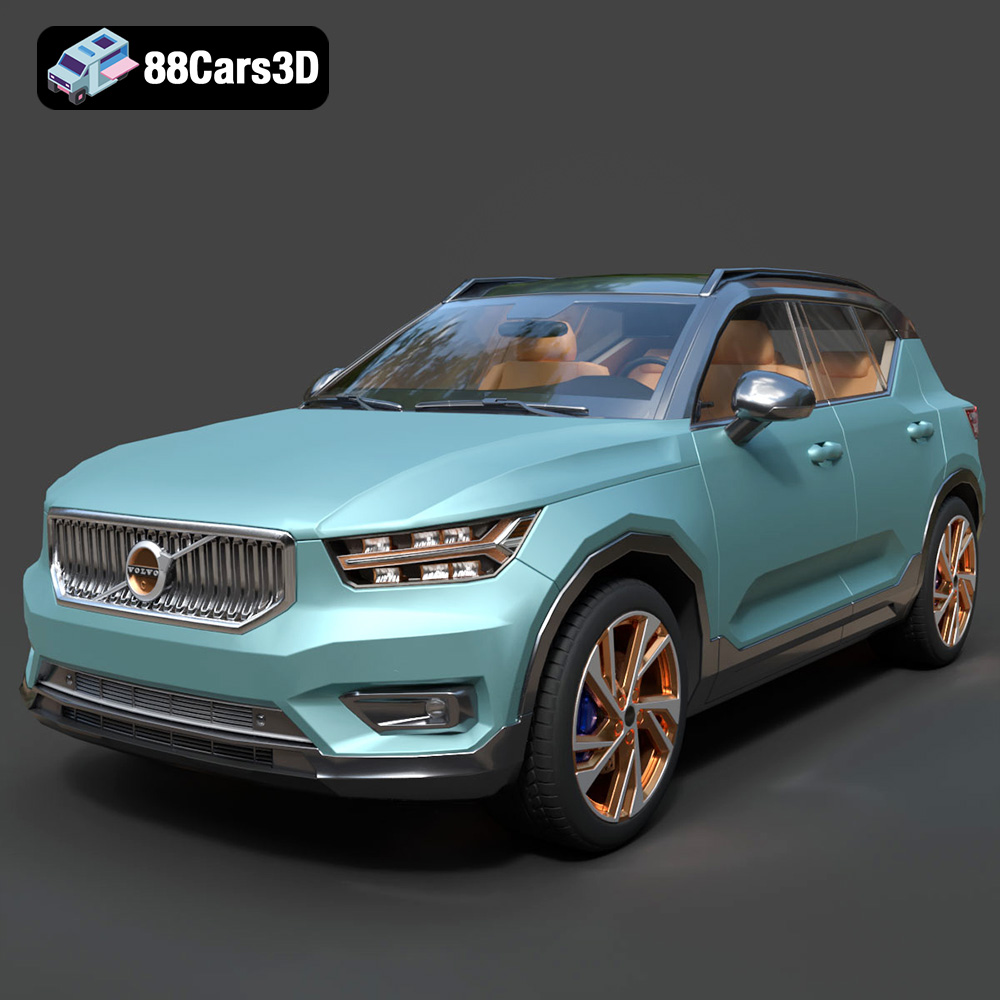
The Future of Mobility: Smart City EV 3D Models Bundle (5-in-1 Pack) Volvo Tesla AVATR Porsche 3D Printable STL
Price: $89.99