Get 50% OFF All Premium 3D & STL Models!

Few vehicles hold as much cultural significance as the Volkswagen Bus. More than just a mode of transport, it embodies a spirit of freedom, adventure, and a bygone era of counterculture. Its distinctive silhouette, from the charming rounded body to the iconic V-shaped front panel, instantly evokes images of road trips, beach days, and vibrant festivals. For 3D artists, game developers, architects, and product designers, recreating such an influential symbol requires not just artistic skill, but a deep understanding of technical fidelity and workflow efficiency.
This is precisely where specialized 3D car models become invaluable. Imagine needing to populate a retro-themed game, create a stunning automotive rendering for a marketing campaign, or even 3D print a detailed collectible. The time and effort involved in modeling a complex vehicle from scratch, ensuring accuracy in every curve and component, can be immense. This article delves into the technical intricacies and creative potential of high-quality 3D automotive assets, using the exceptional Volkswagen Bus 3D Model as a prime example. Whether you’re a seasoned professional or an aspiring enthusiast, understanding the nuances of these digital assets is crucial for elevating your projects. And for those seeking a reliable source for such detailed work, 88cars3d.com offers a curated selection that truly stands out.
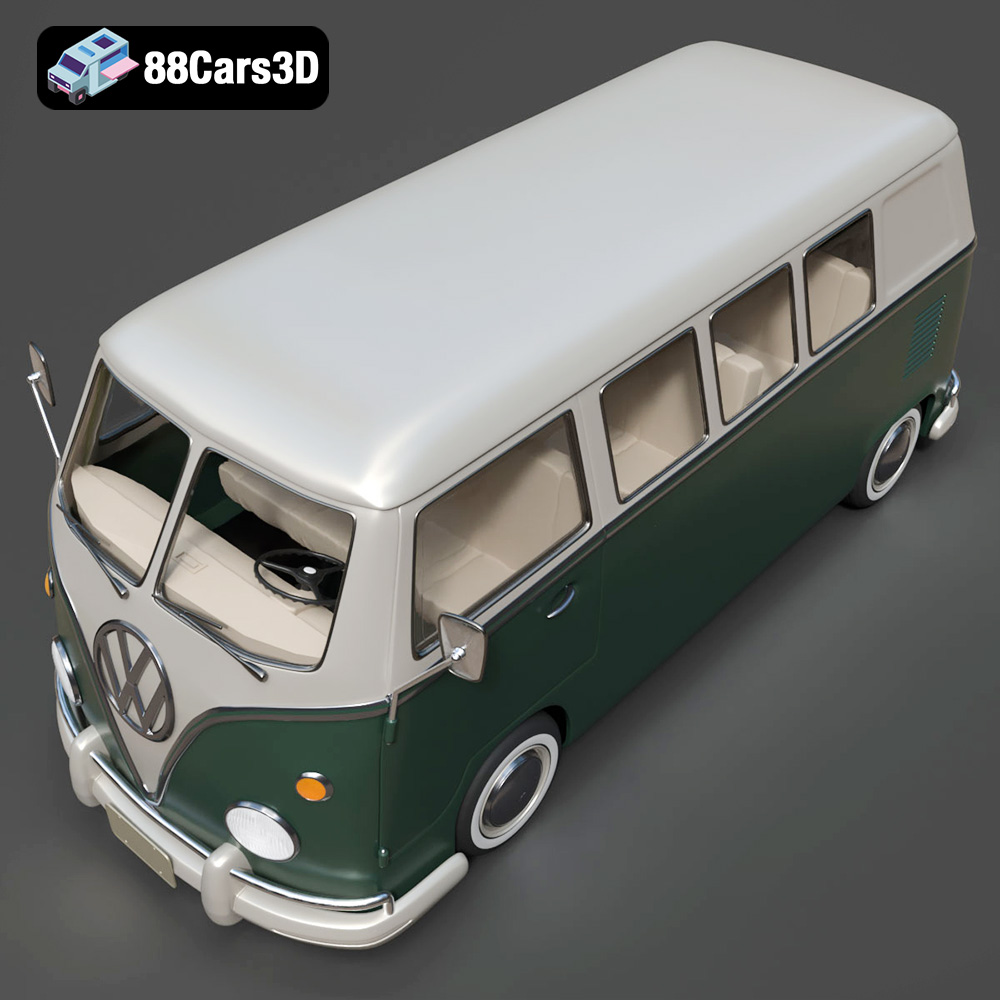
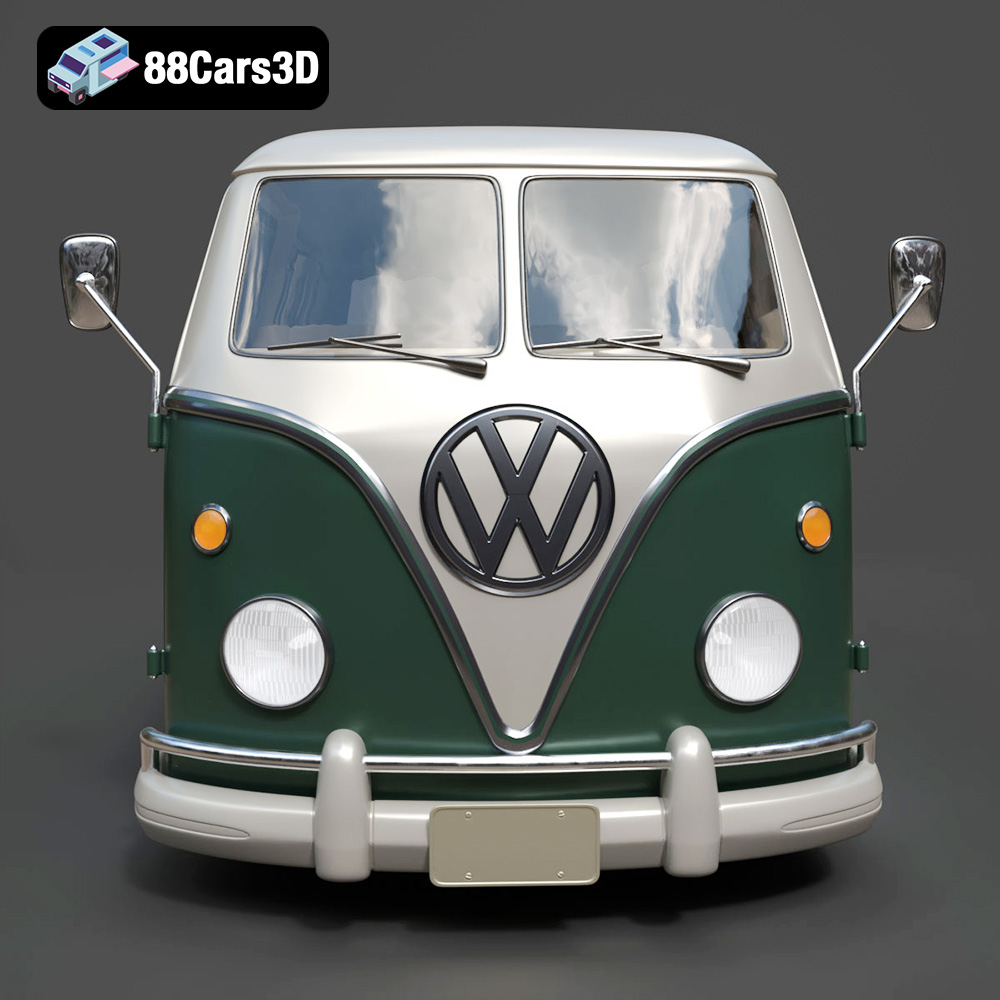
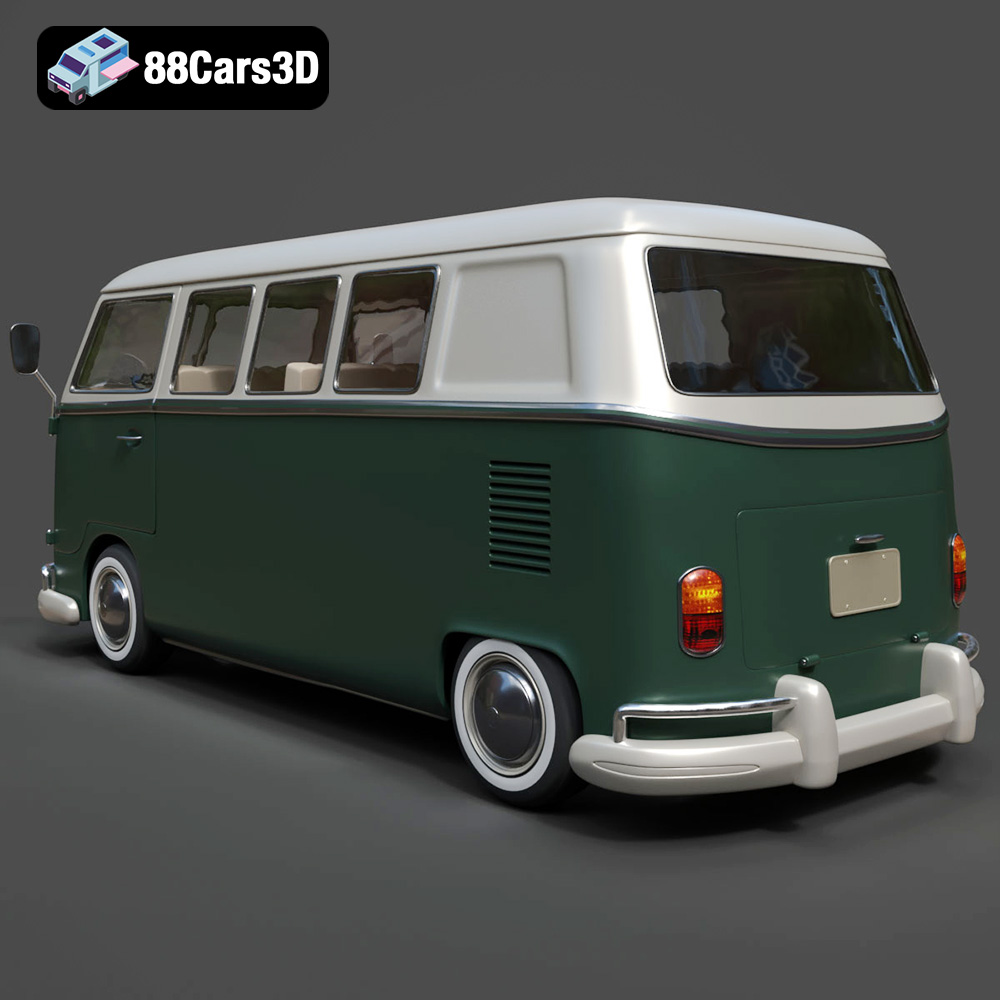
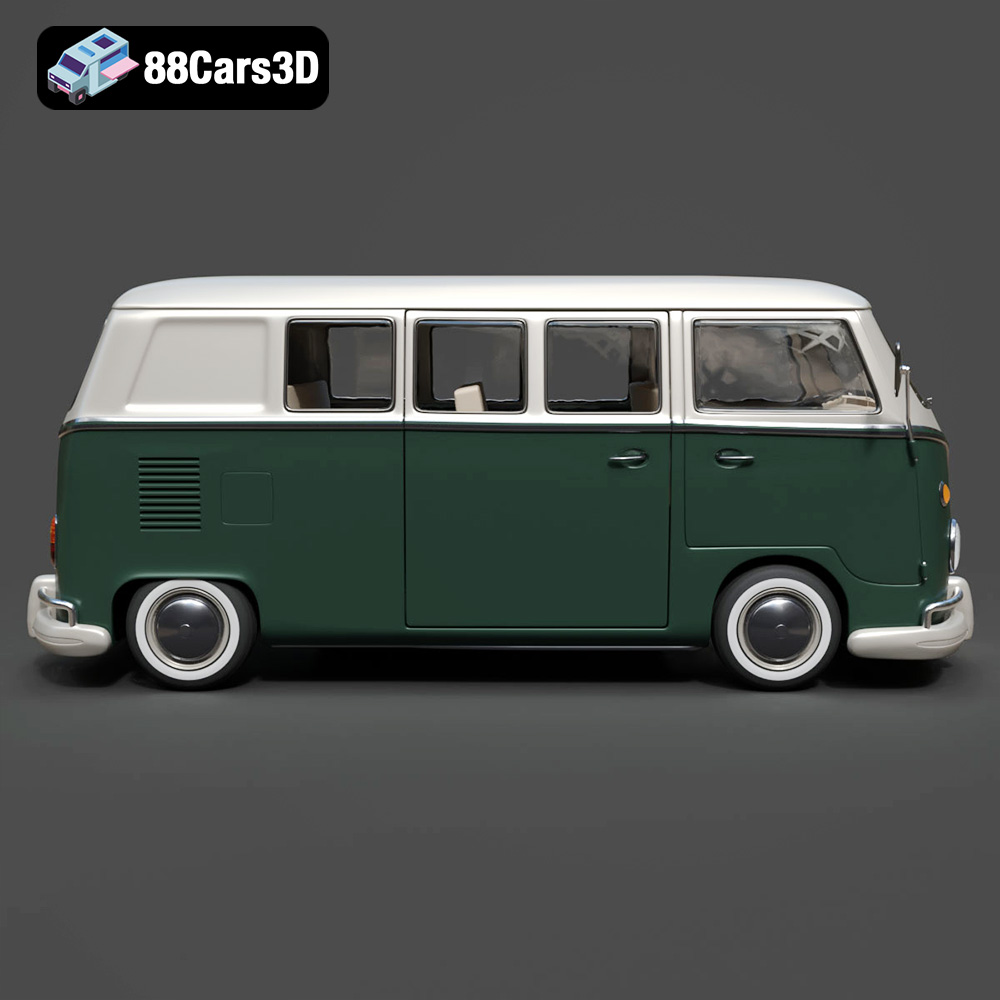
The Volkswagen Bus 3D Model isn’t just a generic van; it’s a meticulous digital recreation. Its accurate classic Volkswagen Bus body proportions, rounded front fascia with signature V-panel styling, and circular headlights speak volumes about the attention to detail. Every exterior element, from the chrome bumper detailing to the large side window configuration and the distinctive sliding side door setup, is crafted to evoke the vehicle’s authentic charm. Inside, the classic dashboard layout with analog gauges, the vintage control panel, and passenger seating configuration are all present, ensuring a complete and immersive model, even for close-up renders. This dedication to authentic representation ensures that the model can serve as a versatile foundation for a myriad of creative endeavors.
A truly valuable 3D asset goes beyond mere aesthetics; it must be technically robust and adaptable to various professional pipelines. The Volkswagen Bus 3D Model excels here with its clean and well-organized mesh structure, real-world scale accuracy, and proper pivot setup for steering and wheel rotation – features essential for animation and dynamic scenes. Its optimized polygon flow ensures it performs well in real-time engines while still retaining enough detail for high-quality renders. This makes it suitable for a broad range of applications, from cinematic productions and virtual reality experiences to historical simulations and detailed 3D prints.
The world of 3D modeling is rich with various file formats, each designed to serve specific purposes and optimize workflows across different software and platforms. Understanding which format to use and when is paramount for any professional working with 3D car models. The Volkswagen Bus 3D Model, for instance, comes with a comprehensive suite of formats, ensuring maximum compatibility and utility.
The **.blend** format is Blender’s native file type. When you download the Volkswagen Bus 3D Model in .blend, you receive a fully editable Blender scene, complete with materials, textures (if packed), lighting setups, and even animations. This is ideal for Blender users who want full control over the asset. You can easily modify the mesh, adjust materials, rig components, or integrate it directly into an existing Blender project. It offers the most flexibility for customization within the Blender ecosystem, making it a powerful choice for artists who need to adapt the model extensively.
**FBX (Filmbox)** is arguably the most common interchange format in 3D, especially for real-time applications like Unreal Engine and Unity. It’s excellent at preserving complex data such as geometry, materials, textures, animations, and even rigging information across different software. For the Volkswagen Bus 3D Model, an .fbx file is perfect for importing into game engines due to its robust support for mesh data, UVs, and hierarchical transformations (like separate wheels for animation). While not as editable as a native .blend or .max file, it provides a highly compatible and optimized package for seamless integration into game development or cinematic pipelines.
The **OBJ (Object)** format is a universal standard, widely supported by almost every 3D application. It’s known for its simplicity and excellent compatibility, primarily storing geometry (vertices, faces, UVs) and referencing external material files (MTL). The .obj version of the Volkswagen Bus 3D Model is a solid choice when cross-software compatibility is the main concern, or when you need a clean mesh without complex scene data. It’s often used for static renders or as a base for further modeling and texturing in various environments.
**GLB (GL Transmission Format Binary)** is a relatively newer format gaining significant traction, particularly for augmented reality (AR), virtual reality (VR), and browser-based display. It’s a binary format that bundles the 3D model, textures, and animations into a single file, making it incredibly efficient for web loading and immersive experiences. The .glb version of the Volkswagen Bus 3D Model would be perfectly optimized for interactive online showcases, AR apps where users can “place” the van in their real environment, or VR explorations of classic vehicles. Its compact size and optimized delivery make it a go-to for modern digital platforms.
The **STL (Stereolithography)** format is the de facto standard for 3D printing. It represents the surface geometry of a 3D object using a collection of interconnected triangles. For the Volkswagen Bus 3D Model, the .stl file is specifically prepared for physical output, allowing you to create tangible scale models or prototypes. While it doesn’t store color or material information, its robust geometry ensures precise printability. The inclusion of an .stl format highlights the model’s versatility, moving beyond digital screens into the physical world of collectible miniatures and custom fabrication.
**PLY (Polygon File Format)** is often used for storing 3D data from 3D scanners, and is also suitable for precision mesh representation in CAD or analytical applications. It can store not just geometric data but also properties like color, transparency, and even texture coordinates for each vertex or face. For the Volkswagen Bus 3D Model, a .ply export offers a highly accurate and potentially attribute-rich mesh that can be valuable for engineering analysis, historical preservation, or complex manufacturing processes where precise surface data is critical.
The **.unreal** format signifies an asset specifically optimized and packaged for direct import into Unreal Engine. This often means the asset has been checked for proper scaling, material setup, collision geometry, and LODs (Levels of Detail) to ensure optimal performance within the engine. When downloading the Volkswagen Bus 3D Model in .unreal format, developers can expect a near plug-and-play experience, significantly reducing the time spent on asset preparation and integration for real-time applications and game development.
Similar to .blend for Blender, the **.max** file is the native project format for Autodesk 3ds Max. This format contains the complete scene, including geometry, materials, textures, lighting, cameras, and any animation data. For professionals using 3ds Max, the .max version of the Volkswagen Bus 3D Model provides full editability and flexibility. It allows for advanced rendering setups, complex rigging, and integration into high-fidelity architectural visualizations or cinematic sequences, taking full advantage of 3ds Max’s powerful toolset.
In essence, the availability of these diverse file formats for the Volkswagen Bus 3D Model ensures that no matter your software of choice or your project’s specific requirements, you have an optimized solution at hand, streamlining your workflow and enhancing compatibility.
Integrating a high-quality 3D car model like the Volkswagen Bus into professional workflows requires a strategic approach, whether you’re aiming for photorealistic renders or optimized game assets. The technical advantages of this model, such as its clean mesh, real-world scale, and proper pivot setup, truly shine in practice.
For high-end automotive rendering and visualization, 3ds Max combined with renderers like V-Ray or Corona is a common choice.
Upon importing the Volkswagen Bus 3D Model (.max or .fbx), the first step is often to ensure material consistency. While the model likely comes with base materials, artists will typically re-shade them using V-Ray or Corona materials, leveraging advanced shaders for realistic paint, glass, chrome, and rubber. This involves setting up multi-layered car paint materials with flake and clear coat properties, adjusting refraction for glass, and applying high-resolution PBR (Physically Based Rendering) textures for tires and interior fabrics.
Lighting is crucial. A typical setup might involve an HDRI (High Dynamic Range Image) for realistic environment lighting, supplemented by targeted area lights or photometric lights to accentuate curves and reflections. For instance, creating a beach sunset scene for the Volkswagen Bus would involve a warm HDRI with strong sunlight, combined with subtle rim lights to highlight the vehicle’s iconic silhouette. The separate wheels and steering components for animation are critical here, allowing for precise camera moves and vehicle positioning, whether it’s parked elegantly or subtly turning its wheels for a dynamic composition.
Blender’s robust modeling, animation, and rendering capabilities make it an excellent platform for utilizing the Volkswagen Bus 3D Model.
Starting with the .blend file provides an immediate head start. Artists can easily customize the model, perhaps adding a roof rack with surfboards or a detailed camper interior, leveraging Blender’s powerful modeling tools. The clean and well-organized mesh structure of the Volkswagen Bus 3D Model makes mesh modifications straightforward, ensuring that changes don’t disrupt the overall topology.
For animation, the model’s proper pivot setup for steering and wheel rotation is invaluable. This allows animators to quickly rig the vehicle for driving simulations or cinematic sequences without time-consuming pivot adjustments. Imagine animating the Bus cruising along a scenic coastal highway; the separate wheels can be easily linked to a path, rotating realistically as the vehicle moves. For architectural visualization, the Bus can act as a stunning foreground element, adding character and a sense of scale to urban streets, beach environments, or rustic landscapes, rendered beautifully with Cycles or Eevee.
In game development and immersive experiences (AR/VR), performance is key, and the .unreal or .fbx formats for the Volkswagen Bus 3D Model are optimized for this.
Importing the model into Unreal Engine requires attention to asset optimization. While the model features optimized geometry, developers might further fine-tune polygon counts through LODs (Levels of Detail) to ensure smooth performance across various platforms. A detailed Volkswagen Bus might start with 80,000-150,000 triangles for its primary LOD, with progressively lower poly counts for distant views.
Materials and textures need to be set up as Unreal Engine materials, taking advantage of PBR workflows for realistic appearance in real-time. This includes proper normal maps, roughness maps, and metallic maps. The model’s real-world scale accuracy is essential for ensuring it fits correctly within game environments. For AR/VR, the .glb format can be exported directly from Unreal or other software, providing a lightweight, efficient package for seamless deployment in interactive classic vehicle showcases or virtual camper van experiences, where every detail of the interior paneling and floor detailing can be explored up close.
The digital realm is expansive, but sometimes, the desire to hold a physical representation of an iconic vehicle is irresistible. The Volkswagen Bus 3D Model offers a unique pathway from digital fidelity to tangible collectible through 3D printing, opening up exciting possibilities for enthusiasts and professionals alike.
The inclusion of an .stl format for the Volkswagen Bus 3D Model is a game-changer for physical production. The STL format, as discussed, is the universal language for 3D printers, translating the digital geometry into layers a printer can understand.
For collectors, hobbyists, and designers, this means the ability to produce highly detailed scale models of the iconic van. Whether it’s a 1:32 tabletop display or a larger 1:12 showpiece, the print settings provided (recommended scales, layer height, wall thickness, infill, and support requirements) are critical for a successful print. For instance, requiring supports for mirrors, bumpers, and window overhangs isn’t a limitation; it’s a guide to ensure even the most delicate parts of the model print cleanly without distortion.
The recommendation to print the body upright for best surface detail and wheels separately ensures optimal results, minimizing visible layer lines and allowing for easier post-processing. This meticulous attention to printability underscores the model’s comprehensive design, ready for both digital and physical applications.
Once printed, the physical Volkswagen Bus 3D Model offers a new canvas for creativity. Post-processing is where the model truly comes to life.
Sanding is often the first step to remove layer lines and smooth surfaces, followed by a primer coat to unify the surface for painting. The real magic happens with the two-tone paint finish, a hallmark of the classic VW Bus, allowing for vibrant or vintage color schemes. Optional decals and chrome accents can be added to further enhance realism and personalization, mimicking factory finishes or creating unique, custom builds. Imagine a printed Bus, hand-painted with a vibrant surf motif or a gritty, road-worn patina.
Beyond aesthetics, the customization options extend to functional modifications. Hobbyists could adapt the print to include working LED lights, a miniature interior, or even integrate it into remote-control chassis. The flexibility offered by the robust 3D model, specifically designed for printability, means the journey from a digital file on 88cars3d.com to a cherished physical collectible is remarkably smooth and rewarding.
The “high-detail” and “optimized geometry” claims for the Volkswagen Bus 3D Model are not just marketing buzzwords; they represent specific technical characteristics that define a professional-grade asset. Understanding these underlying qualities is crucial for leveraging the model effectively across various applications.
A clean and well-organized mesh structure is the bedrock of any superior 3D model. For the Volkswagen Bus, this means that the geometry is primarily composed of quads (four-sided polygons), which deform smoothly during animation and subdivide predictably for higher detail. Triangles are used sparingly, typically only in areas where they won’t cause rendering artifacts or deformation issues.
This “clean topology” directly impacts performance and flexibility. For rendering, it ensures smooth shading and reflections, free from unsightly pinching or stretching. For game development, a clean mesh is easier to optimize, allowing for efficient LOD (Level of Detail) generation and better performance in real-time engines. Furthermore, a well-structured mesh is far easier to UV unwrap, texture, and even sculpt upon if further artistic modifications are desired, making the Volkswagen Bus 3D Model a truly adaptable asset.
Precision in dimensions is non-negotiable for automotive 3D models. The Volkswagen Bus 3D Model boasts real-world scale accuracy, meaning its dimensions precisely match the actual vehicle. This is critical for several reasons:
Equally important are proper pivot setups. For the Volkswagen Bus, this means that the wheels’ pivot points are precisely at their rotational centers, and the steering wheel’s pivot is correctly aligned for rotation. This seemingly small detail saves countless hours in animation and rigging, enabling immediate and accurate articulation without tedious manual corrections. It’s a mark of a professional asset prepared for dynamic use.
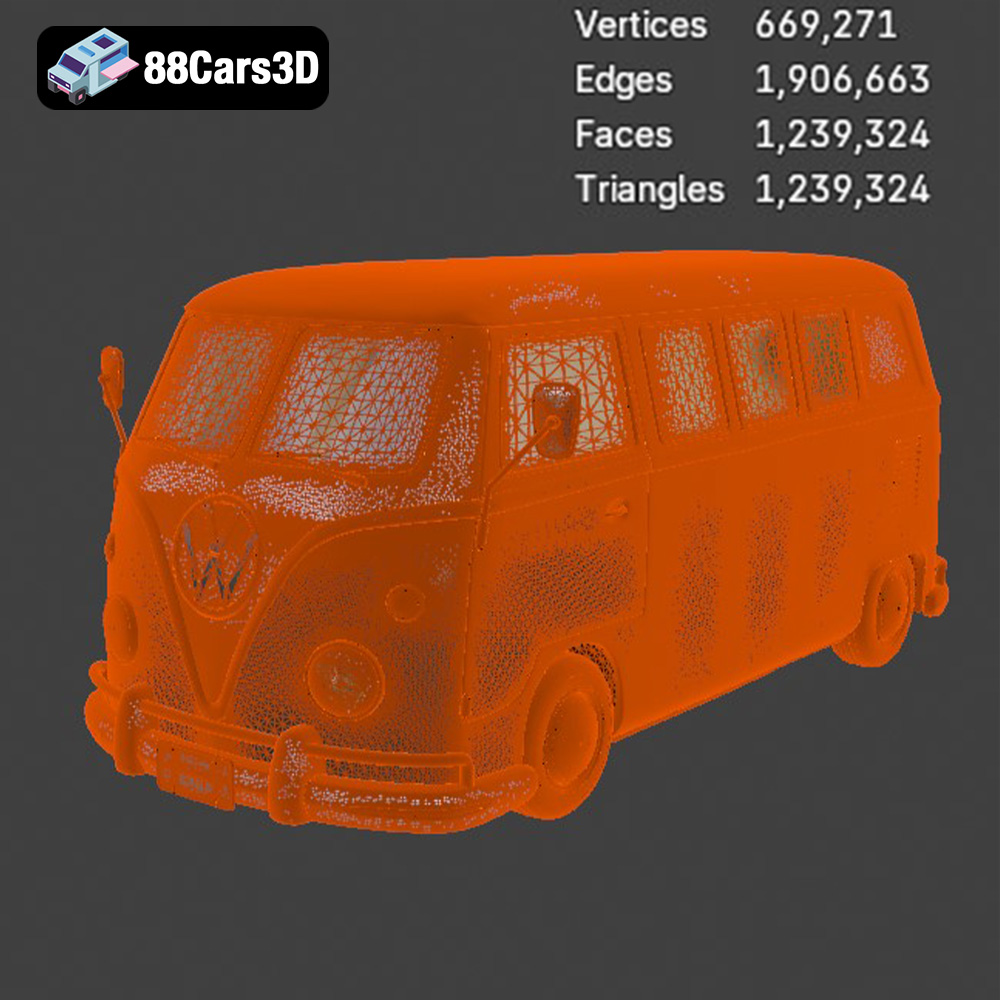
While the specific poly count for the Volkswagen Bus 3D Model isn’t explicitly stated, “optimized polygon flow” implies a balanced approach. It means the mesh has sufficient detail where needed (e.g., around curves, headlights, and interior details like analog gauges) but avoids excessive polygons in flat areas, striking a balance between visual fidelity and performance.
For rendering, a high-detail mesh (perhaps 150,000 to 300,000 polygons, depending on the level of interior detail and external complexity) provides smooth surfaces and crisp edges. For real-time applications, the poly count would be lower, typically utilizing normal maps baked from a higher-resolution version to retain surface detail without the geometric overhead.
Accompanying this optimized geometry is meticulous UV mapping. Proper UVs are crucial for applying textures without stretching or distortion. For the Volkswagen Bus, this would involve distinct UV sets for the body, interior, chrome parts, and glass, ensuring that materials like two-tone paint schemes, tire treads, and vintage control panel textures map perfectly. Furthermore, well-organized UVs facilitate lightmap baking in game engines, ensuring realistic shadows and ambient occlusion.
The true value of a versatile 3D asset like the Volkswagen Bus 3D Model lies in its adaptability and the creative freedom it offers. From marketing campaigns to game environments, this model serves as a robust foundation for a myriad of imaginative projects.
The iconic aesthetic of the Volkswagen Bus makes it a perfect fit for a variety of media productions.
These applications demonstrate the model’s capacity to transcend simple imagery, becoming a dynamic component within rich, interactive narratives and visual content.
One of the most exciting aspects of working with a high-quality 3D model is the ability to customize it to fit specific project needs. The Volkswagen Bus 3D Model offers ample opportunities for personalization.
These customization options ensure that the Volkswagen Bus 3D Model is not just a static asset, but a dynamic canvas for endless creative expression, perfectly suiting diverse project demands. You can find this versatile model and many other high-quality 3D car models at 88cars3d.com, empowering your creative vision.
The Volkswagen Bus is more than just a vehicle; it’s a cultural touchstone, a symbol of freedom, and a design icon. Bringing such a significant object into the digital realm requires exceptional craftsmanship and technical foresight, qualities that are demonstrably present in the Volkswagen Bus 3D Model. From its meticulously recreated exterior and interior features to its clean topology, real-world scale accuracy, and proper pivot setups, every aspect of this model is engineered for professional use.
Whether your project demands photorealistic automotive rendering, optimized game assets, immersive AR/VR experiences, or even tangible 3D-printed collectibles, this model provides the robust foundation you need. Its comprehensive suite of file formats – including .blend, .fbx, .obj, .glb, .stl, .ply, .unreal, and .max – ensures unparalleled compatibility across major 3D software and engines, empowering artists and developers with seamless integration. The ability to customize paint schemes, add accessories, and tailor the interior further enhances its versatility, making it a valuable asset for any creative endeavor.
For anyone seeking to infuse their projects with a touch of timeless cool and technical excellence, the Volkswagen Bus 3D Model is an indispensable resource. It embodies the blend of artistry and engineering that defines high-quality 3D car models. Explore this model and many other expertly crafted automotive assets at 88cars3d.com, where quality meets creativity.
The Volkswagen Bus 3D Model is a high-detail digital recreation of the iconic rear-engine van that became a cultural symbol of freedom, travel, and 1960s counterculture. Known for its rounded body shape, split or panoramic windshield variants, and practical interior space, the Volkswagen Bus remains one of the most recognizable classic vehicles in automotive history. This 3D model accurately represents the signature front V-shaped panel, circular headlights, large windows, sliding side door configuration, rear engine layout, chrome bumpers, and vintage wheel styling. Designed with clean topology and real-world scale accuracy, it is ideal for rendering, animation, simulation, game development, and AR/VR experiences. Perfect for retro road trips, beach environments, festival scenes, vintage urban streets, and cinematic productions.
$29.99
.arvr
.automotive
.blend
.campervan
.car3dmodel
.classicvan
.fbx
.gameasset
.glb
.max
.obj
.ply
.rendering
.retrovehicle
.simulation
.stl
.unreal
.vintagecar
.volkswagen
.vwbus