Bringing the Bici Tucano to Life: A Comprehensive Guide to 3D Printing Your Urban Bicycle Model
The world of 3D printing has revolutionized how we interact with digital designs, transforming virtual concepts into tangible objects. For enthusiasts of automotive 3D printing and scale models, the ability to produce highly detailed replicas from the comfort of their home workshop is nothing short of a marvel. At 88cars3d.com, we provide exceptional STL files and other 3D models specifically optimized for this very purpose, and today we’re delving into the intricate process of 3D printing one of our standout designs: the Bici Tucano 3D Model.
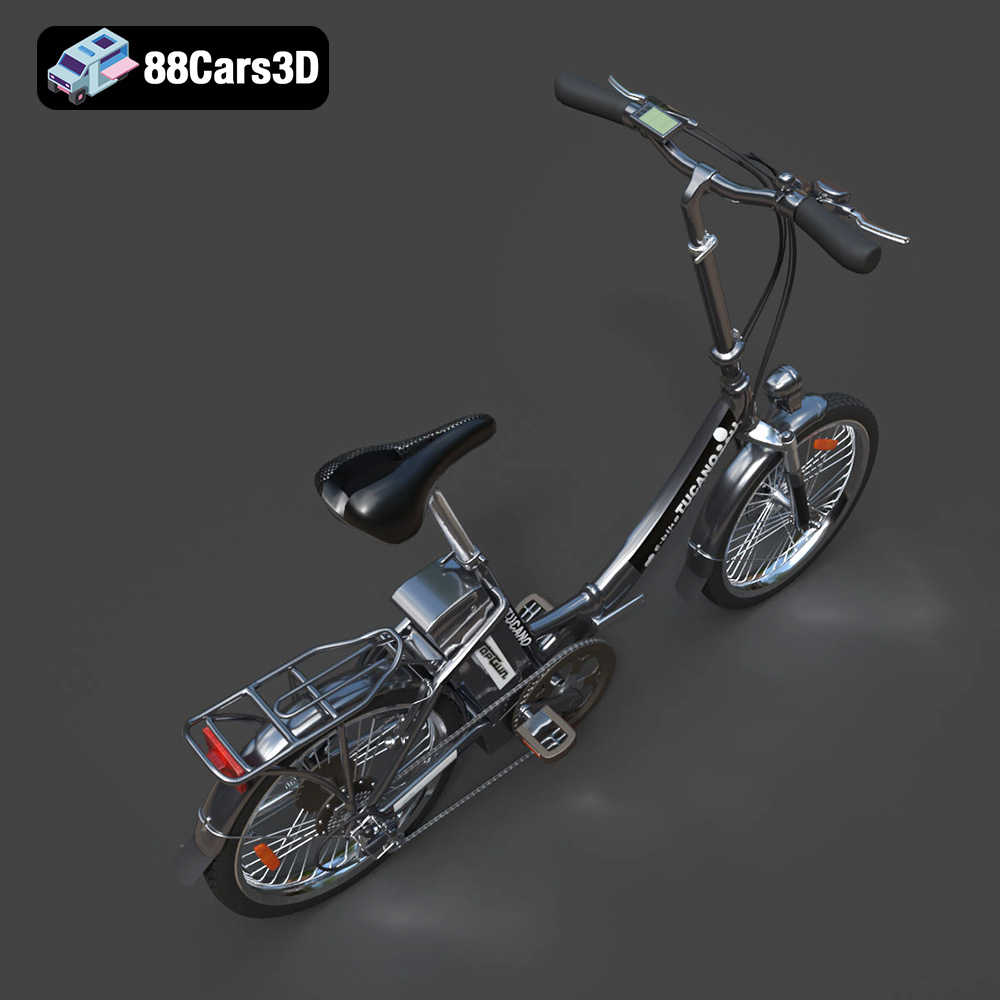
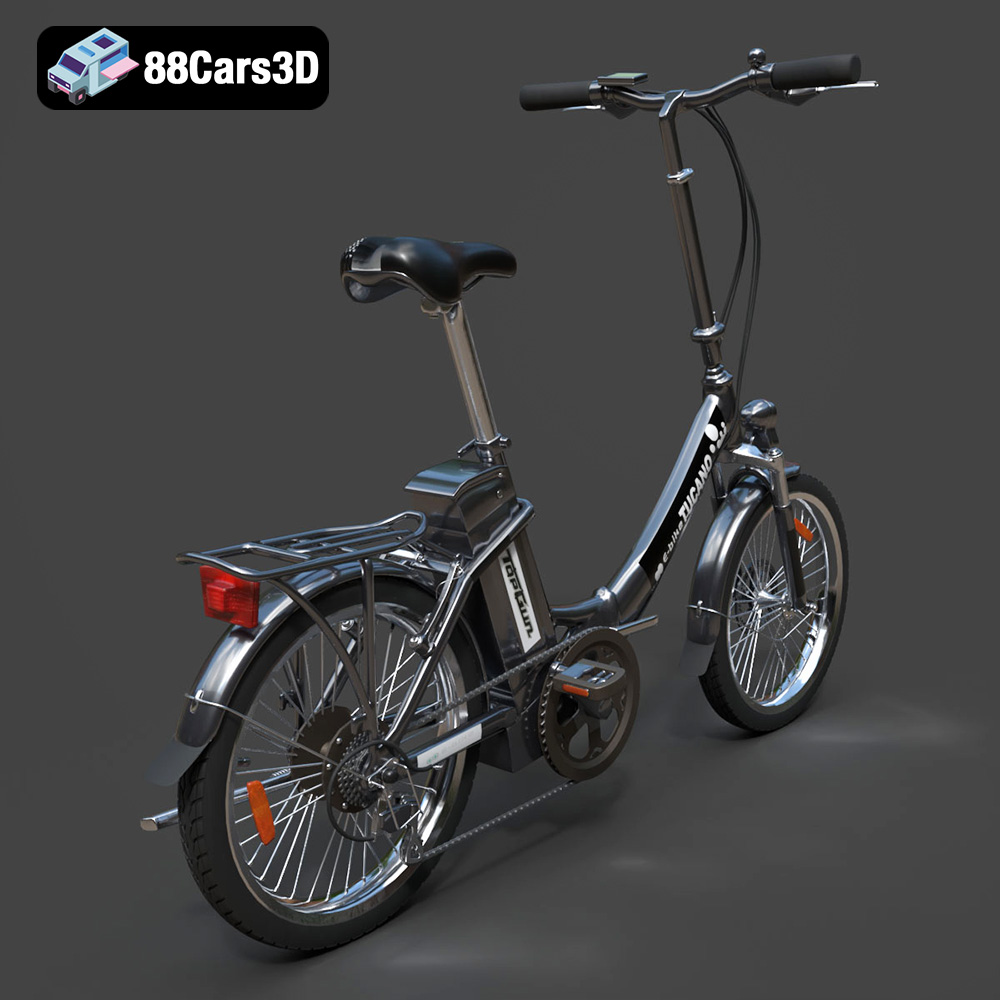
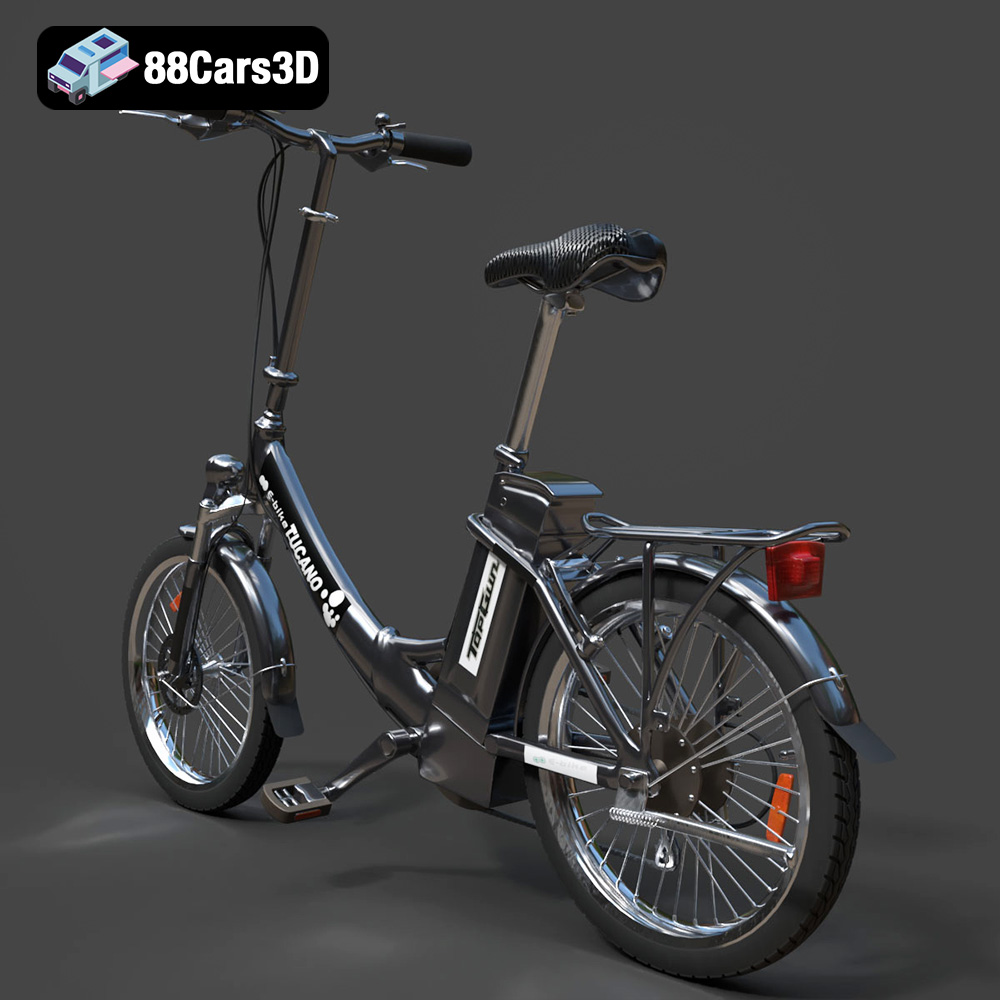
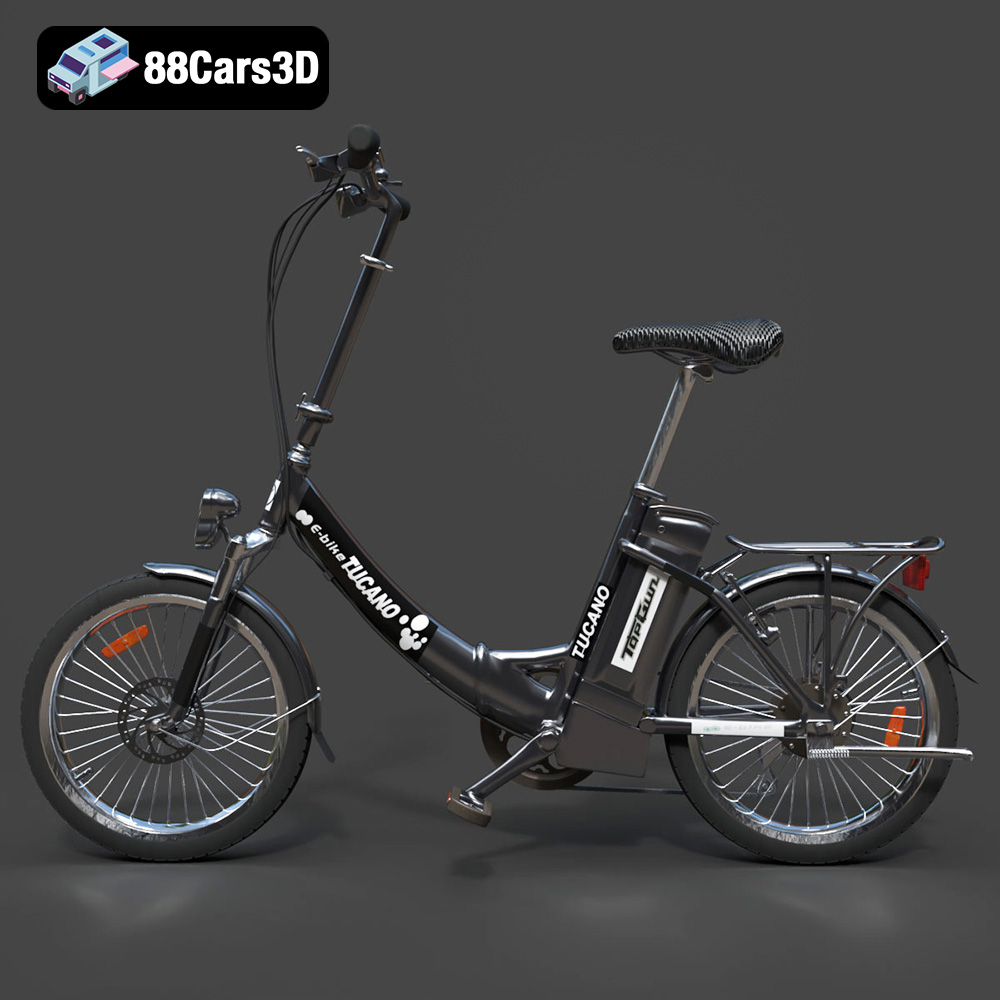
This exquisite digital recreation of a classic urban utility bicycle, inspired by the practical city bikes prevalent across Europe, is more than just a model; it’s a statement piece. With its clean geometry, realistic proportions, and intricate details like its sturdy frame, detailed front fork, crankset, spoke wheels, and handlebars, the Bici Tucano offers a fantastic challenge and a rewarding experience for any 3D printing aficionado. Whether you’re aiming for a miniature collectible, a dynamic display piece, or a component for a larger diorama, this guide will walk you through every step, from preparing your STL files to the final touches of post-processing, ensuring your Bici Tucano rolls off the print bed with unparalleled precision.
Understanding 3D Printing File Formats
Before you even begin to think about print settings or materials, the foundation of a successful 3D print lies in the quality and suitability of your digital file. The Bici Tucano 3D Model, like many high-quality designs available on 88cars3d.com, comes in several versatile formats. Understanding these formats is crucial for ensuring a smooth transition from screen to physical object.
The Workhorse: STL Files
The .stl format (STereoLithography) is the undisputed standard for 3D printing. It represents a 3D model as a collection of interconnected triangles, forming a mesh that defines the surface geometry of your object. This format is ubiquitous because it’s simple, universally supported by slicing software, and effectively conveys the shape without carrying additional data like color or texture. When you download the Bici Tucano as an STL, you’re getting a pure geometric representation, ready for your slicer to interpret.
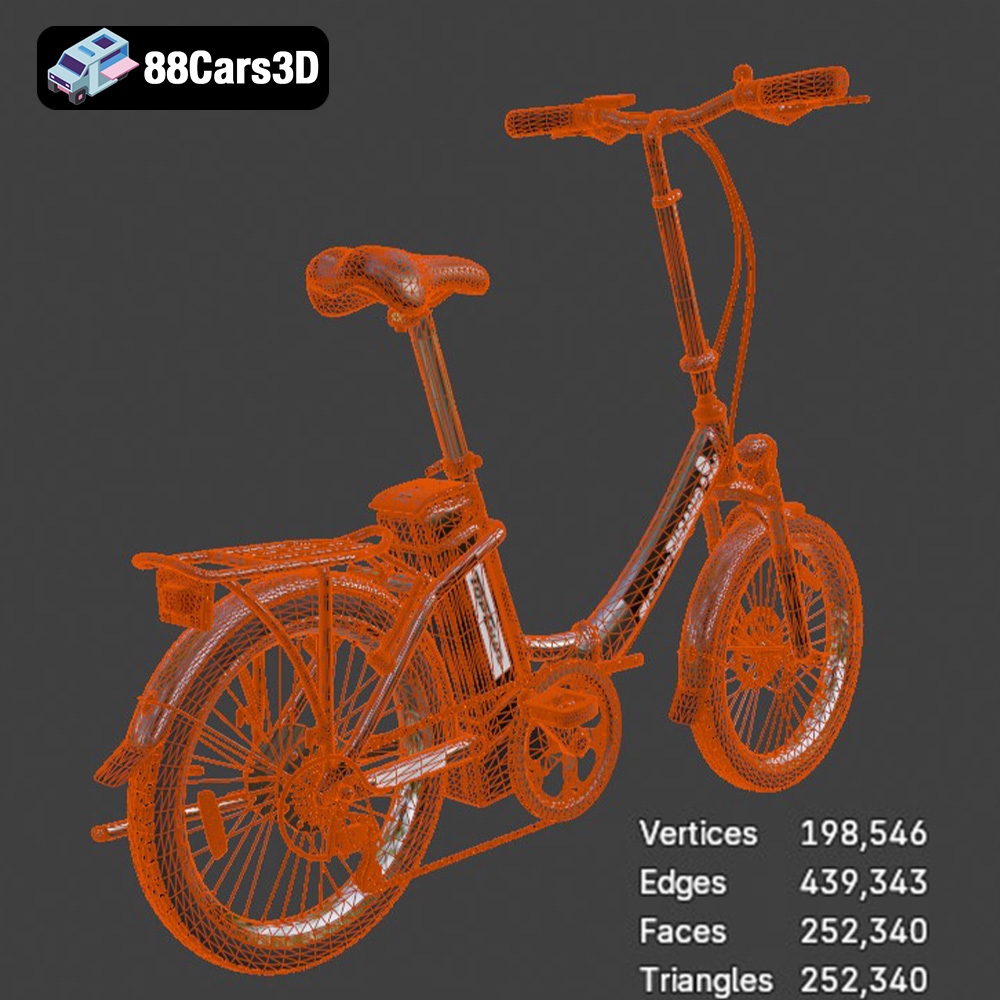
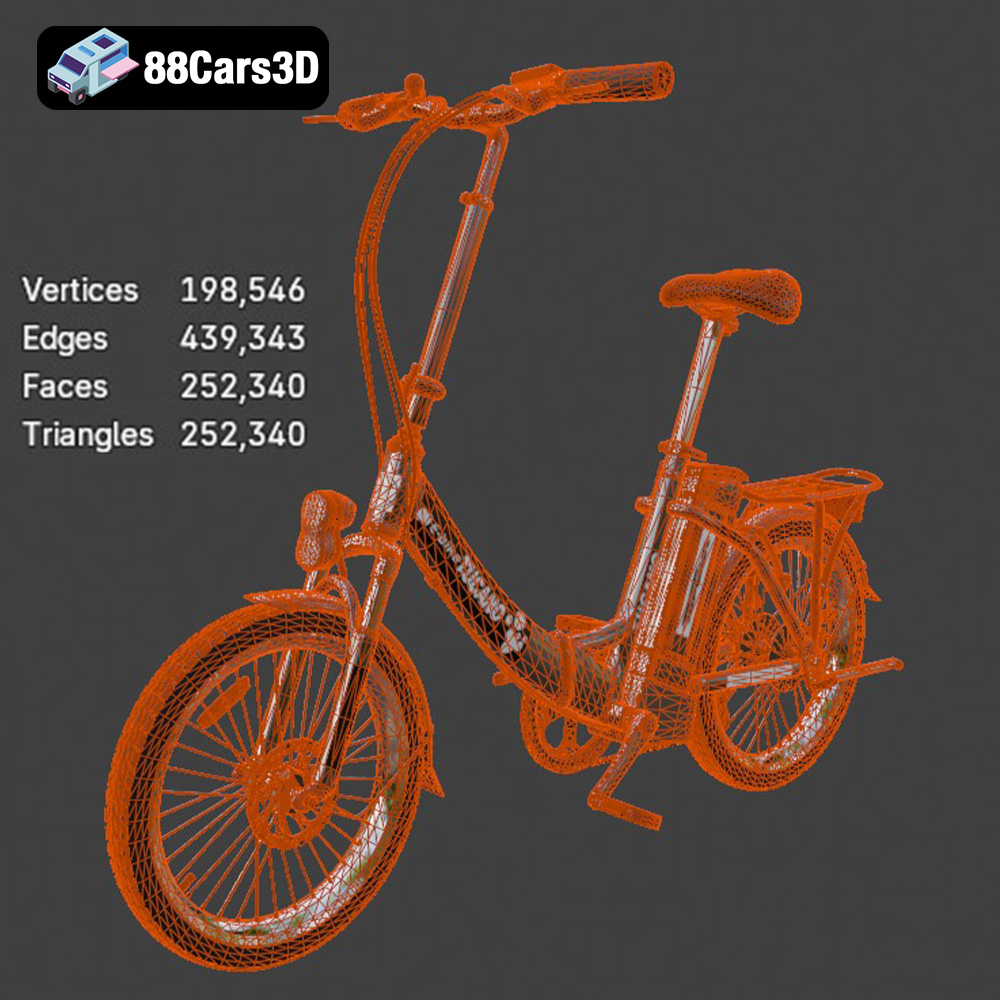
- Mesh Geometry: An STL file is essentially a tessellation of the model’s surface. The denser the mesh (more triangles), the smoother the curves and finer the details will appear. The Bici Tucano’s optimized structure ensures a good balance between detail and file size, crucial for clean prints.
- Watertightness: For successful 3D printing, an STL model must be “watertight.” This means it has no holes or gaps in its mesh that would allow “water” to leak out if it were a real object. Non-watertight models confuse slicers, leading to errors, missing layers, or malformed prints. High-quality models like the Bici Tucano from 88cars3d.com are typically designed to be manifold and watertight, minimizing such issues.
Beyond STL: Exploring Other Formats
While STL is king for geometry, other formats offer different advantages, especially for complex projects or those involving color and materials. The Bici Tucano is also available in formats like .obj and .ply, providing flexibility for various workflows.
- OBJ (.obj): The Wavefront OBJ format is another popular choice. Unlike STL, OBJ files can store color, texture, and material information alongside the geometric data. While most FDM (Fused Deposition Modeling) printers primarily print in a single color of filament, OBJ can be useful if you plan to render the model in a digital environment first, or if you’re working with multi-color 3D printers that can interpret texture maps. For the Bici Tucano, an OBJ file might be used as a source for detailed digital renders before converting to STL for printing, or for specific multi-material printing setups.
- 3MF (.3mf): The 3D Manufacturing Format is a newer, more comprehensive open standard designed to overcome the limitations of older formats like STL and OBJ. A 3MF file can contain not only the 3D model’s geometry but also information about materials, colors, textures, support structures, and even print settings. This rich data payload makes 3MF ideal for streamlined workflows, ensuring that all necessary information travels with the model. While not always natively used for direct printing by all slicers, it represents a significant leap forward in 3D printing file exchange.
- PLY (.ply): The Polygon File Format, often called the Stanford Triangle Format, is primarily used for storing 3D data from 3D scanners. It supports various properties like color, transparency, and surface normals for each vertex or face. For the Bici Tucano, a PLY file signifies that the model potentially holds very precise mesh data, often originating from high-resolution captures or sophisticated CAD work, making it excellent for preserving intricate details crucial for scale models.
File Preparation and Optimization
Regardless of the original format, for 3D printing, you’ll generally convert your chosen file to an STL if it’s not already in that format. Most modern 3D modeling software can easily export to STL. Before sending it to your slicer, it’s good practice to perform a final check:
- Mesh Quality: Ensure the mesh is dense enough to capture all the intricate details of the Bici Tucano, especially the spokes, pedals, and handlebars, without being excessively large, which can slow down slicing.
- Manifold Geometry: Confirm there are no open edges, inverted normals, or self-intersecting faces. Tools within your 3D modeling software or dedicated mesh repair utilities can help fix these common issues, ensuring the model is “watertight” and ready for successful printing. The Bici Tucano’s clean topology from 88cars3d.com significantly reduces the need for extensive repairs.
By understanding these file formats and ensuring your digital model is optimized, you lay a solid groundwork for transforming the Bici Tucano from a collection of polygons into a stunning physical replica.
Preparing Your Bici Tucano Model for Printing
Once you have your Bici Tucano 3D Model, preferably in the robust STL format, the next crucial step is preparing it for your specific 3D printer. This involves using slicing software to convert the 3D model into a series of thin layers, generating the G-code that your printer understands.
Slicing Software Essentials (Cura, PrusaSlicer)
Slicing software like Ultimaker Cura or PrusaSlicer are your command centers for 3D printing. They allow you to load your Bici Tucano 3D Model and configure every aspect of the printing process. Both offer intuitive interfaces and powerful features to achieve optimal results.
- Loading the STL File: Begin by opening your chosen slicer and importing the Bici Tucano STL file. You’ll see the model appear on a virtual print bed.
- Initial Checks: Before making any adjustments, take a moment to inspect the model. Look for any visible errors in the mesh (though models from 88cars3d.com are typically clean), check its orientation, and confirm its size.
- Software Features: Experiment with features like viewing layers, simulating the print, and utilizing built-in mesh repair tools if necessary. Both Cura and PrusaSlicer provide excellent visual feedback for how your settings will affect the final print.
Scaling and Orientation for Optimal Results
The scale and orientation of your Bici Tucano 3D Model on the print bed are critical factors that directly impact print success, detail resolution, and material usage.
- Recommended Scales: For the Bici Tucano, scales of 1:10, 1:12, or 1:18 are recommended. These scales offer a good balance between manageable print size and the preservation of intricate details. Printing at a larger scale (e.g., 1:10) will make fine features like the spokes, chain, and pedals more robust and easier to print, while smaller scales will demand higher precision from your printer and finer settings.
- Print Orientation: The orientation instruction for the Bici Tucano is specific: the frame should be printed flat on its side, and the wheels printed separately.
- Frame on Side: Printing the frame flat on its side minimizes the need for extensive support structures in complex areas, distributes weight evenly, and can improve the surface finish on critical aesthetic parts of the frame. It allows for the intricate frame geometry to be built up layer by layer with good stability.
- Wheels Separately: The delicate spokes of the Bici Tucano wheels are the primary reason for printing them separately. Trying to print them attached to the frame would lead to a nightmare of supports and potentially broken spokes during removal. Printing them flat on their side, or even vertically for FDM (with appropriate supports), will yield much better detail and structural integrity. For ultra-fine spokes, resin printing is explicitly recommended.
- Support Optimization: A thoughtful orientation, combined with intelligent support generation, will lead to a cleaner print and less post-processing. Always review your chosen orientation and support placement in the slicer’s preview mode before printing.
Material Selection: Choosing the Right Filament or Resin
The material you choose for your Bici Tucano 3D Model will significantly impact its appearance, durability, and the ease of printing specific details. You have excellent options in both FDM filaments and resins for SLA/DLP printing.
FDM Filaments (PLA, PETG, ABS)
For FDM printers, the most common choices offer distinct advantages:
- PLA (Polylactic Acid):
- Pros: Easy to print, low warping, good detail resolution, wide range of colors. PLA is an excellent choice for display models like the Bici Tucano due to its ease of use and ability to capture fine features.
- Cons: Brittle, lower heat resistance. Be careful with thin parts like spokes during support removal.
- Ideal for Bici Tucano: Great for initial prototypes or display pieces where intricate details are paramount and strength is secondary.
- PETG (Polyethylene Terephthalate Glycol):
- Pros: More durable and flexible than PLA, good layer adhesion, better heat resistance. It strikes a good balance between ease of use and strength.
- Cons: Can be more prone to stringing, slightly harder to print than PLA.
- Ideal for Bici Tucano: If you want a more robust model that can withstand a bit more handling, PETG is a strong contender.
- ABS (Acrylonitrile Butadiene Styrene):
- Pros: Strong, tough, good heat resistance, and can be smoothed with acetone vapor (though this requires caution).
- Cons: Prone to warping (requires an enclosed printer and heated bed), emits fumes, more challenging to print consistently.
- Ideal for Bici Tucano: Only if you need exceptional strength or specific post-processing options and have a well-tuned enclosed printer. Generally, PLA or PETG are better for this type of detailed model.
The Power of Resin (SLA/DLP) for Fine Details
When the product description states, “Spokes may require resin printing for fine detail,” it’s a strong indicator that an SLA (Stereolithography) or DLP (Digital Light Processing) resin printer might be your best bet, especially for the wheels of the Bici Tucano.
- Resin Printing Advantages:
- Unmatched Detail: Resin printers use a laser or projector to cure liquid resin, layer by layer. This allows for significantly finer details and smoother surfaces compared to FDM, making it ideal for the delicate spokes, chain, and tiny components of the Bici Tucano.
- Smoother Finish: Parts printed with resin require less sanding to achieve a showroom-quality finish, which is excellent for complex shapes.
- Resin Types: Standard resins offer good detail, while tougher resins provide increased durability, though they may sacrifice some fine detail capability. Consider a “tough” or “ABS-like” resin for a balance of detail and strength.
- Ideal for Bici Tucano Wheels: If you truly want the accurate spoke wheels and rubber tires to shine, consider printing the wheels and perhaps even the crankset and handlebars on a resin printer, then assembling them with an FDM-printed frame. This hybrid approach leverages the strengths of both technologies.
Dialing in Your Print Settings for the Bici Tucano
Precision is key when 3D printing detailed models, and the Bici Tucano 3D Model is no exception. Optimizing your print settings in your slicer is paramount to achieving a high-quality, recognizable replica.
Layer Height and Wall Thickness
These two settings directly influence the visual fidelity and structural integrity of your print.
- Layer Height: For the Bici Tucano, a recommended layer height is 0.08–0.16 mm.
- 0.08mm: This is a very fine layer height, ideal for capturing the intricate spoke detail, brake levers, and other small features. It will produce a very smooth finish, but significantly increase print time.
- 0.12mm-0.16mm: These are still fine layer heights and represent a good balance between detail and print speed for the main frame. You’ll still get excellent detail definition, especially with a well-calibrated printer.
- Consideration: Finer layer heights also mean smaller gaps between layers for supports, which can affect support removal. For the wheels, if using FDM, the lowest practical layer height is recommended.
- Wall Thickness: A wall thickness of 1.5–2 mm is recommended for the Bici Tucano.
- This ensures the frame, handlebars, and other structural components have enough material to be robust without being overly bulky. It will prevent fragile areas, especially at pivot points or attachment points for separately printed parts.
- Adequate wall thickness also helps supports adhere better and prevents them from tearing away prematurely.
Infill and Print Speed
These settings balance material usage, print time, and the overall strength of your model.
- Infill: An infill percentage of 15–25% is suggested.
- For a static display model like the Bici Tucano, 15-20% infill is generally sufficient, providing adequate internal support without adding excessive weight or print time.
- If the model is intended for handling or might experience minor stresses, moving towards 25% offers a slight increase in rigidity. Avoid higher infill percentages unless the model needs to withstand significant forces, as it primarily adds print time and material.
- Print Speed: While not explicitly stated, for detailed models like the Bici Tucano, moderate to slower print speeds are highly advisable.
- Perimeters/Outer Walls: Reduce speed for outer walls (e.g., 30-40mm/s) to ensure clean, precise edges and smooth surfaces, especially on visible parts of the frame and wheels.
- Small Features: Slower speeds are crucial for printing small details like the spokes, pedals, and chain system, giving the printer time to accurately deposit each layer without artifacts.
- Overall Speed: A general print speed of 50-60mm/s for infill and internal structures is common, but always prioritize detail accuracy over speed for models from 88cars3d.com.
Support Structures: Placement and Removal
Supports are indispensable for printing models with overhangs or complex geometries that defy gravity. The Bici Tucano has several areas that will require careful support.
- Required Supports: The product description specifies supports for frame interior gaps, pedals, and handlebars.
- Frame Interior Gaps: These are likely areas like the bottom bracket shell, head tube, and where the seat tube meets the top tube. These sections will have overhangs that need support to form correctly.
- Pedals: These will project outwards and definitely require supports beneath them.
- Handlebars: Depending on the orientation (even when printed on its side), the handlebars will have unsupported sections that need proper support.
- Optional: Depending on the scale and layer height, the brake levers, chainring, and even the slight curvature of the tires might also benefit from minimal supports, especially if aiming for an immaculate surface finish.
- Support Types:
- Tree Supports (Cura): Often preferred for organic shapes and delicate models. They branch out from the build plate or lower layers, touching the model at fewer points, making removal easier and reducing surface scarring.
- Normal/Grid Supports: More traditional, but can be harder to remove from intricate areas. Adjust their density and pattern.
- Support Settings:
- Support Density: A lower density (e.g., 10-15%) is often sufficient and easier to remove, but ensure enough contact points for stability.
- Support Z Distance (or Top Z Distance): This is crucial. It defines the gap between the top of the support and the bottom of the model. A small gap (e.g., 0.1-0.2mm) is needed for good adhesion and to prevent supports from fusing, but too large a gap results in droopy overhangs. Tune this carefully.
- Support X/Y Distance: Controls the horizontal distance between supports and the model, impacting how cleanly they detach.
- Removal: Use fine-nose pliers, tweezers, and hobby knives for careful support removal. Take your time, especially around delicate parts like the spokes (if FDM printed) and chain.
Multi-Part Printing and Assembly
For complex models like the Bici Tucano 3D Model, multi-part printing is often the most effective strategy to achieve high detail and simplify post-processing. The recommendation to print the frame and wheels separately is a perfect example of this.
Deconstructing the Bici Tucano
By splitting the model into logical components, you can optimize each piece for its specific geometry and material requirements.
- Frame: As suggested, printing the frame flat on its side ensures the largest components print with minimal support and a good surface finish. This part will form the core of your bicycle.
- Wheels: The most delicate components. If using FDM, print them separately, perhaps vertically with minimal, well-placed supports for the spokes, or flat on their side with careful bridging settings. For superior detail, consider printing the wheels with a resin printer.
- Smaller Details: Components like the crankset, pedals, handlebars, and potentially a rear rack are ideal candidates for separate printing, allowing for individual optimization. This also simplifies painting, as you can paint components before final assembly.
- Pivot Points: The original model description mentions “proper pivot points for wheel rotation and pedal animation.” While these are for digital animation, they can guide you in designing physical pivot points if you wish your model to have articulating parts, or simply for clean assembly.
Adhesion and Joining Techniques
Once your individual parts are printed, the next step is to carefully assemble your Bici Tucano.
- Cyanoacrylate (Super Glue): This is the go-to adhesive for most 3D printed parts. It dries quickly and forms a strong bond. Use it sparingly with a fine applicator for precise placement. Ensure mating surfaces are clean and free of dust or oils.
- Two-Part Epoxy: For joints requiring a stronger bond or small gap filling, a two-part epoxy can be excellent. It has a longer working time, allowing for adjustments before it sets.
- Friction Fits/Pin Connectors: If the model was designed with specific tolerances for assembly (e.g., a small peg on the wheel axle designed to fit into a hole on the frame), test these gently. You might need to slightly sand down a peg or use a drill bit to clear out a hole for a perfect fit.
- Consider Pinning: For added strength on critical joints, tiny metal pins (e.g., paperclip wire) can be drilled into mating parts and then glued, reinforcing the bond.
Post-Processing Your Bici Tucano
After printing and initial assembly, your Bici Tucano 3D Model is still a raw print. Post-processing transforms it from a functional prototype into a polished, collectible display piece.
Support Removal and Surface Finishing
This stage is about refining the surfaces and preparing them for painting.
- Careful Support Removal: As mentioned, use small pliers, flush cutters, and a hobby knife to carefully remove all support structures. Pay extra attention to the delicate spokes and small parts. For resin prints, ensure all uncured resin is washed off before curing, and supports are removed post-cure (or pre-cure, depending on the resin and complexity).
- Sanding: Start with a coarse grit sandpaper (e.g., 200-300 grit) to remove stubborn nubs and blend in areas where supports were attached. Gradually move to finer grits (400, 600, 800+) to smooth out layer lines and achieve a uniform surface. For highly detailed models, wet sanding can produce a very smooth finish.
- Filling Gaps/Blemishes: Small gaps from assembly or minor print imperfections can be filled with a thin layer of modeling putty or automotive spot filler. Once dry, sand smooth again.
Painting and Detailing for a Realistic Finish
This is where your Bici Tucano truly comes to life, transitioning from a monochrome print to a vibrant miniature.
- Cleaning: Before painting, thoroughly clean the model to remove all sanding dust, oils, or fingerprints. Isopropyl alcohol works well for this.
- Primer: Always apply a thin, even coat of primer. This creates a uniform base for your paint, helps the paint adhere better, and reveals any remaining surface imperfections you might have missed. Automotive primers are excellent for 3D prints due to their adhesion and filling properties.
- Base Coats: Apply your chosen base colors. For the Bici Tucano, you might consider classic urban bicycle colors. Thin multiple coats are always better than one thick coat, which can obscure details. Allow each coat to dry thoroughly.
- Detail Painting: Use fine brushes for the intricate details like the chain, spokes, brake cables, seat, and pedals. Acrylic model paints are ideal for this due to their quick drying time and easy cleanup.
- Finishing Coat: Apply a clear coat (matte or gloss, as per the product description’s suggestion) to protect the paint and give the model a professional finish. A matte finish will give it a realistic, weathered look for an urban utility bike, while a gloss finish can simulate a freshly painted frame.
- Assembly (Final): If you painted components separately, this is the stage to glue them together, creating your complete, beautifully finished Bici Tucano.
Troubleshooting Common 3D Printing Challenges
Even with careful preparation and optimal settings, 3D printing can present a few hurdles. Knowing how to troubleshoot common issues will save you time and filament when printing your Bici Tucano 3D Model.
Warping and Bed Adhesion Issues
Warping, where corners of your print lift from the build plate, and general poor adhesion are frustrating but solvable problems.
- Heated Bed: Ensure your heated bed is set to the correct temperature for your filament (e.g., 60-70°C for PLA, 80-100°C for PETG).
- Build Surface: A clean build surface is paramount. Use isopropyl alcohol to clean glass or PEI sheets. Consider adhesion aids like glue stick, hairspray, or specialized print adhesion sprays.
- Brim/Raft: For models with small footprints or sharp corners like the Bici Tucano frame, use a brim (a few extra lines around the base) or a raft (a disposable base layer) in your slicer settings to increase surface area and adhesion.
- Enclosure: For materials like ABS, an enclosure around your printer helps maintain a consistent temperature and prevents drafts, significantly reducing warping.
Stringing, Blobs, and Z-Seams
These cosmetic imperfections can detract from the fine details of your model.
- Stringing: Fine wisps of plastic between parts.
- Retraction Settings: Increase retraction distance and speed. This pulls filament back into the nozzle when traversing open air.
- Temperature: Lower your nozzle temperature slightly (in 5°C increments) until stringing is reduced.
- Wipe/Combing: Enable wipe or combing in your slicer. This causes the nozzle to stay over printed areas during travel, minimizing strings on outer surfaces.
- Blobs/Zits: Small bumps on the surface.
- Extrusion Multiplier/Flow: Ensure this is calibrated correctly; over-extrusion can cause blobs.
- Linear Advance/Pressure Advance: For advanced users, tuning these features can help control filament flow more precisely.
- Z-Seam: The visible line where each layer begins and ends.
- Random Z-Seam: Can spread the seam across the model, making it less noticeable overall, but sometimes creating more small imperfections.
- Sharpest Corner: If possible, align the Z-seam to a sharp corner or a less visible area of the Bici Tucano model (e.g., the inner side of the frame).
- Adjust Overlap: Slightly tweaking wall overlap in your slicer can sometimes minimize seam visibility.
Overhangs and Bridging Failures
Unsupported horizontal sections can sag or fail without proper settings.
- Supports: The primary solution, as covered in the settings section. Ensure they are well-tuned for easy removal and sufficient support.
- Cooling: Increase part cooling fan speed, especially for bridges and overhangs. Rapid cooling helps the extruded plastic solidify before it sags.
- Print Speed: Slow down print speed for overhangs and bridging sections. This gives the plastic more time to cool and adhere correctly.
- Bridge Settings: Many slicers have specific “bridge settings” that temporarily alter speed, fan, or extrusion for these difficult sections. Experiment with these.
By systematically addressing these common issues, you’ll gain the experience and confidence to tackle any 3D printing project, ensuring your Bici Tucano 3D Model from 88cars3d.com is a triumph.
Conclusion
Bringing a meticulously designed digital model like the Bici Tucano 3D Model to life through 3D printing is a deeply satisfying endeavor. We’ve journeyed through the entire process, from understanding the nuances of 3D printing file formats and optimizing your print settings, to selecting the ideal materials and applying the finishing touches that transform a raw print into a museum-quality display piece. Every step, from the initial slicing in Cura or PrusaSlicer to the final paint application, is an opportunity to refine your skills and achieve stunning results.
Remember the importance of thoughtful scaling and orientation, printing the frame flat on its side, and separating the delicate wheels to achieve their intricate spoke detail. Whether you opt for the robust versatility of FDM filaments like PLA and PETG or the unparalleled precision of resin printing for those ultra-fine components, the principles of careful setup and meticulous execution remain constant. Overcoming challenges like warping, stringing, or support removal is part of the learning process, empowering you to become a more adept maker.
Your finished Bici Tucano will be a testament to your patience and skill, a tangible replica of a classic urban utility bicycle, perfect for your collection, diorama, or simply as a desk ornament that sparks conversation. We at 88cars3d.com are proud to offer high-quality STL files and other 3D models that inspire such creative projects. Explore our extensive catalog of 3D printing car models and other automotive 3D printing projects, and continue your journey into the fascinating world of physical manifestation. Happy printing!
Featured 3D Model for Printing
Bici Tucano 3D Model 3D Printable STL
The Bici Tucano 3D Model is a detailed digital recreation of a classic urban utility bicycle, inspired by practical European city bikes commonly used for commuting and cargo transport. Designed with clean geometry and realistic proportions, this model captures the simplicity, durability, and functional character of traditional city bicycles. Perfect for miniature bicycle models and collectible displays, ready for your 3D printer.
$4.99
Get This Model for 3D Printing
Related Tags
.arvr
.bicycle
.blend
.citybike
.cycling
.fbx
.gameasset
.glb
.max
.obj
.ply
.rendering
.simulation
.stl
.transportasset
.unreal
.urbanbike
.vehicle3dmodel
mobility