Unleashing the Digital Garage: Mastering 3D Printing for Automotive Models
The world of automotive enthusiasm has long been intertwined with scale models, dioramas, and the meticulous recreation of beloved vehicles. With the advent of 3D printing, this passion has reached new heights, allowing hobbyists, designers, and collectors to bring incredibly detailed digital models to life right on their workbench. Imagine holding a perfectly scaled replica of a car that might not be readily available as a traditional die-cast, or prototyping a custom part for a restoration project.
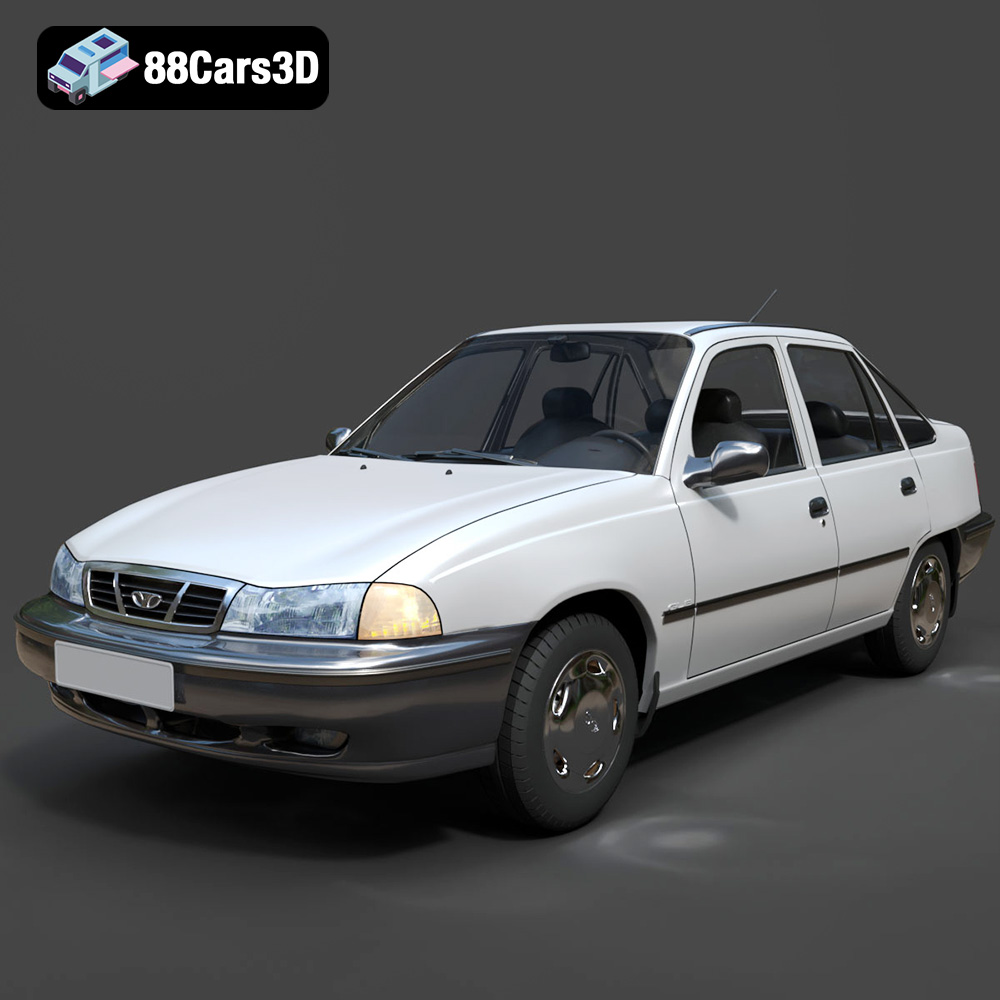
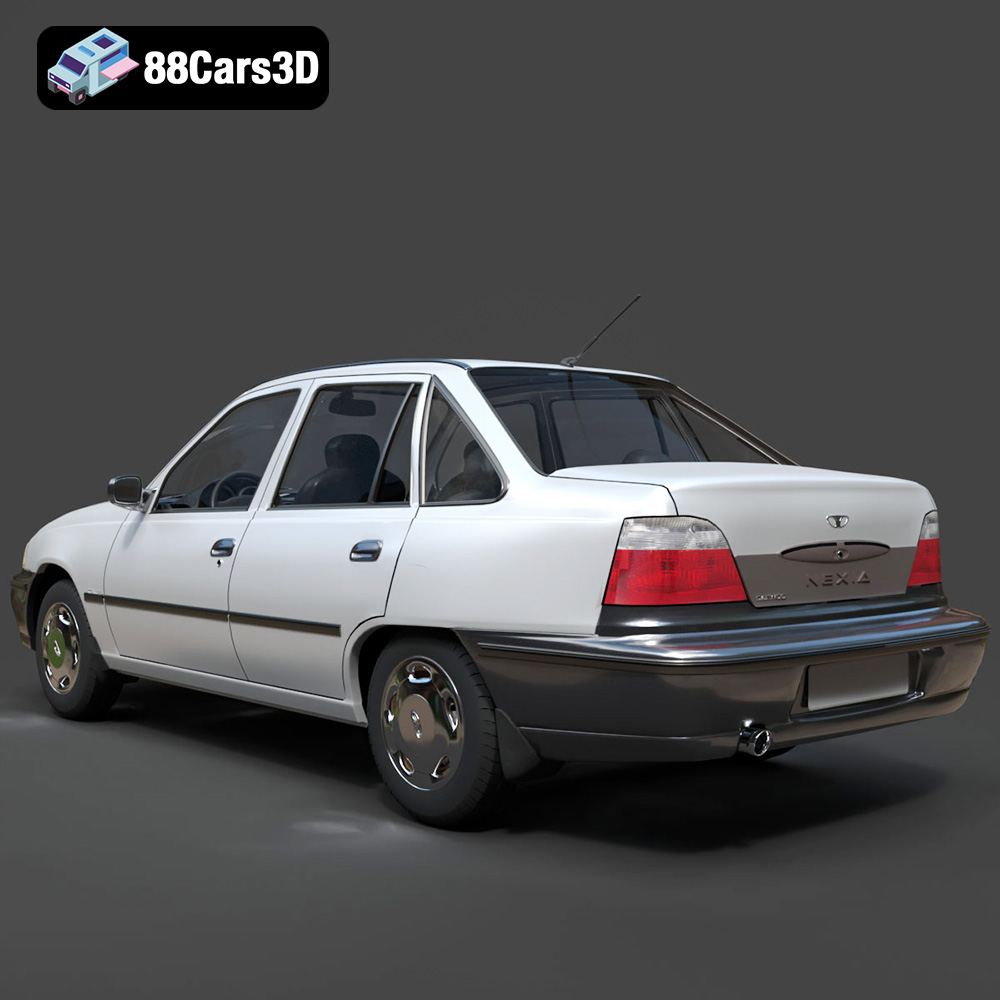
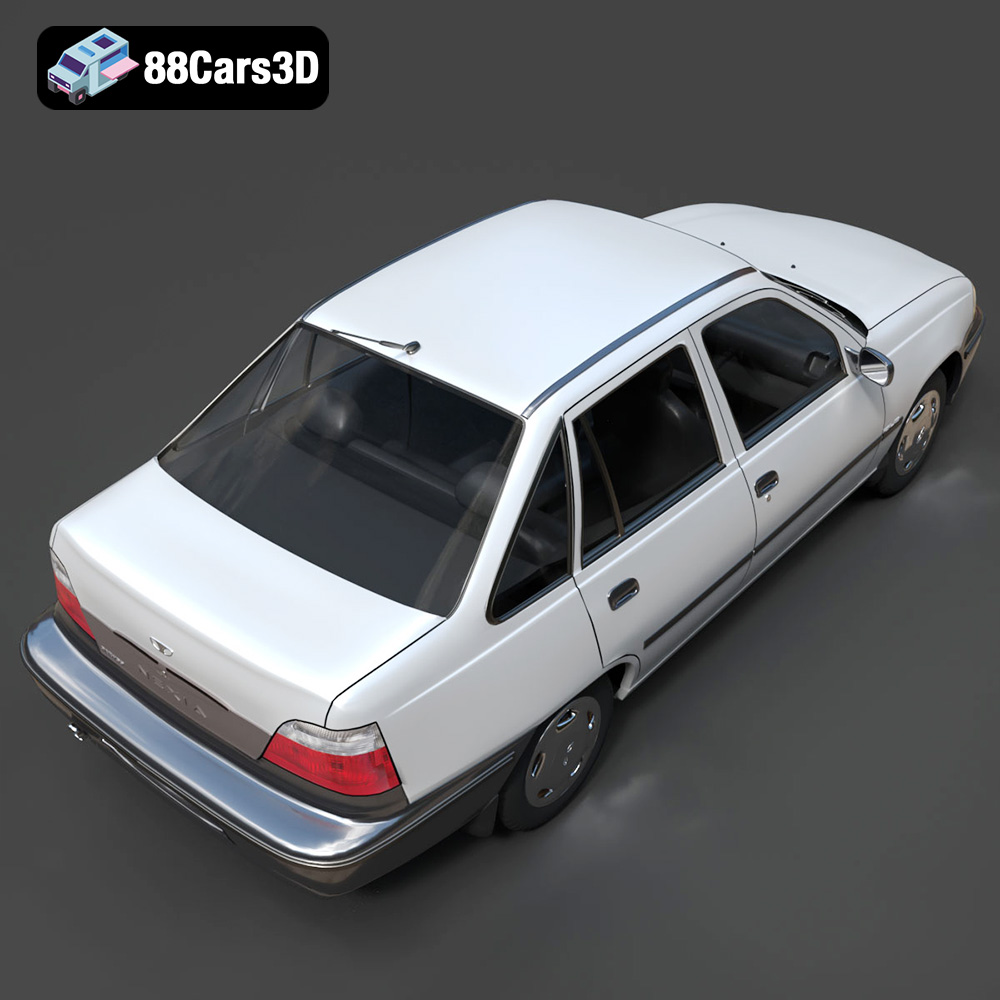
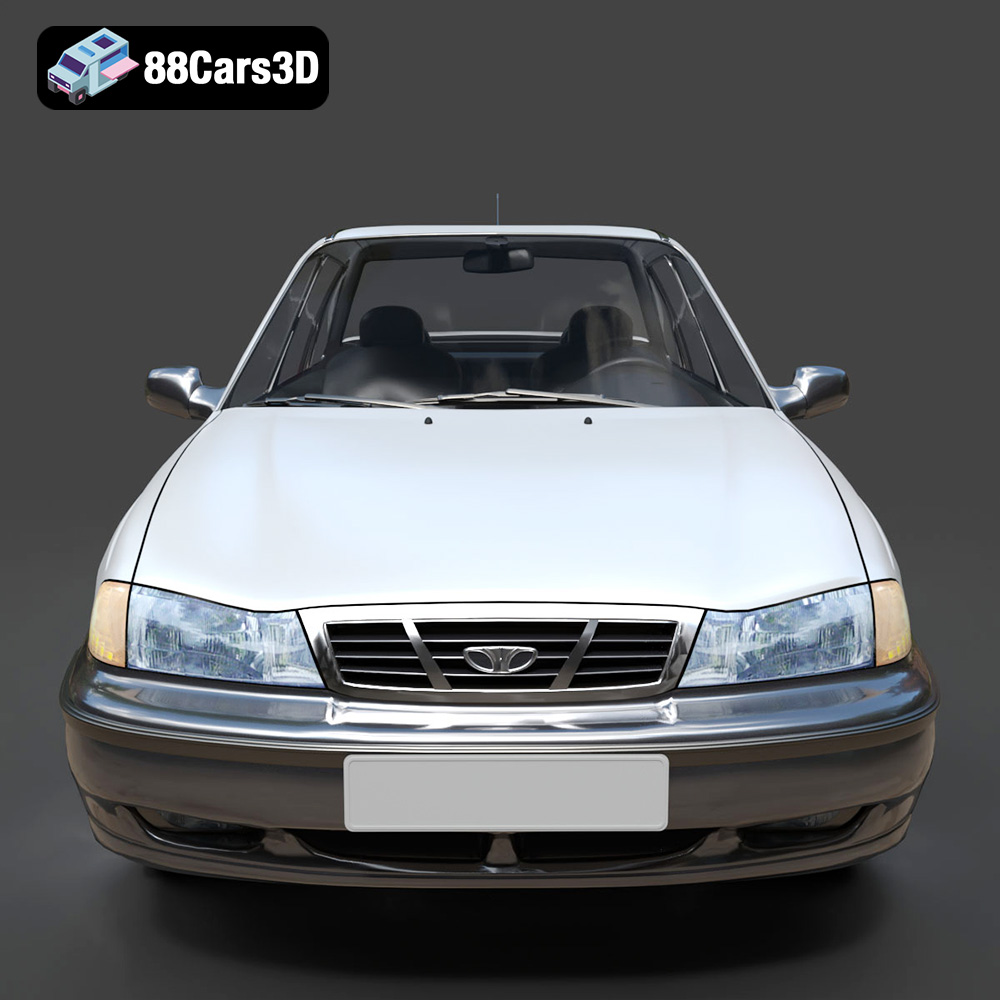
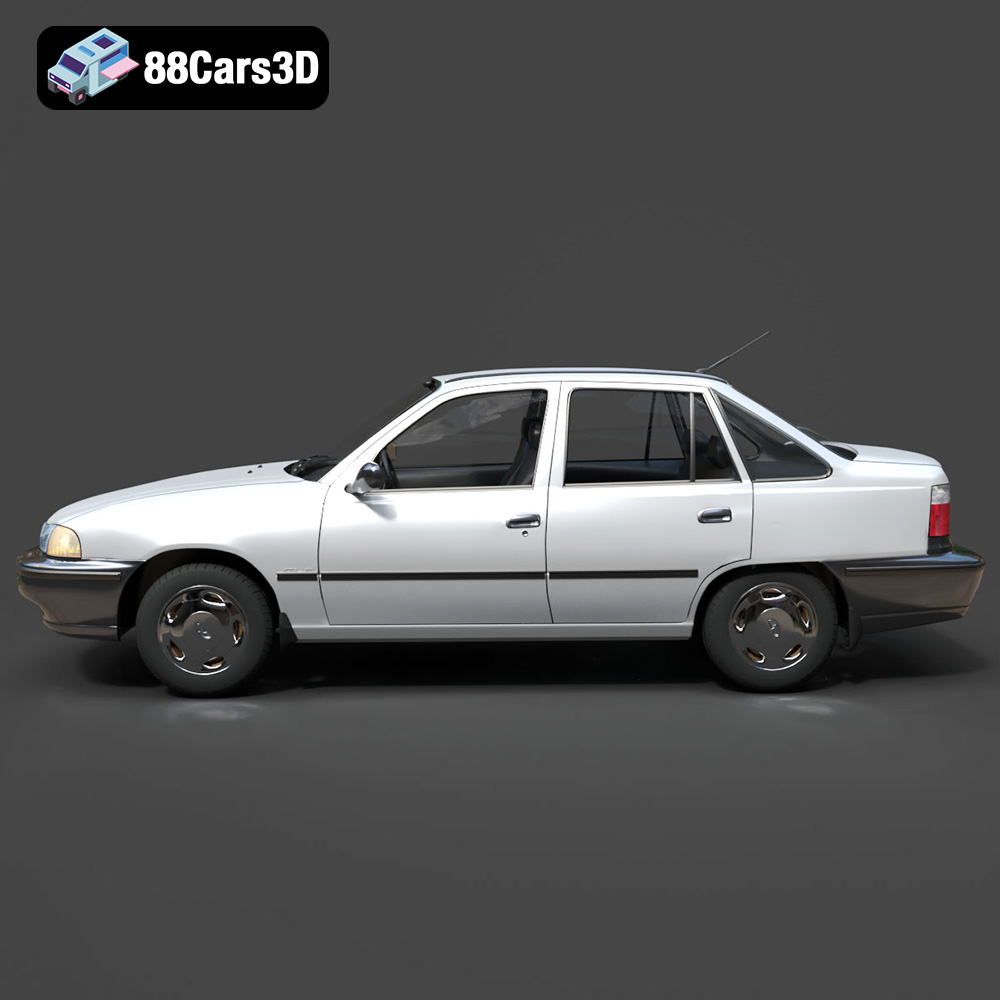
At 88cars3d.com, we provide high-quality 3D car models, like our featured Daewoo Nexia (N150) 3D Model, optimized as STL files for effortless 3D printing. The Daewoo Nexia, an absolute staple across Eastern Europe and Central Asia, represents the accessible and robust vehicles that populate our streets. Transforming this digital representation into a tangible, display-ready model requires a blend of technical understanding, careful preparation, and the right printing techniques. This comprehensive guide will walk you through every step of the process, from preparing your digital file to the final touches of post-processing, ensuring your 3D printed Daewoo Nexia (N150) stands as a testament to your skill and passion for automotive history.
Whether you’re looking to create an urban diorama, a unique collectible, or simply explore the capabilities of automotive 3D printing, following these expert guidelines will equip you with the knowledge to achieve outstanding results.
Understanding 3D Printing File Formats
Before you even think about hitting the ‘print’ button, it’s crucial to understand the digital blueprints that guide your 3D printer. The quality and type of file you start with profoundly impact the success and detail of your final 3D printed car model. For automotive 3D printing, particularly for models like the Daewoo Nexia (N150), several file formats are commonly encountered, each with its strengths and specific uses.
The Dominance of .stl for 3D Printing
The undisputed king of 3D printing file formats is the **.stl** (stereolithography) file. It has been the industry standard for decades, and for good reason. An STL file describes the surface geometry of a 3D object using a collection of interconnected triangles. It contains no information about color, texture, or material properties, focusing solely on the shape. For a model like the Daewoo Nexia, which will likely be painted after printing, this simplicity is often an advantage. The STL format is universally supported by almost all slicing software (like Cura or PrusaSlicer) and 3D printers.
When working with an STL, especially one acquired from an online marketplace like 88cars3d.com, it’s vital to ensure its “watertightness.” A watertight model means that all triangles connect perfectly, forming a completely enclosed volume without any holes or intersecting faces. Non-watertight models will confuse slicing software, leading to errors, missing layers, or failed prints. Most reputable providers ensure their STL files are manifold and ready for printing, but it’s always good practice to inspect them in your slicer or a dedicated mesh repair tool.
Exploring Alternatives: .obj, .3mf, and .ply
While .stl is the workhorse, other formats offer additional capabilities, especially as 3D printing technology advances:
- .obj (Wavefront Object): This format is widely used in 3D graphics and modeling. Unlike .stl, .obj files can store color, texture, and material information, often linked via a separate .mtl (material) file. For multi-color 3D printing, or if you plan to use advanced printers that can embed texture, an .obj might be preferred. However, for a standard FDM or SLA print of a single-color object like the Daewoo Nexia, you’ll typically only be concerned with its geometric data. Converting an .obj to .stl is a common practice before slicing for basic prints.
- .3mf (3D Manufacturing Format): This is a newer, more modern format designed to overcome the limitations of .stl. A .3mf file can contain much more information in a single package, including color, materials, textures, printer settings, support structures, and even information about multiple objects in an assembly. It’s often referred to as a “3D print recipe” and is gaining traction for its comprehensive nature. While not as universally adopted as .stl yet, many modern slicers and printers support .3mf, making it an excellent choice for complex projects or for preserving detailed print intentions.
- .ply (Polygon File Format): Also known as the Stanford Triangle Format, .ply is a precision mesh format capable of storing a variety of data, including color, transparency, and data confidence values, for each polygon. It’s often used for scanned 3D data and applications requiring high detail and data integrity. While it can be used for 3D printing, it’s less common for directly preparing models than .stl or .3mf. Like .obj, if you have a .ply file for your Daewoo Nexia, you would typically convert it to .stl or .3mf for standard FDM/SLA printing.
File Preparation and Optimization for Printing
Regardless of the initial format you receive for your Daewoo Nexia model, the primary goal for 3D printing is a clean, manifold mesh. If your model isn’t provided directly as an STL, you’ll need to use 3D modeling software (like Blender, Fusion 360, or even some advanced slicers) to convert it. During conversion, or when inspecting an STL, check for:
- Mesh Quality: Ensure the triangles are well-formed and evenly distributed. Poor mesh quality can lead to artifacts or weak points in your print.
- Watertightness: Use mesh repair tools (often built into slicers or available as standalone software like Meshmixer) to close any holes or fix inverted normals.
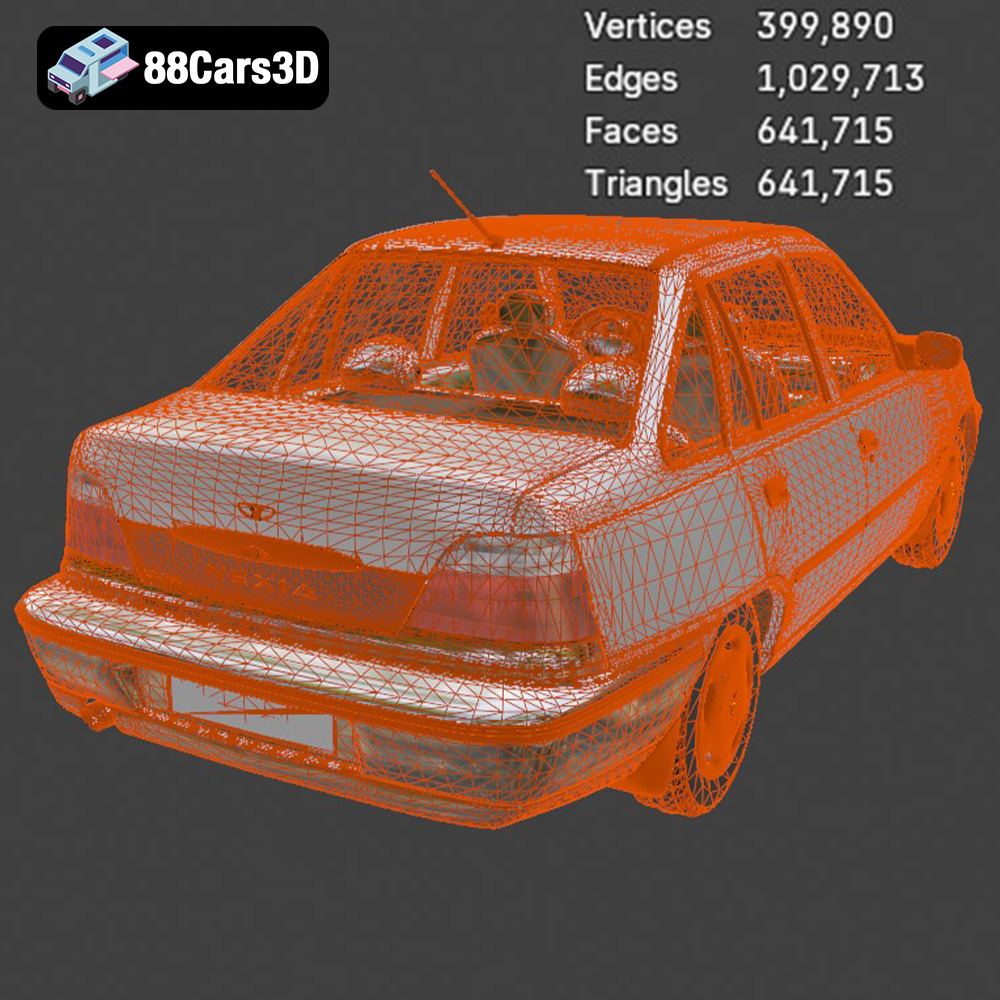
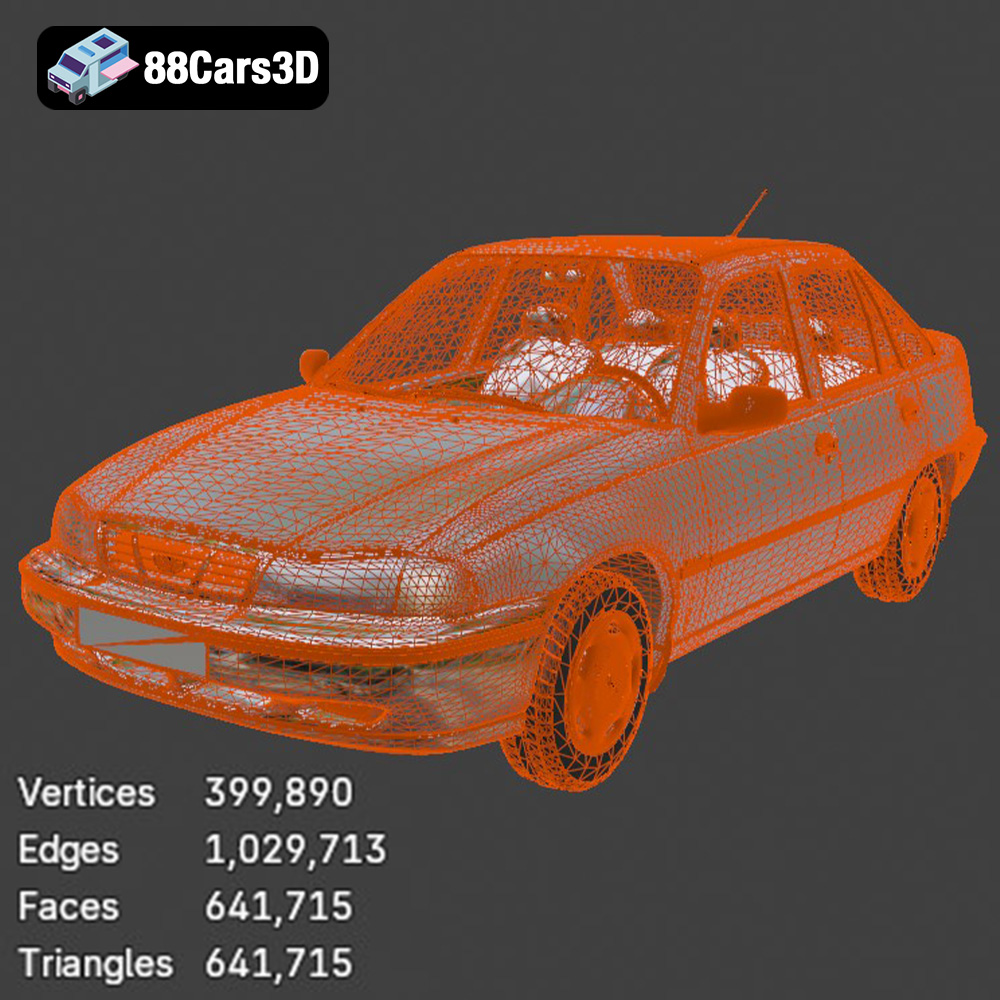
- Polygon Count: While the Daewoo Nexia model is high-poly for rendering (641k triangles), this is perfectly fine for printing. However, excessively high polygon counts can sometimes slow down slicing, but rarely impact print quality directly unless the file itself is corrupt.
By understanding these file formats and ensuring proper preparation, you lay a solid foundation for a successful and highly detailed 3D print of your Daewoo Nexia (N150) model.
Preparing Your Daewoo Nexia 3D Model for Printing
Once you have your clean, watertight STL file of the Daewoo Nexia (N150), the next critical step is to prepare it within your slicing software. Slicers like Ultimaker Cura, PrusaSlicer, or Simplify3D are essential tools that translate your 3D model into a series of thin layers, generating the G-code instructions your 3D printer understands.
Selecting the Right Slicing Software and Scale
Choosing your slicing software often comes down to personal preference and your printer’s ecosystem. Cura is renowned for its vast array of settings and community support, while PrusaSlicer offers excellent features, especially for Prusa printers, and intuitive variable layer height. Both are excellent choices for preparing complex models like the Daewoo Nexia.
A crucial decision at this stage is the print scale. The product description recommends scales of 1:24, 1:32, or 1:43 for the Daewoo Nexia. Each scale has implications:
- 1:24 Scale: Offers the best balance of detail and printability on most FDM printers. It provides enough surface area for intricate features to resolve and allows for easier post-processing.
- 1:32 Scale: A good intermediate size, still retaining decent detail.
- 1:43 Scale: This smaller scale is where resin (SLA/DLP) printers truly shine, as FDM printers may struggle to capture very fine details like door handles, thin mirrors, or intricate grille patterns without loss of fidelity.
Carefully adjust the scale within your slicer to match your desired output. Remember that scaling down significantly increases the challenge of printing small features and may necessitate tighter tolerances and finer print settings.
Optimizing Print Orientation and Multi-Part Printing
The orientation of your Daewoo Nexia model on the build plate is paramount for achieving the best surface finish and minimizing support structures. The product description specifically recommends “Body printed angled for a smooth surface finish; wheels printed separately.” This is sound advice.
- Body Orientation: Printing the car body at an angle (e.g., 30-45 degrees relative to the build plate) can help minimize visible layer lines on curved surfaces, which are abundant on a car body. This distributes the layer lines across the curves, making them less noticeable than if printed flat. It will likely require more support material but results in a superior aesthetic. Ensure critical visible surfaces, like the roof or hood, have a gentle slope that aids in layer adhesion and prevents sagging.
- Multi-Part Printing: Separating the wheels from the main body is a standard and highly recommended practice for automotive 3D printing. Printing the wheels separately allows you to:
- Achieve better detail on spokes and tire treads without needing excessive internal supports.
- Print them in a different orientation (e.g., flat on the build plate or slightly angled) for optimal results.
- Paint them separately with different colors (e.g., black tires, silver rims) before assembly, simplifying the painting process significantly.
Load both the body and wheel STL files into your slicer, arrange them efficiently on the build plate, and then proceed to configure your material and printer settings.
Choosing the Right Material for Your Automotive Print
The material you choose for 3D printing your Daewoo Nexia (N150) model will significantly influence its appearance, strength, and ease of post-processing. Each filament type or resin offers unique characteristics suited for different applications and levels of detail. Given the detailed nature of car models and the product’s recommendations, it’s important to select wisely.
FDM Filament Options: PLA, PETG, and ABS
For FDM (Fused Deposition Modeling) printers, common choices include:
- PLA (Polylactic Acid):
- Pros: Easy to print, low warping, wide range of colors, biodegradable. It’s often the go-to for beginners.
- Cons: Brittle, lower temperature resistance than PETG or ABS, can be challenging to sand perfectly smooth due to its hardness.
- Recommendation for Daewoo Nexia: Excellent for larger scales (1:24) where ease of printing is prioritized. It will give you a good base, but detailed sanding might require more effort.
- PETG (Polyethylene Terephthalate Glycol):
- Pros: Good balance of strength and flexibility, better temperature resistance than PLA, less prone to warping than ABS.
- Cons: Can be stringy, requires slightly higher print temperatures than PLA.
- Recommendation for Daewoo Nexia: A strong contender for durable models, especially if you anticipate some handling. Its slight flexibility can make support removal easier without snapping delicate features like mirrors.
- ABS (Acrylonitrile Butadiene Styrene):
- Pros: Durable, impact-resistant, high temperature resistance, can be smoothed with acetone vapor (which produces a beautiful, glossy finish).
- Cons: Prone to warping (requires an enclosure), emits fumes, more difficult to print than PLA or PETG.
- Recommendation for Daewoo Nexia: If you have an enclosed printer and are comfortable with ABS, its ability to be acetone smoothed can yield exceptional surface quality, mimicking a factory finish, before painting. This makes it ideal for highly realistic display models.
Resin Printing (SLA/DLP/LCD): Unmatched Detail
The product description for the Daewoo Nexia (N150) explicitly states, “Resin printing recommended for the smaller scale details.” This recommendation is well-founded.
- SLA/DLP/LCD Resins:
- Pros: Unrivaled detail resolution, exceptionally smooth surface finish, perfect for capturing intricate features like door lines, tiny grilles, and the sharp edges of windows and lights, especially at smaller scales (1:32, 1:43). Resin models often require less post-processing for surface smoothing.
- Cons: More expensive initial setup, messier process (gloves, ventilation, isopropyl alcohol for cleaning), resin is toxic before curing, prints are often more brittle than FDM prints.
- Recommendation for Daewoo Nexia: If you seek museum-quality detail and a flawless finish, particularly for the intricate “projector-style headlight assemblies” and “distinctive classic taillight clusters,” resin printing is the superior choice. It will truly bring out the nuances of the N150 facelift.
For the Daewoo Nexia, if you’re aiming for larger scales (1:24) and plan to put in significant post-processing work, FDM with PLA or PETG can yield good results. However, for the ultimate precision and effortless detail, especially at smaller scales, a resin printer using a standard grey or white photopolymer resin will produce a much finer representation of this iconic vehicle.
Optimizing Your Printer Settings for Precision and Detail
Once you’ve chosen your material and scaled your Daewoo Nexia (N150) model, fine-tuning your printer settings in the slicer is the most critical step to ensure a successful and high-quality print. Precise settings will allow you to capture the subtle curves, panel gaps, and intricate details that make automotive models so appealing.
Layer Height: The Key to Smooth Surfaces
The layer height directly dictates the visible lines on your print. For automotive models, which are rich in smooth, curved surfaces, a fine layer height is essential. The product description suggests “0.04–0.12 mm” for the Daewoo Nexia.
- 0.04 mm – 0.08 mm (Very Fine): Ideal for resin printers or FDM printers equipped with a very small nozzle (e.g., 0.2mm). This range will virtually eliminate visible layer lines, creating an incredibly smooth surface perfect for painting, but prints will take significantly longer.
- 0.1 mm – 0.12 mm (Fine): A great balance for FDM printers with a standard 0.4mm nozzle. This will produce a good surface finish while keeping print times manageable. Minor layer lines may be visible but are easily sanded away during post-processing.
Always consider your printer’s capabilities. Pushing an FDM printer to extremely low layer heights with a standard nozzle can sometimes lead to extrusion inconsistencies, so find the sweet spot for your specific machine.
Infill and Wall Thickness: Strength and Efficiency
While often hidden, infill and wall thickness contribute to the model’s structural integrity and overall weight.
- Wall Thickness: The product recommends “1.2–2.0 mm.” This is a solid range for a durable shell. For a 0.4mm nozzle, 1.2mm equates to 3 perimeters (0.4mm * 3 = 1.2mm), and 2.0mm equates to 5 perimeters. More perimeters mean a stronger, more robust model, less prone to breaking delicate features like mirrors during support removal or handling.
- Infill: The recommendation is “15–25%.” For a display model like the Daewoo Nexia, this is ample. You don’t need a high infill percentage as the model isn’t load-bearing. A simple infill pattern like ‘grid’ or ‘gyroid’ will provide sufficient internal structure without adding unnecessary print time or material.
Print Speed: A Trade-off Between Time and Quality
For detailed prints, patience is a virtue. While faster print speeds save time, they often compromise surface quality, especially on overhangs and fine details. Start with a moderate speed and adjust as needed.
- Typical Speed: 40-60 mm/s for general printing.
- Outer Wall Speed: Reduce this significantly (e.g., 20-30 mm/s). This allows the printer to lay down the exterior walls more accurately, resulting in a cleaner finish with fewer artifacts.
- Initial Layer Speed: Print the first layer slowly (15-20 mm/s) to ensure excellent bed adhesion.
Strategic Support Structures: Placement and Removal
Support structures are the unsung heroes of successful 3D prints, especially for complex geometries like car models. They prevent overhangs from drooping and ensure intricate details are accurately rendered. The Daewoo Nexia (N150) model, with its distinct features, will require careful consideration for support placement.
Identifying Critical Areas for Supports
The product description correctly identifies key areas needing supports: “Required for side mirrors, wheel arches, and the subtle rear roof spoiler.” Additionally, consider these common areas on car models:
- Side Mirrors: These are notorious for being fragile and requiring robust support. Ensure the support connects firmly to the mirror’s underside.
- Wheel Arches (Fenders): The inner curves of the wheel arches often create significant overhangs that need support to prevent sagging and maintain their smooth, curved profile.
- Rear Roof Spoiler / Exhaust: Any protruding elements like a spoiler or exhaust tip that extend beyond a 45-degree angle from the vertical will need support.
- Underbody Details: If the model includes chassis details or the underside is visible, any sharp overhangs or depressions will require support.
- Front & Rear Bumpers: Depending on your print orientation, the underside of the bumpers, especially if they have intricate grilles or recessed areas, will likely need support.
- Door Handles: Even small, protruding details like door handles benefit from tiny supports, particularly on FDM prints.
Optimizing Support Settings in Your Slicer
Most slicing software offers a variety of support settings to balance ease of removal with effective support.
- Support Type:
- Tree Supports (Cura): Often preferred for organic shapes like car bodies. They generate minimal contact points with the model, making removal easier and leaving fewer marks. They can also reach into tight spaces effectively.
- Normal/Grid Supports: More traditional, offering robust support but can be harder to remove and leave more surface imperfections. Best for large, flat overhangs.
- Support Overhang Angle: Typically set between 45-55 degrees. This defines the angle at which an overhang requires support. Experiment with this to find the optimal balance for your printer and material.
- Support Density: A lower density (e.g., 10-20%) is usually sufficient for car models, reducing material consumption and making removal easier.
- Z-Distance / Support Interface: This setting controls the gap between the top of the support structure and the bottom of your model. A slightly larger gap (e.g., 0.2mm for FDM) aids removal, but too large a gap can result in poor surface quality where the support touched. For resin prints, often minimal or no gap is ideal, with careful calibration. Consider using a ‘support interface’ layer, which is a denser, smoother layer at the top of the support for better contact with the model, allowing for easier breaking away.
- Enable Support Touching Build Plate Only: For many car models printed at an angle, you’ll need “Everywhere” supports to catch overhangs mid-air. However, if your orientation minimizes overhangs, “Touching Build Plate Only” is cleaner.
Removing Supports and Surface Cleanup
Support removal is where care and patience pay off. For FDM prints:
- Use flush cutters, tweezers, and hobby knives to carefully snip and peel away supports. Work slowly to avoid damaging the model, especially delicate areas like the side mirrors.
- For stubborn areas, a heat gun (on a low setting, from a distance) can soften PLA or PETG supports slightly, making them more pliable. Be extremely cautious not to melt the model itself.
- After major removal, use sandpaper (starting with 200-grit and moving up to 400-600 grit) to smooth out any nubs or rough patches left by the supports.
For resin prints:
- Cure the model partially before removing supports; this makes them less brittle.
- Heat the model slightly in warm water to soften supports for easier removal.
- Carefully snip supports with flush cutters. The fine tips of resin supports typically snap off cleanly, leaving minimal marks.
- Finish curing the model completely under UV light or in a curing station.
Thorough support removal and initial cleanup are crucial groundwork for the subsequent post-processing stages.
Mastering Post-Processing: Bringing Your Daewoo Nexia to Life
A raw 3D print is just the beginning. Post-processing transforms your plastic replica of the Daewoo Nexia (N150) into a showroom-ready scale model. This stage demands patience, attention to detail, and a range of techniques to achieve that flawless, factory-fresh appearance.
Sanding and Smoothing: The Foundation of a Flawless Finish
Whether you used an FDM or resin printer, some form of sanding will be necessary. Even the finest resin prints might have tiny nubs from supports, while FDM prints will have visible layer lines to contend with.
- Initial Sanding: Start with a coarser grit sandpaper (e.g., 200-400 grit) to remove prominent layer lines or support marks. Work systematically across the entire surface of the Daewoo Nexia model. For FDM prints, sanding parallel to the layer lines can help knock them down faster.
- Wet Sanding: As you move to finer grits (600, 800, 1000, 1500, 2000 grit), wet sanding becomes invaluable. Using water helps clear away plastic dust, prevents sandpaper from clogging, and provides a smoother finish. Work gently, using small circular motions.
- Detail Work: Use sanding sticks, files, and even folded sandpaper for intricate areas like window frames, grille details, and panel lines. Preserve these details, as they add realism.
- Chemical Smoothing (ABS Only): If you printed in ABS, acetone vapor smoothing can achieve an incredibly smooth, glossy finish without manual sanding. This is an advanced technique requiring caution due to acetone’s flammability and fumes.
The goal is to eliminate all visible imperfections before priming.
Priming: Unveiling Imperfections and Preparing for Paint
Priming is a non-negotiable step for a professional finish. It does two main things:
- Reveals Flaws: A coat of primer, especially a matte light grey or white, will immediately highlight any missed layer lines, sanding scratches, or blemishes you overlooked. This gives you a chance to go back and fix them with spot putty or more sanding.
- Prepares for Paint: Primer provides a uniform, adhesive surface for your topcoats. It ensures better paint adhesion, more consistent color, and prevents the plastic from “sucking up” paint unevenly.
Apply primer in several thin, even coats, allowing each to dry fully. Lightly sand with very fine grit (e.g., 1000-1500 grit) between coats to achieve ultimate smoothness. The product suggests “primer, and classic factory colors,” so choosing a neutral primer will be key.
Painting: The Art of Automotive Finish
This is where your Daewoo Nexia truly comes to life. Automotive painting requires patience and thin layers.
- Color Selection: The product mentions “classic factory colors (like Silver Metallic, Sahara Dust, or Classic White).” Researching real Daewoo Nexia N150 colors will help you choose authentic shades. High-quality acrylic model paints (from brands like Tamiya, Vallejo, or Mr. Hobby) are recommended, applied with an airbrush for the smoothest, most even finish. Brushing is possible but requires very thin, multiple coats to avoid brush strokes.
- Masking: For two-tone schemes or details like window frames and trim, precise masking is essential. Use high-quality masking tape (e.g., Tamiya masking tape) and a sharp hobby knife.
- Multiple Thin Coats: Always apply multiple thin coats rather than one thick coat. This prevents paint runs, preserves details, and builds up a vibrant, even color.
- Clear Coat: Once your base colors are dry, apply a clear gloss coat. This protects the paint, unifies the finish, and provides a realistic shine. A semi-gloss or matte clear can be used for specific areas like tires or interiors.
Assembly and Detailing: The Final Flourish
With separate wheels and body, assembly is straightforward. Use a strong, clear adhesive (like CA glue or model cement) sparingly. For additional realism:
- Window Glass: Cut clear plastic sheets (e.g., from packaging) to fit the window openings, or use a clear resin if the model includes recesses for glass.
- Lights: Paint lights with clear red, orange, and silver for realistic effects. Small pieces of reflective material can be used for headlamp housings.
- Weathering: For a more “lived-in” look, subtle weathering with washes, dry brushing, and pigment powders can add incredible realism, making your Daewoo Nexia look like it’s been navigating the urban streets for years.
Taking your time through these post-processing steps will transform your 3D printed Daewoo Nexia from a raw plastic object into a stunning, lifelike scale model.
Troubleshooting Common 3D Printing Challenges
Even with carefully calibrated settings, 3D printing can present unexpected hurdles. When 3D printing car models, especially detailed ones like the Daewoo Nexia (N150), understanding common issues and their solutions is crucial for consistent success.
Warping and Bed Adhesion Issues
Problem: The corners of your print lift from the build plate, or the entire print detaches, especially noticeable on the flat base of the Daewoo Nexia’s body if printed flat.
Solution:
- Clean Build Plate: Ensure your build plate is spotless. Oils from fingers are common culprits. Use isopropyl alcohol or glass cleaner.
- Level Bed: A perfectly level build plate is non-negotiable. Re-level manually or use auto-leveling.
- Adhesive Aids: Use a brim (a few extra outlines around the base of the print) in your slicer. Apply gluestick, painter’s tape, or hairspray to the build plate for extra adhesion.
- Temperature Control: For FDM, slightly increase bed temperature. For ABS, an enclosure is essential to maintain ambient temperature and prevent rapid cooling.
- Print Angled: As recommended for the Daewoo Nexia, printing at an angle reduces the flat surface area in contact with the bed, which can paradoxically reduce warping by minimizing thermal stresses across a wide area.
Stringing and Oozing
Problem: Fine strands of plastic appear between different parts of your model, especially visible when the print head moves across open spaces, potentially marring the smooth surface of the Daewoo Nexia.
Solution:
- Retraction Settings: Increase retraction distance and speed. This pulls the filament back into the nozzle, relieving pressure during non-print moves.
- Temperature: Lower your print temperature slightly. Higher temperatures make the filament more viscous and prone to oozing.
- Wipe/Coast: Enable these settings in your slicer. A ‘wipe’ slightly extends the end of a line, pulling excess plastic. ‘Coast’ stops extrusion just before a travel move.
- Nozzle Cleanliness: Ensure your nozzle is clean and free of residue.
Poor Layer Adhesion and Delamination
Problem: Layers don’t bond well, leading to weak parts or the model splitting apart. This can be disastrous for structural integrity of the car body.
Solution:
- Print Temperature: Increase nozzle temperature slightly to ensure the plastic is adequately molten for good bonding.
- Cooling Fan: Reduce cooling fan speed, especially for the first few layers. Too much cooling can prevent layers from fusing.
- Print Speed: Slow down print speed. This gives the hot plastic more time to bond with the previous layer.
- Enclosure: For materials like ABS, an enclosure helps maintain a stable, warm environment, promoting better inter-layer adhesion.
Missing or Incomplete Details
Problem: Fine details, like panel lines, grille mesh, or small emblems on the Daewoo Nexia, don’t print clearly or are entirely absent.
Solution:
- Smaller Nozzle (FDM): Consider using a 0.2mm or 0.25mm nozzle for very fine details. This is especially true for scales like 1:43.
- Lower Layer Height: As mentioned, lower layer heights improve vertical detail resolution.
- Slower Print Speed: Slower speeds, particularly for outer walls, allow the nozzle to deposit material more precisely.
- Material Choice: For extreme detail, a resin printer (SLA/DLP) is unequivocally superior and often the only way to capture the minutiae at smaller scales.
- Flow Rate/Extrusion Multiplier: Calibrate your flow rate to ensure you’re extruding the correct amount of material. Under-extrusion can lead to gaps and missing features.
Support Structure Issues
Problem: Supports are too difficult to remove, damage the model, or fail during printing.
Solution:
- Adjust Z-Distance/Interface: Calibrate the gap between supports and the model (Z-distance) and experiment with support interface settings for easier removal.
- Support Density: Lower density supports are generally easier to remove.
- Support Type: Experiment with tree supports, which generally leave fewer marks.
- Print Orientation: Re-orient the Daewoo Nexia model to minimize the need for supports or place them in less visible areas.
- Material Softening: For FDM, carefully use a heat gun to soften supports for removal. For resin, warm water can help.
By systematically addressing these common issues, you can significantly improve your 3D printing success rate and produce a flawless Daewoo Nexia (N150) model.
Conclusion: Your Daewoo Nexia (N150) — From Screen to Scale Model
The journey from a digital STL file to a tangible, beautifully finished 3D printed car model like the Daewoo Nexia (N150) is a rewarding one. It combines technical precision with artistic flair, allowing you to create unique collectibles and display pieces that reflect your passion for automotive design and history. We’ve traversed the entire workflow, starting with the critical understanding of file formats, moving through meticulous slicing and printer settings, and concluding with the transformative power of post-processing.
Remember that the success of your 3D printed Daewoo Nexia hinges on several key factors: choosing the right scale, opting for an appropriate material (resins for the finest details, FDM for larger, robust models), carefully placing supports for delicate features like side mirrors and wheel arches, and dedicating time to sanding, priming, and painting. Each step, from the 0.04-0.12mm layer height to the 15-25% infill, plays a vital role in capturing the essence of the N150 facelift.
Whether you’re populating a diorama or simply adding a unique model to your collection, the Daewoo Nexia (N150) 3D Model from 88cars3d.com offers an exceptional canvas for your 3D printing endeavors. Embrace the process, learn from any challenges, and enjoy the satisfaction of holding a high-quality automotive creation in your hands. Happy printing!
Featured 3D Model for Printing
Daewoo Nexia (N150) 3D Model3D Printable STL
The Daewoo Nexia 3D Model is a highly accurate digital recreation of the legendary budget-friendly sedan. Specifically representing the N150 facelift generation (widely produced by UzDaewoo), this vehicle is an absolute staple of everyday life, serving as a reliable family car, urban taxi, and daily commuter across Eastern Europe, Russia, and Central Asia. This 3D model beautifully captures the modernized aesthetic of the N150 facelift, featuring the updated projector-style headlight housings, the smoothed-out front bumper and grille, and the classic, practical sedan proportions originally derived from the Opel Kadett E platform. Built with a perfectly balanced mid-to-high polygon topology (just over 641k triangles), it provides excellent visual fidelity for close-up automotive rendering while remaining highly optimized for background traffic in modern game engines.
$9.99
Get This Model for 3D Printing