Bringing the Chrome to Life: A Comprehensive Guide to 3D Printing Your Honda Stateline Bagger Slammer Model
The world of automotive enthusiasts and 3D printing hobbyists converges beautifully when it comes to replicating iconic vehicles. Imagine holding a perfectly scaled, custom-built representation of a motorcycle in your hands – not just any motorcycle, but a slammed, aggressive bagger. At 88cars3d.com, we provide the digital blueprints for such creations, and today we’re diving deep into the fascinating process of transforming our high-detail Honda Stateline Bagger Slammer 3D Model into a tangible, display-worthy collectible using the power of 3D printing. This guide will walk you through every critical step, from file preparation to post-processing, ensuring your printed model captures every curve and custom detail of this distinctive cruiser.
Understanding 3D Printing File Formats
Before you can bring your Honda Stateline Bagger Slammer to life, it’s crucial to understand the digital language your 3D printer speaks. The choice of file format and its inherent characteristics directly impact the printability and final quality of your model. For automotive 3D printing, several formats are commonly used, each with its strengths and specific applications.
The Workhorse: STL (.stl)
The most ubiquitous file format in 3D printing is the Standard Tessellation Language, or .stl. This format describes the surface geometry of a 3D object using a collection of triangular facets. Essentially, it approximates the curves and surfaces of your Honda Stateline Bagger Slammer with a multitude of tiny triangles. Its simplicity is its strength: nearly all 3D printers and slicing software support STL files. When you download a model from 88cars3d.com, you’ll often find an STL variant because it’s the most straightforward path to physical creation.
For an STL file to be successfully printed, it must represent a “watertight” mesh. This means there are no holes, gaps, or overlapping triangles in the model’s surface. Think of it like a perfectly sealed balloon; it holds air without leakage. If an STL file isn’t watertight, your slicing software won’t know the clear distinction between the inside and outside of the model, leading to errors, missing geometry, or failed prints. Tools within slicing software like Cura or PrusaSlicer, or dedicated mesh repair software, can often fix minor issues, but starting with a well-prepared STL is always preferable.
Beyond Geometry: OBJ (.obj)
While STL is king for pure geometry, the Wavefront Object format, or .obj, offers more. OBJ files can store not only the mesh geometry (vertices, faces, normals) but also additional information like UV coordinates, texture maps, and material properties. For simple, single-color 3D printing, an OBJ file might be converted to STL, stripping away the extra data. However, for advanced color 3D printing, where printers can deposit different colored materials or even apply textures, OBJ becomes invaluable. Imagine printing your Honda Stateline Bagger Slammer with pre-defined paint schemes or detailed engine textures directly applied – this is where OBJ shines. It allows for a richer, more accurate digital representation to be carried through to the print process, though multi-color printing capabilities are still high-end for most hobbyist setups.
The Modern Standard: 3MF (.3mf)
The .3mf format, or 3D Manufacturing Format, is a relatively newer open standard designed to overcome the limitations of older formats like STL and OBJ. It aims to be a comprehensive package, containing not just geometry, but also materials, colors, textures, print settings, and even support structures within a single file. This “package” approach makes it much more robust for complex manufacturing workflows. For example, a 3MF file of your Honda Stateline Bagger Slammer could specify not only the bike’s shape but also the exact chrome finish for the exhaust and engine, the type of plastic to use for different components, and even ideal print orientations. While not as universally adopted as STL yet, 3MF is gaining traction and represents the future of streamlined 3D printing data exchange.
High Precision Meshes: PLY (.ply)
The Polygon File Format, or .ply, is another format that can store 3D data, often used in scientific and scanning applications. Like OBJ, it can handle both geometric and color information (per-vertex or per-face color). PLY files are known for their ability to store highly detailed meshes with potentially millions of polygons, making them suitable for capturing intricate surfaces from 3D scanners or for high-resolution computational models. For the very fine details of the Honda Stateline Bagger Slammer, like the V-twin engine fins or handlebar controls, a high-density PLY could offer superior precision if your printer and slicing software are equipped to handle such complex data efficiently. Often, for 3D printing, PLY files are converted to STL or 3MF for simpler processing, but their ability to retain high detail makes them a valuable starting point for complex automotive 3D printing projects.
Regardless of the format you start with from 88cars3d.com, the goal is always a clean, watertight mesh suitable for your chosen slicing software and 3D printer. For most home users, STL remains the primary format, requiring careful preparation to ensure optimal print quality for your Honda Stateline Bagger Slammer.
Preparing Your Honda Stateline Bagger Slammer STL File
Once you have your Honda Stateline Bagger Slammer 3D Model file (likely in .stl format from 88cars3d.com), the next crucial step is preparing it for your specific 3D printer. This involves using slicing software, which translates the 3D model into a series of thin layers and generates the G-code instructions your printer understands.
Choosing Your Slicing Software
Popular choices include:
- Ultimaker Cura: Known for its user-friendly interface and extensive settings, Cura is a favorite among FDM users. It offers powerful support generation and profile management.
- PrusaSlicer: Developed by Prusa Research, PrusaSlicer is highly regarded for its advanced features, excellent support algorithms, and profiles optimized for Prusa printers, but also works well with many other FDM machines.
- ChiTuBox/Lychee Slicer: Essential for resin (SLA/DLP) printers, these programs handle the specific requirements of resin printing, including support generation and curing considerations.
For the Honda Stateline Bagger Slammer, either Cura or PrusaSlicer will be excellent for FDM printing. If you opt for resin, ChiTuBox or Lychee Slicer will be indispensable.
Importing, Scaling, and Orienting the Model
Upon opening your chosen slicer, import the Honda Stateline Bagger Slammer STL file. The first thing you’ll need to address is the scale. The product description recommends scales like 1:18, 1:12, 1:10, or 1:8. You’ll need to manually adjust the scale percentage in your slicer to achieve your desired size. For example, if the model is provided at 1:1 scale and you want 1:10, you would scale it down to 10%. Ensure uniform scaling to maintain correct proportions.
Print orientation is critical for this model. The product description suggests: “Frame printed angled; wheels printed separately.”
- Main Frame/Body: Printing the main body of the Honda Stateline Bagger Slammer angled (e.g., at 30-45 degrees relative to the build plate) can significantly improve surface finish, especially on complex curves, by minimizing the visibility of layer lines. It also distributes support structure placement more evenly.
- Wheels: Printing the wheels separately is highly recommended. You can print them flat on the build plate or slightly angled, depending on the spoke design and desired finish. Printing them separately allows for optimal detail and easier post-processing without damaging the main frame.
- Smaller Components: Handlebars, exhaust pipes, and other intricate details might benefit from specific orientations to minimize support scarring or to maximize detail. Consider printing some very small, delicate parts vertically if they have a flat base, or splitting larger components into smaller, more manageable prints.
Checking for Mesh Errors (Manifold Geometry)
Before proceeding, always check your imported model for potential mesh errors. Most slicers have a basic repair function or will highlight non-manifold edges. A “manifold” mesh means every edge is shared by exactly two faces, creating a perfectly sealed, solid volume. Errors like inverted normals, self-intersecting geometry, or open edges can lead to printing issues. While the STL files from 88cars3d.com are optimized for printing, a quick check ensures a smooth process.
Material Selection for Your Bagger Slammer
The choice of filament or resin significantly impacts the final look, feel, and durability of your 3D printed Honda Stateline Bagger Slammer. Each material has its unique characteristics, making it suitable for different aspects of your model.
PLA (Polylactic Acid)
- Pros: PLA is the most common and easiest filament to print. It offers good detail, comes in a vast array of colors, and is relatively inexpensive. It’s also biodegradable. For a display model, PLA is an excellent choice for its ease of use and ability to capture the Honda Stateline’s sleek lines. It’s easy to sand and paint.
- Cons: Lower temperature resistance compared to other plastics, making it prone to warping or deforming if left in a hot car or direct sunlight. It’s also more brittle than PETG or ABS.
- Application: Ideal for beginners, quick prototypes, or static display models where high impact strength isn’t a concern. The majority of the Honda Stateline’s main body and less stressed parts can be printed effectively with PLA.
PETG (Polyethylene Terephthalate Glycol)
- Pros: PETG offers a good balance of strength, flexibility, and temperature resistance, making it more durable than PLA. It’s also food-safe and exhibits less warping than ABS.
- Cons: Can be more challenging to print than PLA, sometimes exhibiting stringing or oozing. It requires slightly higher print temperatures.
- Application: If you want a more robust model that can withstand slightly more handling or varying temperatures, PETG is a good upgrade from PLA. It’s suitable for the entire Honda Stateline Bagger Slammer model if you’re looking for increased durability.
ABS (Acrylonitrile Butadiene Styrene)
- Pros: Known for its strength, toughness, and good temperature resistance. ABS is excellent for parts that need to be durable or that will undergo post-processing like sanding and vapor smoothing with acetone, which can give a remarkably smooth finish akin to injection molding.
- Cons: ABS is more difficult to print due to significant warping and odor during printing. It requires an enclosed printer with a heated bed to prevent delamination.
- Application: For the most durable Honda Stateline Bagger Slammer model, especially if you plan extensive post-processing for a showroom-quality finish, ABS is a strong contender. However, it’s generally not recommended for beginners.
Resin (SLA/DLP/LCD Printing)
- Pros: Resin 3D printing offers incredibly high resolution and smooth surface finishes, capturing even the tiniest details with exceptional precision. For the intricate engine components, handlebars, and delicate fender edges of the Honda Stateline Bagger Slammer, resin truly shines. Layer lines are often invisible without magnification.
- Cons: Resin printers and materials are generally more expensive. The post-processing involves cleaning with isopropyl alcohol and UV curing, and resins can be messy and require careful handling (gloves, ventilation).
- Application: Highly recommended for achieving the finest details on your Honda Stateline Bagger Slammer, particularly for smaller scales or if you demand the absolute best surface quality for painting and detailing. Consider printing smaller, highly detailed parts like the V-twin engine, handlebars, brake discs, and exhaust tips with resin, while printing the larger frame with FDM for a hybrid approach.
Optimizing Print Settings for FDM (Fused Deposition Modeling)
Fine-tuning your FDM printer settings is paramount to achieving a high-quality replica of the Honda Stateline Bagger Slammer. These settings dictate everything from detail resolution to structural integrity.
Layer Height
The product recommends a layer height of 0.08–0.16 mm. For highly detailed models like the Honda Stateline Bagger Slammer, a finer layer height is generally preferred.
- 0.08 mm: Provides exceptional detail and a smoother surface finish, minimizing visible layer lines. This is ideal for exterior body panels, the fuel tank, and any part where aesthetics are paramount. The trade-off is significantly longer print times.
- 0.12 mm: A good balance between detail and print speed. Still provides excellent quality suitable for most parts of the motorcycle.
- 0.16 mm: Faster printing, but layer lines will be more noticeable. Might be acceptable for internal structures or parts that will undergo heavy sanding and painting.
For the best visual quality on your Honda Stateline Bagger Slammer, aim for the lower end of this range, especially for the main body and detailed components.
Wall Thickness & Infill
The recommended wall thickness is 1.5–2.5 mm, and infill is 15–25%.
- Wall Thickness (Shells/Perimeters): This determines how many plastic lines make up the outer surface of your model. A thicker wall (more perimeters) provides better structural integrity, hides infill patterns, and offers a more robust surface for sanding and painting. For a motorcycle model, 1.5-2.0 mm (typically 4-5 perimeters with a 0.4mm nozzle) is a good starting point to ensure durability and a solid feel.
- Infill: The internal structure of your print. 15-25% infill provides sufficient strength for a display model without consuming excessive filament or adding significantly to print time. A cubic or gyroid infill pattern offers good strength in all directions. For purely aesthetic models that won’t be handled much, even 10% might suffice, but 15% offers a good balance.
Supports
The product specifies: “Supports: Required for handlebars, exhaust pipes, and fender edges.” This is a critical point for the Honda Stateline Bagger Slammer due to its complex geometry and numerous overhangs.
- Where to place: Pay close attention to all areas that angle out more than 45-60 degrees from the vertical. This includes the underside of the fuel tank, the intricate V-twin engine components, the underside of the stretched saddlebags, the entire exhaust system, and especially the handlebars and front fender where they overhang.
- Type of Supports:
- Tree Supports (Cura/PrusaSlicer): Often preferred for organic shapes and intricate models. They create branch-like structures that minimize contact with the model, making removal easier and reducing surface damage.
- Standard Supports: More columnar, can be very sturdy but might leave more noticeable marks on the model. Use these for large, flat overhangs where strength is prioritized.
- Support Density/Pattern: A lower support density (e.g., 10-15%) with a zig-zag or grid pattern is usually sufficient. Ensure the “Support Z Distance” or “Top Z Distance” is correctly set (e.g., 0.1-0.2mm) to allow for easier removal while still providing adequate support.
Print Speed
For detailed automotive 3D printing, patience is key. While higher speeds save time, they often compromise quality.
- Outer Walls: Slow down your outer wall speed (e.g., 30-40 mm/s) to achieve a smoother, more accurate surface finish. This is especially important for the visible body panels of the Honda Stateline Bagger Slammer.
- Infill/Inner Walls: These can be printed faster (e.g., 60-80 mm/s) as their quality is less critical for aesthetics.
- First Layer: Print the first layer very slowly (e.g., 20 mm/s) to ensure excellent bed adhesion, preventing warping and ensuring a stable foundation for the entire model.
Build Plate Adhesion
To prevent warping and ensure your model stays firmly attached to the build plate throughout the print:
- Brim: A single layer of plastic printed around the base of your model, effectively increasing its footprint. This is highly recommended for the main frame of the Honda Stateline Bagger Slammer, especially if printing in ABS or PETG.
- Raft: A thicker base printed underneath the entire model. Useful for models with small contact areas or when adhesion is particularly problematic, but consumes more material and requires more post-processing to remove.
- Skirt: A line printed around the model but not touching it. Good for priming the nozzle and checking filament flow before the actual print starts.
Ensure your heated bed temperature is appropriate for your chosen filament (e.g., 60°C for PLA, 80°C for PETG, 100°C+ for ABS).
Mastering Support Structures and Orientation
Successfully 3D printing complex automotive models like the Honda Stateline Bagger Slammer hinges heavily on correct model orientation and intelligent support structure placement. These factors directly influence print quality, ease of post-processing, and the structural integrity of your final model.
Strategic Support Placement
The detailed and often delicate parts of the Honda Stateline Bagger Slammer necessitate careful support planning. Overhangs, gaps, and intricate features will collapse without proper support.
- Handlebars: These are prominent and typically feature severe overhangs. Supports should be placed carefully beneath the grips and any control levers to prevent sagging. Opt for tree supports to minimize contact points on visible surfaces.
- Exhaust Pipes: The dual exhaust system of the Honda Stateline Bagger Slammer will likely extend horizontally with significant overhangs. Supports are crucial along the underside of the pipes, extending from the engine to the rear.
- Fender Edges & Saddlebags: Both the front and extended rear fenders, as well as the custom touring saddlebags, will have undersides that require support. Ensure supports gently lift these areas without fusing to the visible surfaces.
- V-Twin Engine Components: The detailed engine, with its cooling fins and intricate covers, will have numerous small overhangs. Carefully targeted supports are needed here to preserve fine detail. If printing with resin, these details will be much easier to capture and support.
- Front Fork Assembly: Ensure the forks and brake calipers have adequate support to prevent deformation during printing.
Always review the generated supports in your slicer’s preview mode. Look for areas where supports are too sparse or too dense, and adjust the support settings (e.g., support density, support angle, support pattern, Z-distance) to find the right balance between structural integrity and ease of removal.
Orientation Techniques
The recommended print orientation “Frame printed angled; wheels printed separately” is a professional tip for maximizing quality.
- Angled Frame: Printing the main frame of the Honda Stateline Bagger Slammer at an angle (e.g., 30-45 degrees from the build plate) offers several advantages:
- Reduced Layer Lines: By angling the model, vertical layer lines become diagonal, making them less visually prominent, especially on curved surfaces like the fuel tank and fenders.
- Improved Overhangs: Many overhangs become less severe when angled, reducing the need for dense supports and improving the quality of unsupported areas.
- Strength: Angling can sometimes distribute forces more evenly during printing, potentially reducing warping for larger models.
- Separate Wheels: Printing the wheels of the Honda Stateline Bagger Slammer separately is almost always the best approach.
- Detail Preservation: Allows for optimal orientation of the wheels themselves to capture spoke detail without supports damaging the visible surfaces.
- Easier Post-Processing: Sanding, painting, and adding chrome details to the wheels is far simpler when they are individual components.
- Assembly: The separate wheels can later be attached to the frame, potentially allowing for rotating wheels if designed with pins or axles.
- Small Details: For tiny, delicate parts, consider printing them vertically if they have a stable base, or flat if their top surface is critical. If printing with resin, the orientation strategy might differ slightly to minimize peel forces and reduce support scarring on critical surfaces.
Support Removal and Finishing
Once printed, support removal is a delicate operation.
- Patience and Tools: Use flush cutters, tweezers, and a small hobby knife. Work slowly and carefully to avoid snapping off delicate parts of your Honda Stateline Bagger Slammer.
- Heat (Optional): For some filaments (especially PETG), a little heat from a heat gun (very carefully and briefly!) can make supports more pliable and easier to remove, but be cautious not to deform your model.
- Resin Supports: These are often thinner and more brittle. Snap them off while the print is still slightly warm from the wash cycle for easier removal, then cure thoroughly.
- Sanding: After removal, expect to do some light sanding to clean up any support marks or nubs.
Mastering supports and orientation will dramatically elevate the quality of your 3D printed Honda Stateline Bagger Slammer, showcasing the intricate design from 88cars3d.com.
Post-Processing Your Honda Stateline Bagger Slammer
The journey from a raw 3D print to a showroom-quality model of the Honda Stateline Bagger Slammer is completed with meticulous post-processing. This is where your model truly comes to life, moving beyond a mere plastic replica to a stunning scale collectible.
Curing (for Resin Prints)
If you opted for resin printing for some or all of your Honda Stateline Bagger Slammer components, the first step after washing off excess resin is thorough curing. This involves exposing the resin parts to UV light, which hardens the material and strengthens the model. A dedicated UV curing station is ideal, but even direct sunlight can work. Ensure all surfaces are evenly cured to prevent stickiness or material weakness.
Sanding and Smoothing
This is arguably the most time-consuming but rewarding step for FDM prints, aiming to eliminate layer lines and create a smooth surface ready for paint.
- Initial Sanding: Start with a relatively coarse grit sandpaper (e.g., 200-300 grit) to quickly remove support nubs and prominent layer lines. Work in circular motions or along the direction of the layer lines.
- Progressive Finer Grits: Gradually move to finer grits (400, 600, 800, and even 1000+). Wet sanding (using waterproof sandpaper with water) is highly recommended for finer grits as it reduces dust, prevents clogging, and achieves a smoother finish.
- Attention to Detail: Pay special attention to the large, smooth surfaces of the fuel tank, fenders, and saddlebags of the Honda Stateline Bagger Slammer. Small detail areas might require sanding sticks or folded sandpaper.
- ABS Smoothing: For ABS prints, acetone vapor smoothing can dissolve and re-flow the outer layers, creating an exceptionally smooth, glossy finish without sanding. This technique requires caution due to acetone’s flammability and fumes.
Priming
Priming is a non-negotiable step for a professional finish.
- Purpose: Primer creates a uniform surface for paint adhesion, helps to reveal any remaining imperfections (which you can then sand down), and provides a consistent base color.
- Application: Apply several thin, even coats of automotive-grade filler primer. Sand lightly with a fine grit (e.g., 600-800) between coats if necessary, until the surface is perfectly smooth to the touch and visually uniform.
- Color Choice: A light grey or white primer is often best as it allows the final paint colors to appear true.
Painting and Detailing
This is where your Honda Stateline Bagger Slammer truly takes on its custom personality.
- Custom Paint Finish: Using spray paint (automotive or model-specific) or an airbrush, apply your chosen colors. Multiple thin coats are always better than one thick coat, preventing drips and ensuring even coverage. For the bagger slammer, consider custom two-tone schemes or deep metallic finishes.
- Chrome Detailing: The engine, exhaust system, handlebars, and various accents of the Honda Stateline Bagger Slammer demand chrome. Use chrome-effect paints (e.g., Molotow Liquid Chrome markers or specialized airbrush chrome paints) for a realistic metallic sheen.
- Small Details: Use fine brushes for painting intricate parts like brake calipers, engine details, and instrument cluster.
- Clear Coat: Once all paint and detailing are complete and fully dry, apply a clear coat (gloss or matte, as desired) to protect the paint, add depth, and provide a uniform sheen.
Assembly
If you printed the Honda Stateline Bagger Slammer in multiple parts (as recommended for the wheels, and potentially other sub-assemblies):
- Adhesives: Use strong hobby adhesives like super glue (CA glue) or specialized plastic cements for permanent bonds. For larger surfaces, a two-part epoxy might be beneficial.
- Pins/Dowels: If the model design includes alignment pins, ensure they fit snugly. If not, consider drilling small holes and inserting metal or plastic rods for added strength and alignment.
- Careful Alignment: Take your time to perfectly align all parts before the adhesive sets, ensuring the motorcycle’s stance and symmetry are maintained.
With careful post-processing, your 3D printed Honda Stateline Bagger Slammer will be a striking and personalized tribute to custom motorcycle culture, a testament to both your printing skill and the detailed design available at 88cars3d.com.
Troubleshooting Common 3D Printing Issues
Even with perfect print settings and a high-quality STL file like the Honda Stateline Bagger Slammer from 88cars3d.com, you might encounter common 3D printing issues. Knowing how to diagnose and fix them is key to successful automotive 3D printing.
Warping and Poor Bed Adhesion
Symptom: Corners of the print lift off the build plate, or the entire print detaches during printing.
Causes:
- Insufficient bed adhesion (dirty bed, incorrect Z-offset).
- Rapid cooling of the printed layers, causing shrinkage.
- No heated bed, or insufficient bed temperature for the material.
Solutions for your Honda Stateline Bagger Slammer:
- Clean Build Plate: Thoroughly clean your build plate with isopropyl alcohol.
- Level Bed & Z-Offset: Ensure your build plate is perfectly leveled and your first layer Z-offset is correct (nozzle should be just squishing the filament onto the bed).
- Adhesion Aids: Use a brim (highly recommended for the large footprint of the motorcycle frame), gluestick, hairspray, or painter’s tape on the build plate.
- Heated Bed Temperature: Increase your heated bed temperature (e.g., 60-70°C for PLA, 80-90°C for PETG, 100-110°C for ABS).
- Enclosure: For materials like ABS, use an enclosure to maintain a stable, warm environment and prevent drafts.
- Reduce Cooling: For the first few layers, reduce or turn off the cooling fan to allow layers to bond better.
Stringing and Oozing
Symptom: Fine wisps of plastic appear between different sections of your Honda Stateline Bagger Slammer model.
Causes:
- Too high print temperature.
- Insufficient retraction settings (retraction distance or speed).
- Wet filament.
Solutions:
- Calibrate Temperature: Perform a temperature tower test to find the optimal printing temperature for your filament.
- Adjust Retraction: Increase retraction distance (e.g., from 4mm to 6mm) and/or retraction speed (e.g., from 40mm/s to 60mm/s).
- Dry Filament: Store filament in a dry environment or use a filament dryer if it has absorbed moisture.
- Combing Mode: Enable “Combing” in Cura or “Wipe” in PrusaSlicer to keep the nozzle within the printed model during travel moves.
Layer Shifting
Symptom: Layers of the print are misaligned, causing a visible “staircase” effect on parts of your Honda Stateline Bagger Slammer.
Causes:
- Loose belts on X or Y axes.
- Motor skipping steps (due to high speed, acceleration, or current).
- Print head catching on a warped part of the model.
Solutions:
- Check Belt Tension: Ensure X and Y axis belts are properly tightened – firm but not overly taut.
- Reduce Print Speed/Acceleration: Lower your overall print speed, especially for rapid travel moves. Reduce acceleration settings in your slicer.
- Clear Print Path: Ensure no cables or obstructions interfere with print head movement.
- Check for Warping: Address any warping issues that might cause the nozzle to collide with the print.
Poor Layer Adhesion (Delamination)
Symptom: Layers of the print don’t bond well, leading to cracks, brittleness, or the print splitting apart.
Causes:
- Too low print temperature.
- Excessive cooling (fan speed too high).
- Printing too fast.
- Wet filament.
Solutions:
- Increase Hotend Temperature: Slightly increase your nozzle temperature (e.g., by 5-10°C).
- Reduce Cooling Fan Speed: Especially for internal layers or for materials like ABS, reduce fan speed or turn it off entirely.
- Slow Down: Print at a slower speed to allow each layer more time to bond.
- Dry Filament: Moisture in filament can lead to steam bubbles that disrupt layer bonding.
By systematically addressing these common issues, you can ensure your 3D printing endeavors, especially with detailed models like the Honda Stateline Bagger Slammer from 88cars3d.com, are consistently successful and yield high-quality results.
Conclusion
3D printing the Honda Stateline Bagger Slammer 3D Model is an incredibly rewarding project for any automotive enthusiast. From selecting the right file format and material to meticulously fine-tuning your print settings and engaging in careful post-processing, each step contributes to bringing a digital design to vibrant, tangible life. We’ve covered the nuances of file preparation, the critical role of supports and orientation, and the importance of a detailed finishing process to achieve that showroom-quality replica.
Whether you’re creating a prototype, a collector’s item, or a personalized display piece, the principles of successful automotive 3D printing remain consistent: attention to detail, patience, and a willingness to learn. With the high-quality STL files available at 88cars3d.com, like this stunning Honda Stateline Bagger Slammer, you have the perfect foundation to embark on your next exciting 3D printing adventure. Unleash your creativity and transform these digital blueprints into impressive physical models that stand as a testament to both design and manufacturing innovation.
Featured 3D Model for Printing
Honda Stateline Bagger Slammer 3D Model 3D Printable STL
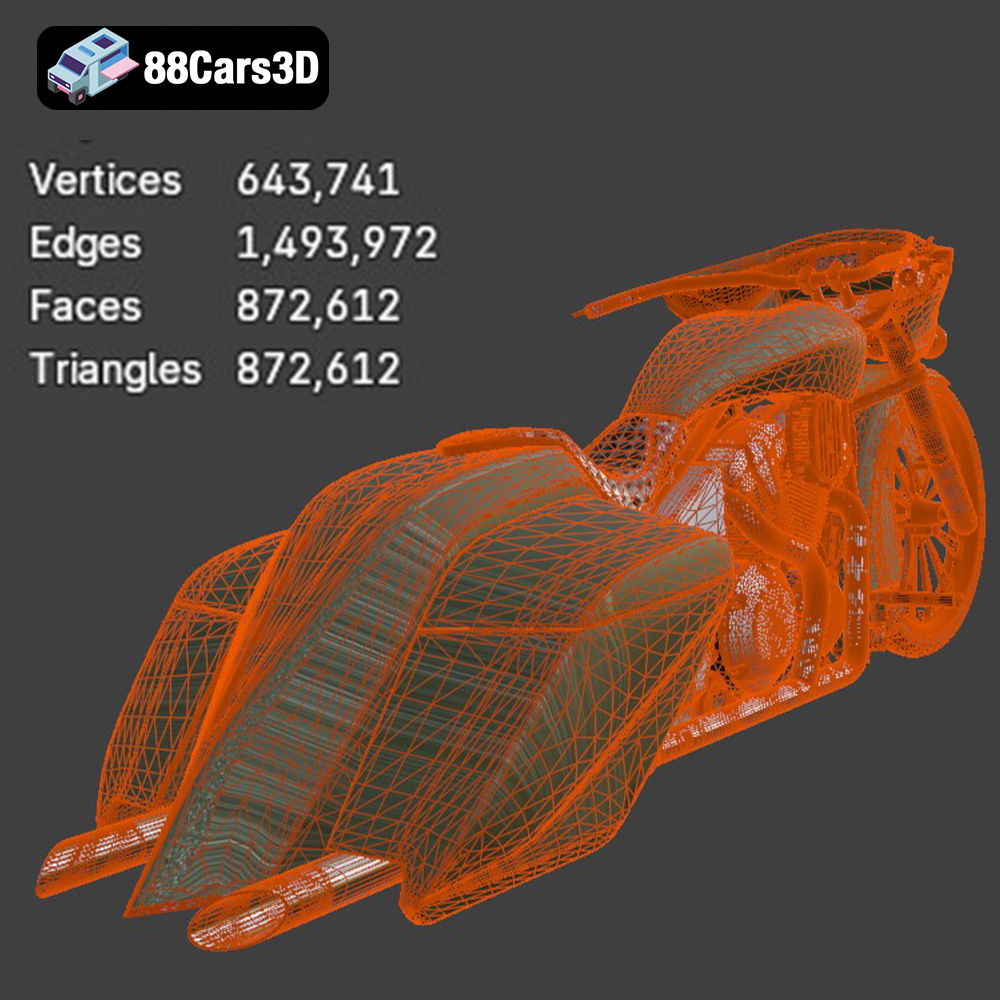
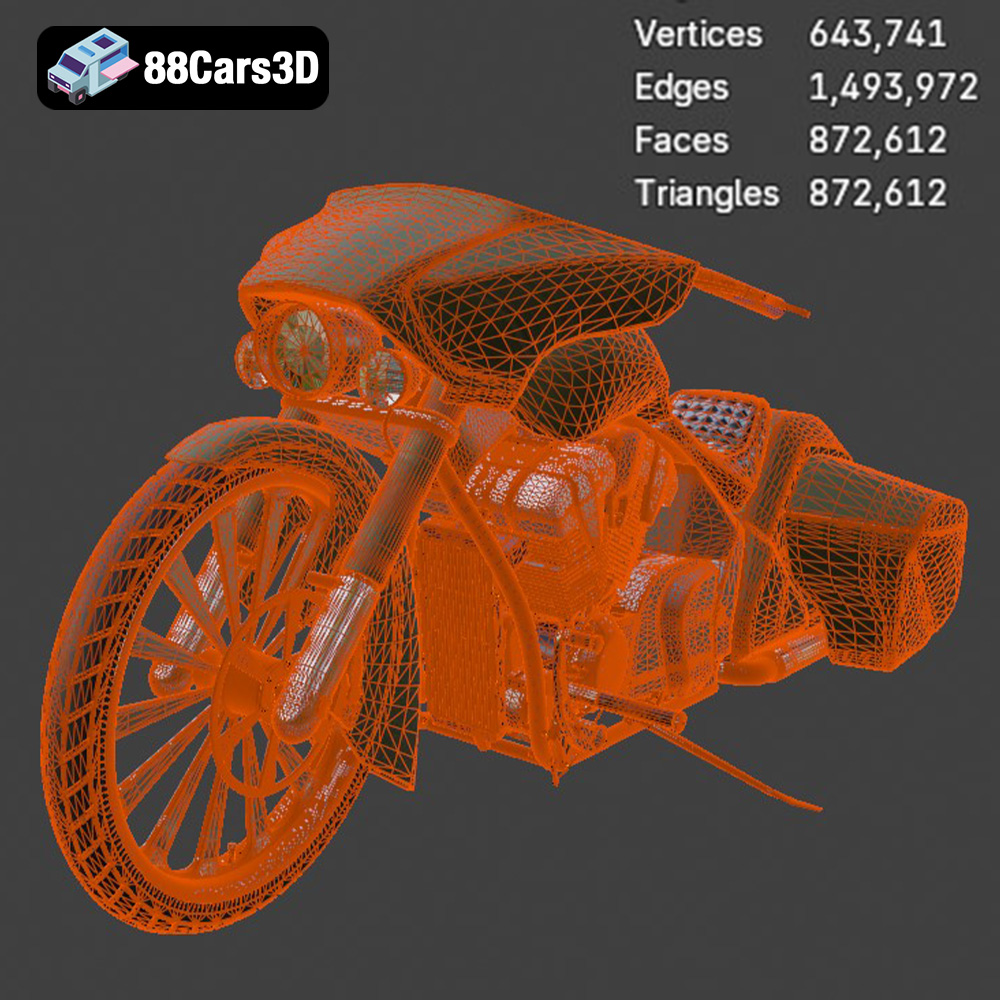
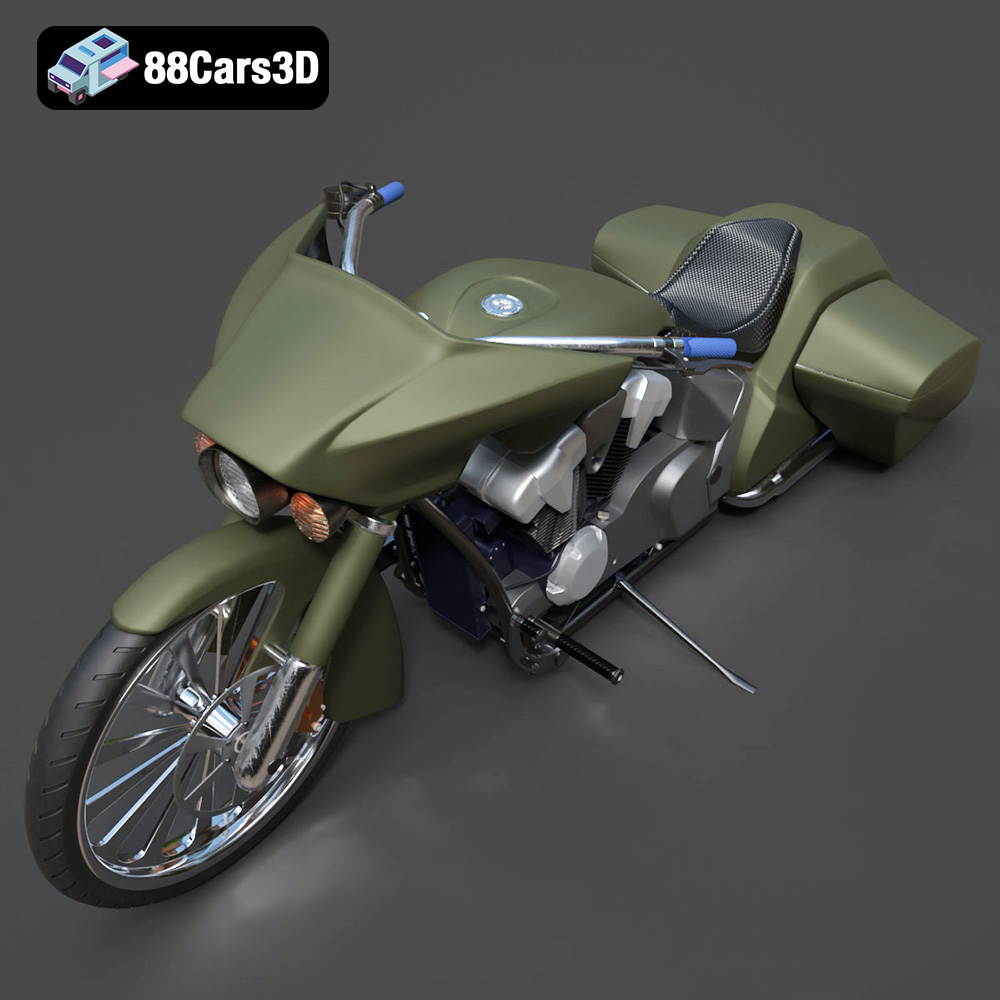
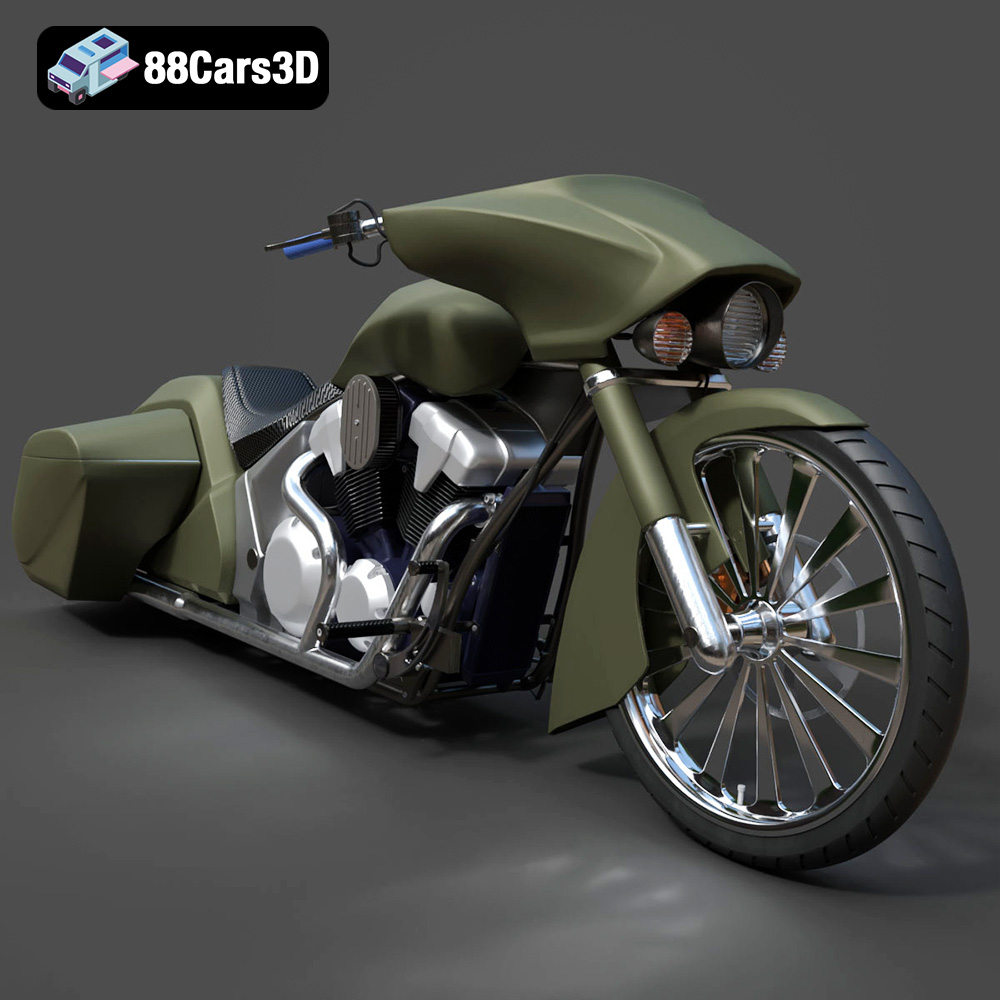
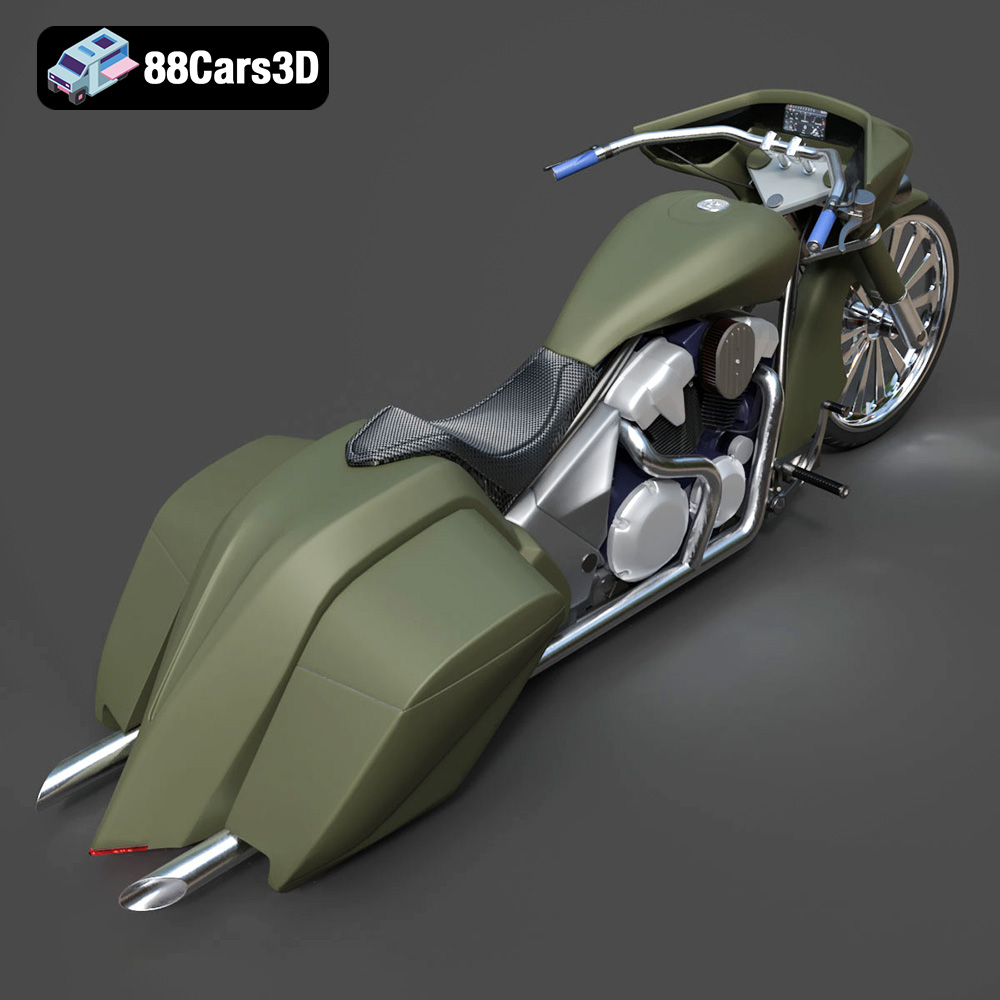
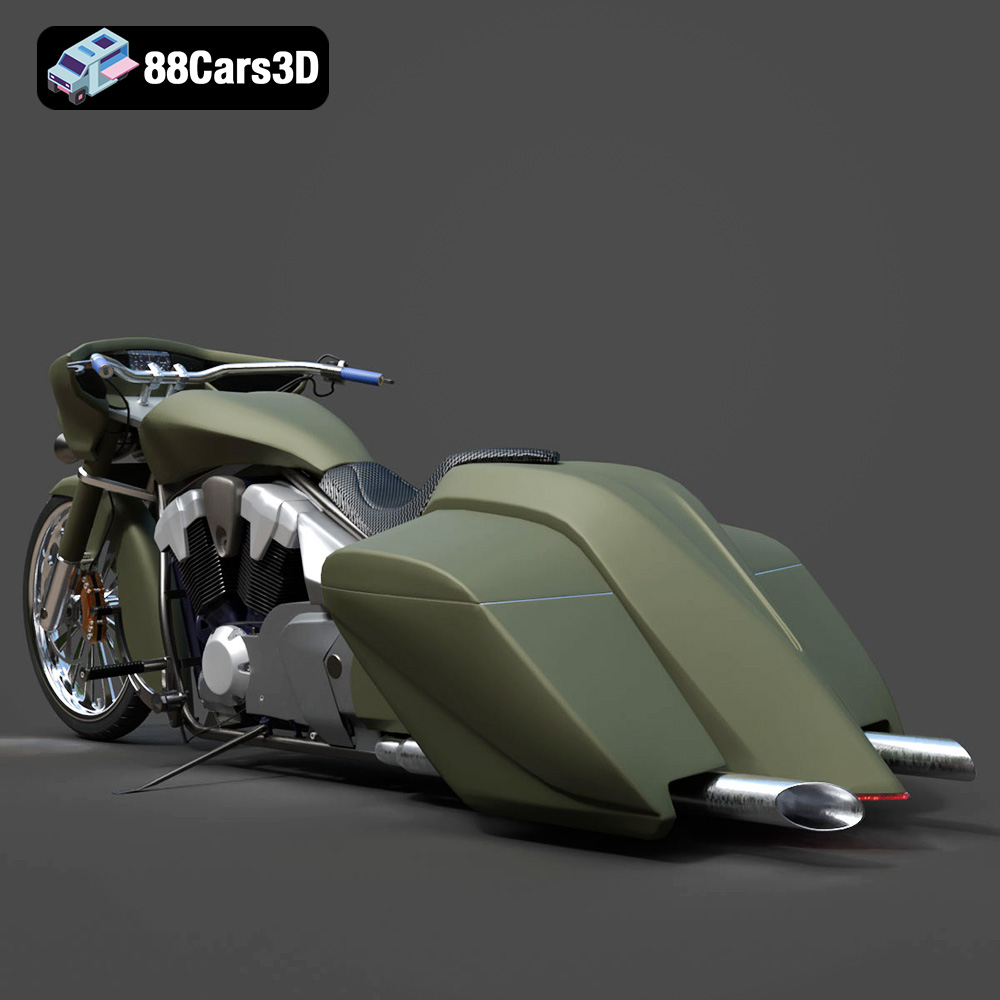
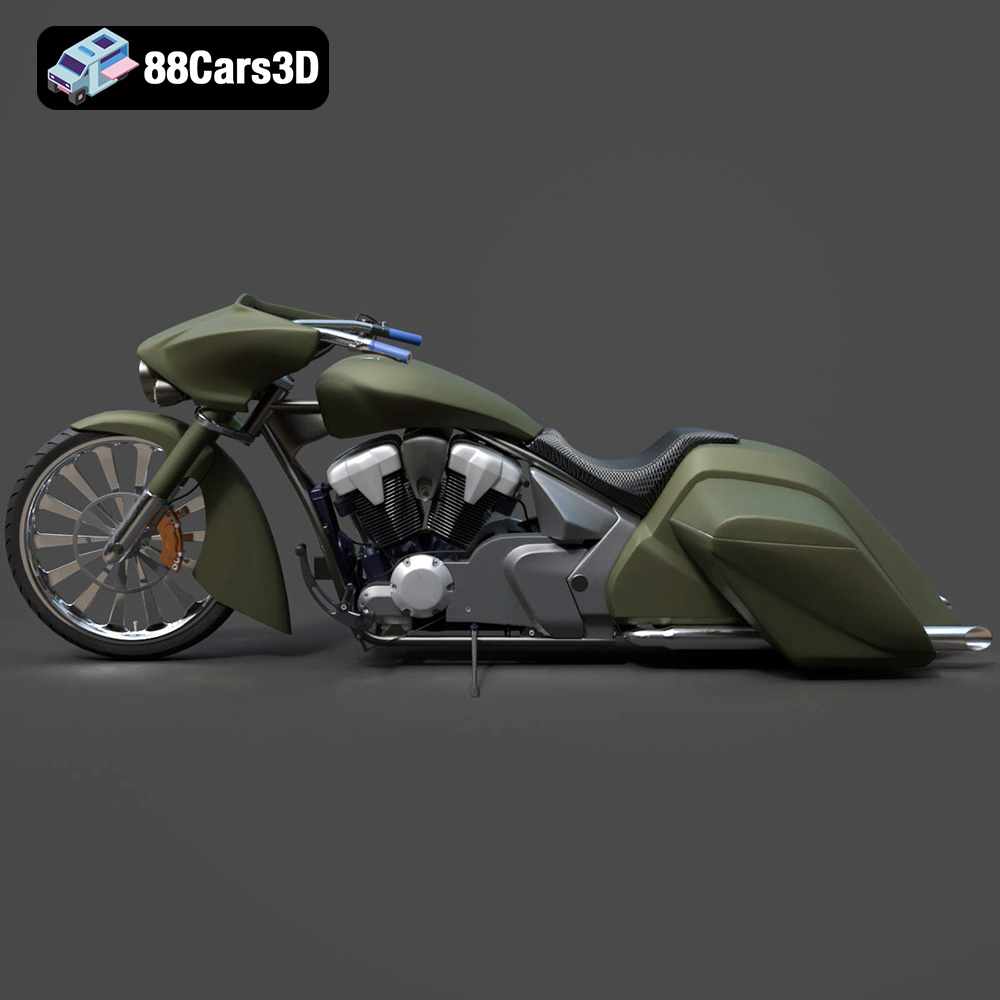
The Honda Stateline Bagger Slammer 3D Model is a high-detail digital recreation of the custom low-slung cruiser motorcycle inspired by the Honda Stateline platform. Designed with an aggressive bagger stance and slammed suspension profile, this model captures the bold styling, extended fenders, stretched saddlebags, and powerful V-twin character that define the bagger culture. This 3D model accurately represents the elongated fuel tank, low ride height, wide handlebars, detailed engine components, dual exhaust system, front and rear disc brakes, and custom touring saddlebags. Built with clean topology and real-world proportions, it is ideal for rendering, animation, simulation, game development, and AR/VR motorcycle visualization. Perfect for custom bike showcases, urban street scenes, showroom renders, promotional visuals, and motorcycle simulation environments. Convertible to .stl format for collectible scale motorcycle models and display miniatures.
$9.99
Get This Model for 3D Printing
Related Tags
.arvr
.bagger
.blend
.cruisermotorcycle
.custombike
.fbx
.gameasset
.glb
.honda
.max
.motorcycle3dmodel
.obj
.ply
.rendering
.simulation
.stateline
.stl
.touringbike
.unreal
.v-twin