Get 50% OFF All Premium 3D & STL Models!

The BMW S 1000 RR 2018 is a legendary superbike, a machine that embodies speed, precision, and cutting-edge technology. Now, thanks to advances in 3D printing, you can bring a piece of this iconic motorcycle into your home. This guide will walk you through the process of 3D printing the BMW S 1000 RR 2018 3D model, covering everything from choosing the right materials and settings to post-processing and finishing. Whether you’re a seasoned 3D printing enthusiast or a newcomer to the world of additive manufacturing, this article will provide you with the knowledge and techniques necessary to create a stunning replica of this remarkable motorcycle. The detailed 3D models available at 88cars3d.com are a perfect starting point for this exciting project.
Before diving into the specifics of 3D printing the BMW S 1000 RR 2018 model, it’s crucial to understand the different file formats that are commonly used and how they relate to 3D printing. Choosing the correct file format and understanding its limitations can significantly impact the final print quality and ease of use. Let’s explore some of the most prevalent file formats:
The STL (Stereolithography) file format is the workhorse of 3D printing. It represents a 3D object’s surface geometry as a collection of triangles. This simplicity is its strength, making it universally compatible with almost all 3D printers and slicing software. However, STL files only contain information about the shape of the object; they don’t store color, texture, or material properties.
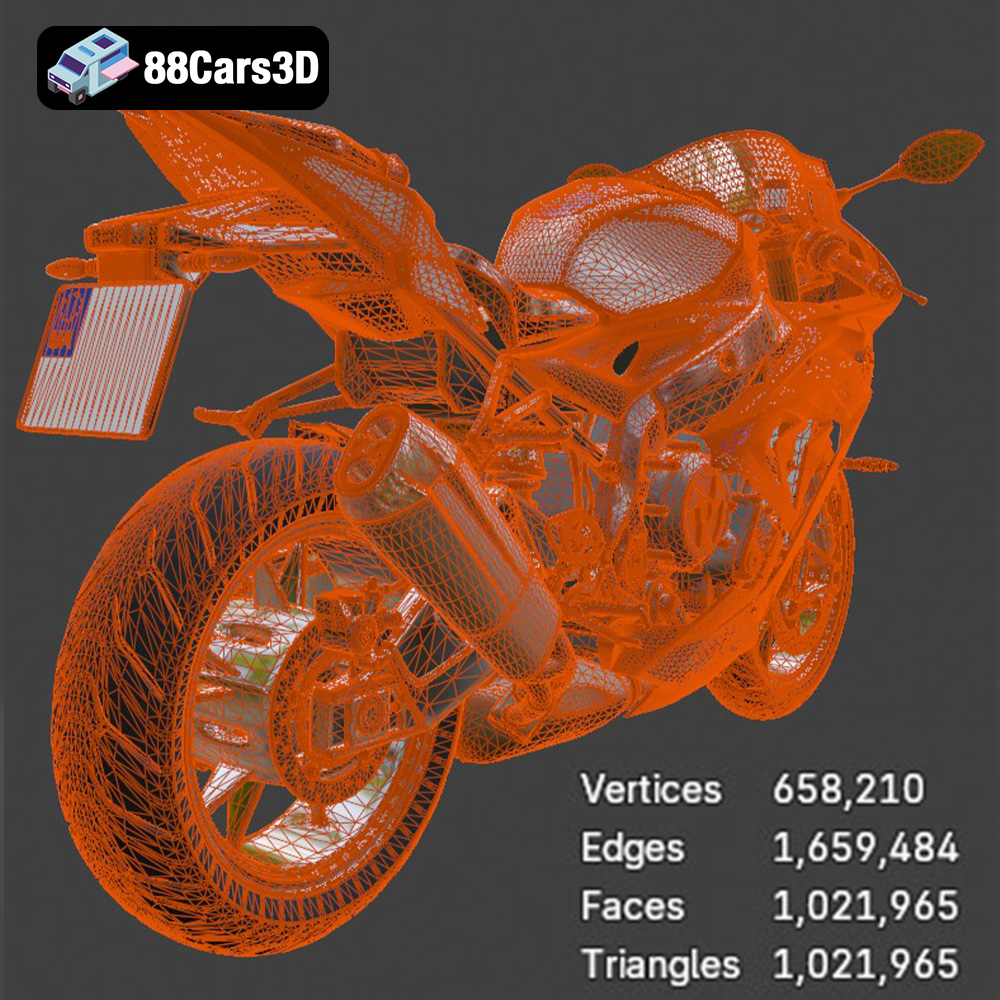
When working with STL files, it’s essential to pay attention to the mesh quality. A high-resolution STL file will have more triangles, resulting in a smoother, more detailed print. However, too many triangles can lead to a large file size, which can slow down the slicing process and potentially cause issues with your printer’s processing power. Conversely, a low-resolution STL file will have fewer triangles, resulting in a blockier, less detailed print. The key is to strike a balance between detail and file size. For the BMW S 1000 RR 2018 model, a balance is crucial to capture the bike’s intricate fairings and engine details without overwhelming your 3D printer. 88cars3d.com provides models optimized with a good balance.
The OBJ (Object) file format is another common format for 3D models. Unlike STL, OBJ files can store color and texture information, making them suitable for colored 3D prints, though this is less common with standard FDM printers. OBJ files also represent geometry using polygons, but they support more complex polygon types than STL, allowing for more efficient representation of curved surfaces. While OBJ is more versatile than STL, it’s not as universally supported by all 3D printers, so you’ll need to ensure your slicing software and printer are compatible.
PLY (Polygon File Format) is designed for storing 3D data acquired from 3D scanners. It supports color, texture, and even surface normals, making it suitable for representing highly detailed and complex shapes. While PLY can produce excellent results, it’s less common in mainstream 3D printing due to its larger file sizes and potential compatibility issues.
The .blend format is the native file format for Blender, a popular open-source 3D modeling software. A .blend file contains the entire Blender scene, including the 3D model, materials, textures, lighting, and camera settings. This format is incredibly useful if you want to modify the 3D model before printing. You can adjust the geometry, add details, or even create variations of the original design. However, .blend files cannot be directly used by 3D printers. You’ll need to export the model from Blender as an STL file before slicing and printing.
FBX (Filmbox) is a proprietary file format developed by Autodesk. It’s widely used in the game development and animation industries because it can store complex scene data, including geometry, materials, textures, animations, and camera information. While FBX files are not directly printable, they can be imported into some slicing software, allowing you to retain material information for potential multi-material printing, if your printer supports it.
GLB (GL Transmission Format Binary) is a file format designed for efficient transmission and loading of 3D models in applications like web browsers and augmented reality (AR) viewers. GLB files are self-contained, meaning they include all the necessary data (geometry, textures, materials) in a single file. This makes them ideal for previewing the BMW S 1000 RR 2018 model in AR on your smartphone or tablet before committing to a 3D print. This allows you to visualize the size and scale of the model in your real-world environment.
Similar to .blend, .max is the native file format for 3ds Max, another professional 3D modeling software. It contains the entire project scene and is useful for making detailed modifications to the model before exporting to a printable format like STL.
For 3D printing the BMW S 1000 RR 2018 model, the STL format is the most practical choice due to its widespread compatibility. Ensure the STL file has sufficient resolution to capture the intricate details of the motorcycle. Other formats like OBJ can be useful if you intend to explore colored printing, but this requires specialized hardware and software. Regardless of the initial file format, the final step before printing will almost always involve converting the model to STL for compatibility with your slicing software.
The journey to a perfect 3D printed BMW S 1000 RR 2018 begins long before you hit the “print” button. Careful pre-print preparation is crucial for ensuring a successful outcome. This involves selecting the right slicing software, inspecting and repairing the model, and determining the optimal scaling and orientation.
Slicing software is the bridge between your 3D model and your 3D printer. It takes the 3D model (typically in STL format) and converts it into a set of instructions (G-code) that the printer can understand. The software allows you to control various printing parameters, such as layer height, infill density, support structures, and printing speed. Popular slicing software options include Cura, Simplify3D, PrusaSlicer, and IdeaMaker. Each software has its strengths and weaknesses, so it’s worth experimenting to find the one that best suits your needs and printer.
For the BMW S 1000 RR 2018 model, you’ll want a slicer that allows for precise control over support placement, as the motorcycle’s complex geometry will require careful support design. Look for features like manual support placement, support blockers, and variable support density. These features will help you minimize support material usage while still ensuring that all overhangs are adequately supported.
Before slicing, it’s essential to inspect the 3D model for any errors or imperfections. Common issues include non-manifold geometry (where edges are not properly connected), holes in the mesh, and self-intersecting faces. These errors can cause problems during slicing and printing, leading to failed prints or artifacts in the final model.
Many slicing software programs have built-in mesh repair tools that can automatically fix these issues. Alternatively, you can use dedicated mesh repair software like Meshmixer or Netfabb. When repairing the BMW S 1000 RR 2018 model, pay close attention to areas like the fairings, exhaust system, and wheels, as these areas are more prone to geometric errors due to their complex shapes.
Scaling the model allows you to adjust the size of the final print. The original product description from 88cars3d.com recommends scales of 1:18, 1:12, 1:10, and 1:8. Choosing the right scale depends on your printer’s build volume and the level of detail you want to achieve. A larger scale will allow for more intricate details to be captured, but it will also require more material and printing time.
Print orientation refers to the way the model is positioned on the print bed. The orientation can significantly impact the print quality, strength, and the amount of support material required. For the BMW S 1000 RR 2018 model, printing the frame at an angle, as suggested, can help to minimize the number of support structures needed on the fairings. Separately printing the wheels allows you to optimize their orientation for strength and surface finish. Experiment with different orientations in your slicing software to find the one that yields the best results.
The choice of material is a critical factor in determining the appearance, durability, and functionality of your 3D printed BMW S 1000 RR 2018 model. Different materials have different properties, making them suitable for different applications. Here’s a breakdown of some of the most popular 3D printing materials and their suitability for this project:
PLA (Polylactic Acid) is a biodegradable thermoplastic derived from renewable resources like cornstarch or sugarcane. It’s one of the most popular 3D printing materials due to its ease of use, low printing temperature, and wide availability. PLA is a good choice for beginners, as it’s relatively forgiving and produces good-looking prints with minimal warping. However, PLA is not as strong or heat-resistant as other materials, so it may not be the best choice for functional parts or models that will be exposed to high temperatures. For the BMW S 1000 RR 2018 model, PLA is well-suited for creating static display models that won’t be subjected to significant stress or heat.
PETG (Polyethylene Terephthalate Glycol-modified) is a thermoplastic that combines the ease of printing of PLA with the strength and durability of ABS. It’s more heat-resistant than PLA and has better impact resistance, making it a good choice for parts that need to withstand some wear and tear. PETG also has good chemical resistance, so it can be used for parts that may come into contact with oils or solvents. For the BMW S 1000 RR 2018 model, PETG is a good option if you want a more durable model that can withstand handling and display.
ABS (Acrylonitrile Butadiene Styrene) is a strong, heat-resistant thermoplastic that is commonly used in engineering applications. It’s more difficult to print than PLA or PETG, as it requires higher printing temperatures and is more prone to warping. However, ABS offers excellent strength, impact resistance, and heat resistance, making it a good choice for functional parts or models that will be exposed to high temperatures. For the BMW S 1000 RR 2018 model, ABS could be considered if you plan on creating a model that can withstand significant stress or if you want to simulate the properties of the motorcycle’s real-world components. However, due to the increased difficulty in printing, it’s recommended for experienced users only.
Resin 3D printing, also known as stereolithography (SLA) or digital light processing (DLP), uses liquid resin that is cured by a UV light source. Resin printing is capable of producing incredibly detailed prints with smooth surfaces, making it ideal for miniatures and intricate models. However, resin printers are typically more expensive than FDM printers, and resin materials can be more brittle than FDM filaments. For the BMW S 1000 RR 2018 model, resin printing is the best choice if you want to achieve the highest level of detail and accuracy, especially for smaller scales. As the product description notes, resin printing is recommended for smaller details like the “Thor’s Hammer” headlights of the Volvo model described in the example. This level of detail is equally applicable to the S 1000 RR’s components.
Once you’ve chosen your material, the next step is to fine-tune your printer settings to achieve the best possible print quality. The optimal settings will vary depending on your printer, material, and the specific characteristics of the BMW S 1000 RR 2018 model. Here are some key settings to consider:
Layer height refers to the thickness of each layer of material that is deposited during printing. A lower layer height will result in a smoother surface finish and finer details, but it will also increase the printing time. A higher layer height will print faster, but it will sacrifice some detail and surface quality. The 88cars3d.com product description recommends a layer height of 0.08–0.16 mm. This is a good starting point for PLA and PETG. For resin printing, you can typically achieve even lower layer heights, such as 0.025–0.05 mm, for even greater detail.
Infill density refers to the amount of material that is used to fill the interior of the model. A higher infill density will result in a stronger model, but it will also require more material and printing time. A lower infill density will print faster and use less material, but it will sacrifice some strength. The product description recommends an infill density of 15–25%. This is a good balance between strength and material usage for a display model.
Support structures are temporary structures that are printed to support overhangs and bridges in the model. Without supports, these features would collapse during printing. The BMW S 1000 RR 2018 model will require supports for the fairings, exhaust, rear swingarm, and handlebar area, as noted in the product description. Use your slicing software to carefully place supports in these areas, making sure to minimize the amount of support material used while still providing adequate support. Consider using support blockers to prevent supports from being generated in areas where they are not needed.
Printing speed refers to the rate at which the printer moves the print head. A slower printing speed will generally result in better print quality, but it will also increase the printing time. A faster printing speed will print faster, but it may sacrifice some detail and surface quality. The optimal printing speed will depend on your printer, material, and layer height. Experiment with different speeds to find the one that yields the best results for your setup.
Once the printing is complete, the real fun begins: post-processing. This is where you transform the raw 3D print into a polished and refined masterpiece. Post-processing techniques can include removing support structures, sanding, filling gaps, priming, painting, and applying decals.
Removing support structures can be a delicate operation, as you want to avoid damaging the model. Use a sharp hobby knife or a pair of flush cutters to carefully remove the supports, working slowly and methodically. For resin prints, the supports are typically more brittle and can be snapped off more easily. After removing the supports, use sandpaper to smooth out any rough edges or imperfections.
Sanding is essential for achieving a smooth surface finish on your 3D printed model. Start with a coarse grit sandpaper (e.g., 220 grit) to remove any major imperfections, and then gradually work your way up to finer grits (e.g., 400, 600, 800 grit) to achieve a smooth, polished surface. If there are any gaps or imperfections in the model, you can fill them with a modeling putty or a spot filler. Allow the filler to dry completely, and then sand it smooth.
Priming is an important step before painting, as it helps to create a uniform surface for the paint to adhere to. Use a spray-on primer that is compatible with your chosen material. Apply several thin coats of primer, allowing each coat to dry completely before applying the next. Once the primer is dry, you can begin painting the model. Use acrylic paints or model paints that are designed for plastic models. Apply several thin coats of paint, allowing each coat to dry completely before applying the next. The product description recommends a gloss sport paint finish, which will give the BMW S 1000 RR 2018 model a realistic, showroom-quality appearance.
Decals can add the finishing touches to your 3D printed model, adding details like racing stripes, logos, and instrument panel graphics. Use waterslide decals that are designed for model kits. Soak the decals in water, slide them off the backing paper, and apply them to the model. Use a soft cloth or cotton swab to gently press the decals into place and remove any air bubbles. For even more realism, consider adding other details like miniature screws, wires, and hoses.
3D printing is not always a smooth process. You may encounter various issues along the way, such as warping, stringing, layer adhesion problems, and support failures. Here are some common troubleshooting tips:
* **Warping:** This occurs when the corners of the model lift off the print bed. To prevent warping, ensure that your print bed is properly leveled and heated. Use a bed adhesive like glue stick or hairspray to improve adhesion.
* **Stringing:** This occurs when thin strands of material are left between different parts of the model. To prevent stringing, reduce the printing temperature, increase retraction settings, and ensure that the filament is dry.
* **Layer Adhesion Problems:** This occurs when the layers of the model do not properly bond together. To improve layer adhesion, increase the printing temperature, reduce the printing speed, and ensure that the first layer is properly adhered to the print bed.
* **Support Failures:** This occurs when the support structures collapse during printing. To prevent support failures, increase the support density, increase the support thickness, and ensure that the supports are properly anchored to the print bed.
By understanding these common issues and their solutions, you’ll be well-equipped to overcome any challenges that you may encounter during the 3D printing process.
3D printing the BMW S 1000 RR 2018 3D model is a rewarding project that combines technical skill with creative expression. By carefully selecting your materials, optimizing your printer settings, and mastering post-processing techniques, you can create a stunning replica of this iconic motorcycle. Remember to pay attention to the file format, with STL being the most common for 3D printing. With patience and attention to detail, you can transform a digital file into a physical object that you can proudly display. The detailed models available at 88cars3d.com provide an excellent starting point for this exciting journey into the world of additive manufacturing. Now, go forth and unleash the beast!
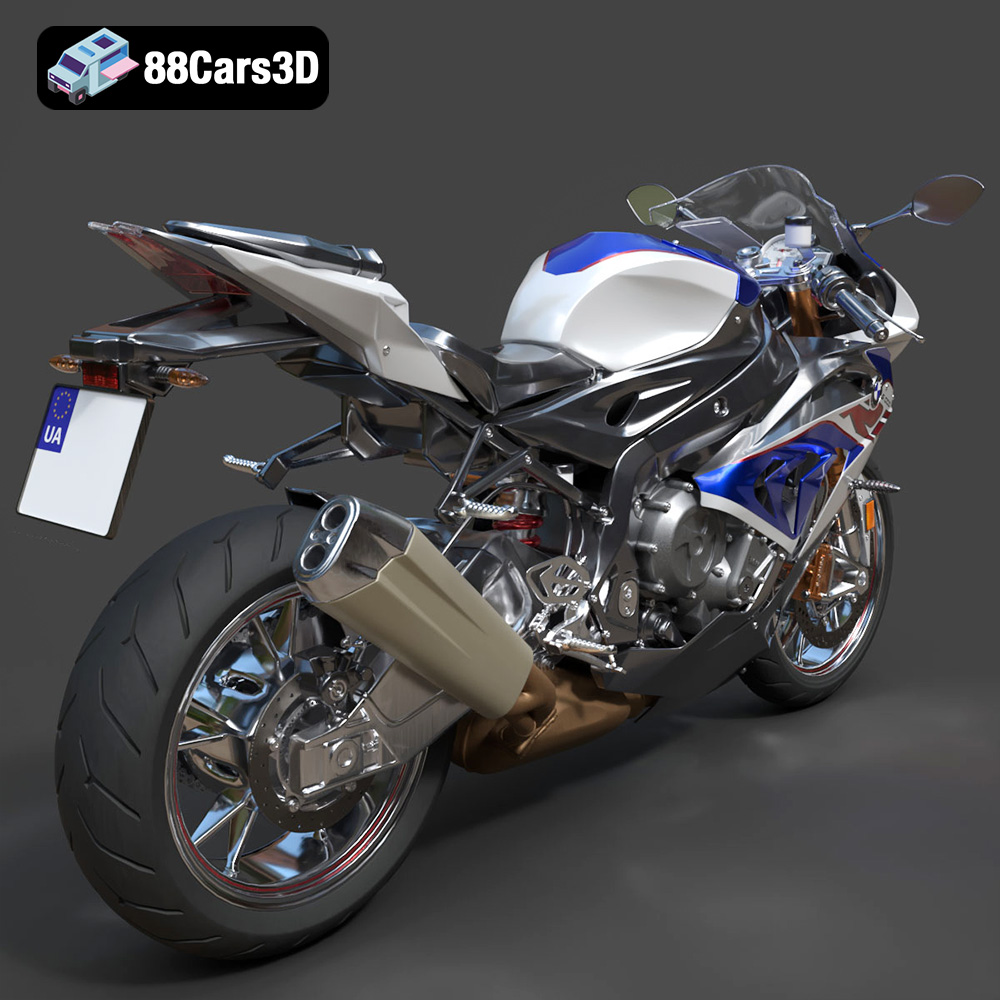
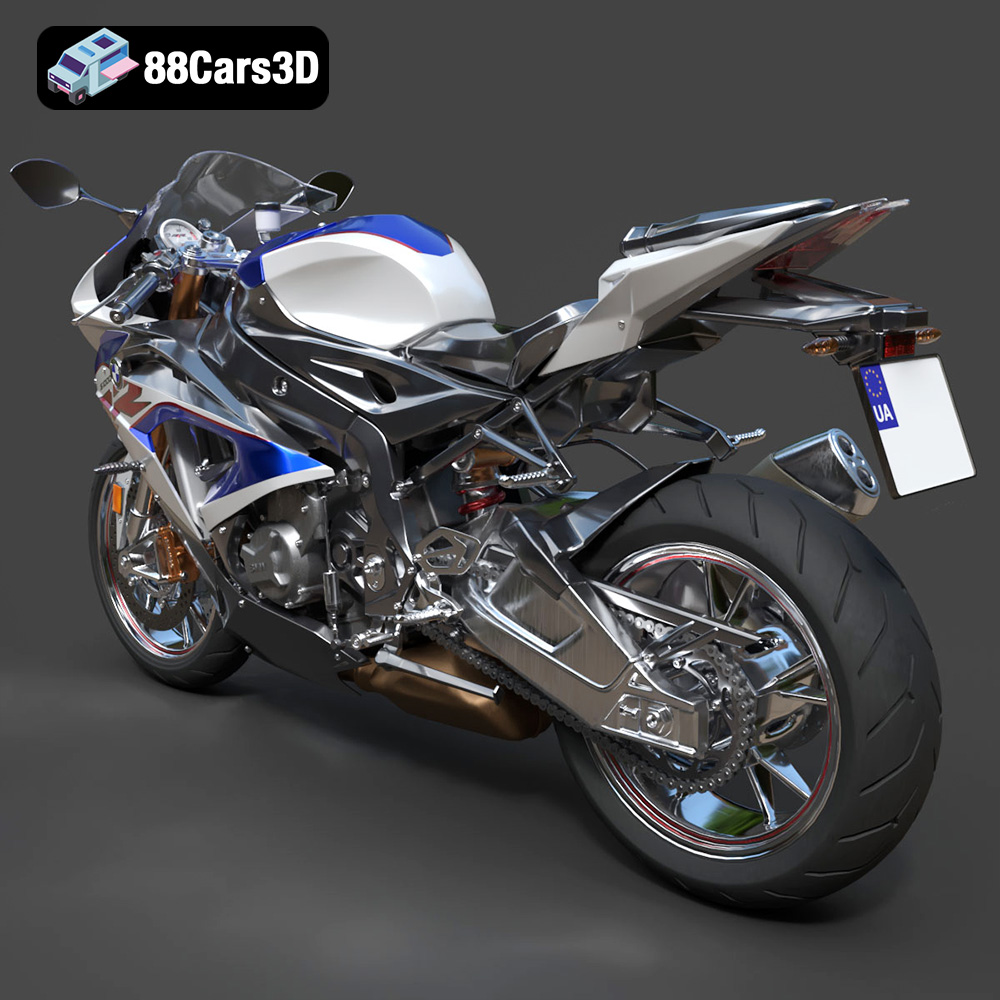
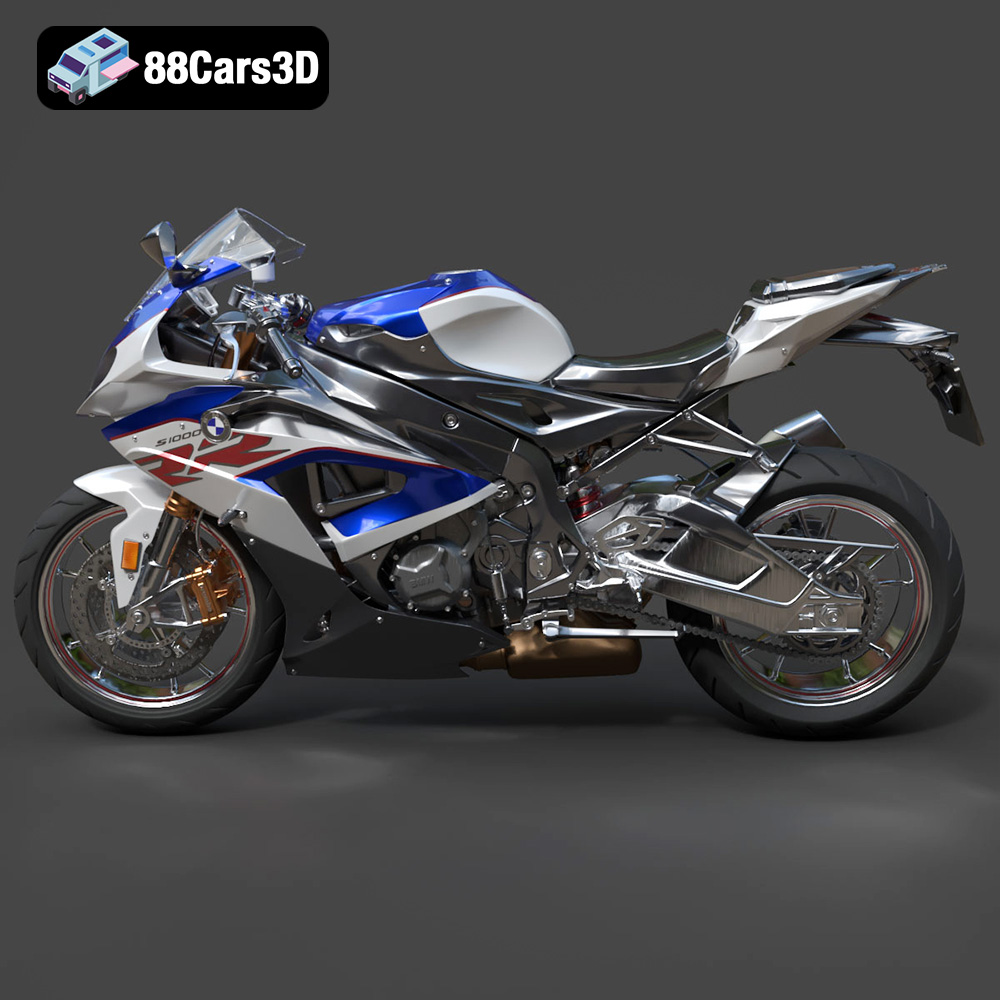
The BMW S 1000 RR 2018 3D Model is a high-detail digital recreation of BMW Motorrad’s iconic superbike, engineered for high performance on both road and track. Known for its aggressive aerodynamic styling, inline-four engine power, and advanced electronic systems, the 2018 S 1000 RR represents precision German sportbike engineering. This 3D model accurately captures the sharp fairing design, asymmetrical headlight styling (pre-2019 generation), aerodynamic windscreen, sculpted fuel tank, exposed frame elements, high-performance braking system, rear swingarm assembly, and race-inspired exhaust configuration. Built with clean topology and real-world scale accuracy, it is ideal for rendering, animation, simulation, game development, and AR/VR motorcycle experiences.
$9.99
.2018superbike
.arvr
.blend
.bmw
.fbx
.gameasset
.glb
.max
.motorcycle3dmodel
.obj
.performancebike
.ply
.racingbike
.rendering
.s1000rr
.simulation
.sportbike
.stl
.twowheeler
.unreal