Get 50% OFF All Premium 3D & STL Models!

The Fantic Caballero 500 Scrambler is a motorcycle that seamlessly blends retro aesthetics with modern engineering. Now, thanks to the availability of high-quality 3D models like the one at 88cars3d.com, you can bring this iconic machine to life in miniature form. This blog post will guide you through the process of 3D printing your own Fantic Caballero 500 Scrambler, covering everything from file preparation and optimal print settings to post-processing techniques that will make your model a true showpiece.
The level of detail in the Fantic Caballero 500 Scrambler model, especially its engine and spoke wheels, suggests that the best results will be achieved with a resin printer. However, filament-based printers (FDM) can also produce excellent results with careful attention to detail. Here’s a breakdown of the pros and cons:
Pros: Superior detail, smoother surfaces, ideal for small parts and intricate features like the engine and spokes.
Cons: More expensive printers, requires careful handling of resin, messy post-processing (washing and curing), build volume limitations.
Pros: More affordable printers, wide range of materials, larger build volumes, less messy post-processing.
Cons: Lower detail, visible layer lines, requires careful support placement, more challenging to print small, intricate parts.
If your primary goal is capturing every minute detail of the Fantic Caballero 500 Scrambler, a resin printer is highly recommended. However, if you are on a budget or prefer working with filament, you can still achieve impressive results with an FDM printer by focusing on optimal settings and careful post-processing.
Before you can begin printing your Fantic Caballero 500 Scrambler, you need to understand the different file formats included and which one is best suited for 3D printing. While the model might come with various formats designed for different applications, the most important for additive manufacturing is the STL file.
The STL (Stereolithography) file format has been the workhorse of 3D printing for decades. It represents the surface geometry of a 3D object as a collection of triangles. In essence, it’s a mesh-only format, meaning it only contains information about the shape of the model and not its color, texture, or material properties. This simplicity is its strength, making it universally compatible with nearly all 3D printers and slicing software.
When working with STL files, mesh quality is paramount. A high-resolution STL file will contain a greater number of smaller triangles, resulting in a smoother and more accurate representation of the original model. However, increasing the triangle count also increases the file size and processing time in your slicing software. The sweet spot is finding a balance that provides sufficient detail without overwhelming your printer’s processing capabilities.
Slicing software takes the STL file and converts it into a series of instructions (G-code) that your 3D printer can understand. The slicer divides the model into thin horizontal layers and generates toolpaths that dictate how the printer will deposit material to create each layer. The STL format’s widespread adoption means that virtually every slicing software package, from Cura and PrusaSlicer to Simplify3D and Chitubox, supports it seamlessly.
OBJ files are more versatile than STL files as they can store color and texture information in addition to the geometric mesh. This makes them suitable for colored 3D printing, although most consumer-grade 3D printers still primarily use STL due to its simplicity and wide compatibility. Slicing software compatibility is generally good, but you might need to import additional texture files separately.
PLY (Polygon File Format) is designed for storing 3D data acquired from 3D scanners. It supports not only color and textures but also other properties like normals and transparency. It’s a precise format, making it suitable for high-detail prints, but it’s not as universally supported by slicing software as STL or OBJ.
BLEND files are native to Blender, a free and open-source 3D creation suite. If you want to modify the Fantic Caballero 500 Scrambler model before printing, the BLEND file gives you full control. You can adjust the geometry, add details, or even create custom parts. After making your changes, you’ll need to export the model as an STL file for 3D printing.
FBX (Filmbox) is a proprietary format developed by Autodesk. It’s widely used in the game development and animation industries for transferring 3D data between different software packages. While it supports materials and animations, it’s primarily used for transferring the model’s geometry into slicing software; material information may not always be directly transferable to a 3D printer.
GLB is a binary file format that represents 3D models in a compact and efficient way. It’s often used for displaying 3D models on the web and in augmented reality (AR) applications. You can use a GLB file to preview the Fantic Caballero 500 Scrambler model on your phone or tablet before printing it, but it’s not directly usable for 3D printing. You’ll still need the STL file for slicing.
MAX files are the native format for 3ds Max, another professional 3D modeling and animation software package. Similar to BLEND files, MAX files allow you to make extensive modifications to the model before exporting it as an STL file for 3D printing. If you are familiar with 3ds Max, this format offers the most control over the model’s geometry and details.
In summary, for 3D printing the Fantic Caballero 500 Scrambler, the STL file is your primary tool. It provides the necessary geometric data in a format that’s universally compatible with 3D printers and slicing software. The other formats are useful for customization and previewing, but ultimately, you’ll need an STL file to bring your model to life.
Once you’ve chosen your printer and understand the file formats, it’s time to prepare the Fantic Caballero 500 Scrambler model for printing. This involves using slicing software to convert the STL file into G-code, the language your printer understands. Here’s a breakdown of the key steps:
The product description recommends scales of 1:12, 1:10, or 1:8. Choose a scale that suits your printer’s build volume and desired level of detail. Keep in mind that smaller scales will be more challenging to print with FDM printers due to the limited resolution.
Proper orientation is crucial for minimizing support material and maximizing print quality. For FDM printing, consider angling the main frame of the motorcycle to reduce the need for supports on curved surfaces. The wheels, handlebars, exhaust, and other delicate parts should be printed separately to optimize their orientation and minimize support scarring.
For resin printing, orient the model to minimize suction forces and ensure proper drainage of resin. Angling the model and using light supports can help prevent warping and ensure successful prints.
Layer Height: This is a critical setting. For resin printers, use a layer height of 0.04-0.08mm for maximum detail. For FDM printers, a layer height of 0.1-0.2mm is a good starting point, but you may need to experiment to find the optimal balance between detail and print time.
Infill: A low infill percentage (15-25%) is sufficient for most parts of the Fantic Caballero 500 Scrambler model. Increase the infill for parts that require more strength, such as the frame and wheels.
Wall Thickness: A wall thickness of 1.2-2.0mm will provide sufficient strength for most parts. Increase the wall thickness for parts that are subject to stress, such as the suspension components.
Support Settings: Carefully configure your support settings to ensure adequate support without excessive material usage. Use tree supports or light supports to minimize scarring and make removal easier. Consider using a raft or brim to improve adhesion to the build plate.
The choice of material will significantly impact the final appearance and durability of your 3D printed Fantic Caballero 500 Scrambler. Here’s a comparison of popular materials:
Pros: Easy to print, biodegradable, wide range of colors, low cost.
Cons: Low heat resistance, brittle, not suitable for functional parts that experience high stress.
Pros: Stronger and more flexible than PLA, good heat resistance, good chemical resistance.
Cons: More challenging to print than PLA, can be stringy, less color variety.
Pros: Strong, durable, high heat resistance, good for functional parts.
Cons: Difficult to print (requires heated bed and enclosure), emits fumes, prone to warping.
Pros: Extremely high detail, smooth surfaces, good for small parts and intricate features.
Cons: Brittle, requires careful handling, messy post-processing, limited color options (requires painting).
For a display model, PLA or PETG are good choices for FDM printing. If you want a more durable model, ABS is a better option. For resin printing, standard resin is a good starting point, but you can also use tougher resins for increased durability.
Once the printing is complete, the real fun begins! Post-processing is the key to transforming a raw 3D print into a polished masterpiece. Here’s a step-by-step guide:
Carefully remove the support structures using pliers, cutters, or a hobby knife. Take your time and avoid damaging the model. For resin prints, soaking the model in warm water can make support removal easier.
Start with coarse sandpaper (200-400 grit) to remove any imperfections and layer lines. Gradually move to finer grits (600-800 grit) to smooth the surface. For resin prints, wet sanding is recommended to prevent dust from becoming airborne.
Apply a thin coat of primer to the model to create a smooth, uniform surface for painting. Primer also helps the paint adhere better.
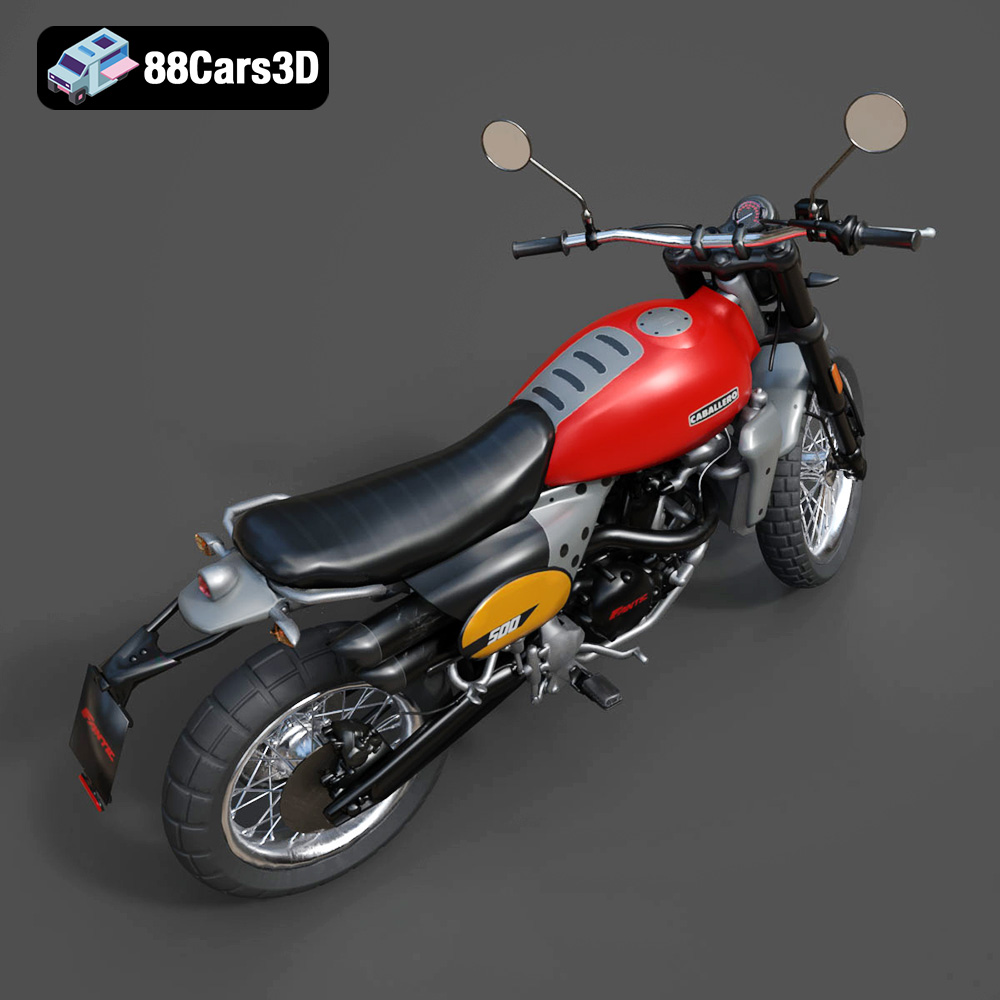
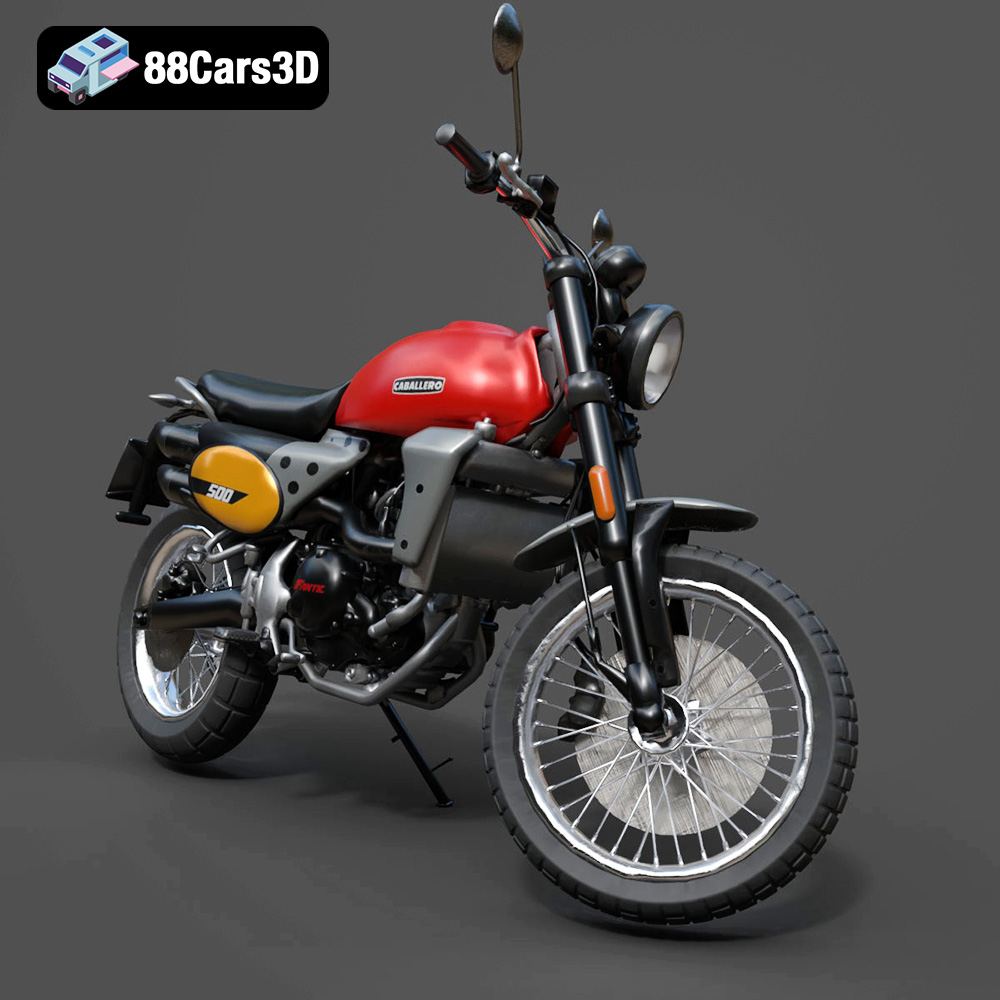
The Fantic Caballero 500 Scrambler has a distinctive color scheme: classic Fantic Red for the tank, matte black for the frame, and metallic finishes for the Arrow exhaust. Use high-quality acrylic paints and apply them in thin, even coats. Consider using an airbrush for a more professional finish.
Assemble the individual parts of the model using glue or epoxy. Pay close attention to the alignment and ensure that all parts fit together properly.
Add fine details such as panel lines, rivets, and weathering effects to enhance the realism of the model. Use washes, dry brushing, and other techniques to create a weathered, authentic look.
Even with careful preparation, you may encounter some common 3D printing issues. Here are some tips for troubleshooting:
Cause: Uneven cooling, poor bed adhesion.
Solution: Use a heated bed, apply adhesive (glue stick or hairspray), enclose the printer, reduce printing speed.
Cause: Retraction settings not optimized, printing temperature too high.
Solution: Adjust retraction distance and speed, lower printing temperature, dry filament.
Cause: Loose belts, stepper motor issues.
Solution: Tighten belts, check stepper motor drivers, reduce printing speed.
Cause: Insufficient support density, weak support material.
Solution: Increase support density, use stronger support material, adjust support angle.
Remember to consult online resources and forums for specific troubleshooting advice related to your printer and material.
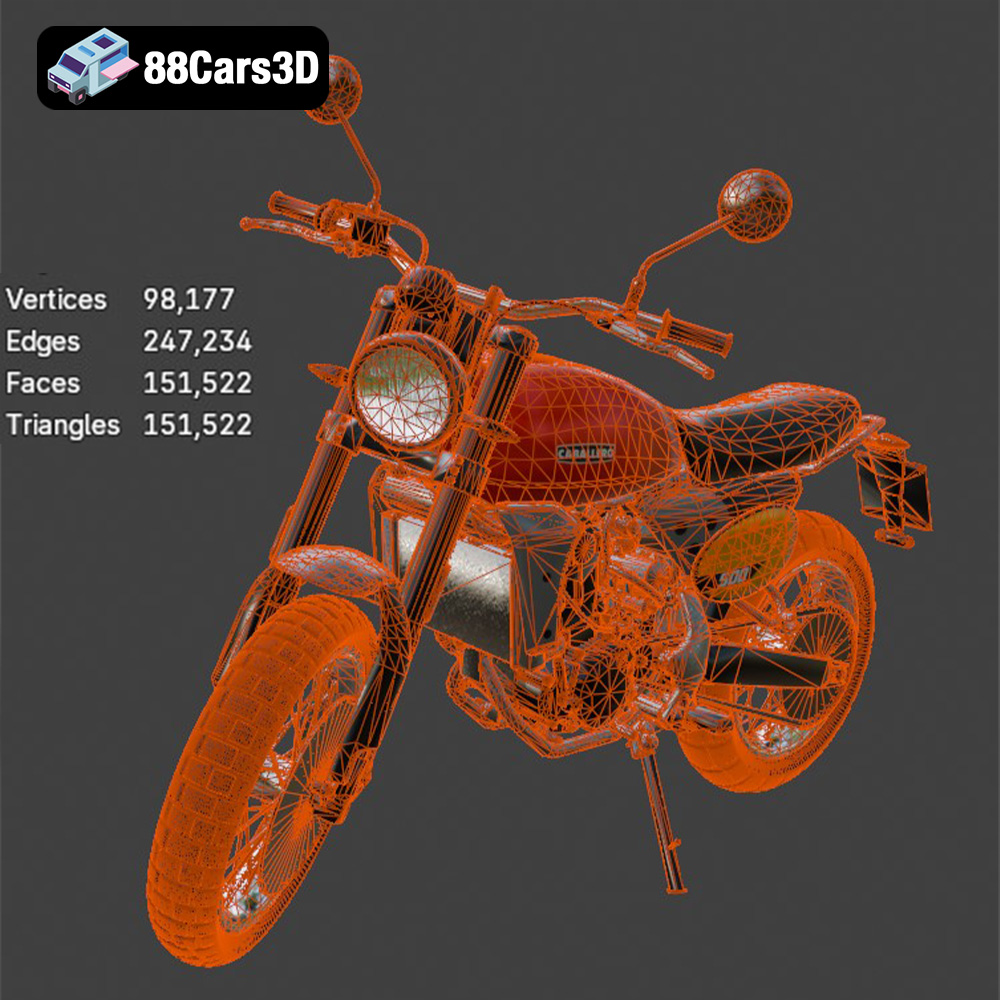
The Fantic Caballero 500 Scrambler 3D Model is a highly detailed, optimized digital recreation of the iconic Italian modern-classic motorcycle. Blends 1970s retro dirt-track aesthetics with contemporary engineering, the Caballero 500 is famous for its rugged off-road stance, punchy single-cylinder engine, signature dual Arrow exhaust, and aggressive knobby tires. Perfect for rugged off-road scenes, urban retro street environments, biker lifestyle campaigns, and modern open-world video games.
$9.99
3D printing the Fantic Caballero 500 Scrambler is a rewarding project that combines technical skill with creative expression. By following the guidelines in this blog post, you can produce a stunning replica of this iconic motorcycle. Remember to choose the right printer and material, carefully prepare your model in slicing software, and take your time with post-processing. With patience and attention to detail, you’ll have a 3D printed Fantic Caballero 500 Scrambler that you can proudly display for years to come. 88cars3d.com offers a fantastic model to start with!
.blend
.fbx
.obj
.rendering
.scrambler
caballero-500
dirt-bike
fantic
flat-tracker
game asset
game-ready
low-poly
motorcycle-3d-model
optimized
retro-motorcycle
VR/AR