Get 50% OFF All Premium 3D & STL Models!

The Aston Martin Vantage 2019, a symbol of British automotive excellence, can now grace your desk or shelf thanks to the power of 3D printing. This guide provides a comprehensive walkthrough of how to successfully 3D print the Aston Martin Vantage 2019 3D model, available as an STL file and other formats optimized for additive manufacturing from sites like 88cars3d.com. From selecting the right materials to fine-tuning printer settings and mastering post-processing, we’ll cover everything you need to know to create a stunning replica.
The world of 3D models comes with a variety of file formats, each with its strengths and weaknesses. Choosing the right format is crucial for a smooth 3D printing experience. Let’s explore some of the most common formats:
The .stl (Stereolithography) file format is the industry standard for 3D printing. It represents the surface geometry of a 3D object using a mesh of triangles. This simplicity makes it universally compatible with slicing software and 3D printers. However, .stl files only store the shape of the object; they don’t include color, texture, or material information. The Aston Martin Vantage 2019 3D model from 88cars3d.com is available in STL format, ensuring it can be easily printed on virtually any 3D printer.
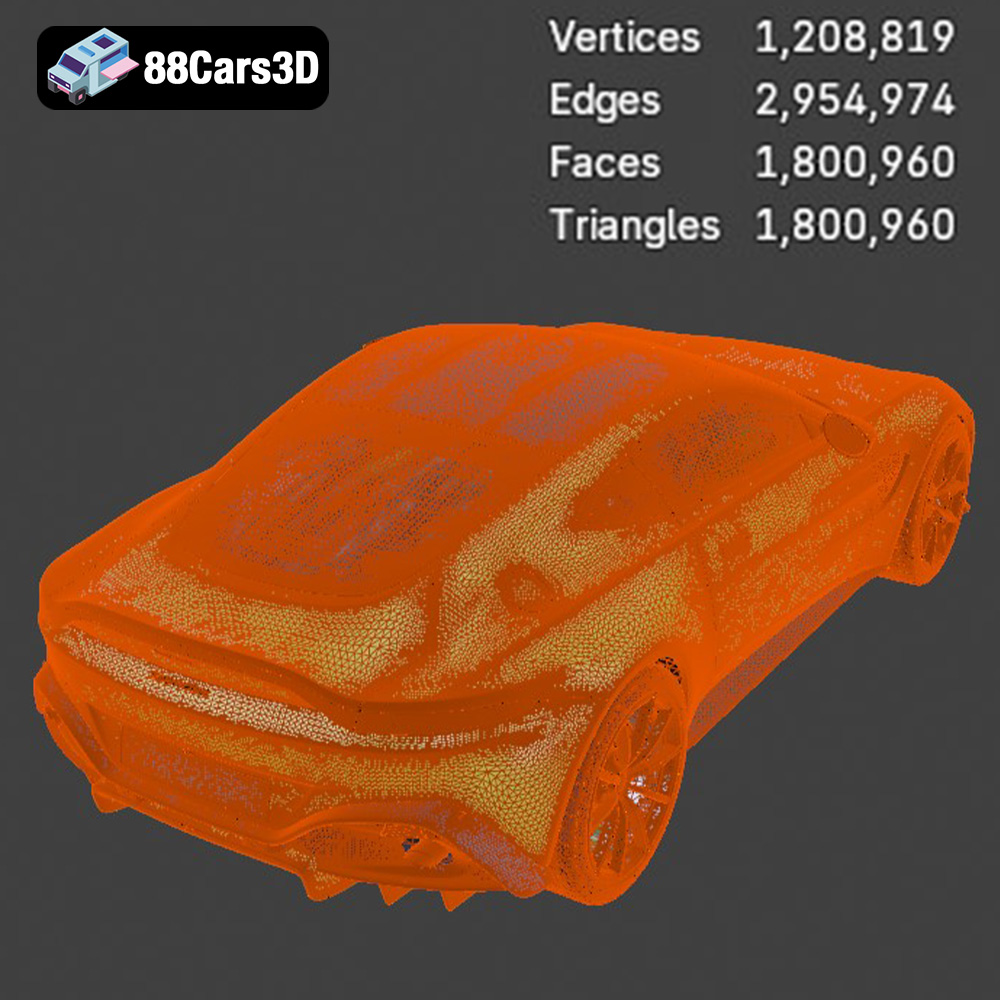
When working with STL files, mesh quality is paramount. A poorly constructed mesh can lead to print artifacts, gaps, or even print failures. Slicing software uses the mesh data to generate instructions for the 3D printer. If the mesh has errors (e.g., non-manifold edges, flipped normals), the slicing software may struggle to interpret the geometry correctly. Regularly checking and repairing STL files using software like MeshMixer or Netfabb is highly recommended before printing.
The .obj (Object) file format is more versatile than .stl, as it can store color and texture information along with the 3D geometry. This makes it suitable for printing colored models, though it requires a printer capable of multi-material or multi-color printing.
The .ply (Polygon File Format) format is designed to store high-detail mesh data, often used in 3D scanning applications. It excels at representing complex shapes with accuracy but can result in larger file sizes compared to .stl.
The .blend file format is the native format for Blender, a popular open-source 3D modeling software. It contains the entire Blender scene, including the model’s geometry, textures, materials, and lighting. This allows for extensive customization and modification of the model before exporting it to a printable format. The Aston Martin Vantage 2019 model includes a .blend file, allowing you to tweak the design to your preferences before 3D printing.
The .fbx (Filmbox) format is widely used for exchanging 3D data between different software applications. It supports materials, textures, and animations, making it useful for importing models into slicing software with pre-defined material settings.
The .glb (GL Transmission Format Binary) format is designed for efficient transmission and loading of 3D models in web and AR/VR applications. It allows you to preview the Aston Martin Vantage 2019 model in augmented reality before committing to printing it.
The .max file is the native format for 3ds Max, a professional 3D modeling, rendering, and animation software package. This format allows for advanced manipulation of the model before exporting to a printable format.
For 3D printing, .stl remains the most reliable and widely supported format. Slicing software like Cura, Simplify3D, and PrusaSlicer are all designed to work seamlessly with .stl files. However, if you plan to modify the Aston Martin Vantage 2019 model before printing, the .blend file offers the greatest flexibility.
Selecting the appropriate 3D printing technology is crucial for achieving the desired level of detail and finish for your Aston Martin Vantage 2019 model. The two most common technologies for this type of project are Fused Deposition Modeling (FDM) and Stereolithography (SLA).
FDM (Fused Deposition Modeling) involves extruding a thermoplastic filament, such as PLA or PETG, through a heated nozzle to build the model layer by layer. FDM printers are generally more affordable and easier to use than SLA printers, making them a popular choice for hobbyists and enthusiasts. For the Aston Martin Vantage 2019, an FDM printer can produce a decent model, especially when printed at a smaller scale (e.g., 1:32 or 1:24).
Consider using a smaller nozzle (0.4mm or even 0.25mm) and a lower layer height (0.1mm to 0.16mm) to capture finer details, particularly on the grille, headlights, and taillights. Supports will be necessary for overhanging features like the side mirrors and rear diffuser.
SLA (Stereolithography) uses a laser or projector to cure liquid resin layer by layer. SLA printers offer significantly higher resolution and accuracy than FDM printers, resulting in smoother surfaces and finer details. This makes them ideal for printing the Aston Martin Vantage 2019 at larger scales (e.g., 1:18 or 1:14) where detail is paramount.
Resin printing excels at creating intricate parts with sharp edges and smooth curves, making it well-suited for replicating the complex aerodynamic features of the Vantage. SLA printing often requires less post-processing compared to FDM, as the layer lines are much less visible. However, resin printers can be more expensive and require more careful handling of materials due to the toxicity of the resin.
The choice of material significantly impacts the final look, feel, and durability of your 3D printed Aston Martin Vantage 2019. Here are some popular options:
PLA (Polylactic Acid) is a biodegradable thermoplastic derived from renewable resources like corn starch or sugarcane. It’s easy to print with, emits minimal odors, and comes in a wide range of colors. PLA is a good choice for beginners and for printing models that won’t be subjected to high temperatures or significant stress. For the Aston Martin Vantage 2019, PLA is suitable for display models.
PETG (Polyethylene Terephthalate Glycol-modified) is a stronger and more heat-resistant alternative to PLA. It offers good layer adhesion and is less prone to warping. PETG is a good choice for models that need to withstand some wear and tear.
ABS (Acrylonitrile Butadiene Styrene) is a tough and heat-resistant thermoplastic commonly used in the automotive industry. It can withstand higher temperatures than PLA or PETG, making it suitable for models that might be exposed to direct sunlight. However, ABS requires higher printing temperatures and a heated bed, and it emits stronger fumes, so proper ventilation is necessary.
For SLA printing, various types of resin are available, each with its own properties. Standard resin is a good all-around choice for general-purpose printing. Tough resin is more durable and impact-resistant. Flexible resin can be used for parts that need to bend or flex, such as tires.
Achieving a high-quality 3D print of the Aston Martin Vantage 2019 requires careful attention to print settings. Here’s a breakdown of key parameters:
Layer height determines the thickness of each layer of plastic or resin. Lower layer heights result in smoother surfaces and finer details but increase print time. For FDM printing, a layer height of 0.1mm to 0.16mm is recommended. For SLA printing, layer heights of 0.025mm to 0.05mm will yield exceptional results.
Infill density refers to the amount of material inside the model. Higher infill densities increase strength but also increase print time and material consumption. For the Aston Martin Vantage 2019, an infill density of 15% to 25% is sufficient for most display models.
Support structures are necessary to support overhanging features, such as the side mirrors, rear diffuser, and front splitter. Slicing software can automatically generate support structures, but it’s important to optimize their placement to minimize material waste and make removal easier. Consider using tree supports, which are more efficient and leave fewer marks on the model.
The orientation of the model on the print bed can significantly affect the surface quality and strength of the final print. For the Aston Martin Vantage 2019, printing the body at an angle (e.g., 45 degrees) can help to minimize the visibility of layer lines on the curved surfaces. The wheels should be printed separately, ideally with the flat side facing down.
Once the 3D print is complete, post-processing is essential to achieve a smooth, professional-looking finish for your Aston Martin Vantage 2019.
Carefully remove support structures using pliers, cutters, or a sharp knife. Be extra cautious when removing supports from delicate areas like the side mirrors and grille.
Sanding is crucial for removing layer lines and other imperfections from the surface of the model. Start with coarse-grit sandpaper (e.g., 220 grit) and gradually work your way up to finer grits (e.g., 400, 600, 800 grit). Wet sanding can help to reduce dust and create a smoother surface.
Apply a coat of primer to the sanded model. Primer fills in any remaining imperfections and provides a smooth surface for the paint to adhere to.
Choose high-quality automotive paints to replicate the factory colors of the Aston Martin Vantage 2019. Apply multiple thin coats of paint, allowing each coat to dry completely before applying the next. Consider using an airbrush for a smoother, more even finish.
Apply a clear coat to protect the paint and add a glossy shine. Multiple coats of clear coat may be necessary to achieve the desired level of gloss.
Carefully assemble the printed parts, using glue or epoxy to join them together. Pay attention to the alignment of the wheels and other components to ensure a realistic look.
Even with careful planning and execution, 3D printing can sometimes present challenges. Here are some common issues and their solutions:
Warping occurs when the corners of the print lift off the print bed due to uneven cooling. To prevent warping, ensure the print bed is properly leveled and heated. Use a brim or raft to increase the adhesion between the print and the bed.
Stringing occurs when small strands of plastic are left between different parts of the print. To minimize stringing, adjust the retraction settings in your slicing software. Lowering the printing temperature can also help.
Layer shifting occurs when the layers of the print are misaligned. This can be caused by loose belts, a wobbly print bed, or a malfunctioning stepper motor. Check and tighten all mechanical components of your printer.
Under-extrusion occurs when the printer doesn’t extrude enough plastic, resulting in gaps or weak layers. This can be caused by a clogged nozzle, a slipping extruder gear, or a low printing temperature. Clean the nozzle, adjust the extruder tension, and increase the printing temperature.
By following these guidelines, you can successfully 3D print a stunning replica of the Aston Martin Vantage 2019. Remember to experiment with different settings and materials to find what works best for your printer and your desired aesthetic. The STL files available at 88cars3d.com provide a great starting point for your additive manufacturing journey.
The Aston Martin Vantage 2019 3D Model is a high-detail digital recreation of the modern British sports coupe known for its aggressive stance, sharp aerodynamic profile, and performance-focused engineering. Redesigned for 2019, the Vantage features a bold front fascia, sculpted side intakes, lightweight aluminum structure, and a powerful twin-turbocharged V8 configuration.
$9.99