Get 50% OFF All Premium 3D & STL Models!

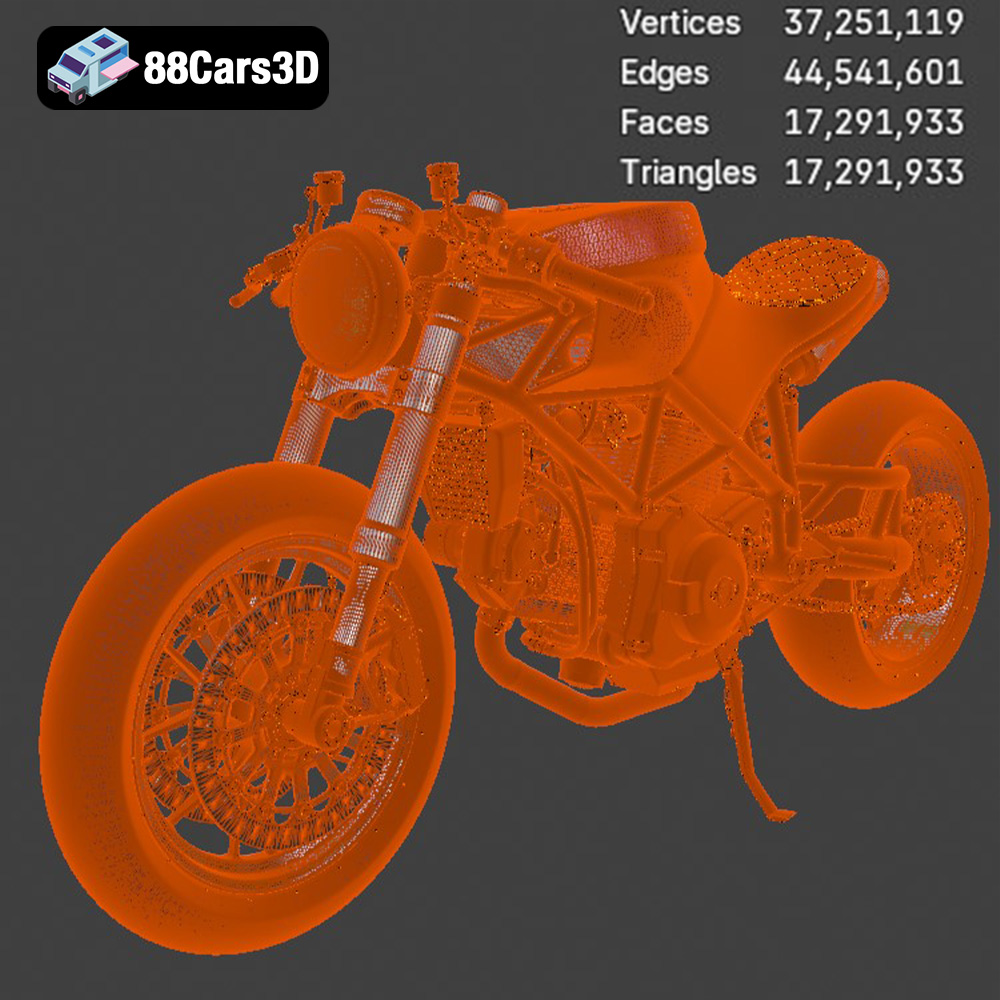
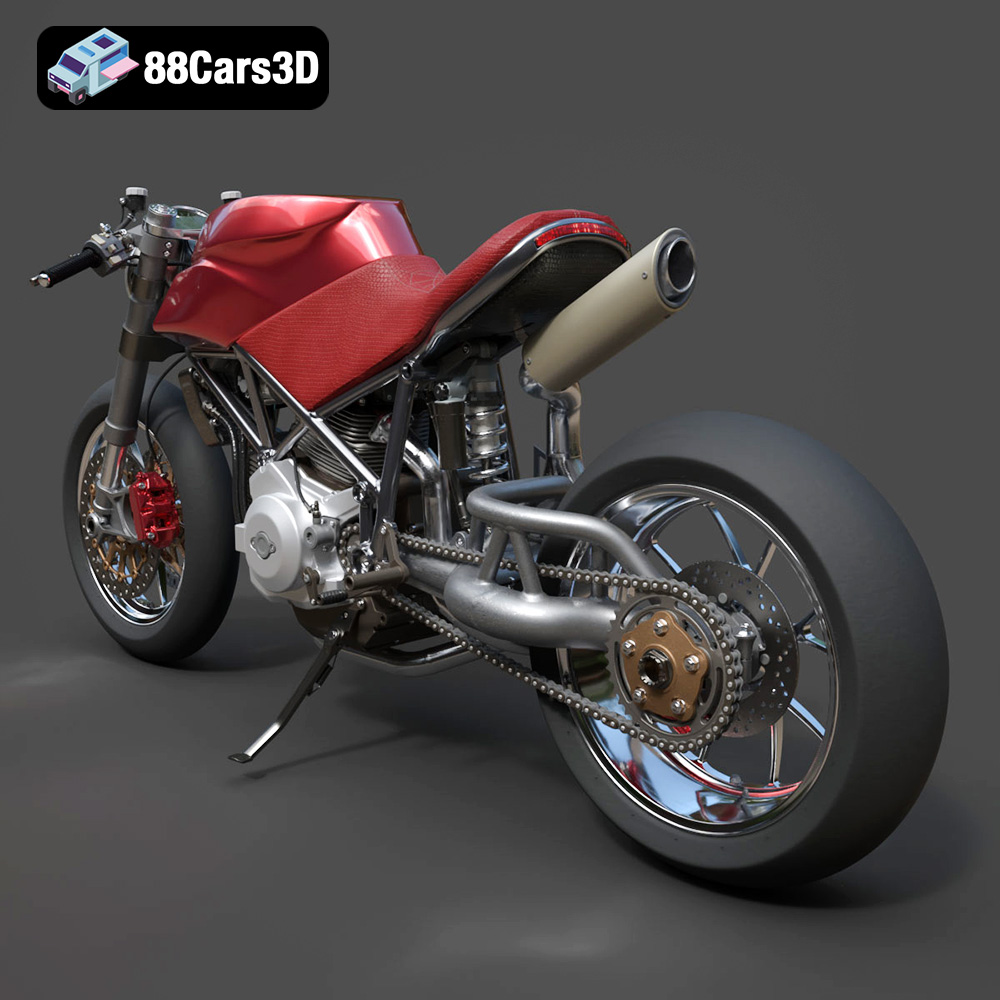
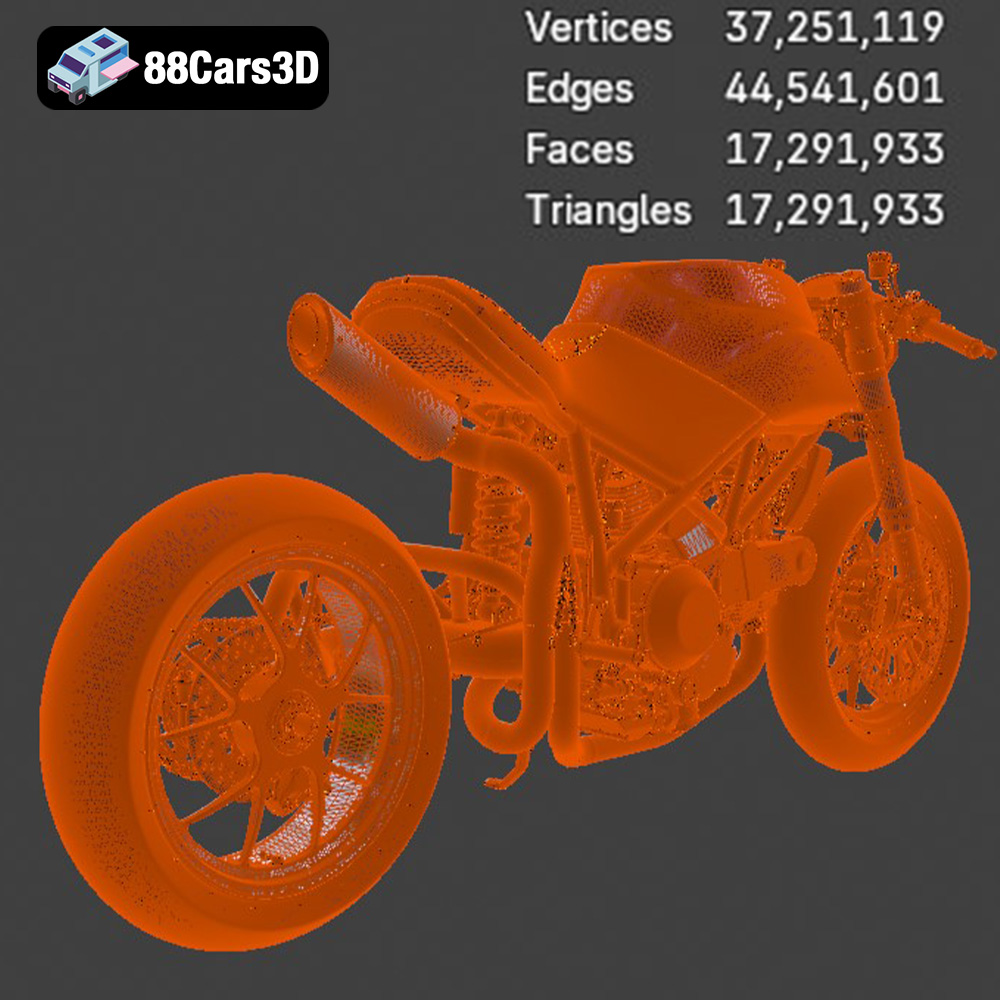
The Ducati 916 is a legend, a symbol of Italian design and performance. Now, imagine owning a meticulously detailed replica of a custom Café Fighter version, brought to life through the magic of 3D printing. The Ducati 916 Custom Café Fighter 3D Model available at 88cars3d.com allows you to do just that. This isn’t just a model; it’s a statement, a testament to the fusion of classic aesthetics and cutting-edge technology. But with its incredibly high polygon count (over 17 million!), successfully 3D printing this beauty requires careful planning and execution. This guide will walk you through every step, from choosing the right materials and settings to post-processing techniques that will elevate your print to a museum-quality piece.
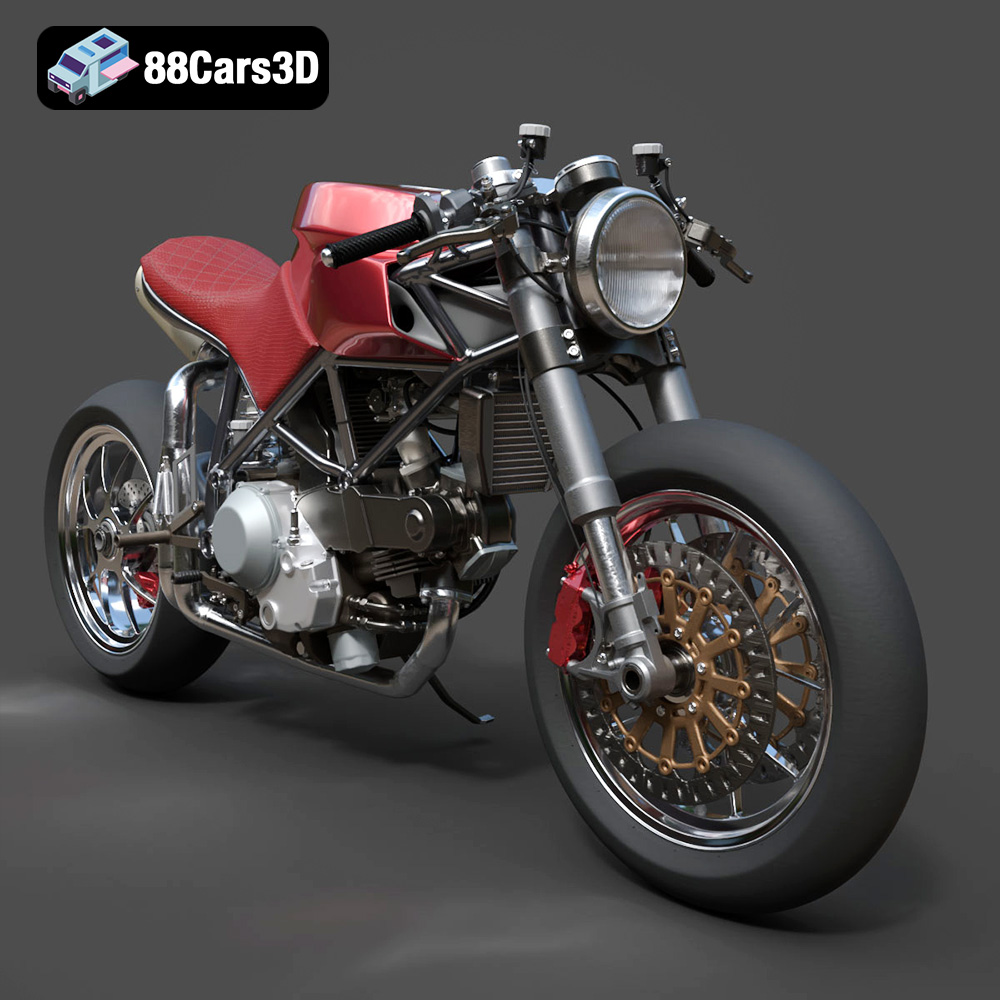
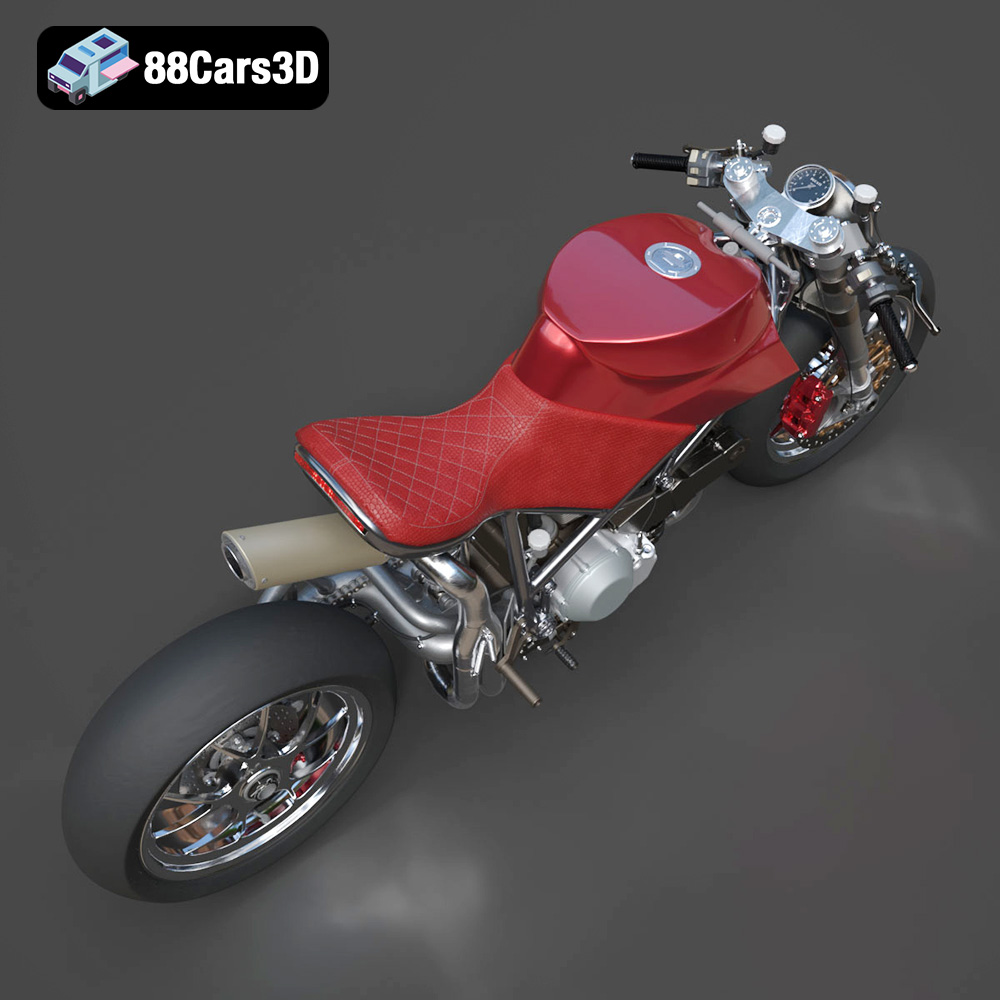
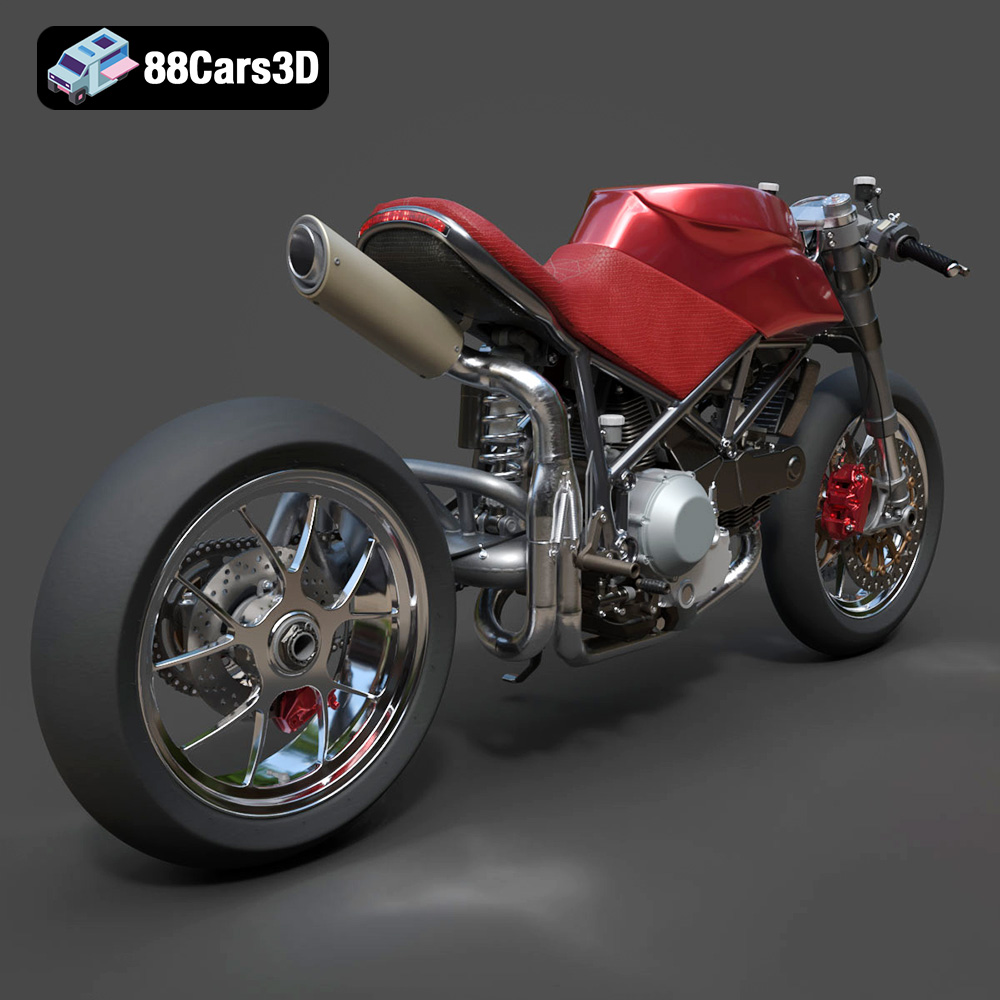
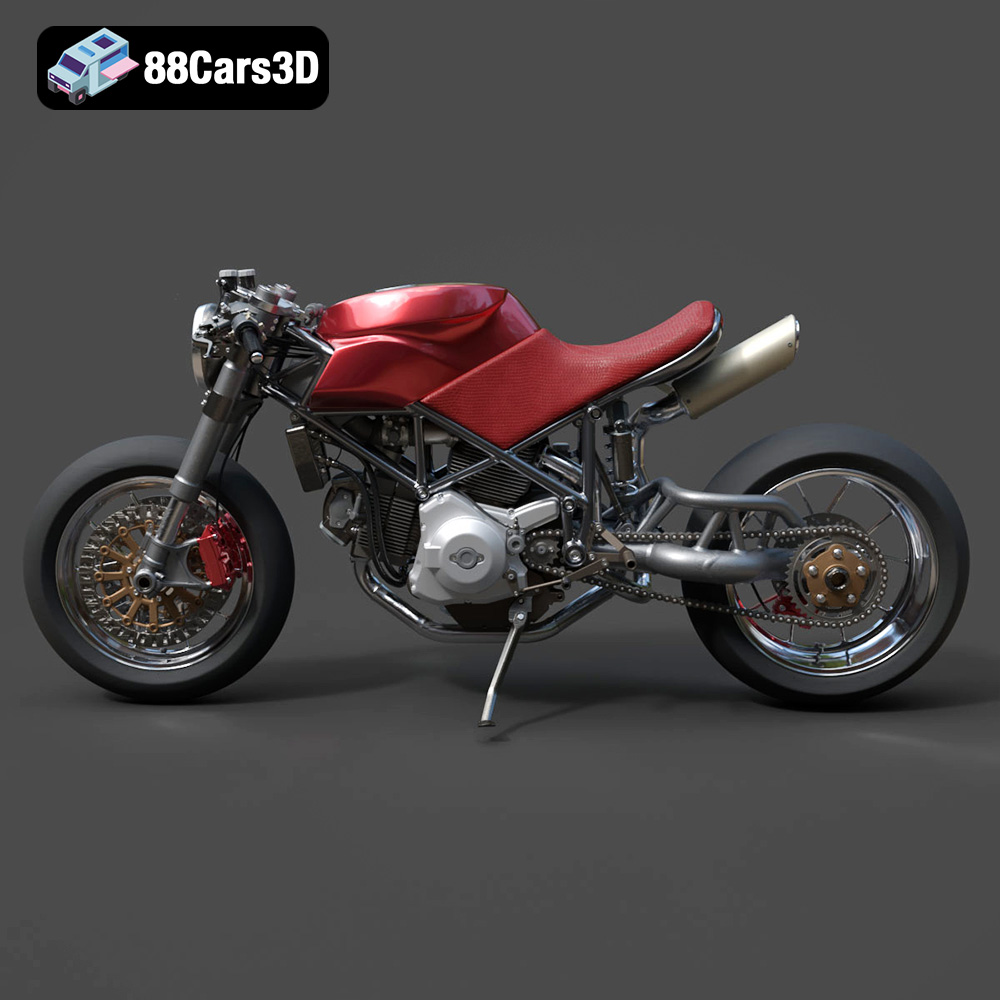
Before diving into the technical aspects of 3D printing, let’s appreciate the model itself. This digital recreation captures the essence of a custom build, showcasing the exposed L-twin engine, the iconic trellis frame, and the aggressive stance of a café racer. The high level of detail, evident in the intricate engine components and the custom bodywork, demands a printing process that can accurately reproduce these features. The model from 88cars3d.com is designed with this level of detail in mind, offering separate components for easier printing and articulation.
* **Exposed Engine:** The intricate details of the L-twin engine will require fine resolution and careful support placement.
* **Trellis Frame:** This delicate structure demands resin printing for best results or a very precise FDM setup.
* **Custom Bodywork:** The smooth curves and sharp lines of the fuel tank and tail cowl need to be printed with attention to layer adhesion and surface finish.
* **Wheels & Suspension:** Consider printing these separately for easier painting and potential articulation.
Choosing the correct file format is crucial for a successful 3D printing experience. The Ducati 916 Custom Café Fighter 3D Model on 88cars3d.com comes with a variety of formats to suit different needs, but understanding their specific strengths and weaknesses is essential.
The .stl (Stereolithography) format is the workhorse of 3D printing. It represents the surface geometry of a 3D object as a collection of triangles. While simple and widely compatible, .stl files only store mesh data (vertices and faces) and lack information about color, textures, or materials.
For 3D printing, .stl is generally the preferred format because all slicing software supports it. Slicers convert the .stl mesh into a series of instructions (G-code) that the 3D printer can understand. When working with a high-detail model like the Ducati 916, ensure the .stl file has sufficient triangle density to capture the model’s intricacies accurately. Insufficient resolution in the .stl can lead to faceted surfaces instead of smooth curves. Most slicing programs will allow you to adjust the mesh quality before slicing. You can adjust the tolerance and angle settings to ensure the model is finely tessellated without creating an unnecessarily large file. Always inspect the .stl file in a mesh viewer before slicing to identify any potential issues like holes or non-manifold geometry.
The .obj (Wavefront Object) format is another popular 3D model format. Unlike .stl, .obj supports color and texture information, making it suitable for models intended for rendering or virtual environments. However, for 3D printing, the color and texture data are typically ignored unless you’re using a specialized multi-material or full-color printer.
While .obj files can be used for 3D printing, they are not always as optimized as .stl files. Some slicers may have compatibility issues or may not handle the texture information correctly. If you’re working with an .obj file, it’s essential to test it in your slicing software to ensure it imports and slices correctly.
The .ply (Polygon File Format or Stanford Triangle Format) is designed to store 3D data acquired from 3D scanners. It can store color, texture, and other properties per vertex. It’s often used for high-resolution meshes, making it potentially suitable for the Ducati 916 model.
.ply files can be larger than .stl files for the same level of detail. Slicer compatibility can be more limited compared to .stl. If using .ply, confirm that your slicer supports it and that the file imports correctly. Pay close attention to the scale of the imported model, as .ply files sometimes have scaling issues.
The .blend format is the native file format for Blender, a popular open-source 3D modeling software. It stores the entire Blender scene, including the model, textures, materials, lighting, and animations.
If you plan to customize the Ducati 916 model before printing, the .blend file is invaluable. You can modify the model’s geometry, add details, or prepare it specifically for 3D printing. However, you’ll need Blender to open and edit the .blend file. Before 3D printing, you’ll need to export the model from Blender as an .stl file. When exporting, ensure that you apply any modifiers and that the mesh is clean and manifold.
The .fbx (Filmbox) format is developed by Autodesk and is commonly used for exchanging 3D data between different software applications. It supports geometry, textures, materials, animations, and other scene data.
While .fbx can theoretically be imported into some slicing software, it’s not the ideal format for 3D printing due to the excess data it carries. The primary advantage of .fbx is its ability to preserve material assignments, which could be useful if you plan to manually paint different parts of the model after printing. Like .blend, .fbx files would typically be used for pre-print customization within 3D modeling software, followed by exporting to .stl for the actual slicing and printing.
The .glb (GL Transmission Format Binary) is a file format for 3D models that is designed to be compact and efficient for transmission and loading in applications. It is commonly used for displaying 3D models in web browsers and augmented reality (AR) applications.
While not directly used for 3D printing, the .glb format allows you to preview the Ducati 916 model in AR to get a sense of its size and appearance in the real world before committing to a print. This can be helpful in deciding on the optimal scale for your print.
The level of detail in the Ducati 916 Custom Café Fighter model necessitates careful consideration of your 3D printing technology and materials. Two main technologies are suitable: Fused Deposition Modeling (FDM) and Stereolithography (SLA) or resin printing.
FDM printing uses a thermoplastic filament, such as PLA or PETG, which is heated and extruded through a nozzle to build the object layer by layer.
* **Pros:** FDM printers are generally more affordable than SLA printers, and PLA and PETG are relatively inexpensive and readily available.
* **Cons:** FDM printing typically produces lower resolution prints than SLA, and the layer lines can be more visible. This can obscure some of the finer details of the Ducati 916 model. Support removal can also be more challenging with FDM prints.
**Material Recommendations for FDM:**
* **PLA:** Easy to print, biodegradable, and available in a wide range of colors. However, PLA is brittle and not suitable for parts that will be subjected to stress.
* **PETG:** Stronger and more flexible than PLA, with better heat resistance. PETG is a good choice for parts that need to be more durable.
**FDM Printing Settings:**
* **Layer Height:** 0.1mm – 0.2mm (lower layer heights for finer details)
* **Infill:** 15-25% (adjust for strength vs. weight)
* **Supports:** Essential for overhanging features, such as the handlebars, exhaust, and portions of the frame.
SLA (Stereolithography) and other resin-based printing technologies use a liquid resin that is cured by a UV light source.
* **Pros:** Resin printing offers significantly higher resolution than FDM, allowing for the reproduction of very fine details. It’s ideal for models with intricate geometries, such as the Ducati 916’s engine and trellis frame.
* **Cons:** Resin printers and resins are generally more expensive than FDM setups. Resin printing also requires more post-processing, including washing and curing the parts. Resins can also be brittle.
**Material Recommendations for Resin:**
* **Standard Resin:** Affordable and available in various colors.
* **Tough Resin:** More durable and impact-resistant than standard resin, suitable for parts that need to withstand stress.
* **High-Detail Resin:** Formulated for exceptional detail reproduction, ideal for intricate models like the Ducati 916.
**Resin Printing Settings:**
* **Layer Height:** 0.02mm – 0.05mm (lower layer heights for maximum detail)
* **Exposure Time:** Consult your resin manufacturer’s recommendations.
* **Supports:** Essential for all resin prints. Use a well-configured support structure to prevent warping and ensure successful printing.
Before you can start 3D printing, you need to prepare the model using slicing software. This software converts the 3D model into a series of instructions that the printer can understand. Popular slicing software options include Cura, PrusaSlicer, Simplify3D, and Chitubox (for resin printing).
* **Orientation:** Strategically orient the model to minimize the need for supports and optimize surface finish. For the Ducati 916, consider printing the frame at an angle to improve the strength of the printed layers. Print the wheels separately to avoid the need for supports on the rims.
* **Supports:** Carefully place supports to prevent overhangs from collapsing during printing. Pay particular attention to the engine, exhaust, and trellis frame. Use tree supports for easier removal and less surface damage.
To reduce material usage and printing time with resin printers, consider hollowing the larger parts of the model. Leave a small hole for resin to drain. After printing, thoroughly clean the inside of the hollowed parts. Add internal support structures within the hollowed volume to prevent warping.
The product description recommends scales of 1:12, 1:10, or 1:8. Choose a scale that suits your printer’s build volume and desired level of detail. Remember that smaller scales will be more challenging to print due to the fine details of the model.
Once you’ve prepared the model and configured your printer settings, it’s time to start printing.
Closely monitor the first few layers of the print to ensure proper adhesion to the build plate. Watch for any signs of warping, delamination, or support failure. If you encounter any problems, pause the print and make adjustments as needed.
* **Warping:** Ensure your build plate is level and clean. Use a brim or raft to improve adhesion.
* **Delamination:** Increase the bed temperature (for FDM) or the exposure time (for resin).
* **Support Failure:** Increase the support density or thickness.
* **Stringing (FDM):** Adjust retraction settings in your slicing software.
* **Resin Leaks (Resin):** Ensure your resin vat is properly sealed.
After the print is complete, you’ll need to perform post-processing to remove supports, clean up the surface, and add finishing touches.
Carefully remove the supports using pliers, cutters, or a hobby knife. Sand the surface to remove any imperfections and smooth out layer lines. Start with coarse sandpaper and gradually move to finer grits.
Apply a primer to the model to create a smooth surface for painting. Use high-quality model paints to achieve a realistic finish. Consider using an airbrush for a more professional look.
If you printed the model in multiple parts, assemble them using glue or epoxy. Ensure proper alignment and secure joints.
The material cost and print time will vary depending on the size of the model, the chosen printing technology, and the printer settings. Here are some rough estimates:
* **FDM (PLA/PETG):** Material cost: $10-$30. Print time: 24-72 hours.
* **Resin (Standard/Tough):** Material cost: $30-$60. Print time: 12-48 hours.
Keep in mind that these are just estimates. Complex models with lots of supports will require more material and take longer to print.
The beauty of 3D printing lies in its ability to customize and personalize your creations. The Ducati 916 Custom Café Fighter model offers endless possibilities for customization:
Experiment with different paint schemes to create a unique look. Consider classic Ducati colors, such as Rosso Corsa (red) or Giallo Modena (yellow), or go for a custom color scheme that reflects your personal style.
Use different materials to create different textures and finishes. For example, you could use a metallic filament for the exhaust or a flexible filament for the seat.
Enhance the model with additional details, such as aftermarket parts, custom decals, or weathering effects.
3D printing the Ducati 916 Custom Café Fighter is a rewarding but challenging project. By understanding the intricacies of the model, choosing the right 3D printing technology and materials, and carefully preparing and executing the print, you can create a stunning replica that captures the essence of this iconic motorcycle. Remember to focus on detail, take your time with post-processing, and embrace the creative possibilities of customization. With dedication and patience, you’ll transform a digital file from 88cars3d.com into a tangible work of art. Happy printing!
The Ducati 916 Custom Café Fighter 3D Model is an ultra-high-detail digital recreation of a bespoke custom motorcycle build, based on the legendary 1990s Italian sportbike. Inspired by iconic digital concepts that blend the raw mechanical aggression of a streetfighter with the retro-modern sleekness of a café racer, this model strips away the factory fairings to proudly expose the beautiful steel trellis frame, the legendary L-twin engine, and the signature single-sided swingarm.
$130
.blend
.ducati
.fbx
.obj
.rendering
.stl
.streetfighter
17m-polygons
3d printing
916
cafe-racer
car-3d-model
custom-motorcycle
engine-details
l-twin
trellis-frame
ultra-high-poly