Get 50% OFF All Premium 3D & STL Models!

The Yamaha MT-09 Tracer 2015 is a celebrated sport-touring motorcycle, known for its aggressive styling and versatile performance. Thanks to 88cars3d.com, you can now own a detailed replica of this iconic bike through the power of 3D printing. This comprehensive guide will walk you through every step of the process, from selecting the right materials and printer settings to post-processing techniques, ensuring a successful and rewarding 3D printing experience. Let’s dive into how to bring this impressive 3D model to life!
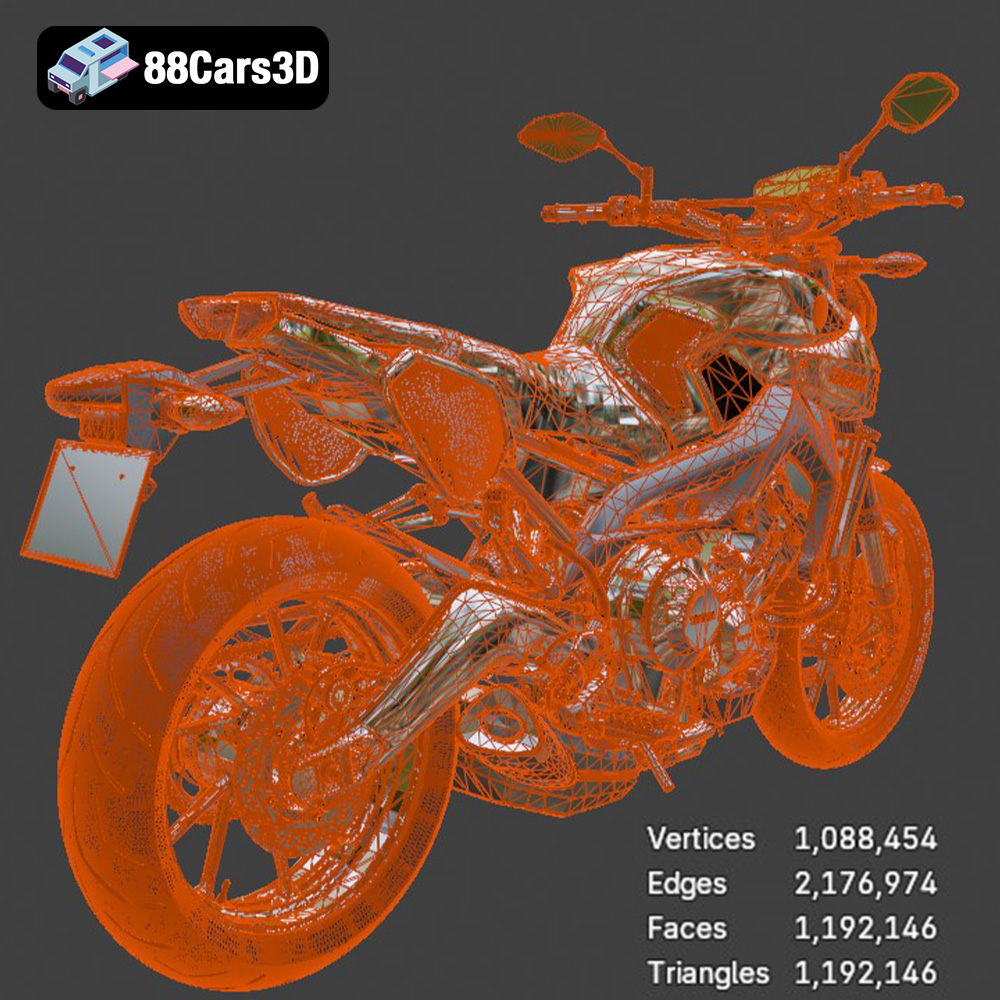
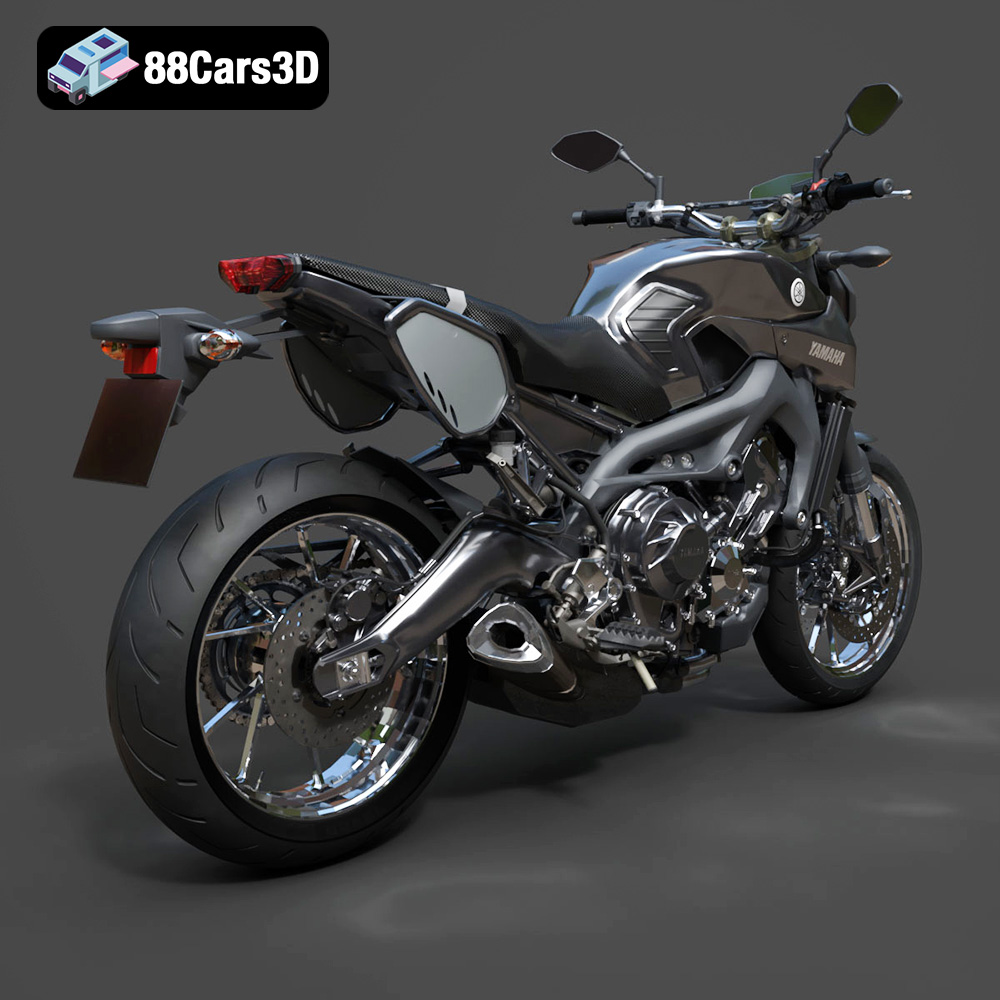
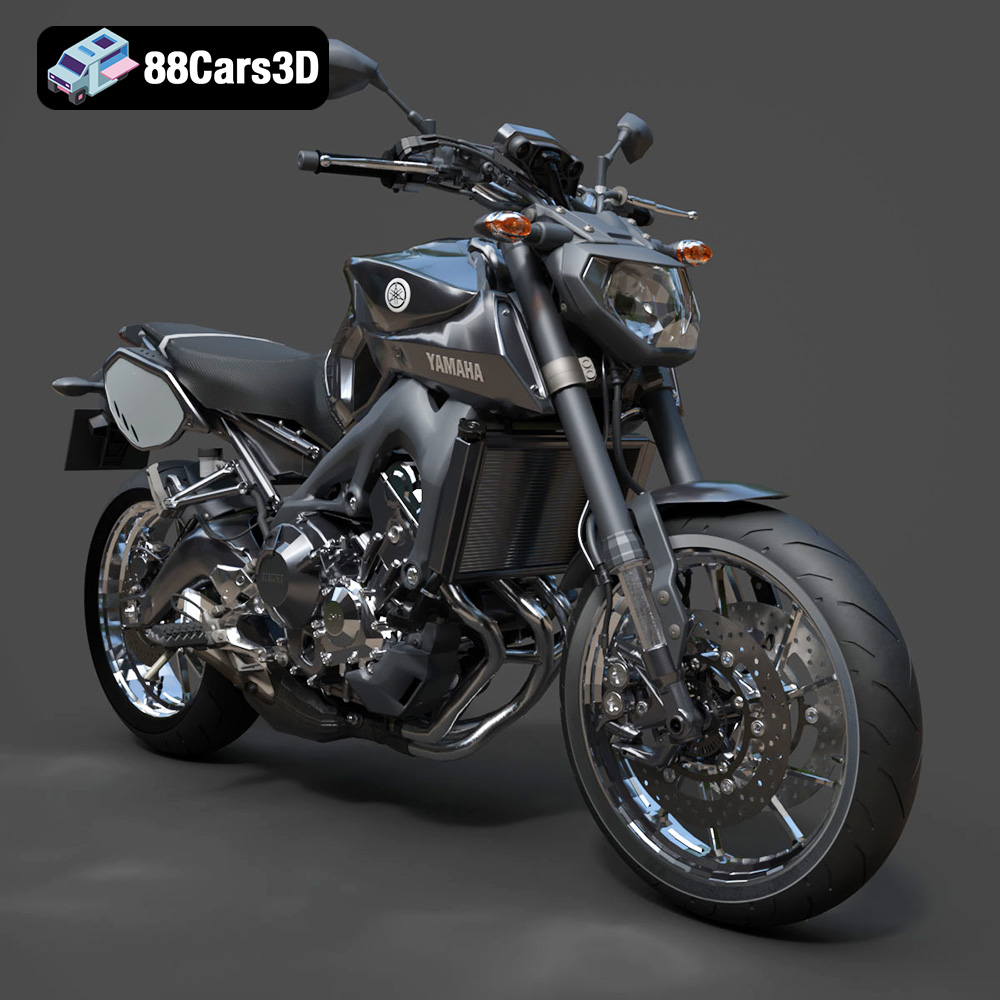
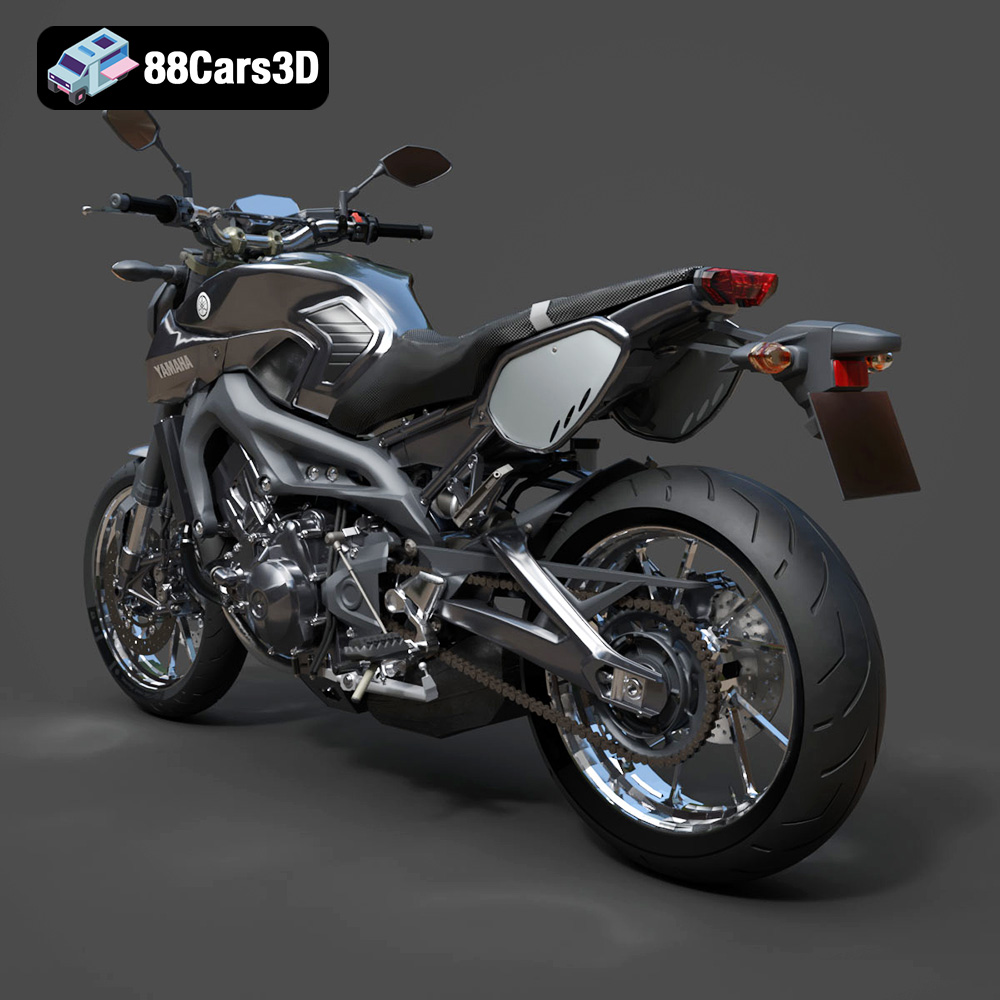
Before embarking on your 3D printing journey, it’s crucial to understand the intricacies of the Yamaha MT-09 Tracer 2015 3D model available on 88cars3d.com. This model boasts a high level of detail, accurately representing the motorcycle’s key features, including the sharp front fairing, dual headlights, and exposed frame. Understanding these details will inform your printing strategy, material choices, and post-processing approach. The model’s design is optimized for various applications, including 3D printing, rendering, and game development, making it a versatile asset for hobbyists and professionals alike. The included STL files provide a great starting point for printing.
The Yamaha MT-09 Tracer 2015 3D model contains intricate details such as the exposed frame, detailed exhaust system, and complex fairings. These features require careful consideration during printing to avoid print failures and ensure accurate representation. Consider breaking down the model into smaller, more manageable parts, especially if your printer has a limited build volume.
The intended scale of your 3D printed model will significantly impact your printing parameters. Whether you’re aiming for a small display piece or a larger, more detailed replica, adjusting layer height, infill density, and support structures accordingly is essential. The product description on 88cars3d.com recommends scales like 1:18, 1:12, 1:10, or 1:8.
Choosing the right file format is a critical step in preparing your 3D model for printing. While several formats are available, some are better suited for 3D printing than others. This section will explore the most common file formats and their implications for the 3D printing process.
The .stl (Stereolithography) format is the industry standard for 3D printing. It represents the surface geometry of a 3D object as a collection of triangles. This mesh-only format is simple, widely supported, and ideal for conveying the shape of the Yamaha MT-09 Tracer 2015’s components to the 3D printer. Slicing software readily accepts STL files and converts them into machine-readable instructions for the printer.
However, STL files only contain information about the shape and lack color, texture, or material properties. Ensure that the STL file is properly exported from the original modeling software with sufficient resolution to capture the model’s details. A low-resolution STL can result in a faceted or blocky print, while an excessively high-resolution STL can create unnecessarily large file sizes and processing times.
Mesh quality is paramount when working with STL files. Non-manifold geometry (gaps, overlaps, or self-intersections) can cause errors during slicing and printing. Use mesh repair tools within your slicing software or dedicated mesh editing programs like MeshMixer or Netfabb to identify and correct any errors before printing.
The .obj (Object) format is another widely used format that supports not only geometry but also color and texture information. While less common than STL for 3D printing, OBJ can be useful if you plan to paint or apply textures to your 3D printed Yamaha MT-09 Tracer 2015 model. Some advanced 3D printers can even print in multiple colors directly from an OBJ file.
The .ply (Polygon File Format) is designed to store 3D data acquired from 3D scanners and can represent color and surface normals. It is a precision mesh format excellent for high-detail prints, preserving accurate representations of complex surfaces.
The .blend format is the native file format for Blender, a popular open-source 3D modeling software. This format contains the entire Blender scene, including the model’s geometry, materials, textures, and lighting setups. If you intend to modify the Yamaha MT-09 Tracer 2015 3D model before printing, having the .blend file allows you to make detailed adjustments. However, you’ll need to export the modified model to a 3D printing-friendly format like STL before slicing.
The .fbx (Filmbox) format is a proprietary format developed by Autodesk for interoperability between different 3D software packages. It can store geometry, materials, textures, animations, and other scene data. While not directly used for 3D printing, the .fbx format is useful for importing the Yamaha MT-09 Tracer 2015 model into slicing software that supports material assignments.
The .glb (GL Transmission Format Binary) format is designed for efficient transmission and loading of 3D models, particularly in web and mobile applications. It’s commonly used for previewing models in Augmented Reality (AR) environments. While not directly used for 3D printing, it allows you to visualize the Yamaha MT-09 Tracer 2015 model in a real-world setting before committing to a print.
The .max format is the native file format for 3ds Max, another popular 3D modeling software package. Similar to .blend, having the .max file allows you to make detailed adjustments to the Yamaha MT-09 Tracer 2015 model if you have access to 3ds Max. You’ll need to export the modified model to a 3D printing-friendly format like STL before slicing.
Selecting the appropriate 3D printing technology and materials is crucial for achieving a high-quality print of the Yamaha MT-09 Tracer 2015 model. The two primary 3D printing technologies suitable for this project are Fused Deposition Modeling (FDM) and Stereolithography (SLA) or resin printing.
FDM printing involves extruding molten plastic filament through a nozzle to build the object layer by layer. It is a cost-effective and widely accessible technology, making it ideal for hobbyists and enthusiasts.
* **Material Recommendations:**
* **PLA:** A biodegradable and easy-to-print material, PLA is a good choice for beginners. It offers decent strength and surface finish, but it is not as heat-resistant as other materials.
* **PETG:** Known for its strength, flexibility, and heat resistance, PETG is a more durable alternative to PLA. It can withstand higher temperatures and is less prone to warping.
* **Considerations:** FDM printing may require more post-processing to achieve a smooth surface finish, especially for intricate details.
Resin printing uses ultraviolet light to cure liquid resin layer by layer, resulting in highly detailed and accurate prints. This technology is particularly well-suited for small-scale models and intricate geometries.
* **Material Recommendations:**
* **Standard Resin:** Offers excellent detail and surface finish, ideal for showcasing the intricate design of the Yamaha MT-09 Tracer 2015.
* **Tough Resin:** Provides increased strength and durability, making it suitable for functional parts or models that require more resilience.
* **Considerations:** Resin printing requires careful handling of the resin and post-curing of the printed parts. It is also generally more expensive than FDM printing.
Before sending the Yamaha MT-09 Tracer 2015 3D model to your printer, it’s essential to prepare the STL files using slicing software. This involves configuring print settings, adding support structures, and optimizing the model for successful printing.
Several excellent slicing software options are available, including:
* **Cura:** A free and open-source slicer with a user-friendly interface and a wide range of customizable settings.
* **PrusaSlicer:** Known for its advanced features and accurate print estimations, PrusaSlicer is a popular choice among experienced 3D printers.
* **Simplify3D:** A commercial slicer with advanced control over print parameters, offering optimized print quality and support generation.
* **Layer Height:** The product description recommends a layer height of 0.08-0.16 mm. Lower layer heights produce finer details but increase print time.
* **Infill Density:** An infill density of 15-25% provides a good balance between strength and material usage.
* **Wall Thickness:** A wall thickness of 1.2-2.0 mm ensures sufficient strength and rigidity for the printed parts.
* **Print Speed:** Adjust print speed based on your printer’s capabilities and material properties. Slower speeds generally result in better print quality.
The Yamaha MT-09 Tracer 2015 model requires support structures for overhanging features such as the mirrors, windscreen, exhaust, and rear swingarm.
* **Support Placement:** Strategically place supports to minimize their impact on the model’s surface finish.
* **Support Density:** Adjust support density based on the complexity of the overhangs. Higher density provides better support but increases material usage and removal effort.
* **Support Type:** Choose a support type that is easy to remove without damaging the model.
The orientation of the Yamaha MT-09 Tracer 2015 model on the build plate significantly affects print quality, strength, and support requirements.
* **Frame:** Printing the frame at an angle, as recommended in the product description, helps preserve detail and minimize support requirements.
* **Wheels:** Print the wheels separately to ensure a smooth, circular surface.
* **Considerations:** Experiment with different orientations to find the best balance between print quality and support usage.
Proper build plate adhesion is crucial for preventing warping and print failures.
* **Surface Preparation:** Clean the build plate thoroughly with isopropyl alcohol before each print.
* **Bed Adhesion Methods:** Use a brim or raft to increase the surface area in contact with the build plate.
* **Bed Temperature:** Adjust the bed temperature based on the material being printed.
Once the Yamaha MT-09 Tracer 2015 model is printed, post-processing is necessary to achieve a professional-looking finish.
Carefully remove support structures using pliers, cutters, or a sharp knife. Take care not to damage the model’s surface.
Sand the printed parts to remove layer lines and smooth the surface. Start with coarse sandpaper and gradually move to finer grits.
Apply a primer coat to prepare the surface for painting. Choose paints that are compatible with the printing material. The product description mentions sanding, primer, and matte or gloss finish with optional racing decals.
Assemble the individual parts of the Yamaha MT-09 Tracer 2015 model using glue or fasteners. Ensure proper alignment and secure connections.
Even with careful preparation, 3D printing can present challenges. Here are some common issues and their solutions:
* **Warping:** Ensure proper bed adhesion and adjust bed temperature.
* **Stringing:** Reduce print temperature and retraction settings.
* **Layer Shifting:** Check belt tension and motor drivers.
* **Print Failures:** Review support structures and optimize print settings.
The print time and material costs for the Yamaha MT-09 Tracer 2015 3D model will vary depending on the printer, material, and print settings used. As a general estimate:
* **Print Time:** A typical print could take anywhere from 10 to 30 hours, depending on the size and complexity.
* **Material Costs:** Expect to use between 100 and 300 grams of filament or resin, costing approximately $5 to $20.
3D printing the Yamaha MT-09 Tracer 2015 model from 88cars3d.com is a rewarding project that combines technical skill with creative expression. By understanding the model’s intricacies, selecting the right printing technology and materials, and carefully preparing and post-processing the printed parts, you can create a stunning replica of this iconic motorcycle. Remember to experiment with different settings and techniques to achieve the best results. Happy printing!
The Yamaha MT-09 Tracer 2015 3D Model is a high-detail digital recreation of the versatile sport-touring motorcycle known for its aggressive styling, lightweight chassis, and dynamic three-cylinder performance. Designed for both urban riding and long-distance touring, the 2015 MT-09 Tracer combines sporty DNA with comfort-oriented ergonomics.
$9.99