Get 50% OFF All Premium 3D & STL Models!

The Fantic Caballero 500 Scrambler, with its blend of retro aesthetics and modern engineering, is an icon. Now, thanks to 3D printing, you can own a meticulously detailed replica of this stunning motorcycle. This guide will walk you through the entire 3D printing process, from preparing your STL files to the final touches of paint, ensuring a successful and rewarding project. Whether you’re a seasoned 3D printing enthusiast or a newcomer, this comprehensive guide will help you bring this iconic machine to life. The Fantic Caballero 500 Scrambler 3D model available at 88cars3d.com is specifically designed for this purpose.
Before diving into the specifics of printing the Fantic Caballero 500 Scrambler, it’s crucial to understand the various file formats used in 3D modeling and their suitability for additive manufacturing. Different formats offer varying levels of detail, texture support, and compatibility with slicing software. Choosing the right format can significantly impact the print quality and overall success of your project.
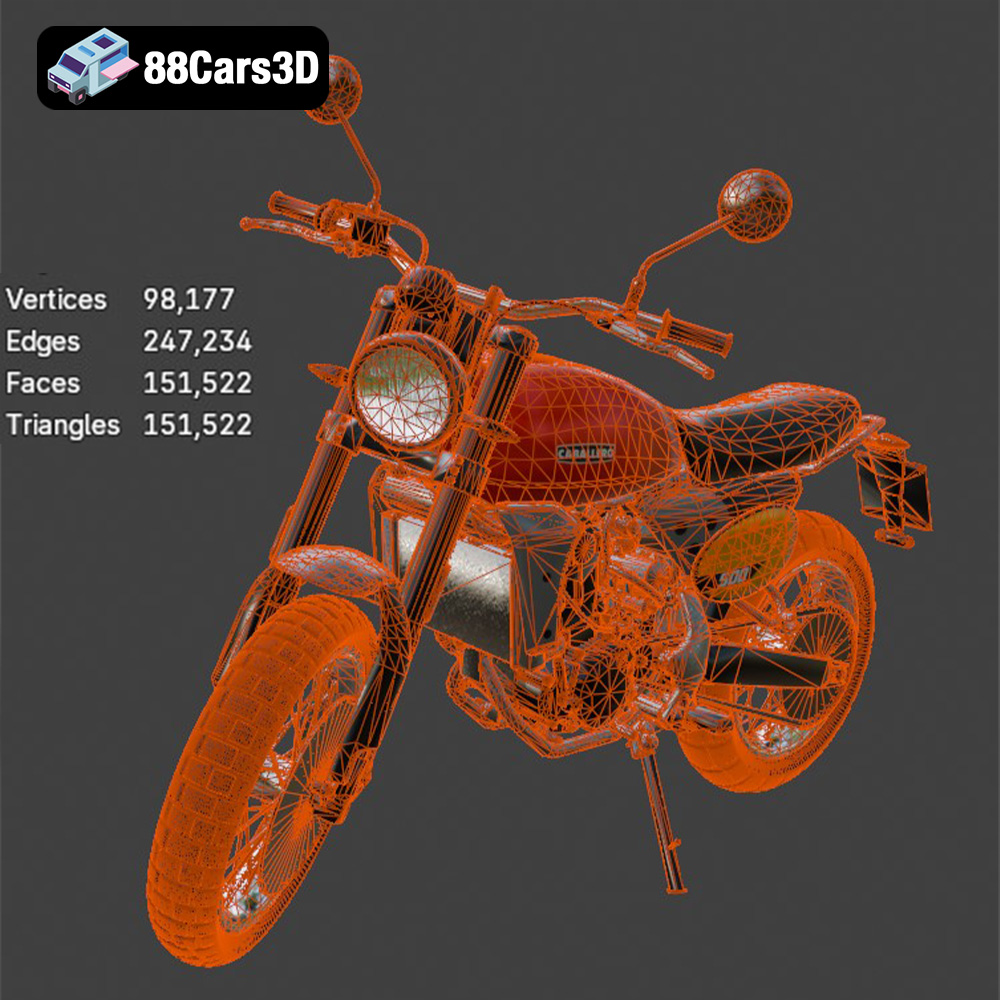
The .stl (Stereolithography) file format is the workhorse of 3D printing. It represents a 3D object’s surface geometry as a collection of triangles. This simplicity makes it universally compatible with virtually all 3D printers and slicing software. The Fantic Caballero 500 Scrambler model, like most 3D printable models, is available in STL format. When working with STL files, pay attention to the mesh resolution. A higher resolution (more triangles) results in a smoother surface but increases file size and processing time. Lower resolutions can lead to faceting, where the curved surfaces appear as a series of flat planes. Slicing software allows you to adjust the STL import settings to balance detail and performance.
The .obj (Object) format is another common file type. Unlike STL, OBJ files can store color and texture information, making them suitable for 3D printing with multi-material or full-color printers. While the Fantic Caballero 500 Scrambler model from 88cars3d.com is primarily designed for single-material printing, the included OBJ file can be useful if you plan to add custom textures or paint schemes digitally before printing. Slicing software support for OBJ files is generally good, but it’s essential to ensure your chosen program can handle the texture information if present.
The .ply (Polygon File Format) excels at representing high-detail 3D models with complex geometries. It’s often used in 3D scanning and reverse engineering applications. While PLY files can offer superior mesh quality, they are not always as widely supported as STL or OBJ in consumer-grade slicing software.
The .blend format is the native file format for Blender, a popular open-source 3D modeling software. It stores the entire Blender scene, including the model’s geometry, textures, materials, lighting, and animation data. If you plan to significantly modify the Fantic Caballero 500 Scrambler model before printing, having the .blend file is invaluable. You can use Blender to adjust the model’s scale, add custom details, or optimize it further for 3D printing. However, .blend files are not directly compatible with 3D printers; you’ll need to export the model to a printable format like STL after making your changes.
The .fbx (Filmbox) format is a proprietary file format developed by Autodesk. It is commonly used for exchanging 3D models between different software applications, particularly in game development and animation pipelines. FBX files can store geometry, textures, materials, and animation data. While it is possible to import .fbx files into some slicing software, their primary use is in design and rendering workflows, not direct 3D printing.
The .glb format is a binary file format that represents 3D models in a compact and efficient manner. It is designed for use in applications such as augmented reality (AR) and virtual reality (VR). The .glb format includes the model’s geometry, textures, and animations, all bundled into a single file. This makes it easy to share and view 3D models on different devices and platforms.
Similar to .blend, the .max format is the native format for Autodesk 3ds Max. It contains the complete scene data, allowing for extensive modifications before exporting to a printable format.
In summary, for 3D printing the Fantic Caballero 500 Scrambler, the STL format is the most suitable. Ensure the STL file has sufficient resolution to capture the intricate details of the motorcycle. Use slicing software to prepare the model for printing, adjusting settings like layer height, infill, and support structures. While other formats like OBJ and PLY offer advantages in specific scenarios, STL remains the primary and most reliable choice for most 3D printing applications.
Before sending the Fantic Caballero 500 Scrambler model to your 3D printer, careful preparation is essential. This stage involves inspecting the model, making any necessary repairs, and configuring the slicing software for optimal results.
* Mesh Analysis: Open the STL file in a mesh editing software like MeshMixer or Netfabb. These programs can analyze the model for errors such as non-manifold edges, holes, or self-intersections.
* Repair Tools: Use the built-in repair tools to automatically fix any detected errors. These tools can typically close gaps, remove overlapping faces, and ensure the model is watertight.
* Manual Adjustments: In some cases, manual adjustments may be necessary to correct complex errors. This might involve deleting and recreating faces or using sculpting tools to smooth out imperfections.
* Software Selection: Choose a slicing software compatible with your 3D printer. Popular options include Cura, PrusaSlicer, Simplify3D, and others.
* Importing the Model: Import the repaired STL file into your chosen slicing software.
* Orientation: Determine the optimal print orientation. For the Fantic Caballero 500 Scrambler, consider printing the frame at an angle to minimize the need for supports and improve surface finish. Print smaller, detailed parts like the wheels separately.
* Scaling: Decide on the desired scale. The product description recommends 1:12, 1:10, or 1:8. Choose a scale that balances detail and print size limitations.
* Automatic Supports: Enable automatic support generation in your slicing software.
* Manual Adjustments: Review the generated supports and make manual adjustments as needed. Pay particular attention to areas like the handlebars, high-mount exhaust, kickstand, and footpegs, as these will likely require support.
* Support Settings: Configure the support settings to optimize for easy removal and minimal impact on surface finish. Consider using a lower support density or a smaller air gap between the supports and the model.
The choice of material significantly affects the appearance, strength, and durability of your 3D printed Fantic Caballero 500 Scrambler model. Here’s a breakdown of popular options:
* Pros: Easy to print, biodegradable, wide range of colors, good surface finish.
* Cons: Lower strength and heat resistance compared to other materials.
* Recommendation: Suitable for display models that won’t be subjected to high stress or temperatures. PLA is a great option for beginners due to its ease of use.
* Pros: Higher strength and heat resistance than PLA, good impact resistance, relatively easy to print.
* Cons: Can be more prone to stringing than PLA, may require higher printing temperatures.
* Recommendation: A good all-around choice for models that require some durability.
* Pros: Exceptional detail, smooth surface finish, ideal for small and intricate parts.
* Cons: More brittle than FDM filaments, requires post-processing (washing and curing), can be more expensive.
* Recommendation: Highly recommended for capturing the delicate details of the Fantic Caballero 500 Scrambler, especially at smaller scales. Resin printing is ideal for the spoked wheels and engine fins.
* ABS (Acrylonitrile Butadiene Styrene): Strong and heat-resistant, but more challenging to print than PLA or PETG. Not recommended for beginners.
* Nylon: Extremely strong and durable, but requires high printing temperatures and a heated enclosure.
* Flexible Filaments (TPU/TPE): Can be used for tires or other flexible components, but require specialized printer settings.
Achieving a high-quality 3D print requires careful attention to printer settings. These settings will vary depending on the material and printer you are using, but here are some general guidelines for the Fantic Caballero 500 Scrambler:
* PLA/PETG: 0.1mm – 0.2mm. A lower layer height will produce a smoother surface finish, but will increase print time.
* Resin: 0.025mm – 0.05mm. Resin printing allows for much finer layer heights, resulting in exceptional detail.
* PLA/PETG: 15% – 25%. A higher infill density will increase the strength of the model, but will also increase print time and material usage.
* Resin: 100%. Resin prints are typically solid.
* PLA/PETG: 40mm/s – 60mm/s.
* Resin: Varies depending on the resin and printer. Consult your printer’s manual for recommended settings.
* PLA: 200°C – 220°C nozzle, 60°C bed.
* PETG: 230°C – 250°C nozzle, 80°C bed.
* Resin: Room temperature is generally sufficient.
* Support Density: 15% – 25%.
* Support Overhang Angle: 60° – 70°.
* Support Interface: Enable a support interface layer for easier removal.
Once the 3D printing is complete, post-processing is essential to refine the model and achieve a professional finish.
* Careful Detachment: Use pliers or a hobby knife to carefully remove the support structures.
* Gentle Approach: Avoid applying excessive force, which could damage the model.
* Solvent Assistance: For some materials, such as HIPS used as support material for ABS, solvents can be used to dissolve the supports.
* Start with Coarse Grit: Begin with a coarse-grit sandpaper (e.g., 220 grit) to remove any remaining support marks or imperfections.
* Progress to Fine Grit: Gradually move to finer grits (e.g., 400 grit, 600 grit, 800 grit) to smooth the surface.
* Wet Sanding: Consider wet sanding with very fine grits (1000 grit or higher) for an ultra-smooth finish.
* Primer Application: Apply a thin, even coat of primer to the entire model.
* Purpose of Primer: Primer helps to fill in any remaining imperfections and provides a better surface for paint adhesion.
* Sanding Between Coats: Lightly sand the primer with fine-grit sandpaper before applying the next coat.
* Color Selection: Choose colors that match the authentic Fantic Caballero 500 Scrambler color schemes. Classic Fantic Red for the tank, matte black for the frame, and metallic finishes for the Arrow exhaust are good starting points.
* Masking: Use masking tape to protect areas that should not be painted.
* Multiple Coats: Apply multiple thin coats of paint, allowing each coat to dry completely before applying the next.
* Part Preparation: Ensure all parts are clean and free of any imperfections.
* Adhesive Selection: Choose an appropriate adhesive for the material you are using. Cyanoacrylate (super glue) is a common choice for PLA, PETG, and resin.
* Precise Alignment: Carefully align the parts before applying adhesive.
* Clamping: Use clamps or tape to hold the parts in place while the adhesive dries.
Even with careful preparation, 3D printing can sometimes present challenges. Here are some common issues and their solutions:
* Warping: This occurs when the corners of the print lift off the build plate. To prevent warping, use a heated bed, apply an adhesive to the build plate (e.g., glue stick or hairspray), and ensure the first layer is properly calibrated.
* Stringing: This is when thin strands of filament are left between different parts of the print. To reduce stringing, decrease the printing temperature, increase retraction settings, and ensure the filament is dry.
* Layer Separation: This is when the layers of the print do not adhere properly to each other. To fix layer separation, increase the printing temperature, decrease the printing speed, and ensure the bed is properly leveled.
* Support Issues: If supports are difficult to remove or leave excessive marks on the model, try reducing the support density, increasing the support air gap, or using a different support pattern.
By understanding these common issues and their solutions, you can overcome challenges and achieve successful 3D prints of the Fantic Caballero 500 Scrambler. And remember, 88cars3d.com provides high-quality models designed to minimize these issues.
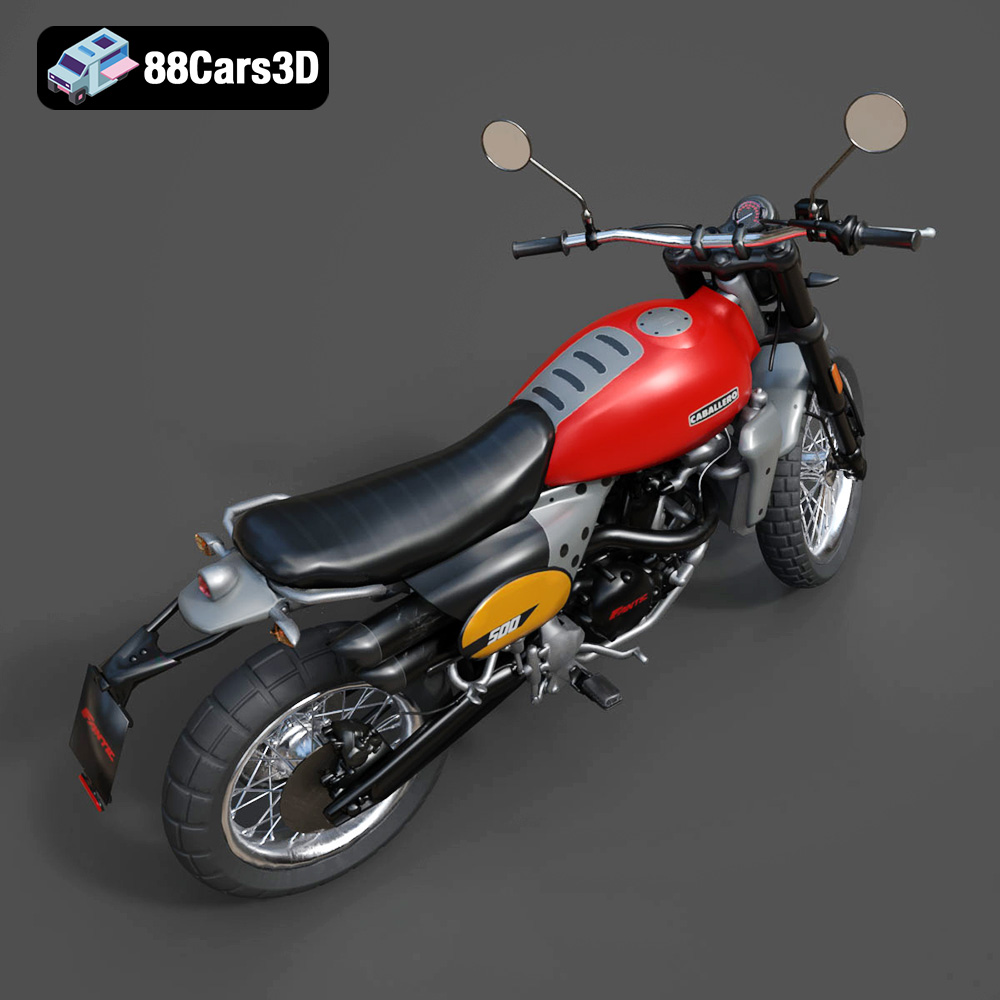
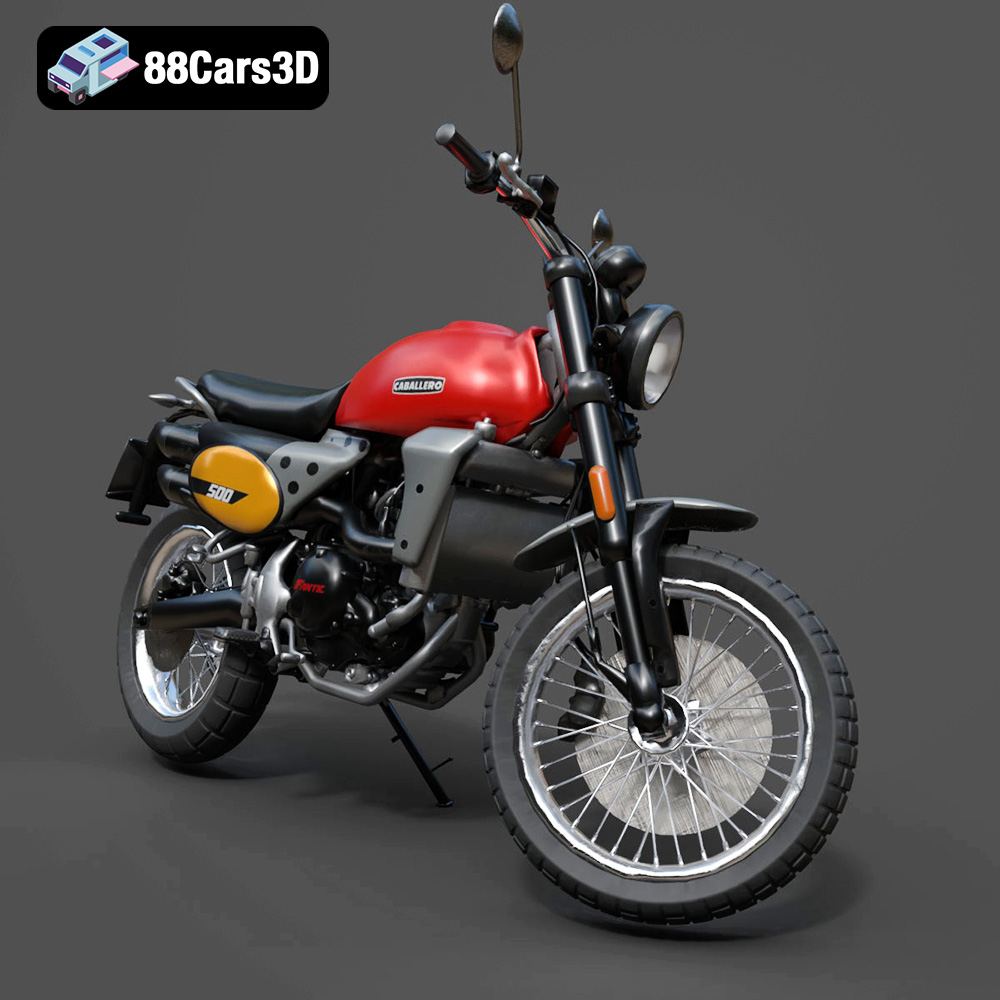
The Fantic Caballero 500 Scrambler 3D Model is a highly detailed, optimized digital recreation of the iconic Italian modern-classic motorcycle. Blends 1970s retro dirt-track aesthetics with contemporary engineering, the Caballero 500 is famous for its rugged off-road stance, punchy single-cylinder engine, signature dual Arrow exhaust, and aggressive knobby tires.
$9.99
.blend
.fbx
.obj
.rendering
.scrambler
caballero-500
dirt-bike
fantic
flat-tracker
game asset
game-ready
low-poly
motorcycle-3d-model
optimized
retro-motorcycle
VR/AR