Get 50% OFF All Premium 3D & STL Models!

The Lincoln Navigator 2018, a symbol of American luxury and bold design, can now grace your desk or collection shelf, thanks to the power of 3D printing. This comprehensive guide will walk you through the entire process of 3D printing the Lincoln Navigator 2018 3D model from 88cars3d.com, ensuring a successful and satisfying project. From selecting the right materials and printer settings to mastering post-processing techniques, we’ll cover everything you need to know to bring this stunning SUV to life in physical form.
Before diving into the printing process, proper preparation is key. The quality of your final 3D printed model heavily relies on the steps taken beforehand. This includes inspecting the model, choosing the appropriate scale, and setting up your slicing software.
The first step is to thoroughly inspect the STL file of the Lincoln Navigator 2018 3D model. Use a mesh editing software like MeshMixer or Netfabb to check for any errors such as non-manifold edges, holes, or intersecting faces. These imperfections can lead to printing failures or a compromised final product. Repairing these issues is crucial to ensure a smooth and successful print. Many slicing programs also offer basic repair functions.
The recommended scales for the Lincoln Navigator 2018 model are 1:32, 1:24, and 1:18. The choice depends on your printer’s build volume, desired level of detail, and the intended use of the model. A smaller scale (e.g., 1:32) will be quicker to print and require less material, but may sacrifice some finer details. A larger scale (e.g., 1:18) will capture more detail but demand more print time and material. Ensure that your chosen scale fits comfortably within your printer’s build volume.
Your slicing software is the bridge between the digital model and the physical print. Programs like Cura, Simplify3D, or PrusaSlicer allow you to define critical printing parameters. Import the prepared STL file, select your chosen scale, and orient the model for optimal printing. We’ll delve into specific settings in later sections, but ensure you have a profile configured for your chosen material (PLA, PETG, or resin).
Choosing the right file format is crucial for a seamless 3D printing experience. While many formats exist, some are better suited for additive manufacturing than others. Understanding the nuances of each format allows you to make informed decisions and avoid potential compatibility issues.
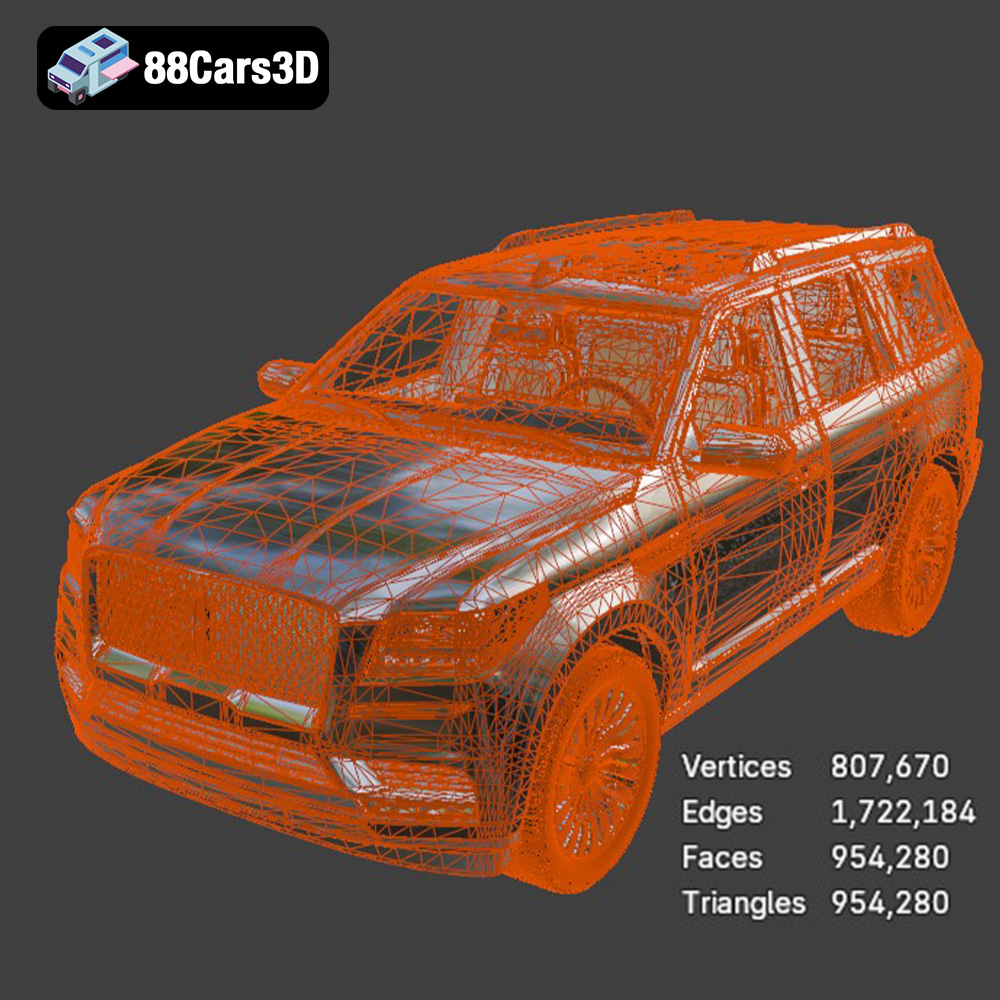
The STL (Stereolithography) file format is the industry standard for 3D printing. It represents the surface geometry of a 3D object as a collection of triangles. This simplicity makes it universally compatible with virtually all 3D printers and slicing software. However, STL files only store information about the mesh; they do not contain color, texture, or material properties. When working with STL files, it’s essential to ensure the mesh is watertight (closed) and free of errors like self-intersections or flipped normals. These errors can lead to printing artifacts or even complete print failures. The resolution of the STL file also matters; a higher resolution (more triangles) results in a smoother surface finish but increases file size and processing time.
The OBJ file format is more versatile than STL, as it can store color and texture information in addition to the mesh geometry. This makes it suitable for applications where visual fidelity is paramount. However, not all 3D printers support colored prints directly. If you’re using an OBJ file with color information, ensure that your printer and slicing software are capable of interpreting and printing those colors. OBJ files are also generally larger than STL files due to the additional data they contain.
PLY (Polygon File Format) is designed for storing 3D data acquired from 3D scanners. It can represent geometry, color, and other properties with high precision. This makes it a good choice for 3D printing highly detailed models, where capturing subtle nuances is important. However, PLY files can be quite large, and compatibility with slicing software is not as universal as with STL. It is often used in applications requiring high accuracy such as recreating scanned artifacts.
The .blend file is the native format for Blender, a popular open-source 3D creation suite. It contains the entire Blender scene, including the model geometry, textures, materials, lighting, and animation data. While you cannot directly 3D print a .blend file, it allows you to customize the model before exporting it to a printable format like STL. This can be useful for making modifications, adding details, or optimizing the model for 3D printing. The Lincoln Navigator 2018 model from 88cars3d.com includes a .blend file, granting you significant control over the model’s design.
FBX (Filmbox) is a proprietary file format developed by Autodesk for interoperability between 3D software packages. It supports geometry, textures, materials, animation, and skeletal rigging. While not as commonly used for direct 3D printing as STL, FBX can be useful for importing models into slicing software while preserving material assignments. This can be helpful for multi-material 3D printing or for visualizing the model with its intended materials before printing. Ensure your slicing software supports FBX import and material interpretation.
GLB is a binary file format representing 3D models. It’s particularly useful for Augmented Reality (AR) applications because it’s efficient for transmitting and displaying models on mobile devices. GLB integrates textures and animations into a single file, making it a streamlined option for web-based and mobile AR previews. While not directly used in 3D printing, GLB’s ability to render models accurately in AR allows you to preview the Lincoln Navigator 2018 in a real-world environment before committing to a physical print.
The .max file is the native format for Autodesk 3ds Max, a professional 3D modeling, animation, and rendering software. Similar to .blend for Blender, .max files contain the entire scene setup, allowing for extensive modifications and customization before exporting to a printable format like STL. The .max file included with the Lincoln Navigator 2018 model from 88cars3d.com provides users with advanced editing capabilities, enabling them to tailor the model to their specific needs before 3D printing.
For 3D printing, the STL format remains the most reliable and universally supported option. However, understanding the strengths of other formats like OBJ, PLY, and being able to leverage the editing capabilities offered by .blend and .max, can significantly enhance your 3D printing workflow and allow for greater creative control over your final product.
The material you choose will significantly impact the final appearance, strength, and durability of your 3D printed Lincoln Navigator 2018 model. Here’s a breakdown of popular materials and their suitability for this project:
PLA is a biodegradable thermoplastic derived from renewable resources like cornstarch or sugarcane. It’s known for its ease of printing, low odor, and wide availability. PLA is a good choice for beginners 3D printing the Lincoln Navigator 2018, as it requires relatively low printing temperatures and doesn’t warp easily. However, PLA is not very heat-resistant and can become brittle over time. Therefore, it’s best suited for display models that won’t be exposed to high temperatures or stress.
PETG is a modified version of PET, the plastic commonly used in water bottles. It offers improved strength, flexibility, and heat resistance compared to PLA. PETG is also less prone to warping and has better layer adhesion. For the Lincoln Navigator 2018, PETG is a good choice if you want a more durable model that can withstand some handling and environmental exposure. It is still relatively easy to print.
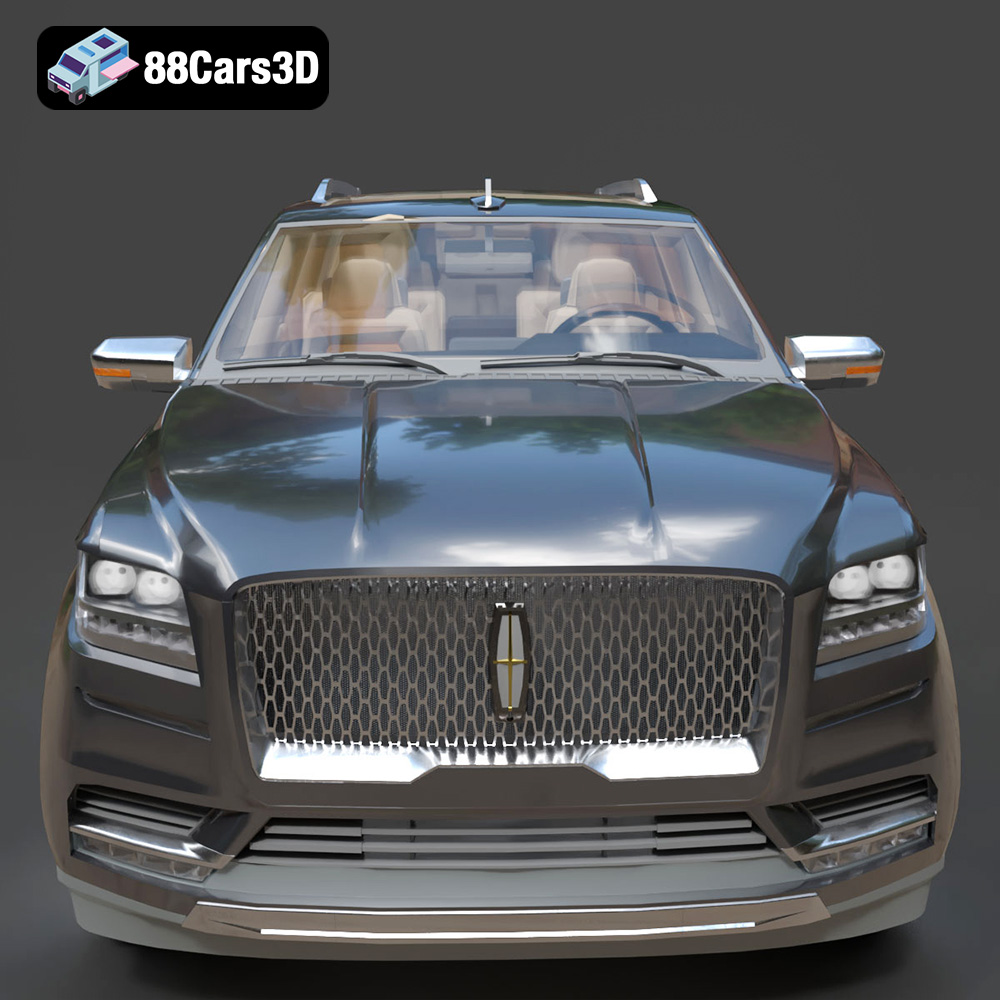
Resin 3D printing, using technologies like SLA (Stereolithography) or DLP (Digital Light Processing), offers unparalleled detail and smooth surface finish. This is ideal for capturing the intricate details of the Lincoln Navigator 2018, such as the chrome mesh front grille and LED lighting. Resin prints are typically more brittle than FDM (Fused Deposition Modeling) prints made from PLA or PETG. Also, require more post processing like cleaning and curing. However, the level of detail achievable with resin makes it a compelling option for display models.
Once you’ve chosen your material, fine-tuning your printer settings is crucial for achieving the best possible results. These settings will vary depending on your specific printer, material, and desired outcome.
Layer height determines the vertical resolution of your print. A smaller layer height (e.g., 0.1mm) results in a smoother surface finish and finer details, but also increases print time. A larger layer height (e.g., 0.2mm) is faster but may result in visible layer lines. For the Lincoln Navigator 2018, a layer height of 0.1mm to 0.15mm is recommended for FDM printing to balance detail and print time. For resin printing, layer heights can be much smaller (e.g., 0.025mm to 0.05mm) to maximize detail.
Infill refers to the internal structure of your 3D print. A higher infill density (e.g., 50%) makes the model stronger but also increases material usage and print time. A lower infill density (e.g., 15%) is faster and more economical but may compromise structural integrity. For the Lincoln Navigator 2018, an infill density of 15% to 25% is generally sufficient for display models. The infill pattern can also affect strength and print time; rectilinear, grid, and gyroid are common choices.
Support structures are temporary scaffolding used to support overhanging features during printing. The Lincoln Navigator 2018 model will likely require supports for features like the side mirrors, roof rails, and underbody details. Proper support placement and settings are critical to avoid damaging the model during removal. Orienting the model strategically can minimize the need for supports and improve surface finish. For example, printing the body angled can reduce the number of supports needed on the roof and hood. Print the wheels separately.
Post-processing is the final stage of the 3D printing process, where you refine and enhance the printed model to achieve the desired appearance. This can involve removing supports, sanding, painting, and assembling multiple parts.
Carefully remove the support structures using pliers, cutters, or a deburring tool. Take your time to avoid damaging the model’s surface. Once the supports are removed, use sandpaper of varying grits (e.g., 220, 400, 600) to smooth any rough areas or layer lines. Start with a coarser grit and gradually move to finer grits for a polished finish. For resin prints, wet sanding is often recommended.
Apply a primer coat to the model to create a smooth and uniform surface for painting. Choose a primer that is compatible with your chosen material. Once the primer is dry, you can apply paint using spray paint, airbrush, or brush. For the Lincoln Navigator 2018, consider using automotive-grade paints to achieve a realistic finish. Consider using modern Volvo factory colors (like Sage Green, Glacier Silver, or Crystal White) paired with a gloss black roof.
The Lincoln Navigator 2018 model may consist of multiple parts that need to be assembled after printing and painting. Use adhesive (e.g., super glue or epoxy) to join the parts together. Add any final details, such as chrome accents, decals, or custom license plates, to complete the model.
Even with careful preparation and optimized settings, 3D printing can sometimes present challenges. Here are some common issues and their solutions:
Warping occurs when the printed part detaches from the build plate due to uneven cooling. To prevent warping, ensure your build plate is properly leveled and heated, use a brim or raft, and avoid drafts in your printing environment. For materials prone to warping like ABS, consider using an enclosure.
Poor layer adhesion can result in weak prints that easily delaminate. To improve layer adhesion, increase your printing temperature, reduce your printing speed, and ensure your bed is properly leveled and clean.
Stringing refers to thin strands of plastic that form between different parts of the print. To minimize stringing, reduce your retraction distance and speed, lower your printing temperature, and ensure your filament is dry.
The estimated print time and material costs for the Lincoln Navigator 2018 model will vary depending on the scale, material, printer settings, and printer used. As a general estimate, a 1:24 scale model printed with PLA could take 20-30 hours and cost $5-$10 in filament. A resin print at the same scale could take 10-15 hours and cost $10-$15 in resin. Remember that larger scales and higher infill densities will increase both print time and material costs.
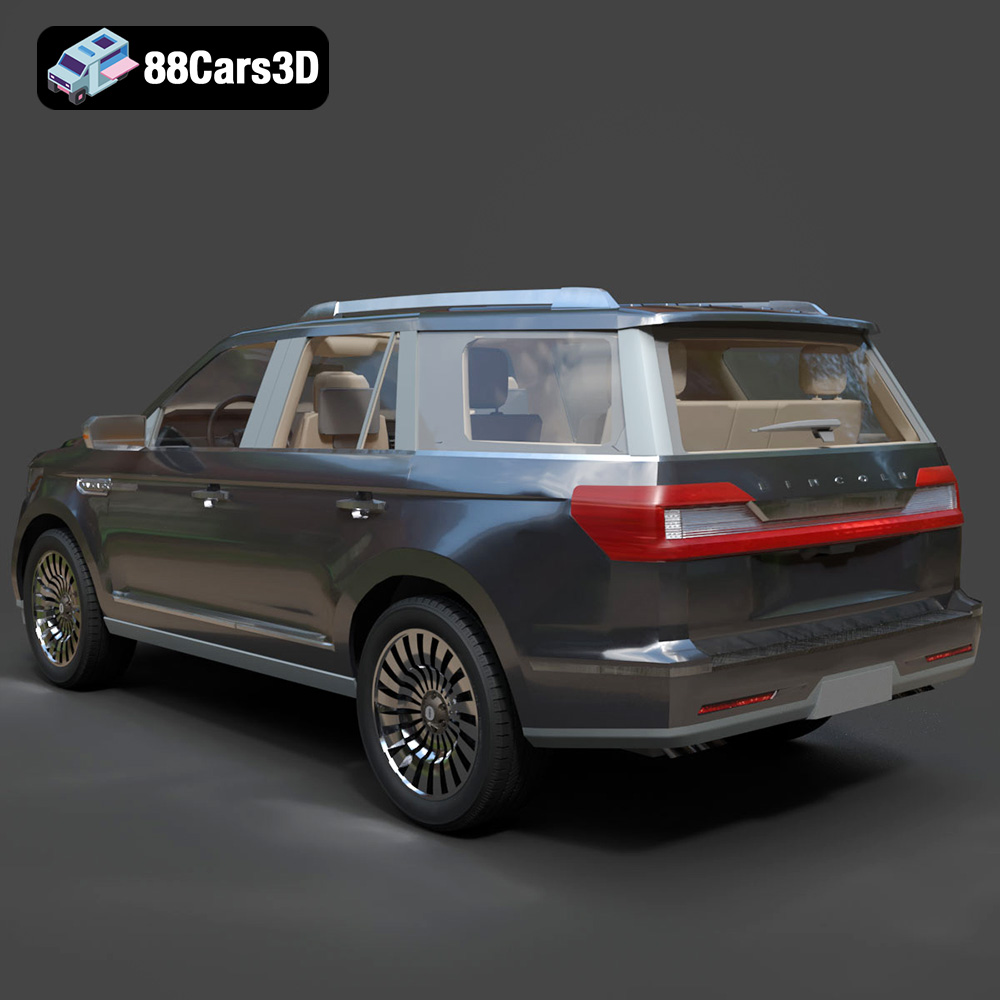
The Lincoln Navigator 2018 3D Model is a high-detail digital recreation of the full-size luxury SUV known for its bold presence, refined design, and premium comfort. Combining powerful performance with upscale craftsmanship, the 2018 Navigator represents modern American luxury in the SUV segment. Perfect for rendering, animation, automotive visualization, game development, AR/VR experiences, and 3D printing.
$9.99
3D printing the Lincoln Navigator 2018 3D model is a rewarding project that allows you to create a stunning replica of this iconic SUV. By carefully preparing the model, choosing the right materials and printer settings, and mastering post-processing techniques, you can achieve professional-quality results. Remember to inspect and repair the STL file, choose an appropriate scale, and optimize your slicing software settings. Consider using PLA for a beginner-friendly experience, PETG for enhanced durability, or resin for exceptional detail. Happy printing!
.2018suv
.americanSUV
.arvr
.automotive
.blend
.car3dmodel
.fbx
.gameasset
.glb
.lincoln
.luxurysuv
.max
.navigator
.obj
.ply
.rendering
.simulation
.stl
.unreal