Get 50% OFF All Premium 3D & STL Models!

The Lincoln Navigator 2018 is a statement of American luxury, and now you can bring that presence to your desk or display shelf with a 3D printed model. This guide will walk you through the entire 3D printing process, from preparing the STL files to post-processing techniques that will give your model a showroom-worthy finish. This detailed recreation, available at 88cars3d.com, accurately captures the essence of the Navigator, making it a rewarding project for any 3D printing enthusiast.
Before hitting print, some preparation is crucial. This involves inspecting the model, choosing the right scale, and setting up your slicing software. Proper preparation will significantly impact the final quality of your 3D printed Navigator.
The first step is to inspect the STL file for any errors. Using software like MeshLab or Netfabb, you can identify and repair common issues like non-manifold edges, flipped normals, and holes in the mesh. These imperfections can lead to printing failures, so addressing them beforehand is vital.
The product description recommends scales of 1:32, 1:24, 1:18, and 1:14. Consider your printer’s build volume and desired level of detail when choosing a scale. A larger scale will allow for finer details to be captured, but will also require more material and printing time. The right scale also ensures that it fits well within your collection of 3D printed models.
Your slicing software is the bridge between the 3D model and the printer. Popular options include Cura, Simplify3D, and PrusaSlicer. Each offers a range of settings to control layer height, infill, supports, and other parameters that affect print quality. Experiment with different slicers to find one that suits your workflow and printer capabilities.
The world of 3D models comes with a variety of file formats, each with its strengths and weaknesses. Understanding these formats is essential for a successful 3D printing journey. While the Lincoln Navigator 2018 3D Model on 88cars3d.com includes several formats, knowing which ones are optimal for printing is key.
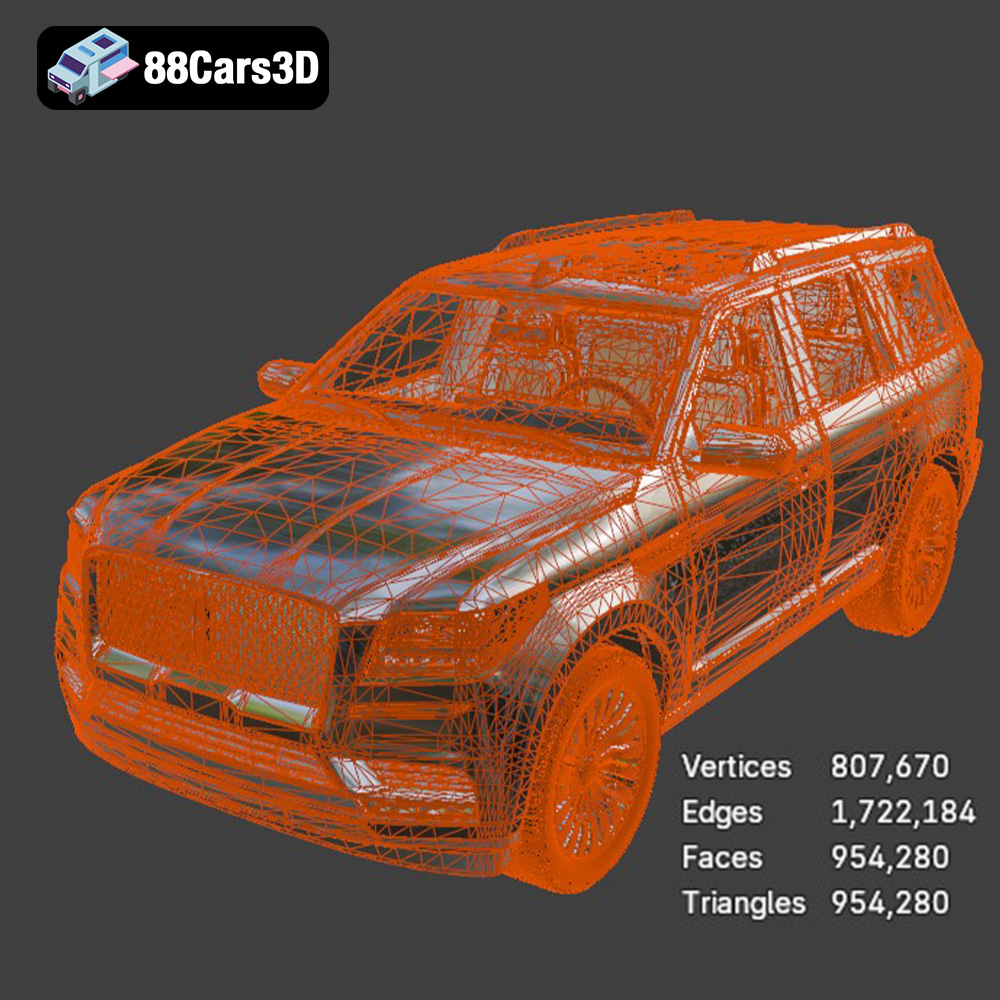
The STL (Stereolithography) format is the workhorse of 3D printing. It represents a 3D model as a collection of triangles, forming a mesh that approximates the surface geometry. Its simplicity and widespread compatibility make it the most common format for additive manufacturing. When 3D printing the Lincoln Navigator 2018, the .stl file will be your primary go-to format. However, STL files store only the mesh data, lacking color or texture information. The finer the triangulation (more triangles), the smoother the surface of the printed object, but the larger the file size.
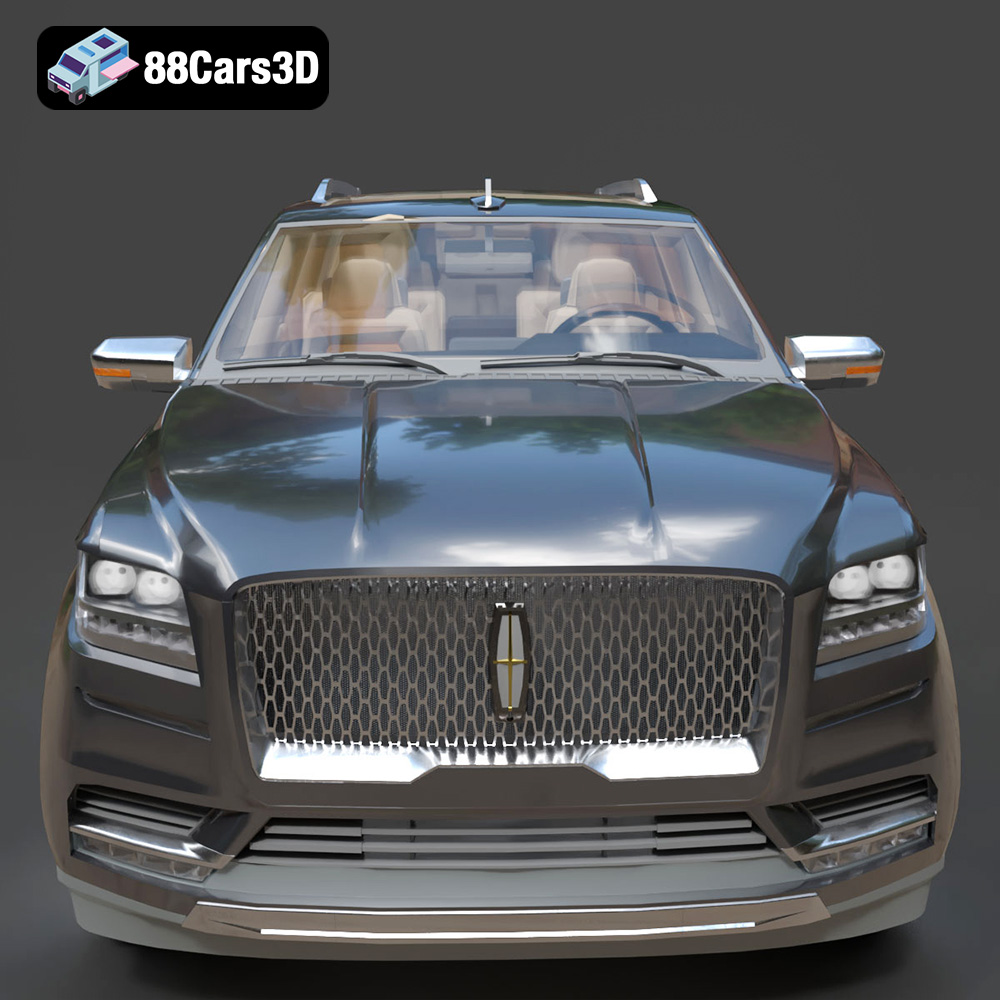
Slicing software readily accepts STL files, allowing you to prepare the model for printing by setting parameters like layer height, infill density, and support structures. The mesh quality of the STL file directly impacts the print quality. A poorly generated STL with large, visible triangles will result in a rough, faceted surface on the final print. It’s crucial to ensure that the STL file has sufficient resolution to capture the details of the Lincoln Navigator, such as the intricate grille and body lines.
OBJ (Object) files are another common format, offering the advantage of storing color and texture information along with the 3D geometry. This makes it suitable for models intended for rendering or visualization, where visual appearance is paramount. While OBJ files can be 3D printed, the color information is typically not utilized unless you have a multi-material or color 3D printer. The Lincoln Navigator 2018 model’s OBJ file might be useful for visualizing the model before printing to plan color schemes for post-processing.
PLY (Polygon File Format) is designed for storing 3D data acquired from scanning devices. It supports a wider range of data types compared to STL, including color, normals, and texture coordinates. PLY files are often used for high-resolution meshes, making them suitable for models with intricate details. While less common than STL, some slicing software supports PLY files, allowing you to leverage the higher precision for detailed prints of the Lincoln Navigator 2018.
BLEND files are native to Blender, a popular open-source 3D creation suite. This format stores the entire Blender scene, including the model’s geometry, textures, lighting, and animation data. If you intend to modify the Lincoln Navigator 2018 model before printing – perhaps adding custom features or simplifying the design – the BLEND file provides the most flexibility. After making your changes, you can export the model as an STL file for printing.
FBX (Filmbox) is a proprietary format developed by Autodesk for interoperability between 3D software packages. It supports geometry, materials, textures, and animation data. While FBX files are primarily used for game development and animation, some advanced slicing software can import them, potentially preserving material assignments for multi-material printing (if your printer supports it). However, for most standard 3D printing scenarios, converting the FBX file to STL is recommended.
GLB (Binary glTF) is a format designed for efficient transmission and loading of 3D scenes. It is commonly used for web-based 3D viewers and augmented reality (AR) applications. The GLB file of the Lincoln Navigator 2018 allows you to preview the model in AR on your smartphone or tablet before committing to a print, giving you a sense of its size and appearance in a real-world context.
MAX files are native to 3ds Max, another professional 3D modeling and animation software package. Similar to BLEND files, MAX files store the entire scene, offering extensive editing capabilities. If you’re a 3ds Max user, the MAX file allows you to fully customize the Lincoln Navigator 2018 model before exporting it as an STL for printing.
In conclusion, for 3D printing the Lincoln Navigator 2018 model, the STL format is your primary choice. Ensure that the STL file has sufficient resolution and is free of errors before proceeding to slicing and printing.
The choice of material significantly impacts the final look, feel, and durability of your 3D printed Lincoln Navigator 2018. Here’s a breakdown of common materials and their suitability for this project:
PLA is a biodegradable thermoplastic known for its ease of printing and low odor. It’s a great option for beginners and general-purpose printing. PLA produces good surface detail, making it suitable for the Navigator’s body. However, PLA is not very heat-resistant, so avoid placing your model in direct sunlight or hot environments.
PETG offers a good balance of strength, flexibility, and heat resistance. It’s more durable than PLA and can withstand slightly higher temperatures. PETG is a good choice for parts that require some impact resistance, such as the wheels and chassis components.
For incredibly detailed prints, especially at smaller scales, resin printing is the way to go. Resin printers use liquid photopolymer resins that are cured by UV light, resulting in very fine layer resolution and smooth surfaces. This is ideal for capturing the intricate details of the Lincoln Navigator, such as the grille, headlights, and interior features. However, resin prints tend to be more brittle than FDM prints and require careful post-processing, including washing and curing.
Achieving a high-quality 3D print depends on dialing in the right printer settings. These settings will vary depending on your printer, material, and desired level of detail.
A lower layer height results in finer details and smoother surfaces. For FDM printing with PLA or PETG, a layer height of 0.1mm to 0.15mm is recommended. For resin printing, you can achieve even finer details with layer heights of 0.025mm to 0.05mm. Experiment to find the optimal balance between print time and resolution.
Infill affects the internal strength and weight of your model. For a display model like the Lincoln Navigator, an infill density of 15-25% is usually sufficient. Choose an infill pattern like gyroid or honeycomb for optimal strength-to-weight ratio.
The Lincoln Navigator 2018 model will likely require support structures for overhanging features like the side mirrors, roof rails, and underbody details. Use your slicing software to generate appropriate supports, and consider using support interface layers for easier removal. Ensure good bed adhesion to prevent warping or detachment during printing. A brim or raft can help with this.
Post-processing is where you transform a raw 3D print into a polished, finished model. This involves removing supports, sanding, priming, and painting.
Carefully remove support structures using pliers or a sharp knife. Be patient and avoid damaging the model’s surface. Once the supports are removed, sand the model to smooth out any imperfections and layer lines. Start with a coarse grit sandpaper (e.g., 220 grit) and gradually move to finer grits (e.g., 400, 600, 800 grit) for a smooth finish.
Apply a primer coat to the sanded model to create a uniform surface for painting. Choose a primer that is compatible with your chosen paint. Once the primer is dry, sand it lightly with fine-grit sandpaper. Apply multiple thin coats of paint, allowing each coat to dry completely before applying the next. For the Lincoln Navigator 2018, consider using automotive-grade paints for a realistic finish. Clear coat for a glossy, protective finish.
If you printed the wheels and other components separately, assemble them carefully using glue or fasteners. Add any final details, such as chrome accents or decals, to complete the model. Use reference images of the real Lincoln Navigator 2018 to ensure accuracy.
Even with careful preparation, you may encounter some challenges during the 3D printing process. Here are some common issues and their solutions:
Warping occurs when the corners of the print lift off the build plate due to uneven cooling. To prevent warping, ensure good bed adhesion by cleaning the build plate and using a brim or raft. Increase the bed temperature and reduce the printing speed for the first few layers.
Stringing is the formation of thin strands of plastic between different parts of the print. This is usually caused by excessive retraction distance or temperature. Reduce the printing temperature and increase the retraction distance in your slicing software.
Layer shifting occurs when the print head moves out of alignment during printing, resulting in misaligned layers. This can be caused by loose belts, stepper motor issues, or excessive printing speed. Check the tension of your printer’s belts and reduce the printing speed.
The print time and material cost will vary depending on the scale of the model, the chosen material, and the printer settings. As a general estimate, a 1:24 scale model printed with PLA at 0.15mm layer height could take 20-30 hours and use 200-300 grams of filament. A resin print at a similar scale could take 10-15 hours and use 100-200 ml of resin. Keep these estimates in mind when planning your print.
3D printing the Lincoln Navigator 2018 3D model is a rewarding project that combines technical skill with creative expression. By following this comprehensive guide, you can create a stunning replica of this iconic luxury SUV. Remember to prepare the STL file properly, choose the right material and printer settings, and apply careful post-processing techniques. The detailed model available on 88cars3d.com provides an excellent starting point for your 3D printing journey. Happy printing!
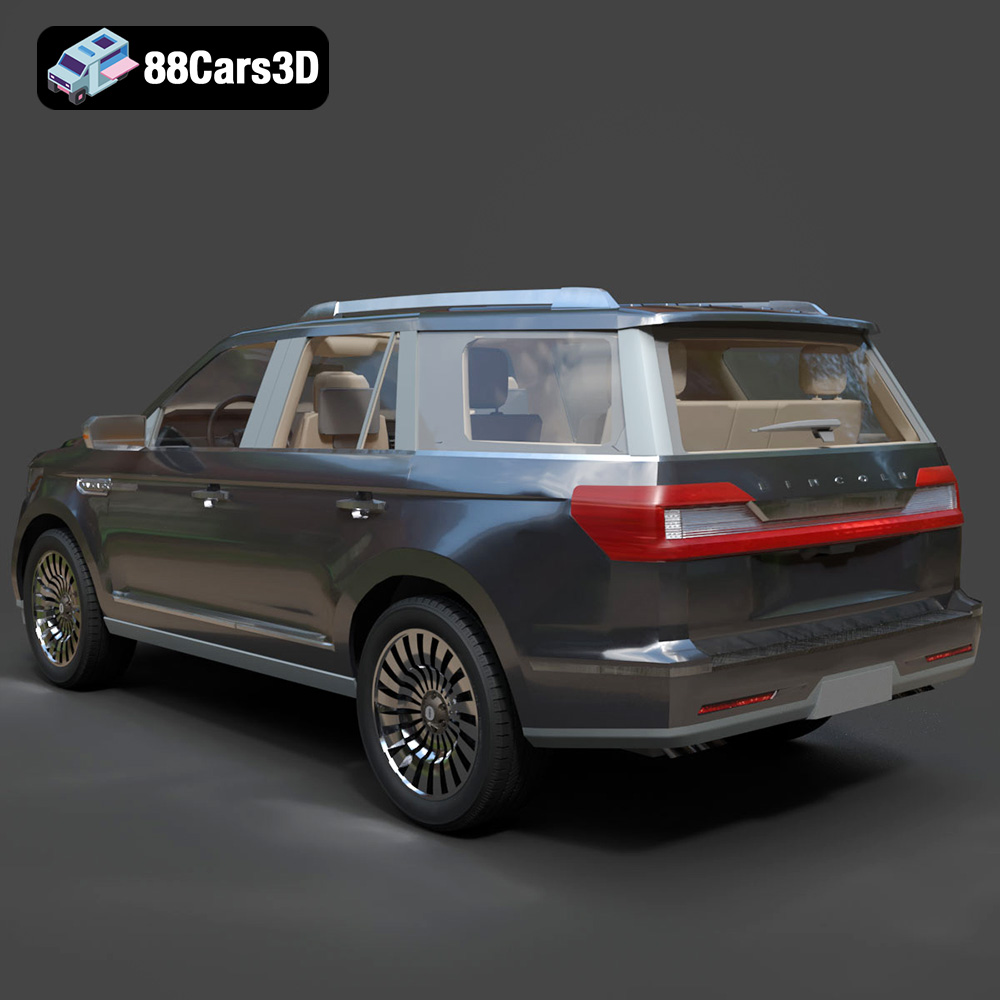
The Lincoln Navigator 2018 3D Model is a high-detail digital recreation of the full-size luxury SUV known for its bold presence, refined design, and premium comfort. Combining powerful performance with upscale craftsmanship, the 2018 Navigator represents modern American luxury in the SUV segment. Perfect for rendering, animation, automotive visualization, game development, and AR/VR experiences and 3D printing.
$9.99
.2018suv
.americanSUV
.arvr
.automotive
.blend
.car3dmodel
.fbx
.gameasset
.glb
.lincoln
.luxurysuv
.max
.navigator
.obj
.ply
.rendering
.simulation
.stl
.unreal