Get 50% OFF All Premium 3D & STL Models!

The Vespa VNB 125-B, a symbol of Italian design and post-war optimism, is a fantastic subject for 3D printing. This guide will walk you through the process of bringing this classic scooter to life, from preparing your STL files to applying the final coat of paint. Whether you’re a seasoned 3D printing enthusiast or a beginner looking for a rewarding project, this guide will provide the technical details and practical advice you need to successfully 3D print the Vespa VNB 125-B 3D model. This model, available from 88cars3d.com, captures the spirit and detail of the original, making it an ideal piece for display, diorama creation, or simply as a testament to the beauty of classic design.
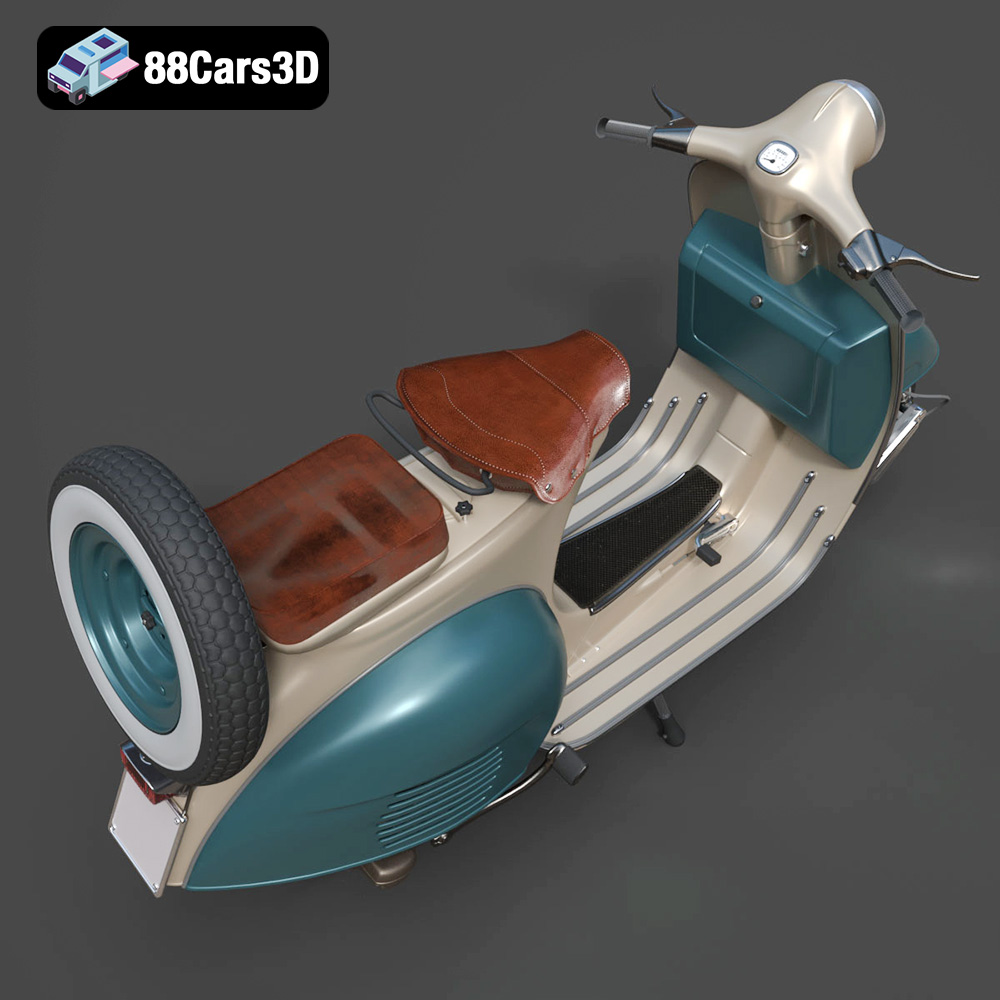
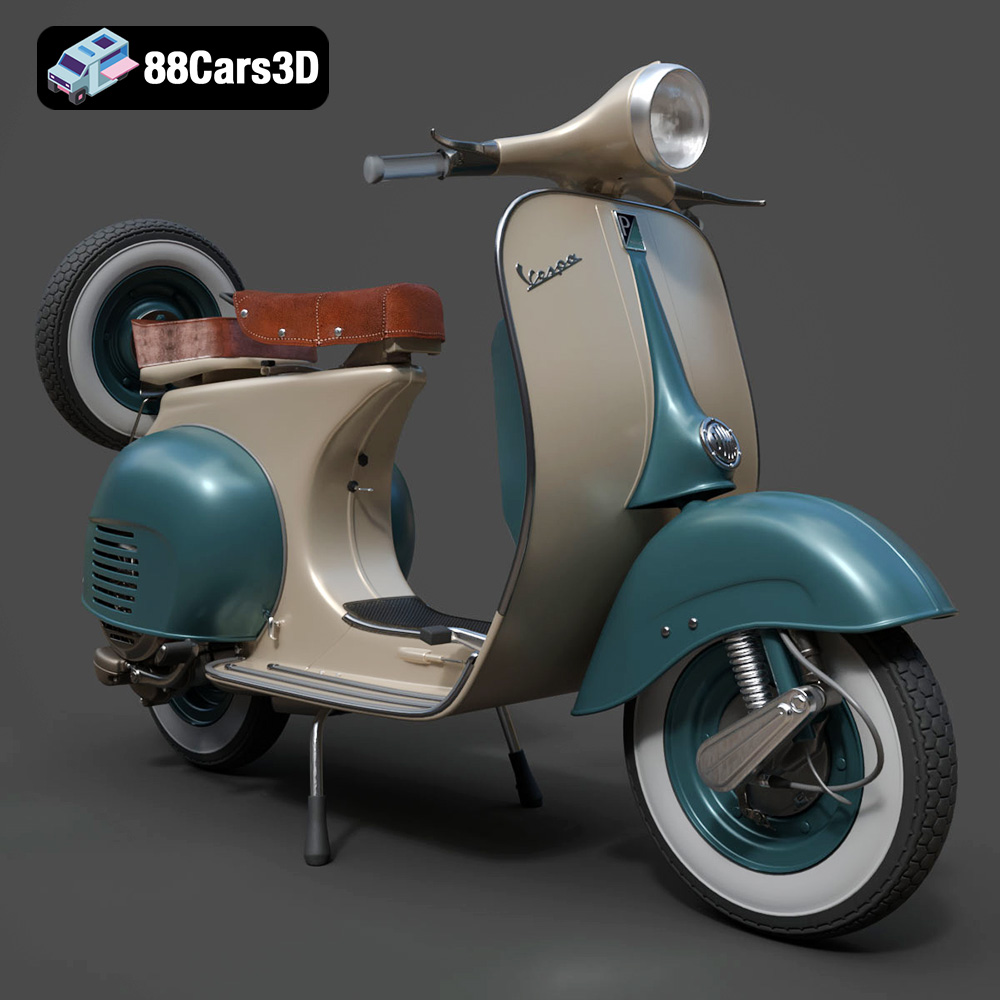
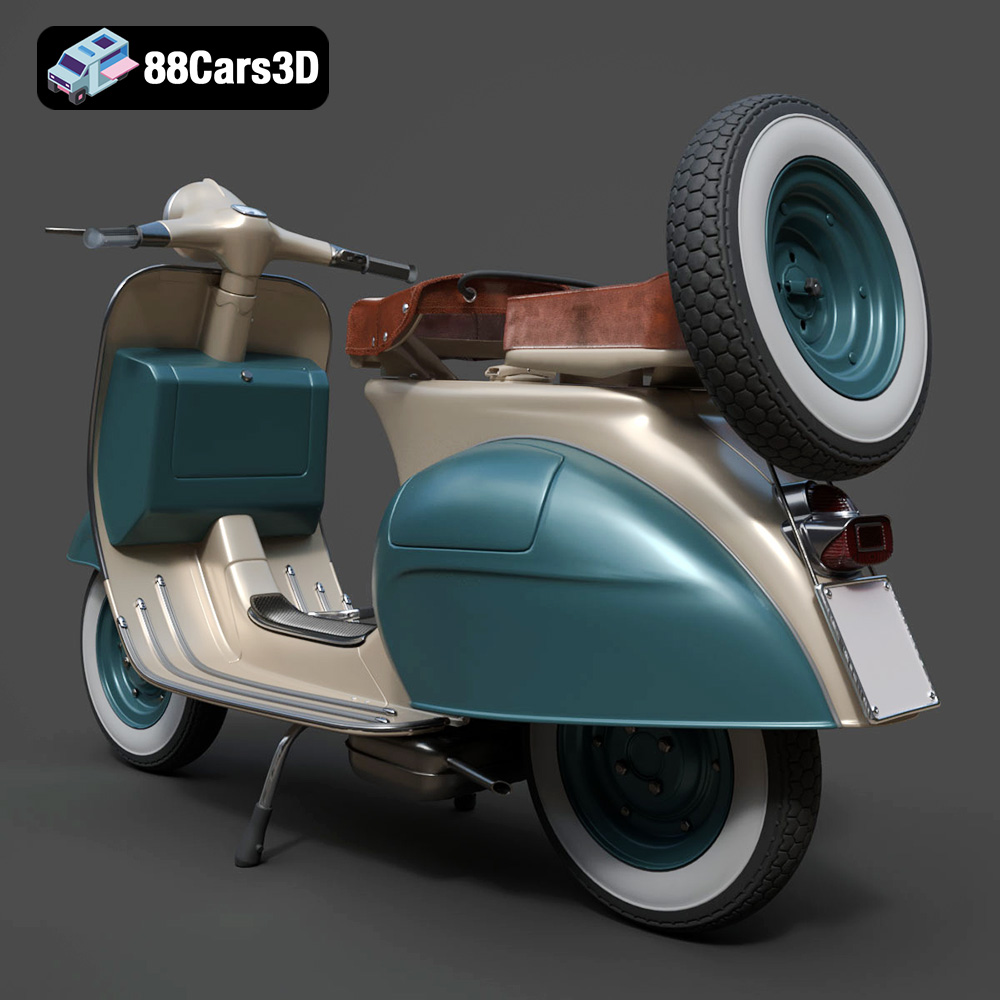
Before diving into the 3D printing process, it’s crucial to understand the intricacies of the Vespa VNB 125-B 3D model. This model from 88cars3d.com is designed to replicate the iconic scooter’s aesthetics, capturing its curved body, distinct headlight, and other characteristic features.
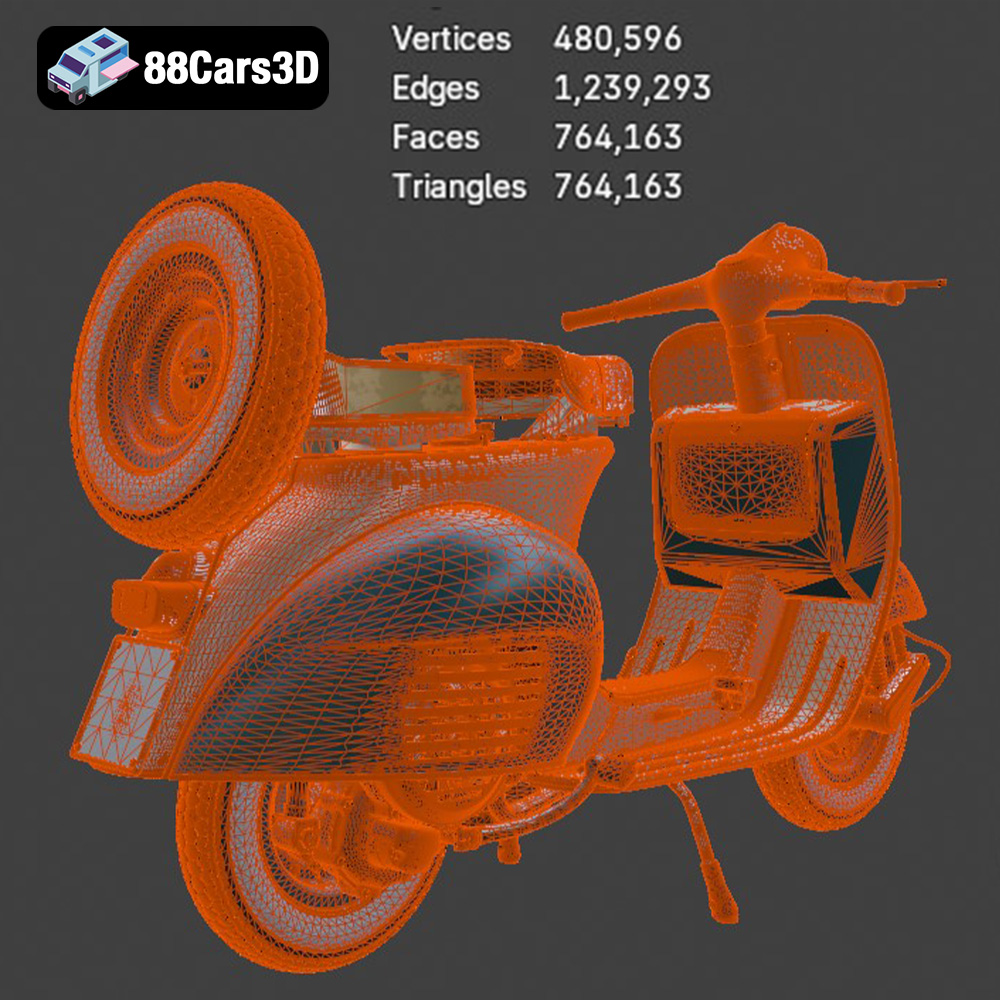
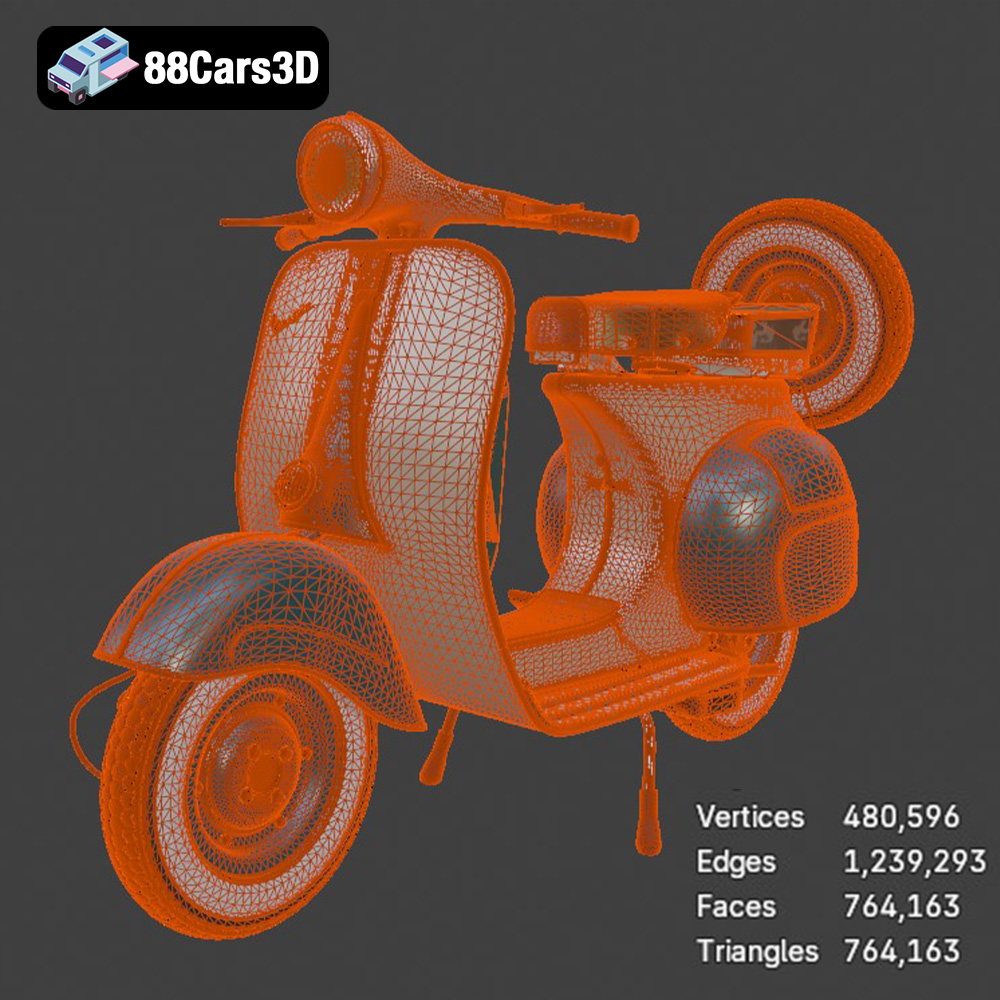
The model features a complex geometry with both smooth curves and intricate details. The main body, the rounded leg shield, and the front fender are characterized by smooth, flowing lines, requiring careful consideration of print orientation and layer height to achieve a flawless finish. Meanwhile, details like the side panel vents, handlebar assembly, and vintage wheel configuration demand precision to accurately reproduce their forms. Understanding these complexities will help in selecting appropriate printing parameters and post-processing techniques.
Certain areas of the Vespa VNB 125-B model are more critical for successful 3D printing. The handlebar assembly, with its integrated speedometer and intricate detailing, may require supports and careful removal to avoid damaging delicate parts. Similarly, the exhaust system and center stand, if included in the model as separate parts, may also necessitate supports to prevent sagging or warping during printing. By identifying these critical areas, you can proactively address potential challenges and ensure the best possible print outcome.
When it comes to 3D printing, the file format of your model is crucial. Different formats offer varying levels of detail, compatibility, and suitability for the additive manufacturing process. Understanding these differences will help you choose the right file format and optimize your model for printing.
The STL (Stereolithography) format is the industry standard for 3D printing. It represents the surface geometry of a 3D object as a collection of triangles. This simplicity makes it universally compatible with slicing software and 3D printers. However, STL files only contain mesh data; they don’t store information about color, texture, or materials. For the Vespa VNB 125-B model, the STL format will provide a detailed representation of the scooter’s shape, allowing you to accurately reproduce its iconic curves and features. Mesh quality is paramount; a high-resolution STL will capture finer details but result in a larger file size and potentially longer processing times in your slicing software. Ensure the STL file is manifold (watertight) to avoid printing errors.
The OBJ format is another widely used file format that, unlike STL, supports color and texture information. This can be beneficial if you plan to print the Vespa VNB 125-B model in multiple colors or apply textures during post-processing. OBJ files store geometry as vertices, edges, and faces, and can also reference separate material files (.mtl) that define color, texture, and other surface properties.
PLY (Polygon File Format) is a file format designed to store 3D data from scanning technologies. It is known for its ability to store color information and vertex normals, making it suitable for high-detail prints. The PLY format can represent geometry using polygons, including triangles and quadrilaterals.
The .blend format is the native file format for Blender, a popular open-source 3D creation suite. If you have access to the .blend file of the Vespa VNB 125-B model, you can modify and customize the model before exporting it to a printable format like STL. This allows you to adjust the model’s geometry, add details, or prepare it for printing by separating parts or adding supports.
FBX (Filmbox) is a proprietary file format developed by Autodesk for interoperability between different 3D software packages. It supports geometry, materials, textures, and animation data. While not as universally supported as STL, some advanced slicing software can import FBX files to retain material and texture information, potentially simplifying the process of creating multi-color prints.
GLB (GL Transmission Format Binary) is a file format designed for efficient transmission and loading of 3D models, particularly in web-based applications. It is often used for previewing models in augmented reality (AR) environments. While not directly used for 3D printing, GLB files can be helpful for visualizing the Vespa VNB 125-B model in a real-world context before committing to a print.
Similar to .blend, the .max format is the native file format for Autodesk 3ds Max, another professional 3D modeling and animation software. If you have the .max file, you can make extensive modifications to the Vespa VNB 125-B model before exporting it for 3D printing.
Before sending the Vespa VNB 125-B model to your 3D printer, proper preparation is essential for achieving a successful print. This involves slicing the model into layers, optimizing its orientation, and adding necessary support structures.
Slicing software is a crucial tool that converts your 3D model into a set of instructions (G-code) that your 3D printer can understand. Popular options include Cura, Simplify3D, and PrusaSlicer, each offering a range of features and customization options. When choosing slicing software for the Vespa VNB 125-B model, consider factors like ease of use, support for different printer types, and the ability to fine-tune printing parameters.
The orientation of your model on the print bed significantly affects the print quality, strength, and support requirements. For the Vespa VNB 125-B, printing the main body upright might seem intuitive, but it could lead to a less desirable surface finish on the curved areas. Experiment with different orientations to minimize the need for supports on visible surfaces and maximize the strength of critical parts. Angling the body slightly can often provide a good balance between surface quality and support usage.
Supports are necessary to hold up overhanging parts of the model during printing. For the Vespa VNB 125-B, supports are likely needed for the handlebar assembly, exhaust, and potentially the center stand. Consider using tree supports or customizable supports for easier removal and minimal impact on the surface finish. A brim, a single-layer skirt around the base of the model, can improve adhesion to the print bed and prevent warping, especially for larger parts.
The choice of 3D printing material significantly impacts the final look, feel, and durability of your Vespa VNB 125-B model. Different materials offer varying properties, making some better suited for specific applications than others.
PLA (Polylactic Acid) is a biodegradable thermoplastic known for its ease of use and relatively low printing temperature. It’s an excellent choice for beginners and offers good detail, making it suitable for replicating the Vespa VNB 125-B’s intricate features. However, PLA is not as strong or heat-resistant as other materials, so it may not be ideal for parts that will be subjected to stress or high temperatures.
PETG (Polyethylene Terephthalate Glycol-modified) offers a good balance of strength, flexibility, and ease of printing. It’s more durable and heat-resistant than PLA, making it a good option for parts that need to withstand some wear and tear. PETG also has good layer adhesion, reducing the risk of delamination.
For exceptional detail and smooth surfaces, resin printing (SLA or DLP) is the way to go. Resin printers use liquid photopolymer resins that are cured by UV light, resulting in prints with incredibly fine details and minimal layer lines. Resin printing is particularly well-suited for replicating the Vespa VNB 125-B’s small details like the speedometer, emblems, and intricate panel lines. However, resin prints are typically more brittle than FDM prints and may require more post-processing.
Achieving a successful 3D print of the Vespa VNB 125-B model requires careful adjustment of printer settings. These settings determine the print’s resolution, strength, and overall appearance.
Layer height is a crucial setting that determines the vertical resolution of your print. Lower layer heights result in smoother surfaces and finer details but increase print time. For the Vespa VNB 125-B, a layer height of 0.1mm to 0.15mm is recommended for FDM printing to capture the scooter’s curves and details accurately. If using a resin printer, even lower layer heights (e.g., 0.05mm or less) can be used to achieve exceptional detail.
Infill density refers to the amount of material used inside the print. Higher infill densities increase strength but also increase print time and material consumption. For the Vespa VNB 125-B, an infill density of 15% to 25% is generally sufficient for most parts. Consider using a gyroid or honeycomb infill pattern for a good balance of strength and weight.
Print speed and temperature need to be adjusted according to the material you’re using. PLA typically prints at lower temperatures (around 200°C) and moderate speeds (40-60 mm/s), while PETG requires higher temperatures (around 230-250°C) and may benefit from slower speeds (30-50 mm/s). Refer to the filament manufacturer’s recommendations for optimal settings.
Once your Vespa VNB 125-B model is printed, post-processing is essential for refining its appearance and achieving a professional finish. This involves removing supports, sanding surfaces, and applying paint and other finishing touches.
Carefully remove the support structures from the printed model using pliers, cutters, or a deburring tool. Be gentle to avoid damaging delicate parts. Once the supports are removed, sand the surfaces with progressively finer grits of sandpaper to smooth out layer lines and imperfections. Start with a rougher grit (e.g., 220) and gradually move to finer grits (e.g., 400, 600, 800) for a smooth finish.
Apply a coat of primer to the sanded model to create a smooth, uniform surface for painting. Choose a primer that is compatible with your chosen paint. Once the primer is dry, apply multiple thin coats of paint, allowing each coat to dry completely before applying the next. Consider using an airbrush for a more even and professional finish. To capture the Vespa VNB 125-B’s classic look, consider using pastel or cream paint finishes.
To enhance the realism of your 3D-printed Vespa VNB 125-B model, consider adding details like chrome trim, vintage registration plates, or a custom seat configuration. You can use paint, decals, or even 3D-printed accessories to personalize your model and make it truly unique.
3D printing can be a challenging process, and it’s not uncommon to encounter issues along the way. Understanding common problems and their solutions can save you time and frustration.
Warping occurs when the corners of your print lift off the print bed. This can be caused by poor bed adhesion, insufficient bed temperature, or drafts in the printing environment. To prevent warping, ensure your print bed is clean and level, use a bed adhesive like glue stick or hairspray, and enclose your printer if possible.
Stringing refers to thin strands of filament that are left between parts of your print. Blobs are small, irregular deposits of filament on the surface of your print. These issues can be caused by excessive printing temperature, retraction settings that are not properly calibrated, or a loose nozzle. Adjust your temperature and retraction settings to minimize stringing and blobs.
Layer delamination occurs when the layers of your print separate. This can be caused by insufficient layer adhesion, low printing temperature, or drafts in the printing environment. Increase your printing temperature, reduce your print speed, and enclose your printer to improve layer adhesion.
3D printing the Vespa VNB 125-B model is a rewarding project that combines technical skill with a passion for classic design. By carefully preparing your model, selecting the right materials and printer settings, and applying post-processing techniques, you can create a stunning replica of this iconic scooter. Remember to pay attention to detail, experiment with different settings, and don’t be afraid to troubleshoot any issues that arise. With a little patience and persistence, you’ll be cruising along with your very own 3D-printed Vespa VNB 125-B in no time. 88cars3d.com provides a great starting point with high-quality STL files optimized for a variety of 3D printing applications.
The Vespa VNB 125-B 3D Model is a high-detail digital recreation of the classic Italian scooter variant from the early 1960s. The VNB 125-B maintained the timeless Vespa silhouette while incorporating subtle production refinements, improved mechanical components, and refined detailing that defined the era of practical European urban mobility. Perfect for rendering, animation, simulation, game development, and AR/VR classic vehicle environments. Convertible to .stl format for collectible scooter miniatures and scale display models.
$9.99
.arvr
.blend
.classicscooter
.fbx
.gameasset
.glb
.italianscooter
.max
.motorcycle3dmodel
.obj
.ply
.rendering
.retro
.simulation
.stl
.twowheeler
.unreal
.urbanvehicle
.vespa
.vintagevehicle
.vnb125b