Get 50% OFF All Premium 3D & STL Models!

“`html
The world of 3D printing offers incredible possibilities, especially for automotive enthusiasts and model makers. Platforms like 88cars3d.com provide access to a vast library of printable car models in STL format, opening the door to creating detailed replicas and customized designs. However, the crucial question remains: which 3D printing technology, Resin or Fused Deposition Modeling (FDM), is better suited for bringing these automotive masterpieces to life? This comprehensive guide delves deep into the technical nuances of both Resin and FDM printing, exploring their strengths, weaknesses, and optimal use cases for printing car STL files. We’ll cover everything from file preparation and slicing parameters to post-processing techniques and material selection, equipping you with the knowledge to make an informed decision and achieve stunning results.
This article will guide you through:
Resin and FDM 3D printing, while both additive manufacturing processes, operate on fundamentally different principles. Understanding these differences is key to selecting the right technology for your specific needs when printing car STL files.
FDM printing involves extruding a thermoplastic filament through a heated nozzle, layer by layer, onto a build platform. The nozzle moves according to the sliced STL file, depositing molten plastic that solidifies as it cools. Common materials include PLA, ABS, PETG, and Nylon. The process is relatively simple and cost-effective, making FDM printers widely accessible. Key factors influencing FDM print quality include nozzle size, layer height, print speed, and bed adhesion. A smaller nozzle (e.g., 0.25mm) allows for finer details, but increases print time. Layer height significantly impacts surface finish; lower layer heights (e.g., 0.1mm) produce smoother surfaces but also lengthen the print duration. Print speed affects both print time and quality; excessively high speeds can lead to layer adhesion issues and warping.
Resin printing, also known as stereolithography (SLA) or masked stereolithography (MSLA), uses a light source (laser or LCD screen) to selectively cure liquid resin, layer by layer. The build platform is submerged in a vat of resin, and each layer is hardened by the light source based on the sliced STL file. Common resin types include standard resin, tough resin, and flexible resin. Resin printing excels at producing highly detailed and accurate parts with smooth surfaces, making it ideal for intricate car models. The resolution of the LCD screen or laser determines the level of detail achievable. Exposure time per layer is critical; underexposure results in incomplete curing, while overexposure can lead to dimensional inaccuracies and loss of fine details.
The level of detail and accuracy required for your 3D printed car model will heavily influence your choice between Resin and FDM. While both technologies have advanced significantly, they still exhibit distinct differences in their capabilities.
Resin printing consistently produces superior surface finishes compared to FDM. The layer lines are virtually invisible, resulting in smooth, glossy surfaces that require minimal post-processing. This is because the layer height in resin printing can be significantly smaller (e.g., 0.025mm) than in FDM (e.g., 0.1mm). FDM prints, on the other hand, exhibit noticeable layer lines, especially on curved surfaces. The “stair-stepping” effect becomes more pronounced with larger layer heights. To improve the surface finish of FDM prints, consider using smaller layer heights, employing techniques like variable layer height in your slicer (e.g., PrusaSlicer), and post-processing methods such as sanding and smoothing.
Resin printing generally offers higher accuracy and dimensional precision compared to FDM. Resin printers can accurately reproduce intricate details and complex geometries, making them well-suited for printing highly detailed car models with intricate panel lines, badges, and interior features. FDM printing can struggle with fine details and small features, particularly those that require significant overhangs. Achieving accurate dimensions with FDM requires careful calibration of the printer, precise temperature control, and proper selection of filament. Consider printing calibration cubes and adjusting settings accordingly to minimize dimensional errors.
The material used in 3D printing plays a crucial role in the final product’s durability, aesthetic appeal, and functionality. Choosing the right material for your car STL file depends on the intended use and desired properties.
FDM offers a wide range of material options, each with its own unique properties. PLA is a biodegradable thermoplastic known for its ease of printing and low warping. It’s a good choice for prototyping and decorative models. ABS is a stronger and more heat-resistant material than PLA, making it suitable for parts that need to withstand higher temperatures (e.g., engine components). However, ABS requires a heated bed and an enclosed printer to prevent warping. PETG combines the benefits of PLA and ABS, offering good strength, flexibility, and chemical resistance. It’s a versatile material for a variety of automotive applications. Other options include Nylon (for high-strength parts), TPU (for flexible parts), and carbon fiber-reinforced filaments (for increased stiffness and strength).
Resin materials are typically categorized by their mechanical properties. Standard resins are suitable for general-purpose printing and offer good detail. Tough resins are designed for parts that require higher strength and impact resistance. Flexible resins are used for creating parts that need to bend or flex without breaking. When printing car models, consider using a tough resin for parts that are prone to breakage, such as mirrors and spoilers. For tires or other flexible components, a flexible resin can be a good choice. It’s important to note that most resins require post-curing under UV light to achieve their full strength and hardness. Always follow the manufacturer’s recommendations for post-curing times and temperatures.
Post-processing is an essential step in the 3D printing workflow, regardless of whether you’re using Resin or FDM. It involves cleaning, finishing, and assembling the printed parts to achieve the desired look and functionality.
Both Resin and FDM prints typically require support structures to prevent overhangs from collapsing during printing. Removing these supports is a crucial post-processing step. For FDM prints, supports can be manually broken off or dissolved using specialized solvents (e.g., for PVA supports). Care must be taken to avoid damaging the part during support removal. For resin prints, supports are typically removed using clippers or a sharp knife. After support removal, resin prints need to be thoroughly cleaned with isopropyl alcohol (IPA) to remove any uncured resin. This is typically done by submerging the part in an IPA bath and agitating it gently. Always wear gloves and eye protection when handling IPA.
To achieve a smooth and professional finish, both FDM and resin prints often require sanding. Start with a coarse grit sandpaper (e.g., 220 grit) to remove any imperfections and layer lines, then gradually move to finer grits (e.g., 400, 600, 800 grit) to achieve a smooth surface. After sanding, apply a primer to prepare the surface for painting. The primer helps to fill in any remaining imperfections and provides a better surface for the paint to adhere to. Choose a primer that is compatible with the material you’re using. Once the primer is dry, you can apply the desired paint finish. Use multiple thin coats of paint for best results. Consider using an airbrush for a smooth and even finish. Clear coating can be applied as a final step to protect the paint and add a glossy finish.
The slicing software translates your STL file into instructions that the 3D printer can understand. Proper slicing parameters and printer settings are critical for achieving optimal print quality and accuracy.
Popular FDM slicing software options include Cura and PrusaSlicer. Key settings to consider include layer height, infill density, print speed, temperature, and support settings. As mentioned earlier, lower layer heights result in smoother surfaces but increase print time. Infill density determines the internal strength of the part; higher infill densities result in stronger parts but also increase print time and material consumption. A good starting point for infill density is 20-30%. Print speed affects both print time and quality; slower speeds generally result in better quality. Temperature settings depend on the material being used; consult the filament manufacturer’s recommendations. Support settings determine the type, density, and placement of support structures. Experiment with different support settings to find the optimal balance between support strength and ease of removal. For printing car models, consider using adaptive layer height in PrusaSlicer to prioritize detail in curved areas. Ensure proper bed adhesion using techniques like using a brim or raft.
Popular resin slicing software options include Lychee Slicer and Chitubox. Key settings to consider include layer height, exposure time, lift speed, and support settings. Layer height determines the resolution of the print; lower layer heights result in finer details. Typical layer heights for resin printing range from 0.025mm to 0.05mm. Exposure time determines how long each layer is exposed to the light source; adjust the exposure time based on the resin being used. Lift speed affects the speed at which the build platform moves up and down between layers; slower lift speeds can improve print quality but increase print time. Support settings are crucial for successful resin printing; use a combination of light, medium, and heavy supports to ensure that all overhangs are properly supported. Experiment with different support patterns and densities to optimize support removal. Hollowing the model and adding drain holes can reduce resin consumption and print time. When downloading models from marketplaces such as 88cars3d.com, check for pre-supported versions, as these can save significant time and effort.
Even with careful planning and precise settings, 3D printing can sometimes present challenges. Understanding common printing issues and their solutions is crucial for achieving successful results.
Common FDM printing problems include warping, stringing, layer adhesion issues, and nozzle clogging. Warping occurs when the corners of the print lift off the build platform; this can be caused by insufficient bed adhesion, drafts, or improper temperature settings. To prevent warping, ensure that the bed is properly leveled and clean, use a heated bed, and enclose the printer. Stringing occurs when thin strands of filament are left between different parts of the print; this can be caused by excessive travel speed, high temperature, or retraction settings. To prevent stringing, reduce travel speed, lower the temperature, and adjust retraction settings. Layer adhesion issues occur when the layers of the print do not properly bond together; this can be caused by low temperature, high print speed, or insufficient cooling. To improve layer adhesion, increase the temperature, reduce print speed, and ensure proper cooling. Nozzle clogging occurs when filament gets stuck in the nozzle; this can be caused by contaminated filament, improper temperature settings, or a worn nozzle. To prevent nozzle clogging, use high-quality filament, adjust the temperature settings, and regularly clean or replace the nozzle.
Common resin printing problems include incomplete prints, layer separation, warping, and elephant’s foot. Incomplete prints occur when parts of the print are missing or deformed; this can be caused by insufficient exposure time, low temperature, or insufficient support. To prevent incomplete prints, increase the exposure time, ensure proper temperature, and add more supports. Layer separation occurs when the layers of the print do not properly bond together; this can be caused by low exposure time, high lift speed, or insufficient support. To prevent layer separation, increase the exposure time, reduce the lift speed, and add more supports. Warping occurs when the print deforms during or after printing; this can be caused by uneven curing, excessive heat, or improper support. To prevent warping, ensure even curing, avoid excessive heat, and use proper support. Elephant’s foot occurs when the bottom layers of the print are wider than the rest of the print; this can be caused by overexposure of the bottom layers or excessive pressure on the build platform. To prevent elephant’s foot, reduce the exposure time for the bottom layers and ensure that the build platform is level.
Before slicing and printing your car STL file, it’s crucial to ensure that the mesh is clean, manifold, and free of errors. Non-manifold meshes can cause slicing errors and printing failures.
MeshMixer is a free and powerful software tool for repairing and editing 3D meshes. It can automatically detect and fix common mesh errors, such as holes, non-manifold edges, and self-intersections. To repair a mesh in MeshMixer, import the STL file and use the “Analysis” -> “Inspector” tool. The Inspector will highlight any errors in the mesh. Click on the highlighted errors to automatically fix them. You can also use the “Edit” -> “Make Solid” tool to convert a non-solid mesh into a solid one. Ensure that the mesh is watertight and has a consistent orientation before exporting it for slicing.
Netfabb Basic is another powerful tool for mesh repair, offering more advanced features than MeshMixer. It can perform more complex repairs, such as removing duplicate triangles, filling large holes, and smoothing out rough surfaces. To repair a mesh in Netfabb Basic, import the STL file and use the “Repair” -> “Automatic Repair” tool. Customize the repair settings to optimize the repair process for your specific model. Netfabb Basic also allows you to analyze the mesh for potential printing issues, such as thin walls and unsupported overhangs. Use this information to make necessary adjustments to the model before slicing.
Platforms like 88cars3d.com often curate models to ensure they are print-ready, but it’s always a good practice to check and repair files yourself.
Choosing between Resin and FDM 3D printing for car STL files depends heavily on your specific requirements and priorities. Resin printing excels at producing highly detailed and accurate models with smooth surfaces, making it ideal for intricate replicas and display pieces. However, it can be more expensive, require more specialized equipment, and involve more complex post-processing. FDM printing offers a more cost-effective and accessible solution, with a wider range of material options and simpler workflows. However, it may not be suitable for projects that demand extremely fine details or smooth surfaces. By carefully considering the factors discussed in this guide – print quality, accuracy, material properties, post-processing requirements, and troubleshooting techniques – you can make an informed decision and achieve stunning results with your 3D printed car models.
Here are some actionable next steps:
With the right technology, materials, and techniques, you can transform digital STL files into tangible automotive masterpieces.
“`

Texture: Yes
Material: Yes
Download the Volvo Trucks Benz GT-001 3D Model featuring clean geometry, realistic detailing, and a fully modeled interior. Includes .blend, .fbx, .obj, .glb, .stl, .ply, .unreal, and .max formats for rendering, simulation, and game development.
Price: $29.99

Texture: Yes
Material: Yes
Download the Volvo C40 Recharge 3D Model featuring clean geometry, realistic detailing, and a fully modeled interior. Includes .blend, .fbx, .obj, .glb, .stl, .ply, .unreal, and .max formats for rendering, simulation, and game development.
Price: $19.99

Texture: Yes
Material: Yes
Download the Volkswagen Tiguan 2021 3D Model featuring clean geometry, realistic detailing, and a fully modeled interior. Includes .blend, .fbx, .obj, .glb, .stl, .ply, .unreal, and .max formats for rendering, simulation, and game development.
Price: $19.99

Texture: Yes
Material: Yes
Download the Volkswagen ID6 CROZZ 2022 3D Model featuring clean geometry, realistic detailing, and a fully modeled interior. Includes .blend, .fbx, .obj, .glb, .stl, .ply, .unreal, and .max formats for rendering, simulation, and game development.
Price: $19.99

Texture: Yes
Material: Yes
Download the Volkswagen ID4 2021 3D Model featuring clean geometry, realistic detailing, and a fully modeled interior. Includes .blend, .fbx, .obj, .glb, .stl, .ply, .unreal, and .max formats for rendering, simulation, and game development.
Price: $19.99
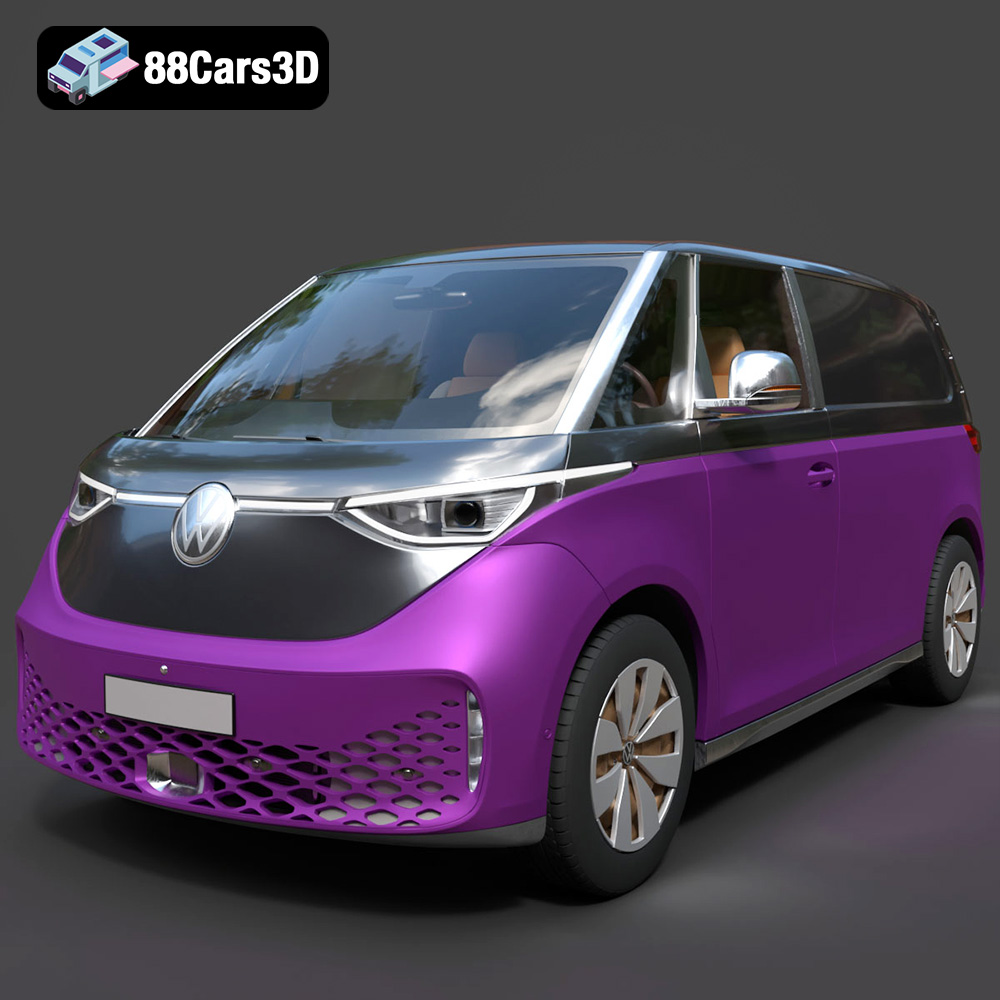
Texture: Yes
Material: Yes
Download the Volkswagen ID. Buzz Cargo 2023 3D Model featuring clean geometry, realistic detailing, and a fully modeled interior. Includes .blend, .fbx, .obj, .glb, .stl, .ply, .unreal, and .max formats for rendering, simulation, and game development.
Price: $19.99
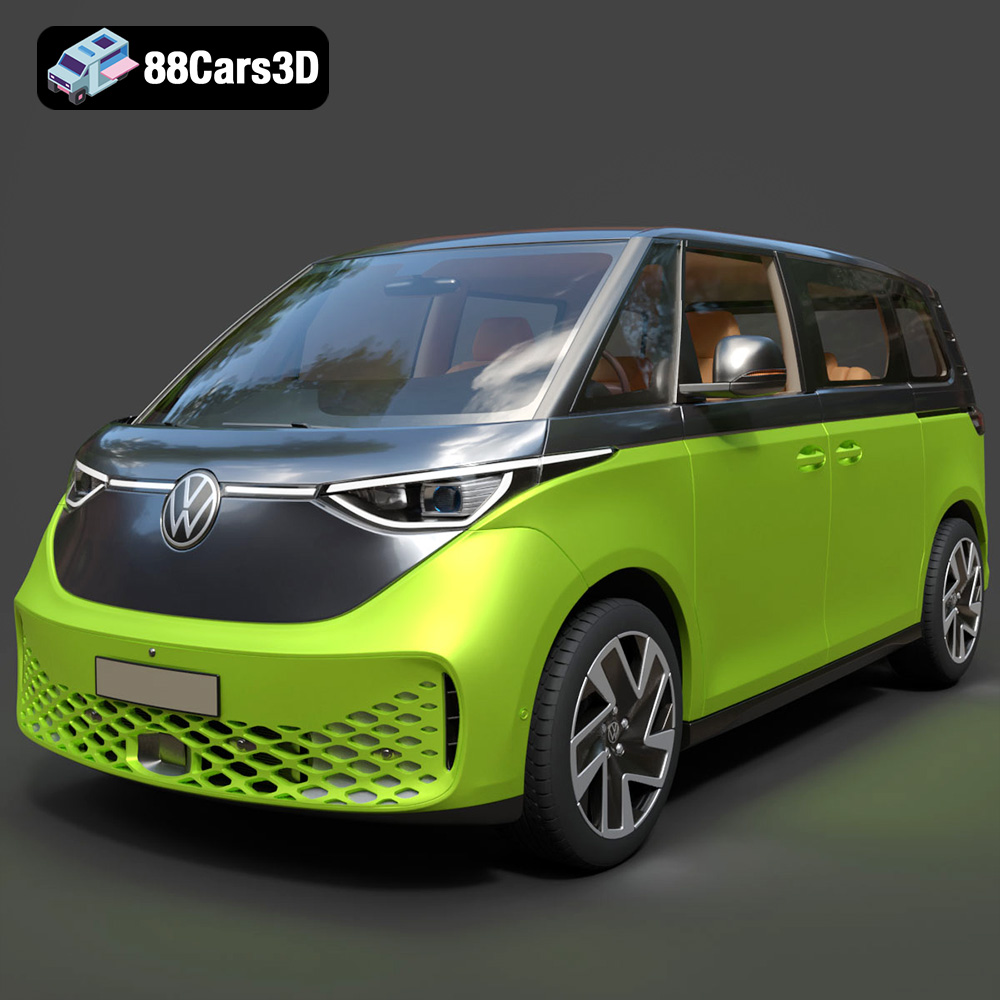
Texture: Yes
Material: Yes
Download the Volkswagen ID. Buzz 2023 3D Model featuring clean geometry, realistic detailing, and a fully modeled interior. Includes .blend, .fbx, .obj, .glb, .stl, .ply, .unreal, and .max formats for rendering, simulation, and game development.
Price: $19.99
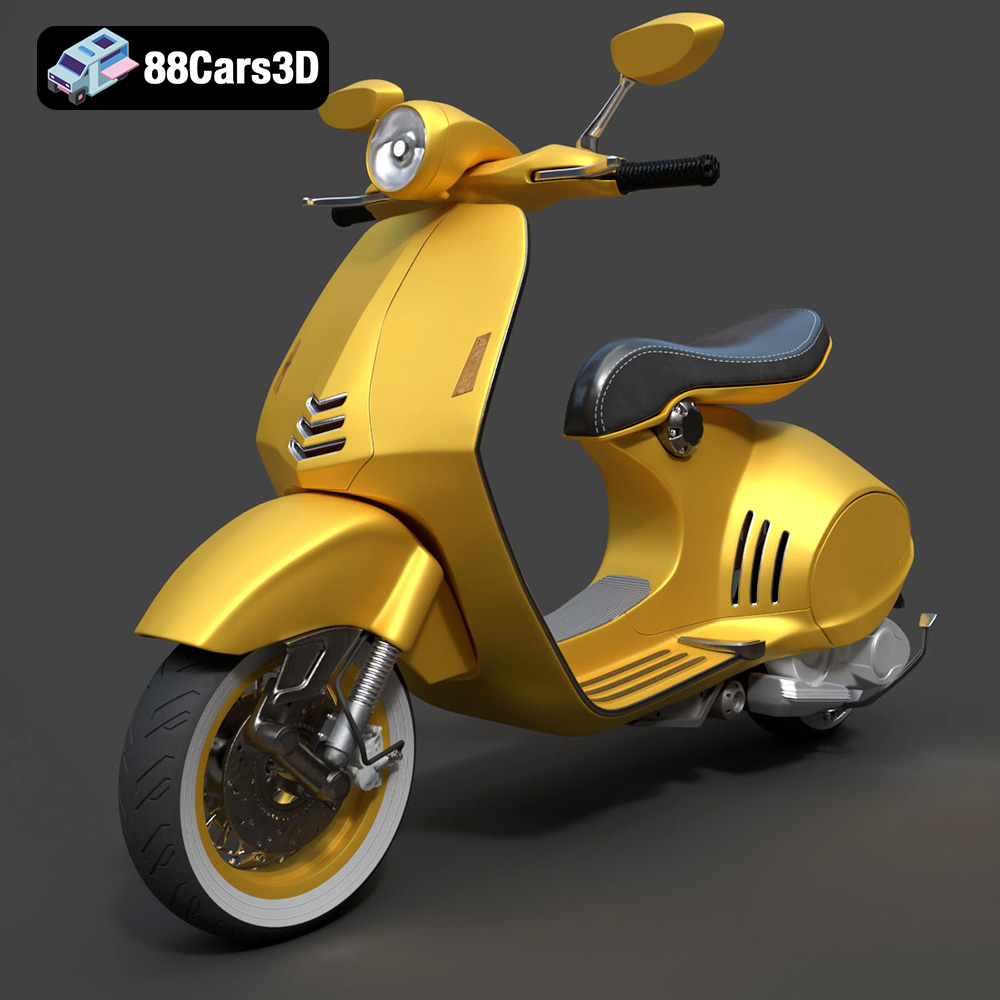
Texture: Yes
Material: Yes
Download the Vespa 946 3D Model featuring clean geometry, realistic detailing, and a fully modeled interior. Includes .blend, .fbx, .obj, .glb, .stl, .ply, .unreal, and .max formats for rendering, simulation, and game development.
Price: $19.99

Texture: Yes
Material: Yes
Download the Toyota Yaris Cross 3D Model featuring clean geometry, realistic detailing, and a fully modeled interior. Includes .blend, .fbx, .obj, .glb, .stl, .ply, .unreal, and .max formats for rendering, simulation, and game development.
Price: $19.99

Texture: Yes
Material: Yes
Download the Volkswagen Amarok 2019 3D Model featuring clean geometry, realistic detailing, and a fully modeled interior. Includes .blend, .fbx, .obj, .glb, .stl, .ply, .unreal, and .max formats for rendering, simulation, and game development.
Price: $19.99

