Get 50% OFF All Premium 3D & STL Models!

The world of 3D modeling is constantly evolving, pushing the boundaries of realism and utility across diverse industries. From hyper-realistic game environments to meticulously detailed simulations and cinematic renderings, the demand for high-quality, technically sound 3D assets has never been greater. Professional artists and developers understand that the foundation of any compelling digital experience lies in the fidelity and optimization of its core assets.
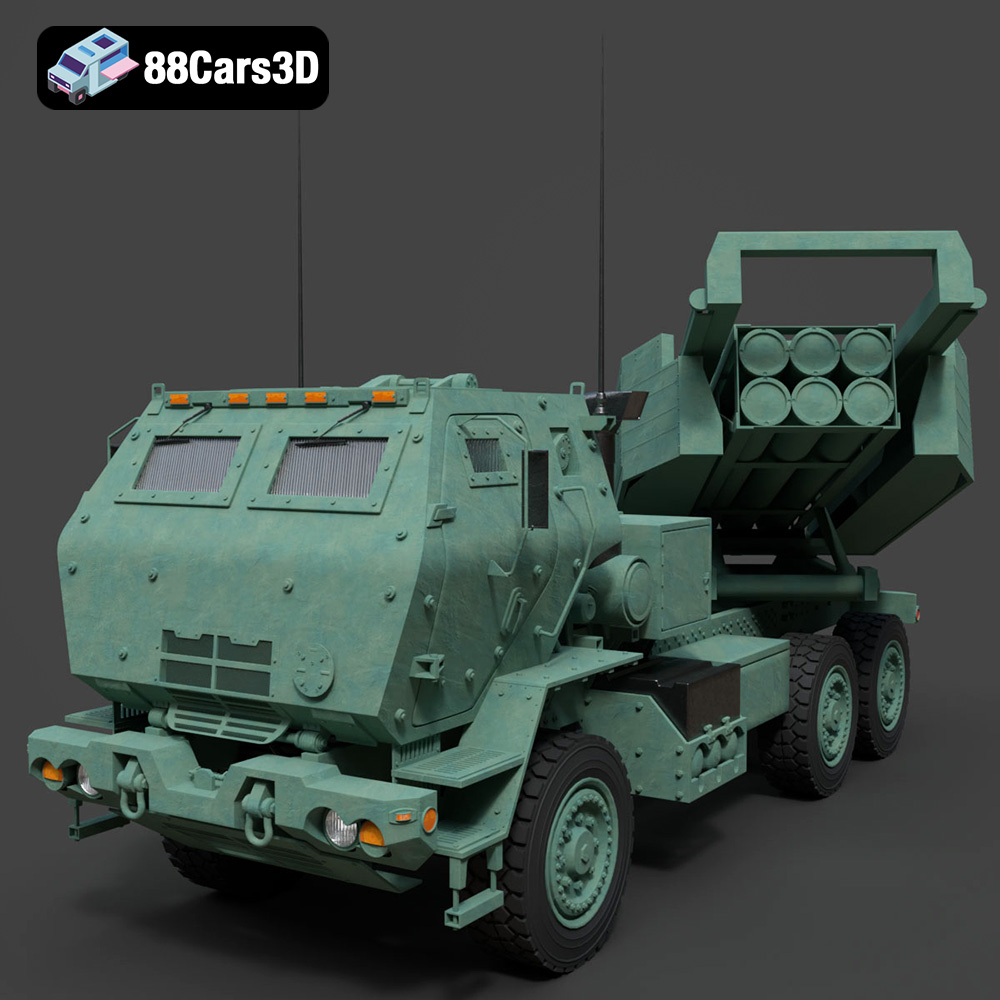
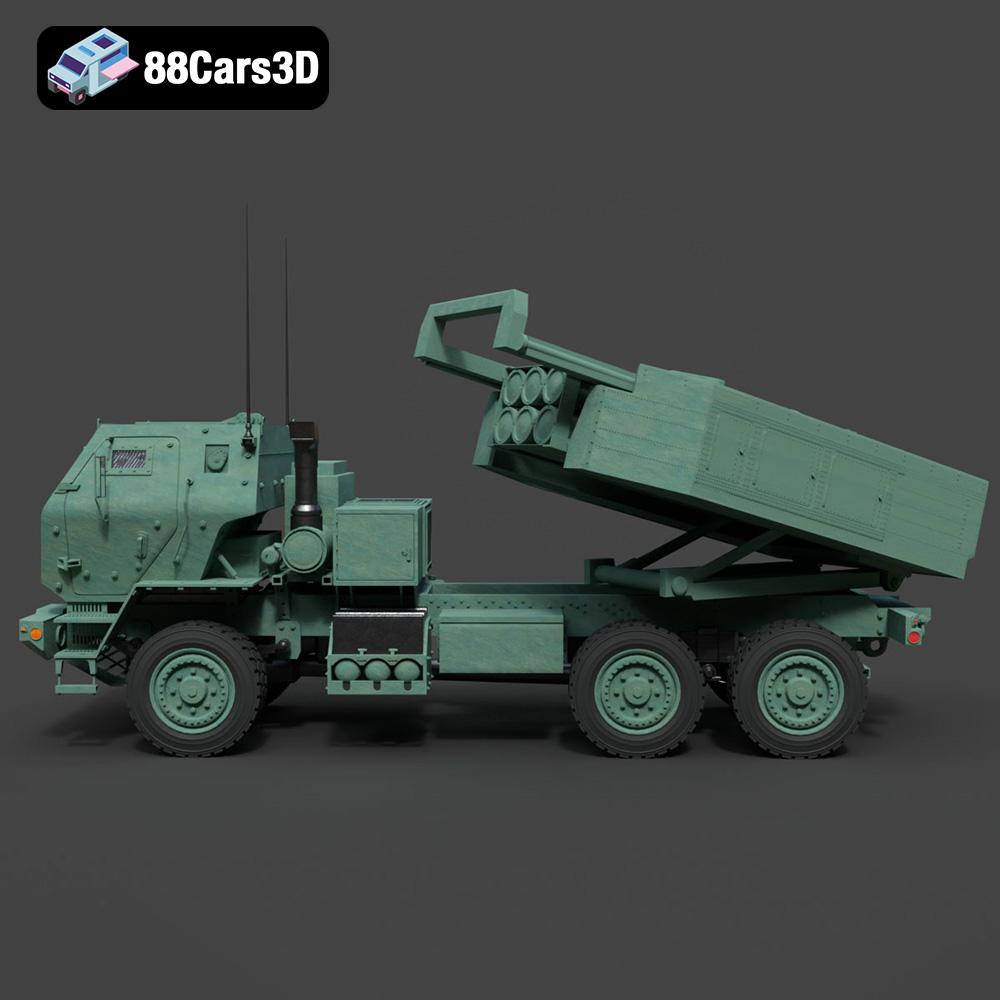
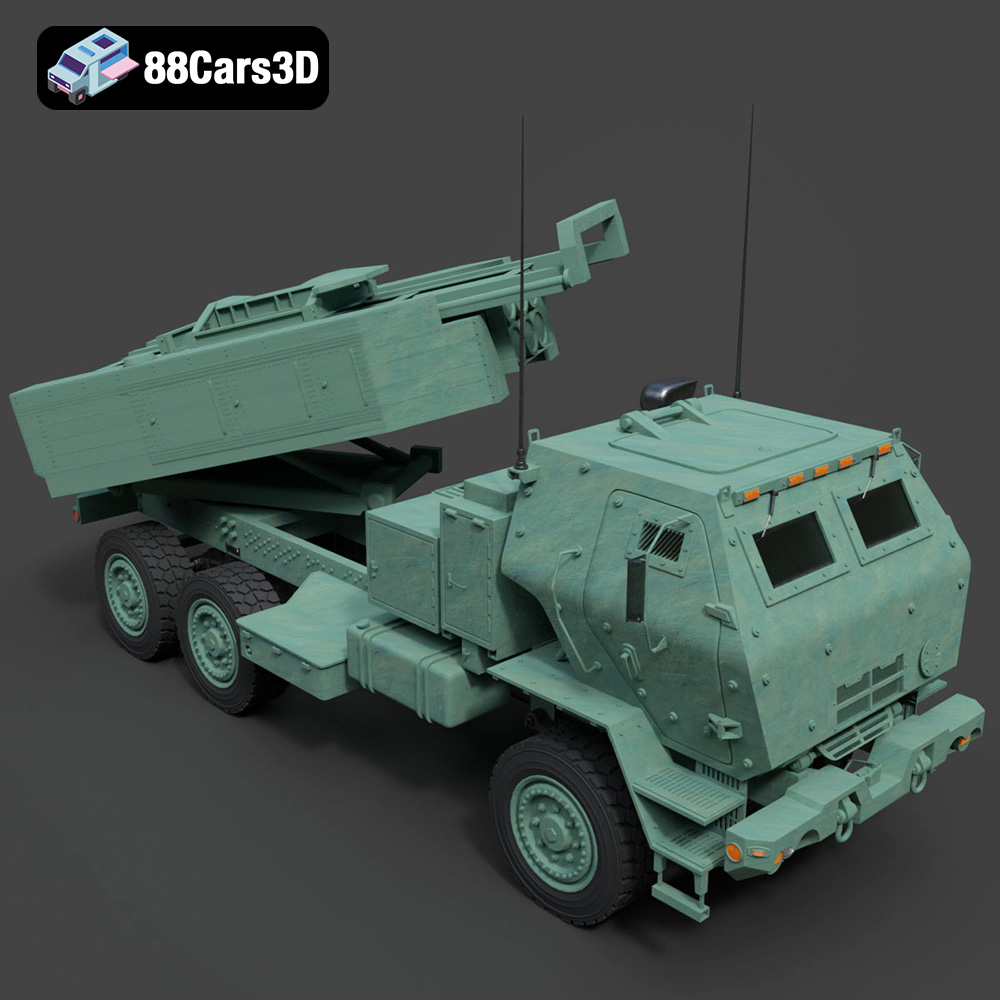
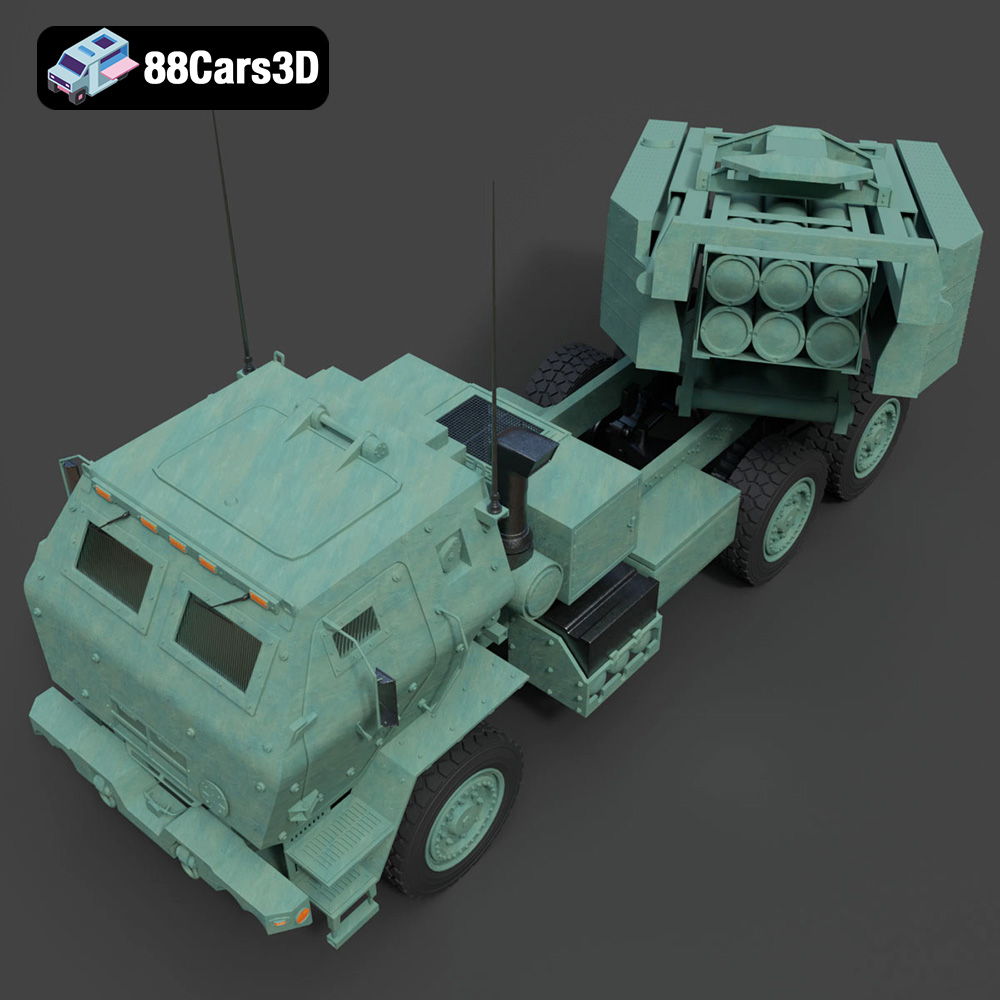
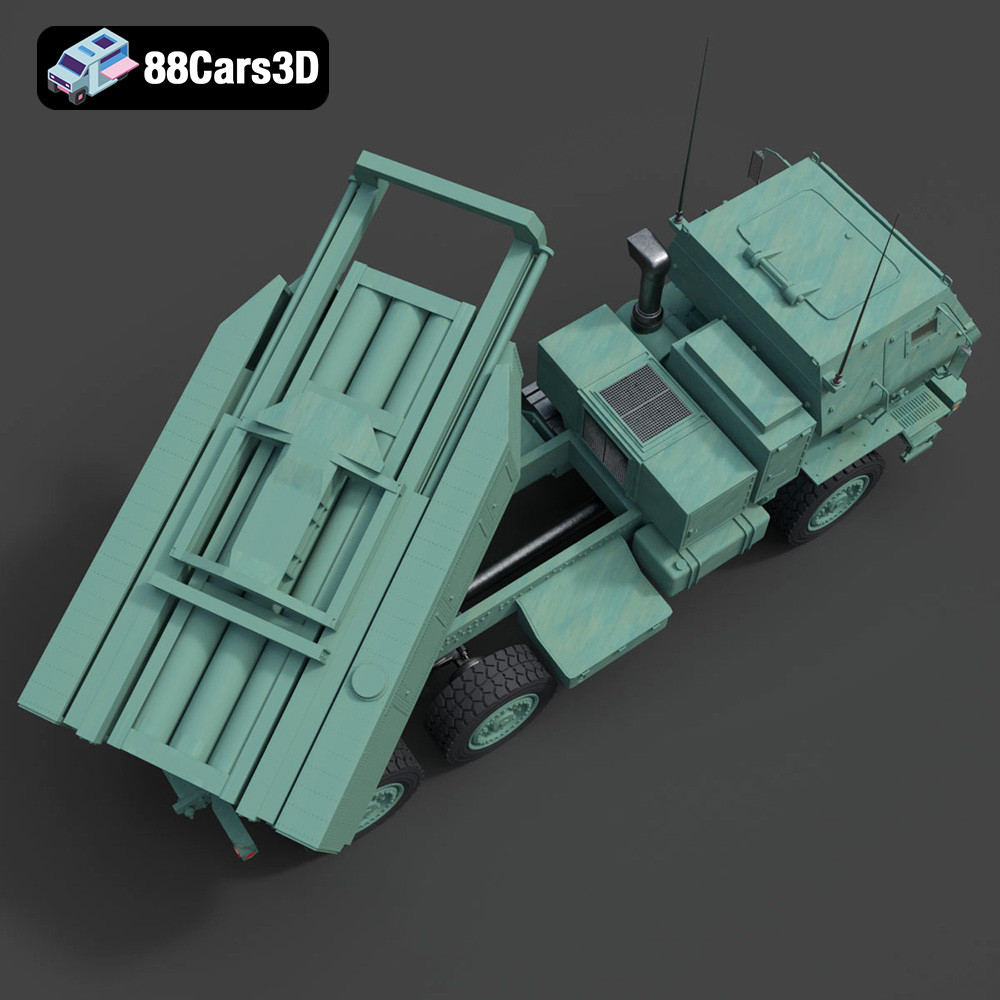
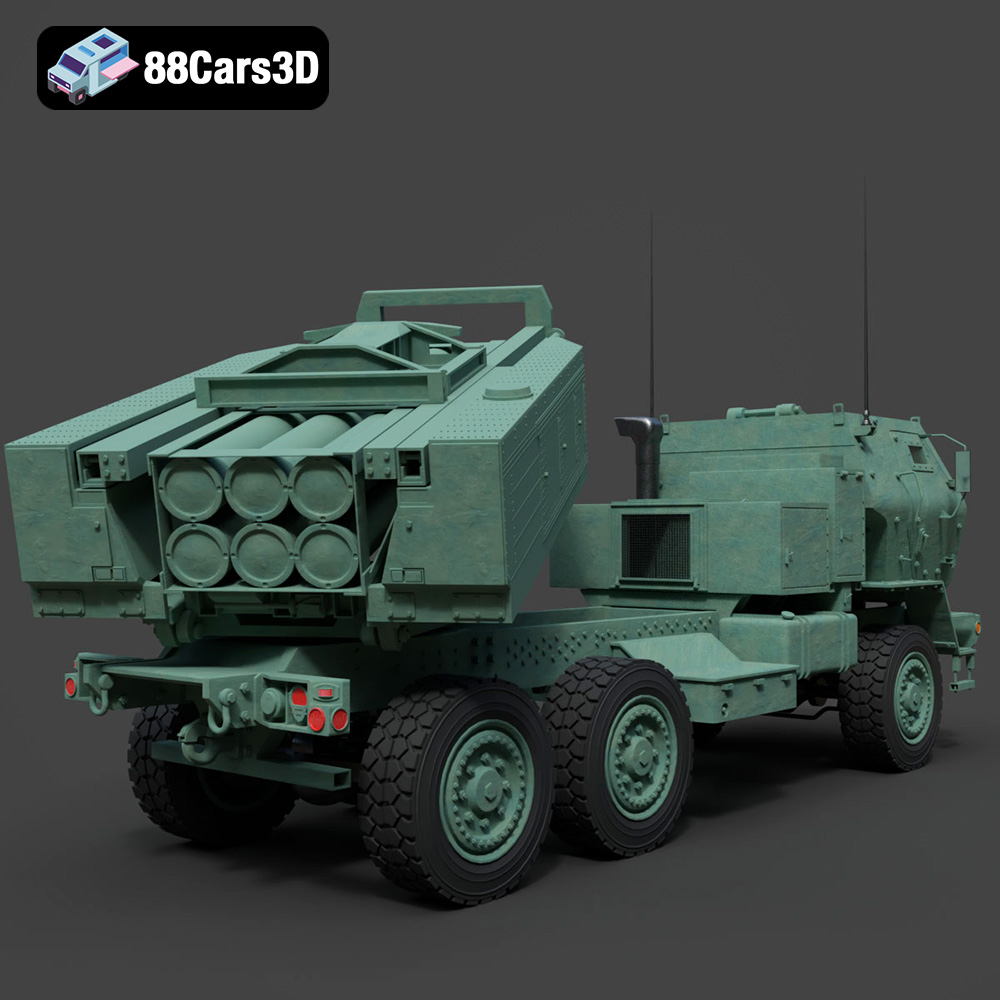
Today, we’re taking a closer look at what it means to craft and utilize such an asset by examining a prime example: the MLRS M142 HIMARS 2006 3D Model. This particular model embodies the precision and versatility required for modern digital projects, offering an unparalleled level of detail and technical cleanliness. Whether you’re a game developer seeking authentic military vehicles, an architectural visualizer integrating contextual elements, or an AR/VR creator building immersive training scenarios, understanding the intricacies of such 3D car models and military assets is crucial for success.
In this comprehensive guide, we’ll explore the technical considerations behind high-quality 3D models, delve into various professional workflows, and illustrate how an asset like the MLRS M142 HIMARS 2006 3D Model can elevate your projects. We’ll cover everything from file format selection to advanced rendering techniques, ensuring you’re equipped with the knowledge to harness the full potential of premium 3D assets found on marketplaces like 88cars3d.com.
The choice of a 3D model file format is far more critical than many realize. It dictates compatibility, data retention, and how easily an asset integrates into a specific workflow or engine. A truly versatile 3D asset, such as the MLRS M142 HIMARS 2006 3D Model, provides multiple formats, each tailored for different professional needs.
The .blend file format is native to Blender, a powerful open-source 3D creation suite. When a model is provided in this format, it signifies a complete Blender scene. This means not just the raw mesh data, but also materials, textures, lighting setups, camera positions, animations (if present), and even physics simulations are contained within. For artists deeply integrated into the Blender ecosystem, this offers maximum flexibility. You can open the file and immediately begin tweaking shaders, adjusting scene composition, or re-rigging components. The MLRS M142 HIMARS 2006 3D Model, for instance, includes an editable Blender file with materials and a lighting setup, making it ready for immediate rendering or further customization within Blender.
.fbx (Filmbox) is an Autodesk proprietary file format widely adopted as an industry standard for interchange between 3D software and game engines. It’s incredibly robust, capable of storing not only geometry but also materials, textures, animations, skinning, camera, and lighting data. For real-time applications like game development in Unreal Engine or Unity, .fbx is often the go-to choice due to its efficiency and comprehensive data transfer capabilities. Its binary nature typically results in smaller file sizes and faster loading times compared to text-based formats. The MLRS M142 HIMARS 2006 3D Model offers an .fbx variant, optimized for game-engine readiness.
Conversely, .obj (Wavefront OBJ) is a more universal, simpler format that primarily stores geometry (vertices, normals, texture coordinates, and faces) and references external material files (.mtl). While it doesn’t support advanced features like animation or rigging, its widespread compatibility makes it a foundational format for cross-software transfers. Nearly every 3D application can import and export .obj files, making it a reliable fallback for ensuring basic mesh data is accessible across diverse pipelines. For the MLRS M142 HIMARS 2006 3D Model, the .obj version ensures broad compatibility with virtually all major 3D software.
.glb (GL Transmission Format Binary) is gaining significant traction, especially in web-based 3D, AR (Augmented Reality), and VR (Virtual Reality) applications. It’s a binary version of the glTF format, designed for efficient transmission and loading of 3D scenes and models by web applications and viewers. A .glb file encapsulates everything – geometry, materials, textures, and even animations – into a single, compact file. This optimization makes it ideal for seamless integration into browser-based experiences or lightweight AR/VR applications, as demonstrated by the MLRS M142 HIMARS 2006 3D Model’s inclusion of an optimized .glb for these purposes.
.stl (Stereolithography) is synonymous with 3D printing. It represents a 3D model as a series of connected triangles (a tessellated surface) and lacks color, texture, or material information. Its simplicity makes it universally compatible with 3D printing software and hardware. When preparing a model for physical production, .stl is the standard output format. The MLRS M142 HIMARS 2006 3D Model’s .stl variant is suitable for 3D printing and prototyping, allowing for physical representation of the digital asset.
.ply (Polygon File Format) is another precision mesh format, often used in scientific and engineering applications, particularly for scanned data or CAD models. It can store a wide range of properties beyond just geometry, including color per vertex, normal information, transparency, and range data. It’s excellent for detailed analysis and visualization where high precision of the polygon mesh is paramount. The MLRS M142 HIMARS 2006 3D Model includes a .ply version for those requiring such detailed polygon mesh for analysis and visualization.
The .unreal format, or more accurately, assets pre-configured for Unreal Engine, implies a level of integration beyond just an .fbx import. This typically means the model has been imported, materials set up with Unreal’s PBR shaders, collision meshes created, LODs (Levels of Detail) generated, and potentially even Blueprints configured for interactivity. This significantly accelerates workflow for Unreal Engine developers. The MLRS M142 HIMARS 2006 3D Model, offering a pre-configured .unreal asset, stands out by providing an engine-ready solution, minimizing setup time for users.
Finally, .max is the native file format for Autodesk 3ds Max, another industry-leading 3D application. Like .blend for Blender, a .max file retains the complete scene information, including complex modifiers, render settings, animation tracks, and advanced material networks specific to 3ds Max’s renderers (like V-Ray or Corona). For professionals working within 3ds Max for high-end rendering, animation, or advanced modeling, having the native .max file is invaluable for maximum editability and leveraging the software’s full feature set. The inclusion of an editable 3ds Max file for the MLRS M142 HIMARS 2006 3D Model ensures that users of this powerful DCC application have direct access to its core components for rendering and animation.
Creating a high-fidelity 3D model, especially for complex machinery like military vehicles, is a delicate balance between artistic vision and technical precision. It’s about capturing not just the overall form, but every rivet, panel line, and surface imperfection that tells the story of the object. A premium 3D car model, such as the MLRS M142 HIMARS 2006 3D Model available at 88cars3d.com, exemplifies this mastery.
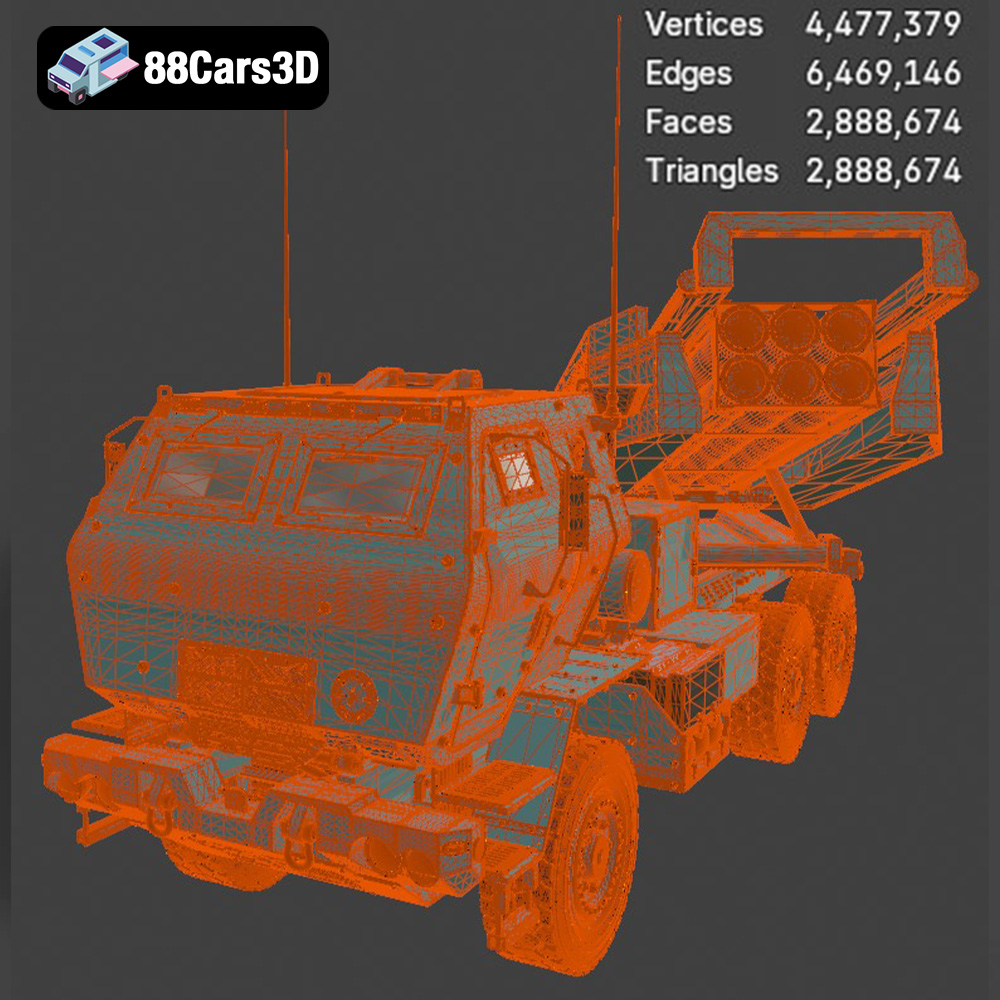
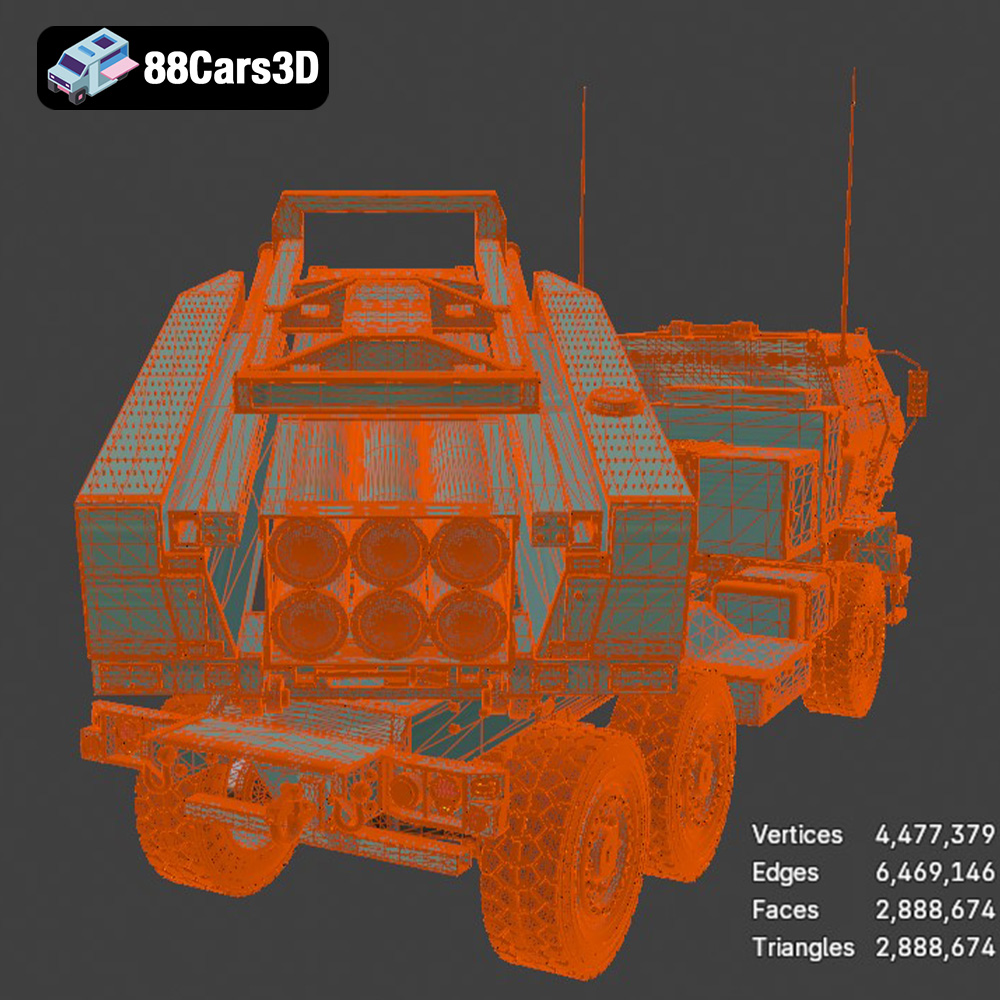
The backbone of any realistic 3D model is its geometry and topology. For vehicles, this means meticulously modeling every component, from the chassis and cab to the intricate rocket launch system. A high-quality model like the HIMARS will feature clean, efficient quad-based topology, ensuring smooth deformations if rigged for animation and facilitating easier UV mapping. Expect poly counts that are optimized for both visual detail and performance – often ranging from 100,000 to 500,000 polygons for a hero asset in a real-time engine, and potentially millions for cinematic rendering where subdivision surfaces might be used. The model’s various parts are typically separated into logical groups, allowing for modularity and ease of manipulation, whether you’re opening it in 3ds Max or Blender.
Beyond geometry, materials and textures breathe life into a 3D model. Physically Based Rendering (PBR) is the industry standard for achieving photorealistic results, relying on maps like Albedo (Base Color), Normal, Roughness, Metallic, and Ambient Occlusion. For the MLRS M142 HIMARS 2006 3D Model, this translates to textures that accurately replicate the wear and tear of a military vehicle – chipped paint, weathered metal, dirt, and dust accumulated over its operational life. High-resolution texture sets (e.g., 4K or 8K) across multiple UV sets ensure sharp details even in close-up shots, critical for professional automotive rendering and military simulations.
While realism is paramount, performance cannot be ignored, especially for game assets or AR/VR experiences. Optimization involves several techniques: efficient UV unwrapping to maximize texture space, the use of baked normal maps to capture high-detail geometry on lower-polygon meshes, and the implementation of Level of Detail (LOD) models. LODs are simplified versions of the model that automatically switch in based on distance from the camera, drastically reducing computational overhead without noticeable visual degradation. For a complex vehicle, having well-constructed LODs is essential for maintaining high frame rates in demanding real-time environments.
For game developers, incorporating a detailed military vehicle like the MLRS M142 HIMARS 2006 3D Model into an interactive environment requires a systematic approach. The availability of multiple file formats, particularly .fbx and the pre-configured .unreal assets, significantly streamlines this process, allowing developers to focus on gameplay and interaction rather than asset creation from scratch.
When working with game engines like Unreal Engine, the .fbx format is often the first choice. Importing the MLRS M142 HIMARS via .fbx allows for a clean transfer of geometry, skeletal meshes (if rigged), and basic material assignments. The true advantage comes with the pre-configured .unreal asset included with the model. This means the model already resides within an Unreal project structure, with materials likely set up using Unreal’s robust PBR shading system, optimized textures, and potentially even initial collision meshes. This ‘drop-in’ capability saves countless hours of setup time, allowing developers to immediately place the vehicle in their scenes, test its scale, and begin integrating it into their game mechanics.
Real-time performance is crucial for game assets. For the HIMARS model, setting up accurate collision meshes is vital for player interaction, projectile physics, and AI navigation. Often, a simpler, convex hull collision mesh is used for basic interactions, while more complex concave meshes or multiple primitive shapes might be used for specific components. Alongside collision, well-defined LODs (Levels of Detail) are non-negotiable. A high-quality model will come with multiple LODs, ranging from a full-detail mesh for close-ups to heavily simplified versions for distant views. This automatic switching ensures that the engine only renders necessary detail, maintaining high frame rates even in scenes with many complex objects. Proper UV mapping across these LODs ensures texture fidelity is maintained as the model transitions.
A static model is only part of the story for a dynamic game. The MLRS M142 HIMARS, with its articulating launch system and drivable chassis, presents significant animation potential. While the model itself might not come pre-animated, its clean geometry and logical component separation make it ideal for rigging. In Unreal Engine, a skeletal mesh can be created, allowing for precise control over wheels, suspension, turret rotation, and rocket launch mechanisms. This foundational quality of the 3D asset provides developers with a robust base for creating believable vehicle movement and interactive gameplay elements, from driving simulations to tactical combat scenarios.
Beyond interactive games, high-fidelity 3D models like the MLRS M142 HIMARS 2006 3D Model are indispensable tools in architectural visualization (ArchViz) and cinematic rendering. These fields demand uncompromising visual quality, where every pixel contributes to the narrative or realism of a scene. The versatility of formats like .max and .blend, coupled with clean PBR materials, makes this model a powerful asset for producing stunning imagery.
In ArchViz, military assets might be used to provide contextual realism for military bases, industrial facilities, or conflict zone simulations. The detailed MLRS M142 HIMARS can serve as a focal point or an integral background element. Artists working in 3ds Max or Blender can leverage the native files to manipulate lighting rigs, set up complex camera animations, and meticulously compose shots. The precise geometry and accurate scale of the model ensure it integrates seamlessly into virtual environments, adding a layer of authenticity to the visual narrative. Whether it’s a sun-drenched desert scene or a moody nighttime convoy, the model’s clean structure adapts well to diverse lighting scenarios.
For cinematic rendering, achieving photorealism often means pushing material definitions to their limits. Using the native .max or .blend files, artists can fine-tune the PBR materials, optimizing them for high-end offline renderers like V-Ray, Corona Renderer, or Cycles. This includes adjusting sub-surface scattering for rubber components, micro-facet distribution for metallic surfaces, and detailed dirt masks to simulate real-world wear. The MLRS M142 HIMARS 2006 3D Model, built with professional quality, ensures that its material properties respond accurately to global illumination and complex lighting setups, resulting in breathtaking renders that capture every nuance of its surface.
A rendered image or animation is rarely the final product in cinematic pipelines. Post-production workflows, utilizing software like Adobe After Effects or Nuke, are critical for achieving the desired visual effects. A high-quality 3D model facilitates this by providing clean render passes (e.g., diffuse, specular, normal, Z-depth, object IDs) that can be easily manipulated. For a military vehicle like the HIMARS, this might involve adding exhaust fumes, dust clouds kicked up by movement, or even sophisticated weapon effects like rocket trails. The robust nature of the MLRS M142 HIMARS 2006 3D Model ensures it holds up under intense VFX scrutiny, making it a valuable asset for film, television, and advertisement productions.
The utility of high-quality 3D models extends far beyond traditional screen-based rendering and game development. Emerging technologies like Augmented Reality (AR), Virtual Reality (VR), and 3D printing are creating new demands and opportunities for technically sound assets, and the MLRS M142 HIMARS 2006 3D Model is perfectly positioned for these frontiers.
For AR/VR experiences, the .glb format is a game-changer. Its optimization for web-based and real-time display makes it ideal for delivering immersive military visualizations or training simulations. Imagine placing a fully detailed MLRS M142 HIMARS into a real-world environment via a smartphone AR app, or interacting with its various components in a VR training module. The model’s clean geometry and efficient texture maps are crucial here, ensuring smooth performance and high fidelity without taxing mobile hardware or VR headsets. These applications often require not just visual accuracy but also precise scaling and real-world integration, which a meticulously crafted asset like this provides.
The inclusion of an .stl file format unlocks the world of 3D printing. For engineers, military analysts, or even hobbyists, being able to physically prototype a detailed representation of the MLRS M142 HIMARS is incredibly valuable. This could range from creating scale models for display, educational purposes, or even for form-and-fit testing of conceptual designs. While the .stl format strips away material and color data, the underlying geometric detail of the 3D model ensures that the physical print accurately reflects the digital counterpart. The clean mesh of the HIMARS model would translate into a high-quality physical output, ready for post-processing like painting or assembly.
Both AR/VR and 3D printing contribute significantly to advanced educational and training simulations. Military personnel can train on virtual replicas of equipment, learning operational procedures in a safe, cost-effective, and highly interactive manner. Physical 3D prints can be used as tactile aids for identification, assembly training, or strategic planning. The MLRS M142 HIMARS 2006 3D Model, with its unparalleled realism and multi-format availability, offers a powerful toolset for developing these cutting-edge training solutions, bridging the gap between digital simulation and real-world understanding. Marketplaces like 88cars3d.com provide these essential building blocks for innovative learning platforms.
The journey through the creation and application of a high-fidelity 3D model reveals the immense skill and technical understanding required to produce truly professional assets. From the intricate detailing of the geometry and the nuanced realism of PBR textures to the careful consideration of file formats and optimization techniques, every aspect contributes to the model’s versatility and value across industries. The MLRS M142 HIMARS 2006 3D Model stands as a testament to this commitment to quality, offering a robust and adaptable solution for a multitude of digital and physical applications.
Whether you are developing the next generation of game assets, rendering breathtaking cinematic sequences, crafting immersive AR/VR experiences, or preparing models for 3D printing, the foundational quality of your 3D car models and military vehicles is paramount. Investing in expertly crafted assets like the MLRS M142 HIMARS ensures not only stunning visual fidelity but also seamless integration into complex professional workflows. By providing a comprehensive suite of optimized file formats, such models empower artists and developers to push creative boundaries and achieve their project goals with unparalleled efficiency and realism.
For those seeking to elevate their projects with meticulously detailed and technically sound 3D models, exploring curated marketplaces like 88cars3d.com is an essential step. The right asset can dramatically accelerate your workflow, enhance visual appeal, and provide the technical foundation for success in an increasingly competitive digital landscape. Embrace the power of professional 3D assets and unlock new possibilities for your creative endeavors.
Experience unparalleled realism with the MLRS M142 HIMARS 2006 3D Model. Carefully constructed to capture the intricate details of this legendary military vehicle, the model provides an immersive and highly accurate representation ideal for professional digital environments. Engineered with professional quality in mind, the 3D model boasts clean geometry and realistic materials. These features ensure optimal performance and stunning visual fidelity, allowing for seamless integration into a variety of complex digital scenes. This versatile asset is perfect for a wide range of applications, including advanced game development, architectural rendering, immersive AR/VR experiences, and detailed military visualizations.
$19.99
.artillery
.arvr
.blend
.car3dmodel
.fbx
.gameasset
.glb
.himars
.m142
.max
.militaryvehicle
.mlrs
.obj
.ply
.rendering
.rocketlauncher
.simulation
.stl
.truck
.unreal