Get 50% OFF All Premium 3D & STL Models!

“`html
3D printing offers an unparalleled opportunity to bring your favorite vehicles to life, from classic cars to futuristic concepts. Whether you’re a hobbyist building a collection, an engineer prototyping a new design, or an educator showcasing automotive principles, the key to a successful print lies in mastering two critical elements: wall thickness and support structures. Get these wrong, and you risk warped prints, structural weaknesses, or even complete print failures. In this comprehensive guide, we’ll delve into the technical details of optimizing wall thickness and support settings specifically for 3D printed vehicle models, ensuring your prints are both visually stunning and structurally sound.
This guide covers everything from understanding STL file structure to advanced slicing techniques. We will explore how to configure your 3D printer settings for optimal results, and provide troubleshooting tips for common issues. We’ll also look at specific software solutions like Cura, PrusaSlicer, and Meshmixer, providing step-by-step instructions for each.
Wall thickness refers to the distance between the inner and outer surfaces of your 3D printed model. This seemingly simple parameter significantly impacts the strength, weight, and appearance of your final product. Insufficient wall thickness leads to fragile parts prone to breakage, while excessive thickness consumes more material and increases printing time without necessarily adding significant strength. Optimizing wall thickness is a balancing act, and the ideal value depends on several factors, including the size of the model, the material used, and the intended use case.
Determining the minimum viable wall thickness involves understanding your printer’s capabilities and the characteristics of your chosen filament. As a general rule, the minimum wall thickness should be at least twice the nozzle diameter. For a standard 0.4mm nozzle, this translates to a minimum wall thickness of 0.8mm. However, for structural integrity, especially in larger models, consider increasing this to 1.2mm or even 1.6mm. Experimentation is key. Print small test cubes with varying wall thicknesses and apply gentle pressure to determine the point at which they begin to deform. This will provide valuable insight into the material’s strength and your printer’s accuracy. Remember to adjust the wall thickness depending on the stress the part will be under. Chassis parts will need thicker walls than decorative parts.
Different materials exhibit varying degrees of strength and rigidity. PLA, a common and easy-to-print material, is suitable for models with moderate stress. PETG offers improved durability and impact resistance, making it a better choice for functional parts or models that will be handled frequently. ABS, known for its high strength and temperature resistance, is ideal for automotive parts that may be exposed to heat. Resin, used in SLA/DLP printing, allows for incredibly fine details and smooth surfaces but can be more brittle than FDM-printed parts. When using weaker materials like PLA, increase the wall thickness to compensate. Conversely, stronger materials like ABS or PETG can achieve sufficient strength with thinner walls, reducing material consumption and print time. When choosing your material and wall thickness, keep in mind the function of the finished piece.
Support structures are temporary scaffolding built during the 3D printing process to support overhanging features and prevent them from collapsing. Vehicle models, with their complex curves, intricate details, and often large overhangs, frequently require extensive support structures. Understanding how to generate and configure these supports is crucial for achieving successful prints. Poorly designed supports can lead to print failures, unsightly surface blemishes, and difficult removal. Platforms like 88cars3d.com often provide pre-supported STL files, but understanding how to customize these supports is essential for optimizing your prints.
There are several types of support structures, each with its own advantages and disadvantages. Linear supports are simple vertical columns that provide basic support for overhangs. Tree supports branch out like tree limbs, offering more targeted support with less material usage. Hybrid supports combine the benefits of both linear and tree supports. Raft supports provide a large, flat base that improves bed adhesion, especially for models with small footprints. Brim supports are a single-layer extension of the first layer, similar to a raft but thinner. The choice of support type depends on the geometry of your model and the specific needs of its overhanging features. For complex curves, tree supports often provide the best balance of support and ease of removal. For models with large, flat overhangs, linear supports or a combination of linear and tree supports may be more effective. A good strategy is to use tree supports everywhere they fit, and linear supports only in areas the tree supports miss.
Slicing software offers a wide range of settings for customizing support structures. Key parameters include support density, overhang angle, support placement, and support interface layer. Support density determines the amount of material used to build the supports. Higher density provides more robust support but also increases material consumption and removal difficulty. Overhang angle specifies the angle at which supports are generated. A smaller angle results in more extensive support coverage. Support placement determines where supports are generated. “Everywhere” generates supports under all overhangs, while “Touching buildplate” only generates supports that connect to the build plate. The support interface layer is a thin layer printed between the model and the supports, making removal easier. Experiment with these settings to find the optimal balance between support strength, material usage, and ease of removal. For instance, a support density of 15-25% is often sufficient for PLA, while more demanding materials like ABS may benefit from a higher density (30-40%). Ensure the support interface layer is easily breakable to avoid damaging the model surface during removal.
The orientation in which you position your vehicle model on the print bed significantly impacts the need for support structures, the surface finish, and the overall strength of the printed part. Optimizing print orientation minimizes overhangs, reduces support material, and aligns layer lines in a way that maximizes structural integrity. Carefully consider the geometry of your model and identify critical areas that require the best possible surface finish or strength. A strategically chosen orientation can be the difference between a successful print and a frustrating failure.
Overhangs are areas of the model that extend beyond the layer below, requiring support structures. Orienting your model to minimize overhangs reduces the amount of support material needed, saving time and material. Consider rotating your model to position surfaces that would otherwise require extensive support to face upwards, directly supported by the build plate. For example, a car body with a sloping roof might be oriented with the roof facing upwards to minimize the need for supports under the roof. However, this may introduce other challenges, such as a less desirable surface finish on the roof. Evaluating these tradeoffs is part of the optimization process. Remember that when downloading models from marketplaces such as 88cars3d.com, you may need to re-orient the model depending on your printer and specific needs.
The direction of layer lines affects the strength of the printed part. Parts are generally weaker along the layer lines, so orient your model to align the strongest axis with the direction of the greatest stress. For example, if you’re printing a car chassis, orient it so that the layer lines run parallel to the length of the car, providing maximum strength along the chassis’s main axis. While this might increase the need for support structures in other areas, the improved strength in the critical direction can be worth the tradeoff. Also, consider the visual impact of the layer lines. If a particular surface is highly visible, orient it to minimize the visibility of layer lines, even if it means using slightly more support material.
The material you choose for your 3D printed vehicle model has a direct impact on its strength, durability, appearance, and resistance to environmental factors like temperature and UV exposure. The two primary categories of 3D printing materials are filaments (used in FDM printing) and resins (used in SLA/DLP printing). Each category offers a wide variety of materials with different properties, making it essential to choose the right one for your specific application.
Common FDM filaments include PLA, PETG, and ABS. PLA is easy to print, biodegradable, and available in a wide range of colors. It’s suitable for decorative models and parts that don’t require high strength or temperature resistance. PETG offers improved strength, flexibility, and temperature resistance compared to PLA. It’s a good all-around choice for functional parts and models that will be handled frequently. ABS is known for its high strength, temperature resistance, and impact resistance. It’s ideal for automotive parts that may be exposed to heat or stress. Other specialized filaments, such as nylon and polycarbonate, offer even higher strength and durability but require more advanced printing setups. When choosing a filament, consider the intended use of the model, the required strength and temperature resistance, and the ease of printing.
Resins used in SLA/DLP printing offer incredibly fine details and smooth surfaces, making them ideal for highly detailed vehicle models. Standard resins are suitable for general-purpose printing and offer good detail and accuracy. Tough resins offer improved strength and impact resistance, making them suitable for functional parts. Flexible resins offer elasticity and can be used for parts that need to bend or flex. Castable resins are designed for creating molds for metal casting. When choosing a resin, consider the required level of detail, the desired strength and flexibility, and the intended use of the model. Always follow the manufacturer’s recommendations for printing and curing resins to ensure optimal results. When it comes to small, highly detailed parts, resin can be the way to go. But remember, resin models are often more brittle than FDM models.
Slicing software translates your 3D model into a set of instructions for your printer. The slicing parameters you choose have a significant impact on the print quality, strength, and printing time. Understanding how to adjust these parameters is crucial for achieving optimal results. Key parameters include layer height, print speed, infill density, and temperature. Different printers and materials require different settings, so experimentation is essential.
Layer height determines the thickness of each layer printed. Smaller layer heights result in smoother surfaces and finer details but increase printing time. Larger layer heights print faster but result in coarser surfaces. A layer height of 0.1mm to 0.2mm is a good starting point for most models. Print speed determines how fast the printer head moves during printing. Slower print speeds generally result in better print quality but increase printing time. A print speed of 40-60mm/s is a good starting point for most materials. Experiment with different layer heights and print speeds to find the optimal balance between print quality and printing time. Finer details will need both a lower layer height and a slower print speed. For purely visual models, slowing down the initial layer print speed will help ensure proper bed adhesion.
Infill density determines the amount of material used to fill the interior of the model. Higher infill density results in stronger parts but increases material consumption and printing time. Infill patterns determine the structure of the infill. Common infill patterns include rectilinear, grid, triangular, and gyroid. The choice of infill pattern depends on the desired strength and weight of the part. For most vehicle models, an infill density of 15-25% is sufficient. For parts that require higher strength, such as a chassis, increase the infill density to 30-40%. Gyroid infill is known for its excellent strength-to-weight ratio and is a good choice for parts that need to be both strong and lightweight. When printing car wheels, a high infill density will help prevent warping.
Post-processing refers to the steps taken after printing to refine the appearance and functionality of your 3D printed vehicle model. Common post-processing techniques include support removal, sanding, filling, priming, and painting. These steps can transform a raw print into a polished and professional-looking masterpiece. The specific techniques required will depend on the material used, the desired level of detail, and the intended use of the model.
The first step in post-processing is to carefully remove the support structures. Use pliers, cutters, or a specialized support removal tool to detach the supports without damaging the model. Be patient and take your time, as rushing this step can lead to breakage. After removing the supports, use sandpaper to smooth any remaining support marks and imperfections. Start with a coarse grit sandpaper (120-180 grit) to remove larger imperfections, then gradually move to finer grits (220-320 grit, then 400-600 grit) to achieve a smooth surface. For resin prints, you may need to use a razor blade or scraper to carefully remove thin layers of resin left behind by the supports. Sanding resin prints requires wet sanding to avoid creating dust.
Once the surface is smooth, you can apply a primer to prepare the model for painting. Primer helps the paint adhere better and provides a uniform surface for the final coat. Apply several thin coats of primer, allowing each coat to dry completely before applying the next. After the primer has dried, you can apply the final paint. Use high-quality model paints designed for plastic or resin. Apply several thin coats of paint, allowing each coat to dry completely before applying the next. Consider using an airbrush for a smooth and even finish. After the paint has dried, you can apply a clear coat to protect the paint and add a glossy or matte finish. Polishing compound can further enhance the shine of the painted surface. Consider adding fine details with weathering powders or washes for a realistic look.
Even with careful planning and precise settings, 3D printing can be prone to occasional problems. Recognizing common issues and understanding how to troubleshoot them is essential for minimizing print failures and maximizing your success rate. Common issues include warping, poor bed adhesion, stringing, and layer separation. Knowing the causes of these issues and how to address them can save you time, material, and frustration.
Warping occurs when the corners or edges of your print lift off the build plate. This is often caused by poor bed adhesion or uneven cooling. To improve bed adhesion, ensure the build plate is clean and level. Use a suitable bed adhesion material, such as glue stick, hairspray, or blue painter’s tape. Increase the bed temperature or use a heated bed to improve adhesion. Enclosing the printer can help maintain a more consistent temperature and reduce warping. For materials prone to warping, such as ABS, a raft can provide a larger surface area for adhesion. If warping persists, try slowing down the print speed for the first few layers and increasing the initial layer thickness. A good first layer is essential for a successful print. Uneven cooling can cause warping. Try turning off the fan for the first few layers and gradually increasing the fan speed as the print progresses.
Stringing occurs when thin strands of filament are left between different parts of the print. This is often caused by excessive retraction distance or temperature. To reduce stringing, decrease the printing temperature and increase the retraction distance and speed. Ensure the filament is dry, as moisture can contribute to stringing. Layer separation occurs when the layers of the print do not adhere properly, resulting in a weak or delaminated part. This can be caused by insufficient printing temperature, poor bed adhesion, or inadequate cooling. Increase the printing temperature and ensure the bed is properly leveled. Slow down the print speed to allow more time for the layers to bond. Ensure the cooling fan is not set too high, as excessive cooling can prevent proper layer adhesion. If layer separation persists, try increasing the extrusion multiplier to ensure enough material is being extruded. Ensure your 3D printer is properly calibrated and well-maintained for best results.
By understanding the principles of wall thickness, support structures, print orientation, material selection, slicing parameters, post-processing techniques, and troubleshooting, you can confidently tackle even the most complex vehicle models. With practice and experimentation, you’ll be able to achieve stunning and durable 3D prints that showcase your passion for automotive design. High-quality STL files from sources like 88cars3d.com, combined with the techniques described above, will set you on the path to 3D printing success.
“`

Texture: Yes
Material: Yes
Download the Ural Solo sT 3D Model featuring clean geometry, realistic detailing, and a fully modeled interior. Includes .blend, .fbx, .obj, .glb, .stl, .ply, .unreal, and .max formats for rendering, simulation, and game development.
Price: $19.99

Texture: Yes
Material: Yes
Download the Lexus GX460 2014 3D Model featuring clean geometry, realistic detailing, and a fully modeled interior. Includes .blend, .fbx, .obj, .glb, .stl, .ply, .unreal, and .max formats for rendering, simulation, and game development.
Price: $19.99

Texture: Yes
Material: Yes
Download the Land Rover Range Rover Velar 2018 3D Model featuring clean geometry, realistic detailing, and a fully modeled interior. Includes .blend, .fbx, .obj, .glb, .stl, .ply, .unreal, and .max formats for rendering, simulation, and game development.
Price: $19.99

Texture: Yes
Material: Yes
Download the Land Rover Range Rover Sport SVR 2015 3D Model featuring clean geometry, realistic detailing, and a fully modeled interior. Includes .blend, .fbx, .obj, .glb, .stl, .ply, .unreal, and .max formats for rendering, simulation, and game development.
Price: $19.99
Texture: Yes
Material: Yes
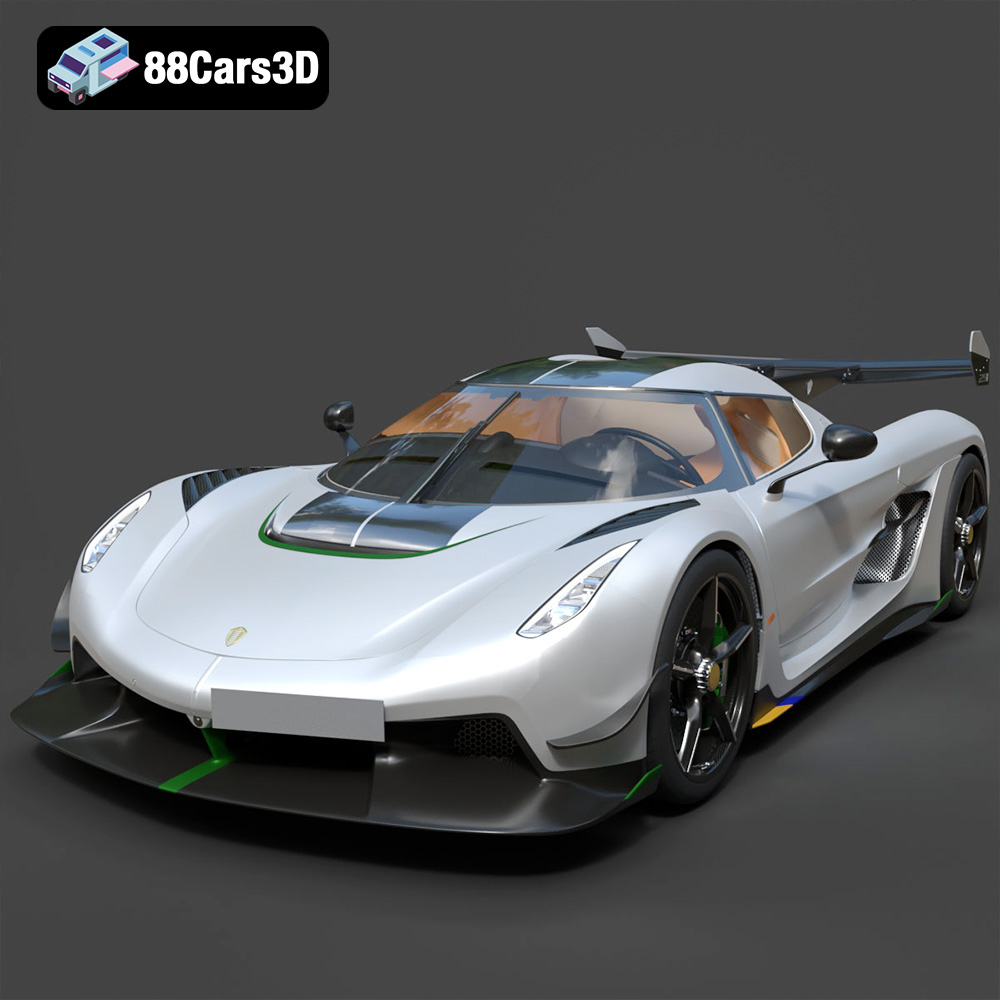
Download the Koenigsegg Jesko 2020 3D Model featuring clean geometry, realistic detailing, and a fully modeled interior. Includes .blend, .fbx, .obj, .glb, .stl, .ply, .unreal, and .max formats for rendering, simulation, and game development.
Price: $19.99

Texture: Yes
Material: Yes
Download the Kia Sportage 2019 3D Model featuring clean geometry, realistic detailing, and a fully modeled interior. Includes .blend, .fbx, .obj, .glb, .stl, .ply, .unreal, and .max formats for rendering, simulation, and game development.
Price: $19.99

Texture: Yes
Material: Yes
Download the Kia Optima 2019 3D Model featuring clean geometry, realistic detailing, and a fully modeled interior. Includes .blend, .fbx, .obj, .glb, .stl, .ply, .unreal, and .max formats for rendering, simulation, and game development.
Price: $19.99

Texture: Yes
Material: Yes
Download the Kia K5 MX 2016 3D Model featuring clean geometry, realistic detailing, and a fully modeled interior. Includes .blend, .fbx, .obj, .glb, .stl, .ply, .unreal, and .max formats for rendering, simulation, and game development.
Price: $19.99
Texture: Yes
Material: Yes
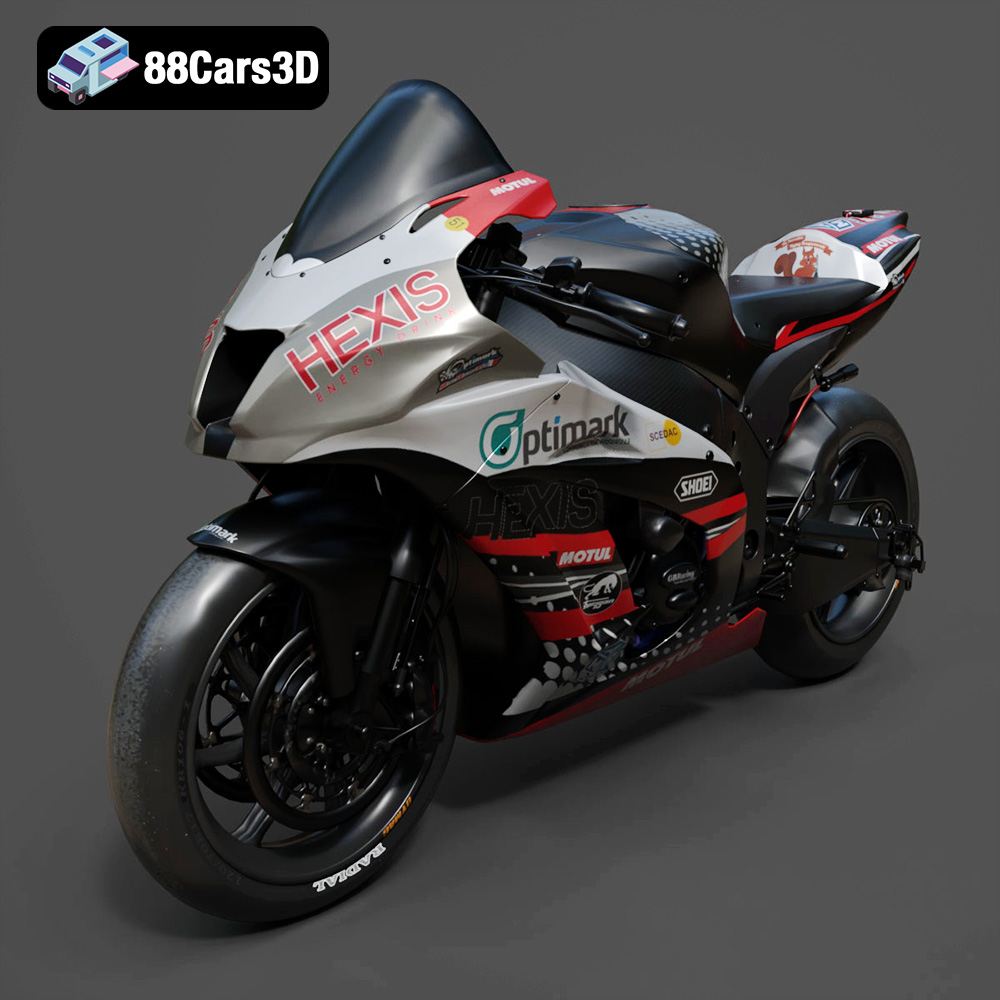
Download the Kawasaki ZX-10R 3D Model featuring clean geometry, realistic detailing, and a fully modeled interior. Includes .blend, .fbx, .obj, .glb, .stl, .ply, .unreal, and .max formats for rendering, simulation, and game development.
Price: $19.99

Texture: Yes
Material: Yes
Download the Jeep Grand Cherokee Limited 2017 3D Model featuring clean geometry, realistic detailing, and a fully modeled interior. Includes .blend, .fbx, .obj, .glb, .stl, .ply, .unreal, and .max formats for rendering, simulation, and game development.
Price: $19.99

