Get 50% OFF All Premium 3D & STL Models!

“`html
If you’re diving into the world of 3D printing, especially when it comes to creating stunning printable car models, understanding STL files is absolutely essential. STL (Stereolithography) is the most common file format for 3D printing, but what exactly *is* an STL file, and how does it represent a 3D object? This comprehensive guide will break down the inner workings of STL files, from the fundamental mesh structure to the importance of triangle quality and precision. We’ll explore how slicing software interprets these files and how you can optimize your STL files for the best possible 3D printing results, especially when working with detailed models from platforms like 88cars3d.com. Get ready to unravel the mystery behind those triangles and unlock the full potential of your 3D printer!
At its core, an STL file represents a 3D object as a surface tessellation – a collection of interconnected triangles that approximate the shape of the object. Imagine covering a complex shape, like a car body, with thousands of tiny triangles. The more triangles you use, the smoother and more accurate the representation becomes. However, more triangles also mean larger file sizes and increased processing time for your 3D printer.
Each triangle in an STL file is defined by three vertices (points) and a normal vector. The vertices specify the location of each corner of the triangle in 3D space (X, Y, and Z coordinates). The normal vector is a unit vector (length of 1) that points perpendicularly outward from the surface of the triangle. It indicates the orientation of the triangle and is crucial for the slicer to determine which side is the “outside” of the object. Without a properly defined normal, the slicer might interpret the object inside-out, leading to printing errors.
STL files can be stored in two formats: ASCII (text-based) and Binary. ASCII STL files are human-readable, making them useful for debugging and manual inspection. They contain the coordinates of each vertex and the components of the normal vector in plain text. However, ASCII files are significantly larger than their binary counterparts. Binary STL files store the same information in a compact binary format, resulting in much smaller file sizes and faster processing. For complex models, especially those with hundreds of thousands or millions of triangles, the binary format is almost always preferred.
The quality of the triangles used to represent your 3D model has a direct impact on the final print quality. Issues like poorly formed triangles, large aspect ratios, and gaps in the mesh can lead to visible artifacts, weak points, and even printing failures. When downloading models from marketplaces such as 88cars3d.com, you’ll often find that the models are pre-optimized to minimize these issues, but understanding these concepts is still valuable.
The aspect ratio of a triangle is the ratio between its longest and shortest side. Triangles with very high aspect ratios (long and thin) can be problematic. They are more prone to distortion and can create inaccuracies in the surface representation. Ideally, triangles should be as close to equilateral (all sides equal) as possible. While achieving perfect equilateral triangles across an entire complex model is impossible, striving for low aspect ratios is generally beneficial.
The mesh density, or the number of triangles per unit area, determines the level of detail captured in the STL file. A higher mesh density results in a smoother and more accurate representation of curved surfaces. However, increasing the mesh density also increases the file size and processing time. Finding the right balance between detail and performance is crucial. For models with intricate details, such as the grilles and lights on printable car models, a higher mesh density in those specific areas might be necessary, while less detailed areas can use a lower density.
Once you have your STL file, the next step is to prepare it for 3D printing using slicing software like Cura, PrusaSlicer, or Simplify3D. The slicer takes the STL file as input and converts it into a series of instructions (G-code) that your 3D printer can understand. This process involves setting various parameters that control how the object is printed, including layer height, infill density, print speed, and support structures.
Layer height is the thickness of each layer of plastic deposited by the 3D printer. Lower layer heights result in smoother surfaces and finer details, but they also increase the print time significantly. Higher layer heights print faster but can lead to more visible layer lines and a loss of detail. A common starting point for FDM printing is a layer height of 0.2mm, but you can adjust this depending on the specific model and your desired print quality. For highly detailed car models, you might want to experiment with layer heights as low as 0.1mm or even 0.05mm, especially for visible exterior surfaces.
Infill refers to the internal structure of the 3D printed object. It is typically a sparse pattern of material that provides support and rigidity to the model while minimizing material usage. Infill density is the percentage of the object’s volume that is filled with infill material. A higher infill density results in a stronger and heavier object, while a lower density results in a weaker and lighter object. Common infill patterns include grid, honeycomb, gyroid, and lines. The choice of infill pattern and density depends on the intended use of the printed object. For example, a functional part that needs to withstand significant stress would require a higher infill density and a strong infill pattern, while a purely aesthetic model can use a lower density and a less robust pattern. A good starting point for decorative car models is 15-20% infill using a gyroid pattern.
Support structures are temporary structures that are printed to support overhanging parts of the model during printing. Without supports, these overhanging areas would collapse or deform due to gravity. Support structures are essential for printing complex geometries, but they also add to the print time and material usage. Furthermore, removing support structures can sometimes leave marks or blemishes on the surface of the printed object. Therefore, optimizing support generation and removal is crucial for achieving high-quality prints.
There are two main types of support structures: tree supports and linear supports. Tree supports are branch-like structures that provide support from a single point on the build plate to the overhanging area. They are generally easier to remove and leave fewer marks than linear supports. Linear supports are vertical columns that provide support to the entire overhanging area. They are stronger than tree supports but are also more difficult to remove and can leave more significant marks. Slicing software allows you to customize the type, density, and placement of support structures.
Strategic placement of support structures can significantly reduce the amount of material used and the time required for printing. Focus on supporting only the critical overhanging areas, and avoid placing supports in areas that are difficult to reach or that will be highly visible in the final print. Reducing the support density can also save material and time, but be careful not to reduce it too much, as this can compromise the stability of the supports. Experiment with different support settings to find the optimal balance between support strength and ease of removal.
The choice of material and the corresponding printer settings are critical for achieving successful 3D prints. Different materials have different properties, such as strength, flexibility, heat resistance, and printability. Understanding these properties and selecting the right material for your application is essential. Furthermore, you need to adjust the printer settings, such as temperature, print speed, and retraction, to match the specific material you are using. For printable car models, PLA, PETG, and resin are common choices, each with its own advantages and disadvantages.
PLA (Polylactic Acid) is a biodegradable thermoplastic that is easy to print and offers good dimensional accuracy. It is a popular choice for beginners and for printing aesthetic models. PETG (Polyethylene Terephthalate Glycol) is a stronger and more durable thermoplastic than PLA. It is also more heat resistant and has better layer adhesion. PETG is a good choice for functional parts and for models that will be exposed to heat or stress. For PLA, a nozzle temperature of 200-220°C and a bed temperature of 60°C are typical. For PETG, a nozzle temperature of 230-250°C and a bed temperature of 70-80°C are recommended. A print speed of 40-60mm/s is a good starting point for both materials.
Resin printing uses liquid photopolymer resin that is cured by UV light. Resin printing offers much higher resolution and finer detail than FDM printing, making it ideal for printing intricate models with small features. However, resin printing is also more expensive and requires more post-processing. Common resin types include standard resin, tough resin, and flexible resin. The printer settings for resin printing depend on the specific resin you are using. Follow the manufacturer’s recommendations for exposure time, lift speed, and retraction settings. Resin printed parts require washing and curing after printing to remove uncured resin and to fully harden the material.
Even with careful preparation and optimized settings, you may still encounter issues during 3D printing. Understanding common printing failures and how to troubleshoot them is essential for achieving consistent and reliable results. Common issues include warping, layer adhesion problems, stringing, and over-extrusion.
Warping occurs when the corners of the printed object lift off the build plate during printing. This is often caused by uneven cooling or poor bed adhesion. To prevent warping, ensure that your build plate is clean and level. Use a bed adhesive, such as glue stick or hairspray, to improve adhesion. Enclosing your 3D printer can also help to maintain a more consistent temperature and reduce warping. For materials like ABS, an enclosure is almost essential.
Stringing occurs when thin strands of plastic are left between different parts of the printed object. This is often caused by excessive oozing of plastic from the nozzle. To prevent stringing, adjust the retraction settings in your slicing software. Retraction is the process of pulling back the filament when the nozzle moves to a different location. Increasing the retraction distance and speed can help to prevent oozing. Also, ensure that your nozzle temperature is not too high.
Understanding STL files, from their underlying mesh structure to the intricacies of slicing and printer settings, is crucial for achieving successful 3D prints. By mastering these concepts, you can unlock the full potential of your 3D printer and create stunning and accurate models. Remember the importance of triangle quality, proper slicing parameters, optimized support structures, and material-specific settings. Resources like 88cars3d.com can significantly streamline the process by providing high-quality, print-ready STL files, allowing you to focus on the printing and post-processing aspects. So, take what you’ve learned here, experiment with different settings, and start bringing your digital creations to life!
“`

Texture: Yes
Material: Yes
Download the Ural Solo sT 3D Model featuring clean geometry, realistic detailing, and a fully modeled interior. Includes .blend, .fbx, .obj, .glb, .stl, .ply, .unreal, and .max formats for rendering, simulation, and game development.
Price: $19.99

Texture: Yes
Material: Yes
Download the Lexus GX460 2014 3D Model featuring clean geometry, realistic detailing, and a fully modeled interior. Includes .blend, .fbx, .obj, .glb, .stl, .ply, .unreal, and .max formats for rendering, simulation, and game development.
Price: $19.99

Texture: Yes
Material: Yes
Download the Land Rover Range Rover Velar 2018 3D Model featuring clean geometry, realistic detailing, and a fully modeled interior. Includes .blend, .fbx, .obj, .glb, .stl, .ply, .unreal, and .max formats for rendering, simulation, and game development.
Price: $19.99

Texture: Yes
Material: Yes
Download the Land Rover Range Rover Sport SVR 2015 3D Model featuring clean geometry, realistic detailing, and a fully modeled interior. Includes .blend, .fbx, .obj, .glb, .stl, .ply, .unreal, and .max formats for rendering, simulation, and game development.
Price: $19.99
Texture: Yes
Material: Yes
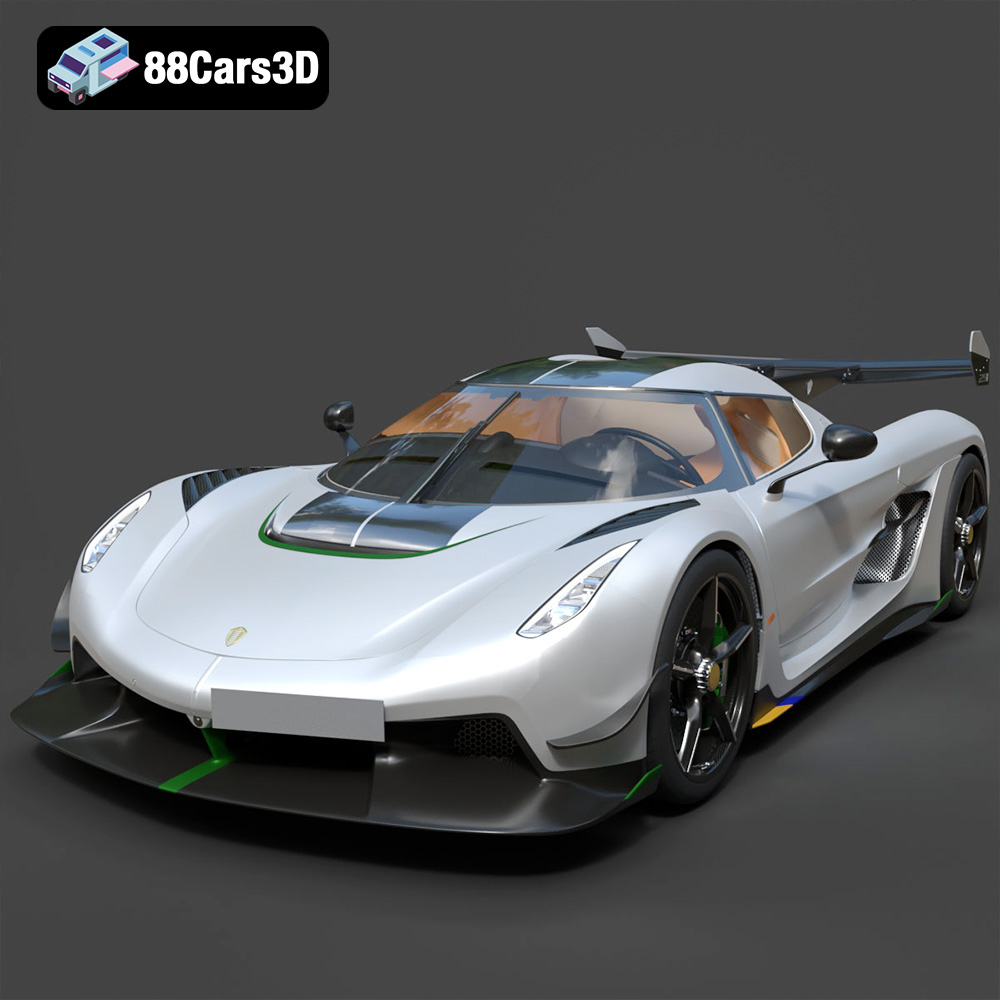
Download the Koenigsegg Jesko 2020 3D Model featuring clean geometry, realistic detailing, and a fully modeled interior. Includes .blend, .fbx, .obj, .glb, .stl, .ply, .unreal, and .max formats for rendering, simulation, and game development.
Price: $19.99

Texture: Yes
Material: Yes
Download the Kia Sportage 2019 3D Model featuring clean geometry, realistic detailing, and a fully modeled interior. Includes .blend, .fbx, .obj, .glb, .stl, .ply, .unreal, and .max formats for rendering, simulation, and game development.
Price: $19.99

Texture: Yes
Material: Yes
Download the Kia Optima 2019 3D Model featuring clean geometry, realistic detailing, and a fully modeled interior. Includes .blend, .fbx, .obj, .glb, .stl, .ply, .unreal, and .max formats for rendering, simulation, and game development.
Price: $19.99

Texture: Yes
Material: Yes
Download the Kia K5 MX 2016 3D Model featuring clean geometry, realistic detailing, and a fully modeled interior. Includes .blend, .fbx, .obj, .glb, .stl, .ply, .unreal, and .max formats for rendering, simulation, and game development.
Price: $19.99
Texture: Yes
Material: Yes
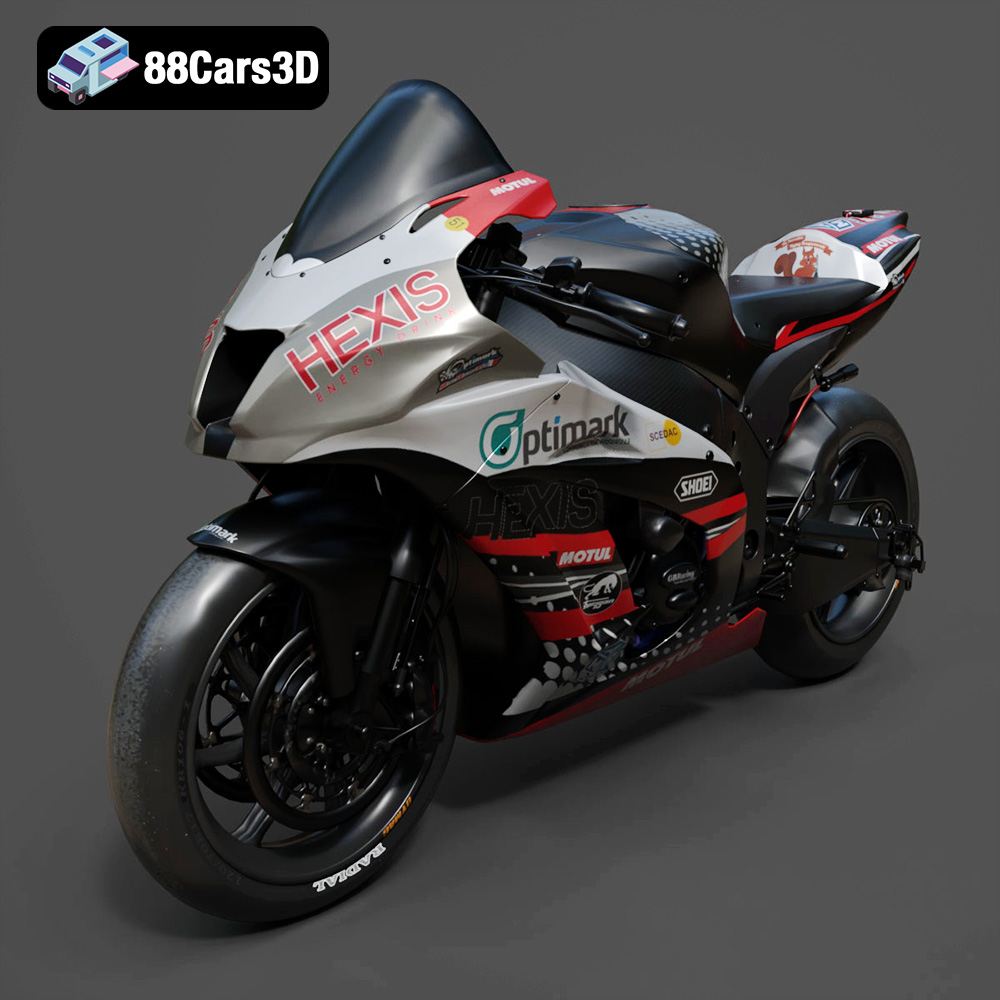
Download the Kawasaki ZX-10R 3D Model featuring clean geometry, realistic detailing, and a fully modeled interior. Includes .blend, .fbx, .obj, .glb, .stl, .ply, .unreal, and .max formats for rendering, simulation, and game development.
Price: $19.99

Texture: Yes
Material: Yes
Download the Jeep Grand Cherokee Limited 2017 3D Model featuring clean geometry, realistic detailing, and a fully modeled interior. Includes .blend, .fbx, .obj, .glb, .stl, .ply, .unreal, and .max formats for rendering, simulation, and game development.
Price: $19.99

