Get 50% OFF All Premium 3D & STL Models!

The Ural Solo sT, a motorcycle celebrated for its rugged design and unique character, makes for a compelling 3D printing project. Recreating this iconic cruiser in miniature form allows enthusiasts and modelers to appreciate its details in a tangible way. This comprehensive guide will walk you through the entire process of 3D printing the Ural Solo sT model, from preparing the STL files to post-processing the final print. Whether you’re a seasoned 3D printing expert or a curious beginner, this guide will provide the knowledge and tips necessary to achieve a high-quality, accurate replica. This model from 88cars3d.com is optimized for printing, so let’s dive in!
Before you even load your 3D model into a slicer, it’s vital to understand the different file formats available and which ones are best suited for 3D printing. The Ural Solo sT model available for download comes in several formats, each designed for specific applications. Knowing their strengths and weaknesses will significantly impact your 3D printing success.
.stl, short for stereolithography, is the undisputed industry standard for 3D printing. This file format represents the surface geometry of a 3D object as a collection of triangles. The simplicity of the .stl format is both its strength and its limitation. It only stores information about the shape of the object, neglecting color, texture, or material properties. This means that when you print an .stl file, you’re printing a single-color, single-material object.
For 3D printing, this is often sufficient. Slicing software interprets the triangular mesh of the .stl file and generates instructions for the 3D printer to deposit material layer by layer. A well-constructed .stl file should have a dense, uniform mesh to ensure a smooth, accurate print. Issues like gaps, holes, or self-intersecting triangles in the mesh can cause printing errors.
.obj is a more versatile format than .stl, capable of storing color and texture information in addition to geometry. This makes it suitable for applications where visual fidelity is paramount, such as rendering and animation. However, when it comes to 3D printing, the added complexity of .obj can sometimes be a drawback. Most basic 3D printers are not capable of printing in multiple colors or textures simultaneously, so the extra information stored in an .obj file is often ignored.
Despite this, .obj files can still be useful for 3D printing, especially if you plan to paint or otherwise post-process the printed object. The texture coordinates stored in the .obj file can be used as a guide for applying paint or decals.
.ply (Polygon File Format or Stanford Triangle Format) is designed to store 3D data acquired from 3D scanners. It’s capable of representing not just geometry, but also color, transparency, surface normals, and other properties on a per-vertex basis. This makes it suitable for representing highly detailed and complex shapes.
Like .obj, .ply files are not always directly compatible with 3D printers, especially those that only support .stl. However, you can often convert a .ply file to .stl using software like MeshLab or Blender. During the conversion process, it’s important to ensure that the mesh quality is maintained and that any unnecessary detail is simplified to reduce file size and printing time.
The Ural Solo sT model is also available in formats like .blend (Blender scene), .fbx (for game engines), .glb (for AR/VR), and .max (3ds Max project). These formats are primarily intended for use in digital content creation workflows and are not directly used for 3D printing. However, they can be valuable for customizing the model before exporting it as an .stl file. For example, you might use Blender to modify the model’s geometry, add details, or repair any mesh errors before saving it as an .stl for printing.
File Format Recommendation for 3D Printing: For the Ural Solo sT, the .stl format is the most suitable for direct 3D printing. Ensure the .stl file is properly oriented and scaled within your slicing software for optimal results. If you need to make modifications, use the .blend or .max files to adjust the model and then export as .stl.
Before sending the Ural Solo sT model to your 3D printer, several preparation steps are crucial to ensure a successful print. This involves inspecting the model, making necessary repairs, and optimizing the orientation and support structures within your slicing software.
* Mesh Analysis: Use software like MeshLab or Netfabb Basic to check the STL file for errors like non-manifold edges, holes, or self-intersections. These errors can cause problems during slicing and printing.
* Repairing Errors: If errors are detected, use the repair tools in MeshLab or Netfabb to fix them automatically. Alternatively, import the model into Blender and manually repair the mesh using its sculpting and editing tools. Focus on closing gaps, removing overlapping faces, and ensuring a watertight mesh.
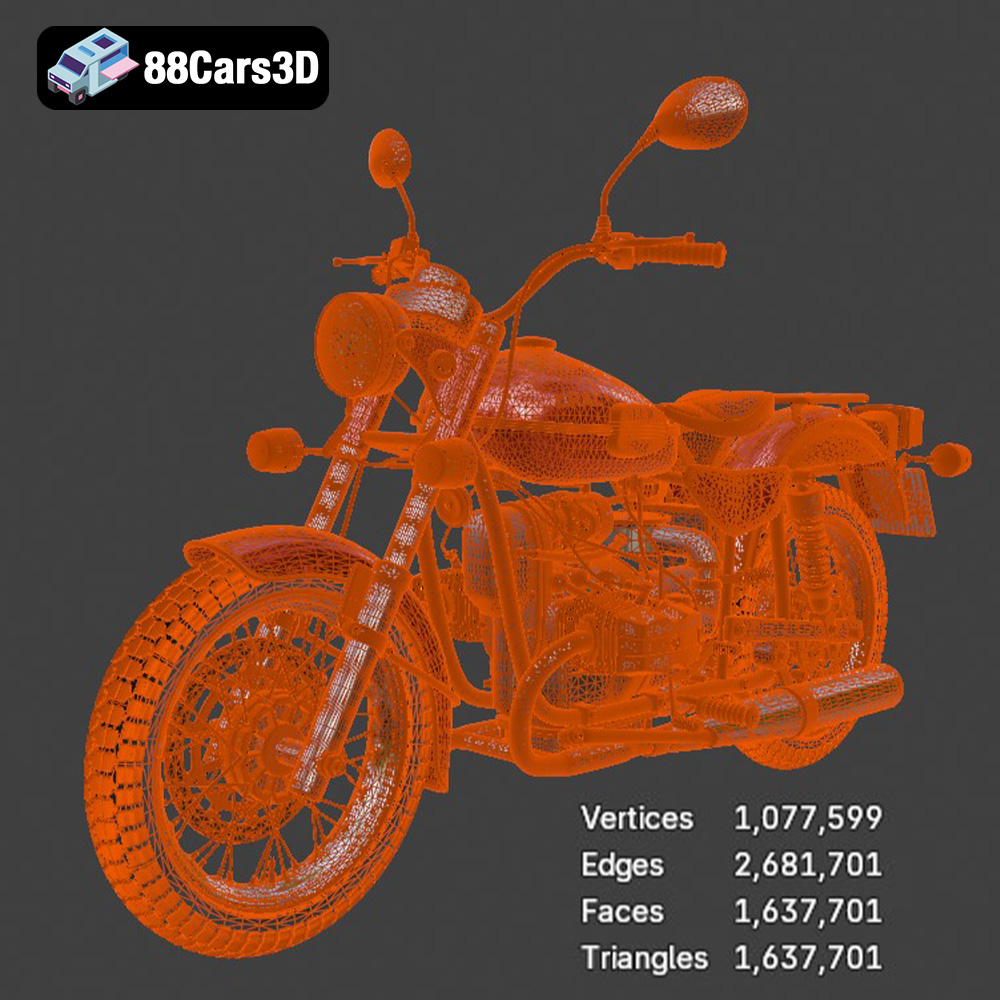
* Simplify the Mesh (Optional): For complex models with excessive detail, consider reducing the polygon count to improve slicing performance and reduce printing time. Blender’s decimate modifier can be used to simplify the mesh while preserving the overall shape of the Ural Solo sT.
* Slicing Software Options: Popular choices include Cura, PrusaSlicer, Simplify3D, and IdeaMaker. Each slicer offers different features and algorithms, so experiment to find the one that works best with your printer and material.
* Import and Scale: Import the repaired STL file into your chosen slicer. Ensure the model is scaled appropriately for your desired print size. Consider the limitations of your printer’s build volume when determining the scale.
* Orientation: Orient the model to minimize the need for support structures and to optimize print quality. For the Ural Solo sT, consider printing the frame and body separately and then assembling them later. Orient the parts to minimize overhangs and to take advantage of the printer’s strengths in certain directions.
The choice of material significantly impacts the final appearance, strength, and durability of your 3D printed Ural Solo sT. Consider the following options:
* Pros: Easy to print, biodegradable, available in a wide range of colors, low odor.
* Cons: Lower strength and heat resistance compared to other materials, can be brittle.
* Recommendation: PLA is a good choice for beginners and for creating visually appealing models that don’t require high strength. It’s ideal for the Ural Solo sT if it’s intended for display purposes.
* Pros: Stronger and more flexible than PLA, better heat resistance, good layer adhesion.
* Cons: Slightly more challenging to print than PLA, can be prone to stringing.
* Recommendation: PETG is a versatile option that balances printability with strength and durability. It’s suitable for the Ural Solo sT if you want a model that can withstand some handling.
* Pros: Exceptional detail and smooth surface finish, ideal for intricate models.
* Cons: More expensive than filament, requires post-processing (washing and curing), can be brittle, resins can be toxic.
* Recommendation: Resin is the best choice if you want to capture the finest details of the Ural Solo sT. It’s ideal for creating display models with a professional finish.
Fine-tuning your printer settings is essential for achieving a high-quality print of the Ural Solo sT. The specific settings will depend on your chosen material, printer model, and desired level of detail.
* Layer Height: A lower layer height (e.g., 0.1mm or 0.05mm) results in a smoother surface finish and finer details but increases printing time. A higher layer height (e.g., 0.2mm or 0.3mm) is faster but results in a more visible layer texture.
* Recommendation: For the Ural Solo sT, a layer height of 0.1mm to 0.15mm is a good balance between print quality and speed. If you’re using a resin printer, a layer thickness of 0.025mm to 0.05mm is recommended for maximum detail.
* Infill Density: The infill density determines the amount of material used inside the model. A higher infill density increases strength and weight but also increases printing time and material consumption.
* Infill Pattern: Common infill patterns include grid, honeycomb, gyroid, and triangles. The choice of pattern affects strength, weight, and printing time.
* Recommendation: For the Ural Solo sT, an infill density of 15% to 25% with a gyroid or honeycomb pattern is usually sufficient for most parts. Increase the infill density for parts that require greater strength, such as the axles or suspension components.
* Support Placement: Use your slicing software to automatically generate support structures for overhangs and bridges. Manually adjust the support placement to minimize the amount of support material needed and to avoid placing supports in areas that are difficult to remove.
* Support Density and Overhang Angle: Adjust the support density and overhang angle to optimize support strength and ease of removal.
* Recommendation: For the Ural Solo sT, focus on supporting the handlebars, seat, fenders, and any other prominent overhangs. Use a support density of 10% to 15% and an overhang angle of 45 degrees to 60 degrees.
After the print is complete, post-processing is necessary to remove support structures, smooth the surface, and add finishing touches.
* Careful Removal: Use pliers, cutters, or a sharp knife to carefully remove support structures. Be patient and avoid damaging the model.
* Sanding and Filing: Use sandpaper or files to smooth any rough edges or support scars. Start with coarse grit sandpaper and gradually move to finer grits for a smoother finish.
* Recommendation: For delicate parts, use a hobby knife to carefully slice away the support material. A rotary tool with sanding attachments can also be useful for smoothing larger areas.
* Wet Sanding: Wet sanding can help to reduce dust and create a smoother surface. Use a bowl of water and add a drop of dish soap.
* Priming: Apply a primer coat to fill in any remaining imperfections and to provide a uniform surface for painting.
* Recommendation: For resin prints, wet sanding is particularly effective. For filament prints, consider using a filler primer to hide layer lines.
* Acrylic Paints: Acrylic paints are a popular choice for painting 3D printed models. They are easy to apply, dry quickly, and are available in a wide range of colors.
* Masking: Use masking tape to create clean lines and to protect areas that you don’t want to paint.
* Detailing: Use fine brushes, paint pens, or decals to add intricate details to the Ural Solo sT model.
* Recommendation: Consider using automotive paints and clear coats for a professional finish that mimics the look of a real motorcycle.
Even with careful preparation, 3D printing can sometimes present challenges. Here are some common issues and their solutions:
* Problem: The corners of the print lift off the build plate.
* Solution: Ensure the build plate is properly leveled and heated. Use a brim or raft to increase adhesion. Adjust the bed temperature.
* Problem: Thin strands of filament are left between different parts of the print.
* Solution: Reduce the printing temperature, increase retraction distance and speed, and ensure the filament is dry.
* Problem: Layers don’t stick together properly, resulting in weak prints.
* Solution: Increase the printing temperature, reduce printing speed, and ensure the bed is leveled correctly.
* Problem: Overhangs sag or droop due to insufficient support.
* Solution: Increase support density, adjust support placement, and reduce printing speed for overhangs.
The estimated print time and material cost for the Ural Solo sT model will vary depending on the size, infill density, layer height, and material used. A rough estimate for a model printed at a reasonable size (around 20cm long) with 20% infill and 0.15mm layer height is:
* Print Time: 12-24 hours for FDM, 4-8 hours for Resin
* Material Cost: $5-$15 for Filament, $10-$30 for Resin
Keep in mind that these are just estimates. More complex models with intricate details and higher infill densities will take longer to print and will require more material. The STL files available on 88cars3d.com are optimized, which helps to reduce overall print times.
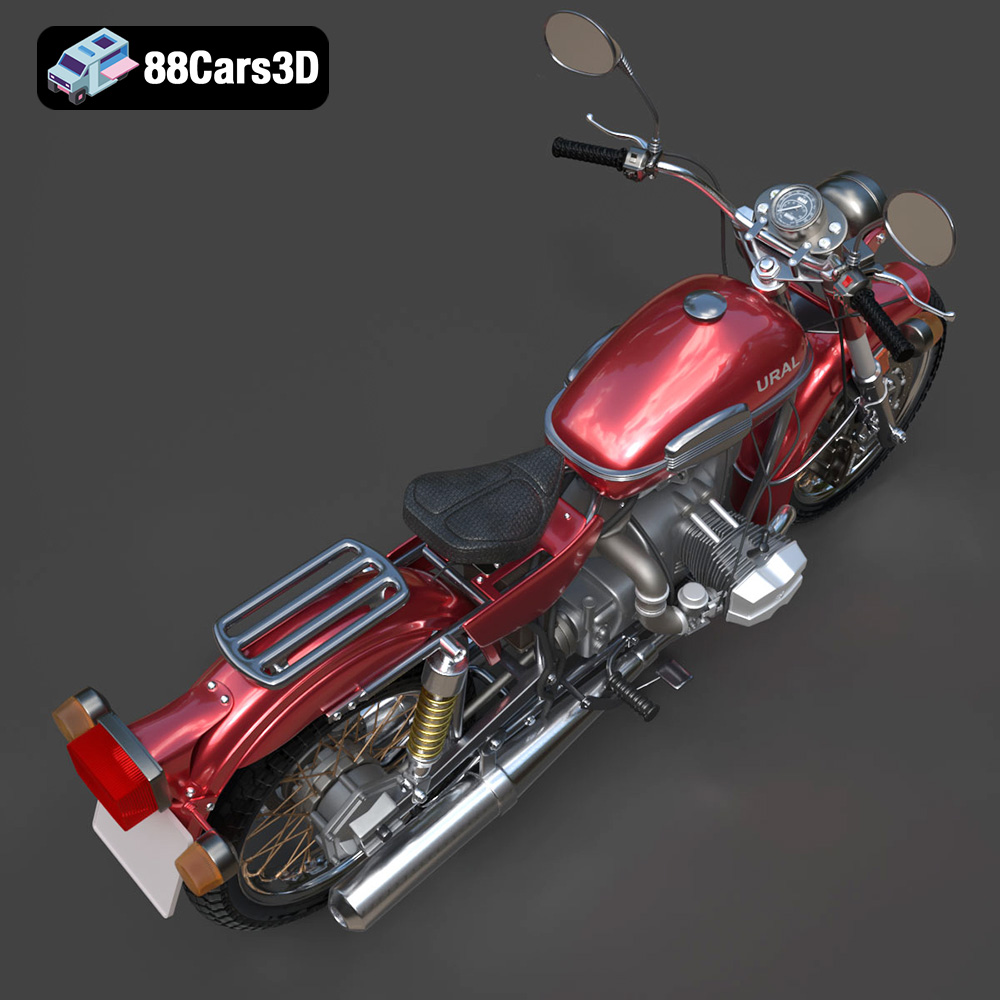
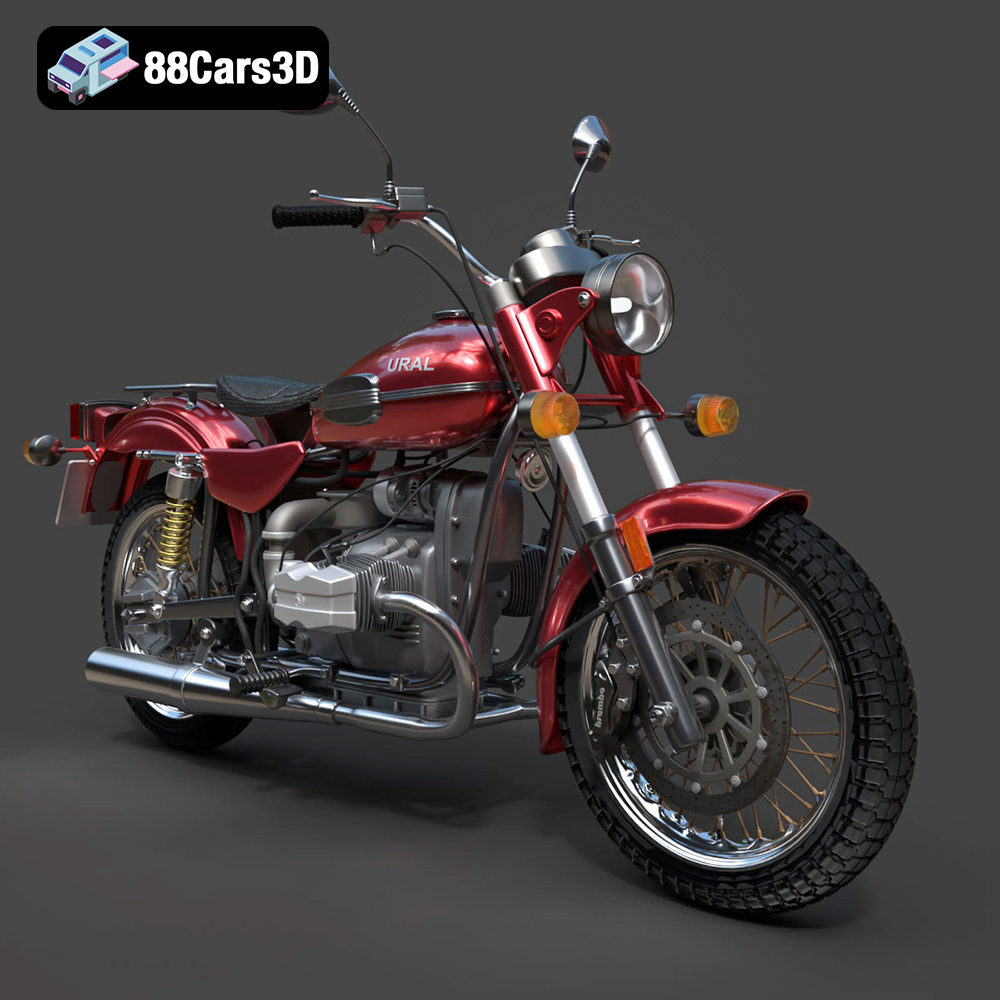
Experience true realism with the Ural Solo sT 3D Model. This carefully crafted digital asset captures the rugged design and iconic presence of the Ural Solo sT, delivering exceptional detail for your projects. Ideal for both close-up shots and expansive environments, this model brings authentic structural precision to any scene.
$19.99
3D printing the Ural Solo sT model is a rewarding project that combines technical skills with artistic expression. By carefully preparing the STL files, selecting the right material and printer settings, and employing effective post-processing techniques, you can create a stunning replica of this iconic motorcycle. Remember to inspect the model for errors, optimize the orientation for printing, and take your time with the finishing touches. With patience and attention to detail, you can transform a digital file into a tangible work of art. Now go forth and bring the Ural Solo sT to life!
.arvr
.blend
.car3dmodel
.cruiser
.fbx
.gameasset
.glb
.max
.motorcycle
.obj
.ply
.rendering
.simulation
.solost
.stl
.unreal
.ural