Get 20% OFF All Premium 3D & STL Models!

“`html
3D printing offers incredible opportunities for hobbyists, engineers, and model enthusiasts to bring digital designs to life. The thrill of creating a tangible object from a virtual file is undeniable, especially when it comes to detailed projects like 3D printable car models. However, the journey from STL file to finished print isn’t always smooth. Many beginners encounter frustrating setbacks and unexpected failures. At 88cars3d.com, we see many users download our meticulously prepared car models and then struggle with the printing process. This article aims to guide you through the most common pitfalls, providing clear explanations and practical solutions to help you achieve stunning results with your 3D printed car models.
Whether you’re using FDM or resin printing, understanding these common mistakes and how to avoid them will save you time, filament, and frustration. We’ll cover everything from STL file preparation and slicing parameters to support structures and post-processing techniques. Let’s dive in and unlock the secrets to successful 3D printing!
The foundation of a successful 3D print lies in the quality of the STL file itself. Many beginners assume that all STL files are created equal, leading to unexpected issues during slicing and printing. A poorly prepared STL file can contain errors that manifest as gaps, holes, or non-manifold geometry. These flaws can cause slicing software to generate incorrect toolpaths, resulting in a failed print.
Non-manifold geometry refers to edges or faces that are shared by more than two polygons. This creates an ambiguity in the mesh, confusing the slicer and leading to errors. Use software like MeshLab or Netfabb Basic (free for non-commercial use) to analyze your STL file for non-manifold edges. These tools can automatically detect and often repair such errors.
Meshmixer is a powerful and free tool from Autodesk that excels at repairing STL files. After importing your STL, use the “Analysis” -> “Inspector” tool. Meshmixer will highlight any errors with color-coded markers. Click the “Auto Repair All” button to automatically fix most common issues. For more complex problems, you might need to manually edit the mesh, filling gaps or smoothing out rough areas. Platforms like 88cars3d.com ensure their STL files are thoroughly checked and optimized, but it’s always good practice to verify before printing, especially for models sourced from other places.
Slicing software converts the 3D model into a series of layers that the printer can understand. Choosing the right slicing parameters is crucial for achieving optimal print quality, strength, and detail. Beginners often overlook the importance of parameters like layer height, infill density, and print speed, leading to weak prints, excessive printing time, or poor surface finish.
Layer height directly affects both print time and resolution. Smaller layer heights (e.g., 0.1mm) produce smoother surfaces and finer details but significantly increase print time. Larger layer heights (e.g., 0.3mm) print faster but result in more visible layer lines. For car models, a layer height between 0.1mm and 0.2mm typically offers a good balance between detail and speed. Experiment with different layer heights to find the optimal setting for your specific printer and model.
Infill refers to the internal structure of the 3D printed object. Higher infill density results in a stronger but heavier print, while lower infill density saves material and reduces print time. For decorative car models, an infill density of 15-25% is usually sufficient. For functional parts that need to withstand stress, consider increasing the infill density to 50% or higher. Different infill patterns (e.g., grid, honeycomb, gyroid) offer varying strength and weight characteristics. Gyroid infill is a popular choice for its isotropic strength and efficient material usage.
Support structures are essential for printing overhangs and complex geometries. Without proper support, these features will droop or collapse, resulting in a failed print. Beginners often underestimate the importance of support structures, either omitting them entirely or using inadequate support settings. This is especially crucial when printing detailed car models with complex curves and intricate features.
There are two main types of support structures: tree supports and linear supports. Tree supports are more material-efficient and easier to remove, making them a good choice for organic shapes and intricate details. Linear supports provide stronger support but can be more difficult to remove and may leave more noticeable marks. Consider the geometry of your car model when deciding which type of support to use. Carefully place supports under all overhangs and unsupported areas. In Cura, experiment with the “Support Placement” setting (Everywhere vs. Touching Buildplate) to optimize support generation.
Make support removal easier by adjusting the support settings. Increase the “Support Z Distance” (the gap between the support and the printed part) to facilitate separation. Adjusting the “Support Density” also affects ease of removal versus support strength. Lower density makes removal easier, higher density provides better support. In PrusaSlicer, the “Support Material Interface” option creates a dense layer between the support and the model, further improving surface finish and ease of removal.
Bed adhesion refers to how well the first layer of the print sticks to the build plate. Poor bed adhesion is a common cause of print failures, especially for larger or more complex models. Beginners often overlook the importance of a properly leveled bed and appropriate bed adhesion techniques. This can lead to warping, lifting, or even complete detachment of the print from the build plate.
A properly leveled bed is crucial for ensuring good first-layer adhesion. Most 3D printers have manual or automatic bed leveling systems. Follow the manufacturer’s instructions to level the bed accurately. Use a piece of paper or a feeler gauge to ensure the nozzle is the correct distance from the bed at all points. Regularly check and adjust the bed level, especially after moving the printer or changing the build plate.
Several bed adhesion aids can improve first-layer adhesion. A brim is a single-layer outline that surrounds the base of the print, providing a larger surface area for adhesion. A raft is a multi-layer platform that the print is built upon, offering even greater adhesion. Glue stick or hairspray can also be applied to the build plate to enhance adhesion. Choose the appropriate bed adhesion aid based on the size and complexity of your car model. For large models with intricate bases, a raft might be necessary. For smaller models, a brim or glue stick may suffice.
Different 3D printing materials have different properties, strengths, and weaknesses. Choosing the wrong material can lead to a print that is brittle, flexible, or prone to warping. Beginners often stick to PLA, which is easy to print but not always suitable for all applications. Consider the intended use of your 3D printed car model when selecting a material.
PLA (Polylactic Acid) is a biodegradable thermoplastic that is easy to print and produces good surface finish. However, it is relatively brittle and has low heat resistance. PETG (Polyethylene Terephthalate Glycol) is a more durable and heat-resistant alternative to PLA. It is also less prone to warping. ABS (Acrylonitrile Butadiene Styrene) is a strong and heat-resistant plastic, but it requires higher printing temperatures and is more prone to warping than PLA or PETG. For decorative car models, PLA or PETG are good choices. For functional parts that need to withstand heat or stress, ABS might be necessary.
Resin printing offers superior detail and surface finish compared to FDM printing. However, resin printers use different materials (liquid resins) that require different handling and safety precautions. Different resin types offer varying properties such as hardness, flexibility, and heat resistance. Choose a resin that is appropriate for the intended use of your car model. For example, flexible resins are suitable for tires, while rigid resins are better for the body.
The orientation of the model on the build plate significantly affects the print quality, strength, and support requirements. Beginners often place the model in a random orientation without considering the impact on these factors. Optimizing the print orientation can minimize support usage, improve surface finish, and increase the strength of the printed part.
Orient the model in a way that minimizes the need for support structures. For example, tilting a car body at an angle can reduce the amount of support needed under the roof or spoiler. However, tilting the model can also increase the print time and the amount of material used.
Consider the orientation of the model in relation to the layer lines. Surfaces that are parallel to the build plate will have a smoother finish than surfaces that are perpendicular to the build plate. Orient the model so that the most visible surfaces are parallel to the build plate to minimize the visibility of layer lines.
A properly calibrated and well-maintained 3D printer is essential for consistent and reliable printing results. Beginners often neglect calibration and maintenance, leading to a variety of problems such as poor bed adhesion, inconsistent extrusion, and inaccurate prints. Regular maintenance is key to ensuring that your printer is performing at its best.
Calibrate the extruder steps to ensure that the correct amount of filament is being extruded. This involves measuring the actual amount of filament extruded and adjusting the steps per millimeter setting accordingly. Calibrate the flow rate to fine-tune the amount of material being extruded. This is particularly important for achieving accurate dimensions and preventing over-extrusion or under-extrusion.
Regularly clean the nozzle to prevent clogs. Use a needle or wire to remove any debris that may be blocking the nozzle. Clean the build plate with isopropyl alcohol to remove any grease or residue. Check the belts for tension and adjust them as needed. Loose belts can cause inaccurate prints and layer shifting.
Proper cooling is essential for achieving good print quality, especially for materials like PLA. Insufficient cooling can lead to warping, drooping, and poor surface finish. Beginners often overlook cooling settings, either disabling the cooling fan entirely or using inappropriate fan speeds.
PLA typically requires high cooling fan speeds to prevent warping and maintain good surface finish. ABS, on the other hand, requires minimal cooling to prevent cracking and delamination. Adjust the fan speed according to the material being used.
Overhangs and bridges require particularly strong cooling to prevent drooping. Increase the fan speed for these features to ensure that they are properly supported and maintain their shape. Some slicers have specific settings for cooling overhangs and bridges.
Post-processing is the final step in the 3D printing process and is essential for achieving a finished product. Beginners often rush through post-processing, neglecting important steps such as support removal, sanding, and painting. Taking the time to properly post-process your prints can significantly improve their appearance and durability.
Remove support structures carefully to avoid damaging the printed part. Use pliers, cutters, or a deburring tool to gently remove the supports. Take your time and avoid applying excessive force. For delicate parts, consider using a solvent to dissolve the support material.
Sanding is an important step for smoothing out the surface of the print and removing layer lines. Start with coarse sandpaper and gradually move to finer grits. Use wet sanding to prevent dust and achieve a smoother finish. Consider using fillers or primers to fill in any remaining imperfections before painting. For car models downloaded from 88cars3d.com, which already have optimized surfaces, minimal sanding might be required.
3D printing is a learning process, and mistakes are inevitable. However, the key to success is to learn from your mistakes and improve your techniques. Beginners often get discouraged by failed prints and give up prematurely. Don’t be afraid to experiment, try new things, and document your results.
Keep a record of your print settings and the results you achieve. This will help you to identify the settings that work best for different materials and models. Take notes on any problems you encounter and the solutions you try. This will help you to troubleshoot future issues and avoid repeating the same mistakes.
There are many online communities and forums dedicated to 3D printing. These communities are a valuable resource for getting help, sharing tips, and learning from others. Don’t be afraid to ask questions and seek advice from more experienced printers. Sites such as Reddit’s r/3Dprinting are great places to learn.
3D printing car models is a rewarding but complex process. By understanding and avoiding these top 10 mistakes, beginners can significantly improve their chances of success. Remember to prioritize STL file quality, optimize slicing parameters, use proper support structures, ensure good bed adhesion, choose the right material, orient the model correctly, calibrate and maintain your printer, control cooling, take your time with post-processing, and learn from your mistakes. With practice and patience, you’ll be creating stunning 3D printed car models in no time. And when you’re ready for your next project, remember to check out 88cars3d.com for a wide selection of high-quality, print-ready STL files.
“`

Texture: Yes | Material: Yes
Download the highly detailed, game-ready Custom Off-Road BMW R1150GS Adventure Sidecar 3D Model. Features rugged all-terrain suspension, an attached passenger sidecar, and off-road knobby tires. Includes .blend, .fbx, .obj, .glb, .stl, .ply, .unreal, and .max formats for game development, AR/VR, and rendering.
Price: $19.99

Texture: Yes | Material: Yes
Download the highly detailed, game-ready Mitsubishi Outlander GT 2010 3D Model. Features the aggressive Lancer-inspired front grille, accurate exterior styling, and high-fidelity alloy wheels. Includes .blend, .fbx, .obj, .glb, .stl, .ply, .unreal, and .max formats for game development, AR/VR, and rendering.
Price: $19.99
Texture: Yes | Material: Yes
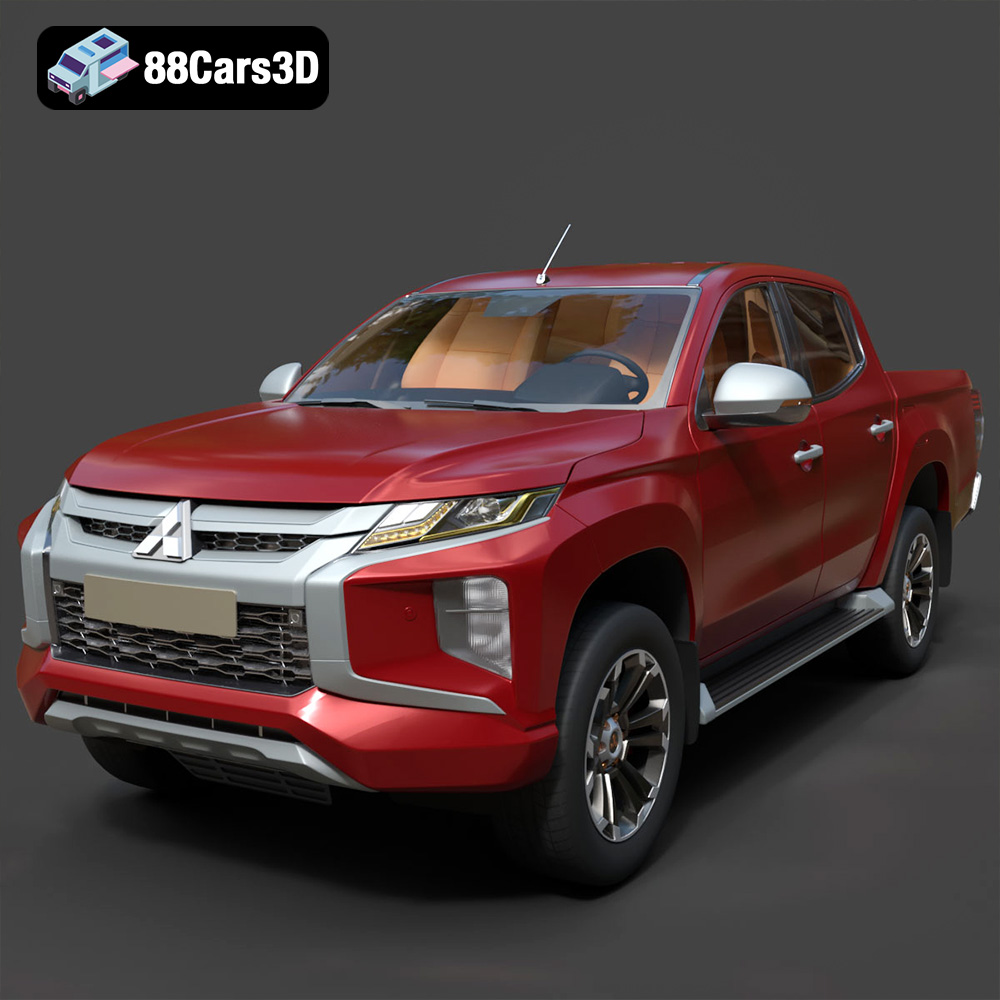
Download the highly detailed, game-ready Mitsubishi L200 Crew Cab 2019 3D Model. Features the iconic Dynamic Shield front fascia, rugged cargo bed, and a spacious crew cab interior. Includes .blend, .fbx, .obj, .glb, .stl, .ply, .unreal, and .max formats for game development, AR/VR, and rendering.
Price: $19.99
Texture: Yes | Material: Yes
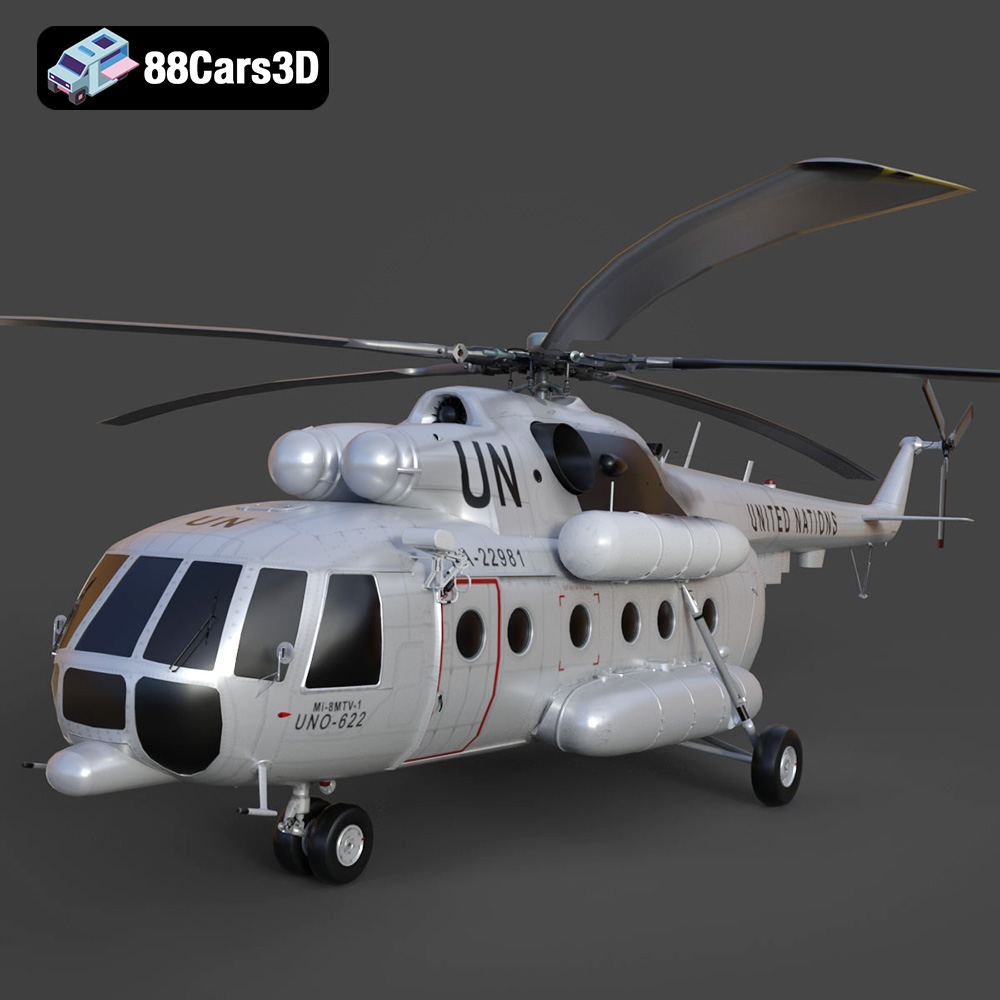
Download the highly detailed, game-ready Mil Mi-8MTV-UN 3D Model. Features the iconic United Nations white livery, detailed twin turboshaft engines, and fully articulated rotor assemblies. Includes .blend, .fbx, .obj, .glb, .stl, .ply, .unreal, and .max formats for game development, AR/VR, and rendering.
Price: $19.99
Texture: Yes | Material: Yes
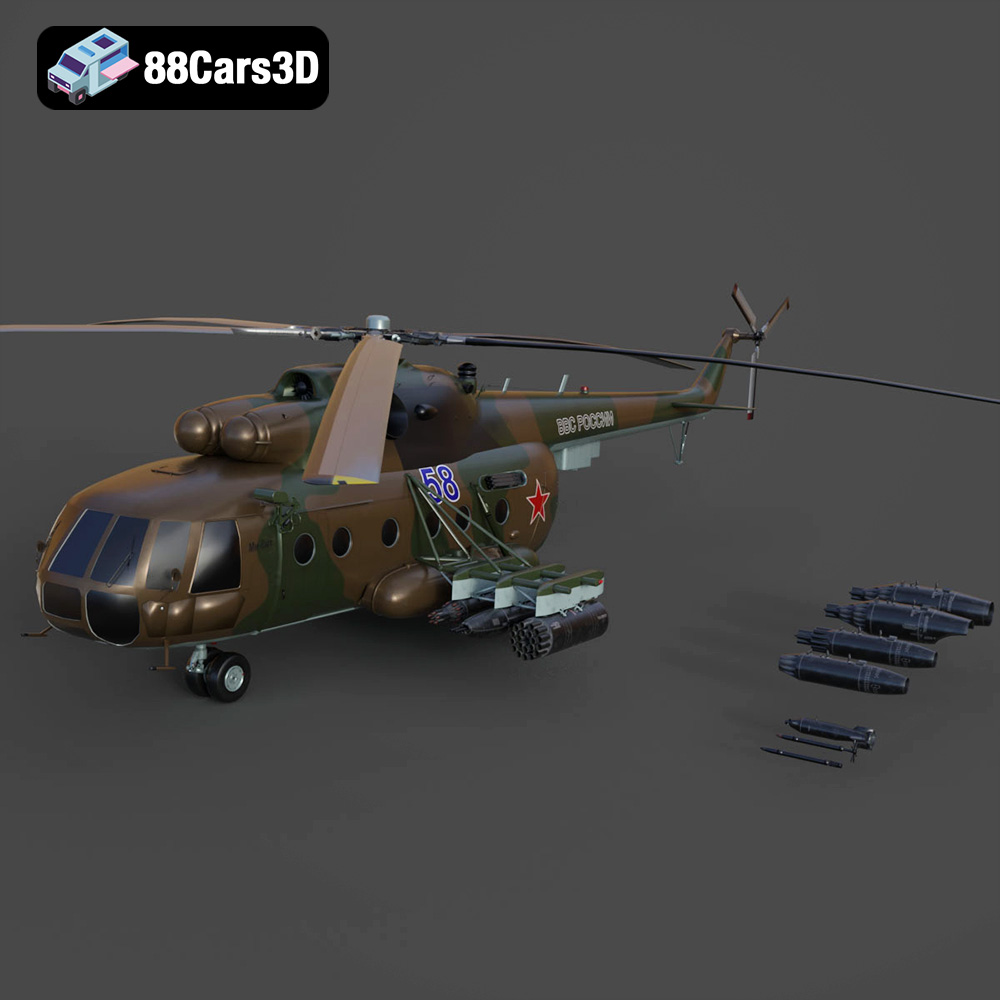
Download the highly detailed, game-ready Mil Mi-8MT Helicopter 3D Model. Features twin-turbine engine housings, a detailed 5-blade main rotor, and authentic cockpit instrumentation. Includes .blend, .fbx, .obj, .glb, .stl, .ply, .unreal, and .max formats for game development, AR/VR, and rendering.
Price: $19.99

Texture: Yes | Material: Yes
Download the highly detailed, game-ready Mercedes-Maybach Vision 6 2018 3D Model. Features an elongated aero coupe design, iconic gullwing doors, and striking 24-inch aerodynamic wheels. Includes .blend, .fbx, .obj, .glb, .stl, .ply, .unreal, and .max formats for game development, AR/VR, and rendering.
Price: $19.99
Texture: Yes | Material: Yes
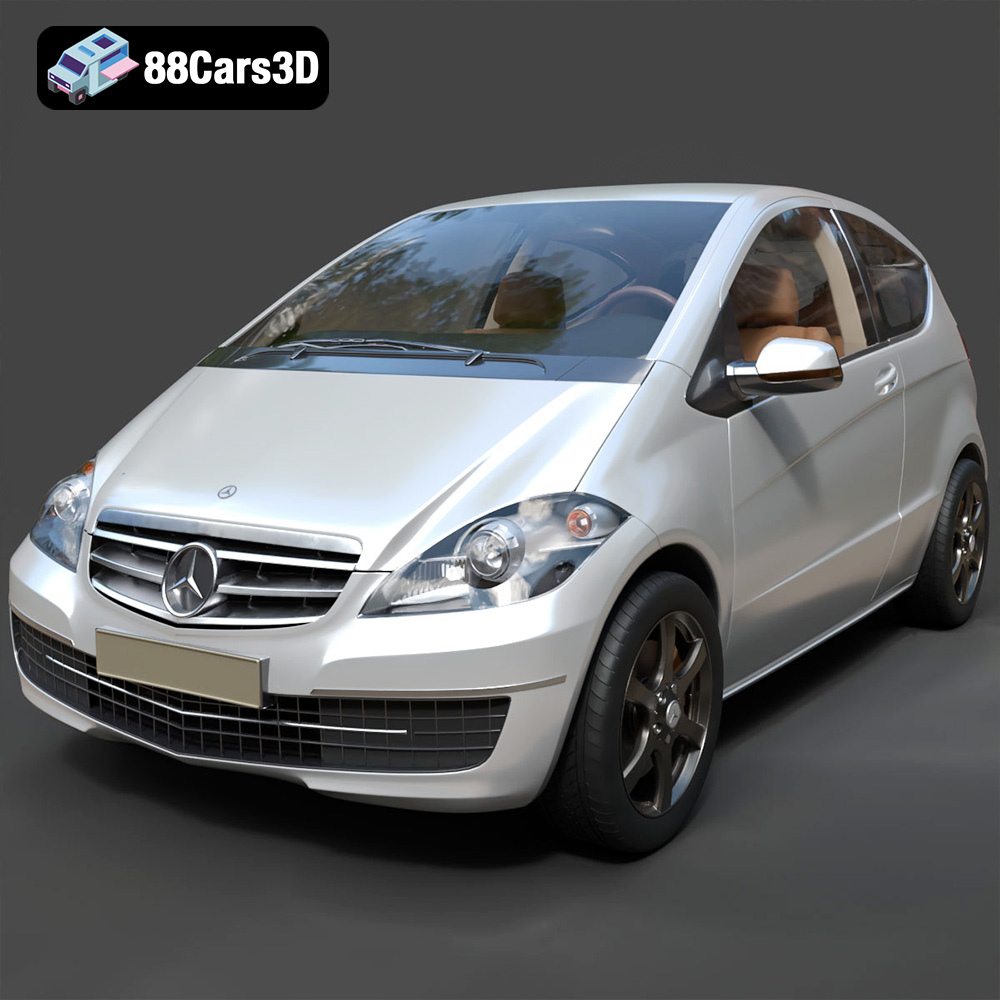
Download the highly detailed, game-ready Mercedes-Benz A-Class 3-Door 2010 3D Model. Features an accurate compact luxury exterior, detailed interior, and optimized topology. Includes .blend, .fbx, .obj, .glb, .stl, .ply, .unreal, and .max formats for game development, AR/VR, and rendering.
Price: $19.99
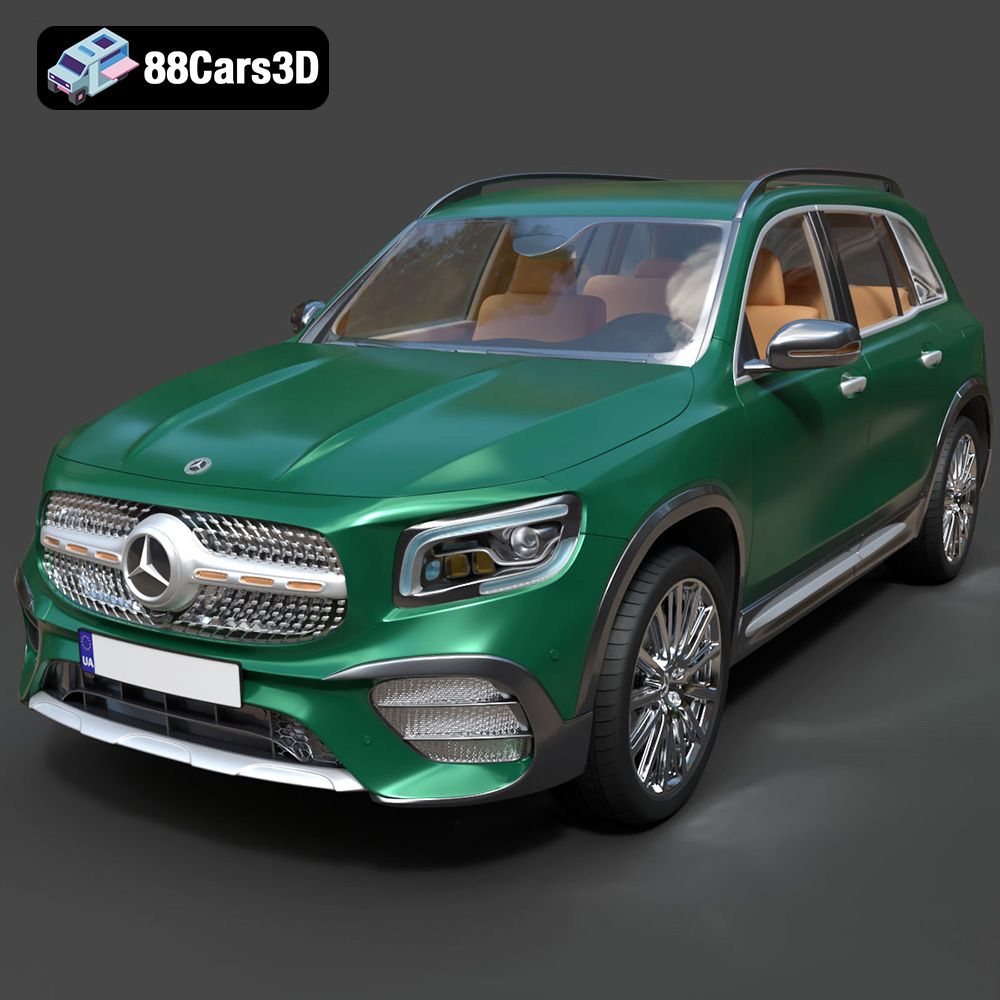
Texture: Yes | Material: Yes
Download the highly detailed, game-ready Mercedes-Benz GLB-Class (Mk1) AMG Line 2019 3D Model. Features sporty AMG Line exterior styling, accurate LED lighting, and premium interior details. Includes .blend, .fbx, .obj, .glb, .stl, .ply, .unreal, and .max formats for game development, AR/VR, and rendering.
Price: $19.99
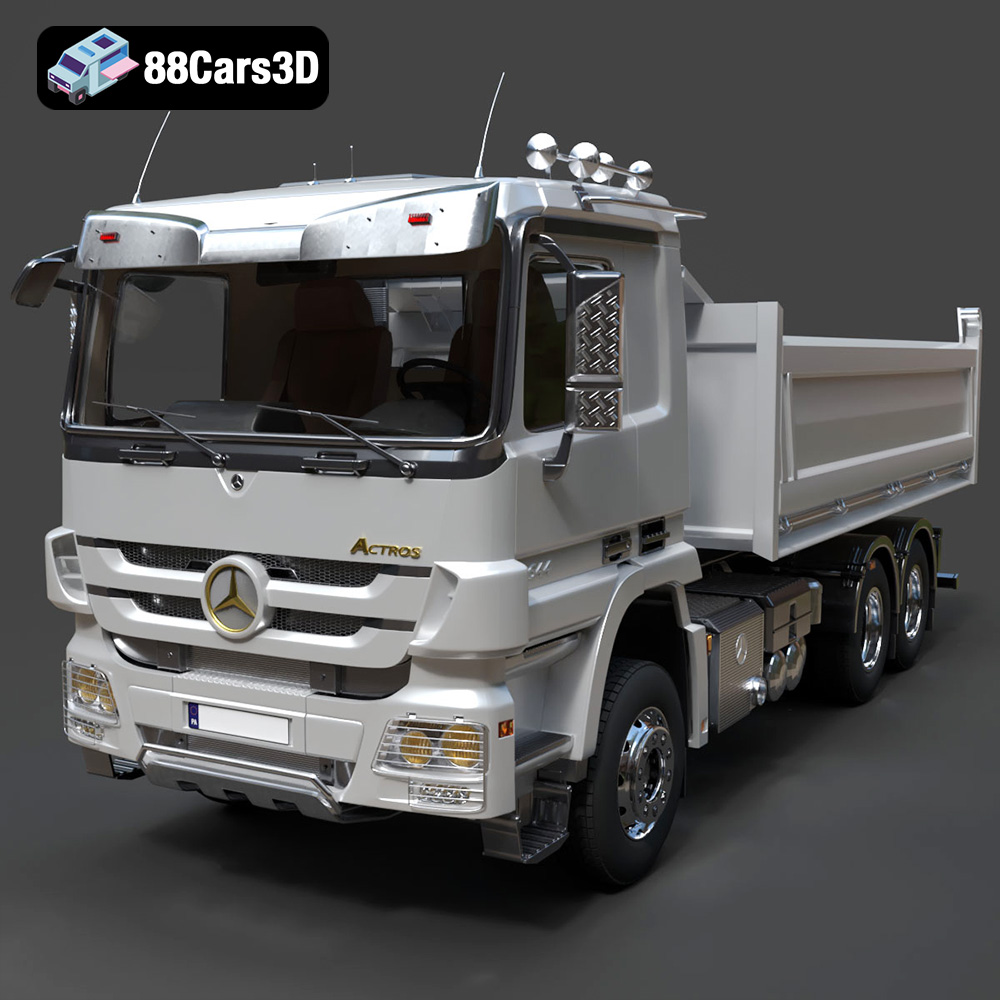
Texture: Yes | Material: Yes
Download the highly detailed, game-ready Mercedes-Benz Actros Tipper 3-Axle 2011 3D Model. Features a functional hydraulic tipper bed, detailed multi-axle chassis, and an accurate commercial cab. Includes .blend, .fbx, .obj, .glb, .stl, .ply, .unreal, and .max formats for game development, AR/VR, and rendering.
Price: $19.99

Texture: Yes | Material: Yes
Download the highly detailed, game-ready Lexus LX Mk3f J200 2016 3D Model. Features the iconic spindle grille, sharp L-shaped LED lighting, and a premium luxury interior. Includes .blend, .fbx, .obj, .glb, .stl, .ply, .unreal, and .max formats for game development, AR/VR, and rendering.
Price: $19.99

