Get 20% OFF All Premium 3D & STL Models!

“`html
In the dynamic world of 3D printing, where new technologies and file formats emerge constantly, one format has remained a steadfast standard: the STL (Stereolithography) file. Its simplicity and widespread compatibility have solidified its position as the most popular format for 3D printing, even decades after its initial creation. Whether you’re a seasoned 3D printing professional or just starting your journey, understanding the nuances of the STL format is crucial for successful printing. This blog post dives deep into the reasons behind STL’s enduring popularity, exploring its technical underpinnings, advantages, limitations, and practical applications in the context of 3D printing, particularly for detailed models like those found on platforms like 88cars3d.com. We’ll cover everything from the basic structure of an STL file to advanced techniques for optimizing STL files for specific 3D printing processes.
At its heart, the STL file format is remarkably simple. It represents the surface geometry of a 3D object as a collection of triangles. This simplicity is a major factor in its widespread adoption. Each triangle is defined by the coordinates of its three vertices and a normal vector that indicates the direction the triangle is facing. The format supports both ASCII and binary encoding, with binary being the more common due to its smaller file size. This efficient data representation makes STL files easily manageable, even for complex models.
The representation of an object using triangles is known as a tessellation. The density of the triangle mesh directly affects the accuracy of the representation. A higher density (more triangles) results in a more accurate representation of the original object’s curves and surfaces, but also increases the file size and processing time. When working with detailed models, such as printable car models from 88cars3d.com, it’s important to strike a balance between accuracy and file size to ensure efficient slicing and printing. For automotive models, especially, finer details like grills, emblems and intricate body lines benefit from a higher triangle density.
While both ASCII and binary STL files represent the same geometric data, their storage methods differ significantly. ASCII STL files store the triangle data as human-readable text, making them easier to inspect and edit manually. However, they are significantly larger than their binary counterparts. Binary STL files store the data in a compact binary format, resulting in smaller file sizes and faster processing. For practical 3D printing, especially with the large files often associated with intricate car models, binary STL is almost always the preferred choice due to its efficiency. The file header contains 80 bytes and is often used for file identification or comments.
One of the primary reasons for STL’s continued dominance is its unparalleled compatibility with virtually all 3D printing software and hardware. Nearly every 3D printer on the market, from entry-level desktop FDM printers to high-end industrial machines, supports the STL format. This universality simplifies the workflow for users, as they can use the same STL file across different printers and software platforms without needing to convert or modify the file. This is particularly important when sourcing models from various designers and marketplaces, where a common file format ensures seamless integration into your existing workflow. The widespread adoption has led to a large ecosystem of tools and resources specifically designed for working with STL files, including mesh repair tools, slicing software, and online model repositories.
Slicing software is the bridge between the 3D model and the 3D printer. These programs take an STL file as input and generate the instructions (G-code) that the printer uses to build the object layer by layer. The almost universal support for STL in slicing software like Cura, PrusaSlicer, Simplify3D, and others is crucial. These programs provide a wide range of settings for controlling the printing process, allowing users to optimize the print for specific materials, printers, and desired outcomes. The ability to easily import and process STL files in these slicers is a major advantage for users of all skill levels. For example, Cura’s extensive plugin support extends its STL handling capabilities significantly.
The compatibility of STL files extends beyond software to the 3D printers themselves. Regardless of whether you’re using an FDM (Fused Deposition Modeling) printer, an SLA (Stereolithography) printer, or an SLS (Selective Laser Sintering) printer, chances are it will support STL files. This makes it easy to transfer designs between different printing technologies and experiment with different materials and printing processes. The ubiquitous nature of STL also simplifies the process of outsourcing 3D printing jobs, as you can be confident that the printing service will be able to work with your files.
Beyond compatibility, STL offers several key advantages that contribute to its enduring popularity. Its simple structure makes it relatively easy to understand and process, resulting in fast slicing times and efficient use of computing resources. The format is also widely accessible, with a wealth of free and open-source tools available for creating, editing, and repairing STL files. This accessibility lowers the barrier to entry for aspiring 3D printing enthusiasts and makes it easier for professionals to integrate 3D printing into their workflows. Moreover, platforms like 88cars3d.com utilize STL due to its ease of distribution and use for their customer base.
The simplicity of the STL format translates directly into faster processing times. Slicing software can quickly analyze the triangle mesh and generate the G-code instructions for the printer. This is particularly important for large and complex models, where processing time can be a significant bottleneck. By minimizing the computational overhead, STL helps to streamline the 3D printing workflow and reduce the time it takes to produce a finished part. The efficient processing helps when printing large models, like full-sized car models in sections.
The widespread availability of free and open-source tools for working with STL files makes it easy for anyone to get started with 3D printing. Programs like MeshLab and Blender provide powerful tools for viewing, editing, and repairing STL files, without requiring expensive software licenses. This accessibility democratizes the 3D printing process and allows individuals and small businesses to experiment and innovate without significant financial investment. The flat learning curve is a huge benefit for those entering the world of 3D printing.
Despite its many advantages, STL is not without its limitations. The format’s reliance on triangles to represent surfaces can lead to faceting artifacts, especially on curved surfaces. It lacks support for color information, textures, and materials, which can be a drawback for certain applications. STL also lacks information about internal structure or manufacturing data. While these limitations can be addressed with alternative file formats like OBJ or AMF, STL remains the dominant choice for many 3D printing applications due to its simplicity and compatibility.
The faceted appearance of curved surfaces in STL files is a direct consequence of the triangle-based representation. The degree of faceting depends on the density of the triangle mesh. While increasing the triangle density can reduce faceting, it also increases the file size and processing time. In practice, a balance must be struck between accuracy and efficiency. Techniques like smoothing filters and adaptive meshing can be used to reduce faceting without significantly increasing the file size. When creating models for 3D printing, it’s important to carefully consider the desired level of detail and choose a triangle density that strikes the right balance.
STL files do not store color, texture, or material information. This limits their applicability for applications where visual fidelity is paramount. While it is possible to paint or apply textures to 3D printed parts after they are printed, this requires additional post-processing steps. For applications that require color information, alternative file formats like OBJ or AMF are often preferred. Some slicers also support importing color information separately, which can be used to control multi-material printing. But for simpler models, the lack of color data is not a significant drawback.
To achieve the best possible results when 3D printing with STL files, it’s important to optimize them for the specific printing process and material being used. This includes repairing mesh errors, adjusting the triangle density, and orienting the model for optimal printability. By taking the time to optimize your STL files, you can improve the quality of your prints, reduce the risk of printing failures, and minimize the amount of post-processing required. When downloading models from marketplaces such as 88cars3d.com, it’s crucial to ensure the STL files are well-prepared for printing. Often, well-designed files from reputable sources will already be optimized for printing, but it’s always a good idea to double-check before starting a print.
Before printing an STL file, it’s essential to check for and repair any mesh errors. Common errors include non-manifold geometry (edges or faces that are connected to more than two other faces), holes in the mesh, and self-intersecting faces. These errors can cause problems during slicing and printing, leading to incomplete or defective parts. Mesh repair tools like Netfabb Basic, Meshmixer, and online services like MakePrintable can automatically detect and repair these errors. Ensuring that your STL file is “watertight” (i.e., it defines a closed, continuous surface) is crucial for successful 3D printing. Netfabb, in particular, excels at automatically repairing complex STL issues.
The orientation of the model on the print bed can have a significant impact on the print quality, strength, and amount of support material required. Orienting the model to minimize overhangs can reduce the need for support structures, which can save time and material. Additionally, orienting the model so that the strongest axis is aligned with the direction of stress can improve the mechanical properties of the printed part. Experimenting with different orientations is often necessary to find the optimal configuration for a particular model. For car models, this often means printing the body at an angle to minimize the need for supports on the curved surfaces. For example, tilting a car body 45 degrees backward will reduce support usage.
While alternative file formats like 3MF and AMF offer advanced features and improved performance, STL is likely to remain a dominant force in the 3D printing world for the foreseeable future. Its simplicity, compatibility, and widespread support make it a reliable and accessible choice for a wide range of applications. As 3D printing technology continues to evolve, STL will likely adapt and evolve as well, perhaps through the incorporation of new metadata or extensions that address some of its current limitations. The future of STL is closely intertwined with the future of 3D printing, and its enduring popularity is a testament to its fundamental strengths.
The STL format is not static. Efforts are underway to enhance its capabilities and integrate it with new 3D printing technologies. This includes exploring ways to incorporate color information, textures, and material properties into STL files, as well as developing new techniques for optimizing STL files for specific printing processes. The STL format is likely to evolve to meet the changing needs of the 3D printing community. One possibility is the inclusion of metadata to specify material properties or manufacturing instructions. This would greatly increase the use cases for STL files.
Despite its limitations, STL has laid the foundation for much of the innovation in 3D printing. Its simplicity and widespread adoption have enabled the development of a vast ecosystem of tools, software, and resources that have driven the growth of the industry. As 3D printing continues to mature, STL will continue to play a vital role, serving as a fundamental building block for new technologies and applications. From hobbyists printing figurines to engineers prototyping complex designs, STL has empowered countless individuals and businesses to bring their ideas to life. Platforms like 88cars3d.com demonstrate the continued relevance and value of STL in the world of 3D printing.
The STL file format’s enduring popularity in 3D printing stems from its simple, efficient structure and unmatched compatibility. While it has limitations, its advantages in speed, accessibility, and ease of use make it a dominant choice for a wide range of applications. By understanding the nuances of the STL format and how to optimize it for specific printing processes, you can unlock its full potential and achieve high-quality 3D prints. Whether you’re a seasoned 3D printing professional or just starting out, mastering the STL format is a crucial step towards success in the world of additive manufacturing. Now that you have a better understanding of STL files, you can confidently explore the wide range of printable car models available on 88cars3d.com and bring your favorite automotive designs to life. Remember to always check and repair your STL files before printing, and experiment with different printing settings to achieve the best possible results.
“`

Texture: Yes | Material: Yes
Download the highly detailed, game-ready Porsche 718 Cayman GT4 2020 3D Model. Features an aggressive fixed rear wing, distinctive side air intakes, and a track-focused stance. Includes .blend, .fbx, .obj, .glb, .stl, .ply, .unreal, and .max formats for game development, AR/VR, and rendering.
Price: $19.99

Texture: Yes | Material: Yes
Download the highly detailed, game-ready Polestar 2 2020 3D Model. Features minimalist Scandinavian fastback styling, pixel LED lighting, and an accurate electric vehicle profile. Includes .blend, .fbx, .obj, .glb, .stl, .ply, .unreal, and .max formats for game development, AR/VR, and rendering.
Price: $19.99
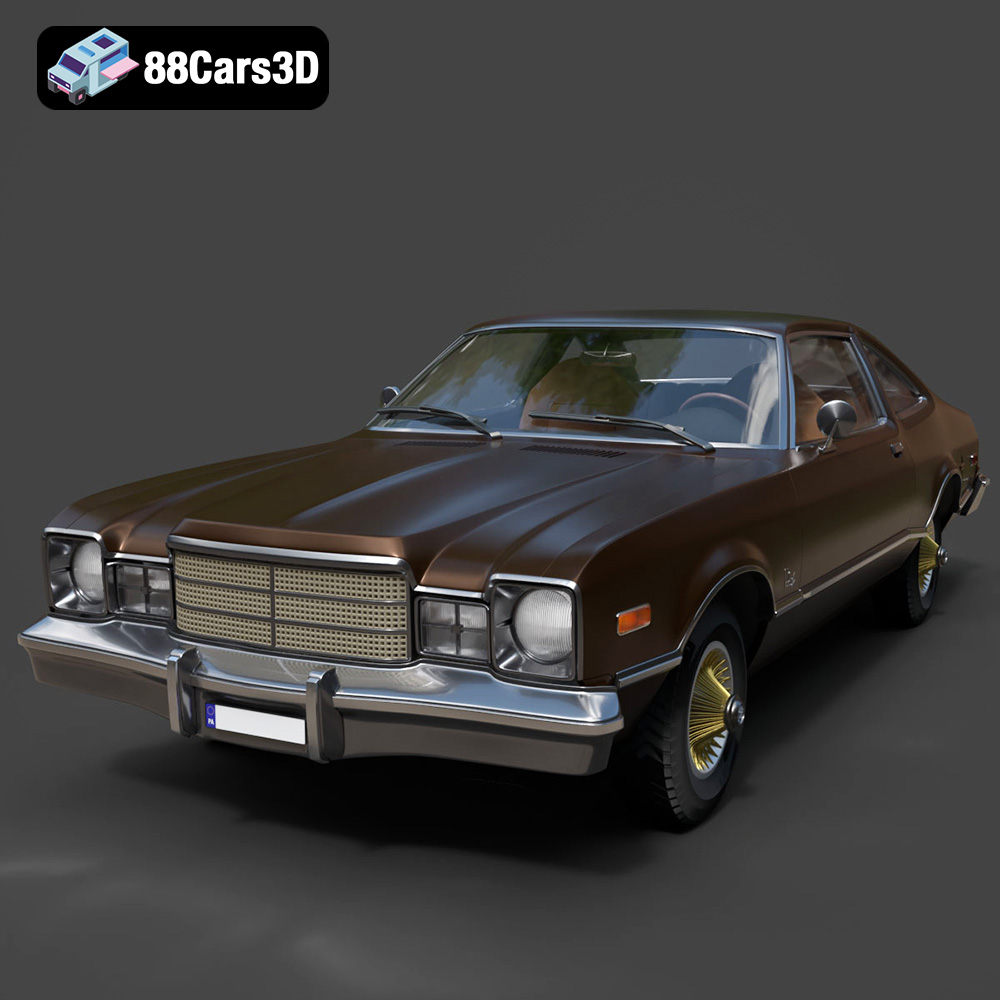
Texture: Yes | Material: Yes
Download the highly detailed, game-ready Plymouth Volare Coupe 1977 3D Model. Features classic F-body styling, detailed chrome trim, and an accurate vintage interior. Includes .blend, .fbx, .obj, .glb, .stl, .ply, .unreal, and .max formats for game development, AR/VR, and rendering.
Price: $19.99

Texture: Yes | Material: Yes
Download the highly detailed, game-ready Peugeot 208 2020 3D Model. Features aggressive ‘fang’ LED DRLs, sporty hatchback proportions, and aerodynamic alloy wheels. Includes .blend, .fbx, .obj, .glb, .stl, .ply, .unreal, and .max formats for game development, AR/VR, and rendering.
Price: $19.99

Texture: Yes | Material: Yes
Download the highly detailed, game-ready MV Agusta Brutale 1090 R 3D Model. Features an exposed trellis frame, distinctive teardrop headlight, and muscular naked bike styling. Includes .blend, .fbx, .obj, .glb, .stl, .ply, .unreal, and .max formats for game development, AR/VR, and rendering.
Price: $19.99

Texture: Yes | Material: Yes
Download the highly detailed, game-ready Custom Off-Road BMW R1150GS Adventure Sidecar 3D Model. Features rugged all-terrain suspension, an attached passenger sidecar, and off-road knobby tires. Includes .blend, .fbx, .obj, .glb, .stl, .ply, .unreal, and .max formats for game development, AR/VR, and rendering.
Price: $19.99

Texture: Yes | Material: Yes
Download the highly detailed, game-ready Mitsubishi Outlander GT 2010 3D Model. Features the aggressive Lancer-inspired front grille, accurate exterior styling, and high-fidelity alloy wheels. Includes .blend, .fbx, .obj, .glb, .stl, .ply, .unreal, and .max formats for game development, AR/VR, and rendering.
Price: $19.99
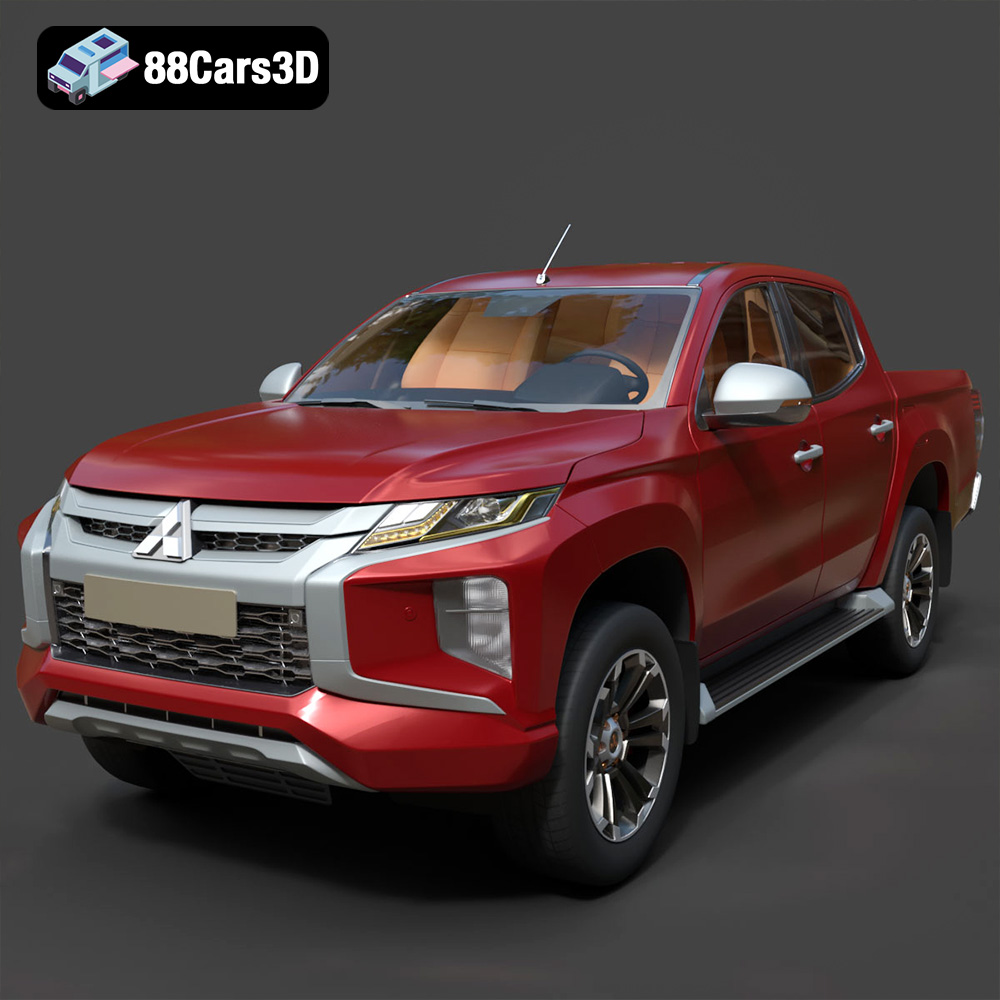
Texture: Yes | Material: Yes
Download the highly detailed, game-ready Mitsubishi L200 Crew Cab 2019 3D Model. Features the iconic Dynamic Shield front fascia, rugged cargo bed, and a spacious crew cab interior. Includes .blend, .fbx, .obj, .glb, .stl, .ply, .unreal, and .max formats for game development, AR/VR, and rendering.
Price: $19.99
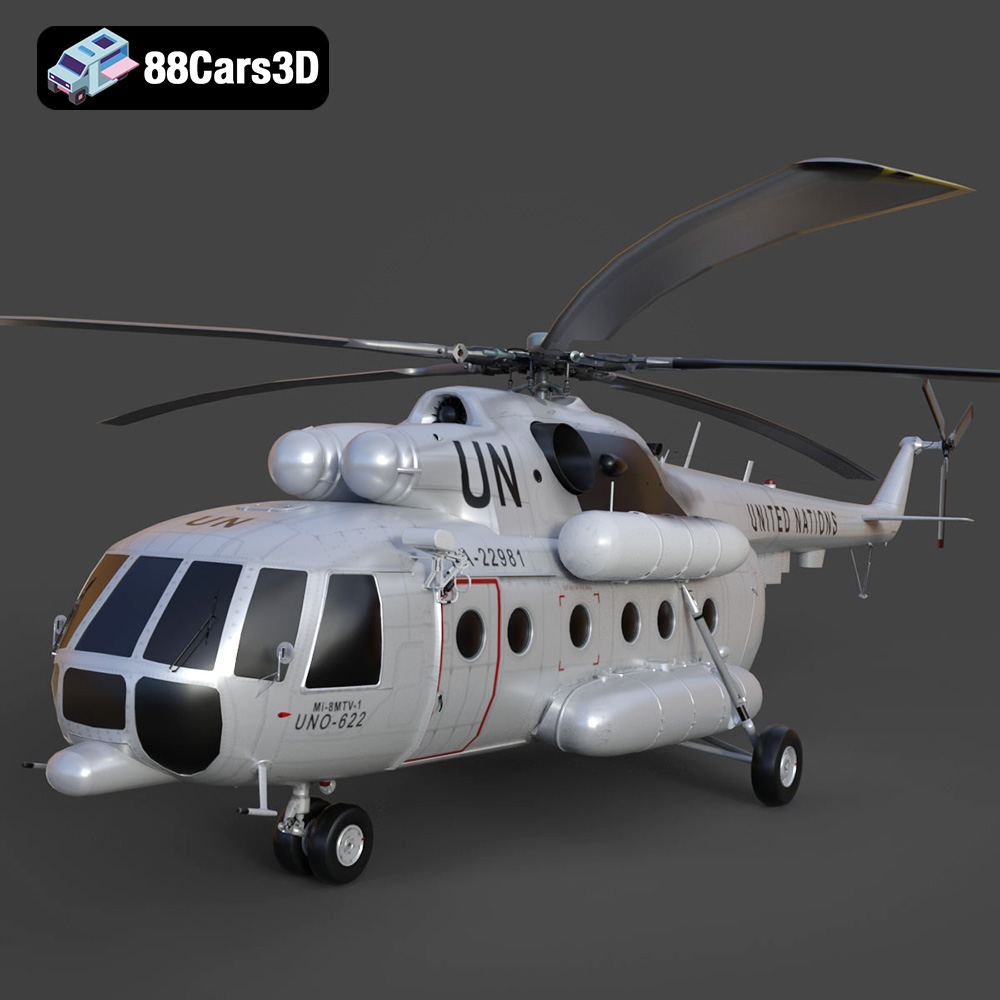
Texture: Yes | Material: Yes
Download the highly detailed, game-ready Mil Mi-8MTV-UN 3D Model. Features the iconic United Nations white livery, detailed twin turboshaft engines, and fully articulated rotor assemblies. Includes .blend, .fbx, .obj, .glb, .stl, .ply, .unreal, and .max formats for game development, AR/VR, and rendering.
Price: $19.99
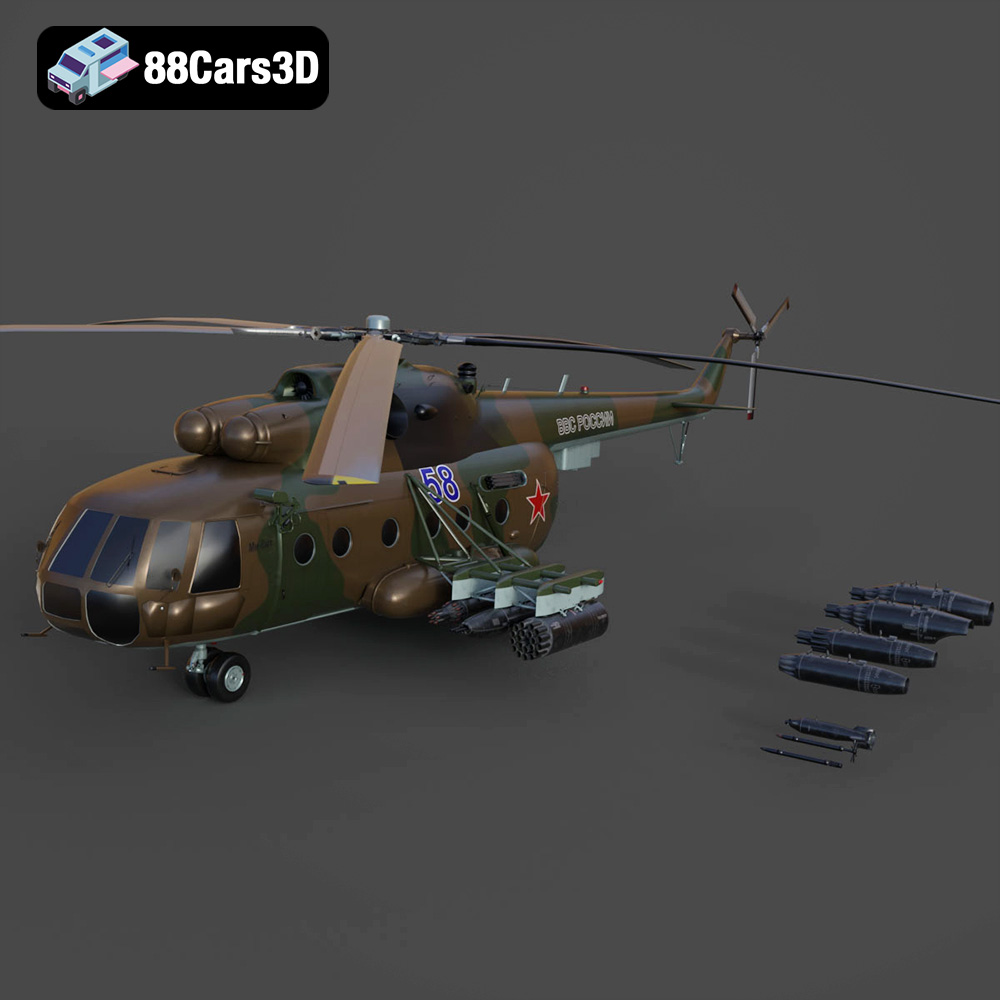
Texture: Yes | Material: Yes
Download the highly detailed, game-ready Mil Mi-8MT Helicopter 3D Model. Features twin-turbine engine housings, a detailed 5-blade main rotor, and authentic cockpit instrumentation. Includes .blend, .fbx, .obj, .glb, .stl, .ply, .unreal, and .max formats for game development, AR/VR, and rendering.
Price: $19.99

