Get 20% OFF All Premium 3D & STL Models!

“`html
3D printing has revolutionized the world of model making, offering hobbyists, engineers, and automotive enthusiasts unprecedented возможности to create intricate and detailed replicas. Whether you’re passionate about printing scale car models sourced from platforms like 88cars3d.com or designing your own unique creations, selecting the right 3D printer is paramount. But with a vast array of options available, each boasting a unique set of features, choosing the ideal printer can feel daunting. This comprehensive guide will dissect the features that truly matter for model makers, helping you make an informed decision and unlock your creative potential.
We’ll explore crucial aspects like print resolution, build volume, material compatibility, and ease of use, providing practical tips and technical insights to optimize your 3D printing workflow. From understanding the nuances of FDM and resin printing to mastering slicing parameters and post-processing techniques, this guide will equip you with the knowledge to produce stunningly accurate and durable models.
For model makers, the ability to capture intricate details is often the most critical factor. Print resolution, measured in microns (µm) for resin printers and layer height (mm) for FDM printers, directly impacts the level of detail achievable. Lower numbers indicate finer resolution and smoother surfaces.
In FDM (Fused Deposition Modeling) printing, layer height determines the thickness of each printed layer. A smaller layer height results in a smoother surface finish and better representation of fine details, but it also increases print time. For models with complex curves and intricate geometries, consider using layer heights between 0.08mm and 0.12mm. While some printers claim to achieve layer heights as low as 0.04mm, the benefits often diminish due to limitations in filament quality and printer mechanics. A good starting point for general model making is 0.1mm, and you can adjust based on the specific model.
Resin printers, particularly SLA (Stereolithography) and DLP (Digital Light Processing) printers, boast significantly higher resolution than FDM printers. XY resolution refers to the smallest feature size that can be accurately reproduced in the X and Y axes. This is typically determined by the pixel size of the LCD screen used in MSLA printers. Premium resin printers can achieve XY resolutions below 50µm, enabling the creation of incredibly detailed miniatures and intricate designs. When printing car models, this translates to sharper panel lines, more defined emblems, and overall greater realism.
Key Takeaway: While finer resolution is generally desirable, consider the trade-off with print time and the capabilities of your chosen printer and material. Experiment with different settings to find the sweet spot for your specific modeling needs.
Build volume dictates the maximum size of the models you can print in a single piece. Choosing the right build volume depends on the types of models you intend to create and whether you prefer printing large parts or assembling smaller components. It is also important to consider the limitations of your chosen printer in terms of maintaining accuracy across the build area.
Printers with smaller build volumes (e.g., 120x120x150mm) are often more affordable and suitable for printing individual car parts or smaller models. This can be a great entry point for beginners. These smaller machines are also often faster and more efficient for batch printing of smaller parts. However, larger car models will need to be split into multiple parts and assembled after printing, which requires careful planning and post-processing.
Printers with larger build volumes (e.g., 300x300x400mm or greater) allow you to print larger models in a single piece, eliminating the need for assembly and potentially improving structural integrity. This is especially beneficial for complex designs where seams can be difficult to conceal. Large build volume also unlocks возможности for printing multiple smaller parts simultaneously, increasing your overall productivity. When browsing 88cars3d.com, consider the dimensions of the printable car models and choose a printer with sufficient build volume to accommodate your desired scale.
Tip: Measure the dimensions of your most frequently printed models and add a margin of safety (at least 20mm on each axis) to determine your ideal build volume. Don’t forget to factor in the space required for support structures.
The range of materials a 3D printer can handle significantly impacts the types of models you can create and their final properties. While PLA is a common starting point, exploring other materials like ABS, PETG, and various resins opens up a world of possibilities for model makers.
FDM printers offer a diverse selection of materials, each with its own strengths and weaknesses. PLA is easy to print, biodegradable, and suitable for general-purpose modeling. ABS is more durable and heat-resistant than PLA, making it ideal for functional parts and models that will be exposed to higher temperatures. PETG combines the ease of printing of PLA with the strength and durability of ABS. Specialized filaments like carbon fiber-infused PLA or flexible TPU offer unique properties for specific applications. When selecting an FDM printer, verify that it can reach and maintain the temperatures required for your desired materials. For example, printing ABS typically requires a heated bed temperature of 100-110°C and a nozzle temperature of 230-250°C.
Resin printers offer an even wider range of materials, including standard resins for general-purpose printing, tough resins for increased durability, flexible resins for pliable parts, and specialty resins with unique properties like high temperature resistance or castability. Each resin type requires specific exposure settings and post-processing procedures. For example, tough resins typically require longer exposure times and may benefit from extended UV curing. It’s crucial to consult the manufacturer’s recommendations for each resin to achieve optimal results. Ensure your chosen resin printer is compatible with the wavelength of light used by the resin (typically 405nm).
Actionable Tip: Create a material matrix listing the properties, printing requirements, and applications of different materials to help you choose the right material for each model.
Slicing software translates your 3D model into a series of instructions that the printer can understand. The choice of slicing software can significantly impact print quality, print time, and material usage. Popular options include Cura, PrusaSlicer, Simplify3D, and Chitubox (for resin printers).
For FDM printing, key slicing parameters include layer height, infill density, print speed, temperature, and support settings. Lower layer heights result in smoother surfaces but increase print time. Infill density determines the internal strength of the model; higher densities provide greater strength but also increase material usage and print time. Print speed affects both print time and print quality; slower speeds generally result in better detail and adhesion. Temperature settings must be carefully calibrated for each material to ensure proper adhesion and prevent warping or delamination. Support structures are essential for printing overhangs and complex geometries; optimize support placement and density to minimize material usage and simplify removal.
For resin printing, crucial slicing parameters include exposure time, lift speed, and support settings. Exposure time determines how long each layer is exposed to UV light; insufficient exposure can result in incomplete curing and layer separation, while excessive exposure can lead to over-curing and loss of detail. Lift speed affects the speed at which the build platform moves between layers; slower speeds reduce stress on the model and improve adhesion, but increase print time. Support structures are even more critical for resin printing due to the higher forces involved in peeling the model from the FEP film. Optimize support placement, thickness, and density to ensure successful prints and minimize post-processing.
Software-Specific Tip: Explore the advanced settings in your chosen slicing software to fine-tune parameters like coasting, wiping, and retraction for improved print quality and reduced stringing.
Proper bed adhesion is essential for preventing warping and ensuring that your model stays firmly attached to the build platform throughout the printing process. Poor bed adhesion is one of the most common causes of print failures, particularly with larger models or materials like ABS that are prone to warping.
Several techniques can improve bed adhesion in FDM printing. A heated bed is crucial for most materials, maintaining a consistent temperature to prevent warping. Applying an adhesive such as glue stick, hairspray, or painter’s tape to the build plate can further enhance adhesion. Bed leveling is also critical; ensure that the nozzle is at the correct distance from the build plate to create a strong initial layer. Rafts and brims are sacrificial layers printed around the base of the model to increase surface area and improve adhesion. Rafts provide a thick, stable base for the model, while brims are thinner and easier to remove. A good starting point is a bed temperature of 60°C for PLA and 100-110°C for ABS.
Bed adhesion in resin printing is primarily determined by the initial layer exposure time and the condition of the FEP film or PFA/nFEP film in the resin vat. Longer initial layer exposure times ensure that the first layers are firmly bonded to the build plate. Regularly inspect and replace the FEP/PFA/nFEP film to prevent sticking and ensure consistent adhesion. Lightly sanding the build plate with fine-grit sandpaper can also improve adhesion. Proper leveling of the build plate is just as crucial in resin printing. Ensuring the build plate is perfectly parallel to the LCD screen guarantees uniform layer thickness and even adhesion across the entire print area. The “Raft” setting in the slicer is almost mandatory for resin printing to ensure proper adhesion, especially for larger, heavier parts.
Pro Tip: Regularly clean your build plate with isopropyl alcohol (IPA) to remove any residue and ensure optimal adhesion. Avoid touching the build surface with your bare hands, as oils can interfere with adhesion.
Support structures are temporary scaffolding used to support overhangs and complex geometries during 3D printing. They are essential for printing models with features that would otherwise collapse under their own weight. Generating and removing support structures effectively is a crucial skill for any model maker.
In FDM printing, support structures are typically generated automatically by the slicing software. However, you can often customize support placement, density, and type to optimize material usage and simplify removal. Minimize support material by orienting the model to reduce the number of overhangs. Use thinner support structures for easier removal, but ensure they are strong enough to provide adequate support. Experiment with different support patterns, such as zig-zag or grid, to find the best balance between strength and ease of removal. Consider using dissolvable support materials for complex models with hard-to-reach areas. A support overhang angle of 45 degrees is usually a good start.
In resin printing, support structures are even more critical due to the higher forces involved in peeling the model from the FEP/PFA/nFEP film. Use a combination of light, medium, and heavy supports to provide adequate support for different areas of the model. Thicker supports are needed for larger overhangs and areas that experience high stress during printing. Carefully position supports to minimize their impact on the surface finish of the model. Consider using pre-supported models, or experiment with different support generation settings to find the optimal configuration for your printer and resin. Hollow out larger parts to reduce suction force and the risk of print failure.
When downloading models from marketplaces such as 88cars3d.com, check if the models are pre-supported, especially if you are new to resin printing.
Post-Processing Tip: Invest in a good set of tools for removing support structures, including flush cutters, hobby knives, and sandpaper. Take your time and be careful not to damage the model during support removal.
Regular printer calibration and maintenance are crucial for ensuring consistent print quality and preventing breakdowns. A well-maintained printer will produce more accurate and reliable results, saving you time, money, and frustration.
For FDM printers, regular calibration tasks include bed leveling, nozzle calibration, and PID tuning. Bed leveling ensures that the nozzle is at the correct distance from the build plate. Nozzle calibration ensures that the printer is extruding the correct amount of filament. PID tuning optimizes the temperature control of the hot end and heated bed. Regular maintenance tasks include cleaning the nozzle, lubricating the lead screws, and tightening any loose screws or belts. Check the nozzle for clogs or wear and replace it as needed. Cleaning the print bed is also important for proper adhesion. Keeping the printer free of dust and debris will also prolong its life.
For resin printers, regular calibration tasks include build plate leveling and exposure calibration. Build plate leveling ensures that the build plate is perfectly parallel to the LCD screen. Exposure calibration determines the optimal exposure time for each resin. Regular maintenance tasks include cleaning the resin vat, replacing the FEP/PFA/nFEP film, and cleaning the LCD screen. Properly dispose of used resin and IPA according to local regulations. Check the LCD screen for scratches or damage and replace it as needed. Filter resin after failed prints to remove debris.
Best Practice: Keep a log of all calibration and maintenance tasks performed on your printer to track its performance and identify any potential issues early on. Refer to your printer’s manual for specific maintenance instructions.
Choosing the right 3D printer for model making is a crucial investment that can significantly impact the quality and complexity of your creations. By carefully considering factors like print resolution, build volume, material compatibility, slicing software, bed adhesion, support structures, and printer calibration, you can make an informed decision and unlock your full creative potential. Remember to prioritize features that align with your specific modeling needs and printing preferences. Whether you’re printing intricate car models from 88cars3d.com or designing your own unique creations, the right 3D printer will empower you to bring your visions to life with stunning detail and precision.
Now that you have a better understanding of the key features to look for in a 3D printer, take the next step and research specific models that fit your budget and requirements. Read reviews, compare specifications, and don’t hesitate to ask for recommendations from experienced model makers. Happy printing!
“`
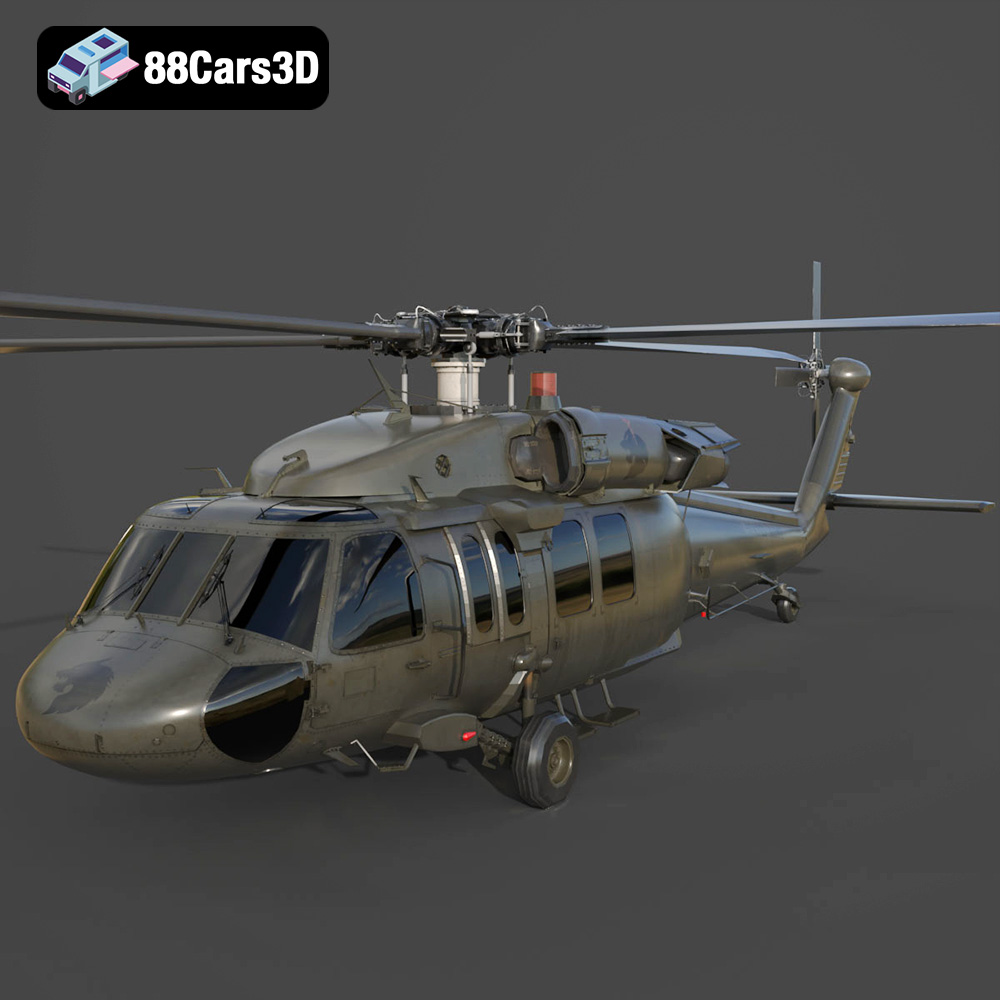
Texture: Yes | Material: Yes
Download the highly detailed, game-ready Sikorsky UH-60 Black Hawk US 3D Model. Features an accurate four-blade rotor system, detailed military fuselage, and realistic twin-engine housing. Includes .blend, .fbx, .obj, .glb, .stl, .ply, .unreal, and .max formats for game development, AR/VR, and rendering.
Price: $19.99
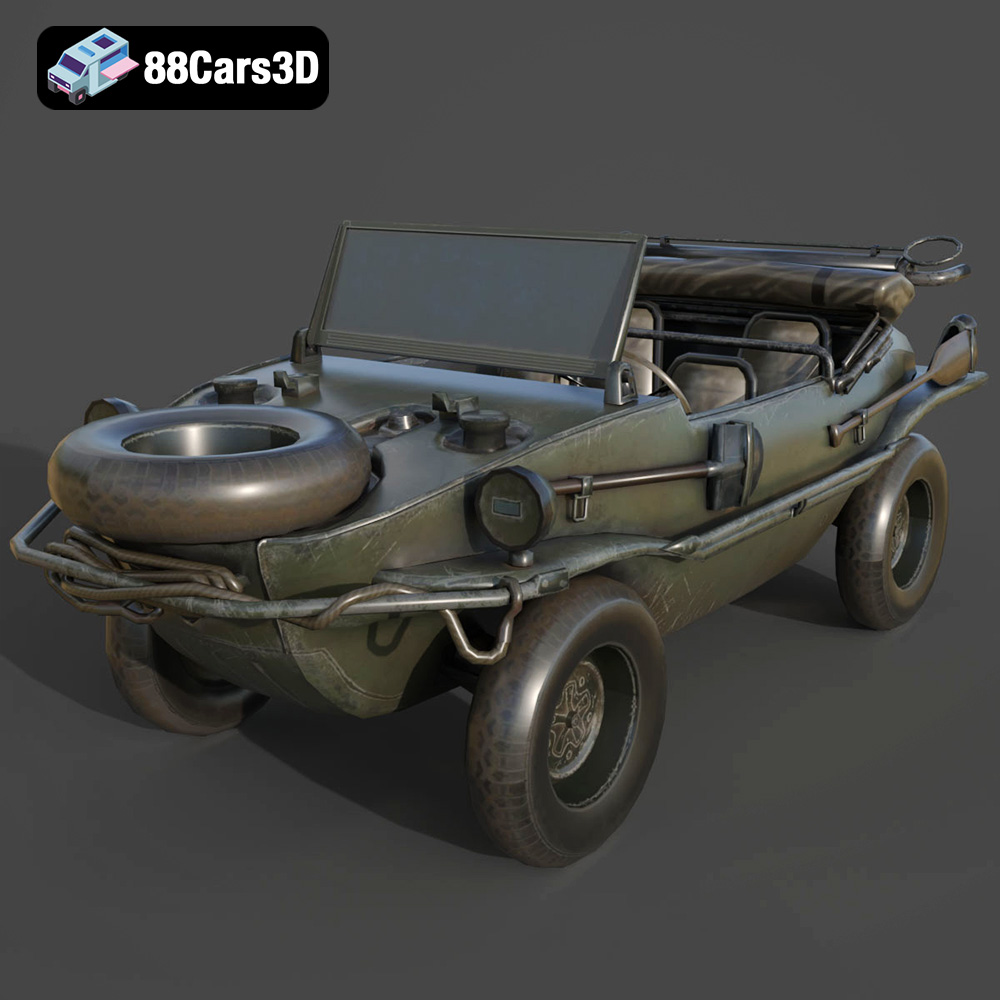
Texture: Yes | Material: Yes
Download the highly detailed, game-ready Volkswagen Schwimmwagen Typ 166 3D Model. Features an authentic boat-like watertight hull, fold-down propeller mechanism, and accurate military styling. Includes .blend, .fbx, .obj, .glb, .stl, .ply, .unreal, and .max formats for game development, AR/VR, and rendering.
Price: $19.99
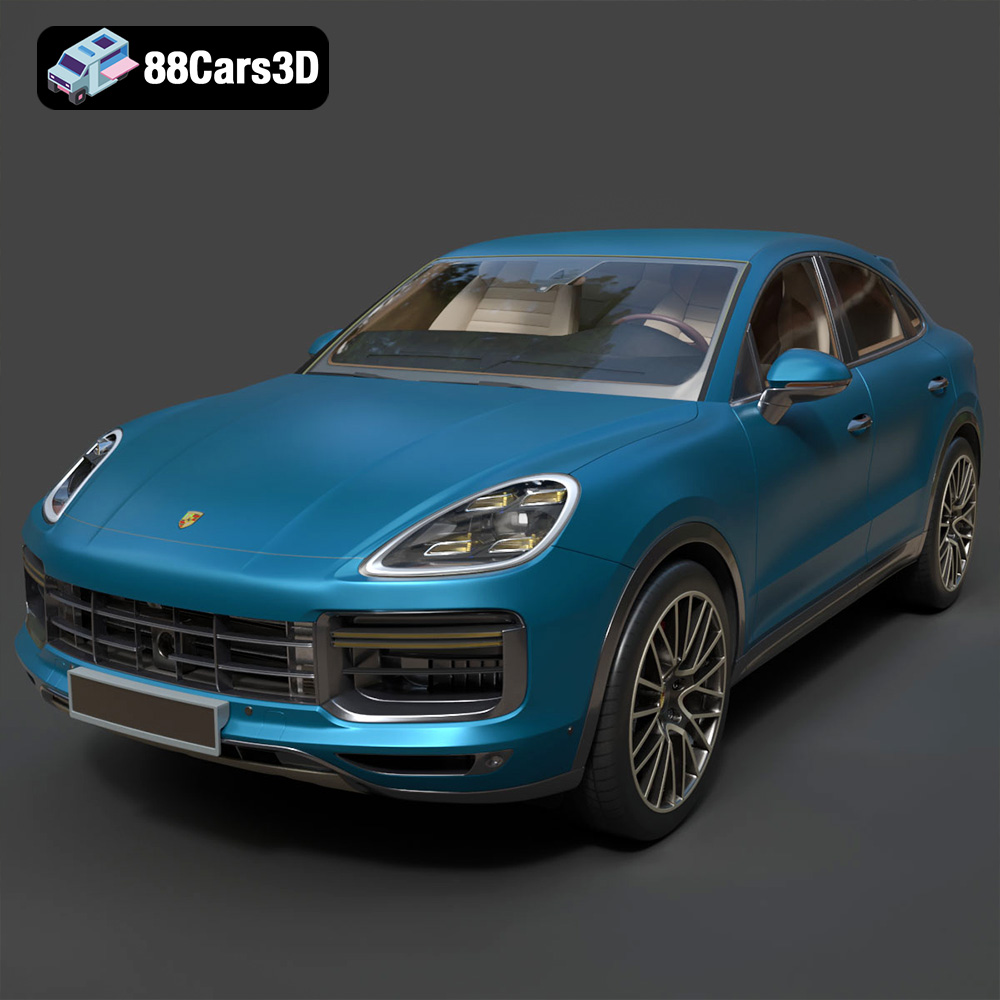
Texture: Yes | Material: Yes
Download the highly detailed, game-ready Porsche Cayenne Turbo Coupe 2020 3D Model. Features an aggressive coupe roofline, detailed quad exhaust, and a meticulously crafted luxury sport interior. Includes .blend, .fbx, .obj, .glb, .stl, .ply, .unreal, and .max formats for game development, AR/VR, and rendering.
Price: $19.99
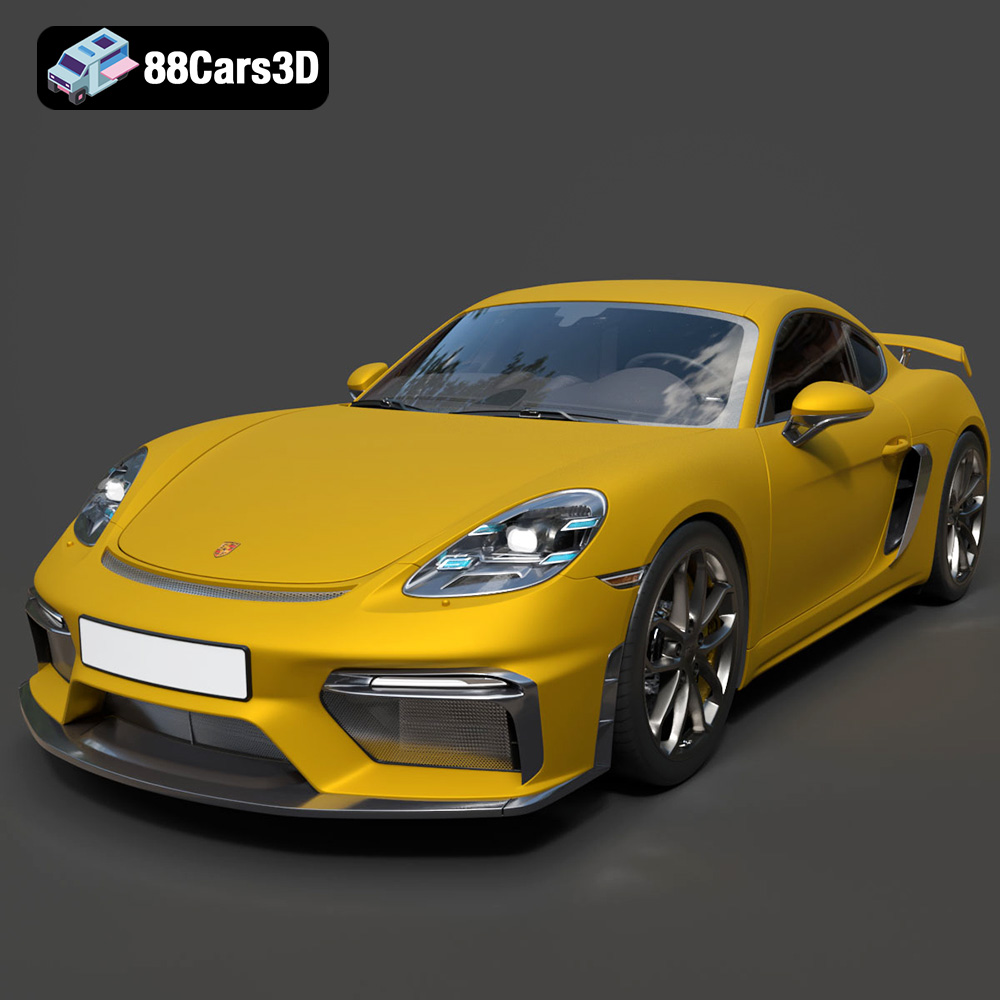
Texture: Yes | Material: Yes
Download the highly detailed, game-ready Porsche 718 Cayman GT4 2020 3D Model. Features an aggressive fixed rear wing, distinctive side air intakes, and a track-focused stance. Includes .blend, .fbx, .obj, .glb, .stl, .ply, .unreal, and .max formats for game development, AR/VR, and rendering.
Price: $19.99

Texture: Yes | Material: Yes
Download the highly detailed, game-ready Polestar 2 2020 3D Model. Features minimalist Scandinavian fastback styling, pixel LED lighting, and an accurate electric vehicle profile. Includes .blend, .fbx, .obj, .glb, .stl, .ply, .unreal, and .max formats for game development, AR/VR, and rendering.
Price: $19.99
Texture: Yes | Material: Yes
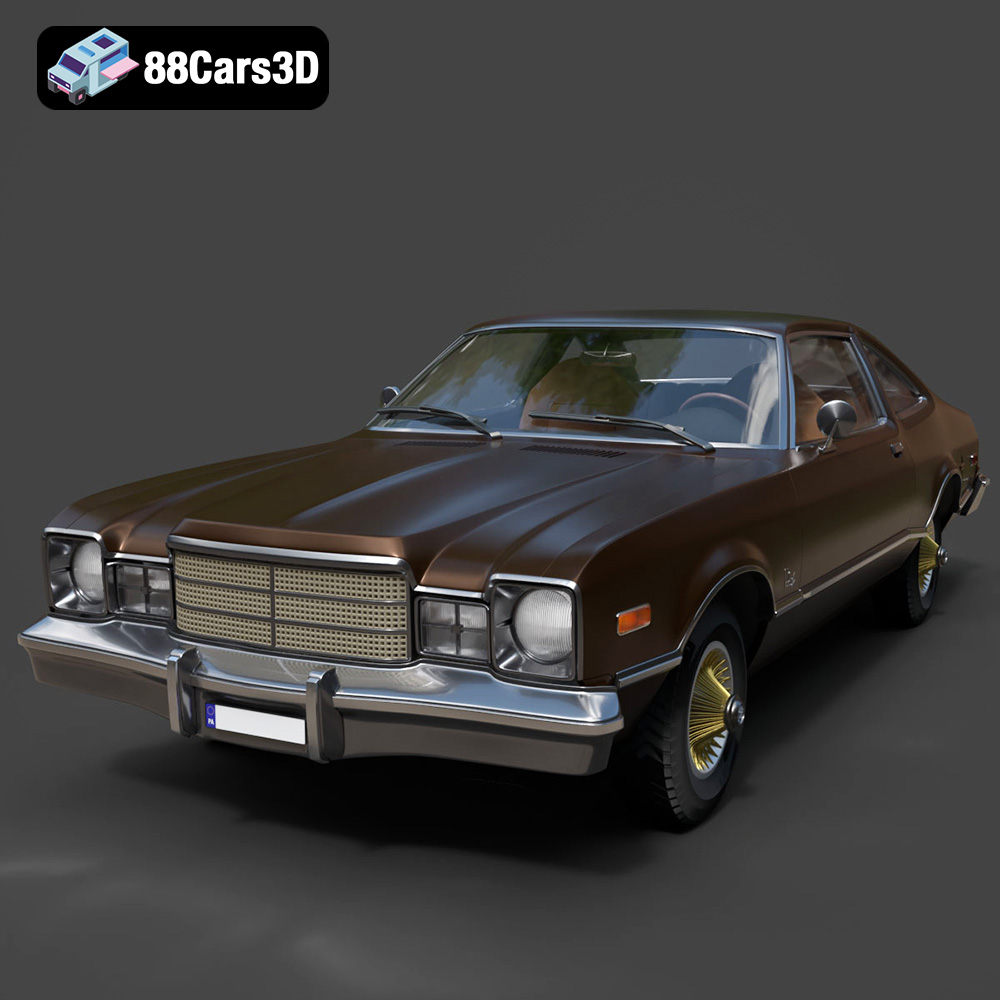
Download the highly detailed, game-ready Plymouth Volare Coupe 1977 3D Model. Features classic F-body styling, detailed chrome trim, and an accurate vintage interior. Includes .blend, .fbx, .obj, .glb, .stl, .ply, .unreal, and .max formats for game development, AR/VR, and rendering.
Price: $19.99

Texture: Yes | Material: Yes
Download the highly detailed, game-ready Peugeot 208 2020 3D Model. Features aggressive ‘fang’ LED DRLs, sporty hatchback proportions, and aerodynamic alloy wheels. Includes .blend, .fbx, .obj, .glb, .stl, .ply, .unreal, and .max formats for game development, AR/VR, and rendering.
Price: $19.99

Texture: Yes | Material: Yes
Download the highly detailed, game-ready MV Agusta Brutale 1090 R 3D Model. Features an exposed trellis frame, distinctive teardrop headlight, and muscular naked bike styling. Includes .blend, .fbx, .obj, .glb, .stl, .ply, .unreal, and .max formats for game development, AR/VR, and rendering.
Price: $19.99

Texture: Yes | Material: Yes
Download the highly detailed, game-ready Custom Off-Road BMW R1150GS Adventure Sidecar 3D Model. Features rugged all-terrain suspension, an attached passenger sidecar, and off-road knobby tires. Includes .blend, .fbx, .obj, .glb, .stl, .ply, .unreal, and .max formats for game development, AR/VR, and rendering.
Price: $19.99

Texture: Yes | Material: Yes
Download the highly detailed, game-ready Mitsubishi Outlander GT 2010 3D Model. Features the aggressive Lancer-inspired front grille, accurate exterior styling, and high-fidelity alloy wheels. Includes .blend, .fbx, .obj, .glb, .stl, .ply, .unreal, and .max formats for game development, AR/VR, and rendering.
Price: $19.99

