Get 20% OFF All Premium 3D & STL Models!

“`html
The allure of 3D printing your own miniature vehicle models is undeniable. Whether you’re a seasoned hobbyist, a budding engineer, or an avid collector, the ability to bring digital designs to life in tangible form is incredibly satisfying. However, achieving flawless prints, especially with complex geometries like those found in cars and trucks, requires a deep understanding of two crucial parameters: wall thickness and support structures. This comprehensive guide will delve into the intricacies of these settings, providing you with the knowledge and techniques to produce stunning, high-quality vehicle models, perfect for display, prototyping, or educational purposes. We’ll explore best practices for both FDM and resin printing, offering actionable tips and troubleshooting advice to overcome common challenges. Platforms like 88cars3d.com offer a vast selection of printable car models, but understanding how to properly prepare and print them is key to achieving optimal results. Get ready to elevate your 3D printing game and unlock the full potential of your machine!
Wall thickness refers to the number of perimeters, or outer shells, your 3D printer lays down to create the outer surfaces of your model. This setting directly impacts the strength, appearance, and print time of your vehicle model. Too thin, and your model will be fragile and prone to breaking. Too thick, and you’ll waste filament and significantly increase print time without a proportional gain in strength. Finding the sweet spot is crucial for a successful outcome.
For most vehicle models intended for display or light handling, a wall thickness of 1.2mm to 2.0mm is generally recommended. This usually translates to 3-5 perimeters with a standard 0.4mm nozzle. Models intended for more rigorous use, such as those used in remote-controlled car chassis or functional prototypes, may require thicker walls, up to 3.0mm or even higher. Consider the scale of your model as well. Smaller models might benefit from slightly thinner walls to preserve finer details, while larger models might need thicker walls for structural integrity.
The optimal wall thickness is also influenced by the material you’re using. PLA, a commonly used material for 3D printing, is relatively strong but can be brittle. PETG offers improved impact resistance and flexibility, allowing for slightly thinner walls in some applications. ABS, known for its high strength and temperature resistance, is often used for functional parts and benefits from thicker walls. Resin printing typically results in parts with higher resolution and strength even with thinner walls compared to FDM printing, so wall thickness needs careful consideration to avoid warping or cracking during curing.
Support structures are temporary scaffolding printed alongside your model to support overhanging features, bridges, and complex geometries. Without proper support, these features would simply droop or collapse during printing, resulting in a failed print. Vehicle models, with their intricate curves, wheel wells, and spoilers, often require extensive support structures. Selecting the right type of support and optimizing its settings is crucial for a clean and successful print.
FDM printing typically utilizes two main types of support: linear supports and tree supports. Linear supports are simple, vertical structures that provide uniform support to overhanging areas. They are easy to generate but can be difficult to remove and may leave visible marks on the model’s surface. Tree supports, on the other hand, are branching structures that minimize contact with the model, making them easier to remove and reducing the risk of surface damage. Resin printing relies heavily on manually placed supports, often resembling tiny trees or scaffolding, strategically positioned to support overhangs and prevent warping during the printing and curing processes. The type of resin used also affects support strategy, with more flexible resins requiring more robust support to prevent deformation.
Several parameters can be adjusted to optimize support structures for minimal impact on your model’s surface. Support density controls the amount of material used to create the supports. Lower density supports are easier to remove but may not provide sufficient support for heavy overhangs. Support interface creates a thin, dense layer between the support structure and the model, making it easier to detach the supports without damaging the model’s surface. Support placement is critical; manually placing supports in strategic locations can minimize their visibility and impact on the final print. When downloading models from marketplaces such as 88cars3d.com, review the model’s geometry carefully and plan your support strategy accordingly.
Slicing software translates your 3D model into a series of instructions that your 3D printer can understand. The slicing process involves setting various parameters that control the printer’s behavior, such as layer height, print speed, and temperature. These parameters have a significant impact on the quality, strength, and appearance of your 3D printed vehicle model. Mastering these settings is essential for achieving optimal results.
Layer height determines the thickness of each layer printed by your 3D printer. Lower layer heights result in smoother surfaces and finer details but increase print time. Higher layer heights reduce print time but can lead to visible layer lines and reduced detail. For vehicle models, a layer height of 0.1mm to 0.2mm is generally recommended for FDM printing, offering a good balance between detail and print speed. Resin printing allows for even finer layer heights, often down to 0.025mm or even lower, resulting in incredibly smooth surfaces. Experimenting with different layer heights is crucial to finding the optimal setting for your specific printer and model.
Infill refers to the material that fills the interior of your 3D printed model. Infill density controls the amount of material used, while infill pattern determines the structure of the infill. Higher infill densities increase the strength and weight of your model but also increase print time and material consumption. Common infill patterns include grid, honeycomb, and gyroid. For vehicle models, an infill density of 15% to 25% is generally sufficient for display models. For functional prototypes or models intended for more rigorous use, higher infill densities may be necessary. The gyroid infill pattern offers excellent strength in all directions while minimizing weight.
The choice of material is a critical factor in determining the final quality, strength, and appearance of your 3D printed vehicle model. Different materials possess unique properties that make them suitable for different applications. Understanding the characteristics of various filaments and resins is essential for selecting the right material for your project.
PLA is a biodegradable thermoplastic known for its ease of printing and relatively low printing temperature. It’s a good choice for display models and decorative items. PETG offers improved impact resistance and flexibility compared to PLA, making it suitable for functional parts and models that may be subjected to stress. ABS is a strong, heat-resistant thermoplastic often used for functional prototypes and parts that require high durability. However, ABS can be more challenging to print than PLA and PETG due to its tendency to warp.
Resin printing offers a wide range of resin types, each with its own unique properties. Standard resins are suitable for general-purpose printing and offer good detail and surface finish. Tough resins are formulated for increased strength and impact resistance, making them ideal for functional parts. Flexible resins offer high elasticity and can be used to create parts that can bend and flex without breaking. When selecting a resin, consider the intended use of your vehicle model and choose a resin that meets the required performance characteristics.
Once your vehicle model is printed, post-processing techniques can be used to further enhance its appearance and functionality. These techniques include removing support structures, sanding, painting, and assembly. Proper post-processing can transform a good print into a stunning masterpiece.
Removing support structures can be a delicate process, especially on complex geometries. Use sharp tools, such as pliers, tweezers, and hobby knives, to carefully detach the supports from the model. Heat can also be used to soften the support material, making it easier to remove. For soluble support materials, such as PVA, simply dissolve the supports in water. After removing the supports, use sandpaper or a file to smooth any remaining imperfections on the model’s surface.
Sanding is essential for achieving a smooth surface finish on your 3D printed vehicle model. Start with coarse sandpaper to remove any major imperfections, then gradually move to finer grits to achieve a polished surface. Apply primer to the model before painting to improve adhesion and create a uniform base coat. Use high-quality paints designed for plastic models and apply thin, even coats to avoid drips and runs. Consider using airbrushing techniques for a professional-looking finish.
Despite careful planning and preparation, 3D printing can sometimes be unpredictable. Common issues such as warping, bed adhesion problems, and nozzle clogging can derail your printing efforts. Understanding the causes of these issues and knowing how to troubleshoot them is essential for a successful 3D printing experience.
Warping occurs when the corners of your 3D printed model lift off the build plate during printing. This is often caused by uneven cooling and poor bed adhesion. To prevent warping, ensure that your build plate is clean and level. Use a bed adhesive, such as glue stick or hairspray, to improve adhesion. Enclosing your 3D printer can also help to maintain a consistent temperature and prevent warping. Ensure proper first layer calibration for optimal adhesion. A slightly squished first layer often helps.
Nozzle clogging can occur when filament becomes lodged in the nozzle, preventing it from extruding properly. This can be caused by dust, debris, or improper temperature settings. To prevent nozzle clogging, use high-quality filament and clean your nozzle regularly. Increase the printing temperature slightly and consider using a nozzle cleaning needle to clear any blockages. Filament tangling can also cause printing issues. Ensure your filament is properly spooled and free from knots.
Mastering wall thickness and support structures is crucial for achieving high-quality 3D printed vehicle models. By understanding the principles outlined in this guide, you can optimize your printing parameters, select the right materials, and troubleshoot common printing issues. Remember to experiment with different settings and techniques to find what works best for your specific printer and model. Platforms like 88cars3d.com offer print-ready STL files, but the ultimate success of your print lies in your ability to prepare and execute the printing process effectively. So, take the knowledge you’ve gained, apply it to your next project, and unlock the full potential of your 3D printer. Happy printing!
“`
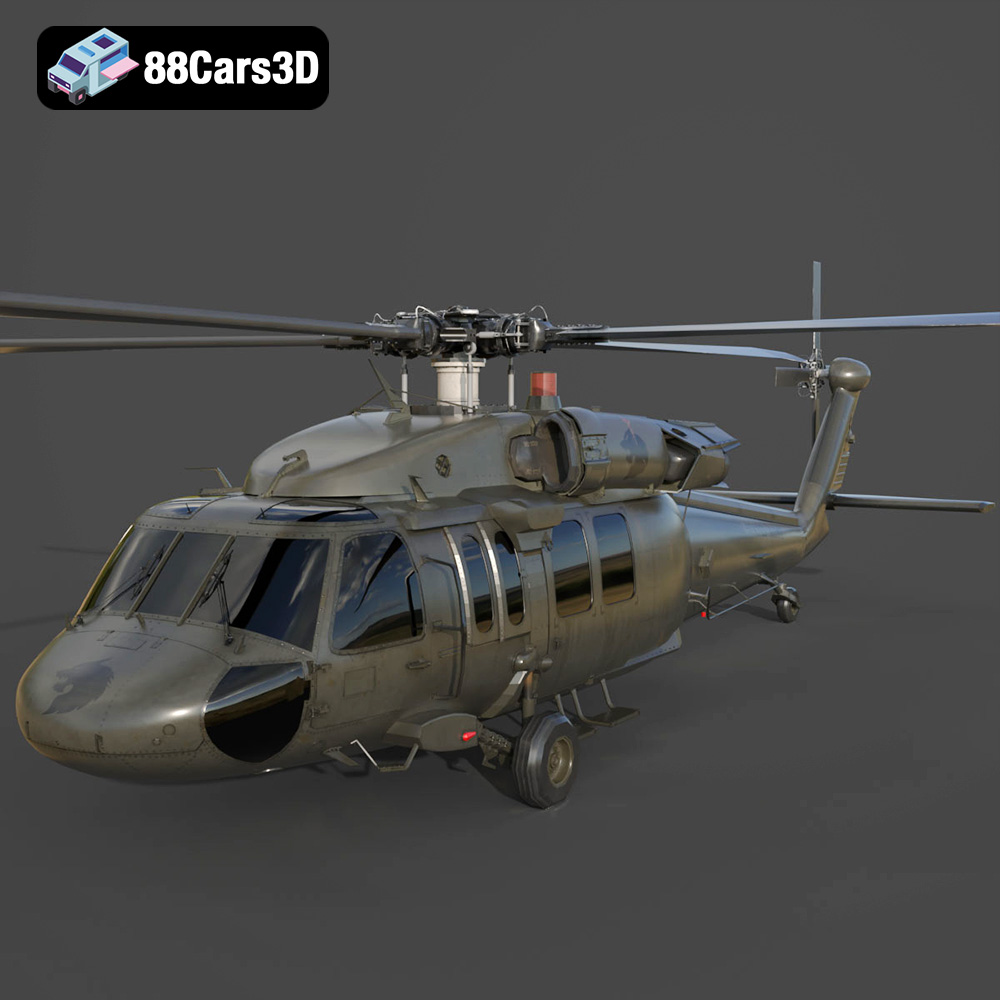
Texture: Yes | Material: Yes
Download the highly detailed, game-ready Sikorsky UH-60 Black Hawk US 3D Model. Features an accurate four-blade rotor system, detailed military fuselage, and realistic twin-engine housing. Includes .blend, .fbx, .obj, .glb, .stl, .ply, .unreal, and .max formats for game development, AR/VR, and rendering.
Price: $19.99
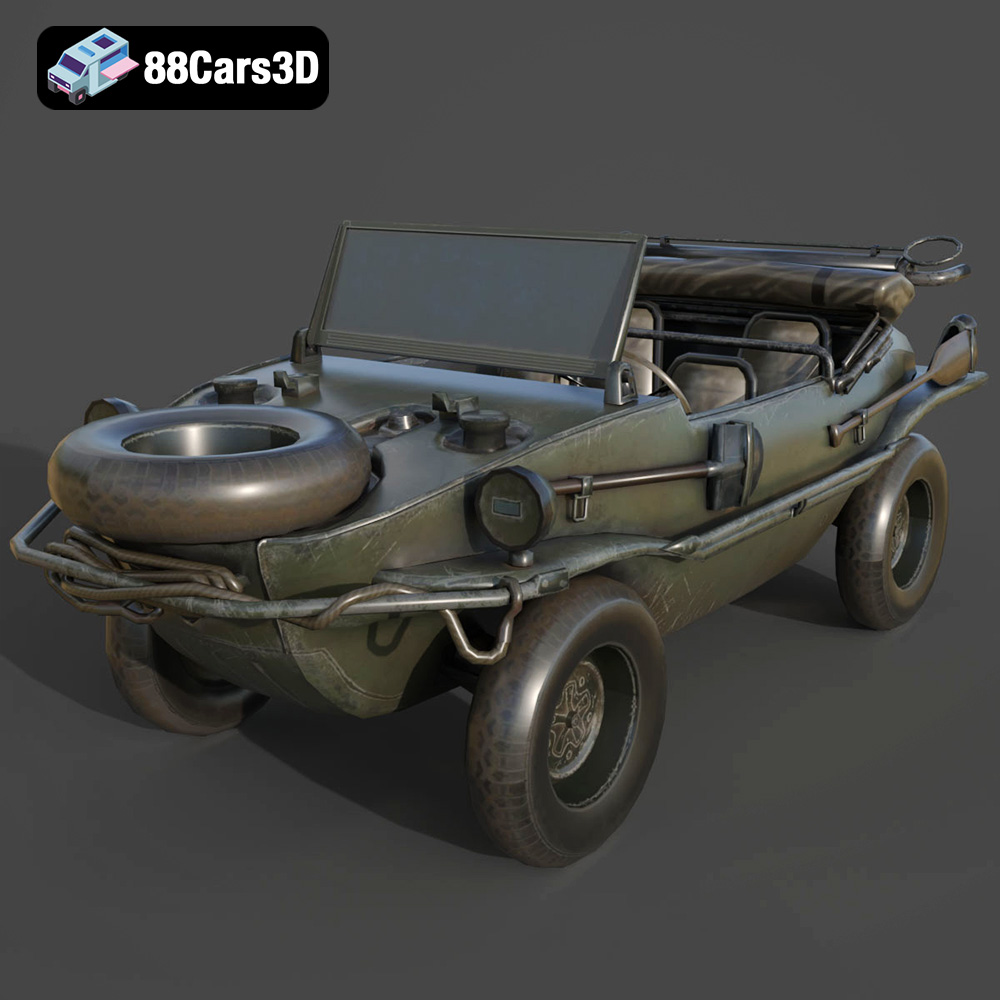
Texture: Yes | Material: Yes
Download the highly detailed, game-ready Volkswagen Schwimmwagen Typ 166 3D Model. Features an authentic boat-like watertight hull, fold-down propeller mechanism, and accurate military styling. Includes .blend, .fbx, .obj, .glb, .stl, .ply, .unreal, and .max formats for game development, AR/VR, and rendering.
Price: $19.99
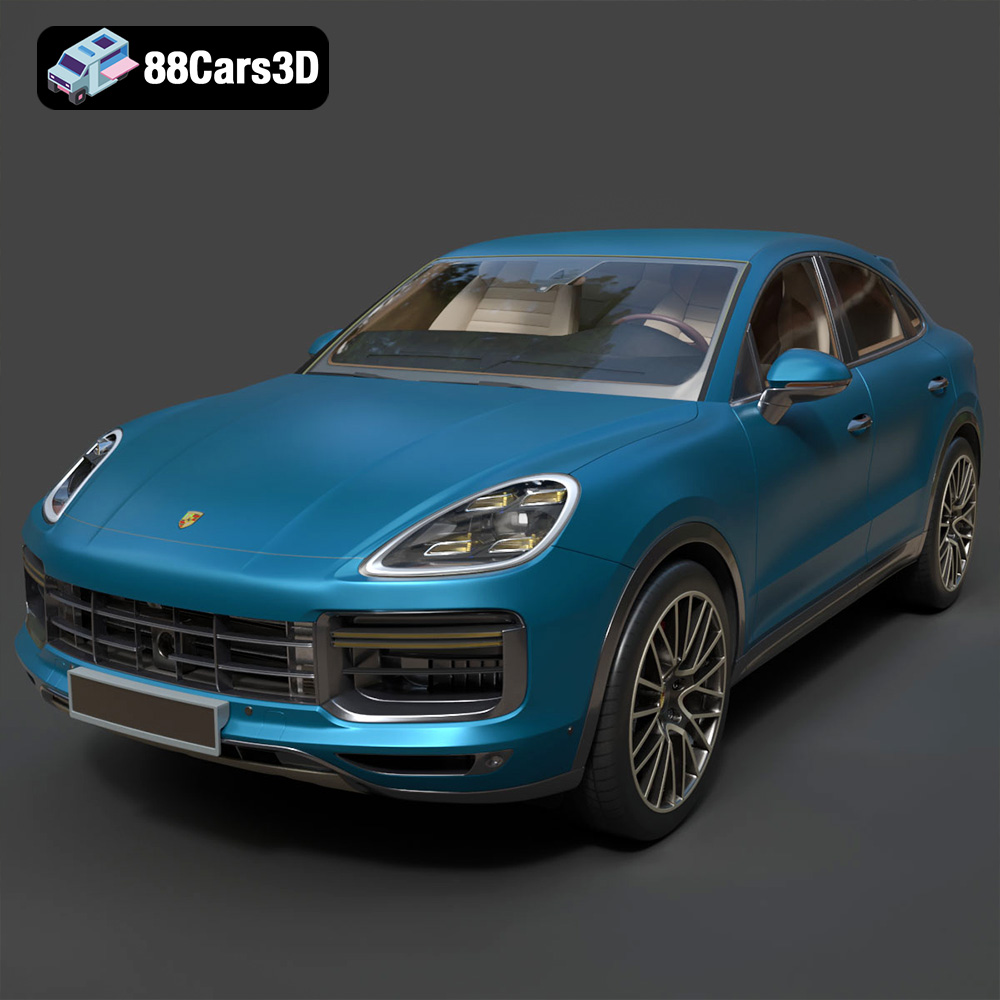
Texture: Yes | Material: Yes
Download the highly detailed, game-ready Porsche Cayenne Turbo Coupe 2020 3D Model. Features an aggressive coupe roofline, detailed quad exhaust, and a meticulously crafted luxury sport interior. Includes .blend, .fbx, .obj, .glb, .stl, .ply, .unreal, and .max formats for game development, AR/VR, and rendering.
Price: $19.99
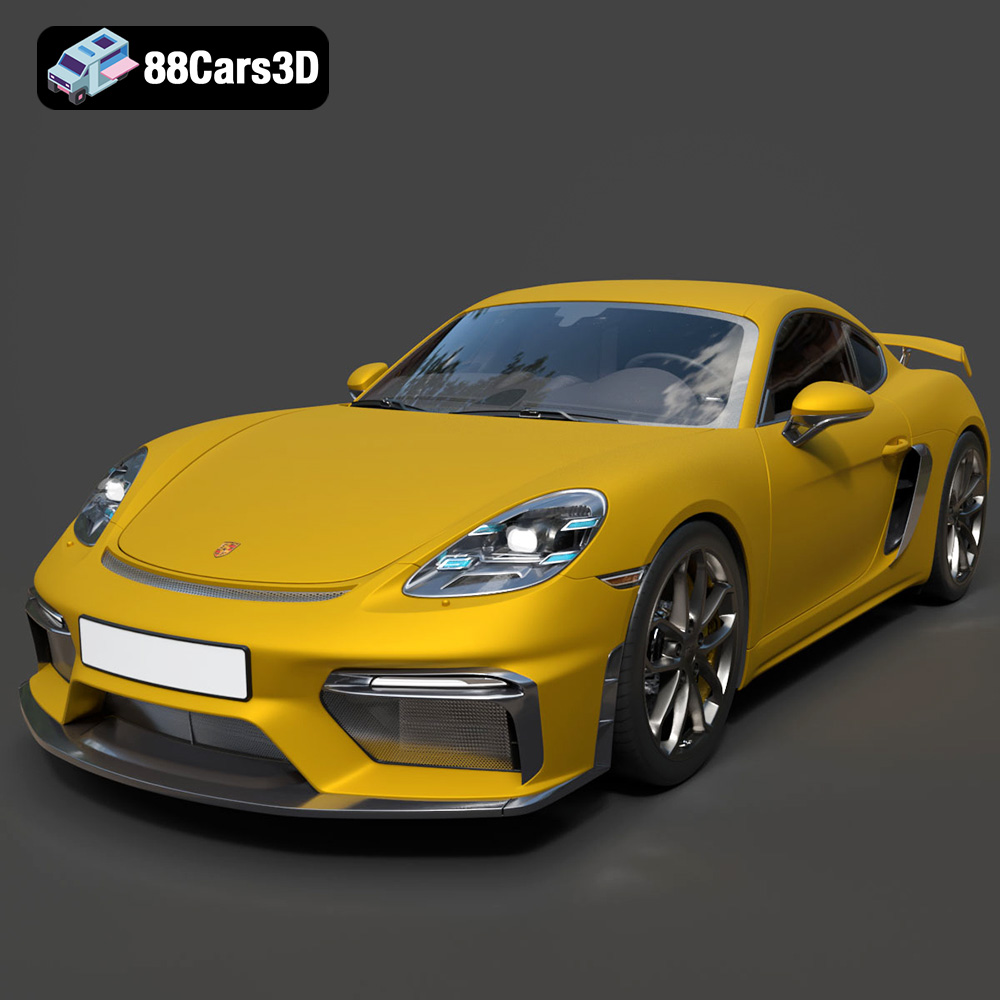
Texture: Yes | Material: Yes
Download the highly detailed, game-ready Porsche 718 Cayman GT4 2020 3D Model. Features an aggressive fixed rear wing, distinctive side air intakes, and a track-focused stance. Includes .blend, .fbx, .obj, .glb, .stl, .ply, .unreal, and .max formats for game development, AR/VR, and rendering.
Price: $19.99

Texture: Yes | Material: Yes
Download the highly detailed, game-ready Polestar 2 2020 3D Model. Features minimalist Scandinavian fastback styling, pixel LED lighting, and an accurate electric vehicle profile. Includes .blend, .fbx, .obj, .glb, .stl, .ply, .unreal, and .max formats for game development, AR/VR, and rendering.
Price: $19.99
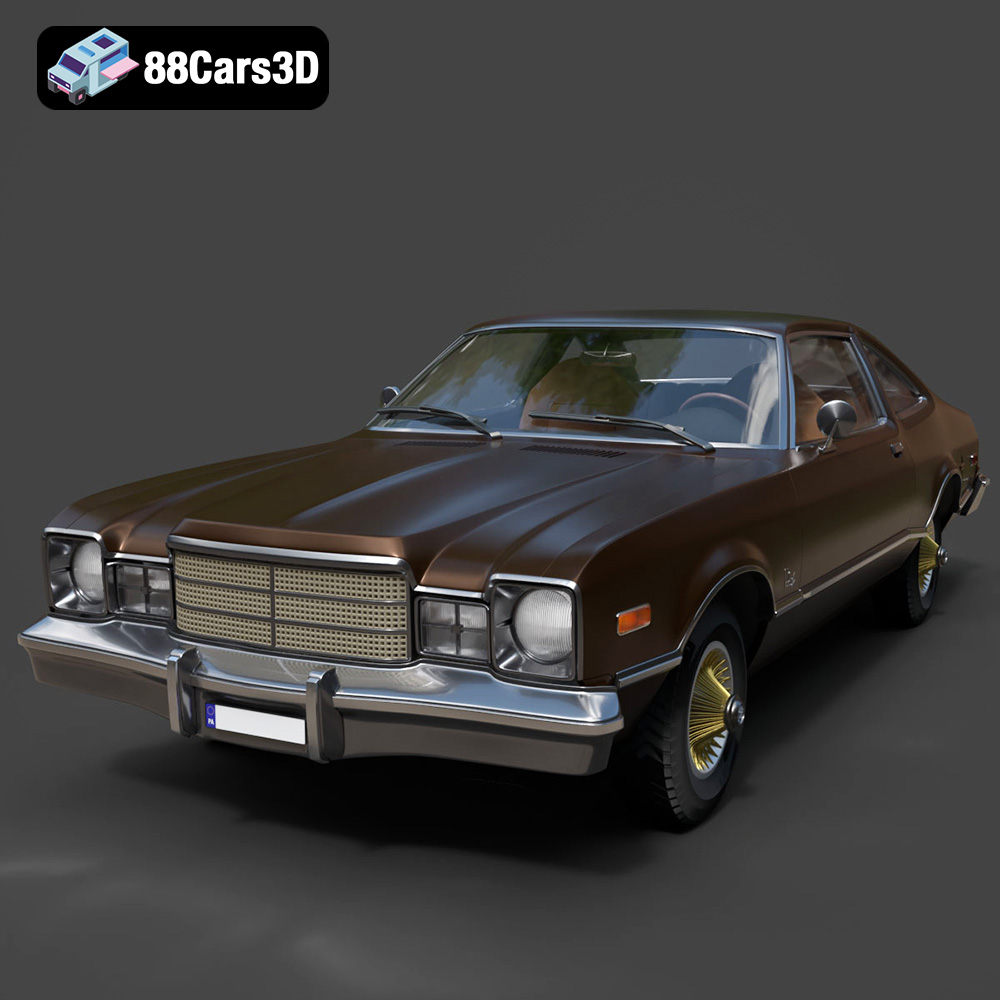
Texture: Yes | Material: Yes
Download the highly detailed, game-ready Plymouth Volare Coupe 1977 3D Model. Features classic F-body styling, detailed chrome trim, and an accurate vintage interior. Includes .blend, .fbx, .obj, .glb, .stl, .ply, .unreal, and .max formats for game development, AR/VR, and rendering.
Price: $19.99

Texture: Yes | Material: Yes
Download the highly detailed, game-ready Peugeot 208 2020 3D Model. Features aggressive ‘fang’ LED DRLs, sporty hatchback proportions, and aerodynamic alloy wheels. Includes .blend, .fbx, .obj, .glb, .stl, .ply, .unreal, and .max formats for game development, AR/VR, and rendering.
Price: $19.99

Texture: Yes | Material: Yes
Download the highly detailed, game-ready MV Agusta Brutale 1090 R 3D Model. Features an exposed trellis frame, distinctive teardrop headlight, and muscular naked bike styling. Includes .blend, .fbx, .obj, .glb, .stl, .ply, .unreal, and .max formats for game development, AR/VR, and rendering.
Price: $19.99

Texture: Yes | Material: Yes
Download the highly detailed, game-ready Custom Off-Road BMW R1150GS Adventure Sidecar 3D Model. Features rugged all-terrain suspension, an attached passenger sidecar, and off-road knobby tires. Includes .blend, .fbx, .obj, .glb, .stl, .ply, .unreal, and .max formats for game development, AR/VR, and rendering.
Price: $19.99

Texture: Yes | Material: Yes
Download the highly detailed, game-ready Mitsubishi Outlander GT 2010 3D Model. Features the aggressive Lancer-inspired front grille, accurate exterior styling, and high-fidelity alloy wheels. Includes .blend, .fbx, .obj, .glb, .stl, .ply, .unreal, and .max formats for game development, AR/VR, and rendering.
Price: $19.99

