Get 20% OFF All Premium 3D & STL Models!

“`html
In the rapidly evolving world of 3D printing, where new technologies and file formats emerge constantly, one format has stubbornly maintained its position as the undisputed king: the STL file. From hobbyists crafting intricate figurines to engineers prototyping complex mechanical components, STL has become the ubiquitous language spoken by 3D printers worldwide. But what exactly makes STL so popular, and why hasn’t it been completely replaced by newer, supposedly “better” formats? This article delves deep into the technical aspects of STL, exploring its strengths, limitations, and the reasons behind its enduring reign in the 3D printing landscape. We’ll cover everything from the fundamental structure of an STL file to advanced techniques for optimizing STL files for different printing processes. Whether you’re downloading printable car models from platforms like 88cars3d.com or designing your own creations from scratch, understanding STL is essential for achieving high-quality 3D prints.
The journey of STL began in the late 1980s with the advent of stereolithography, one of the earliest 3D printing technologies. Developed by 3D Systems, stereolithography relied on precisely curing layers of liquid resin with a UV laser to create solid objects. To communicate the geometry of these objects, a simple and straightforward file format was needed. Thus, the STL format was born.
The core appeal of STL lies in its simplicity. It represents 3D models as a collection of triangles, defining each triangle by the coordinates of its three vertices and the direction of its surface normal vector. This straightforward approach made it easy to implement and process, even with the limited computing power available at the time. While more sophisticated formats offer curved surfaces and color information, STL’s focus on basic geometry ensures compatibility across a wide range of 3D printing software and hardware. This fundamental simplicity is what continues to make it a very popular format. Furthermore, many software tools used in the 3D printing workflow, such as mesh repair software and slicing programs, have been developed and optimized to work seamlessly with STL files over decades.
STL’s widespread adoption has led to its ubiquitous support across virtually all 3D printing platforms. Whether you’re using an FDM (Fused Deposition Modeling) printer, a resin-based SLA (Stereolithography Apparatus) printer, or even more advanced technologies like SLS (Selective Laser Sintering), you can be confident that your STL files will be understood. This universal compatibility is a huge advantage, allowing designers and engineers to share their models without worrying about format conversions or software limitations. When downloading models from marketplaces such as 88cars3d.com, the STL format ensures that your files can be used with your preferred 3D printing setup regardless of the software or machine you have.
While the concept of STL is simple, understanding its underlying structure is crucial for optimizing your models for 3D printing. STL files exist in two primary formats: ASCII and binary. While both formats represent the same geometric data, they differ significantly in their storage and processing methods.
ASCII STL files store triangle data as human-readable text. Each vertex coordinate and normal vector component is represented as a floating-point number, making the file easy to inspect and edit manually. However, this human-readability comes at a cost. ASCII files are significantly larger than their binary counterparts due to the verbose text representation of numerical data. This can lead to slower loading times and increased storage requirements. For example, a complex model of a car in ASCII STL might be 100MB, while the same model in binary STL could be only 30MB. ASCII files also suffer from precision limitations, which can be a concern when working with highly detailed models.
Binary STL files, on the other hand, store triangle data in a more compact, machine-readable format. Each vertex coordinate and normal vector component is represented as a 4-byte floating-point number. This significantly reduces the file size compared to ASCII, making binary STL the preferred format for most 3D printing applications. A binary STL file begins with an 80-byte header, typically containing a description or comment about the model. This header is often ignored by 3D printing software. Following the header is a 4-byte integer indicating the number of triangles in the model. Each triangle is then represented by 50 bytes: 12 bytes for the normal vector (three 4-byte floats), 36 bytes for the three vertices (nine 4-byte floats), and 2 bytes for an attribute byte count (usually set to 0). Understanding this structure helps in diagnosing file corruption issues and optimizing file size. For instance, manually inspecting the file with a hex editor can reveal unexpected data or inconsistencies that might be causing printing problems.
The number of triangles used to represent a 3D model directly impacts the STL file size and the level of detail captured. A higher triangle count results in a more accurate representation of curved surfaces, but it also increases the file size and the computational load on the 3D printer’s control system. Finding the right balance between mesh density and file size is crucial for achieving optimal print quality without sacrificing performance. When working with printable car models, for example, a higher triangle count may be needed for intricate details like door handles and mirrors, while simpler areas like the roof can be represented with fewer triangles. Slicing software will have to process more data and the print may take longer with higher mesh density.
The slicing process is a critical step in 3D printing, where the 3D model represented by the STL file is converted into a series of thin layers that the 3D printer can understand. Choosing the right slicing parameters can significantly impact the print quality, strength, and overall success of the print. Several slicing programs exist, including Cura, PrusaSlicer, Simplify3D, and others, each offering a unique set of features and settings. But the fundamental principles remain the same.
Layer height is one of the most important slicing parameters, determining the thickness of each printed layer. Smaller layer heights result in smoother surfaces and finer details, but they also increase the print time and the amount of material used. Larger layer heights, on the other hand, offer faster print times but sacrifice surface quality. A common starting point for FDM printing is a layer height of 0.2mm. For resin printing, layer heights can go as low as 0.025mm to 0.05mm for incredibly detailed prints. The optimal layer height depends on the specific model, the desired level of detail, and the capabilities of the 3D printer. For example, when printing a car model, you might use a smaller layer height for the body and a larger layer height for the chassis to balance aesthetics and speed. The rule of thumb is that the smaller the layer height, the longer the printing time, and the better the surface finish.
Infill refers to the internal structure of a 3D printed object. It provides strength and support while minimizing material usage. Slicing software offers a variety of infill patterns, each with its own characteristics. Common patterns include grid, honeycomb, gyroid, and lines. The infill density determines the percentage of the object’s interior that is filled with material. Higher infill densities result in stronger and heavier objects but consume more material and increase print time. Lower infill densities offer faster print times and reduced material usage but may compromise strength. A common starting point for infill density is 20%. For parts that require high strength, such as mechanical components, an infill density of 50% or higher may be necessary. When printing car models, the infill density can be adjusted depending on the intended use. If the model is purely for display, a lower infill density will be sufficient. If the model is intended for functional testing or remote control use, a higher infill density will be required.
Print speed, temperature, and cooling are three interconnected parameters that play a crucial role in the success of 3D prints. Print speed determines how quickly the printer moves the nozzle or laser head. Higher print speeds can reduce print time, but they can also lead to reduced print quality, especially with complex geometries. The optimal print speed depends on the material being used and the capabilities of the 3D printer. Temperature refers to the temperature of the nozzle or laser head and the build platform. Proper temperature control is essential for ensuring that the material adheres properly to the build platform and that the layers fuse together correctly. Cooling refers to the process of cooling the printed layers to solidify them and prevent warping. Proper cooling is especially important when printing with materials like PLA, which can be prone to warping if not cooled properly. If you are working with ABS, you will likely need an enclosure to maintain ambient temperature for the print.
Support structures are temporary structures that are printed alongside the main object to provide support for overhanging features and prevent them from collapsing during the printing process. While support structures are often necessary, they can also be a source of frustration, as they require additional material, increase print time, and can leave behind unsightly marks on the finished object. Choosing the right support strategy is crucial for minimizing these negative effects and achieving optimal print quality.
Slicing software offers a variety of support structure types, each with its own strengths and weaknesses. Common types include tree supports, linear supports, and grid supports. Tree supports are branching structures that provide support from a single point on the build platform. They are generally easier to remove than other types of supports and leave behind minimal surface marks. Linear supports are simple vertical structures that provide support along a straight line. They are suitable for supporting simple overhangs but can be difficult to remove and can leave behind noticeable marks. Grid supports are a more robust type of support structure that provides support over a larger area. They are suitable for supporting complex overhangs but can be difficult to remove and can consume a significant amount of material.
The placement and density of support structures can significantly impact the print quality and the ease of support removal. It’s important to place supports strategically to provide adequate support for overhanging features while minimizing the amount of material used and the potential for surface damage. For complex overhangs, it may be necessary to increase the support density to ensure that the features are properly supported. However, increasing the support density can also make the supports more difficult to remove. Some advanced slicing software allows for variable support density, where the density is higher in areas that require more support and lower in areas that require less support.
Removing support structures can be a delicate process, as it’s easy to damage the surface of the printed object. It’s important to use the right tools and techniques to minimize the risk of damage. Common tools for support removal include pliers, cutters, and sandpaper. For easily removable supports, you may be able to simply snap them off by hand. For more stubborn supports, you may need to use pliers or cutters to carefully detach them from the object. After removing the supports, you may need to use sandpaper to smooth out any rough edges or marks left behind. For water-soluble support materials like PVA, simply soaking the print in water will dissolve the supports. For support materials like HIPS, limonene is required to dissolve them.
Even with careful preparation and optimized settings, 3D printing can still be prone to errors. Understanding common printing issues and how to troubleshoot them is essential for achieving successful prints. Many of these issues relate directly to how the STL file is interpreted or sliced.
One of the most common causes of printing failures is mesh errors in the STL file. Non-manifold geometry refers to errors such as self-intersections, inverted normals, and edges that are shared by more than two triangles. Holes in the mesh can also cause problems, as they can lead to incomplete or unsupported layers. Mesh repair software like Meshmixer and Netfabb can be used to automatically detect and repair these errors. These tools analyze the mesh topology and identify any inconsistencies or defects. They then use algorithms to automatically correct these errors, such as closing holes, removing self-intersections, and reorienting inverted normals. Before printing an STL file, it’s always a good practice to run it through a mesh repair tool to ensure that it’s free of errors.
Adhesion problems occur when the first layer of the print doesn’t stick properly to the build platform. This can lead to warping, where the corners of the print lift off the bed, or bed separation, where the entire print detaches from the bed. Several factors can contribute to adhesion problems, including improper bed leveling, insufficient bed temperature, and poor choice of build platform material. Ensure that the build platform is perfectly level and clean. Using a bed adhesive, such as glue stick or hairspray, can also improve adhesion. Increasing the bed temperature can help to improve the adhesion of materials like ABS. Consider using a raft or brim, which are sacrificial layers that provide a larger surface area for the print to adhere to.
Over-extrusion occurs when the printer extrudes too much material, resulting in blobs, stringing, and poor surface quality. Under-extrusion occurs when the printer extrudes too little material, resulting in gaps, weak layers, and incomplete features. Both over-extrusion and under-extrusion can be caused by incorrect extruder calibration, incorrect temperature settings, or problems with the filament. Calibrate the extruder to ensure that it’s extruding the correct amount of material. Adjust the temperature settings to match the recommended values for the filament being used. Make sure that the filament is not tangled or kinked and that the extruder is properly gripping the filament. You may also need to adjust the flow rate in the slicing software to fine-tune the amount of material being extruded.
While STL remains the dominant format, it’s important to acknowledge its limitations and explore alternative file formats that offer enhanced features and capabilities. Formats like OBJ, 3MF, and AMF are gaining traction in the 3D printing community, offering improvements in terms of color information, material properties, and overall data representation.
The OBJ (Object) file format is a popular alternative to STL that supports color and texture information. Unlike STL, which only stores geometric data, OBJ files can store vertex colors, texture coordinates, and material properties. This allows for the creation of more visually appealing and realistic 3D prints. OBJ files are commonly used in applications such as animation, game development, and architectural visualization. When printing a car model, for example, OBJ files can be used to represent the paint color, chrome trim, and interior details. However, OBJ files can be larger than STL files due to the additional color and texture data. Also, not all 3D printers support color printing or the interpretation of OBJ material properties.
The 3MF (3D Manufacturing Format) is a relatively new file format that aims to address some of the limitations of STL and OBJ. 3MF is designed specifically for 3D printing and offers improvements in terms of data representation, file size, and extensibility. 3MF files can store not only geometric data but also material properties, color information, support structures, and slicing parameters. This allows for a more complete and self-contained representation of the 3D printing job. 3MF is also designed to be more efficient than STL, resulting in smaller file sizes and faster processing times. While still not as universally supported as STL, 3MF is gaining traction in the industry and is likely to become more prevalent in the future.
AMF (Additive Manufacturing File Format) is another advanced file format designed to address the needs of additive manufacturing. AMF is a comprehensive standard that supports a wide range of features, including geometric data, material properties, color information, support structures, and metadata. AMF is designed to be highly extensible, allowing for the addition of custom features and properties to meet the specific needs of different applications. While AMF offers many advantages over STL, it’s still not as widely supported, but holds promise for the future of 3D printing.
STL’s enduring popularity in the 3D printing world is a testament to its simplicity, compatibility, and widespread adoption. Despite its limitations, STL remains the workhorse for countless 3D printing applications, from prototyping to hobbyist projects. Understanding the nuances of STL file structure, slicing parameters, and troubleshooting techniques is crucial for achieving successful prints. While newer file formats like OBJ, 3MF, and AMF offer improvements in terms of color information, material properties, and data representation, STL’s legacy and universality ensure its continued relevance for the foreseeable future. As 3D printing technology continues to evolve, it’s likely that these advanced file formats will gain wider adoption, but STL will likely remain a staple for many years to come. By grasping the fundamentals of STL and exploring the potential of these emerging formats, you can unlock the full potential of 3D printing and bring your creations to life with stunning detail and precision. Whether you’re printing architectural models, functional prototypes, or detailed automotive replicas from 88cars3d.com, mastering STL is a foundational skill for any 3D printing enthusiast or professional.
“`

Texture: Yes | Material: Yes
Download the highly detailed, game-ready Suzuki King B 2008 3D Model. Features its massive 1340cc engine block, signature dual under-seat exhausts, and aggressive streetfighter bodywork. Includes .blend, .fbx, .obj, .glb, .stl, .ply, .unreal, and .max formats for game development, AR/VR, and rendering.
Price: $19.99
Texture: Yes | Material: Yes
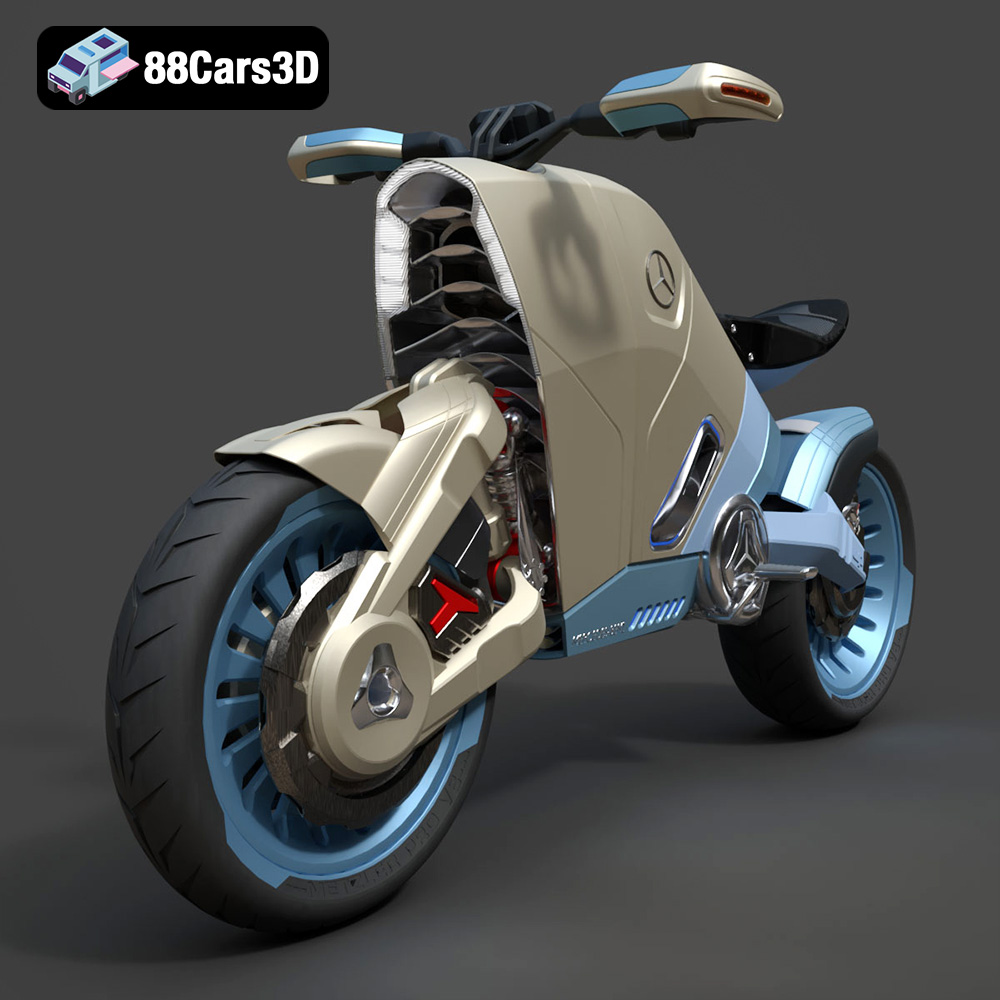
Download the highly detailed, game-ready SMARANZA Mercedes Concept Electrical Motorcycle 3D Model. Features futuristic aerodynamic styling and an advanced electric drivetrain. Includes .blend, .fbx, .obj, .glb, .stl, .ply, .unreal, and .max formats for game development, AR/VR, and rendering.
Price: $19.99
Texture: Yes | Material: Yes
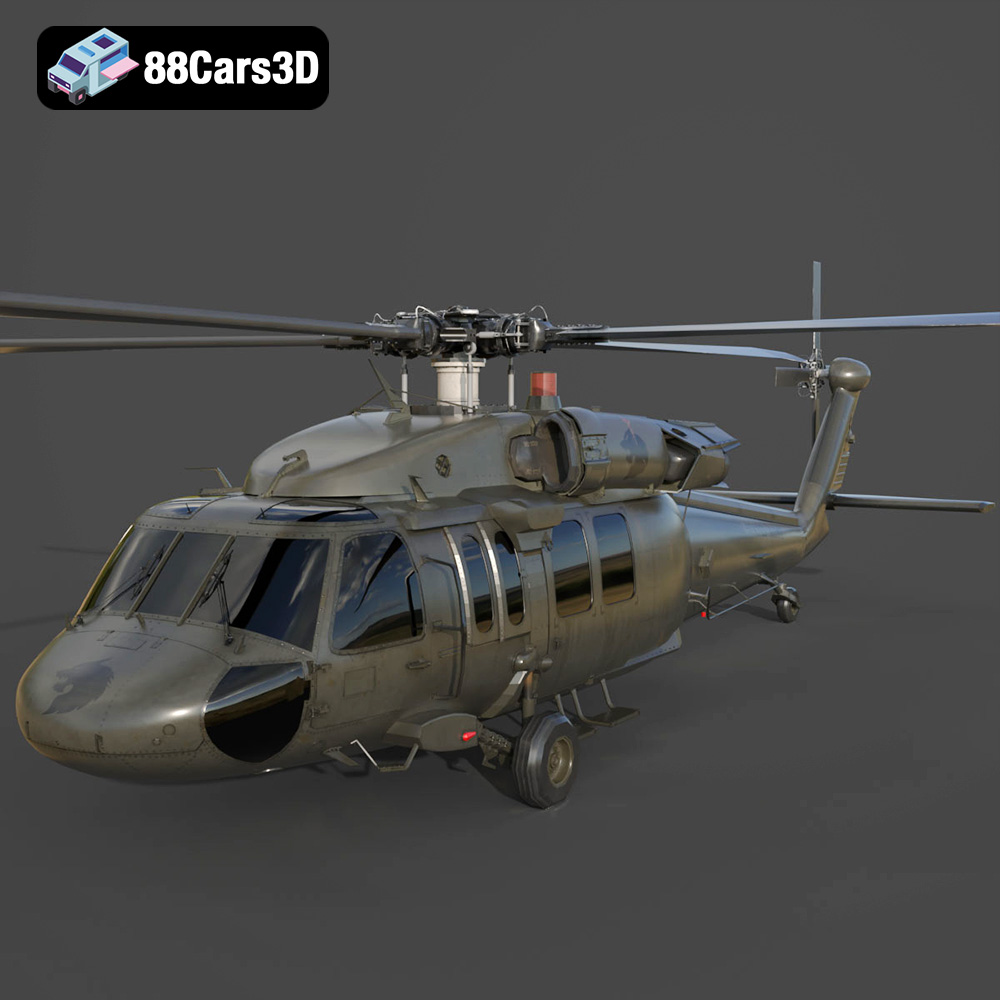
Download the highly detailed, game-ready Sikorsky UH-60 Black Hawk US 3D Model. Features an accurate four-blade rotor system, detailed military fuselage, and realistic twin-engine housing. Includes .blend, .fbx, .obj, .glb, .stl, .ply, .unreal, and .max formats for game development, AR/VR, and rendering.
Price: $19.99
Texture: Yes | Material: Yes
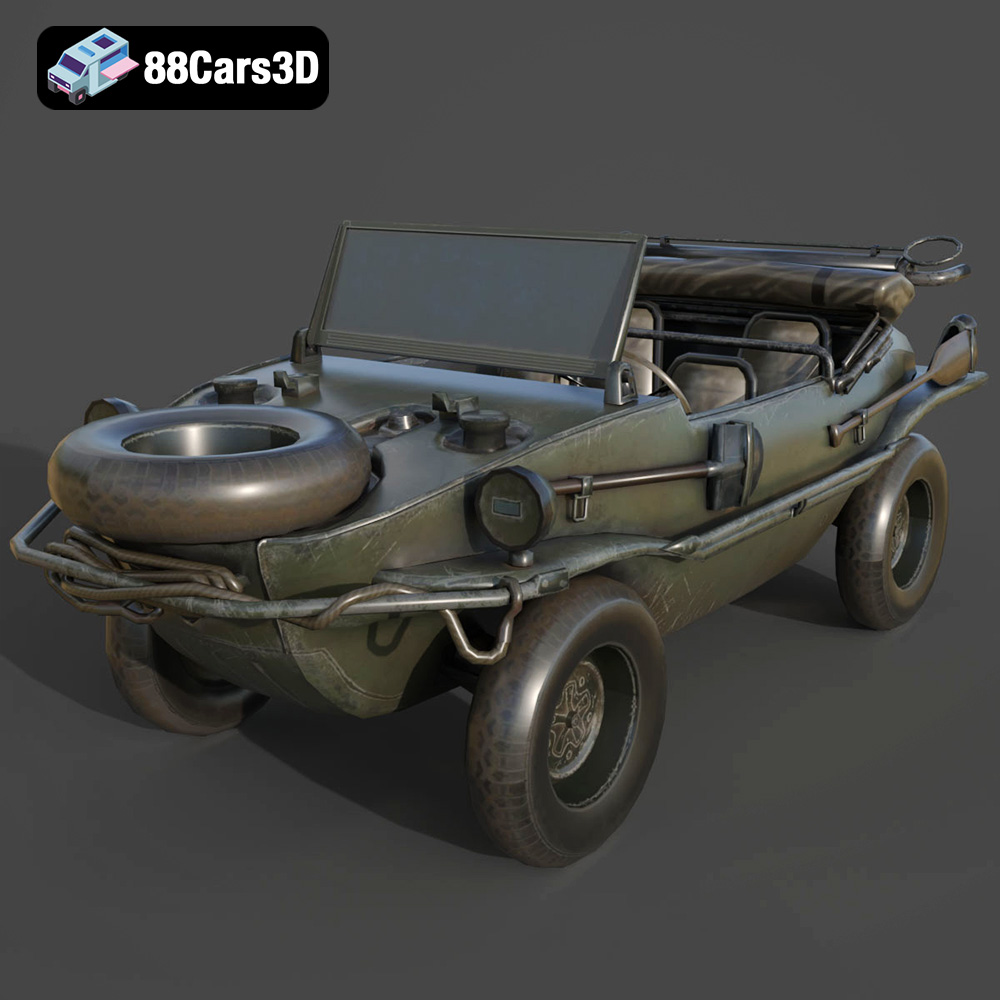
Download the highly detailed, game-ready Volkswagen Schwimmwagen Typ 166 3D Model. Features an authentic boat-like watertight hull, fold-down propeller mechanism, and accurate military styling. Includes .blend, .fbx, .obj, .glb, .stl, .ply, .unreal, and .max formats for game development, AR/VR, and rendering.
Price: $19.99

Texture: Yes | Material: Yes
Download the highly detailed, game-ready Porsche Cayenne Turbo Coupe 2020 3D Model. Features an aggressive coupe roofline, detailed quad exhaust, and a meticulously crafted luxury sport interior. Includes .blend, .fbx, .obj, .glb, .stl, .ply, .unreal, and .max formats for game development, AR/VR, and rendering.
Price: $19.99

Texture: Yes | Material: Yes
Download the highly detailed, game-ready Porsche 718 Cayman GT4 2020 3D Model. Features an aggressive fixed rear wing, distinctive side air intakes, and a track-focused stance. Includes .blend, .fbx, .obj, .glb, .stl, .ply, .unreal, and .max formats for game development, AR/VR, and rendering.
Price: $19.99

Texture: Yes | Material: Yes
Download the highly detailed, game-ready Polestar 2 2020 3D Model. Features minimalist Scandinavian fastback styling, pixel LED lighting, and an accurate electric vehicle profile. Includes .blend, .fbx, .obj, .glb, .stl, .ply, .unreal, and .max formats for game development, AR/VR, and rendering.
Price: $19.99
Texture: Yes | Material: Yes
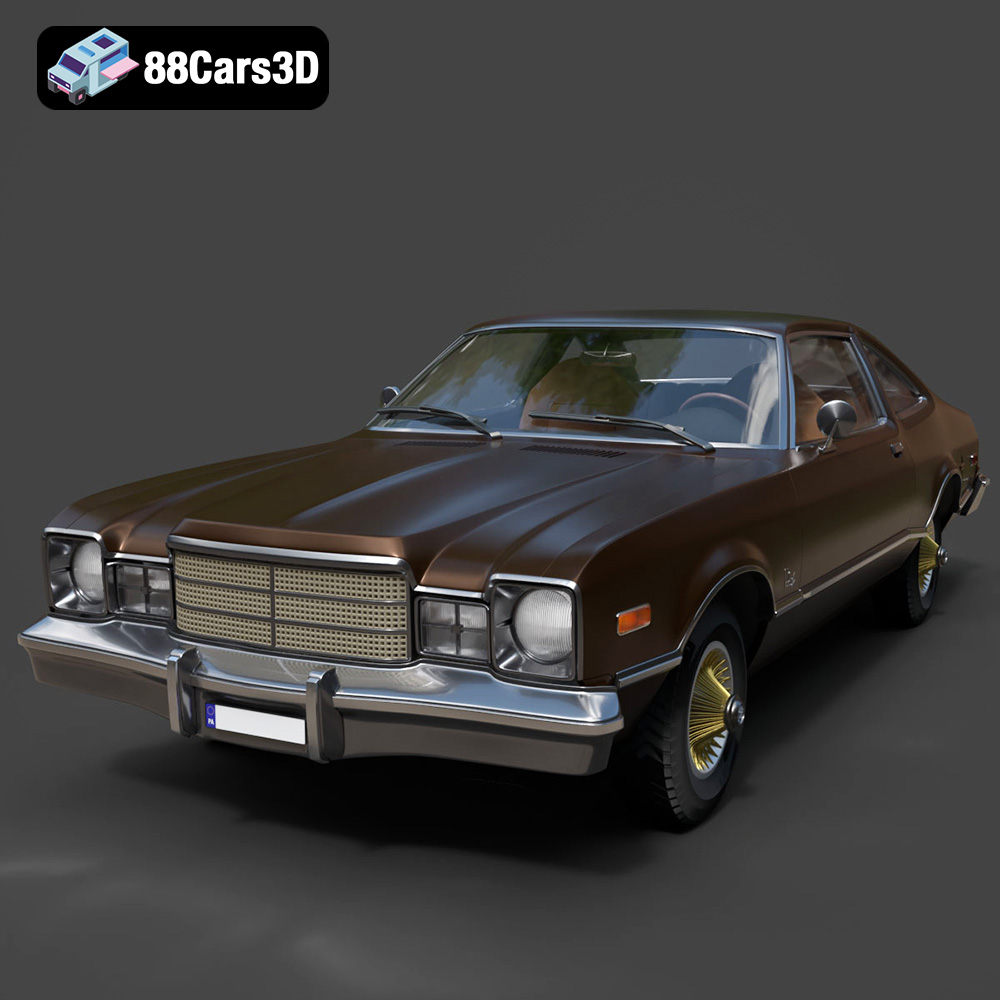
Download the highly detailed, game-ready Plymouth Volare Coupe 1977 3D Model. Features classic F-body styling, detailed chrome trim, and an accurate vintage interior. Includes .blend, .fbx, .obj, .glb, .stl, .ply, .unreal, and .max formats for game development, AR/VR, and rendering.
Price: $19.99

Texture: Yes | Material: Yes
Download the highly detailed, game-ready Peugeot 208 2020 3D Model. Features aggressive ‘fang’ LED DRLs, sporty hatchback proportions, and aerodynamic alloy wheels. Includes .blend, .fbx, .obj, .glb, .stl, .ply, .unreal, and .max formats for game development, AR/VR, and rendering.
Price: $19.99

Texture: Yes | Material: Yes
Download the highly detailed, game-ready MV Agusta Brutale 1090 R 3D Model. Features an exposed trellis frame, distinctive teardrop headlight, and muscular naked bike styling. Includes .blend, .fbx, .obj, .glb, .stl, .ply, .unreal, and .max formats for game development, AR/VR, and rendering.
Price: $19.99

