Get 20% OFF All Premium 3D & STL Models!

“`html
3D printing vehicle models presents a unique set of challenges. Unlike purely aesthetic figurines, accurate scale, structural integrity, and smooth surfaces are crucial for realistic representation. Two of the most vital aspects influencing the final result are wall thickness and support structure settings. Getting these right can be the difference between a stunning replica and a warped, fragile failure. This guide dives deep into both, providing the technical knowledge and practical advice to consistently achieve high-quality prints of your favorite cars, trucks, and motorcycles. We’ll explore best practices for STL file preparation, slicer configuration, and post-processing, ensuring your 3D printed vehicle models are ready for display or further customization. Whether you’re a seasoned 3D printing enthusiast or just starting out, this comprehensive overview will elevate your understanding and skill.
Before diving into slicer settings, it’s essential to understand the underlying structure of STL files, the standard format for 3D printing. STL files represent 3D models as a collection of interconnected triangles, forming a mesh. The density and arrangement of these triangles directly impact the surface quality and overall accuracy of the printed object. The quality of the original STL file is paramount. Platforms like 88cars3d.com offer print-ready STL files, ensuring a good starting point for your printing endeavors.
A “manifold” mesh is a closed, watertight surface, crucial for successful 3D printing. Non-manifold edges, holes, or intersecting faces can cause slicing errors and print failures. Software like Meshmixer, Netfabb Basic (Autodesk), or even some slicers (like PrusaSlicer) include repair tools to automatically fix these issues. Running a repair before slicing is always recommended. This typically involves closing holes, removing duplicate triangles, and ensuring proper surface orientation. For example, in Meshmixer, you can use the “Inspector” tool to identify and automatically repair problematic areas. Simply import your STL, click “Analysis” -> “Inspector,” and let Meshmixer identify and fix the errors. Apply the changes and export the repaired STL.
Higher triangle density results in smoother curves and finer details but also increases file size and processing time. For vehicle models, balancing detail with printability is key. Areas like grills, lights, and dashboards benefit from higher resolution, while large, flat surfaces can use fewer triangles. Consider using decimation tools (available in Meshmixer or Blender) to selectively reduce triangle count in less critical areas, optimizing file size without sacrificing crucial details. A good starting point is to aim for a deviation tolerance of around 0.01 mm during decimation. This means the simplified mesh will not deviate more than 0.01 mm from the original, preserving most of the detail while reducing the number of triangles.
Wall thickness refers to the distance between the inner and outer surfaces of a 3D printed object. This parameter significantly affects the strength, weight, and print time of your vehicle model. Insufficient wall thickness can lead to fragile parts prone to breakage, especially in areas subjected to stress, like axles, hinges, and mounting points. Conversely, excessive wall thickness increases material consumption and print time without necessarily improving structural integrity beyond a certain point. Finding the sweet spot requires careful consideration of the model’s scale, material properties, and intended use.
As a general rule, a minimum wall thickness of 0.8mm is recommended for FDM printing with a 0.4mm nozzle. This allows for at least two perimeter lines to be printed, ensuring a solid, continuous shell. For smaller scale models (1:43 or smaller), consider increasing the wall thickness to 1.2mm to compensate for the reduced size and inherent fragility. For resin printing, a wall thickness of 1-2mm is generally sufficient due to the higher strength of resin materials compared to filaments like PLA or PETG. However, for very thin or intricate details, even thicker walls (up to 3mm) might be necessary.
Slicers like Cura and PrusaSlicer allow you to precisely control wall thickness settings. In Cura, you can find these settings under the “Shell” section, specifically “Wall Line Count” and “Wall Thickness.” PrusaSlicer offers similar options, allowing you to specify the number of perimeters and the overall wall thickness. Experiment with different values to find the optimal balance between strength and print time. For example, setting “Wall Line Count” to 3 in Cura will create a shell with three perimeter lines, increasing the wall thickness and structural integrity. Remember to adjust other settings like infill density and pattern to complement your wall thickness choices.
Support structures are temporary scaffolding built during 3D printing to support overhanging parts and prevent them from collapsing. They are crucial for printing vehicle models with complex geometries, such as curved roofs, intricate bumpers, and detailed interiors. However, generating and removing supports can be a challenging process. Incorrect support settings can lead to poor surface finish, difficult removal, and even damage to the model. Effective support generation involves carefully considering the model’s orientation, overhang angles, and material properties.
The orientation of your model on the build plate significantly influences the need for supports. Orienting the model to minimize overhangs is the first step. For example, tilting a car model at an angle can reduce the amount of support needed under the roof. However, this might introduce new overhangs in other areas. Use your slicer’s preview function to visualize the support structures and identify potential problem areas. Consider using manual support placement to target specific areas that require extra support, while avoiding unnecessary support in areas that are self-supporting or less critical. When downloading models from marketplaces such as 88cars3d.com, check if they already include pre-supported versions optimized for specific printing techniques.
Key support settings include overhang angle, support density, and support interface. The overhang angle determines the minimum angle at which supports are generated. A smaller angle (e.g., 45 degrees) will generate more supports, while a larger angle (e.g., 60 degrees) will generate fewer. Support density controls the amount of material used for the supports. Higher density provides more support but can be harder to remove. A support interface is a thin layer printed between the support structure and the model to improve adhesion and surface finish. Experiment with different settings to find the optimal balance between support strength, ease of removal, and surface quality. A good starting point is an overhang angle of 55 degrees, a support density of 15%, and a support interface with a density of 80%.
The choice of material significantly impacts the final appearance, strength, and durability of your 3D printed vehicle model. Common materials include PLA, PETG, ABS, and various types of resins. Each material has its own set of advantages and disadvantages, making it crucial to select the right one for your specific needs and printer type. Consider factors such as ease of printing, temperature resistance, impact strength, and surface finish.
PLA (Polylactic Acid) is a biodegradable thermoplastic known for its ease of printing and low warping. It’s a good choice for beginners and for models that don’t require high temperature resistance. PETG (Polyethylene Terephthalate Glycol) offers a balance of strength, flexibility, and temperature resistance. It’s more durable than PLA and can withstand higher temperatures, making it suitable for parts that might be exposed to sunlight or heat. ABS (Acrylonitrile Butadiene Styrene) is a strong and durable thermoplastic with excellent temperature resistance. However, it’s more prone to warping and requires a heated bed and enclosure for successful printing. For vehicle models, PETG is often a good compromise, offering good strength and printability.
Resin printing (SLA and DLP) offers superior detail and surface finish compared to FDM printing. It’s ideal for printing intricate vehicle models with fine details, such as grilles, lights, and emblems. Different types of resins are available, each with its own properties. Standard resins are affordable and easy to use, while tough resins offer higher impact resistance. Flexible resins are suitable for parts that require some flexibility, such as tires or bumpers. Experiment with different resin types to find the best one for your specific application. When using resin, proper ventilation and safety precautions are essential due to the potentially harmful fumes.
Beyond wall thickness and support structures, numerous other slicing parameters and printer settings influence the quality of your 3D printed vehicle models. Layer height, infill density, print speed, and temperature all play crucial roles in achieving optimal results. Fine-tuning these settings based on your printer, material, and model complexity is essential for minimizing defects and maximizing print quality.
Layer height determines the thickness of each printed layer. Lower layer heights (e.g., 0.1mm) result in smoother surfaces and finer details, but also increase print time. Higher layer heights (e.g., 0.2mm) reduce print time but can lead to more visible layer lines. Print speed affects the speed at which the printer head moves during printing. Slower print speeds generally result in better print quality, especially for intricate details and overhangs. Experiment with different layer heights and print speeds to find the optimal balance between print quality and time. A good starting point is a layer height of 0.15mm and a print speed of 50mm/s for FDM printing.
Infill density determines the amount of material used inside the model. Higher infill density increases strength and weight but also increases print time and material consumption. Infill pattern affects the internal structure of the model. Common infill patterns include grid, lines, triangles, and gyroid. Experiment with different infill densities and patterns to find the optimal balance between strength, weight, and print time. For vehicle models, a infill density of 15-20% with a gyroid pattern is often sufficient for most parts. For parts that require higher strength, such as axles or mounting points, consider increasing the infill density to 50% or higher.
Post-processing is the final step in the 3D printing process, involving techniques to improve the appearance, strength, and functionality of your vehicle model. Common post-processing techniques include sanding, painting, and assembly. These techniques can transform a raw 3D print into a polished, professional-looking replica.
Sanding is used to smooth out layer lines and other imperfections on the surface of the 3D print. Start with a coarse grit sandpaper (e.g., 220 grit) and gradually move to finer grits (e.g., 400, 600, 800 grit) to achieve a smooth finish. Wet sanding can help to reduce dust and improve the surface finish. After sanding, you can use a primer to prepare the surface for painting. Apply multiple thin layers of primer, allowing each layer to dry completely before applying the next. Sand the primer lightly between layers to remove any imperfections.
Painting is used to add color and detail to the vehicle model. Use high-quality acrylic paints designed for models. Apply multiple thin layers of paint, allowing each layer to dry completely before applying the next. Use masking tape to protect areas that you don’t want to paint. Detailing techniques, such as dry brushing and washes, can be used to add depth and realism to the model. Dry brushing involves applying a small amount of paint to a dry brush and then lightly brushing it over the surface of the model to highlight edges and details. Washes involve applying a diluted paint to the surface of the model to fill in crevices and create shadows.
Assembly of 3D printed car models can involve using glue or snap-fit connections. Always use super glue or epoxy resin to connect printed parts. Always make sure that all parts are dried and cleaned before connecting. Make sure that the glue is applied evenly so there are no gaps between parts.
Even with careful planning and precise settings, 3D printing can be prone to various issues. Understanding common problems and their solutions is crucial for minimizing print failures and achieving consistent results. This section covers some of the most frequent issues encountered when printing vehicle models and provides practical troubleshooting tips.
Warping occurs when the corners of the 3D print lift off the build plate. This is often caused by uneven cooling and temperature gradients within the print. To prevent warping, ensure that your build plate is properly leveled and heated. Use a bed adhesive, such as glue stick, hairspray, or painter’s tape, to improve adhesion. Enclosing the printer can also help to maintain a consistent temperature and reduce warping. For materials like ABS, an enclosure is essential.
Stringing occurs when the printer head oozes filament while traveling between different parts of the model. Blobs are small clumps of filament that accumulate on the surface of the print. To prevent stringing and blobs, reduce the printing temperature, increase retraction distance and speed, and enable coasting or wipe settings in your slicer. Ensure that the filament is dry and stored properly.
By using the techniques outlined here, you can optimize your wall thickness and support settings to produce high-quality vehicle models. Remember to experiment and make changes to find what works best for your printer and selected filament.
Mastering wall thickness and support structures is paramount for successful 3D printing of vehicle models. By understanding the underlying principles of STL files, carefully selecting materials, and fine-tuning slicer settings, you can achieve stunning results that capture the intricate details and structural integrity of your favorite cars, trucks, and motorcycles. Remember to experiment with different settings and techniques to find what works best for your specific printer, material, and model complexity. Don’t be afraid to iterate and learn from your mistakes. The journey of 3D printing is a continuous learning process, and with each successful print, you’ll gain valuable knowledge and experience. Explore platforms like 88cars3d.com for high-quality STL files and inspiration for your next 3D printing project. Happy printing!
“`

Texture: Yes | Material: Yes
Download the highly detailed, game-ready Volkswagen Jetta GLI 2019 3D Model. Features an aggressive honeycomb grille with red accents, sleek aerodynamic profile, and exclusive GLI sport wheels. Includes .blend, .fbx, .obj, .glb, .stl, .ply, .unreal, and .max formats for game development, AR/VR, and rendering.
Price: $19.99

Texture: Yes | Material: Yes
Download the highly detailed, game-ready Vintage Vespa 3D Model. Features iconic rounded monocoque styling, classic saddle, and chrome accents. Includes .blend, .fbx, .obj, .glb, .stl, .ply, .unreal, and .max formats for game development, AR/VR, and rendering.
Price: $19.99

Texture: Yes | Material: Yes
Download the highly detailed, game-ready Vespa GS 150 3D Model. Features elegant aerodynamic curves, classic leg shield, and detailed engine casing. Includes .blend, .fbx, .obj, .glb, .stl, .ply, .unreal, and .max formats for game development, AR/VR, and rendering.
Price: $19.99

Texture: Yes | Material: Yes
Download the highly detailed, game-ready Vespa P200E 3D Model. Features classic vintage styling, accurate step-through frame geometry, and authentic detailing. Includes .blend, .fbx, .obj, .glb, .stl, .ply, .unreal, and .max formats for game development, AR/VR, and rendering.
Price: $19.99

Texture: Yes | Material: Yes
Download the highly detailed, game-ready Ural M67-36-P 1976 3D Model. Features the iconic air-cooled boxer engine, vintage utilitarian styling, and authentic spoked wheels. Includes .blend, .fbx, .obj, .glb, .stl, .ply, .unreal, and .max formats for game development, AR/VR, and rendering.
Price: $19.99
Texture: Yes | Material: Yes
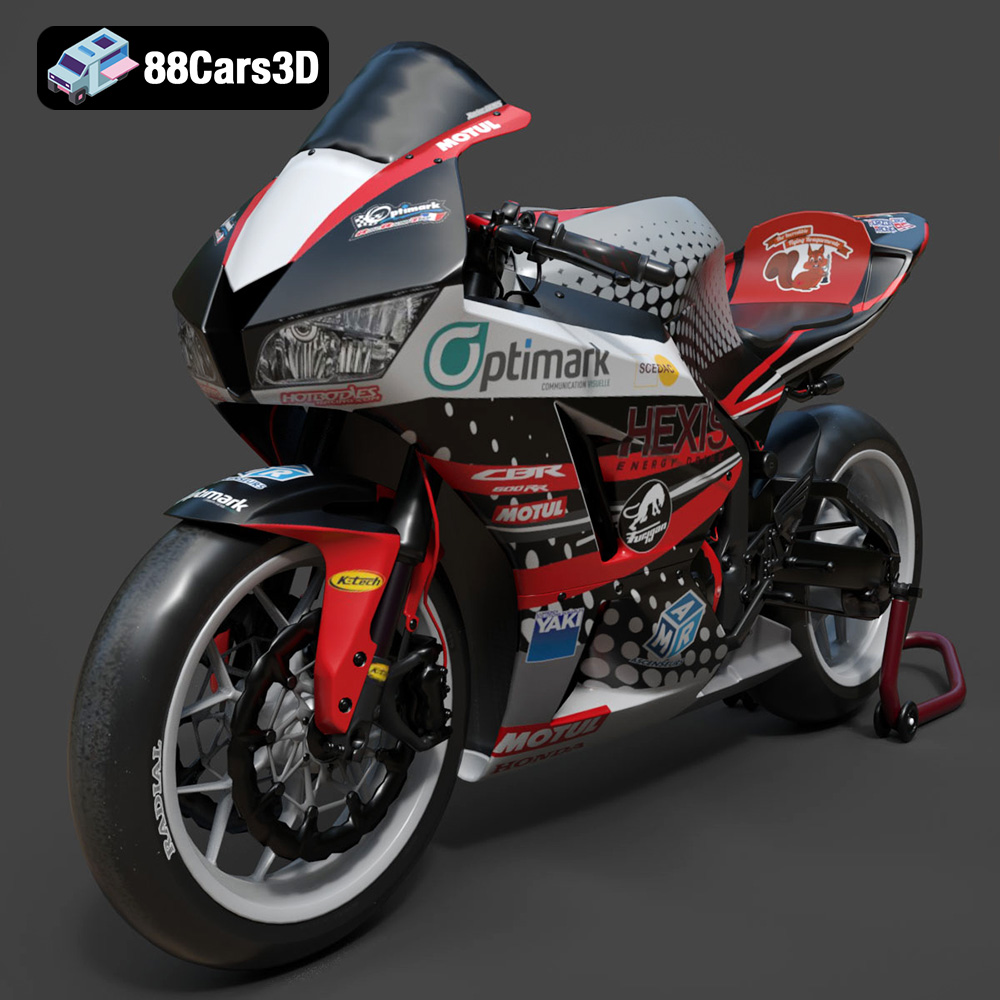
Download the highly detailed, game-ready Honda CBR600RR 3D Model. Features aerodynamic fairings, an iconic center-up exhaust, and an aggressive track-focused stance. Includes .blend, .fbx, .obj, .glb, .stl, .ply, .unreal, and .max formats for game development, AR/VR, and rendering.
Price: $19.99
Texture: Yes | Material: Yes
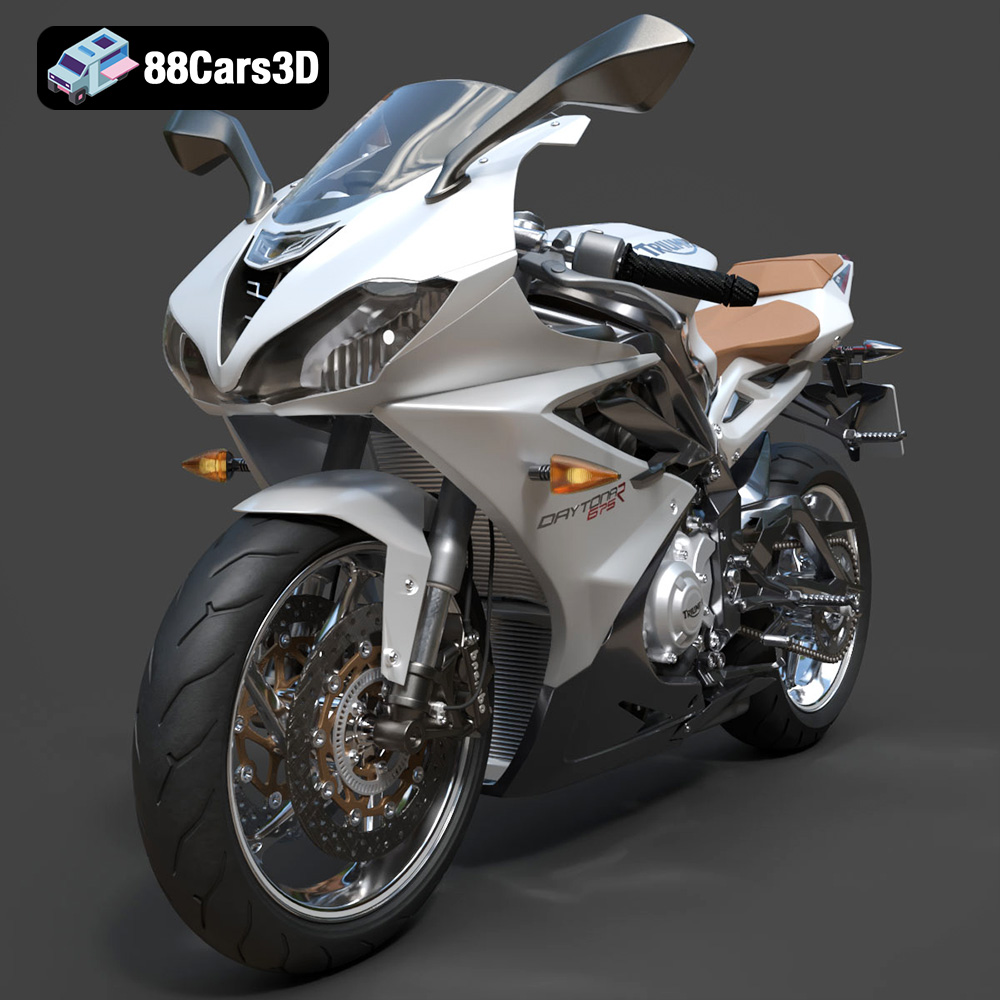
Download the highly detailed, game-ready Triumph Daytona 675R ABS 2015 3D Model. Features aerodynamic sport fairings, a detailed inline-triple engine, and premium Öhlins suspension components. Includes .blend, .fbx, .obj, .glb, .stl, .ply, .unreal, and .max formats for game development, AR/VR, and rendering.
Price: $19.99

Texture: Yes | Material: Yes
Download the highly detailed, game-ready Toyota Tacoma TRD Off-Road 2016 3D Model. Features a rugged exterior, TRD off-road suspension details, and a meticulously crafted interior. Includes .blend, .fbx, .obj, .glb, .stl, .ply, .unreal, and .max formats for game development, AR/VR, and rendering.
Price: $19.99

Texture: Yes | Material: Yes
Download the highly detailed, game-ready Toyota Supra 2020 3D Model. Features aggressive aerodynamic styling, a distinctive double-bubble roof, and accurate B58 engine components. Includes .blend, .fbx, .obj, .glb, .stl, .ply, .unreal, and .max formats for game development, AR/VR, and rendering.
Price: $19.99
Texture: Yes | Material: Yes
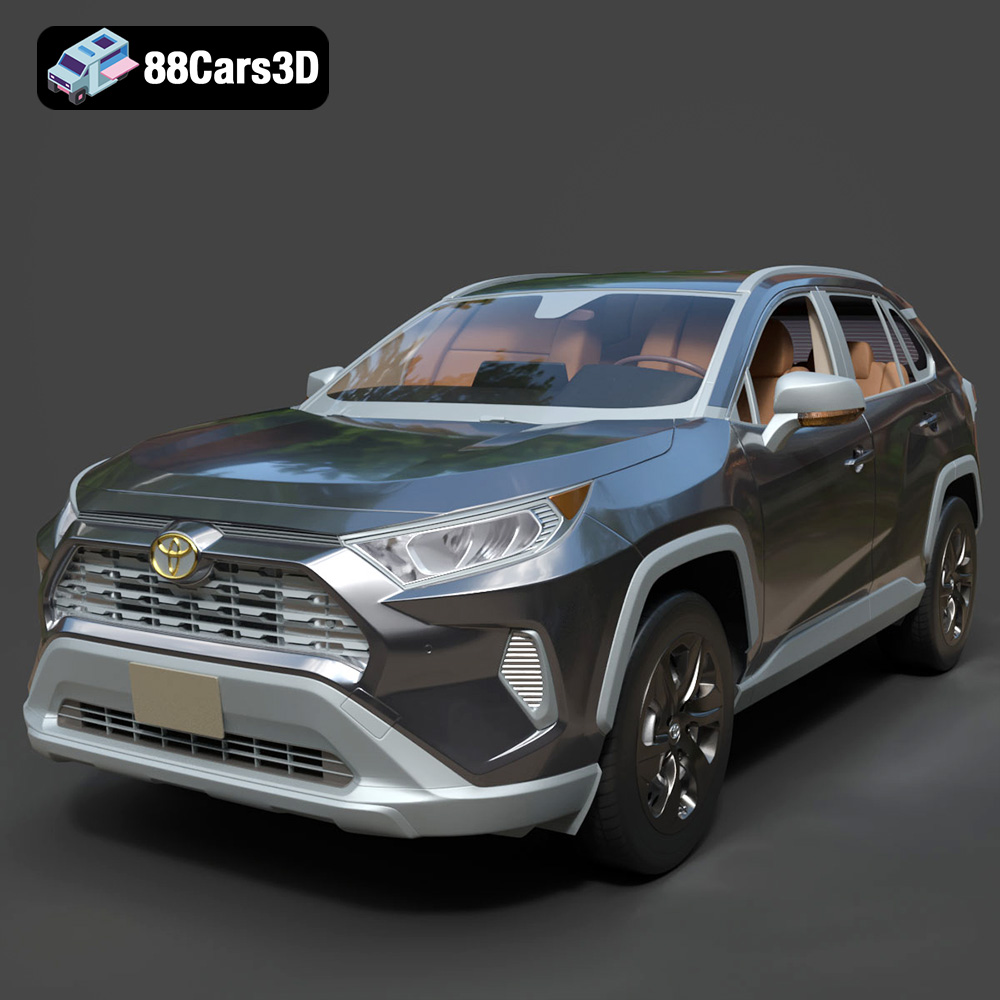
Download the highly detailed, game-ready Toyota RAV4 LE 2019 3D Model. Features rugged exterior styling, signature polygonal motif, and a detailed interior. Includes .blend, .fbx, .obj, .glb, .stl, .ply, .unreal, and .max formats for game development, AR/VR, and rendering.
Price: $19.99

