Get 20% OFF All Premium 3D & STL Models!

“`html
The world of 3D printing hinges on the humble STL (Stereolithography) file format. It’s the language your 3D printer understands, the blueprint that dictates every layer of your creation. But raw STL files often require tweaking, repair, or modification before they’re print-ready. Whether you’re customizing a printable car model from platforms like 88cars3d.com or designing your own creations from scratch, mastering STL editing is crucial. This comprehensive guide explores the best free and paid software options, diving into their features, workflows, and practical applications for achieving flawless 3D prints.
In this article, we’ll explore the essential tools for manipulating STL files, including mesh repair, model modification, support structure optimization, and much more. We’ll cover both free and paid software options, providing detailed insights into their strengths, weaknesses, and ideal use cases. Whether you’re a seasoned 3D printing veteran or just starting your journey, this guide will equip you with the knowledge and skills to confidently edit STL files and bring your digital designs to life.
Before diving into the software options, it’s vital to understand the fundamental nature of STL files. An STL file represents a 3D object’s surface as a collection of interconnected triangles, forming a mesh. The denser the mesh (more triangles), the smoother and more detailed the object appears. However, STL files are inherently limited; they only describe the surface geometry and lack information about color, texture, or internal structure.
STL files store data about each triangle’s vertices (corner points) and its normal vector (the direction perpendicular to the triangle’s surface). This information is used by slicing software to generate the toolpaths for your 3D printer. Problems arise when the mesh contains errors like gaps, self-intersections, or non-manifold geometry (edges shared by more than two triangles). These errors can lead to print failures or inaccurate representations of the intended design.
Several common issues can plague STL files, impacting print quality and success:
Identifying and resolving these issues is a critical step in preparing STL files for 3D printing. The following sections will explore software solutions for addressing these problems.
Fortunately, several excellent free software options offer robust STL editing capabilities. These tools are perfect for beginners and hobbyists who want to learn the ropes without investing in expensive software licenses. While they may lack some of the advanced features of paid software, they provide essential functionality for mesh repair, basic modifications, and support structure generation.
MeshLab is a powerful open-source mesh processing system. It’s designed for cleaning, repairing, inspecting, rendering, and converting 3D meshes. Its strengths lie in its robust mesh repair tools. MeshLab offers a plethora of filters for fixing topological errors, simplifying meshes, and smoothing surfaces. It can automatically detect and repair issues like non-manifold edges, self-intersections, and holes. Moreover, it allows for manual editing of the mesh through selection and deletion of facets. For users downloading models from marketplaces such as 88cars3d.com that might have minor imperfections, MeshLab is a fantastic tool.
Meshmixer, from Autodesk, is a user-friendly tool that combines mesh editing, sculpting, and support structure generation. Its intuitive interface makes it easy to modify existing models, add custom details, and prepare them for 3D printing. Meshmixer excels at creating organic shapes, blending multiple models together, and generating optimized support structures. The “Make Solid” tool is particularly useful for converting thin-walled models into solid objects suitable for printing. Also, it can reduce the number of triangles to make the model less resource-intensive for your computer. Meshmixer can handle a variety of formats besides STL, so you can use it for a range of tasks.
Blender is a professional-grade, open-source 3D creation suite used for modeling, animation, rendering, and more. While it might seem overkill for simple STL editing, Blender offers unparalleled flexibility and control for complex modifications. It has a steeper learning curve, but the possibilities are nearly limitless. Blender’s sculpting tools are particularly powerful for adding organic details, and its mesh editing tools allow for precise manipulation of the model’s geometry. Its modifiers, like Subdivision Surface, can greatly improve print quality. When you need ultimate control over your STL files, Blender is the choice.
For professionals and serious hobbyists, paid STL editing software offers advanced features that can significantly improve workflow and print quality. These tools typically provide more robust mesh repair capabilities, advanced modeling tools, and features specifically designed for 3D printing preparation.
Netfabb, now part of Autodesk, is a comprehensive software solution for 3D printing preparation. It offers a wide range of features, including advanced mesh repair, support structure optimization, build platform arrangement, and simulation tools. Netfabb’s automatic repair tools are incredibly effective at fixing complex mesh errors, and its simulation capabilities can help predict and prevent print failures. While expensive, Netfabb is a powerful tool for ensuring successful 3D prints, especially for complex or high-volume projects. Its automated repair algorithms are top-notch.
Materialise Magics is another industry-leading software package specifically designed for additive manufacturing (AM). It offers a comprehensive suite of tools for data preparation, STL editing, support generation, and build platform management. Magics excels at handling large and complex models, and its advanced algorithms ensure optimal print quality and efficiency. Its robust analysis tools help catch errors before printing. The support generation is highly configurable. Materialise Magics is often used in industrial settings for its reliability and efficiency.
While primarily known for digital sculpting, ZBrush is also a powerful tool for modifying STL files. Its unique sculpting workflow allows for incredibly detailed and organic modifications. ZBrush’s “Dynamesh” feature is particularly useful for creating seamless meshes and adding complex details. However, ZBrush is not primarily designed for mechanical parts or precise engineering designs; its strength lies in artistic modifications and sculpting. If you need to add organic details or dramatically reshape an existing model, ZBrush is an excellent choice. Also, the Zremesher tool can make the model more optimized for 3D printing.
The ideal settings and techniques for editing STL files depend on the specific 3D printing method you’re using. FDM (Fused Deposition Modeling) and resin printing (SLA/DLP) have different requirements and limitations, so it’s important to tailor your editing workflow accordingly.
For FDM printing, focus on ensuring the model is watertight, has sufficient wall thickness, and is oriented for optimal strength. Consider the layer lines when planning the orientation; aligning the layers with the stress direction can increase the part’s strength. Models designed to withstand stress need to have continuous outer shells and well-chosen infill settings within the slicing software like Cura or PrusaSlicer. Often, users will reinforce specific areas of the model in the STL file before printing. For example, when printing car models from 88cars3d.com intended for display, this might not be crucial, but for functional parts, it becomes essential.
Resin printing excels at producing highly detailed parts with smooth surface finishes. When editing STL files for resin printing, focus on optimizing support structures, ensuring proper drainage for hollow models, and minimizing suction forces. Carefully consider the angle of each surface relative to the build plate to avoid stress concentration. Use software-specific tools like Chitubox or Lychee Slicer to refine support placement and prevent print failures. Hollow models are practically a necessity with resin printing to save on material costs. Also, consider the resin type, as some require more rigid support structures.
Even with the best software and preparation, 3D printing can be challenging. Here are some common problems you might encounter when editing and printing STL files, along with troubleshooting tips:
Sometimes, automatic mesh repair tools can introduce new problems or fail to completely fix existing issues. If you encounter errors after running a repair function, try using different repair algorithms or manually editing the mesh. Examine the repaired mesh closely for unexpected changes.
Print failures can stem from various factors, including poor bed adhesion, inadequate support structures, incorrect printer settings, or flawed STL files. Review the slicing preview carefully before printing to identify potential problem areas. For example, an un-supported overhang in the slicing software will certainly fail during printing.
Editing STL files is an essential skill for any 3D printing enthusiast. By understanding the structure of STL files, choosing the right software, and mastering the techniques outlined in this guide, you can significantly improve your print quality and success rate. Whether you opt for free tools like MeshLab and Meshmixer or invest in paid software like Netfabb, the key is to practice and experiment to find the workflow that works best for you. Remember to always inspect your STL files for errors before printing, and tailor your editing techniques to the specific requirements of your 3D printing method.
Take the time to explore the various software options discussed and experiment with different settings to achieve the desired results. Platforms like 88cars3d.com offer print-ready STL files, but even these may benefit from minor adjustments to optimize them for your specific printer and material. With dedication and the right tools, you can unlock the full potential of 3D printing and bring your creative visions to life.
“`

Texture: Yes | Material: Yes
Download the highly detailed, game-ready Volkswagen Jetta GLI 2019 3D Model. Features an aggressive honeycomb grille with red accents, sleek aerodynamic profile, and exclusive GLI sport wheels. Includes .blend, .fbx, .obj, .glb, .stl, .ply, .unreal, and .max formats for game development, AR/VR, and rendering.
Price: $19.99

Texture: Yes | Material: Yes
Download the highly detailed, game-ready Vintage Vespa 3D Model. Features iconic rounded monocoque styling, classic saddle, and chrome accents. Includes .blend, .fbx, .obj, .glb, .stl, .ply, .unreal, and .max formats for game development, AR/VR, and rendering.
Price: $19.99

Texture: Yes | Material: Yes
Download the highly detailed, game-ready Vespa GS 150 3D Model. Features elegant aerodynamic curves, classic leg shield, and detailed engine casing. Includes .blend, .fbx, .obj, .glb, .stl, .ply, .unreal, and .max formats for game development, AR/VR, and rendering.
Price: $19.99

Texture: Yes | Material: Yes
Download the highly detailed, game-ready Vespa P200E 3D Model. Features classic vintage styling, accurate step-through frame geometry, and authentic detailing. Includes .blend, .fbx, .obj, .glb, .stl, .ply, .unreal, and .max formats for game development, AR/VR, and rendering.
Price: $19.99

Texture: Yes | Material: Yes
Download the highly detailed, game-ready Ural M67-36-P 1976 3D Model. Features the iconic air-cooled boxer engine, vintage utilitarian styling, and authentic spoked wheels. Includes .blend, .fbx, .obj, .glb, .stl, .ply, .unreal, and .max formats for game development, AR/VR, and rendering.
Price: $19.99
Texture: Yes | Material: Yes
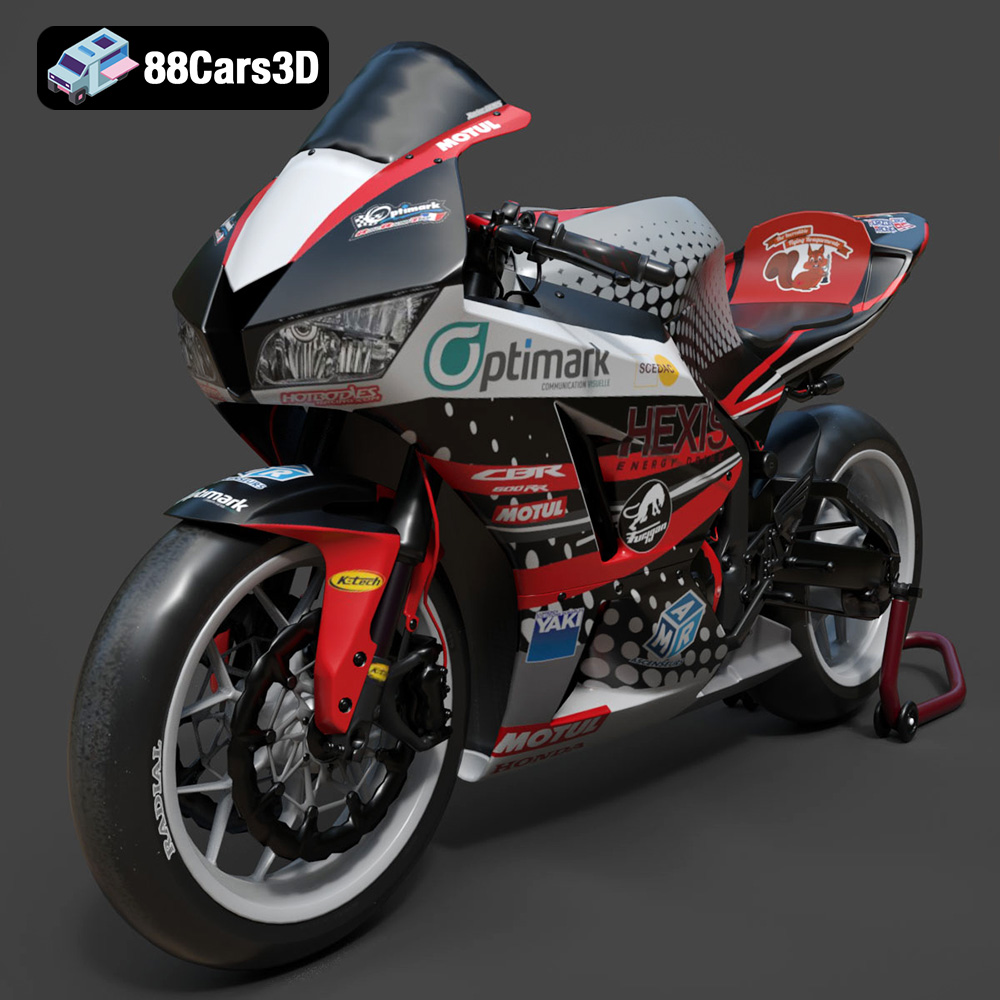
Download the highly detailed, game-ready Honda CBR600RR 3D Model. Features aerodynamic fairings, an iconic center-up exhaust, and an aggressive track-focused stance. Includes .blend, .fbx, .obj, .glb, .stl, .ply, .unreal, and .max formats for game development, AR/VR, and rendering.
Price: $19.99
Texture: Yes | Material: Yes
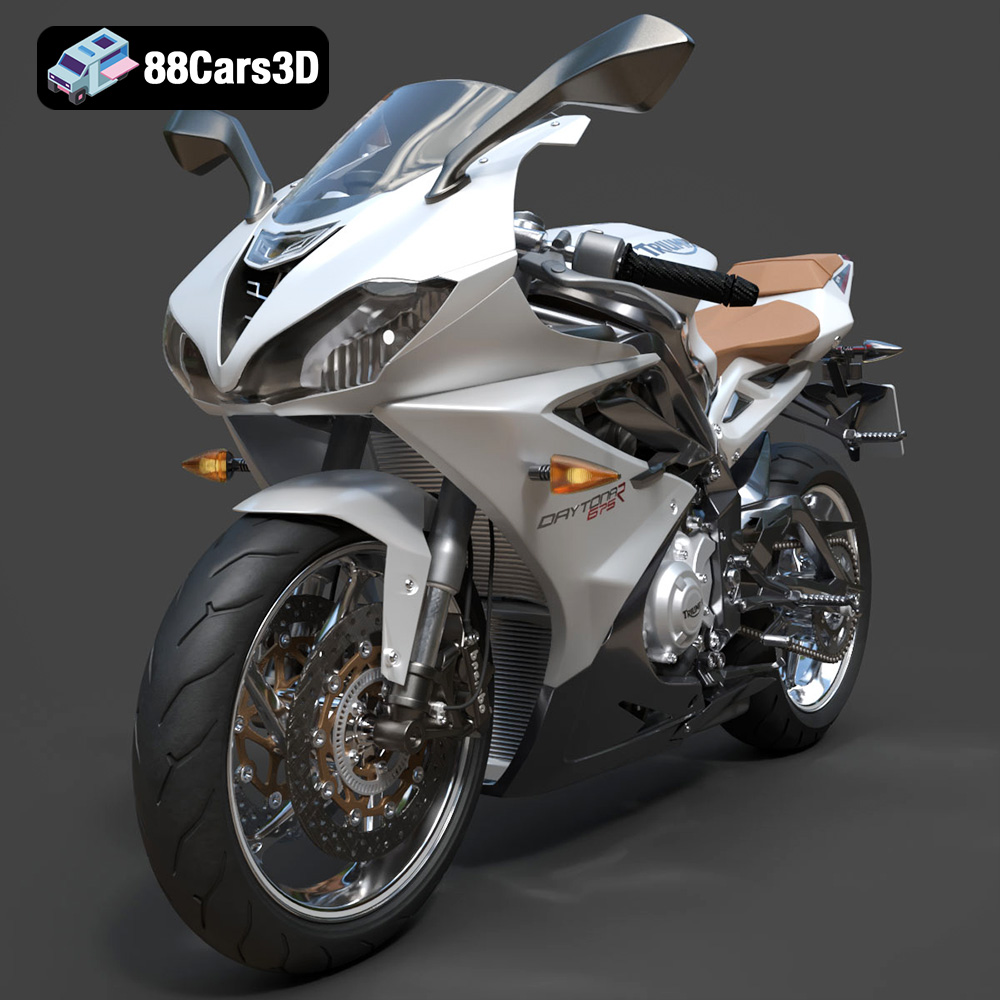
Download the highly detailed, game-ready Triumph Daytona 675R ABS 2015 3D Model. Features aerodynamic sport fairings, a detailed inline-triple engine, and premium Öhlins suspension components. Includes .blend, .fbx, .obj, .glb, .stl, .ply, .unreal, and .max formats for game development, AR/VR, and rendering.
Price: $19.99

Texture: Yes | Material: Yes
Download the highly detailed, game-ready Toyota Tacoma TRD Off-Road 2016 3D Model. Features a rugged exterior, TRD off-road suspension details, and a meticulously crafted interior. Includes .blend, .fbx, .obj, .glb, .stl, .ply, .unreal, and .max formats for game development, AR/VR, and rendering.
Price: $19.99

Texture: Yes | Material: Yes
Download the highly detailed, game-ready Toyota Supra 2020 3D Model. Features aggressive aerodynamic styling, a distinctive double-bubble roof, and accurate B58 engine components. Includes .blend, .fbx, .obj, .glb, .stl, .ply, .unreal, and .max formats for game development, AR/VR, and rendering.
Price: $19.99

Texture: Yes | Material: Yes
Download the highly detailed, game-ready Toyota RAV4 LE 2019 3D Model. Features rugged exterior styling, signature polygonal motif, and a detailed interior. Includes .blend, .fbx, .obj, .glb, .stl, .ply, .unreal, and .max formats for game development, AR/VR, and rendering.
Price: $19.99

