Get 20% OFF All Premium 3D & STL Models!

“`html
The world of 3D printing has revolutionized countless hobbies, and model car collecting is no exception. The ability to 3D print incredibly detailed car models from STL files has opened up a new frontier for enthusiasts. Whether you’re a seasoned 3D printing expert or just starting out, this comprehensive guide will walk you through the process of selecting, preparing, and printing the best printable car STL files. We’ll explore everything from understanding STL file structure to optimizing 3D printer settings for flawless results. Get ready to transform digital blueprints into tangible masterpieces!
In this guide, you’ll discover:
The STL (stereolithography) file format is the backbone of 3D printing. It represents the surface geometry of a 3D object using a collection of triangles. The more triangles, the higher the resolution and detail of the model. However, too many triangles can lead to excessively large file sizes and slow down processing. Finding the right balance is crucial for optimal print quality and efficiency. Platforms like 88cars3d.com offer print-ready STL files with optimized triangle counts for excellent detail without overwhelming your 3D printer.
A “watertight” mesh is essential for successful 3D printing. This means the STL file must have no holes, gaps, or self-intersections. Non-manifold geometry (where edges are shared by more than two faces) is another common issue. These imperfections can cause slicing errors and lead to incomplete or distorted prints. Before printing, it’s always a good practice to check the STL file for errors using software like Meshmixer or Netfabb. These programs can automatically detect and repair many common mesh problems.
Before you even load the STL file into your slicer, visually inspect it using a 3D viewer. Look for sharp corners, smooth curves, and overall accuracy to the original car design. A low-resolution STL file will result in a blocky, pixelated print, while an overly complex file can bog down your printer. Pay attention to fine details like panel lines, grilles, and emblems. These elements often require higher resolution to render accurately. For car models, a good balance is often found in STL files with several hundred thousand triangles, depending on the size and complexity of the model.
Slicing is the process of converting a 3D model into a series of thin layers that your 3D printer can understand. The slicer software takes the STL file and generates G-code, which contains instructions for the printer’s movements, temperature, and material extrusion. The slicing parameters you choose have a profound impact on the final print quality, strength, and appearance. Understanding these settings and how they interact is crucial for achieving optimal results with your 3D printed car models.
Layer height is the thickness of each individual layer of plastic. Lower layer heights (e.g., 0.1mm) result in smoother surfaces and finer details, but they also significantly increase print time. Higher layer heights (e.g., 0.3mm) print faster but produce more visible layer lines. For car models, a layer height of 0.15mm to 0.2mm is a good compromise between quality and speed. For extremely detailed areas, you might consider using adaptive layer heights, which automatically adjust the layer height based on the curvature of the model. For example, PrusaSlicer has adaptive layer feature that adjusts the layer thickness dynamically.
Infill is the internal structure of the 3D print. It provides strength and support while reducing material usage. The infill pattern and density affect the weight, strength, and print time of the model. Common infill patterns include rectilinear, grid, triangular, and gyroid. For car models, a rectilinear or grid infill pattern is often sufficient for most parts. The infill density depends on the intended use of the model. For display models, an infill density of 15-20% is usually adequate. For functional parts or models that will be handled frequently, a higher density of 25-30% may be necessary.
Support structures are temporary scaffolding that supports overhanging features during 3D printing. Without supports, gravity would cause these features to droop or collapse. Generating effective support structures is crucial for printing complex car models with intricate details and overhangs. However, support structures also consume material and require removal after printing, so it’s important to optimize their placement and density.
Most slicing software offers automatic support generation, which analyzes the model and automatically places supports where needed. However, automatic supports are not always optimal. They may place supports in inconvenient locations or use excessive material. Manual support generation gives you more control over the placement and type of supports. This allows you to minimize material usage and ensure that supports are only placed where they are absolutely necessary. Software like Meshmixer allows for precise manual support placement.
The ease of support removal depends on the material and the type of support structure. PLA supports are generally easier to remove than ABS supports. Using a dissolvable support material (e.g., PVA for PLA or HIPS for ABS) can greatly simplify the removal process, but it requires a dual-extrusion 3D printer. When removing supports, use tools like pliers, tweezers, and knives to carefully break them away from the model. Be patient and avoid applying excessive force, which could damage the printed part. After removing the supports, use sandpaper or a file to smooth out any remaining imperfections.
The choice of material has a significant impact on the final appearance, strength, and durability of your 3D printed car model. The two most common 3D printing technologies are FDM (Fused Deposition Modeling) and resin printing (SLA, DLP, or LCD). FDM uses thermoplastic filaments, while resin printing uses liquid resins that are cured by UV light. Each technology has its own advantages and disadvantages.
PLA (Polylactic Acid) is a biodegradable thermoplastic that is easy to print and produces excellent surface finish. It’s a good choice for display models that don’t require high strength or heat resistance. PETG (Polyethylene Terephthalate Glycol) is a stronger and more durable material than PLA. It has good chemical resistance and is suitable for functional parts. ABS (Acrylonitrile Butadiene Styrene) is a strong and heat-resistant material that is commonly used in automotive applications. However, ABS is more difficult to print than PLA and PETG, as it is prone to warping and requires a heated bed and enclosure.
Resin printing offers superior detail and surface finish compared to FDM printing. Standard resins are suitable for general-purpose printing, while tough resins offer higher strength and impact resistance. Flexible resins can be used to create parts with rubber-like properties. Castable resins are designed for creating molds for metal casting. The specific resin you choose will depend on the intended use of the car model. When downloading models from marketplaces such as 88cars3d.com, consider the intended use and material compatibility.
Post-processing is the process of refining the 3D printed part after it has been removed from the printer. This can include removing support structures, sanding, filling, priming, and painting. Post-processing is essential for achieving a professional-looking finish on your 3D printed car models. Even the best print can benefit from careful post-processing to remove imperfections and enhance the overall appearance.
Sanding is used to smooth out layer lines and remove imperfections. Start with a coarse grit sandpaper (e.g., 220 grit) and gradually work your way up to finer grits (e.g., 400, 600, 800 grit). For deep imperfections, you may need to use a filler, such as Bondo or spot putty. Apply the filler to the affected area and let it dry completely before sanding it smooth. Priming provides a smooth, uniform surface for painting. Use a spray primer specifically designed for plastic. Apply several thin coats of primer, allowing each coat to dry completely before applying the next.
Painting is the final step in the post-processing process. Use high-quality acrylic paints designed for model cars. Apply several thin coats of paint, allowing each coat to dry completely before applying the next. Use masking tape to create clean lines and separate different colors. For realistic details, consider using techniques like dry brushing, washing, and weathering. Clear coating protects the paint and adds a glossy finish. Apply several thin coats of clear coat, allowing each coat to dry completely before applying the next.
3D printing can be a challenging process, and it’s common to encounter problems along the way. Understanding the common causes of printing failures and how to troubleshoot them is essential for successful 3D printing. From bed adhesion issues to warping and stringing, knowing how to diagnose and resolve these problems will save you time, money, and frustration.
Bed adhesion is the ability of the first layer to stick to the print bed. Poor bed adhesion is one of the most common causes of printing failures. To improve bed adhesion, make sure the print bed is clean and level. Use a bed adhesive, such as glue stick, hairspray, or painter’s tape. Adjust the Z-offset to ensure that the nozzle is close enough to the bed. Increase the bed temperature. Use a brim or raft to increase the surface area of the first layer. Many materials benefit from an enclosed build volume to keep the temperature consistent.
Warping occurs when the corners of the print lift off the bed. This is often caused by uneven cooling and can be prevented by using a heated bed and enclosure. Stringing occurs when the nozzle oozes plastic while moving between parts. This can be prevented by increasing retraction distance and speed, decreasing printing temperature, and enabling travel moves. Other common issues include under-extrusion (not enough plastic being extruded), over-extrusion (too much plastic being extruded), and layer shifting (the layers are not aligned correctly). These issues can be resolved by adjusting the printer settings and troubleshooting the printer’s hardware.
3D printing car models from STL files is a rewarding and engaging hobby that combines technical skill with creative expression. By understanding the principles of STL file structure, slicing, support generation, material selection, and post-processing, you can create stunningly detailed and realistic car models. Don’t be afraid to experiment with different settings and techniques to find what works best for your printer and your desired results. Remember that resources like 88cars3d.com offer a wealth of high-quality STL files ready to bring your automotive dreams to life.
Your next steps should include:
With a little practice and patience, you’ll be well on your way to building an impressive collection of 3D printed car models that you can be proud of.
“`

Texture: Yes | Material: Yes
Download the highly detailed, game-ready Volkswagen Jetta GLI 2019 3D Model. Features an aggressive honeycomb grille with red accents, sleek aerodynamic profile, and exclusive GLI sport wheels. Includes .blend, .fbx, .obj, .glb, .stl, .ply, .unreal, and .max formats for game development, AR/VR, and rendering.
Price: $19.99

Texture: Yes | Material: Yes
Download the highly detailed, game-ready Vintage Vespa 3D Model. Features iconic rounded monocoque styling, classic saddle, and chrome accents. Includes .blend, .fbx, .obj, .glb, .stl, .ply, .unreal, and .max formats for game development, AR/VR, and rendering.
Price: $19.99

Texture: Yes | Material: Yes
Download the highly detailed, game-ready Vespa GS 150 3D Model. Features elegant aerodynamic curves, classic leg shield, and detailed engine casing. Includes .blend, .fbx, .obj, .glb, .stl, .ply, .unreal, and .max formats for game development, AR/VR, and rendering.
Price: $19.99

Texture: Yes | Material: Yes
Download the highly detailed, game-ready Vespa P200E 3D Model. Features classic vintage styling, accurate step-through frame geometry, and authentic detailing. Includes .blend, .fbx, .obj, .glb, .stl, .ply, .unreal, and .max formats for game development, AR/VR, and rendering.
Price: $19.99

Texture: Yes | Material: Yes
Download the highly detailed, game-ready Ural M67-36-P 1976 3D Model. Features the iconic air-cooled boxer engine, vintage utilitarian styling, and authentic spoked wheels. Includes .blend, .fbx, .obj, .glb, .stl, .ply, .unreal, and .max formats for game development, AR/VR, and rendering.
Price: $19.99
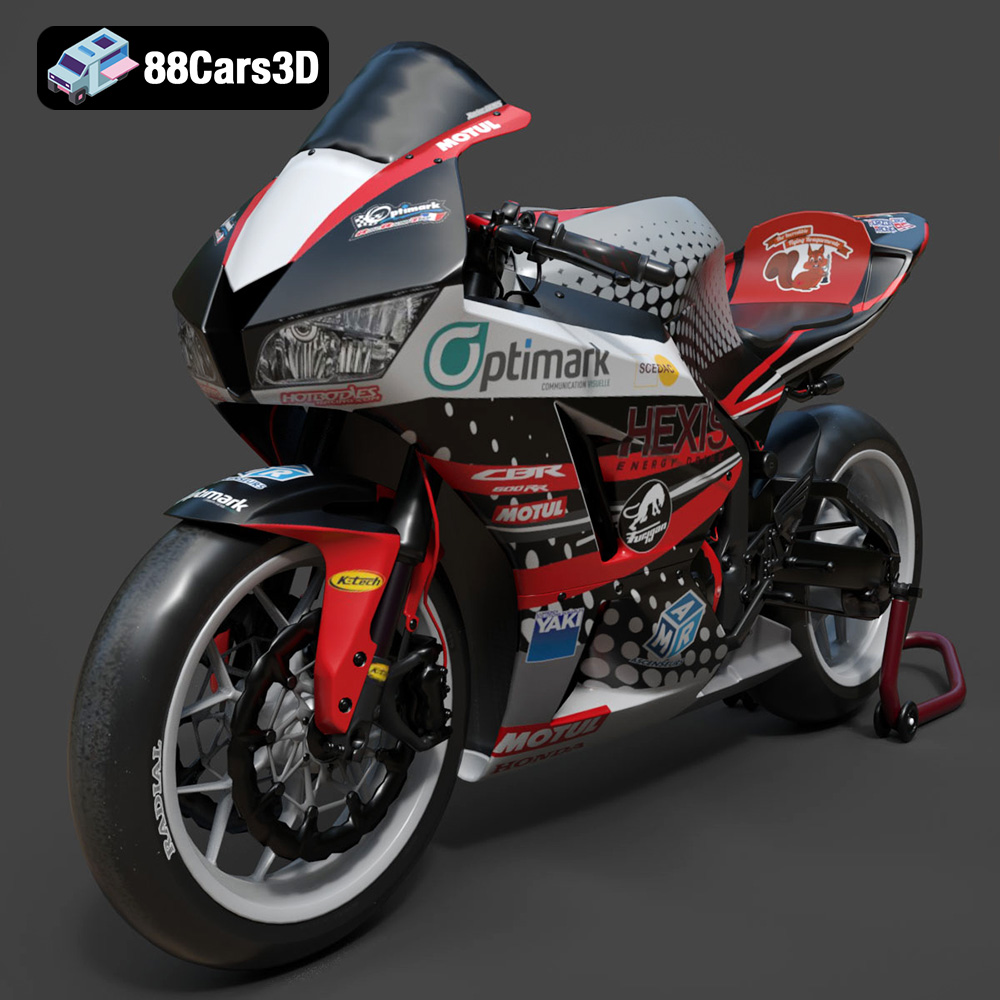
Texture: Yes | Material: Yes
Download the highly detailed, game-ready Honda CBR600RR 3D Model. Features aerodynamic fairings, an iconic center-up exhaust, and an aggressive track-focused stance. Includes .blend, .fbx, .obj, .glb, .stl, .ply, .unreal, and .max formats for game development, AR/VR, and rendering.
Price: $19.99
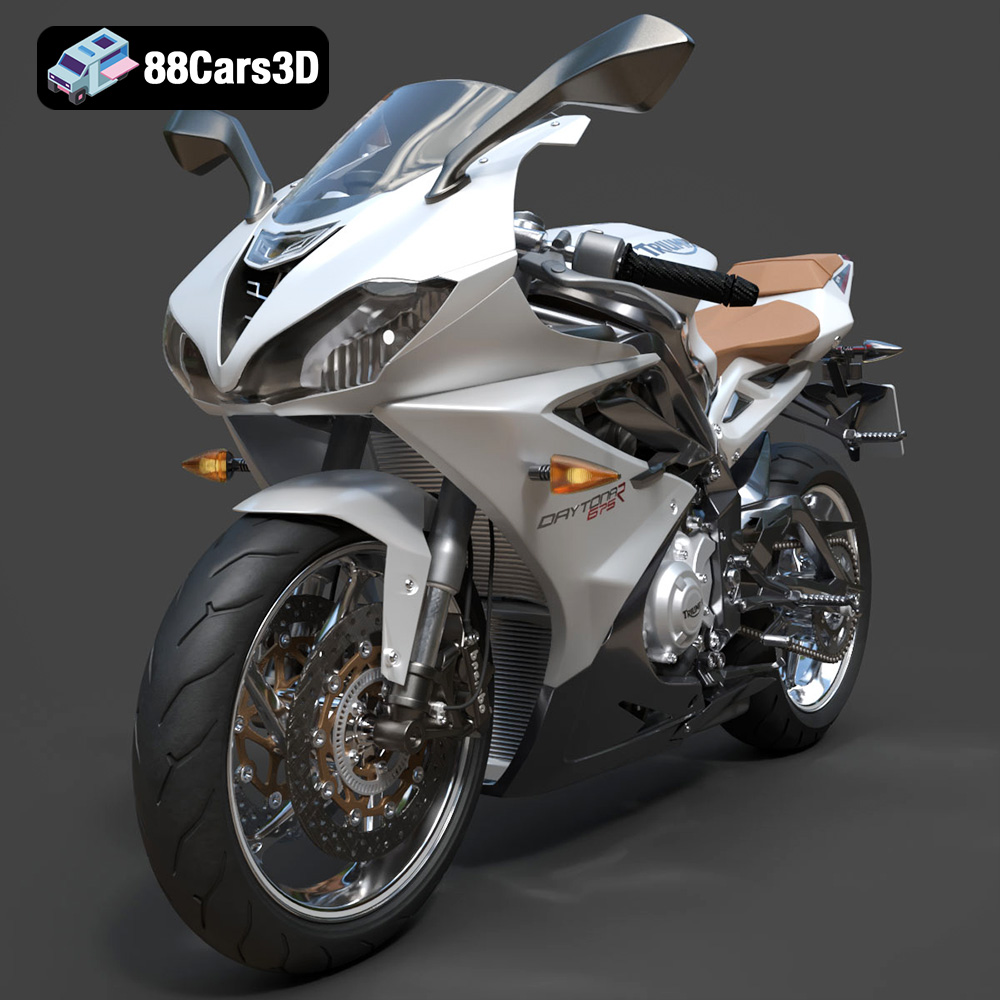
Texture: Yes | Material: Yes
Download the highly detailed, game-ready Triumph Daytona 675R ABS 2015 3D Model. Features aerodynamic sport fairings, a detailed inline-triple engine, and premium Öhlins suspension components. Includes .blend, .fbx, .obj, .glb, .stl, .ply, .unreal, and .max formats for game development, AR/VR, and rendering.
Price: $19.99

Texture: Yes | Material: Yes
Download the highly detailed, game-ready Toyota Tacoma TRD Off-Road 2016 3D Model. Features a rugged exterior, TRD off-road suspension details, and a meticulously crafted interior. Includes .blend, .fbx, .obj, .glb, .stl, .ply, .unreal, and .max formats for game development, AR/VR, and rendering.
Price: $19.99

Texture: Yes | Material: Yes
Download the highly detailed, game-ready Toyota Supra 2020 3D Model. Features aggressive aerodynamic styling, a distinctive double-bubble roof, and accurate B58 engine components. Includes .blend, .fbx, .obj, .glb, .stl, .ply, .unreal, and .max formats for game development, AR/VR, and rendering.
Price: $19.99
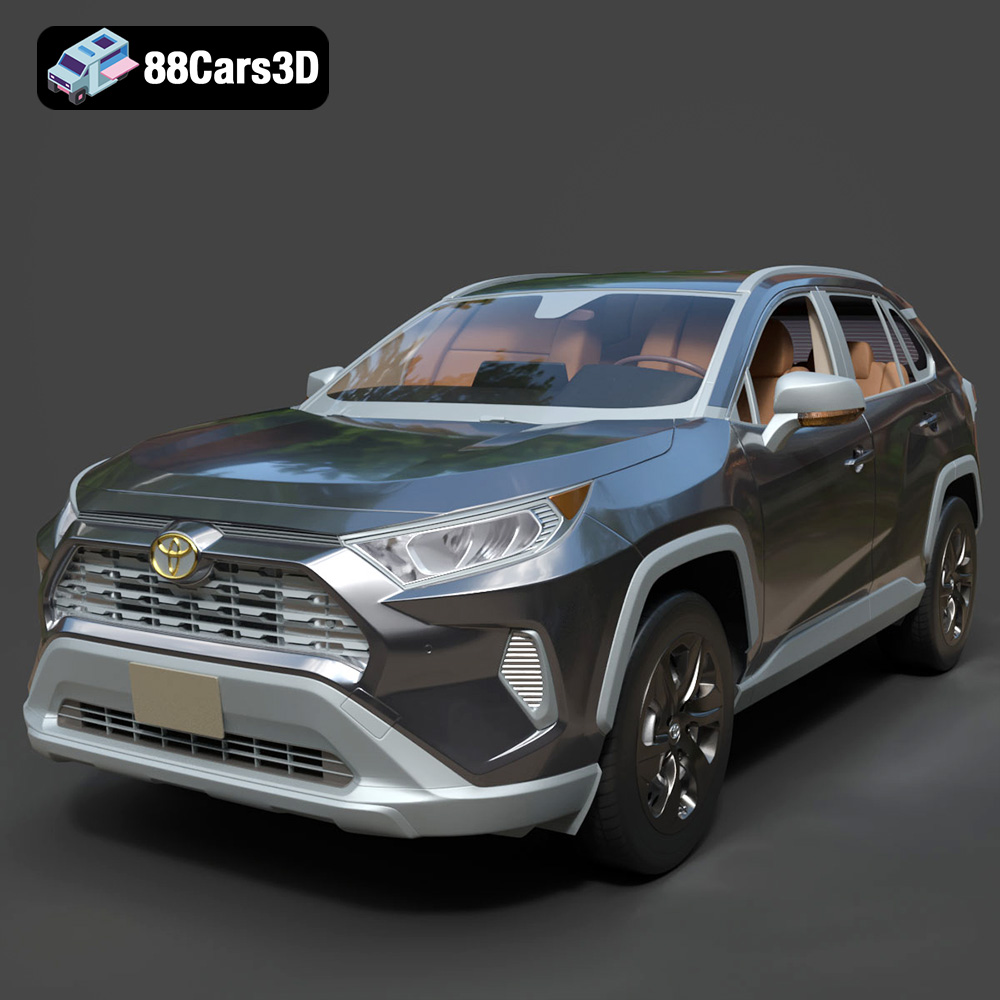
Texture: Yes | Material: Yes
Download the highly detailed, game-ready Toyota RAV4 LE 2019 3D Model. Features rugged exterior styling, signature polygonal motif, and a detailed interior. Includes .blend, .fbx, .obj, .glb, .stl, .ply, .unreal, and .max formats for game development, AR/VR, and rendering.
Price: $19.99

