Get 20% OFF All Premium 3D & STL Models!

“`html
Embarking on the journey of 3D printing, especially when it comes to intricate designs like printable car models, requires careful consideration of your printer’s capabilities. Two of the most crucial aspects are the nozzle size and the bed size. These parameters directly impact the level of detail you can achieve, the printing time, and the overall success of your projects. Choosing wisely will unlock the full potential of your 3D printer and allow you to create stunning replicas. Whether you’re a hobbyist, engineer, or model collector, understanding the nuances of nozzle and bed size will significantly enhance your 3D printing experience. In this comprehensive guide, we’ll delve deep into the technical considerations, offering practical advice and industry best practices to help you make informed decisions. We’ll explore how these factors influence print quality, speed, and material usage, empowering you to optimize your 3D printing workflow for exceptional results, especially when bringing your dream car models to life.
The nozzle is the heart of your FDM 3D printer, dictating the resolution and speed of your prints. Different nozzle sizes offer distinct advantages, and understanding these differences is critical for achieving the desired outcome, especially when printing detailed car models available on platforms like 88cars3d.com. The standard nozzle size is 0.4mm, a versatile option suitable for a wide range of projects. However, exploring other sizes can open up new possibilities and optimize your printing process.
The 0.4mm nozzle is the workhorse of the 3D printing world. It offers a good balance between detail and speed, making it suitable for general-purpose printing. With a 0.4mm nozzle, you can achieve a layer height of around 0.2mm, resulting in decent surface finish and reasonable printing times. For printable car models, this nozzle size is often sufficient for capturing essential details like body lines, windows, and basic features. However, for intricate elements like grilles or small emblems, a smaller nozzle might be necessary.
For projects demanding exceptional detail, consider using a smaller nozzle, such as 0.25mm or even 0.2mm. These nozzles allow for finer layer heights (down to 0.05mm), resulting in smoother surfaces and the ability to resolve intricate features. When printing car models, a smaller nozzle can make a significant difference in capturing fine details like panel gaps, intricate grilles, and complex textures. However, be aware that using smaller nozzles significantly increases printing time and requires meticulous printer calibration. Clogging can also become more frequent, so using high-quality filament and maintaining your printer is crucial.
Key Considerations for Smaller Nozzles:
The bed size of your 3D printer dictates the maximum dimensions of the objects you can print. Choosing the right bed size depends on the size of the car models you intend to print and the potential for printing multiple parts simultaneously. If you plan to print larger models or several smaller components at once, a larger bed is essential. Conversely, a smaller bed may suffice if you primarily focus on printing individual, smaller car models.
A small bed size, typically ranging from 150x150mm to 200x200mm, is suitable for printing smaller car models or individual components of larger models. These printers are often more affordable and compact, making them ideal for beginners or those with limited space. However, the limited bed size restricts the size of the models you can print in one go, potentially requiring you to split larger models into multiple parts for assembly later. This can add complexity to the post-processing stage.
Medium-sized beds, ranging from 200x200mm to 300x300mm, offer a good balance between size and versatility. They allow you to print moderately sized car models in one piece or multiple smaller components simultaneously. This size is a popular choice for hobbyists and enthusiasts who want the flexibility to print a wider range of projects without the expense and bulk of a large-format printer. A bed size around 220x220mm is very common and offers a good starting point.
Tip: Consider the diagonal dimension of your print bed as it’s often the limiting factor when printing long, slender objects like car chassis.
The type of filament you use also influences the optimal nozzle size. Different materials have varying viscosity and printing temperatures, which can affect the flow rate and the likelihood of clogging. For example, flexible filaments like TPU often require larger nozzles (0.6mm or 0.8mm) to prevent jamming, while abrasive filaments like carbon fiber-infused PLA can wear down brass nozzles, necessitating the use of hardened steel nozzles.
These common filaments are generally compatible with 0.4mm nozzles. However, for faster printing with PLA or PETG, a 0.6mm nozzle can be beneficial. ABS requires higher printing temperatures and may benefit from a slightly larger nozzle (0.5mm) to ensure consistent extrusion. When downloading models from marketplaces such as 88cars3d.com, check the recommended filament type to ensure compatibility with your chosen nozzle.
TPU is known for its flexibility and requires careful handling during printing. Smaller nozzles are prone to clogging with TPU. Therefore, a 0.6mm or even 0.8mm nozzle is recommended to ensure smooth extrusion. Furthermore, reducing retraction settings and printing at slower speeds can minimize the risk of jamming.
Best Practices for Material and Nozzle Compatibility:
Slicing software translates your 3D model into a set of instructions for your printer. The slicing parameters you choose, such as layer height, print speed, and extrusion width, must be carefully calibrated to match your nozzle size. Inconsistent settings can lead to poor print quality, under-extrusion, or even failed prints. Understanding the relationship between slicing parameters and nozzle size is crucial for achieving optimal results.
A general rule of thumb is to keep your layer height between 25% and 75% of your nozzle diameter. For a 0.4mm nozzle, this translates to a layer height range of 0.1mm to 0.3mm. Lower layer heights result in smoother surfaces and finer detail, while higher layer heights allow for faster printing. Exceeding the recommended layer height range can lead to poor layer adhesion and a weakened print. For example, using a layer height of 0.05mm with a 0.4mm nozzle is generally acceptable for very fine details, but going below this threshold can cause issues with material flow. Conversely, attempting to print at 0.4mm layer height with a 0.4mm nozzle is not recommended, as it may not provide adequate layer adhesion.
Extrusion width refers to the width of the filament deposited by the nozzle. While you can technically set the extrusion width to be larger than your nozzle diameter (e.g., 0.48mm extrusion width with a 0.4mm nozzle), it’s generally not recommended to exceed 120% of the nozzle size. Doing so can lead to over-extrusion and poor dimensional accuracy. Conversely, setting the extrusion width too low can result in under-extrusion and weak layer bonding. Experiment with different extrusion widths within the recommended range to find the optimal balance between print quality and strength. Many slicers offer an “auto” or “default” setting that will set the extrusion width to match the nozzle size.
Support structures are essential for printing overhanging features in your car models. The type and density of support structures you use can significantly impact the final print quality and the amount of post-processing required. When selecting a nozzle size, consider how it will affect the support structure generation and removal process. Platforms like 88cars3d.com offer print-ready STL files that often include optimized support structures, but customizing these can further improve print quality.
Smaller nozzles generally require denser support structures to properly support overhanging features. The finer the nozzle, the less material is deposited per layer, which can lead to weaker support structures. Increasing the support density can compensate for this, but it also increases printing time and material usage. Larger nozzles, on the other hand, can create stronger support structures with lower densities, potentially reducing printing time and material waste. Experimenting with different support densities and patterns (e.g., grid, zigzag, tree) is crucial for finding the optimal balance between support strength and ease of removal.
The support interface is the layer of material that connects the support structure to the printed object. A well-designed support interface is essential for ensuring that the support structure provides adequate support without fusing too strongly to the printed object. Smaller nozzles often require a finer support interface to prevent damage to the printed object during removal. Adjusting the support interface density, gap, and pattern can significantly improve the ease of support removal and minimize post-processing efforts. Tree supports, which use less material and offer better break-away points, are a popular choice for complex models.
Even with the right nozzle and bed size, you might encounter printing issues. Understanding the potential causes and solutions is crucial for a smooth 3D printing experience. Common issues include bed adhesion problems, warping, stringing, and clogging. Troubleshooting these problems often involves adjusting printer settings, calibrating the bed, or replacing the nozzle.
Poor bed adhesion is a common issue that can cause prints to detach from the bed during printing. Ensure the bed is properly leveled and cleaned with isopropyl alcohol. Applying an adhesive like glue stick or hairspray can also improve adhesion. The first layer height and temperature are also crucial factors; experiment with slightly higher temperatures and a lower first layer height for better adhesion.
Nozzle clogging can occur due to various factors, including using low-quality filament, printing at too low of a temperature, or having debris in the filament path. Performing a cold pull or using a nozzle cleaning tool can help clear clogs. Disassembling the hot end and cleaning the nozzle manually might be necessary for stubborn clogs. Preventative measures include using high-quality filament, storing filament properly, and regularly cleaning your printer.
Choosing the right nozzle and bed size is essential for successful 3D printing, especially when working with intricate printable car models. Understanding the nuances of each nozzle size, the impact of bed dimensions, and how these factors interact with your chosen material and slicing parameters will empower you to optimize your prints for exceptional quality and efficiency. Experiment with different settings, learn from your successes and failures, and continuously refine your workflow to unlock the full potential of your 3D printer. Remember to consider the level of detail you require, the size of the models you plan to print, and the type of filament you intend to use when making your decisions. Whether you’re aiming for high-speed prototyping or museum-quality replicas, careful planning and attention to detail will ensure that your 3D printing journey is both rewarding and enjoyable. So, explore the vast collection of printable car models at 88cars3d.com, and put your newfound knowledge to the test – the possibilities are endless!
“`

Texture: Yes | Material: Yes
Download the highly detailed, game-ready Volkswagen Jetta GLI 2019 3D Model. Features an aggressive honeycomb grille with red accents, sleek aerodynamic profile, and exclusive GLI sport wheels. Includes .blend, .fbx, .obj, .glb, .stl, .ply, .unreal, and .max formats for game development, AR/VR, and rendering.
Price: $19.99

Texture: Yes | Material: Yes
Download the highly detailed, game-ready Vintage Vespa 3D Model. Features iconic rounded monocoque styling, classic saddle, and chrome accents. Includes .blend, .fbx, .obj, .glb, .stl, .ply, .unreal, and .max formats for game development, AR/VR, and rendering.
Price: $19.99

Texture: Yes | Material: Yes
Download the highly detailed, game-ready Vespa GS 150 3D Model. Features elegant aerodynamic curves, classic leg shield, and detailed engine casing. Includes .blend, .fbx, .obj, .glb, .stl, .ply, .unreal, and .max formats for game development, AR/VR, and rendering.
Price: $19.99

Texture: Yes | Material: Yes
Download the highly detailed, game-ready Vespa P200E 3D Model. Features classic vintage styling, accurate step-through frame geometry, and authentic detailing. Includes .blend, .fbx, .obj, .glb, .stl, .ply, .unreal, and .max formats for game development, AR/VR, and rendering.
Price: $19.99

Texture: Yes | Material: Yes
Download the highly detailed, game-ready Ural M67-36-P 1976 3D Model. Features the iconic air-cooled boxer engine, vintage utilitarian styling, and authentic spoked wheels. Includes .blend, .fbx, .obj, .glb, .stl, .ply, .unreal, and .max formats for game development, AR/VR, and rendering.
Price: $19.99
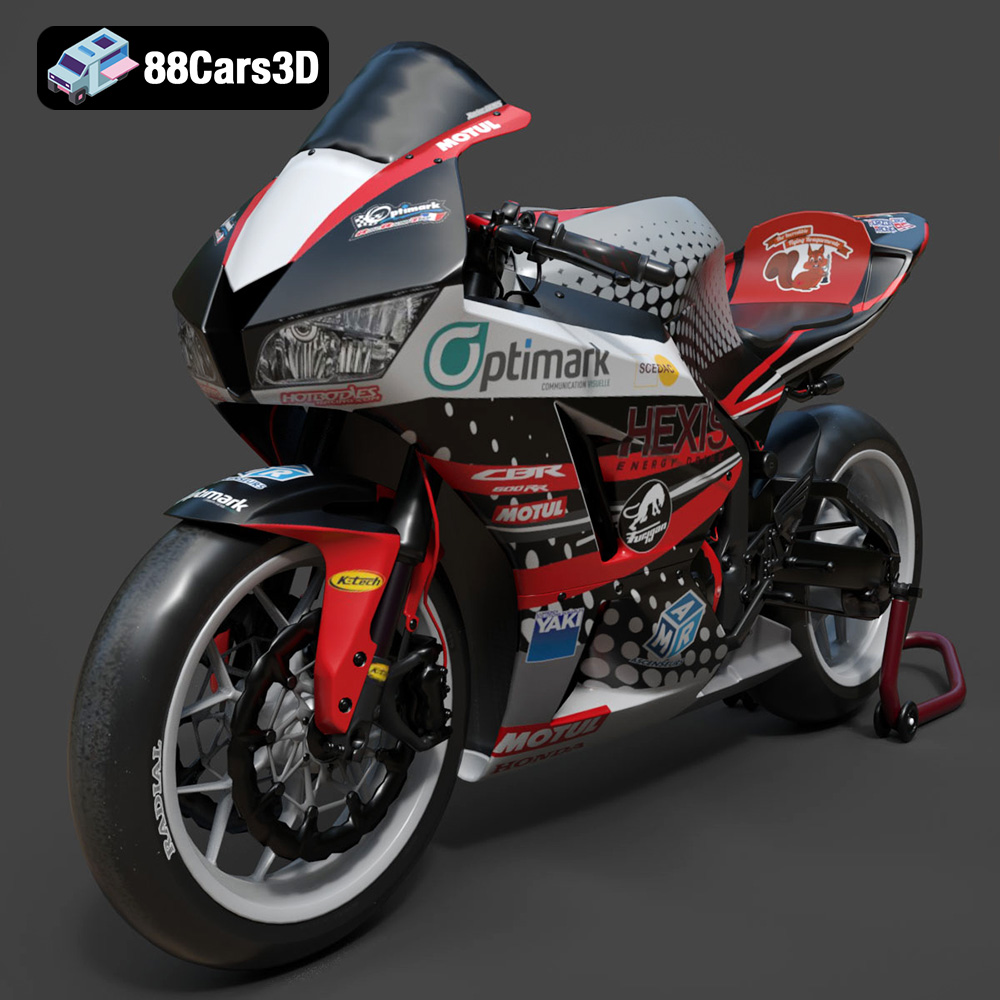
Texture: Yes | Material: Yes
Download the highly detailed, game-ready Honda CBR600RR 3D Model. Features aerodynamic fairings, an iconic center-up exhaust, and an aggressive track-focused stance. Includes .blend, .fbx, .obj, .glb, .stl, .ply, .unreal, and .max formats for game development, AR/VR, and rendering.
Price: $19.99
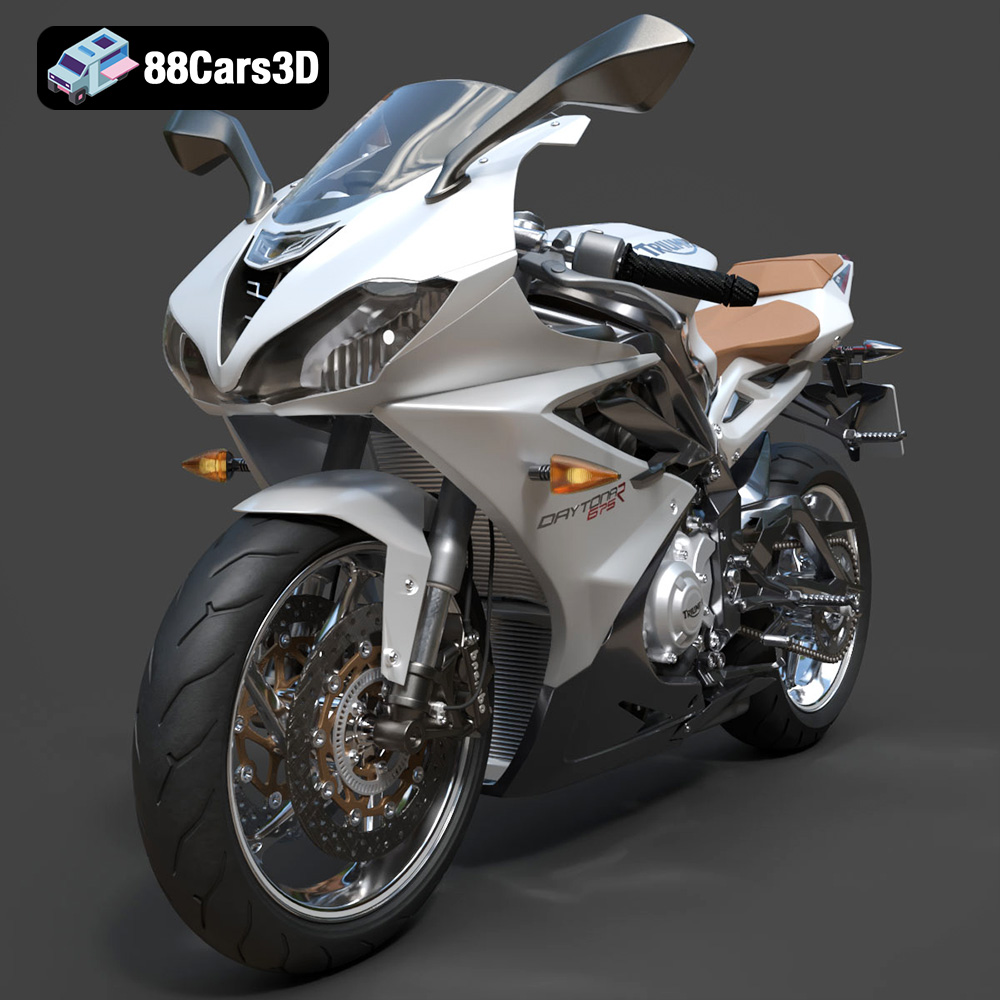
Texture: Yes | Material: Yes
Download the highly detailed, game-ready Triumph Daytona 675R ABS 2015 3D Model. Features aerodynamic sport fairings, a detailed inline-triple engine, and premium Öhlins suspension components. Includes .blend, .fbx, .obj, .glb, .stl, .ply, .unreal, and .max formats for game development, AR/VR, and rendering.
Price: $19.99

Texture: Yes | Material: Yes
Download the highly detailed, game-ready Toyota Tacoma TRD Off-Road 2016 3D Model. Features a rugged exterior, TRD off-road suspension details, and a meticulously crafted interior. Includes .blend, .fbx, .obj, .glb, .stl, .ply, .unreal, and .max formats for game development, AR/VR, and rendering.
Price: $19.99

Texture: Yes | Material: Yes
Download the highly detailed, game-ready Toyota Supra 2020 3D Model. Features aggressive aerodynamic styling, a distinctive double-bubble roof, and accurate B58 engine components. Includes .blend, .fbx, .obj, .glb, .stl, .ply, .unreal, and .max formats for game development, AR/VR, and rendering.
Price: $19.99
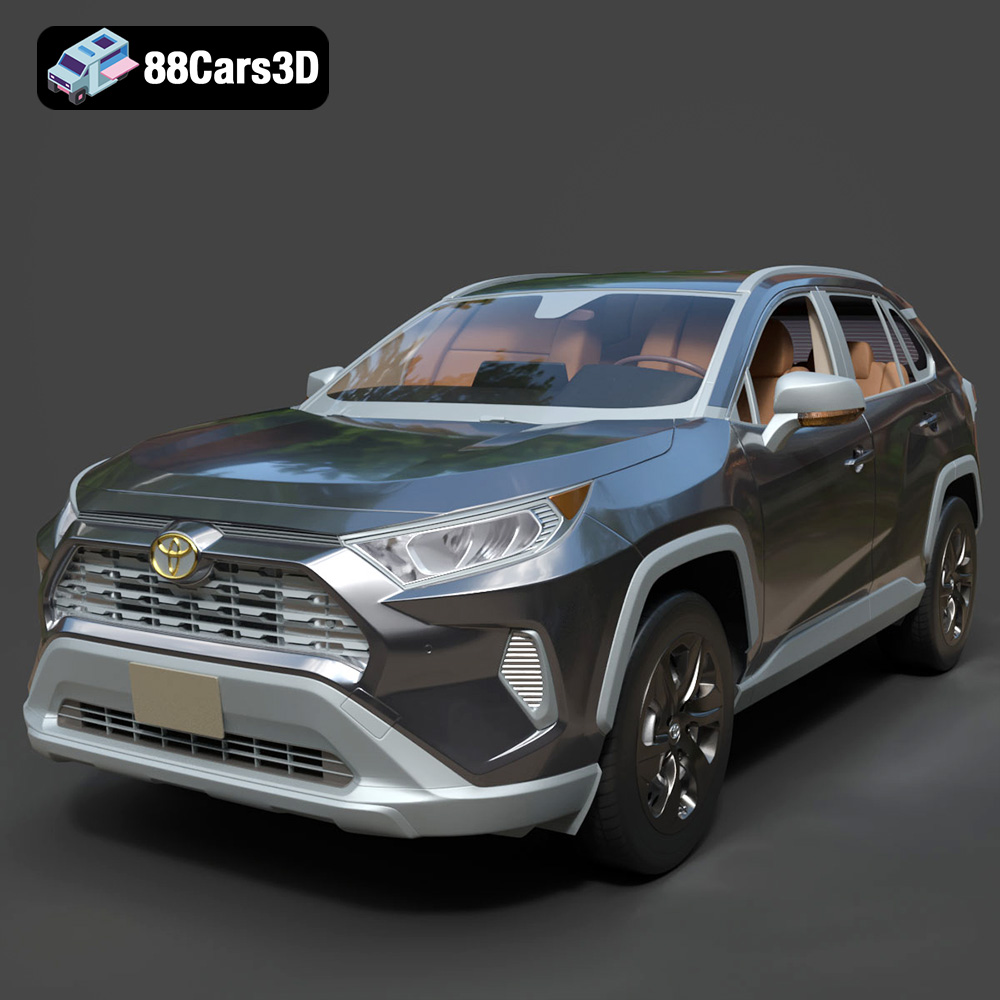
Texture: Yes | Material: Yes
Download the highly detailed, game-ready Toyota RAV4 LE 2019 3D Model. Features rugged exterior styling, signature polygonal motif, and a detailed interior. Includes .blend, .fbx, .obj, .glb, .stl, .ply, .unreal, and .max formats for game development, AR/VR, and rendering.
Price: $19.99

