Get 20% OFF All Premium 3D & STL Models!

“`html
The world of 3D printing is rapidly evolving, offering enthusiasts and professionals alike the power to create intricate objects from digital designs. At the heart of this process lies the STL file format – a cornerstone for communicating 3D geometry to printers. Whether you’re downloading printable car models from platforms like 88cars3d.com or designing your own creations, understanding how STL files function is crucial for achieving high-quality prints. This article dives deep into the inner workings of STL files, exploring the mesh structure, the role of triangles, and the importance of precision in ensuring successful 3D prints.
We’ll unravel the mysteries of STL, covering everything from the basic geometry to advanced repair techniques. You’ll learn about the significance of properly prepared STL files, how slicing software interprets this data, and the crucial parameters that impact the final output. By the end of this guide, you’ll have a solid grasp of STL file mechanics, empowering you to optimize your 3D printing workflow and achieve exceptional results, especially when working with detailed models like those found on 88cars3d.com.
The STL (Stereolithography) file format is a deceptively simple system for representing 3D surfaces. It’s fundamentally a collection of interconnected triangles that approximate the shape of an object. Think of it as a digital mosaic, where each tile is a triangle and the overall image is your 3D model. The more triangles used, the smoother and more detailed the final representation will be. However, increasing the triangle count also increases the file size and processing requirements during slicing.
STL files come in two main flavors: ASCII and Binary. ASCII STL files are human-readable, listing each triangle’s vertices and normal vector in plain text. While this makes them easier to debug, they are significantly larger than their binary counterparts. Binary STL files store the same information in a compact, machine-readable format, resulting in smaller file sizes and faster processing. For larger, more complex models, the binary format is almost always preferred.
Each triangle in an STL file is defined by its three vertices (x, y, z coordinates) and a normal vector. The normal vector is a unit vector that points perpendicularly outwards from the surface of the triangle. This vector is crucial for defining the orientation of the triangle and indicating which side is considered the “outside” of the object. Consistent normal orientation across all triangles is essential for creating a valid, manifold mesh. Inconsistent normals can lead to flipped surfaces and printing errors.
The quality of the mesh within an STL file directly impacts the quality of the final 3D printed object. A well-formed mesh consists of triangles that are properly connected, consistently oriented, and free from errors such as gaps, overlaps, or self-intersections. A flawed mesh, on the other hand, can lead to printing artifacts, failed prints, and overall frustration. Therefore, understanding mesh quality and how to improve it is paramount for successful 3D printing.
A manifold mesh is a closed, watertight surface where every edge is shared by exactly two triangles. This is a crucial requirement for 3D printing because it represents a solid object with a clear inside and outside. Non-manifold meshes, conversely, contain edges that are shared by more or less than two triangles, creating gaps, holes, or self-intersecting surfaces. These flaws can confuse the slicing software and lead to unpredictable printing behavior. Identifying and repairing non-manifold errors is often a necessary step before printing.
The density of the triangle mesh determines the level of detail captured in the STL file. A higher triangle count results in a smoother, more accurate representation of curved surfaces, while a lower triangle count leads to a faceted, blocky appearance. Striking a balance between detail and file size is essential. For detailed models like those of printable car models, often available on platforms like 88cars3d.com, a higher mesh resolution is generally preferred to capture intricate features, but it’s important to consider the limitations of your 3D printer and slicer.
Slicing software acts as the intermediary between the STL file and the 3D printer. It takes the 3D model represented by the STL file and converts it into a series of 2D layers that the printer can then build upon, one at a time. The slicer interprets the triangle mesh, determines the optimal path for the print head, and generates G-code instructions that control the printer’s movements, temperature, and material extrusion. The accuracy of this interpretation depends heavily on the quality of the STL file and the slicer settings used.
Layer height is a critical slicing parameter that dictates the thickness of each individual layer. A smaller layer height results in smoother surfaces and finer details, but also increases print time. A larger layer height, conversely, reduces print time but sacrifices surface quality. Finding the optimal layer height involves balancing desired detail with printing speed. Typical layer heights for FDM printing range from 0.1mm to 0.3mm, while resin printers can achieve even finer resolutions down to 0.025mm or less.
Infill refers to the internal structure of the 3D printed object. It provides strength and support while minimizing material usage. Slicing software offers a variety of infill patterns, such as rectilinear, honeycomb, gyroid, and concentric, each with its own strengths and weaknesses. The infill density, expressed as a percentage, determines how solid the interior will be. A higher infill density provides greater strength but also increases weight and material consumption. For most models, an infill density of 15-25% provides a good balance of strength and material efficiency.
Support structures are temporary scaffolding that is built alongside the model to support overhanging features and prevent them from collapsing during printing. These structures are essential for printing complex geometries, but they also require material and time, and can leave blemishes on the finished print. Therefore, optimizing support structures is crucial for minimizing their impact and maximizing print quality. Support structures are essential when printing many of the detailed models available, for example, at 88cars3d.com.
There are two main types of support structures: tree supports and linear supports. Tree supports branch out from the build plate like the trunk and branches of a tree, providing support from multiple directions. They are particularly well-suited for complex geometries with organic shapes. Linear supports, on the other hand, are straight, vertical columns that provide direct support to overhanging features. They are simpler to generate but can be more difficult to remove and may leave more noticeable marks.
The placement of support structures is critical for their effectiveness and ease of removal. Supports should be placed strategically to provide adequate support to overhanging features while minimizing their contact area with the model’s surface. When removing supports, use appropriate tools such as pliers, cutters, or a heat gun to avoid damaging the print. Consider using soluble support materials, which can be dissolved in water or other solvents, for complex geometries where manual support removal is challenging.
Even with properly prepared STL files and optimized slicer settings, 3D printing is not without its challenges. Common printing failures include warping, adhesion issues, stringing, layer separation, and incomplete prints. Understanding the causes of these failures and how to troubleshoot them is essential for achieving consistent and reliable results.
Warping occurs when the corners of the print lift off the build plate due to uneven cooling and contraction. This is particularly common with materials like ABS that have a high thermal expansion coefficient. To prevent warping, ensure the build plate is properly leveled and heated, use a build plate adhesive such as glue stick or hairspray, and enclose the printer to maintain a consistent temperature. A brim or raft can also improve bed adhesion.
Stringing is the formation of thin strands of filament between different parts of the print. This is typically caused by excessive filament leakage from the nozzle during travel moves. To reduce stringing, adjust the retraction settings in the slicer, including retraction distance, retraction speed, and retraction prime amount. Lowering the printing temperature and increasing travel speed can also help.
As mentioned earlier, flawed STL files can lead to printing problems. Mesh repair software can automatically detect and fix common errors such as holes, gaps, flipped normals, and self-intersections. Programs like Meshmixer, Netfabb, and Blender offer powerful tools for repairing and optimizing STL files, ensuring they are manifold, watertight, and ready for printing.
Meshmixer is a free and versatile software that offers a range of tools for mesh repair. The “Make Solid” tool can automatically close holes and gaps in the mesh, while the “Inspector” tool identifies and flags errors that need to be addressed. Meshmixer also allows for manual editing of the mesh, allowing you to fix individual triangles and edges.
Netfabb Professional is a commercial software that provides a more comprehensive suite of tools for mesh repair and optimization. It offers advanced features such as automatic mesh healing, surface smoothing, and lattice structure generation. Netfabb is particularly well-suited for preparing complex models for industrial 3D printing.
The choice of printing material and proper printer calibration are crucial factors that influence the final print quality. Different materials have different properties, such as strength, flexibility, temperature resistance, and printability. Understanding these properties and selecting the right material for the application is essential. Similarly, calibrating the printer’s axes, extrusion rate, and temperature settings is critical for achieving accurate and consistent results.
PLA (Polylactic Acid) is a biodegradable thermoplastic that is easy to print and produces high-quality results. It is a good choice for general-purpose printing and aesthetic models. PETG (Polyethylene Terephthalate Glycol) is a stronger and more durable material than PLA, with better heat resistance and flexibility. It is a good choice for functional parts and mechanical components. ABS (Acrylonitrile Butadiene Styrene) is a strong and impact-resistant material that is commonly used in automotive and engineering applications. However, it is more difficult to print than PLA and PETG, requiring higher temperatures and an enclosed build chamber to prevent warping.
Properly calibrating the extruder ensures that the correct amount of filament is extruded, preventing over-extrusion and under-extrusion. This involves measuring the actual filament diameter and adjusting the slicer settings accordingly. Bed leveling ensures that the nozzle is the correct distance from the build plate across the entire print surface. This is crucial for achieving good bed adhesion and preventing warping. Most 3D printers have built-in bed leveling systems, but manual adjustment may still be necessary.
Mastering the intricacies of STL files is essential for any serious 3D printing enthusiast or professional. Understanding the mesh structure, the role of triangles, the importance of mesh quality, and the impact of slicer settings are all critical for achieving high-quality prints. By implementing the techniques and best practices outlined in this guide, you can confidently tackle complex printing projects and consistently achieve exceptional results. This knowledge will be particularly useful when working with detailed models, such as the printable car models available on platforms like 88cars3d.com.
Remember to prioritize mesh repair, optimize your slicing parameters, and carefully select the appropriate materials and printer settings for each project. Experiment with different settings and techniques to find what works best for your specific printer and desired results. With practice and patience, you’ll be well on your way to mastering the art of 3D printing and bringing your digital creations to life. Take the next step: explore the world of 3D models, experiment with slicing software, and start printing!
“`

Texture: Yes | Material: Yes
Download the highly detailed, game-ready Volkswagen Jetta GLI 2019 3D Model. Features an aggressive honeycomb grille with red accents, sleek aerodynamic profile, and exclusive GLI sport wheels. Includes .blend, .fbx, .obj, .glb, .stl, .ply, .unreal, and .max formats for game development, AR/VR, and rendering.
Price: $19.99

Texture: Yes | Material: Yes
Download the highly detailed, game-ready Vintage Vespa 3D Model. Features iconic rounded monocoque styling, classic saddle, and chrome accents. Includes .blend, .fbx, .obj, .glb, .stl, .ply, .unreal, and .max formats for game development, AR/VR, and rendering.
Price: $19.99

Texture: Yes | Material: Yes
Download the highly detailed, game-ready Vespa GS 150 3D Model. Features elegant aerodynamic curves, classic leg shield, and detailed engine casing. Includes .blend, .fbx, .obj, .glb, .stl, .ply, .unreal, and .max formats for game development, AR/VR, and rendering.
Price: $19.99

Texture: Yes | Material: Yes
Download the highly detailed, game-ready Vespa P200E 3D Model. Features classic vintage styling, accurate step-through frame geometry, and authentic detailing. Includes .blend, .fbx, .obj, .glb, .stl, .ply, .unreal, and .max formats for game development, AR/VR, and rendering.
Price: $19.99

Texture: Yes | Material: Yes
Download the highly detailed, game-ready Ural M67-36-P 1976 3D Model. Features the iconic air-cooled boxer engine, vintage utilitarian styling, and authentic spoked wheels. Includes .blend, .fbx, .obj, .glb, .stl, .ply, .unreal, and .max formats for game development, AR/VR, and rendering.
Price: $19.99
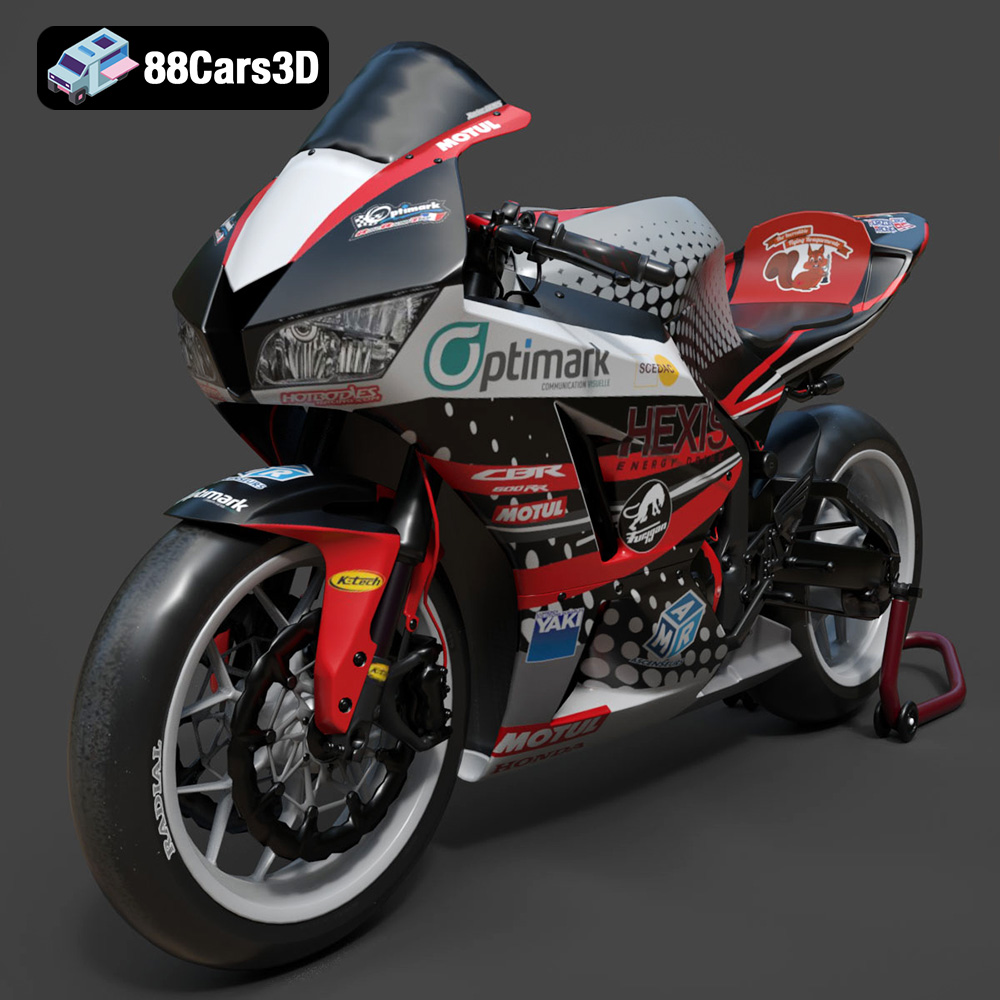
Texture: Yes | Material: Yes
Download the highly detailed, game-ready Honda CBR600RR 3D Model. Features aerodynamic fairings, an iconic center-up exhaust, and an aggressive track-focused stance. Includes .blend, .fbx, .obj, .glb, .stl, .ply, .unreal, and .max formats for game development, AR/VR, and rendering.
Price: $19.99
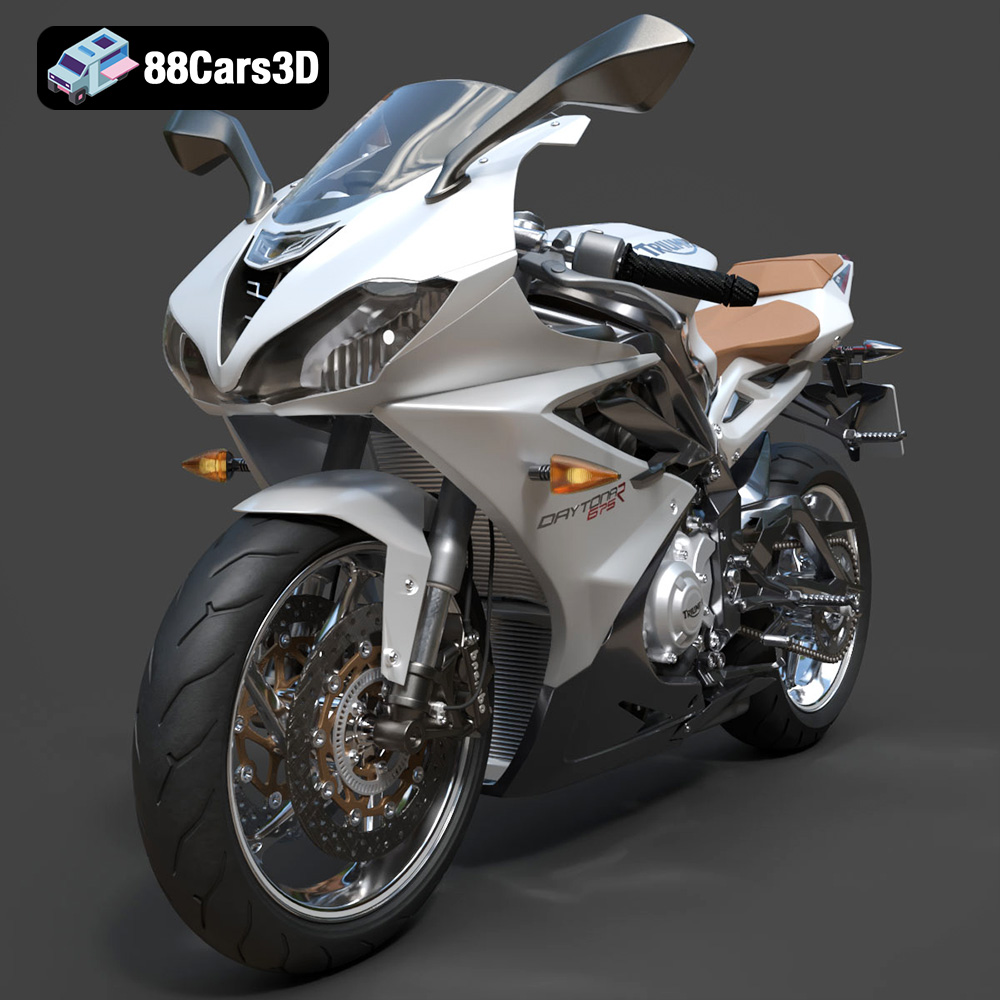
Texture: Yes | Material: Yes
Download the highly detailed, game-ready Triumph Daytona 675R ABS 2015 3D Model. Features aerodynamic sport fairings, a detailed inline-triple engine, and premium Öhlins suspension components. Includes .blend, .fbx, .obj, .glb, .stl, .ply, .unreal, and .max formats for game development, AR/VR, and rendering.
Price: $19.99

Texture: Yes | Material: Yes
Download the highly detailed, game-ready Toyota Tacoma TRD Off-Road 2016 3D Model. Features a rugged exterior, TRD off-road suspension details, and a meticulously crafted interior. Includes .blend, .fbx, .obj, .glb, .stl, .ply, .unreal, and .max formats for game development, AR/VR, and rendering.
Price: $19.99

Texture: Yes | Material: Yes
Download the highly detailed, game-ready Toyota Supra 2020 3D Model. Features aggressive aerodynamic styling, a distinctive double-bubble roof, and accurate B58 engine components. Includes .blend, .fbx, .obj, .glb, .stl, .ply, .unreal, and .max formats for game development, AR/VR, and rendering.
Price: $19.99

Texture: Yes | Material: Yes
Download the highly detailed, game-ready Toyota RAV4 LE 2019 3D Model. Features rugged exterior styling, signature polygonal motif, and a detailed interior. Includes .blend, .fbx, .obj, .glb, .stl, .ply, .unreal, and .max formats for game development, AR/VR, and rendering.
Price: $19.99

