Get 20% OFF All Premium 3D & STL Models!

In the rapidly evolving landscape of digital visualization, simulation, and interactive experiences, the quality of your foundational 3D assets can make or break a project. From the intricate details of a classic automobile to the robust mechanics of an industrial machine, precision and fidelity are paramount. Whether you’re an architect rendering a complex urban scene, a game developer crafting an immersive world, or a filmmaker producing stunning visual effects, having access to expertly crafted 3D models is a significant advantage.
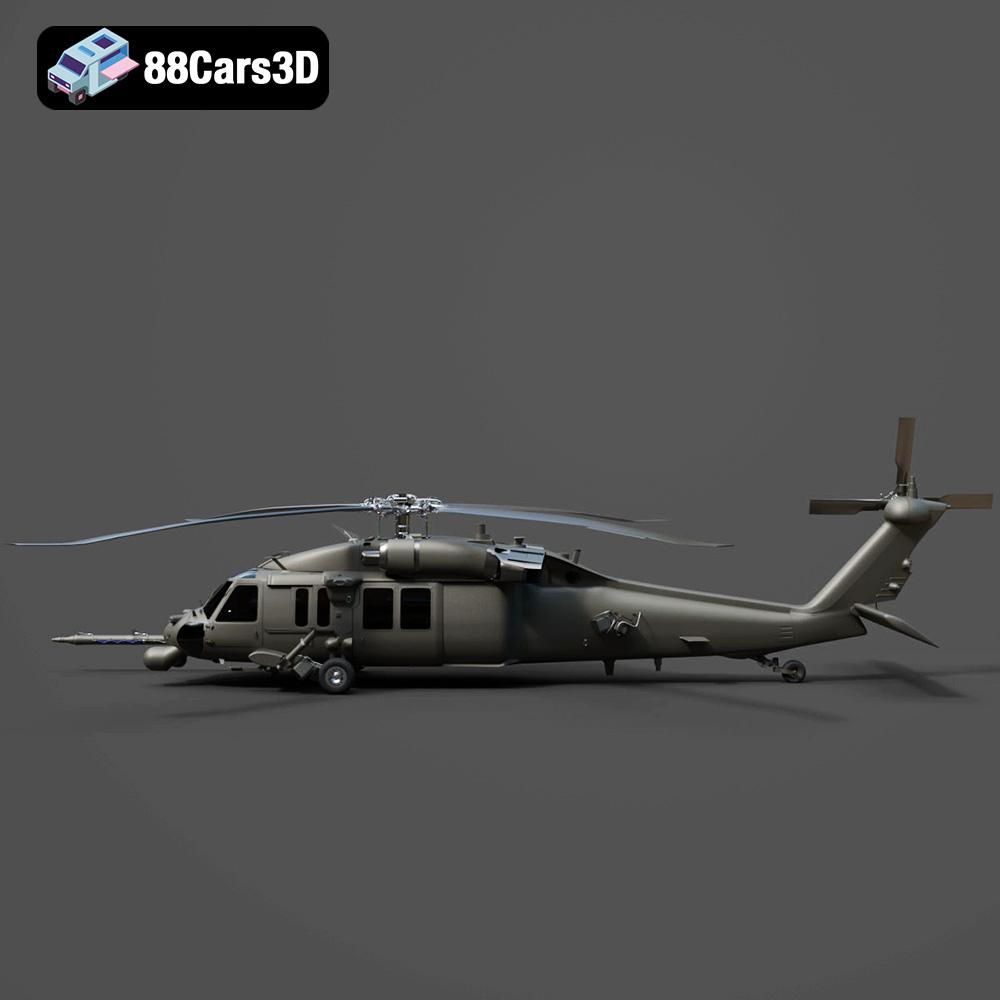
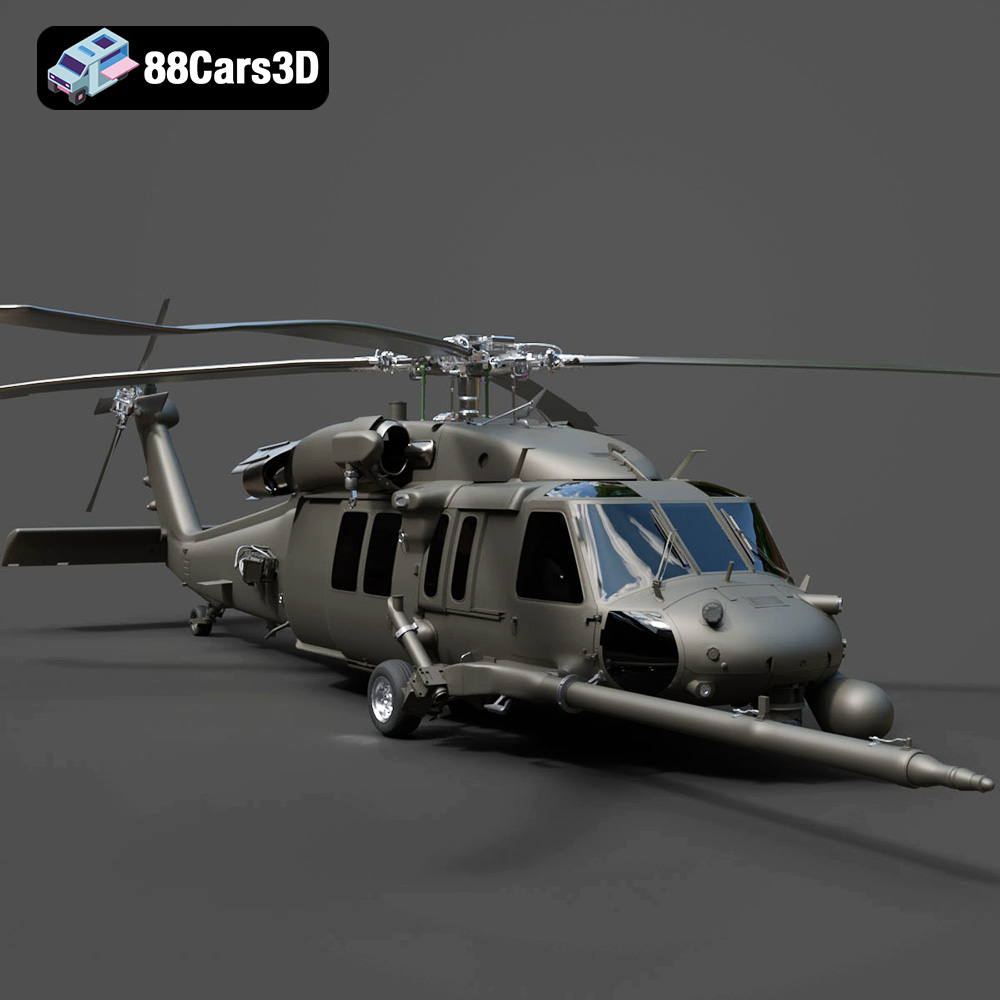
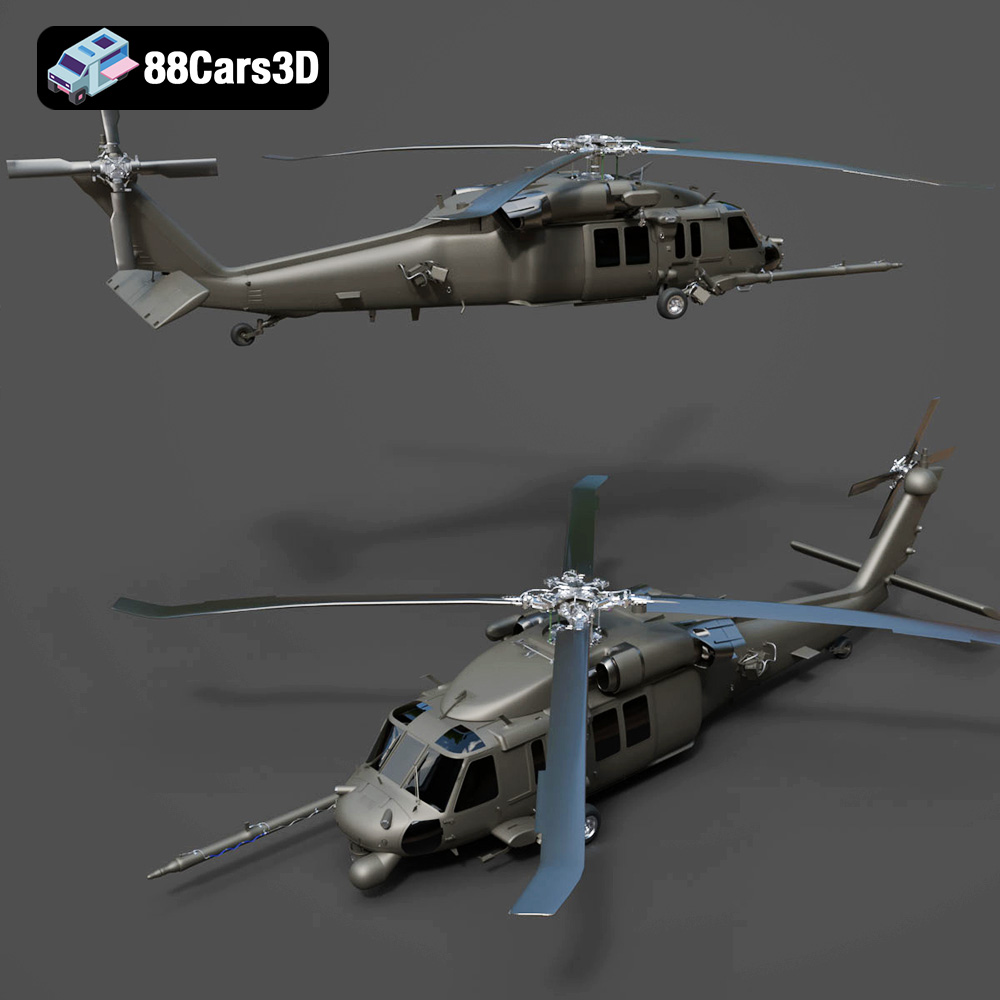
Today, we’ll delve into the technical intricacies and creative potential unlocked by high-fidelity assets, using a prime example: the Helicopter UH-40 3D Model. This exceptional asset, available on 88cars3d.com, exemplifies the blend of aesthetic accuracy and technical optimization required for demanding professional applications. We’ll explore how such a model integrates into diverse workflows, from cinematic rendering to real-time game engines, and understand the critical role various file formats play in seamless project execution.
At the heart of any compelling digital visualization lies a meticulously constructed 3D model. It’s not just about polygons; it’s about accuracy, efficiency, and the ability to convey a sense of realism that captivates an audience or provides critical data for analysis. Premium models, like the Helicopter UH-40, are built from the ground up to address these needs.
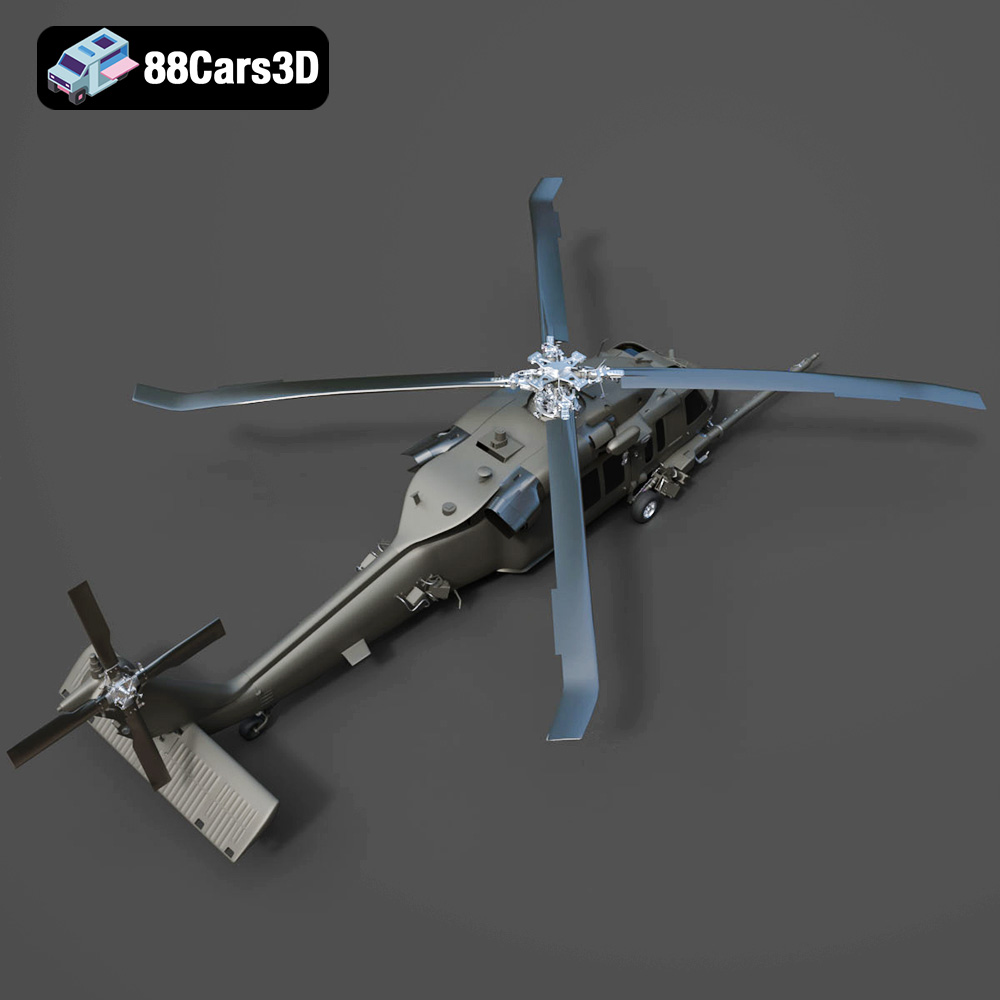
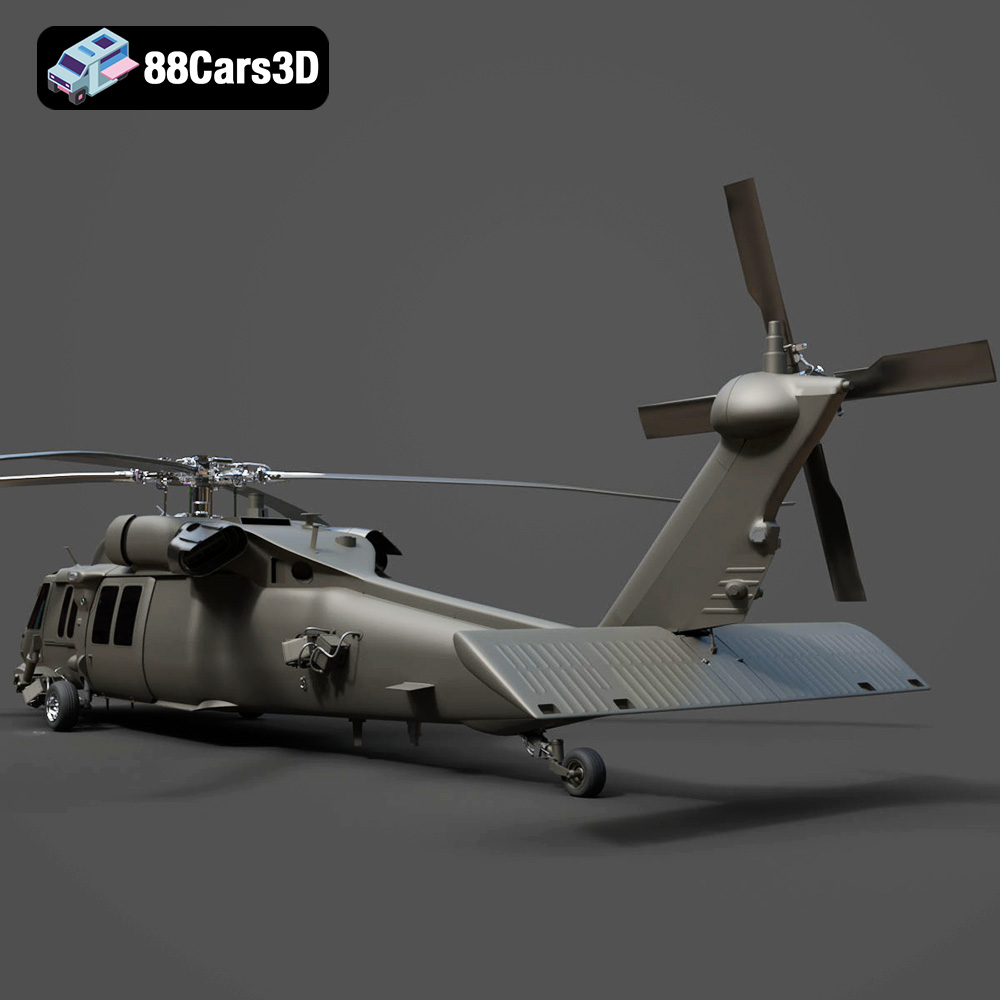
The first hallmark of a high-quality 3D model is its structural and aesthetic accuracy. For an asset like the Helicopter UH-40, this means replicating the robust aerodynamics of the real aircraft, down to the subtle curves of its fuselage and the mechanical components of its rotor system. Such precision is crucial for close-up renders, where every detail is magnified, or for technical visualizations where accurate representation is non-negotiable. An interior that is fully modeled, as promised by the UH-40 model, further enhances this realism, allowing for immersive cockpit views or detailed internal examinations. This level of detail ensures that whether the model is a focal point or part of a larger scene, it consistently holds up to scrutiny, mirroring the fidelity expected in professional automotive rendering or architectural walkthroughs.
Beyond aesthetic appeal, high-quality 3D models are designed for production efficiency. Time is a critical resource in any creative or technical project, and starting with a pre-optimized, clean model saves countless hours of modeling, unwrapping, and texturing. A well-prepared asset integrates seamlessly into existing scenes and software, reducing compatibility issues and rework. For studios working on tight deadlines, the ability to simply drop in an asset, adjust materials, and begin rendering or animating is invaluable. This efficiency extends across various disciplines, from creating captivating game assets to preparing complex simulations, directly impacting project timelines and budgets.
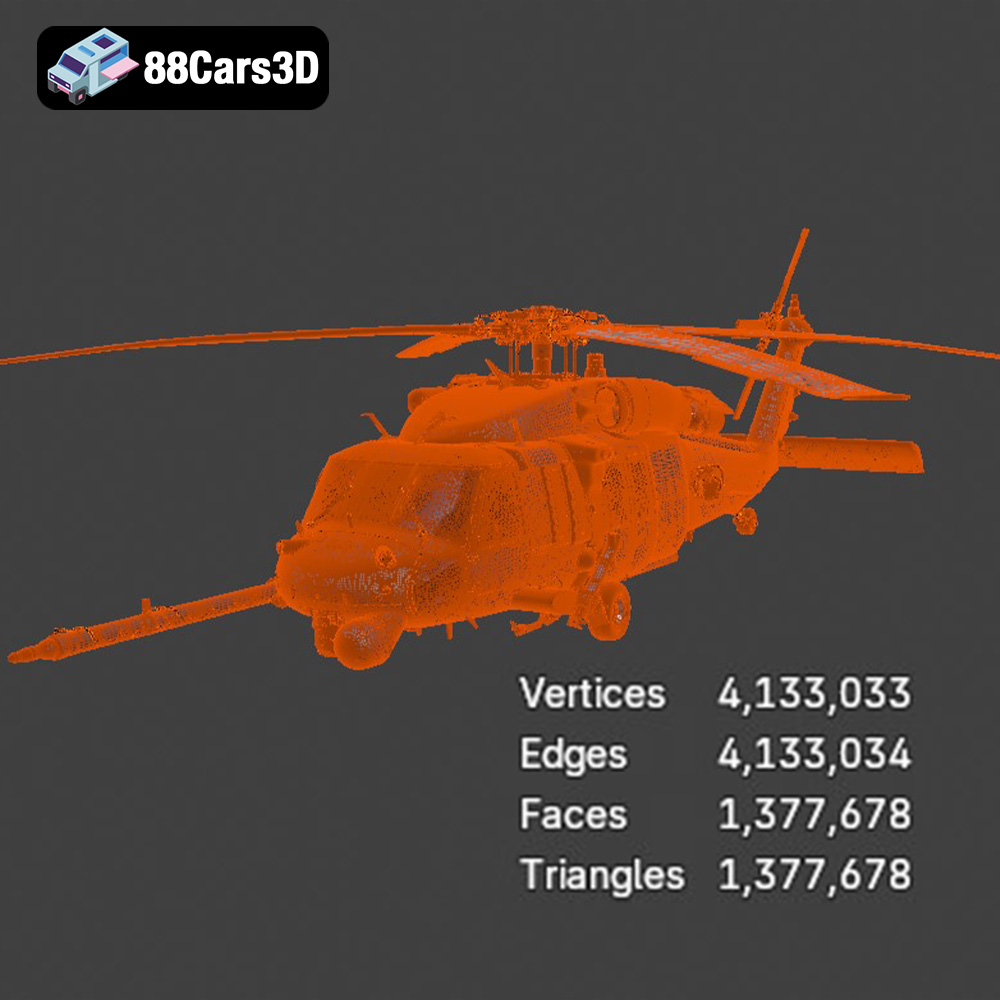
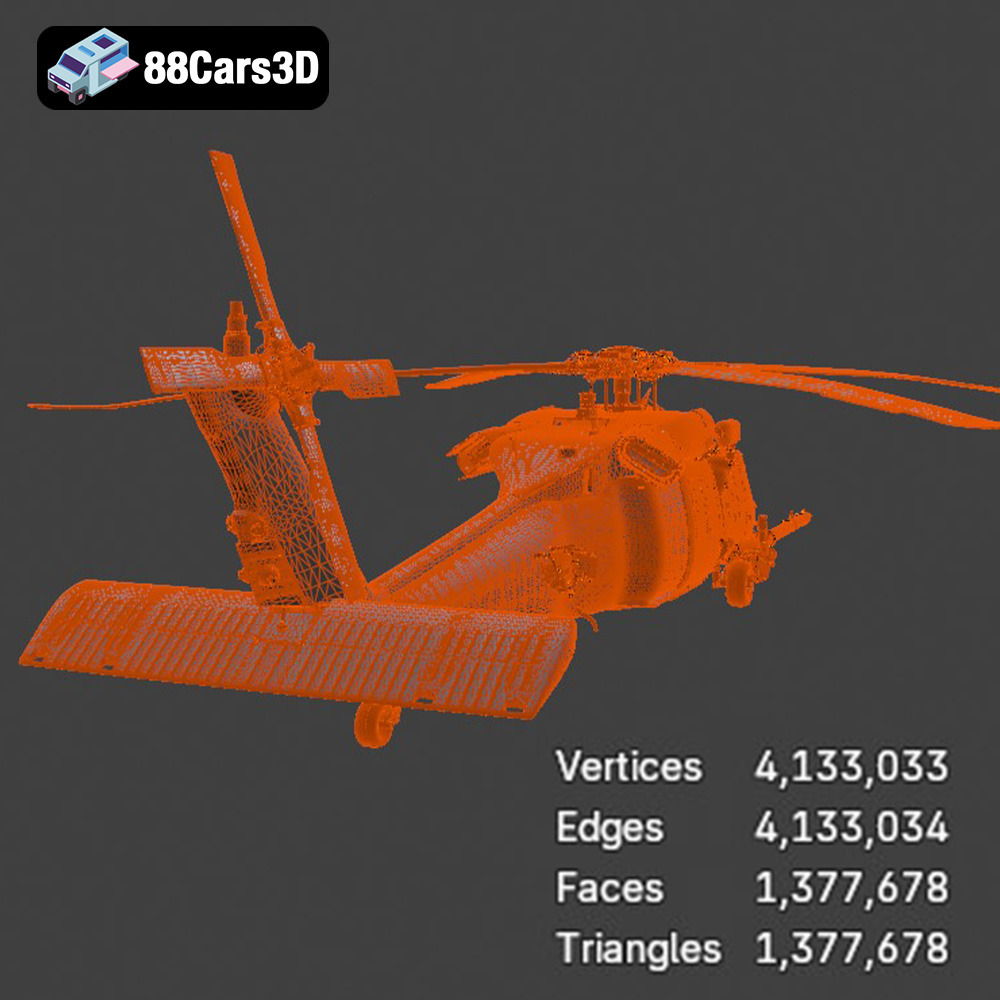
Optimized topology refers to the strategic arrangement of polygons and edges within a 3D mesh. Clean geometry ensures that the model deforms predictably during animation, supports subdivision without artifacts, and is efficient for real-time rendering. For a complex object like a helicopter, this means carefully balancing polygon count to maintain detail where needed (e.g., cockpit controls) while simplifying less critical areas. Furthermore, clean, non-overlapping UV mapping is essential for applying high-resolution textures without distortion. This meticulous attention to the underlying mesh and UVs ensures that models like the Helicopter UH-40 not only look good but also perform exceptionally across various platforms and applications, whether it’s for demanding high-resolution renders or for efficient deployment as game assets in Unreal Engine or Unity.
The world of 3D modeling relies heavily on a multitude of file formats, each designed with specific purposes and workflows in mind. Understanding these formats is crucial for choosing the right asset for your project and ensuring seamless integration. The Helicopter UH-40 3D Model, for instance, comes with a comprehensive suite of these industry-standard formats, demonstrating its versatility and readiness for any professional pipeline.
The .blend format is native to Blender, the powerful open-source 3D creation suite. When you acquire a .blend file, you’re not just getting the model; you’re often getting a complete scene, including the model’s geometry, materials, textures, lighting setups, camera positions, and sometimes even animation rigs. This makes it an ideal choice for Blender users who want full editability and control over every aspect of the asset. You can easily modify the mesh, tweak material properties using Blender’s node-based shader system, or integrate it into an existing Blender project with minimal effort. It offers the most flexibility for customization and advanced rendering within the Blender ecosystem.
.fbx (Filmbox) is arguably one of the most ubiquitous and versatile formats in the 3D industry, especially favored for game development and real-time applications. Developed by Autodesk, FBX can store not only mesh data but also animations, rigging, skinning, camera information, and even some basic material properties. Its robust support for complex scene data makes it the go-to format for exporting assets to game engines like Unreal Engine and Unity, as well as for interoperability between different DCC (Digital Content Creation) applications such as Maya, 3ds Max, and Cinema 4D. When an asset like the Helicopter UH-40 is provided in .fbx, it means it’s ready for immediate deployment into interactive environments, often with optimized poly counts and properly configured pivot points.
The .obj (Wavefront Object) format is a classic and highly compatible file type, revered for its simplicity and near-universal support across virtually all 3D software. An .obj file primarily stores geometric data (vertices, normals, texture coordinates, and faces) and can reference an accompanying .mtl (Material Template Library) file for basic material definitions. While it doesn’t support advanced features like animation or rigging, its widespread compatibility makes it excellent for basic model exchange between different platforms or when you need a clean mesh to start fresh with materials and animation in your preferred software. For a model like the Helicopter UH-40, the .obj format serves as a reliable fallback, ensuring it can be opened and worked on in almost any 3D environment.
.glb (GL Transmission Format Binary) is the binary version of glTF (Graphics Library Transmission Format), a modern, royalty-free specification designed for efficient transmission and loading of 3D scenes and models by engines and applications. GLB packs all asset data (geometry, materials, textures, animations) into a single, compact file, making it incredibly efficient for web-based AR/VR experiences, online 3D viewers, and mobile applications. Its optimization for real-time rendering and support for physically based rendering (PBR) materials ensures consistent visual quality across various platforms. The Helicopter UH-40 in .glb format is perfect for showcasing the model interactively on a website or integrating it into an augmented reality app.
.stl (Stereolithography) is the standard file format used for 3D printing and rapid prototyping. It represents a 3D model as a series of connected triangles, forming a mesh that defines the surface geometry. Critically, .stl files do not contain color, texture, or material information – only the shape. For successful 3D printing, the mesh must be “watertight,” meaning it has no holes or gaps. While the Helicopter UH-40 is designed for digital rendering, providing an .stl option allows users to physically produce a miniature version of the aircraft, which can be valuable for designers, engineers, or hobbyists looking for a tangible representation.
The .ply (Polygon File Format) is another popular format for storing 3D data, particularly useful in fields like 3D scanning, CAD (Computer-Aided Design), and scientific visualization. PLY files can store not only geometric data but also additional properties for each vertex and face, such as color, normals, texture coordinates, and even transparency. This makes it a more versatile format than .obj for data-rich meshes, often used for precision analysis or for models derived from real-world scans. For a highly detailed model like the UH-40, the .ply format offers an alternative for specific technical applications or for users who require explicit vertex property information.
The inclusion of an .unreal file signifies an asset that has been specifically prepared and configured for use within Unreal Engine. This often means the model has been imported, materials have been set up using Unreal’s PBR system, collision meshes might be generated, LODs (Levels of Detail) could be configured, and the asset is generally optimized to perform efficiently within the engine’s real-time environment. This “engine-ready” state drastically reduces the setup time for game developers and real-time visualizers, allowing them to drag and drop the Helicopter UH-40 directly into their Unreal projects with minimal fuss, ready for immediate integration into game levels or interactive simulations.
The .max format is native to Autodesk 3ds Max, one of the leading software packages for 3D modeling, animation, and rendering, particularly strong in architectural visualization and cinematic production. A .max file contains the complete 3ds Max scene, including all geometry, modifiers, materials, textures, lighting, cameras, animation data, and rendering settings. For professionals who primarily use 3ds Max, having the Helicopter UH-40 3D Model in this format offers the highest degree of flexibility for customization, advanced rendering with engines like V-Ray or Corona, and complex animation sequences. It provides direct access to the original project structure, allowing for deep modifications and tailored integration.
The true value of a versatile asset like the Helicopter UH-40 3D Model lies in its seamless integration across various professional applications. Its comprehensive file format support and optimized structure ensure it can be a cornerstone for diverse projects.
For game developers, the Helicopter UH-40 is an ideal game asset. With formats like .fbx and .unreal, it’s primed for immediate integration into leading game engines. In Unreal Engine, for example, the .unreal file or a well-prepared .fbx can be directly imported. Developers can then leverage Unreal’s powerful PBR material system to apply and customize textures (Albedo, Normal, Roughness, Metallic, Ambient Occlusion) to achieve photorealistic results in real-time. Collision meshes can be automatically generated or custom-built to ensure accurate physical interactions, while Levels of Detail (LODs) can be set up to maintain performance at varying distances, crucial for open-world games or detailed simulations. The UH-40’s optimized topology minimizes draw calls, ensuring smooth framerates even in complex game environments.
When it comes to crafting stunning cinematic sequences or high-impact animations, the Helicopter UH-40 3D Model excels. Using the .max or .blend files, animators and render artists have full control. In 3ds Max, for instance, artists can load the .max file, set up intricate lighting scenarios using V-Ray or Corona Renderer, and position cameras for dramatic effect. The detailed interior and exterior allow for realistic flight sequences, dramatic landings, or even intricate mechanical breakdowns for documentaries. Similarly, in Blender, the .blend file provides access to the full setup, allowing artists to utilize Cycles or Eevee for rendering, animate rotor blades with precise keyframing, and create compelling visual narratives for film, television, or marketing campaigns, much like high-end 3D car models are used in automotive advertisements.
The burgeoning fields of AR and VR demand highly optimized 3D assets that can render efficiently on mobile devices or dedicated headsets. The Helicopter UH-40’s .glb format is tailor-made for these applications. Developers can integrate the compact .glb file into web AR solutions (like Google’s Scene Viewer or Apple’s AR Quick Look) or into dedicated VR applications built with frameworks like Unity or Unreal. Imagine a training scenario where users can virtually walk around and interact with the UH-40, examining its components in a fully immersive VR environment, or an AR experience where the helicopter appears life-sized in a real-world setting through a smartphone camera. The model’s balanced detail and optimization ensure a smooth, low-latency experience critical for believable AR/VR.
Behind every visually stunning 3D model is a bedrock of technical excellence. Understanding these underlying principles reveals why professional-grade assets, like those found on 88cars3d.com, command a premium and deliver superior results.
The “optimized topology” of the Helicopter UH-40 3D Model refers to its carefully constructed mesh. A good topology prioritizes clean edge loops that follow the natural contours of the object, allowing for smooth subdivision and predictable deformation during animation. For a complex machine like a helicopter, this means the main body panels might have a moderate polygon count for broad curves, while areas like the rotor head, landing gear, or cockpit instruments will feature higher density to capture intricate mechanical details. The goal is to strike a balance: sufficient detail for close-up fidelity without an excessive polygon count that bogs down real-time performance or dramatically increases render times. This balance is critical for versatility, allowing the model to be used efficiently as game assets or for high-resolution cinematic rendering.
Flawless UV mapping is as crucial as clean topology for achieving photorealism. The Helicopter UH-40 model features clean UVs, meaning the 2D texture coordinates are unwrapped efficiently from the 3D mesh, without stretching, overlapping, or wasted space. This allows for the application of high-resolution textures, particularly PBR (Physically Based Rendering) maps. PBR textures, including Albedo (color), Normal (surface detail), Roughness (specular scattering), Metallic (reflectivity), and Ambient Occlusion (shadows), accurately simulate how light interacts with different materials. The “realistic materials” mentioned for the UH-40 model imply a comprehensive PBR texture set that accurately portrays the metallic sheen of the fuselage, the wear and tear of a working aircraft, and the subtle variations across different components, similar to what you’d expect from top-tier automotive rendering.
A truly professional 3D model comes correctly scaled to real-world dimensions. This might seem minor, but it’s fundamental for seamless integration into any scene, ensuring proper physics simulations, accurate lighting calculations, and correct interaction with other assets. The Helicopter UH-40 would be modeled to its real-world size, with its pivot point correctly placed (often at the base or center of mass) to facilitate easy placement, rotation, and animation. Furthermore, a logical hierarchy of objects (e.g., rotor blades parented to the rotor hub, which is parented to the fuselage) simplifies animation and scene management. These seemingly small technical considerations significantly reduce setup time and potential headaches for artists and developers, allowing them to focus on creative tasks rather than fixing foundational issues.
The utility of a high-quality 3D model extends far beyond aesthetic rendering. The Helicopter UH-40 3D Model, with its detailed design and technical flexibility, is a powerful tool for a multitude of practical applications.
For military and defense applications, accurate 3D models are indispensable for simulation and training. The Helicopter UH-40 can be integrated into advanced flight simulators, providing pilots with realistic virtual cockpits and external views for practicing maneuvers, emergency procedures, and mission planning in a safe, controlled environment. Beyond flight training, such models are vital for tactical simulations, where ground forces can interact with air support, or for visualizing potential combat scenarios. The model’s precise structural accuracy and robust exterior allow for high-fidelity visual representations, critical for effective learning and strategic development, much like detailed 3D car models are used in driver training simulations.
While a helicopter isn’t typically found in a living room, its presence in architectural visualization (Arch-Viz) can dramatically enhance realism for projects involving helipads, airport designs, or large industrial complexes. Imagine an architectural rendering of a skyscraper with a rooftop helipad; the addition of a realistically rendered Helicopter UH-40 lends an incredible sense of scale and purpose to the scene. In industrial presentations, the model could be used to showcase logistical operations, demonstrate maintenance procedures for large machinery, or visualize air transport capabilities. The detailed internal layout also allows for compelling close-ups that highlight the sophistication of modern engineering, similar to how intricate automotive rendering showcases the design prowess of a new vehicle.
The Helicopter UH-40 3D Model also serves as an exceptional tool for educational purposes. Educators can use it to create interactive guides that allow students to explore the aircraft’s internal and external components, understanding its mechanics and functionality in a dynamic way. Imagine an exploded view animation demonstrating how the engine connects to the rotor system, or an interactive application where users can click on different parts of the helicopter to learn about their function. This level of engagement significantly enhances learning retention compared to static diagrams or text, providing a rich, immersive educational experience that caters to visual and interactive learners, making complex topics more accessible and engaging.
In the digital age, the pursuit of realism and efficiency drives innovation across industries. High-quality 3D assets are no longer just an advantage; they are a necessity for anyone looking to create compelling visualizations, immersive experiences, or robust simulations. The Helicopter UH-40 3D Model stands as a testament to this, offering a meticulously crafted asset that combines aesthetic precision with technical optimization.
From its detailed exterior and fully modeled interior to its comprehensive suite of industry-standard file formats, the UH-40 is designed to integrate seamlessly into diverse professional workflows. Whether you’re developing cutting-edge game assets for Unreal Engine, producing cinematic renders in 3ds Max, or crafting immersive AR/VR experiences, this model provides the fidelity and flexibility you need. It exemplifies how a well-engineered 3D model can save time, elevate visual quality, and unlock new creative and practical possibilities.
For those seeking to enhance their digital projects with premium 3D models, whether it’s aviation assets like the UH-40 or high-end 3D car models, exploring reputable marketplaces is key. The Helicopter UH-40 3D Model is available on 88cars3d.com, a platform dedicated to providing high-quality 3D assets that meet the rigorous demands of professionals. Invest in assets that truly empower your vision and elevate your digital creations to the next level.
Enhance your digital hangar with the detailed Helicopter UH-40 3D Model. Designed to meet the demands of visualizers and developers, this model delivers precise structural accuracy. The exterior captures the robust aerodynamics of the UH-40 aircraft, while the internal layout provides a fully modeled interior, ensuring it stands up to close-up renders and immersive experiences.
Built with optimized topology, this model features clean geometry and realistic materials that integrate seamlessly into your workflow. Whether you are crafting cinematic sequences, producing military simulations, or developing interactive applications, this versatile asset elevates the visual fidelity of your projects.
Ideal for game development, rendering, AR/VR experiences, and detailed technical visualization, the Helicopter UH-40 3D Model is optimized for performance without sacrificing visual depth. It includes a comprehensive suite of industry-standard file formats.
$39.99
.aircraft
.arvr
.aviation
.blend
.car3dmodel
.fbx
.gameasset
.glb
.helicopter
.max
.military
.obj
.ply
.rendering
.simulation
.stl
.uh40
.unreal