Get 20% OFF All Premium 3D & STL Models!

“`html
3D printing offers an incredible avenue for automotive enthusiasts and model makers to bring their dream cars to life. However, achieving that showroom-quality finish on your 3D printed car model can be a challenging endeavor. The inherent layer-by-layer process of additive manufacturing often results in visible layer lines, detracting from the overall aesthetic appeal. This guide provides a deep dive into the techniques, settings, and best practices for achieving remarkably smooth surfaces on your 3D printed car models, transforming them from rough prototypes into stunning replicas. We’ll cover everything from STL file preparation and optimal slicing parameters to advanced post-processing methods, ensuring your creations stand out from the crowd. Whether you’re using FDM or resin printing, this comprehensive resource will equip you with the knowledge to master the art of smooth 3D printing. If you’re looking for high-quality 3D printable car models in STL format to practice these techniques, platforms like 88cars3d.com offer a wide selection of meticulously designed models.
The journey to a smooth 3D print begins long before you hit the “print” button. Proper STL file preparation is crucial. A well-prepared file ensures that your slicer can accurately interpret the geometry and generate efficient toolpaths, minimizing surface imperfections. This involves examining the mesh topology, correcting any errors, and optimizing the model’s orientation for printing.
STL (Stereolithography) files represent 3D models as a collection of interconnected triangles. The density and arrangement of these triangles directly impact the surface quality of your print. A higher triangle count generally leads to smoother curves, but it also increases file size and processing time. Conversely, a low triangle count can result in faceting, where curved surfaces appear as a series of flat planes. When downloading models from marketplaces such as 88cars3d.com, ensure they specify a suitable triangle count for the intended scale of your print. For car models, which often feature complex curves and intricate details, a higher triangle count is generally preferred.
STL files can often contain errors, such as non-manifold edges (edges shared by more than two triangles), flipped normals (triangles facing the wrong direction), and holes in the mesh. These errors can wreak havoc during slicing and printing, leading to gaps, missing features, and a generally rough surface. Before slicing, always run your STL file through a mesh repair tool. Software like Meshmixer, Netfabb, or even online services can automatically detect and fix these issues. Look for options like “Make Manifold,” “Fill Holes,” and “Fix Normals.” Ensuring a watertight, error-free mesh is paramount for achieving a smooth and successful print.
Slicing is the process of converting your 3D model into a series of instructions that your 3D printer can understand. The slicing parameters you choose have a profound impact on the surface finish of your printed car model. Layer height, print speed, and temperature are just a few of the critical settings that need careful consideration.
Layer height is arguably the most influential factor affecting surface smoothness. A smaller layer height results in finer details and less noticeable layer lines. For example, printing at 0.1mm layer height will yield a significantly smoother surface than printing at 0.2mm layer height. However, reducing layer height also increases print time, often dramatically. Finding the sweet spot between acceptable surface finish and reasonable print duration is crucial. As a starting point, try 0.12mm for detailed areas and 0.16-0.2mm for less critical sections. For larger models where print time is a major concern, consider adaptive layer height settings in your slicer. Adaptive layer height automatically adjusts the layer height based on the curvature of the model, using smaller layers for curved areas and larger layers for flat surfaces.
Print speed affects the precision of the layering process. Excessive speeds can lead to vibrations, under-extrusion, and uneven surfaces. Reduce your print speed, especially for the outer walls of your model. A speed of 30-40mm/s for outer walls is a good starting point for FDM printers. Temperature plays a vital role in layer adhesion. If the temperature is too low, layers may not bond properly, resulting in a weak and porous surface. If the temperature is too high, the material may droop or warp. Optimize your temperature based on the filament manufacturer’s recommendations. Flow rate, or extrusion multiplier, determines the amount of material extruded. Calibrating your extruder and adjusting the flow rate ensures that the correct amount of material is deposited, preventing over- or under-extrusion, which can both lead to surface imperfections. A good starting point is 90-95%, but individual printers may need different settings.
Many car models, particularly those with overhanging features like spoilers, mirrors, or intricate bodywork, require support structures. While supports are essential for successful printing, their removal can often leave behind marks and blemishes that compromise the surface finish. Careful support placement and strategic removal techniques are crucial for minimizing these imperfections.
The key to minimizing support marks is strategic placement. Position supports in areas that are less visible or easier to access for post-processing. For example, placing supports on the underside of a chassis or inside a wheel well is preferable to placing them on a prominent body panel. Adjusting the support density also plays a crucial role. Higher support density provides greater stability but also increases the contact area and the potential for scarring. Experiment with lower support densities, especially for areas that only require minimal support. Consider using tree supports, which offer a more organic and less intrusive support structure compared to traditional linear supports. Tree supports often leave fewer marks and are easier to remove.
Gentle and precise support removal is essential to avoid damaging the underlying surface. Use specialized tools like flush cutters, pliers, or hobby knives to carefully detach the supports. Preheating the supports with a heat gun or hairdryer can soften the material and make removal easier. For complex models, consider using breakaway filaments for support structures. Breakaway filaments are designed to detach cleanly from the printed part, minimizing scarring and reducing the need for extensive post-processing. These filaments often require a dual-extrusion setup. Another useful technique is to reduce the support interface distance. This setting controls the gap between the support structure and the model. Decreasing this distance will make the supports easier to remove, but too small of a gap may cause the support to fuse to the model.
The material you choose for printing your car model can significantly affect the achievable surface smoothness. Different materials exhibit varying degrees of shrinkage, warping, and layer adhesion, all of which impact the final finish. Understanding the characteristics of different materials is essential for selecting the optimal choice for your project.
PLA (Polylactic Acid) is a popular choice for beginners due to its ease of printing and biodegradability. While PLA generally produces good surface finishes, it is prone to warping, especially with larger prints. PETG (Polyethylene Terephthalate Glycol) offers a good balance of strength, flexibility, and ease of printing. It generally produces smoother surfaces than PLA and is less prone to warping. ABS (Acrylonitrile Butadiene Styrene) is known for its high strength and heat resistance, but it is more challenging to print than PLA and PETG. ABS is prone to warping and requires a heated bed and an enclosure to maintain consistent temperatures. While ABS can produce excellent surface finishes with proper tuning, it is not the best choice for beginners seeking ease of use. If you prioritize ease of use and a decent surface finish, PETG is often a better choice than PLA, even if PLA is more commonly recommended. For advanced users wanting the best possible results, ABS, in combination with advanced post-processing, can deliver exceptional results, but it demands a steep learning curve.
Resin printing (SLA/DLP/LCD) offers a significant advantage in terms of surface smoothness compared to FDM printing. Resin printers use liquid resin that is cured layer by layer by UV light, resulting in incredibly fine details and virtually invisible layer lines. Resin printing is an excellent choice for car models that require a high level of detail and a smooth surface finish right off the printer. However, resin printing also has its drawbacks. Resin printers are generally more expensive than FDM printers, and resin materials can be more costly and require careful handling. Furthermore, resin prints often require more extensive post-processing, including washing and curing. Despite these drawbacks, resin printing remains the gold standard for achieving unparalleled surface smoothness on 3D printed car models.
Even with careful preparation, slicing, and printing, some post-processing is often necessary to achieve that truly flawless finish. Post-processing techniques such as sanding, filling, priming, and painting can transform a good print into a masterpiece. This stage involves refining the surface and adding the final touches that elevate your model’s appearance.
Sanding is the most common post-processing technique for smoothing out layer lines. Start with a coarse grit sandpaper (e.g., 220 grit) to remove the most prominent layer lines, then gradually move to finer grits (e.g., 400, 600, 800, and even 1000 grit) to refine the surface. Wet sanding can help prevent the sandpaper from clogging and produce a smoother finish. For larger gaps or imperfections, use a filler primer or spot putty to fill them in before sanding. Apply the filler in thin layers, allowing each layer to dry completely before sanding. Remember to wear a mask during sanding to avoid inhaling dust particles. For particularly stubborn layer lines, consider using a rotary tool with sanding attachments for faster and more efficient material removal. Always proceed with caution and use low speeds to prevent overheating and damaging the model.
Priming is an essential step before painting. Primer provides a uniform surface for the paint to adhere to, fills in any remaining imperfections, and improves the overall paint finish. Apply several thin coats of primer, allowing each coat to dry completely before applying the next. After the primer has dried, lightly sand the surface with fine-grit sandpaper (e.g., 600 grit) to remove any imperfections. Choose a paint that is compatible with your chosen material and the intended use of the model. Acrylic paints are a popular choice for 3D printed models due to their ease of use and wide availability. Apply the paint in thin, even coats, using an airbrush for the best results. Multiple thin coats are preferable to a single thick coat, as they are less likely to run or drip. After the paint has dried, apply a clear coat to protect the paint and add a glossy or matte finish. Apply the clear coat in the same manner as the paint, using thin, even coats. Polishing the clear coat with a polishing compound can further enhance the shine and smoothness of the finish.
Even the best techniques and settings will fall short if your 3D printer is not properly calibrated and maintained. Regular maintenance and calibration are essential for ensuring consistent print quality and achieving smooth surfaces. A well-maintained printer will produce more accurate and reliable results, minimizing the need for extensive post-processing.
Proper bed leveling is crucial for ensuring that the first layer adheres properly to the print bed. An uneven bed can lead to warping, poor adhesion, and inconsistent layer heights, all of which affect surface smoothness. Regularly check and adjust your bed leveling using manual or automatic bed leveling systems. Z-offset, which is the distance between the nozzle and the bed, also plays a critical role. If the nozzle is too close to the bed, the filament may be squished, resulting in a rough first layer. If the nozzle is too far from the bed, the filament may not adhere properly. Adjust your Z-offset until you achieve a smooth and consistent first layer. Use a sheet of paper as a gauge to determine the proper Z-offset. The paper should be able to move under the nozzle with slight resistance. For resin printers, ensuring the build plate is perfectly level and the Z-axis is properly calibrated is equally important. This ensures uniform layer thickness and prevents warping or adhesion issues.
Extruder calibration ensures that your printer is extruding the correct amount of filament. An improperly calibrated extruder can lead to over- or under-extrusion, both of which affect surface smoothness. Calibrate your extruder by measuring the amount of filament extruded when instructed to extrude a specific length (e.g., 100mm). Adjust the steps/mm setting in your printer’s firmware until the measured extrusion matches the commanded extrusion. Regular nozzle maintenance is also essential. A clogged or worn nozzle can lead to inconsistent extrusion and poor surface finish. Clean your nozzle regularly using a nozzle cleaning tool or by performing a cold pull. Consider replacing your nozzle periodically, especially if you notice signs of wear or damage. When working with abrasive filaments like carbon fiber or glow-in-the-dark, hardened steel nozzles are highly recommended, as they are more resistant to wear.
Even with meticulous preparation and execution, you may still encounter surface imperfections. Understanding the common causes of these imperfections and how to troubleshoot them is essential for achieving consistently smooth results.
Visible layer lines are the most common surface imperfection in FDM printing. As discussed earlier, reducing layer height is the primary way to minimize layer lines. However, other factors can also contribute to their prominence. Check your print speed, temperature, and flow rate. Excessive print speeds can exacerbate layer lines, as can incorrect temperatures. Ensure that your filament is properly calibrated and that your extruder is extruding the correct amount of material. Consider using a slicer with features like coasting or wipe, which can help reduce stringing and improve surface finish. For more extreme cases, the “ironing” feature in some slicers can smooth out the top layer of a print by running the hot nozzle over it at a very low speed. Experiment with different settings and techniques to find what works best for your printer and material.
Warping, where the corners of your print lift off the bed, is a common problem with materials like ABS. Ensure that your bed is properly heated and that you are using a bed adhesion aid such as hairspray or glue stick. An enclosure can also help maintain consistent temperatures and prevent warping. Elephant’s foot, where the bottom layers of your print are wider than the rest, is caused by the weight of the upper layers compressing the bottom layers. Adjust your Z-offset to reduce the initial layer squish. Stringing, where thin strands of filament are left between printed parts, is caused by excessive travel moves. Increase your retraction distance and speed to minimize stringing. Proper cooling is also essential for preventing stringing. By addressing these common issues and experimenting with different settings, you can overcome many of the challenges associated with achieving smooth surfaces on 3D printed car models.
Achieving flawlessly smooth surfaces on your 3D printed car models requires a multi-faceted approach, encompassing careful STL file preparation, optimized slicing parameters, strategic support structures, informed material selection, meticulous post-processing, and diligent printer maintenance. By mastering these techniques, you can transform your 3D printed car models from rough prototypes into stunning, showroom-worthy replicas. Remember that practice and experimentation are key. Don’t be afraid to try different settings, materials, and techniques to find what works best for your printer and your aesthetic preferences. Start with simpler models and gradually work your way up to more complex designs. The journey to smooth 3D printing may be challenging, but the rewards are well worth the effort. Now armed with this comprehensive guide, you’re ready to embark on your quest for perfection and bring your automotive dreams to life, one flawless layer at a time. Happy printing!
“`

Texture: Yes | Material: Yes
Download the highly detailed, game-ready Toyota Camry 2018 3D Model. Features an aggressive aerodynamic body, distinct LED lighting signature, and precise interior detailing. Includes .blend, .fbx, .obj, .glb, .stl, .ply, .unreal, and .max formats for game development, AR/VR, and rendering.
Price: $19.99

Texture: Yes | Material: Yes
Download the highly detailed, game-ready Ford Mustang Hardtop 1968 3D Model. Features the iconic galloping pony grille, signature tri-bar taillights, and an authentic vintage interior. Includes .blend, .fbx, .obj, .glb, .stl, .ply, .unreal, and .max formats for game development, AR/VR, and rendering.
Price: $19.99

Texture: Yes | Material: Yes
Download the highly detailed, game-ready Ferrari J50 2017 3D Model. Features aggressive aerodynamic styling, twin-turbo V8 engine details, and targa top design. Includes .blend, .fbx, .obj, .glb, .stl, .ply, .unreal, and .max formats for game development, AR/VR, and rendering.
Price: $19.99
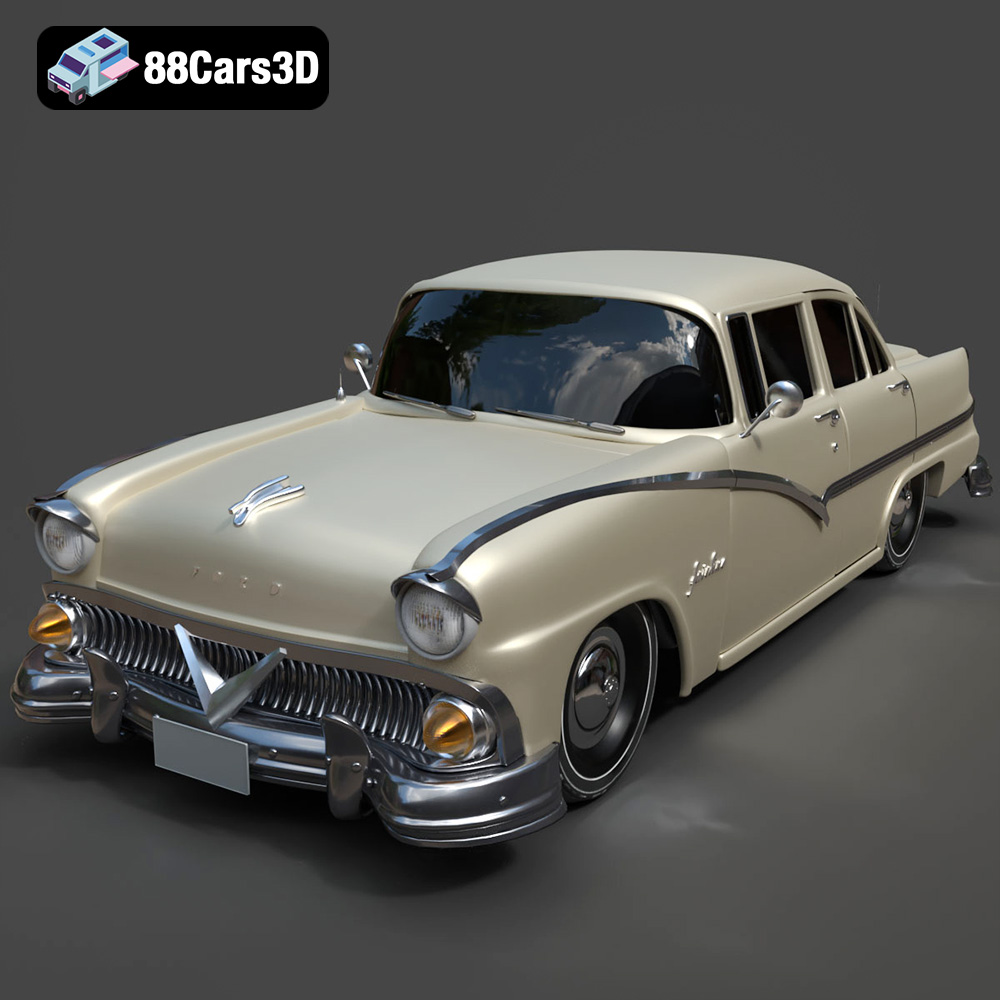
Texture: Yes | Material: Yes
Download the highly detailed, game-ready Ford Fairlin 3D Model. Features iconic classic styling, sweeping bodylines, and an accurate vintage interior. Includes .blend, .fbx, .obj, .glb, .stl, .ply, .unreal, and .max formats for game development, AR/VR, and rendering.
Price: $19.99

Texture: Yes | Material: Yes
Download the highly detailed, game-ready Ford Mustang GT 3D Model. Features aggressive muscle car styling, a highly detailed V8 engine bay, and accurate interior cockpit. Includes .blend, .fbx, .obj, .glb, .stl, .ply, .unreal, and .max formats for game development, AR/VR, and rendering.
Price: $19.99

Texture: Yes | Material: Yes
Download the highly detailed, game-ready Renault Megane CC 2011 3D Model. Features an accurately modeled folding glass roof, sleek aerodynamic body lines, and a detailed interior. Includes .blend, .fbx, .obj, .glb, .stl, .ply, .unreal, and .max formats for game development, AR/VR, and rendering.
Price: $19.99

Texture: Yes | Material: Yes
Download the highly detailed, game-ready Ford GT 2005 3D Model. Features signature aerodynamic bodylines, mid-mounted supercharged V8 detailing, and iconic racing stripes. Includes .blend, .fbx, .obj, .glb, .stl, .ply, .unreal, and .max formats for game development, AR/VR, and rendering.
Price: $19.99

Texture: Yes | Material: Yes
Download the highly detailed, game-ready Yamaha YZF-R125 EU 3D Model. Features an aggressive aerodynamic fairing, twin LED headlights, and a detailed 125cc engine block. Includes .blend, .fbx, .obj, .glb, .stl, .ply, .unreal, and .max formats for game development, AR/VR, and rendering.
Price: $19.99

Texture: Yes | Material: Yes
Download the highly detailed, game-ready Yamaha R1 3D Model. Features aggressive aerodynamic fairings, a detailed crossplane inline-4 engine, and track-focused suspension geometry. Includes .blend, .fbx, .obj, .glb, .stl, .ply, .unreal, and .max formats for game development, AR/VR, and rendering.
Price: $19.99

Texture: Yes | Material: Yes
Download the highly detailed, game-ready Yamaha XV950 Racer 3D Model. Features an aggressive cafe-racer front cowl, detailed air-cooled V-twin engine, and classic retro styling. Includes .blend, .fbx, .obj, .glb, .stl, .ply, .unreal, and .max formats for game development, AR/VR, and rendering.
Price: $19.99

