Get 20% OFF All Premium 3D & STL Models!

“`html
If you’re diving into the world of 3D printing, especially when it comes to intricate models like the printable car models available on platforms like 88cars3d.com, understanding STL files is crucial. STL, short for Stereolithography, is the de facto standard file format for 3D printing. But what exactly is an STL file, and how does it encode the complex shapes we want to bring to life? This article will demystify the inner workings of STL files, exploring the underlying mesh structure, the significance of triangles, and the importance of precision in achieving high-quality prints. We’ll delve into how slicing software interprets this data, how you can optimize STL files for specific printing processes, and what to look for in a “good” STL file.
By the end of this comprehensive guide, you’ll have a solid understanding of STL file structure, allowing you to troubleshoot common printing issues, optimize your 3D printer settings, and ultimately produce stunning, accurate models, whether you’re using FDM or resin printing. We’ll cover everything from basic mesh concepts to advanced techniques for repairing and optimizing STL files.
At its core, an STL file represents the surface geometry of a 3D object using a collection of interconnected triangles. Instead of storing information about curves or complex surfaces directly, the STL format approximates these shapes by dividing them into a mesh of smaller, flat triangles. The smaller the triangles, the more accurately the surface is represented. Think of it like creating a sphere out of many tiny flat facets – the more facets you use, the smoother the sphere appears.
Each triangle in an STL file is defined by three vertices, each specified by its x, y, and z coordinates in 3D space. These coordinates are typically stored as floating-point numbers, providing a degree of precision. In addition to the vertices, each triangle also has a “normal” vector. The normal vector is a unit vector (length of 1) that points perpendicular to the surface of the triangle. This normal vector is crucial because it defines the orientation of the triangle, indicating which side is considered the “outside” of the object. Slicing software uses this information to determine which areas should be filled with material and which should remain empty.
The order in which the vertices of a triangle are listed in the STL file is significant. By convention, the vertices are ordered in a way that, when viewed from the outside of the object, they appear in counter-clockwise order. This, combined with the normal vector, ensures that the slicer correctly interprets the orientation of each triangle. A common issue with improperly created STL files is reversed normals, which can lead to holes or incorrect printing behavior. This is often addressed by mesh repair tools within slicers or dedicated software like Meshmixer or Netfabb.
STL files come in two primary flavors: ASCII and binary. While both formats represent the same geometric information, they differ significantly in their structure and size. Understanding the difference is crucial for efficient file handling and compatibility across different software.
ASCII STL files are human-readable text files. They start with a “solid” declaration, followed by a series of “facet normal” and “vertex” definitions for each triangle. Each triangle’s data includes the normal vector (three floating-point numbers) and the coordinates of its three vertices (nine floating-point numbers). The file ends with an “endsolid” declaration. The advantage of ASCII STL is its readability, which makes it easier to inspect and debug manually. However, due to the verbose textual representation, ASCII STL files are significantly larger than their binary counterparts. They also tend to load and process slower.
Binary STL files are much more compact and efficient. They start with an 80-byte header (often containing a brief description of the model) followed by a 4-byte integer indicating the number of triangles in the file. Each triangle is then represented by 50 bytes: 12 bytes for the normal vector (three 4-byte floating-point numbers), 36 bytes for the vertices (nine 4-byte floating-point numbers), and 2 bytes for an attribute byte count (typically set to zero). Binary STL files are smaller, faster to load, and generally preferred for 3D printing. Almost all modern 3D printing software handles binary STL files seamlessly.
The resolution of your STL file – the number of triangles used to represent the model – directly impacts the quality of the final print. However, higher resolution comes at the cost of larger file sizes and increased processing time during slicing. Finding the right balance is key to achieving optimal results.
The layer height you choose in your slicing software should influence the desired STL resolution. If your layer height is relatively large (e.g., 0.2mm), using an excessively high-resolution STL file won’t necessarily improve the print quality. The slicer will approximate the curves based on the layer height, effectively ignoring the finer details in the STL. Conversely, if you’re aiming for extremely fine details with a small layer height (e.g., 0.05mm), you’ll need a higher-resolution STL to capture those details accurately. A good rule of thumb is to ensure that the triangle size in your STL is roughly equivalent to or smaller than your desired layer height. For example, printable car models requiring high surface finish from marketplaces such as 88cars3d.com might benefit from higher resolution STL files.
The complexity of the model also dictates the necessary STL resolution. Objects with intricate curves and small features require a higher triangle count to represent them accurately. Sharp edges, small holes, and fine details are particularly susceptible to being lost if the STL resolution is too low. Consider using adaptive meshing techniques in your 3D modeling software to concentrate triangles in areas with high curvature and detail, while using fewer triangles in flatter regions. This can help optimize file size without sacrificing print quality.
Many 3D models, especially those with overhangs or complex geometries, require support structures to be printed successfully. The design and placement of these supports are crucial, and the integrity of the STL file plays a significant role in how effectively the slicer generates them.
An STL file is considered “manifold” if it represents a closed, continuous surface without any holes or self-intersections. A manifold mesh is also referred to as “watertight”. Slicing software relies on this property to correctly identify the inside and outside of the object, allowing it to generate appropriate support structures and infill patterns. Non-manifold meshes can cause a variety of printing problems, including missing sections, incorrect support placement, and even slicer crashes. When downloading models from marketplaces such as 88cars3d.com, ensure that the files are pre-checked for manifold geometry or use mesh repair tools.
Slicing software offers various options for generating support structures, including different patterns (e.g., tree supports, linear supports), densities, and attachment methods. The choice of support structure depends on the geometry of the model, the material being used, and the desired print quality. For delicate models, consider using dissolvable support materials or carefully optimized support placement to minimize surface blemishes. It’s important to review the support structure generated by the slicer and make adjustments as needed to ensure that it adequately supports overhangs without being excessively difficult to remove. Experimenting with different support settings is often necessary to find the optimal configuration for a given model.
The choice of printing material and the corresponding printer settings are critical factors in achieving successful 3D prints. Different materials have different requirements in terms of temperature, print speed, and bed adhesion, and these parameters must be carefully tuned to match the properties of the STL file.
FDM (Fused Deposition Modeling) and resin printing (SLA/DLP) have distinct requirements for STL file preparation and printer settings. FDM printing involves extruding molten plastic layer by layer, so factors like layer height, nozzle size, and infill density are crucial. For FDM, consider using infill patterns like gyroid or honeycomb for strength and lightweighting. Resin printing, on the other hand, uses liquid resin cured by UV light. Resin printing typically achieves higher resolution and smoother surfaces, but requires careful attention to exposure time and support structure design. For resin printing, orienting the model to minimize cross-sectional area per layer can improve print success.
PLA (Polylactic Acid) is a commonly used FDM material that is relatively easy to print with. Typical PLA printing settings include a nozzle temperature of 200-220°C, a bed temperature of 60°C, and a print speed of 40-60 mm/s. PETG (Polyethylene Terephthalate Glycol) is another popular FDM material known for its strength and flexibility. PETG generally requires higher temperatures (230-250°C nozzle, 70-80°C bed) and slower print speeds (30-50 mm/s) compared to PLA. ABS (Acrylonitrile Butadiene Styrene) is a strong and durable FDM material often used for functional parts. ABS requires even higher temperatures (230-260°C nozzle, 80-110°C bed) and a heated enclosure to prevent warping. For resin printing, each resin has a specific exposure time, layer height, and lift speed settings to consider. Always consult the manufacturer’s recommendations for optimal settings.
Even with a well-prepared STL file and optimized printer settings, printing issues can still arise. Understanding the common causes of these issues and how to troubleshoot them is essential for achieving successful prints.
Warping occurs when the printed part detaches from the build plate during printing, typically due to uneven cooling and thermal stress. To prevent warping, ensure that your bed is properly leveled and heated. Use a bed adhesion aid, such as glue stick, hairspray, or painter’s tape. For materials prone to warping, like ABS, a heated enclosure is highly recommended. Increasing the bed temperature, using a brim or raft, and slowing down the initial layer print speed can also improve bed adhesion.
Stringing and oozing occur when molten plastic leaks from the nozzle during travel moves. To reduce stringing, decrease the printing temperature, increase retraction distance and speed, and enable travel avoidance in your slicer settings. Drying filament can also help as moisture absorption can contribute to oozing. Some slicers also offer coasting or wiping settings that can further reduce stringing.
Layer delamination occurs when the layers of a 3D printed part fail to adhere properly, resulting in a weak and brittle print. To prevent layer delamination, increase the printing temperature, decrease the layer height, and ensure proper cooling. A heated enclosure can also help by maintaining a consistent temperature throughout the print. Increasing the infill density and using a stronger infill pattern can also improve the overall strength of the print.
Understanding the intricacies of STL files is paramount for anyone involved in 3D printing. From the fundamental concept of surface representation using triangles to the nuances of file structure, slicing parameters, support generation, and material selection, a solid grasp of STL files empowers you to optimize your printing process and achieve stunning results. By paying attention to details like mesh integrity, resolution, and printer settings, you can overcome common printing challenges and unlock the full potential of your 3D printer. Remember to experiment, iterate, and continuously refine your workflow to achieve the desired level of precision and quality in your 3D printed models. Whether you’re creating intricate printable car models or functional prototypes, mastering the art of STL file preparation is a rewarding journey that will undoubtedly elevate your 3D printing skills.
Now that you have a deeper understanding of STL files, explore 88cars3d.com for a wide variety of high-quality, print-ready STL car models to put your new knowledge into practice! Start experimenting with different settings and techniques to refine your 3D printing skills and bring your favorite car models to life.
“`

Texture: Yes | Material: Yes
Download the highly detailed, game-ready Toyota Camry 2018 3D Model. Features an aggressive aerodynamic body, distinct LED lighting signature, and precise interior detailing. Includes .blend, .fbx, .obj, .glb, .stl, .ply, .unreal, and .max formats for game development, AR/VR, and rendering.
Price: $19.99

Texture: Yes | Material: Yes
Download the highly detailed, game-ready Ford Mustang Hardtop 1968 3D Model. Features the iconic galloping pony grille, signature tri-bar taillights, and an authentic vintage interior. Includes .blend, .fbx, .obj, .glb, .stl, .ply, .unreal, and .max formats for game development, AR/VR, and rendering.
Price: $19.99

Texture: Yes | Material: Yes
Download the highly detailed, game-ready Ferrari J50 2017 3D Model. Features aggressive aerodynamic styling, twin-turbo V8 engine details, and targa top design. Includes .blend, .fbx, .obj, .glb, .stl, .ply, .unreal, and .max formats for game development, AR/VR, and rendering.
Price: $19.99
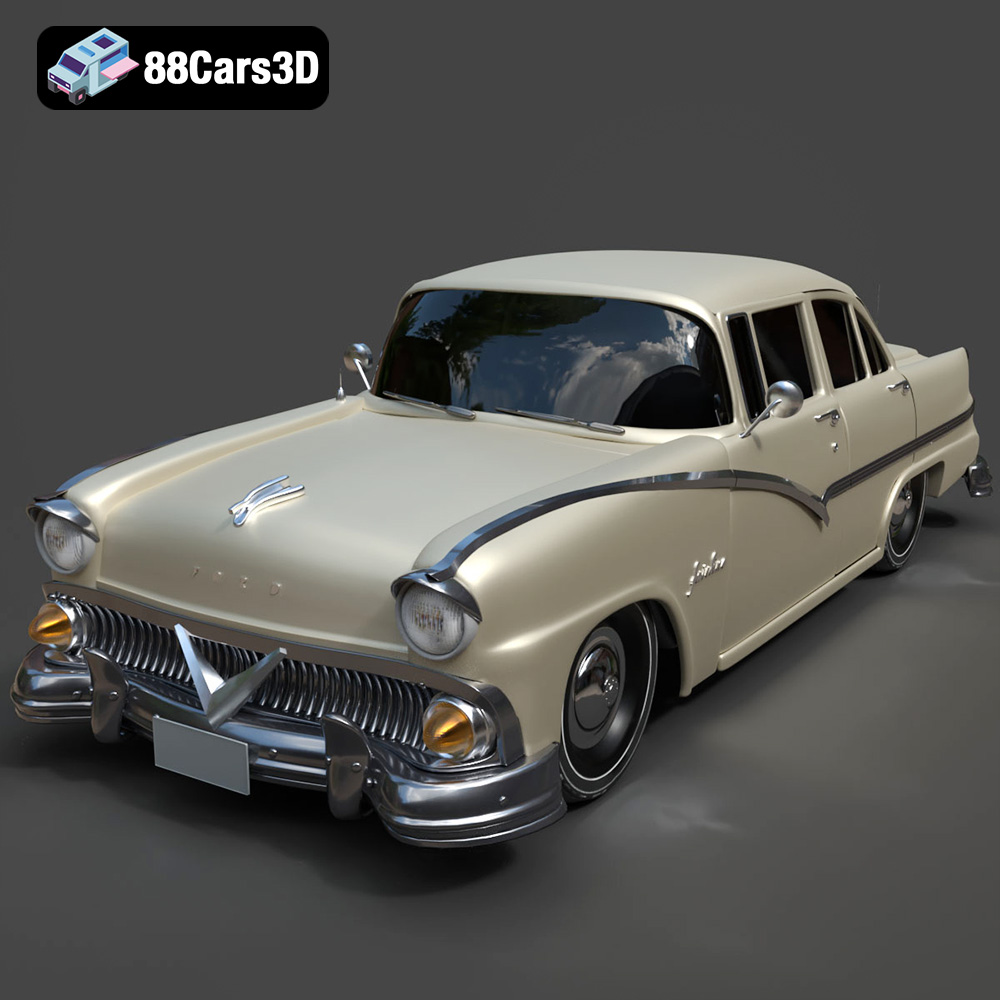
Texture: Yes | Material: Yes
Download the highly detailed, game-ready Ford Fairlin 3D Model. Features iconic classic styling, sweeping bodylines, and an accurate vintage interior. Includes .blend, .fbx, .obj, .glb, .stl, .ply, .unreal, and .max formats for game development, AR/VR, and rendering.
Price: $19.99

Texture: Yes | Material: Yes
Download the highly detailed, game-ready Ford Mustang GT 3D Model. Features aggressive muscle car styling, a highly detailed V8 engine bay, and accurate interior cockpit. Includes .blend, .fbx, .obj, .glb, .stl, .ply, .unreal, and .max formats for game development, AR/VR, and rendering.
Price: $19.99

Texture: Yes | Material: Yes
Download the highly detailed, game-ready Renault Megane CC 2011 3D Model. Features an accurately modeled folding glass roof, sleek aerodynamic body lines, and a detailed interior. Includes .blend, .fbx, .obj, .glb, .stl, .ply, .unreal, and .max formats for game development, AR/VR, and rendering.
Price: $19.99

Texture: Yes | Material: Yes
Download the highly detailed, game-ready Ford GT 2005 3D Model. Features signature aerodynamic bodylines, mid-mounted supercharged V8 detailing, and iconic racing stripes. Includes .blend, .fbx, .obj, .glb, .stl, .ply, .unreal, and .max formats for game development, AR/VR, and rendering.
Price: $19.99

Texture: Yes | Material: Yes
Download the highly detailed, game-ready Yamaha YZF-R125 EU 3D Model. Features an aggressive aerodynamic fairing, twin LED headlights, and a detailed 125cc engine block. Includes .blend, .fbx, .obj, .glb, .stl, .ply, .unreal, and .max formats for game development, AR/VR, and rendering.
Price: $19.99

Texture: Yes | Material: Yes
Download the highly detailed, game-ready Yamaha R1 3D Model. Features aggressive aerodynamic fairings, a detailed crossplane inline-4 engine, and track-focused suspension geometry. Includes .blend, .fbx, .obj, .glb, .stl, .ply, .unreal, and .max formats for game development, AR/VR, and rendering.
Price: $19.99

Texture: Yes | Material: Yes
Download the highly detailed, game-ready Yamaha XV950 Racer 3D Model. Features an aggressive cafe-racer front cowl, detailed air-cooled V-twin engine, and classic retro styling. Includes .blend, .fbx, .obj, .glb, .stl, .ply, .unreal, and .max formats for game development, AR/VR, and rendering.
Price: $19.99

