Get 20% OFF All Premium 3D & STL Models!

“`html
3D printing offers incredible opportunities for hobbyists, engineers, and automotive enthusiasts alike. Platforms like 88cars3d.com provide access to a vast library of printable car models in STL format. However, sometimes these files, or STL files downloaded from other sources, can contain errors that lead to print failures. These errors, often referred to as “broken meshes,” can manifest as holes, non-manifold edges, or self-intersections within the model’s geometry. Fortunately, robust software solutions like Meshmixer and Netfabb exist to diagnose and repair these issues, ensuring successful and high-quality 3D prints. This comprehensive guide will walk you through the process of identifying and fixing broken STL meshes using these powerful tools, specifically focusing on techniques relevant to 3D printing detailed car models.
In this article, you will learn:
STL (Stereolithography) files represent 3D models as a collection of triangles. A “healthy” STL mesh is a closed, watertight surface, meaning it has no holes and all triangles are properly connected. Errors arise when these conditions are violated, leading to problems during slicing and printing. Understanding the common types of errors is the first step towards effective repair.
Non-manifold geometry is a common culprit behind 3D printing failures. This occurs when edges are shared by more than two triangles or when a triangle has an edge that isn’t connected to any other triangle. Imagine a single plane having a single edge connected to three triangles forming a pyramid shape. This creates ambiguity for the slicer software and leads to unexpected results. This error is particularly problematic for intricate car models from 88cars3d.com, where fine details can easily introduce non-manifold edges.
Holes in the mesh create open surfaces, preventing the slicer from generating a proper solid model. These can range from tiny pinholes to large missing sections. Car models often have intricate interiors or complex surfaces which are common spots for missing triangles or gaps to form.
Self-intersections occur when parts of the model intersect with themselves, creating overlapping geometry. These are common in organic shapes or models with intricate details. While not as common in properly modeled car models, they can occur after boolean operations or complex modifications.
Meshmixer is a free and versatile tool from Autodesk that excels at mesh editing and repair. It offers a range of features designed to address common STL errors, making it a great choice for hobbyists and beginners. Its intuitive interface allows for quick identification and correction of mesh problems.
First, import the STL file into Meshmixer using “File -> Import.” Then, use the “Analysis -> Inspector” tool. Meshmixer will automatically detect and highlight potential errors with different color markers. Click on each marker to automatically fix minor errors. For more complex issues, manual repair is often required.
For more stubborn errors, Meshmixer offers several manual repair tools. The “Edit -> Make Solid” command is particularly useful for closing small holes and creating a watertight mesh. The “Sculpt” tools can be used to smooth out rough areas or manually bridge gaps. Experiment with different brush types and sizes to achieve the desired results.
Sometimes, the original mesh topology is simply too complex or poorly structured to be easily repaired. In these cases, remeshing can create a new, cleaner mesh with a more uniform triangle distribution. Use the “Edit -> Remesh” command. Experiment with different remesh modes (e.g., “Relative Density,” “Absolute Density”) and settings to find the optimal balance between detail preservation and mesh simplification. For car models, prioritize preserving sharp edges and fine details.
Netfabb (now part of Autodesk Fusion 360) is a professional-grade software package designed for additive manufacturing workflow management, including advanced mesh repair. While it’s a paid software, its robust features and precision make it invaluable for professionals and serious hobbyists. Netfabb provides unparalleled control over mesh manipulation and ensures print-ready files.
Import the STL file into Netfabb using “File -> Add Part.” Then, use the “Analysis -> New Analysis” command. Netfabb will perform a comprehensive analysis of the mesh and generate a detailed report of any errors found. The report categorizes errors by type and provides tools for automatic and manual repair.
Netfabb offers a powerful “Automatic Repair” function that can often fix most common mesh errors with a single click. Right-click on the part in the project tree and select “Repair -> Automatic Repair.” Experiment with different repair settings to optimize the results. For example, you can choose to “Close All Holes,” “Remove Trivial Triangles,” and “Fix Orientation.”
For more complex or specific repairs, Netfabb provides a range of manual mesh editing tools. The “Triangle” and “Edge” selection tools allow you to directly manipulate the mesh geometry. The “Add Triangle” and “Remove Triangle” functions can be used to close holes or remove problematic triangles. Netfabb also offers advanced tools for smoothing, offsetting, and boolean operations.
After repairing the STL mesh, it’s important to optimize it for 3D printing, particularly when dealing with detailed car models from sources like 88cars3d.com. This involves considering factors such as print orientation, support structures, and wall thickness.
The orientation of the model on the print bed significantly affects print quality, support requirements, and overall printing time. Choose an orientation that minimizes the need for support structures, especially in areas with fine details. Car models often benefit from being printed with the body tilted back slightly to reduce the number of supports required on the roof and hood. Consider using automatic support generation features in your slicer software (e.g., Cura, PrusaSlicer).
Ensure that the model has sufficient wall thickness to provide structural integrity. A wall thickness of 1.2mm to 2mm is generally recommended for car models. Adjust the infill density to control the model’s weight and strength. A higher infill density results in a stronger, heavier model, while a lower infill density reduces material consumption and printing time. Experiment with different infill patterns (e.g., gyroid, honeycomb) to optimize strength and print quality. A good starting point is 15-20% infill.
The choice of material and printer settings also plays a crucial role in the final print quality. PLA is a good general-purpose material for car models, while ABS offers higher strength and heat resistance. PETG provides a good balance of strength, flexibility, and ease of printing. Adjust the print temperature, layer height, and print speed according to the material manufacturer’s recommendations. A layer height of 0.1mm to 0.2mm is generally recommended for car models to capture fine details. The ideal settings for a specific model also depend on the printer itself and the printing environment. It’s best to print tests before attempting a full model.
Even with a properly repaired and optimized STL file, printing issues can still arise. Understanding common problems and their solutions can save you time and frustration. A common cause is that the STL file has not been corrected properly. If the error remains, the printer will have problems.
Warping occurs when the printed part lifts from the print bed, often due to temperature differences or poor bed adhesion. To prevent warping, ensure that the print bed is properly leveled and heated. Apply an adhesion aid, such as glue stick or hairspray, to the print bed. Enclosing the printer can also help to maintain a more consistent temperature and reduce warping. Also, ensure that the initial layer is printing slowly and with enough material being extruded to adhere.
Stringing and blobs are caused by excessive filament oozing from the nozzle during travel moves. To reduce stringing, adjust the retraction settings in your slicer software. Increase the retraction distance and speed to pull the filament back into the nozzle more effectively. Lowering the print temperature can also help to reduce oozing. Check to see that the retraction speed isn’t so high that it skips the extruder gear steps, as this will cause a failure. Also, ensure that the “coasting” function is enabled in your slicer settings.
Layer separation occurs when the layers of the printed part fail to adhere properly, resulting in a weak and brittle print. This can be caused by insufficient print temperature, poor layer adhesion, or underextrusion. Ensure that the print temperature is set correctly for the chosen material. Increase the flow rate slightly to ensure proper layer adhesion. Check that the nozzle is not partially clogged, as this can lead to underextrusion.
Repairing broken STL meshes is a crucial skill for anyone involved in 3D printing, especially when working with detailed models like those found on 88cars3d.com. By understanding common mesh errors and mastering the tools and techniques described in this guide, you can significantly improve your print success rate and achieve high-quality results. From identifying and fixing issues like non-manifold geometry, holes, and self-intersections with Meshmixer and Netfabb, to optimizing your models for printing by carefully considering orientation, supports, wall thickness, and material selection, these steps will take your 3D printing projects to the next level. As you gain experience, you’ll develop an intuition for identifying and addressing potential problems before they lead to print failures. The time invested in learning these techniques will pay off in saved filament, reduced frustration, and more impressive 3D printed car models. Now, put these techniques to the test on your next project, starting with a high-quality STL file from 88cars3d.com!
“`

Texture: Yes | Material: Yes
Download the highly detailed, game-ready Toyota Camry 2018 3D Model. Features an aggressive aerodynamic body, distinct LED lighting signature, and precise interior detailing. Includes .blend, .fbx, .obj, .glb, .stl, .ply, .unreal, and .max formats for game development, AR/VR, and rendering.
Price: $19.99
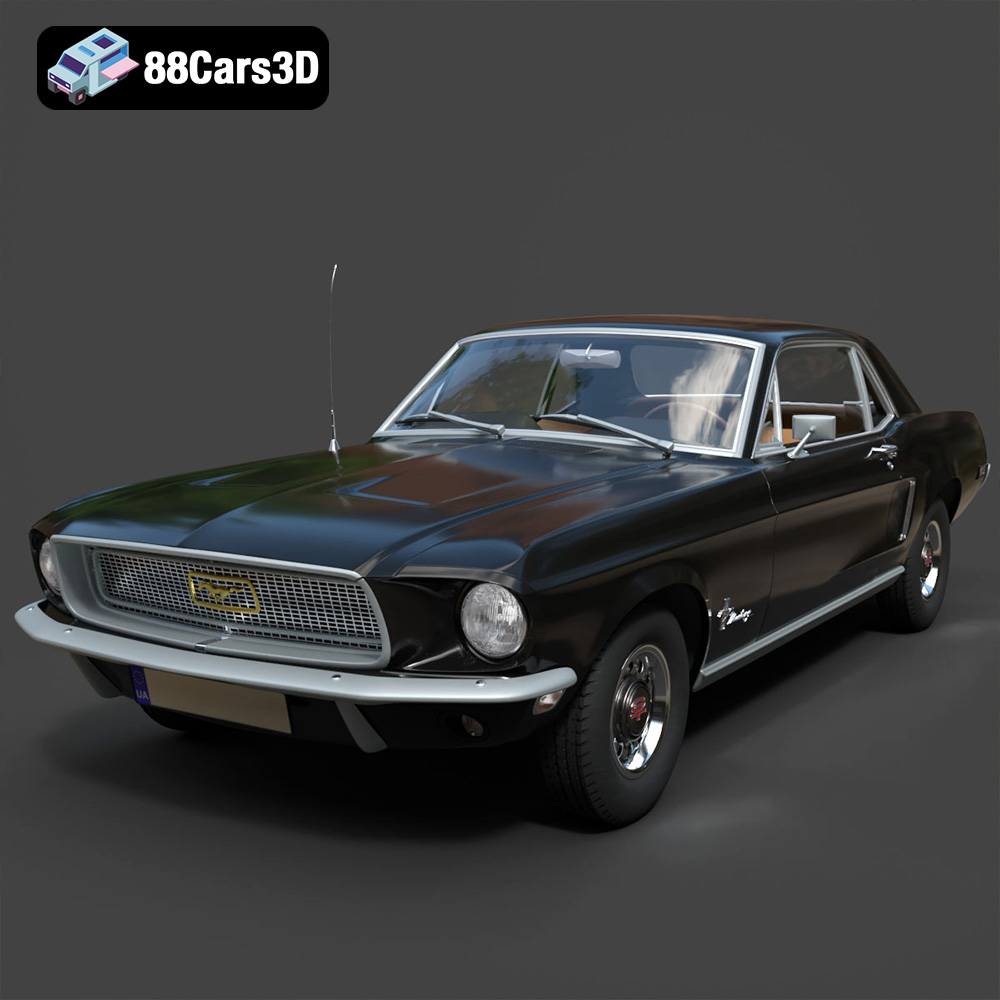
Texture: Yes | Material: Yes
Download the highly detailed, game-ready Ford Mustang Hardtop 1968 3D Model. Features the iconic galloping pony grille, signature tri-bar taillights, and an authentic vintage interior. Includes .blend, .fbx, .obj, .glb, .stl, .ply, .unreal, and .max formats for game development, AR/VR, and rendering.
Price: $19.99

Texture: Yes | Material: Yes
Download the highly detailed, game-ready Ferrari J50 2017 3D Model. Features aggressive aerodynamic styling, twin-turbo V8 engine details, and targa top design. Includes .blend, .fbx, .obj, .glb, .stl, .ply, .unreal, and .max formats for game development, AR/VR, and rendering.
Price: $19.99
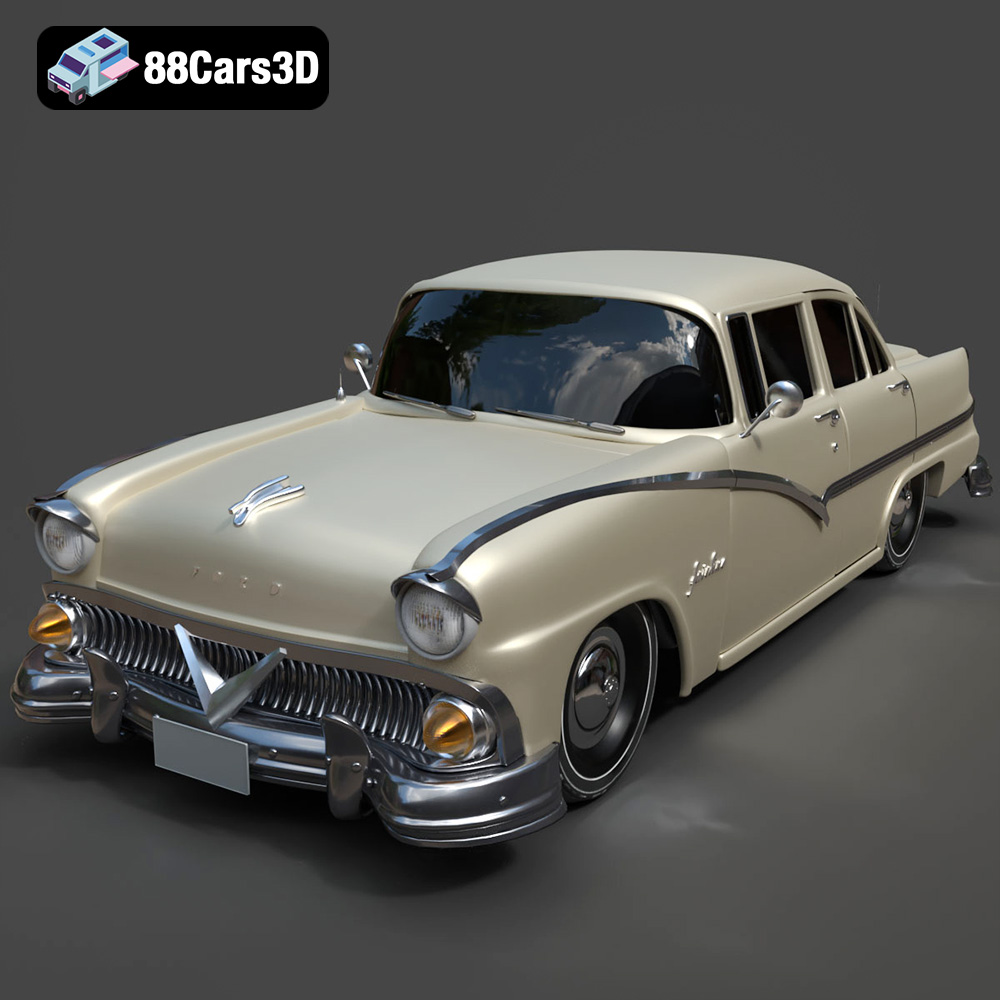
Texture: Yes | Material: Yes
Download the highly detailed, game-ready Ford Fairlin 3D Model. Features iconic classic styling, sweeping bodylines, and an accurate vintage interior. Includes .blend, .fbx, .obj, .glb, .stl, .ply, .unreal, and .max formats for game development, AR/VR, and rendering.
Price: $19.99
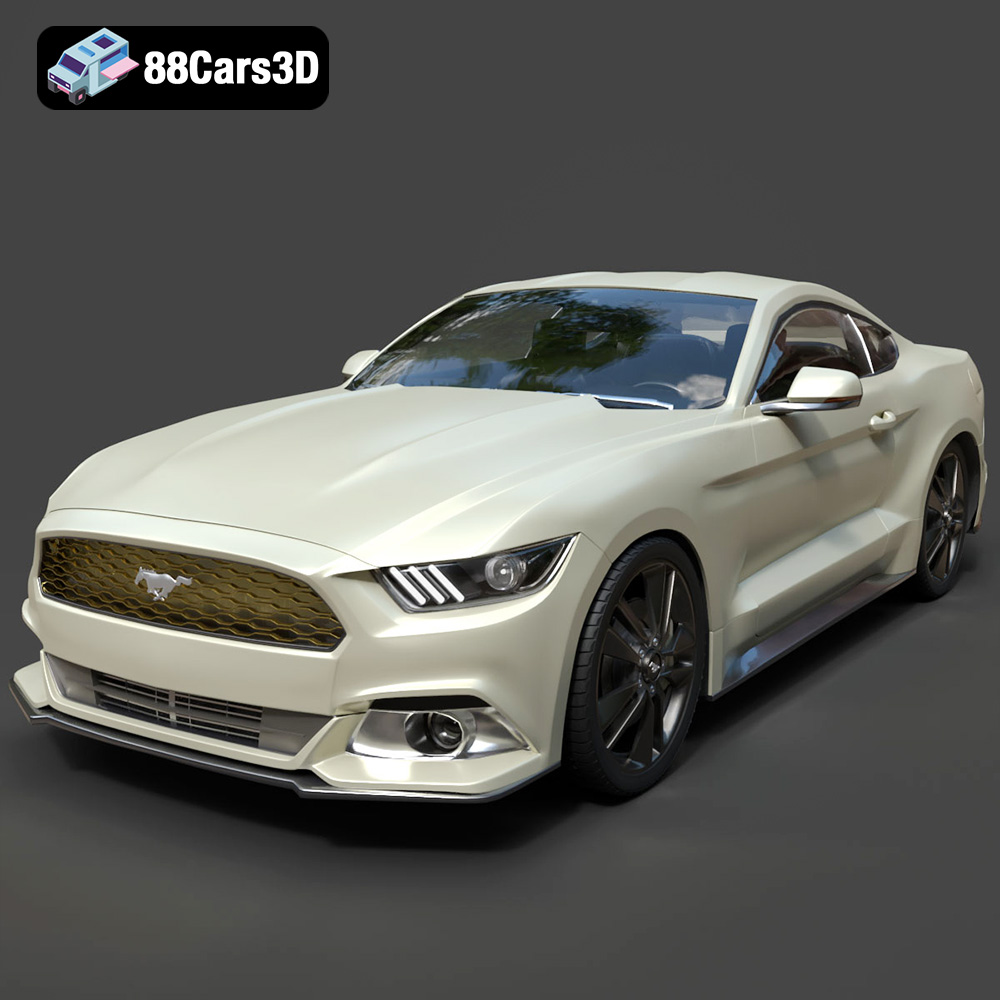
Texture: Yes | Material: Yes
Download the highly detailed, game-ready Ford Mustang GT 3D Model. Features aggressive muscle car styling, a highly detailed V8 engine bay, and accurate interior cockpit. Includes .blend, .fbx, .obj, .glb, .stl, .ply, .unreal, and .max formats for game development, AR/VR, and rendering.
Price: $19.99

Texture: Yes | Material: Yes
Download the highly detailed, game-ready Renault Megane CC 2011 3D Model. Features an accurately modeled folding glass roof, sleek aerodynamic body lines, and a detailed interior. Includes .blend, .fbx, .obj, .glb, .stl, .ply, .unreal, and .max formats for game development, AR/VR, and rendering.
Price: $19.99

Texture: Yes | Material: Yes
Download the highly detailed, game-ready Ford GT 2005 3D Model. Features signature aerodynamic bodylines, mid-mounted supercharged V8 detailing, and iconic racing stripes. Includes .blend, .fbx, .obj, .glb, .stl, .ply, .unreal, and .max formats for game development, AR/VR, and rendering.
Price: $19.99

Texture: Yes | Material: Yes
Download the highly detailed, game-ready Yamaha YZF-R125 EU 3D Model. Features an aggressive aerodynamic fairing, twin LED headlights, and a detailed 125cc engine block. Includes .blend, .fbx, .obj, .glb, .stl, .ply, .unreal, and .max formats for game development, AR/VR, and rendering.
Price: $19.99

Texture: Yes | Material: Yes
Download the highly detailed, game-ready Yamaha R1 3D Model. Features aggressive aerodynamic fairings, a detailed crossplane inline-4 engine, and track-focused suspension geometry. Includes .blend, .fbx, .obj, .glb, .stl, .ply, .unreal, and .max formats for game development, AR/VR, and rendering.
Price: $19.99

Texture: Yes | Material: Yes
Download the highly detailed, game-ready Yamaha XV950 Racer 3D Model. Features an aggressive cafe-racer front cowl, detailed air-cooled V-twin engine, and classic retro styling. Includes .blend, .fbx, .obj, .glb, .stl, .ply, .unreal, and .max formats for game development, AR/VR, and rendering.
Price: $19.99

