Get 20% OFF All Premium 3D & STL Models!

“`html
The world of 3D printing offers incredible possibilities for automotive enthusiasts, model makers, and hobbyists. Thanks to online marketplaces like 88cars3d.com, you can now access a vast library of printable car models in STL format. But before you hit that print button, a crucial decision awaits: which 3D printing technology is best suited for bringing your dream car to life – Resin or Fused Deposition Modeling (FDM)?
This comprehensive guide will delve deep into the intricacies of both Resin and FDM printing, specifically in the context of printing car STL files. We’ll explore their strengths, weaknesses, optimal settings, and post-processing techniques to empower you to make an informed decision and achieve stunning results. Whether you’re aiming for intricate detailing, robust functionality, or a balance of both, understanding the nuances of each technology is paramount. Get ready to explore layer heights, support structures, material properties, and much more to optimize your 3D printing journey.
Fused Deposition Modeling (FDM) is perhaps the most recognizable 3D printing method. It involves extruding molten plastic filament, layer by layer, onto a build platform. For printing car models, FDM offers a blend of affordability and reasonable detail, making it a popular choice for many.
The choice of filament significantly impacts the final product. PLA (Polylactic Acid) is a biodegradable thermoplastic known for its ease of printing and wide availability. It’s a good starting point but might lack the durability for functional parts. ABS (Acrylonitrile Butadiene Styrene) offers greater strength and heat resistance, making it suitable for models that might be exposed to higher temperatures or require more robust mechanical properties. PETG (Polyethylene Terephthalate Glycol-modified) combines the ease of printing of PLA with the strength and durability of ABS, making it a versatile option. For car models, consider PETG for its balance of properties. The specific filament diameter (typically 1.75mm) is also crucial for printer compatibility. Always check your printer’s specifications before purchasing filament.
Achieving optimal results with FDM requires careful tuning of various parameters. Layer height is a critical setting. Smaller layer heights (e.g., 0.1mm – 0.15mm) result in smoother surfaces and finer details, ideal for showcasing intricate features of car models. However, this comes at the cost of increased print time. Larger layer heights (e.g., 0.2mm – 0.3mm) offer faster printing but sacrifice detail. Infill percentage determines the internal density of the model. For purely aesthetic models, a lower infill (10-15%) might suffice. For functional parts or models requiring structural integrity, a higher infill (20-50%) is recommended. Print speed impacts both print time and quality. Slower speeds (e.g., 40-60mm/s) generally result in better layer adhesion and reduced warping. Temperature settings (nozzle and bed) depend on the chosen filament. Refer to the filament manufacturer’s recommendations as a starting point and fine-tune based on your printer’s performance. Bed adhesion is crucial to prevent warping, especially with larger models. Use a heated bed (typically 60-70°C for PLA/PETG, 90-110°C for ABS), a raft, or a brim to enhance adhesion.
Resin printing, also known as stereolithography (SLA) or digital light processing (DLP), utilizes liquid resin cured by UV light. This technology excels at producing incredibly detailed and smooth prints, making it a preferred choice for showcasing intricate designs and achieving a high level of realism in car models.
Various resin types cater to different needs. Standard resin is ideal for general-purpose printing and achieving high detail. Tough resin offers increased impact resistance and durability, suitable for parts that require some level of functionality. Flexible resin allows for creating parts with a degree of flexibility, which can be useful for tires or suspension components. Water-washable resin simplifies the post-processing cleaning stage. The choice of resin depends on the specific application and desired properties of the final car model. Before selecting a resin, always consider its viscosity, curing time, and post-processing requirements. Resin printing often necessitates the use of personal protective equipment (PPE) such as gloves and eye protection due to potential skin irritation.
Successful resin printing hinges on several key settings. Layer height is even more critical than in FDM. Extremely fine layer heights (e.g., 0.025mm – 0.05mm) are achievable, resulting in exceptionally smooth surfaces and intricate details. However, this significantly increases print time. Exposure time determines the duration the UV light illuminates each layer. Overexposure can lead to overly thick layers and loss of detail, while underexposure can result in weak layer adhesion. Lift speed and retract speed control the movement of the build platform between layers. Optimizing these settings minimizes stress on the printed part and prevents layer separation. Support structures are essential for resin printing, especially for overhanging features. Properly designed supports provide stability during printing and prevent warping or collapse. Use a slicing software like Chitubox or Lychee Slicer to generate supports automatically or manually add them for optimal placement. Consider the support density and tip size. Thinner support tips minimize scarring on the model’s surface during removal.
Regardless of whether you choose FDM or resin printing, proper file preparation is essential. STL files obtained from sources like 88cars3d.com often require some level of inspection and repair before printing.
Software like Meshmixer, Netfabb, and Blender provide tools for analyzing and repairing STL files. Check for non-manifold edges, flipped normals, and holes in the mesh. These defects can lead to printing errors. Meshmixer’s “Make Solid” function is particularly useful for repairing complex meshes. Netfabb offers advanced repair capabilities, including automatic mesh healing. Blender allows for manual editing of the mesh, providing precise control over geometry. When importing STL files, ensure the units are set correctly (typically millimeters) to avoid scaling issues during printing.
Print orientation significantly impacts the success of the print. For FDM, orient the model to minimize the need for support structures. Consider the direction of layer lines and their impact on surface finish and strength. For resin, orient the model at an angle (typically 30-45 degrees) to reduce the cross-sectional area of each layer, minimizing stress on the build platform and improving adhesion. Strategically place support structures to provide adequate support for overhanging features while minimizing their impact on the visible surfaces of the model. Experiment with different support patterns and densities to find the optimal balance between support strength and ease of removal.
Post-processing is the crucial final step in transforming a 3D printed part into a finished masterpiece. The techniques vary depending on the printing method used.
FDM printed parts often exhibit layer lines that require sanding. Start with coarse sandpaper (e.g., 120 grit) and gradually move to finer grits (e.g., 400 grit, 600 grit) to achieve a smooth surface. Apply filler primer to fill in any remaining imperfections. Sand the primer smooth before painting. Choose paints specifically designed for plastics to ensure proper adhesion and durability. Multiple thin coats of paint are preferable to a single thick coat to avoid runs and drips. Consider using an airbrush for a professional finish. Clear coat provides a protective layer and enhances the glossiness of the paint.
Resin printed parts require cleaning to remove uncured resin. Immerse the parts in isopropyl alcohol (IPA) or a dedicated resin cleaner for several minutes. Use a soft brush to remove any remaining resin from crevices. After cleaning, the parts must be cured under UV light to fully harden the resin. Use a dedicated UV curing station or expose the parts to sunlight. After curing, remove support structures. Use sharp tools like flush cutters or hobby knives to carefully detach the supports. Sand away any remaining support marks. Apply primer and paint as desired, similar to FDM post-processing. Resin prints often exhibit exceptional detail and smooth surfaces, requiring minimal post-processing to achieve a stunning finish.
Even with careful planning and optimized settings, 3D printing can sometimes present challenges. Understanding common issues and their solutions is crucial for achieving successful prints.
Warping occurs when the corners of the print lift off the build platform. Increase bed adhesion by using a heated bed, a raft, or a brim. Ensure the bed is properly leveled. Layer separation, also known as delamination, happens when layers fail to adhere properly. Increase the nozzle temperature or decrease the print speed. Ensure proper cooling fan settings. Stringing refers to thin strands of plastic forming between different parts of the print. Reduce the nozzle temperature or increase the retraction distance. Ensure the filament is dry and stored properly.
Failed prints can occur due to insufficient exposure time or inadequate support structures. Increase the exposure time or add more supports. Support failure happens when supports break during printing. Increase the support density or use thicker support tips. Ensure the supports are properly attached to the model. Elephant’s foot refers to the bottom layers of the print being wider than the rest of the model. Reduce the initial layer exposure time or adjust the Z-axis calibration.
To help you summarize the differences and make a more informed decision, here’s a comparison table.
| Feature | FDM | Resin |
|---|---|---|
| Detail Level | Good | Excellent |
| Surface Finish | Requires Sanding | Smooth |
| Material Options | Wide Variety | Specialized Resins |
| Strength & Durability | Good (depending on filament) | Can be brittle, specialized resins available |
| Cost | Lower | Higher |
| Ease of Use | Generally Easier | More involved setup and post-processing |
| Applications for Car Models | Larger models, functional parts, prototyping | Detailed models, display pieces, intricate designs |
Choosing between Resin and FDM for printing car STL files from platforms like 88cars3d.com depends heavily on your specific goals and priorities. FDM offers a more accessible and affordable entry point, suitable for larger models, functional parts, and prototyping. Resin printing, on the other hand, excels in delivering exceptional detail and smooth surfaces, making it ideal for display pieces and intricate designs. Consider the desired level of detail, material properties, budget, and post-processing requirements when making your decision.
Experimentation is key! Don’t be afraid to try both technologies and explore different materials and settings. Armed with the knowledge gained from this guide, you’re well-equipped to embark on your 3D printing journey and bring your dream car models to life. Remember to always prioritize safety and follow the manufacturer’s instructions for your 3D printer and materials.
“`

Texture: Yes | Material: Yes
Download the highly detailed, game-ready Toyota Camry 2018 3D Model. Features an aggressive aerodynamic body, distinct LED lighting signature, and precise interior detailing. Includes .blend, .fbx, .obj, .glb, .stl, .ply, .unreal, and .max formats for game development, AR/VR, and rendering.
Price: $19.99
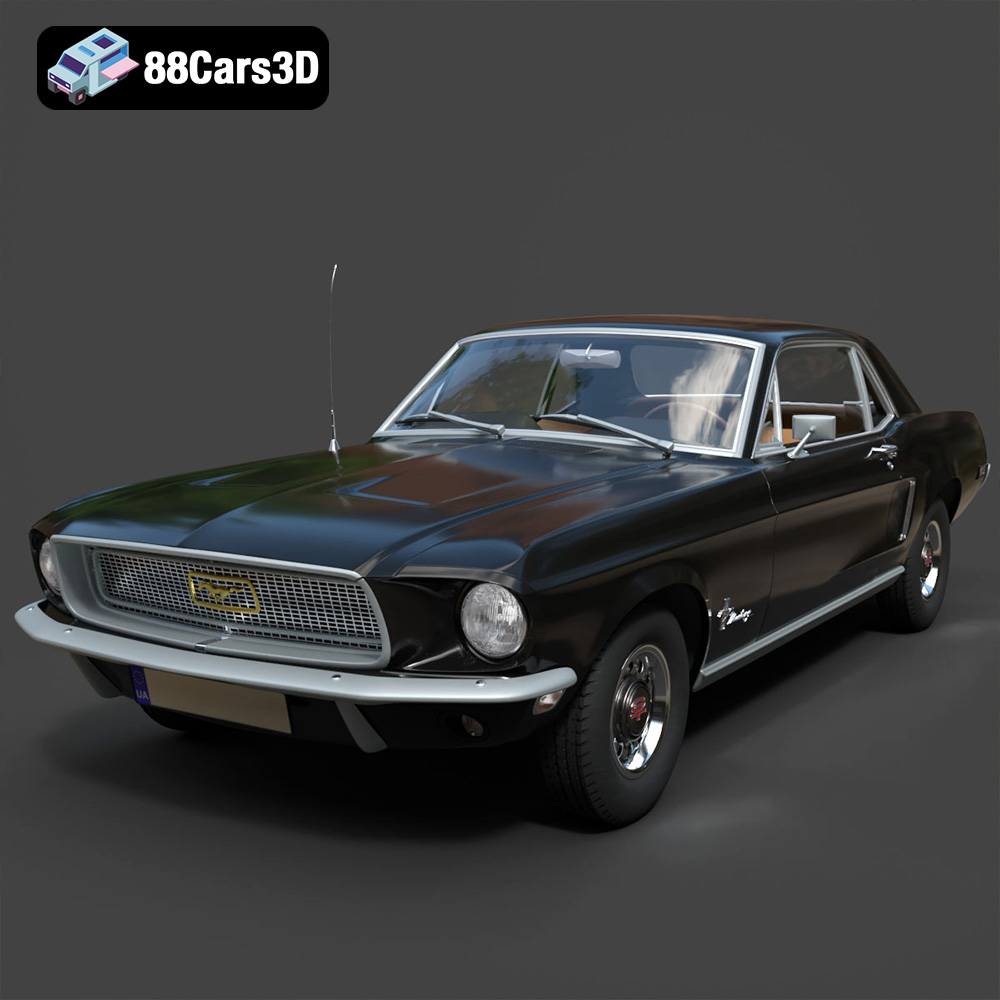
Texture: Yes | Material: Yes
Download the highly detailed, game-ready Ford Mustang Hardtop 1968 3D Model. Features the iconic galloping pony grille, signature tri-bar taillights, and an authentic vintage interior. Includes .blend, .fbx, .obj, .glb, .stl, .ply, .unreal, and .max formats for game development, AR/VR, and rendering.
Price: $19.99
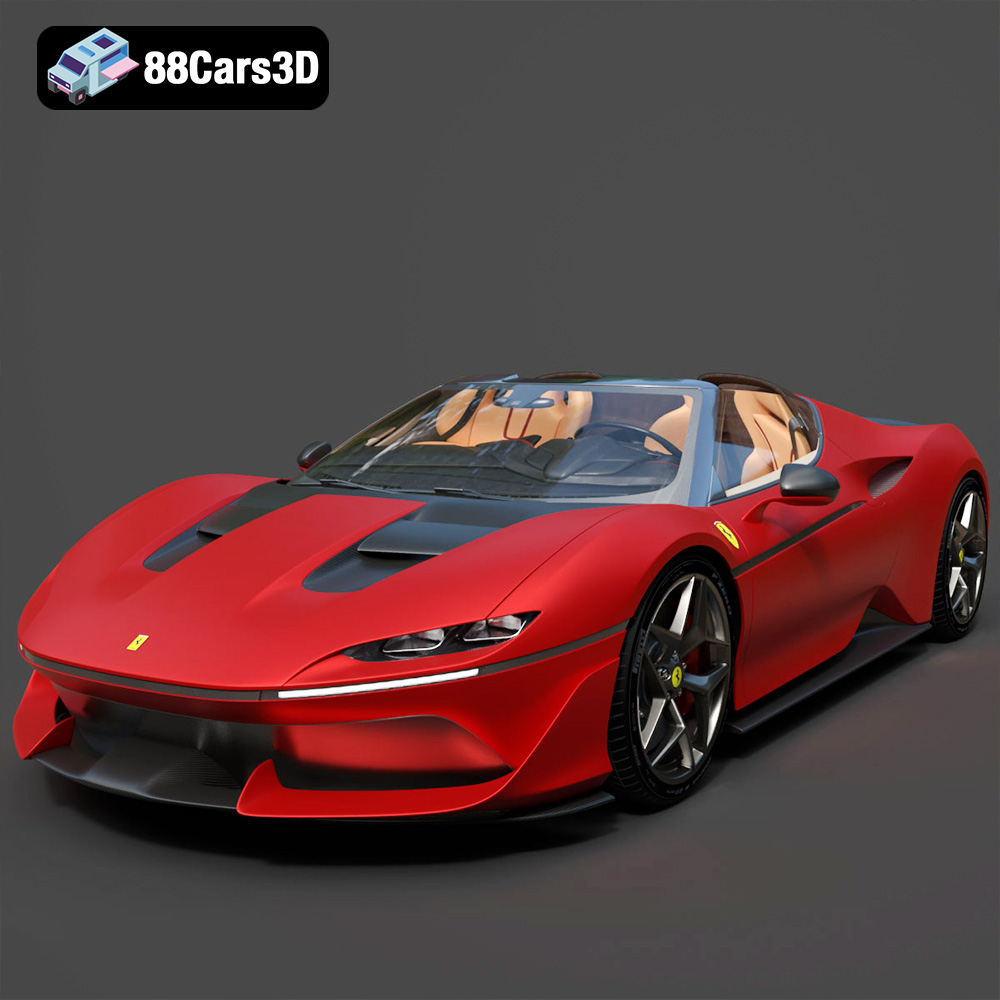
Texture: Yes | Material: Yes
Download the highly detailed, game-ready Ferrari J50 2017 3D Model. Features aggressive aerodynamic styling, twin-turbo V8 engine details, and targa top design. Includes .blend, .fbx, .obj, .glb, .stl, .ply, .unreal, and .max formats for game development, AR/VR, and rendering.
Price: $19.99
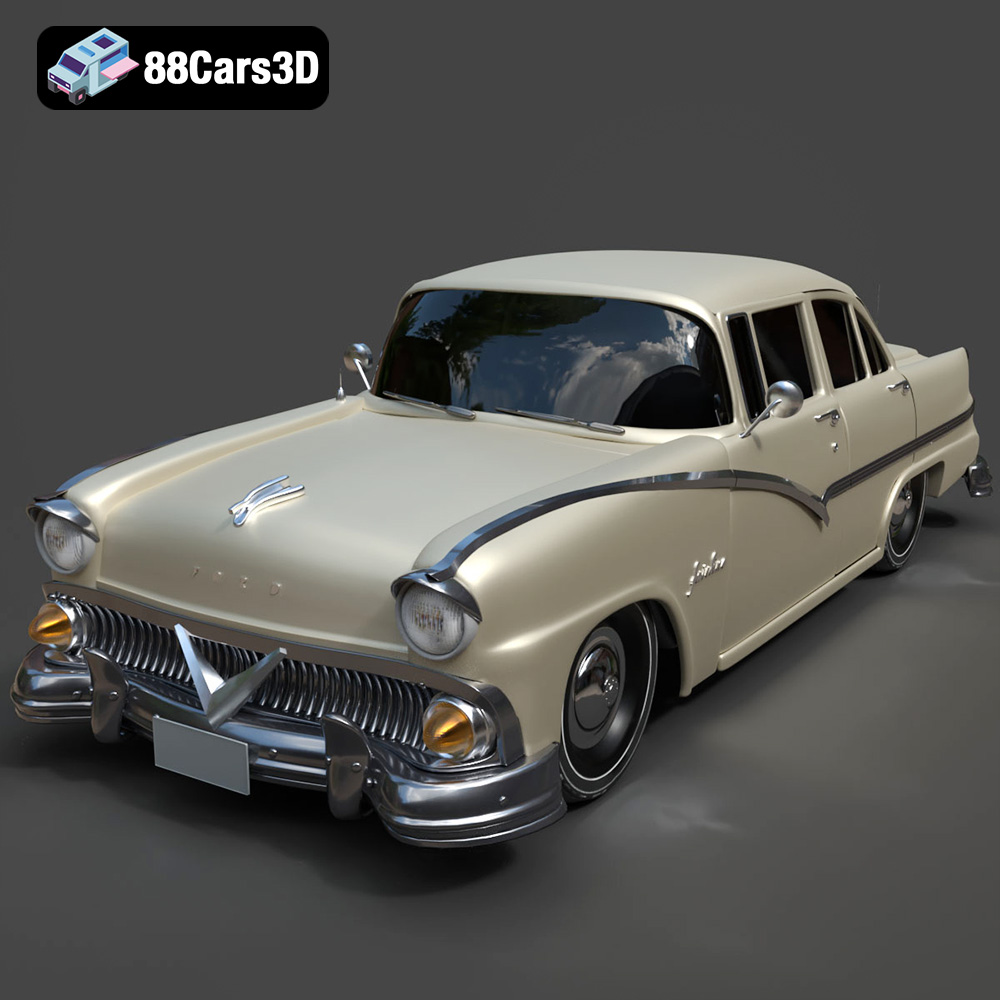
Texture: Yes | Material: Yes
Download the highly detailed, game-ready Ford Fairlin 3D Model. Features iconic classic styling, sweeping bodylines, and an accurate vintage interior. Includes .blend, .fbx, .obj, .glb, .stl, .ply, .unreal, and .max formats for game development, AR/VR, and rendering.
Price: $19.99
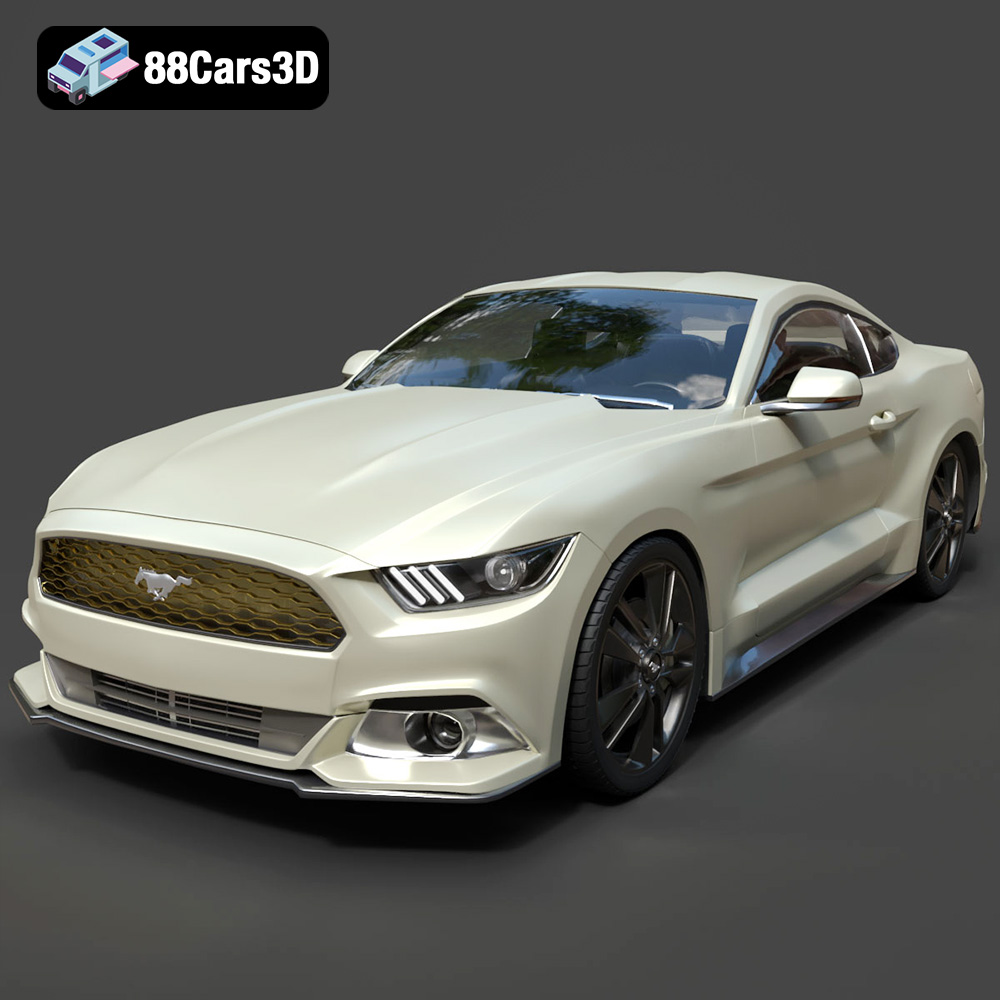
Texture: Yes | Material: Yes
Download the highly detailed, game-ready Ford Mustang GT 3D Model. Features aggressive muscle car styling, a highly detailed V8 engine bay, and accurate interior cockpit. Includes .blend, .fbx, .obj, .glb, .stl, .ply, .unreal, and .max formats for game development, AR/VR, and rendering.
Price: $19.99

Texture: Yes | Material: Yes
Download the highly detailed, game-ready Renault Megane CC 2011 3D Model. Features an accurately modeled folding glass roof, sleek aerodynamic body lines, and a detailed interior. Includes .blend, .fbx, .obj, .glb, .stl, .ply, .unreal, and .max formats for game development, AR/VR, and rendering.
Price: $19.99

Texture: Yes | Material: Yes
Download the highly detailed, game-ready Ford GT 2005 3D Model. Features signature aerodynamic bodylines, mid-mounted supercharged V8 detailing, and iconic racing stripes. Includes .blend, .fbx, .obj, .glb, .stl, .ply, .unreal, and .max formats for game development, AR/VR, and rendering.
Price: $19.99

Texture: Yes | Material: Yes
Download the highly detailed, game-ready Yamaha YZF-R125 EU 3D Model. Features an aggressive aerodynamic fairing, twin LED headlights, and a detailed 125cc engine block. Includes .blend, .fbx, .obj, .glb, .stl, .ply, .unreal, and .max formats for game development, AR/VR, and rendering.
Price: $19.99

Texture: Yes | Material: Yes
Download the highly detailed, game-ready Yamaha R1 3D Model. Features aggressive aerodynamic fairings, a detailed crossplane inline-4 engine, and track-focused suspension geometry. Includes .blend, .fbx, .obj, .glb, .stl, .ply, .unreal, and .max formats for game development, AR/VR, and rendering.
Price: $19.99

Texture: Yes | Material: Yes
Download the highly detailed, game-ready Yamaha XV950 Racer 3D Model. Features an aggressive cafe-racer front cowl, detailed air-cooled V-twin engine, and classic retro styling. Includes .blend, .fbx, .obj, .glb, .stl, .ply, .unreal, and .max formats for game development, AR/VR, and rendering.
Price: $19.99

